

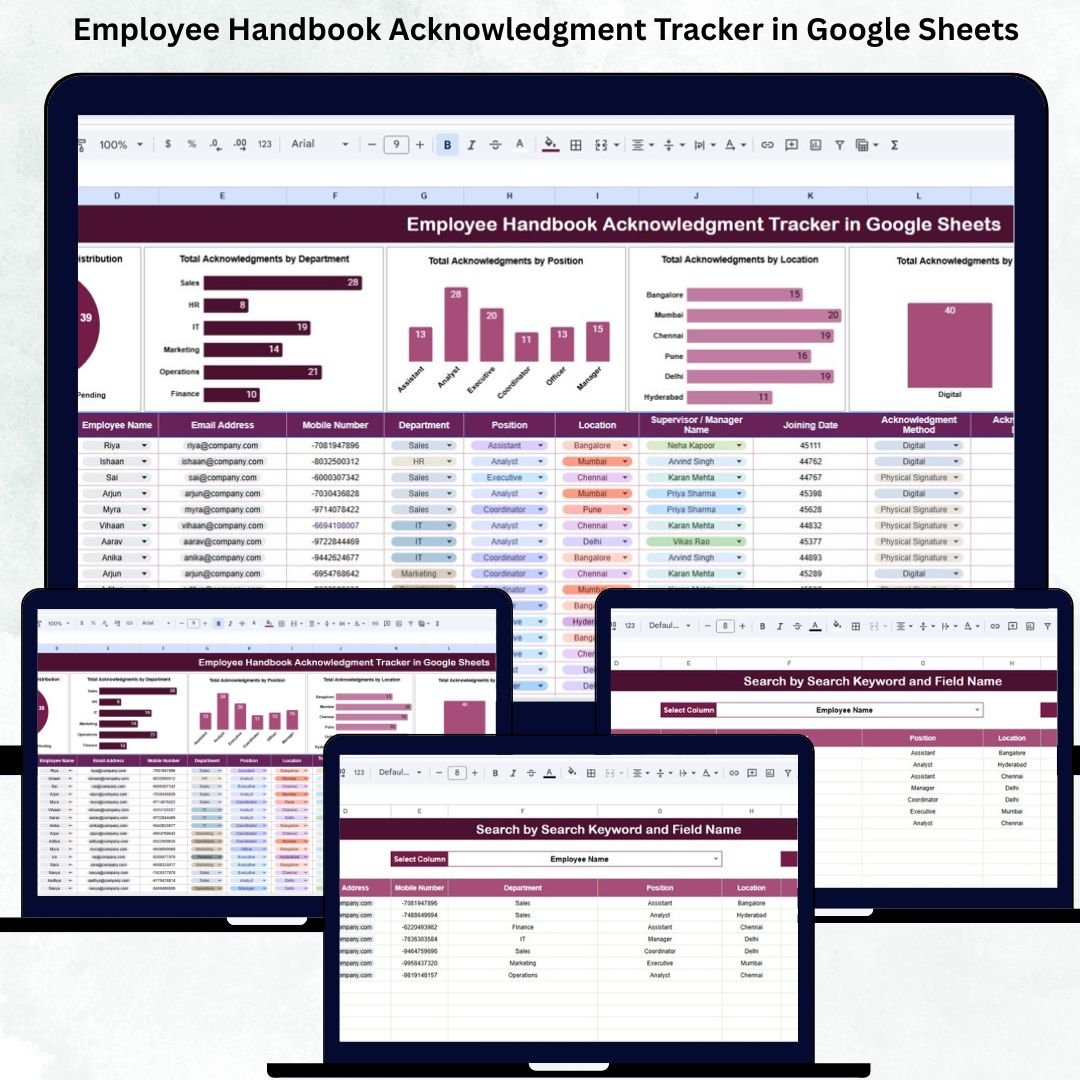

Managing employee acknowledgment of the company handbook is one of the most important responsibilities for HR teams. Every organization must ensure that employees have reviewed and understood the policies that guide workplace behavior, compliance standards, and company expectations. But without a structured system, keeping track of acknowledgments becomes time-consuming, confusing, and prone to errors. The Employee Handbook Acknowledgment Tracker in Google Sheets is the perfect solution to streamline this entire process.
This ready-to-use tracker provides HR departments with a clean, organized, and automated way to store and analyze acknowledgment details for every employee. Whether your employees sign digitally, manually, or through email, this tracker centralizes all information in one place. Best of all, because it is built in Google Sheets, your HR team can collaborate in real time, update records instantly, and access insights from anywhere.
✨ Key Features of the Employee Handbook Acknowledgment Tracker in Google Sheets
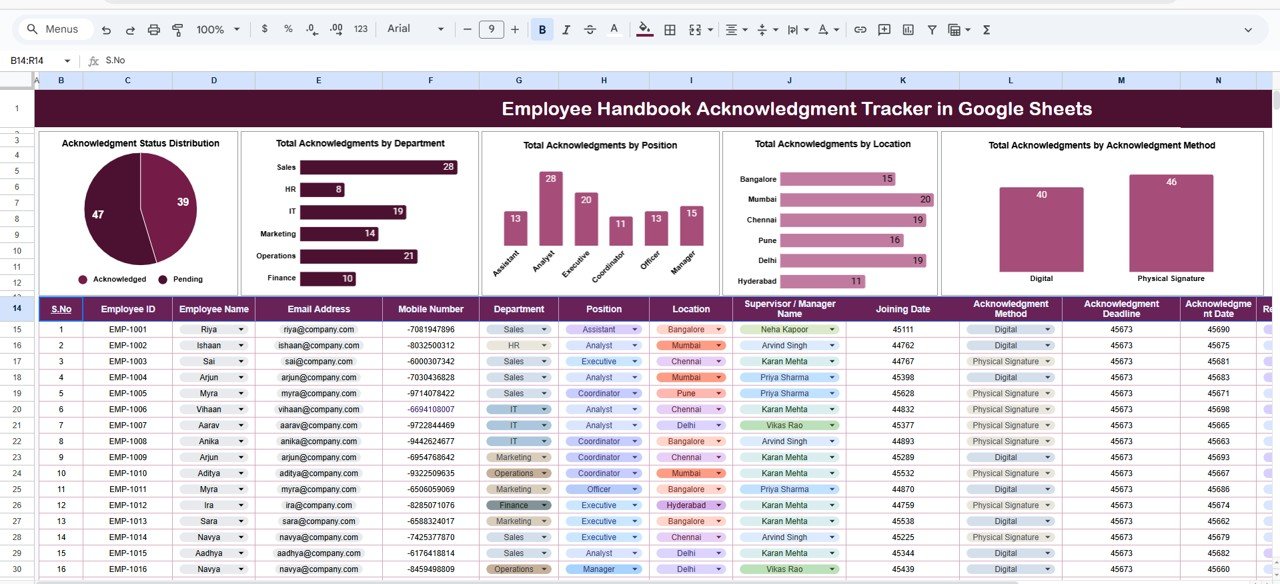
📊 1. Visual Dashboard for Quick Insights
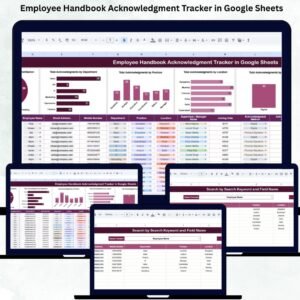
The Tracker Sheet includes multiple automated charts that summarize acknowledgment trends. HR teams can instantly see completed, pending, and not acknowledged statuses—helping them take action faster.
🏢 2. Department & Position Breakdown
Charts show acknowledgment totals by department and job position. This helps managers identify teams that need reminders or additional communication.
🌍 3. Location-Based Summary
Companies with multiple offices can easily track acknowledgment completion across all branches. This ensures smooth compliance in every region.
✍️ 4. Acknowledgment Method Tracking
Whether employees sign digitally, manually, or confirm through email, the tracker records the method clearly. This helps HR teams maintain proper documentation for audits.
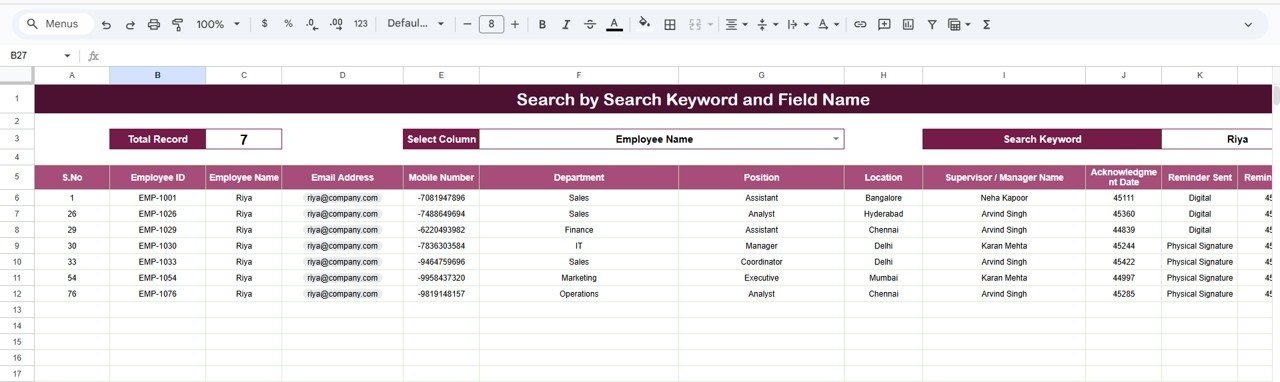
🔍 5. Built-In Search Tool
The Search Sheet allows users to quickly find any acknowledgment record by employee name, department, position, method, or status—saving hours of manual searching.
📦 What’s Inside the Employee Handbook Acknowledgment Tracker in Google Sheets
📍 1. Tracker Sheet (Main Dashboard)
The heart of the tool, displaying acknowledgment insights with the following charts:
✔ Acknowledgment Status Distribution (Completed, Pending, Not Acknowledged)
✔ Acknowledgments by Department
✔ Acknowledgments by Position
✔ Acknowledgments by Location
✔ Acknowledgments by Method
This makes compliance reporting faster, clearer, and easier.
🔎 2. Search Sheet (Fast Record Lookup)
A smart search interface where HR teams can:
Search by keyword
Search by specific fields like department or method
Filter acknowledgment records instantly
This feature is a big time-saver, especially for audits or urgent record checks.
🛠️ How to Use the Employee Handbook Acknowledgment Tracker in Google Sheets
1️⃣ Enter Employee Details
Fill fields such as name, department, position, location, and acknowledgment method.
2️⃣ Update Acknowledgment Status
Mark each employee as Completed, Pending, or Not Acknowledged based on their confirmation.
3️⃣ Review the Dashboard
Analyze department-wise or location-based completion rates using the automated charts.
4️⃣ Use the Search Tool
Find any employee record in seconds using the search interface.
5️⃣ Customize As Needed
Add fields like handbook version, acknowledgment date, or signature link based on company policy.
🎯 Who Can Benefit from This Employee Handbook Acknowledgment Tracker in Google Sheets
🏢 HR Departments
Track acknowledgments effortlessly and maintain compliance documentation.
👨💼 Managers & Department Heads
Monitor their team’s completion rate and follow up with pending employees.
📁 Compliance & Audit Teams
Use the dashboard to prepare for audits quickly and accurately.
🚀 Small to Large Businesses
Maintain a professional, structured, and organized acknowledgment process.
🌐 Remote & Hybrid Teams
Ensure employees across different locations comply with handbook requirements.
Click here to read the Detailed blog post
Watch the step-by-step video Demo:
Visit our YouTube channel to learn step-by-step video tutorials — Youtube.com/@NeotechNavigators
Compatibility and Requirements
- Works in Google Sheets. You need a free Google account and a web browser.
- Because it runs in Google Sheets, several HR team members can open and update the same file at once. Google explains the basics in Get started with Google Sheets.
Frequently Asked Questions
Which sheets does the tracker include?
Two sheets: the Tracker Sheet, which holds the charts, and the Search Sheet, which lets you look up records.
What acknowledgment statuses can I record?
Each employee is marked Completed, Pending or Not Acknowledged. The status chart on the Tracker Sheet summarizes all three.
Does it track how an employee acknowledged the handbook?
Yes. You record the method for each employee, such as a digital signature, a manual signature or an email confirmation. The Tracker Sheet has a chart of acknowledgments by method.
Can I see results by department, position or location?
Yes. The Tracker Sheet has separate charts for acknowledgments by department, by position and by location.
How do I find one employee’s record?
Use the Search Sheet. You can search by keyword or by a specific field such as department or method.
Related HR Templates
- Employee Complaint Resolution Tracker in Google Sheets: track employee complaints through to resolution
- Employee Onboarding Tracker in Google Sheets: follow new hires through onboarding steps
- Employee Attendance Tracker in Google Sheets: record attendance for your team
- Employee Disciplinary Action Tracker in Excel: an Excel tracker for HR records
- HR Google Sheets Pack: 10 HR templates for Google Sheets in one download
Browse all Google Sheets trackers and HR and Payroll templates for Google Sheets.














Reviews
There are no reviews yet.