



In the world of medical research, precision and transparency are everything. Whether it’s monitoring clinical trials, evaluating publication output, or tracking funding utilization, every detail matters. The Medical Research KPI Dashboard in Google Sheets is a ready-to-use, data-driven solution that allows research institutions, hospitals, and pharmaceutical teams to track, measure, and visualize their performance across all projects — all in one place.
This interactive dashboard turns complex data into actionable insights using real-time analytics, automatic comparisons, and visual charts — helping you manage every aspect of your research with ease and accuracy.

🔑 Key Features of the Medical Research KPI Dashboard in Google Sheets
📊 Dashboard Sheet Tab (Main Summary Page)
The main command center of the dashboard — where all key KPIs are presented in a clear, interactive format.
Key Highlights:
📅 Month Selector (D3): Switch between months to automatically refresh the data view.
📈 MTD & YTD Insights: Monitor progress against both monthly and yearly targets.
🧾 Visual Indicators: Color-coded arrows (green/red) show how performance compares to targets and last year’s figures.
⚙️ Automated Calculations: Real-time updates with zero manual effort.
KPIs Typically Displayed:
Total Research Projects
Active Clinical Trials
Funding Utilization (%)
Publications Completed
Ethical Compliance Rate (%)
Average Project Duration (Days)
Budget vs Actual Funding
This page offers a 360° view of research performance — ideal for board presentations, internal reviews, or sponsor updates.
📈 KPI Trend Sheet Tab
The KPI Trend tab provides an in-depth analysis of performance evolution over time.
Features:
Dropdown in Range C3 to select any KPI.
Displays KPI Group, Unit, Formula, Definition, and Type (UTB or LTB).
Monthly trendlines for MTD and YTD performance analysis.
Use this sheet to identify research progress patterns, seasonal challenges, or improvement areas.
🧮 Actual Number Sheet Tab
The foundation of your dashboard — this sheet records actual monthly performance for all KPIs.
Details:
Input MTD and YTD Actuals per KPI.
Change fiscal start month in Range E1 for automatic recalibration.
Supports continuous data entry without manual reformatting.
🎯 Target Sheet Tab
Define your organization’s goals here.
Enter monthly and yearly target values per KPI.
The dashboard automatically calculates performance achievement percentages.
Conditional formatting highlights areas exceeding or falling short of goals.
📆 Previous Year Number Sheet Tab
Benchmark current results against the past year.
Store historical KPI data.
Generate instant Year-over-Year (YoY) comparisons and visual trend insights.
📘 KPI Definition Sheet Tab
Your complete reference table for KPI documentation.
Includes:
KPI Group
KPI Name
Unit
Formula
Definition
Type (Upper/Lower the Better)
This ensures all teams share a consistent understanding of the metrics being tracked.
📦 What’s Inside the Dashboard
✅ Interactive dashboard with 6 structured worksheets
✅ Automated MTD/YTD and YoY comparisons
✅ Real-time visuals with conditional formatting
✅ Easy-to-update target and actual input sheets
✅ 100% editable Google Sheets template
✅ Collaboration-ready across multiple users
🧑🔬 Who Can Benefit from This Dashboard
🏥 Medical Research Institutions — Monitor trials, publications, and project budgets.
💊 Pharmaceutical Companies — Track R&D progress and compliance.
🔬 Academic Researchers — Measure publication outputs and project success rates.
💡 Non-Profit & Grant Organizations — Track funding efficiency and impact.
This dashboard empowers your research team to stay organized, compliant, and efficient — ensuring every study delivers maximum value.
⚙️ Opportunities for Improvement
Enhance this dashboard by:
🧠 Adding AI-based forecasting for funding and trial completion timelines.
📤 Connecting Google Forms for real-time researcher updates.
🗓️ Introducing Gantt Chart Visuals for project milestones.
📬 Automating email alerts for ethical review deadlines.
🌎 Including regional analysis of research centers or collaborations.
🧠 Best Practices
✅ Update KPI data monthly for accurate tracking.
✅ Standardize naming conventions for projects and departments.
✅ Protect formulas and chart sheets from edits.
✅ Regularly review compliance metrics for audit readiness.
✅ Back up data quarterly for historical comparison.
🌟 Why Choose the Medical Research KPI Dashboard in Google Sheets
🧾 End-to-end KPI management in one dashboard.
📊 Real-time tracking of funding, trials, and publications.
🧮 Automated MTD, YTD, and PY comparisons.
☁️ 100% Google Sheets-based — accessible anytime, anywhere.
🧩 Fully customizable and easy to maintain.
The Medical Research KPI Dashboard in Google Sheets is the ultimate performance monitoring solution for research professionals — combining data accuracy, automation, and simplicity to support impactful scientific progress.
🔗 Read the detailed blog post
Watch the step-by-step video Demo:
🔗 Visit our YouTube channel for video tutorials
Compatibility and Requirements
- Works in Google Sheets. You need a free Google account and a web browser.
- You pick the month from a dropdown on the Dashboard sheet and the KPI from a dropdown on the KPI Trend sheet. Google explains dropdowns in Create an in-cell dropdown list.
Frequently Asked Questions
Which sheets are included?
Six sheets: Dashboard, KPI Trend, Actual Number, Target, Previous Year Number and KPI Definition.
How do I update the dashboard?
Enter your MTD and YTD actuals for each KPI in the Actual Number sheet and your goals in the Target sheet. Then choose a month in cell D3 of the Dashboard sheet and the figures refresh.
Can I compare this year with last year?
Yes. Store last year’s figures in the Previous Year Number sheet and the dashboard shows year-over-year comparisons next to your actuals and targets.
How do I see the trend for a single KPI?
Open the KPI Trend sheet and pick a KPI from the dropdown in cell C3. It shows the KPI group, unit, formula, definition and type (UTB or LTB), plus monthly MTD and YTD trendlines.
Can I change the fiscal start month?
Yes. Change the start month in cell E1 of the Actual Number sheet and the dashboard recalibrates.
Is there an Excel version?
Yes. See the Medical Research KPI Dashboard in Excel.
Related Medical and Research Templates
- Medical Research KPI Dashboard in Excel: the same research KPIs in Excel
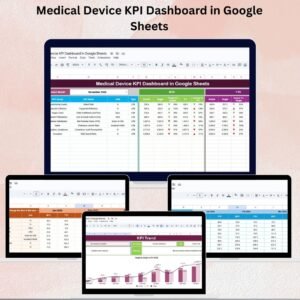
- Medical Device KPI Dashboard in Google Sheets: a KPI dashboard for medical device teams
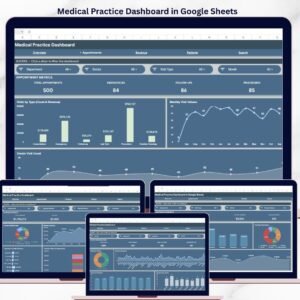
- Medical Practice Dashboard in Google Sheets: a dashboard for clinic and practice performance
- Research Project Checklist in Excel: a checklist for research projects
- Google Sheets Business Pack (Pro): 14 business templates for Google Sheets in one download
Browse all Google Sheets KPI dashboards.





















Reviews
There are no reviews yet.