



Innovation is the heartbeat of every successful organization — and your R&D department is where it all begins. But managing multiple research projects, budgets, and results can get overwhelming without a clear system. That’s where the Research & Development (R&D) KPI Dashboard in Excel comes in — a powerful, ready-to-use Excel dashboard designed to simplify performance tracking and empower smarter innovation decisions.Research & Development (R&D) KPI Dashboard in Excel
This dashboard turns raw R&D data into clear, visual insights that help you monitor progress, improve efficiency, and maximize ROI — all without any coding or expensive software.Research & Development (R&D) KPI Dashboard in Excel
✨ Key Features of the Research & Development (R&D) KPI Dashboard in Excel
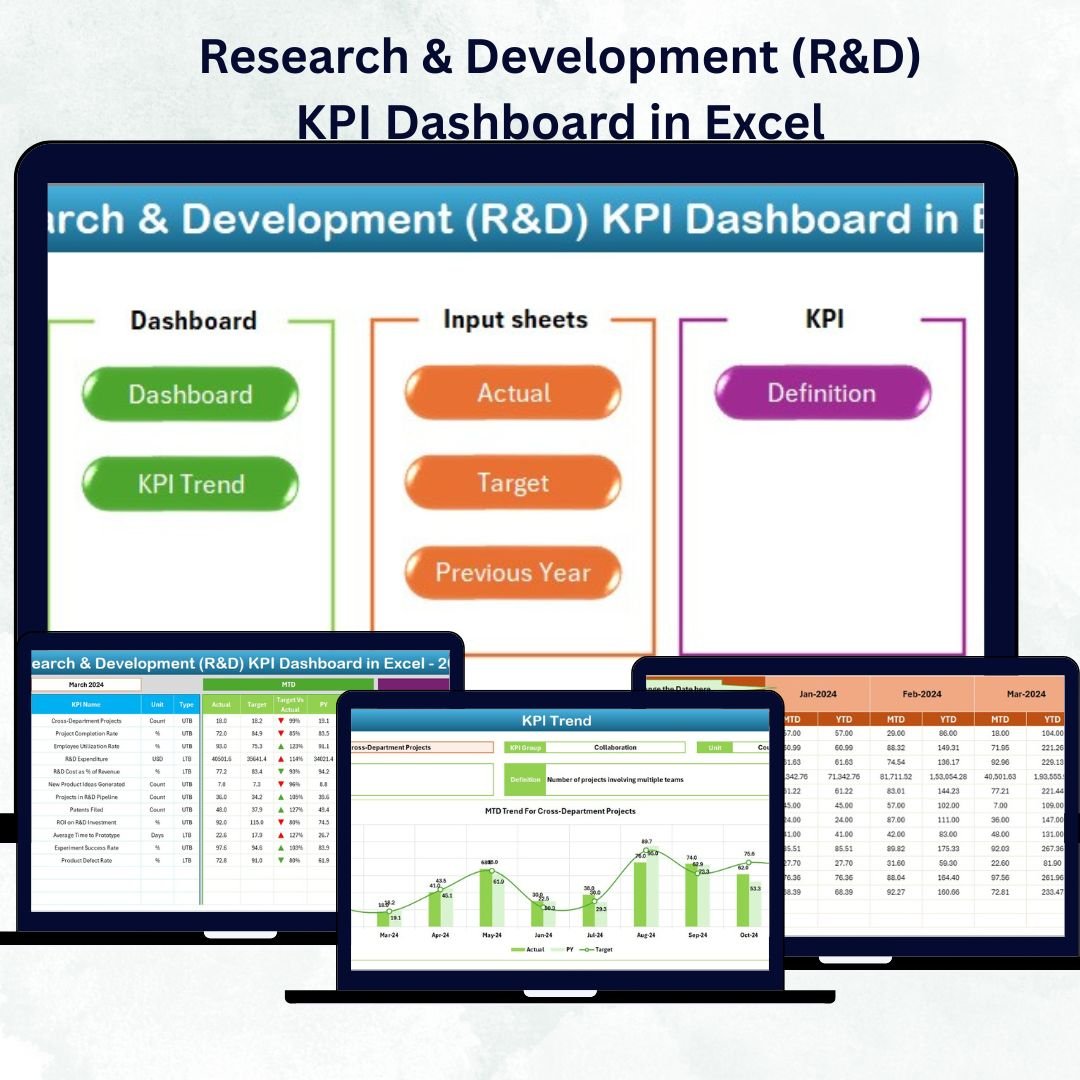
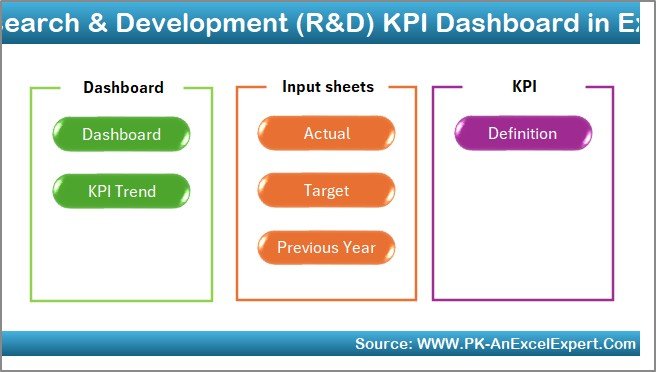
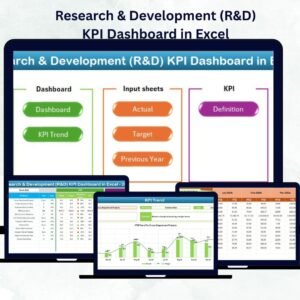
💡 7 Prebuilt Worksheets: Includes Home, Dashboard, KPI Trend, Actual Numbers Input, Target, Previous Year Numbers, and KPI Definition sheets for full control.
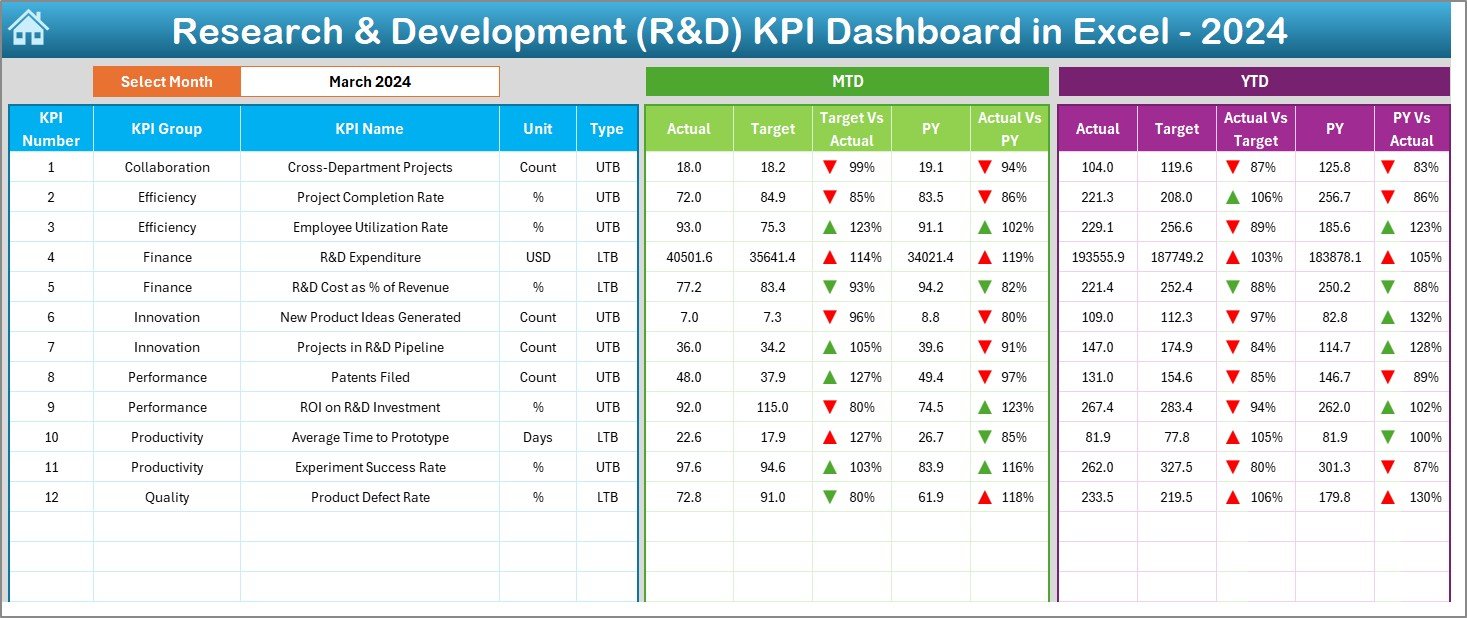
📊 Interactive Dashboard: Choose the month from a dropdown and instantly view performance updates for all R&D KPIs.
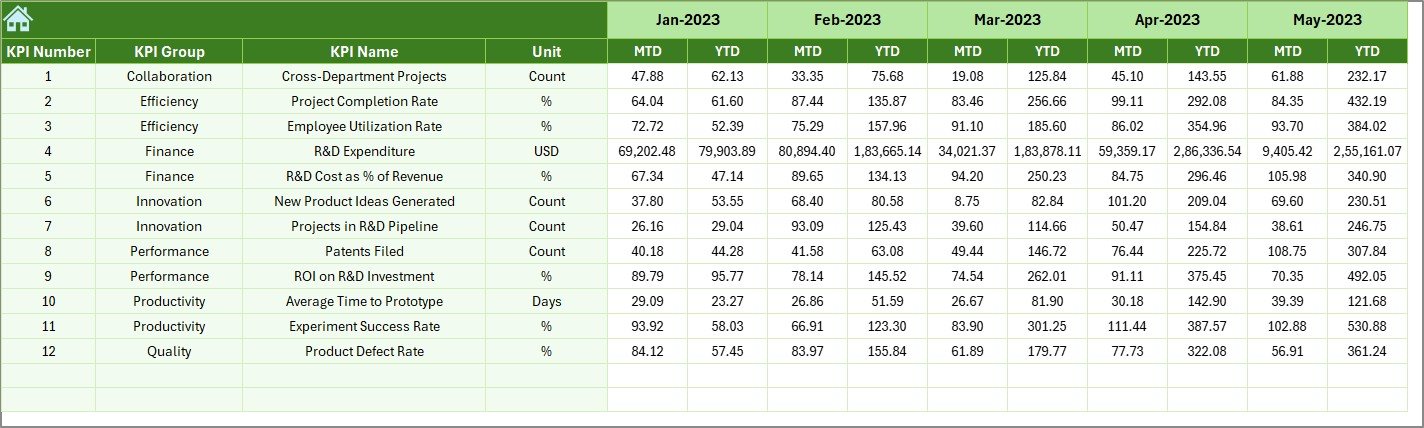
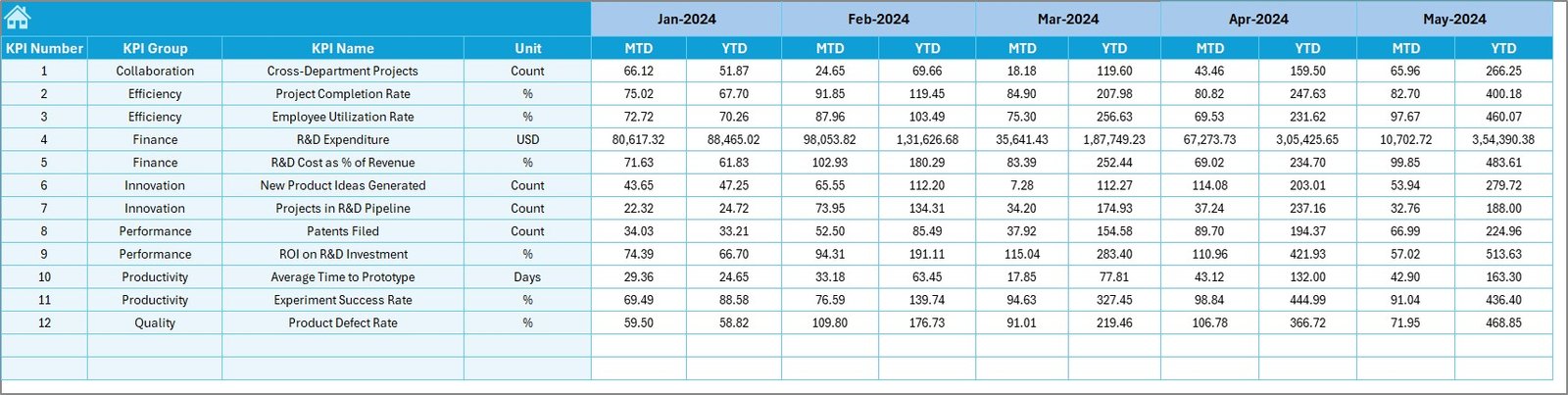
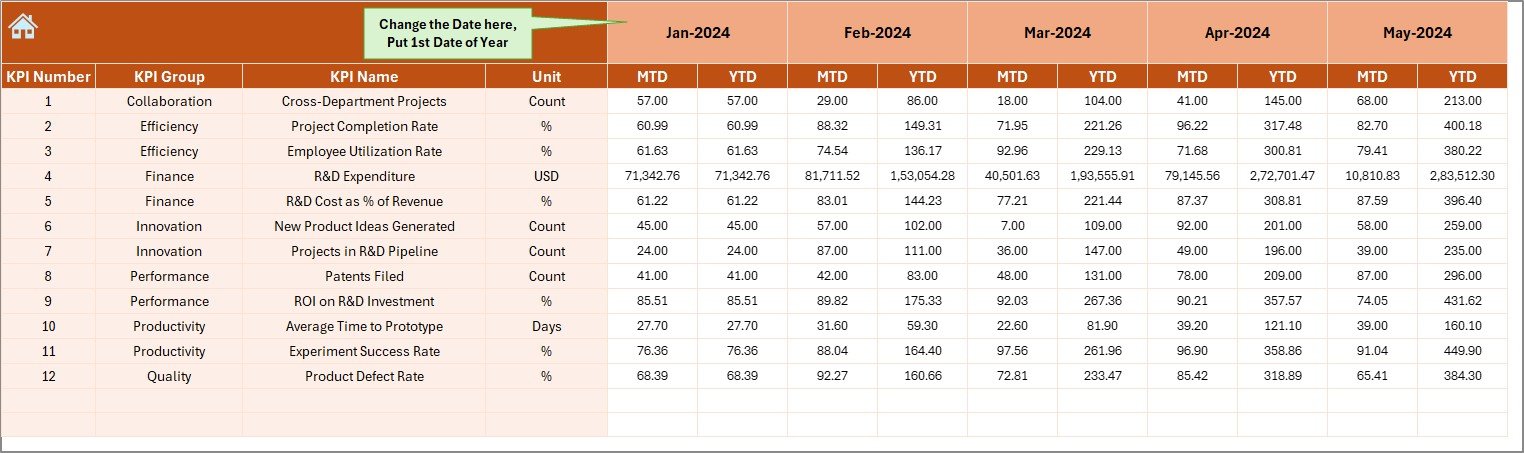
🎯 MTD & YTD Tracking: Monitor Month-to-Date and Year-to-Date performance for Actual, Target, and Previous Year metrics.
📈 Dynamic Charts & Arrows: Instantly see performance improvements or declines with green/red arrows and data-driven visuals.Research & Development (R&D) KPI Dashboard in Excel
⚙️ Automated Variance Analysis: Compare actuals vs. targets automatically — no formulas or macros required.
🔍 Customizable KPI Definitions: Modify KPI formulas, units, and types (UTB or LTB) to fit your organization’s innovation process.Research & Development (R&D) KPI Dashboard in Excel
📁 Year-on-Year Comparison: Measure growth, track trends, and benchmark performance against last year’s results.
🚀 Easy Navigation: Jump between sheets instantly using the Home sheet buttons for a smooth user experience.
📦 What’s Inside the Research & Development (R&D) KPI Dashboard in Excel
Inside this premium Excel template, you’ll find everything needed to manage innovation like a pro:Research & Development (R&D) KPI Dashboard in Excel
✅ Home Sheet: Your control center with quick-access buttons to all key sections.
✅ Dashboard Sheet: The main visual interface showcasing KPI performance, MTD/YTD comparisons, and conditional formatting arrows.
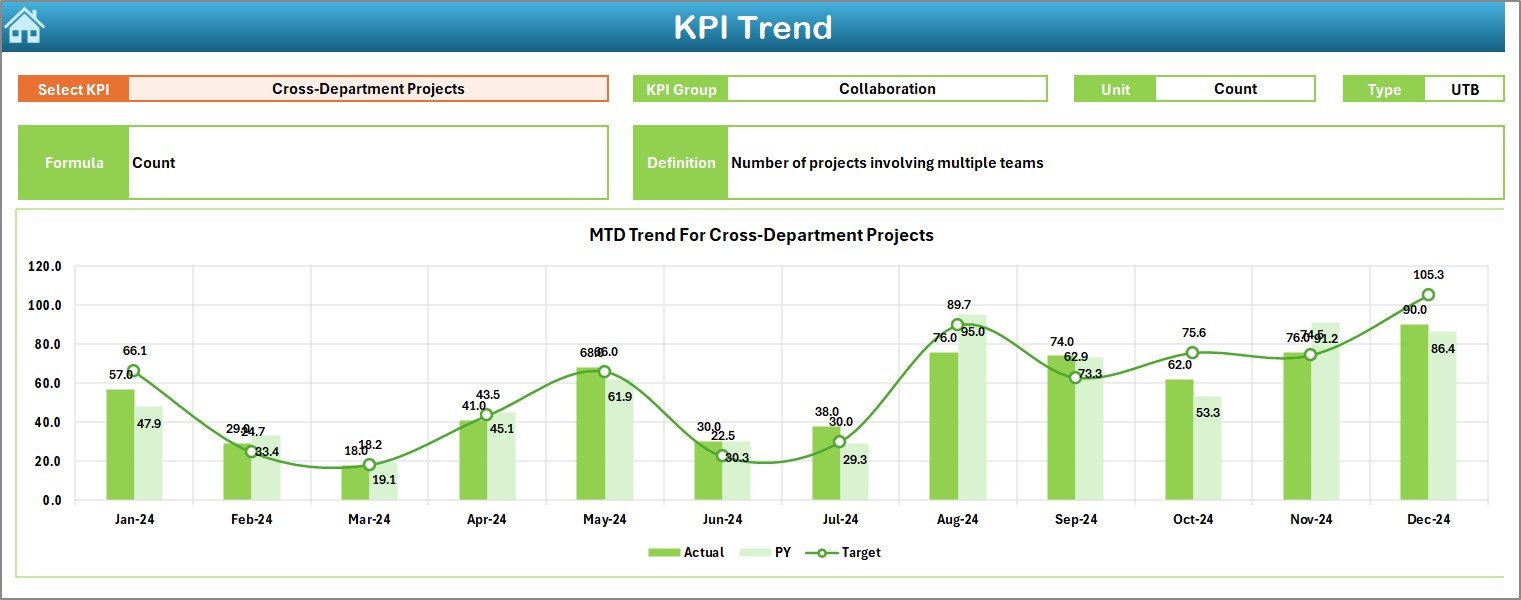
✅ KPI Trend Sheet: Analyze performance trends for each KPI over time using smart dropdowns and dynamic charts.
✅ Actual Numbers Input Sheet: Record real monthly data with automated updates across the dashboard.
✅ Target Sheet: Define your R&D performance targets to stay aligned with company goals.
✅ Previous Year Numbers Sheet: Store historical data for benchmarking and growth tracking.
✅ KPI Definition Sheet: A dictionary of all metrics — including name, unit, formula, definition, and type (UTB/LTB).
This organized setup ensures clarity, transparency, and accuracy across all R&D performance areas.
🧭 How to Use the Research & Development (R&D) KPI Dashboard in Excel
1️⃣ Input Your Data: Enter Actual, Target, and Previous Year figures in the respective sheets.
2️⃣ Select the Month: Use the dropdown in Cell D3 on the Dashboard sheet to view real-time updates.
3️⃣ Review Trends: Use the KPI Trend sheet to analyze progress and identify patterns.
4️⃣ Compare Performance: Check MTD vs. YTD and Target vs. Actual results instantly.
5️⃣ Make Informed Decisions: Use visual insights to allocate resources, reduce inefficiencies, and improve R&D output.
No coding or Power BI setup required — just Excel!
🎯 Who Can Benefit from This Research & Development (R&D) KPI Dashboard
👨🔬 R&D Managers: Monitor project efficiency and innovation success rates in one place.
🏭 Manufacturing Companies: Track new product development and reduce cycle time.
💼 Corporate Strategy Teams: Evaluate R&D ROI and strategic alignment with business goals.
📊 Data Analysts: Visualize research data without complex tools.
🚀 Startups & Innovators: Gain control over your innovation pipeline from day one.
Whether you manage small experiments or global R&D portfolios, this dashboard helps you make data-driven decisions confidently.
✅ Why Choose This Dashboard
📍 100% editable and Excel-based — no software installation needed
⚡ User-friendly interface with clear visuals
💼 Perfect for any industry — from tech to pharmaceuticals
🔒 Accurate, automated, and customizable for your organization’s KPIs
Click here to read the Detailed Blog Post
Watch the step-by-step video tutorial:
Visit our YouTube channel to learn step-by-step video tutorials YouTube.com/@PKAnExcelExpert
Compatibility and Requirements
- Works in Microsoft Excel desktop (Excel 2016 or later, or Microsoft 365).
- The month selector is a dropdown list. Microsoft’s guide Create a drop-down list explains how these lists work.
Frequently Asked Questions
Which sheets are in the R&D KPI dashboard?
There are 7 sheets: Home, Dashboard, KPI Trend, Actual Numbers Input, Target, Previous Year Numbers and KPI Definition.
How do I change the month on the dashboard?
Pick the month from the dropdown in cell D3 on the Dashboard sheet. All KPI values and charts update for that month.
Does it compare against targets and last year?
Yes. It shows MTD and YTD figures for actual, target and previous year numbers, with green and red arrows for the direction.
Can I change the KPIs?
Yes. On the KPI Definition sheet you can edit each KPI’s name, unit, formula, definition and type (UTB or LTB).
Related R&D Templates
- R&D KPI Dashboard in Power BI: the Power BI edition
- R&D KPI Dashboard in Google Sheets: the Google Sheets edition
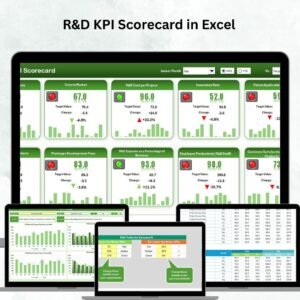
- R&D KPI Scorecard in Excel: a scorecard view of R&D KPIs
- Research and Development Institutes KPI Dashboard in Excel: for research institutes
- KPI Dashboard Library (Excel): 15 premium Excel KPI dashboards in one bundle
Browse all Excel KPI dashboards or the Excel dashboards.























Reviews
There are no reviews yet.