

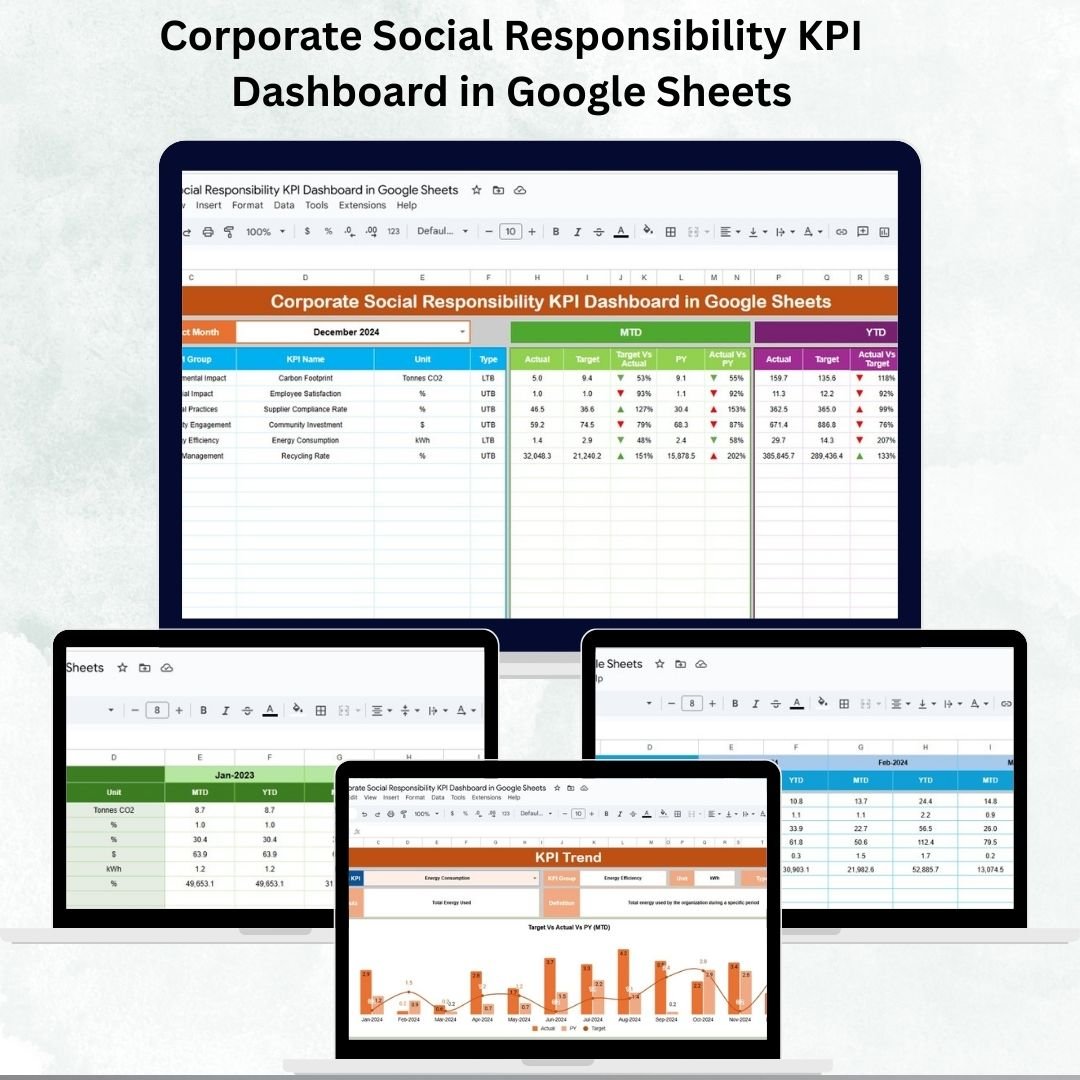

Corporate Social Responsibility (CSR) has become an essential part of modern business strategy. Organizations today are expected to balance profitability with social impact, environmental stewardship, and community engagement. To ensure success, businesses need an efficient way to track, measure, and report on CSR initiatives. That’s where the CSR KPI Dashboard in Google Sheets comes in. 📊✨
This ready-to-use, cloud-based dashboard helps CSR managers, sustainability officers, and business leaders monitor critical CSR KPIs in real time. With Month-to-Date (MTD) and Year-to-Date (YTD) tracking, year-over-year comparisons, and interactive visuals, this tool makes CSR reporting easy, collaborative, and impactful.
🔑 Key Features of CSR KPI Dashboard
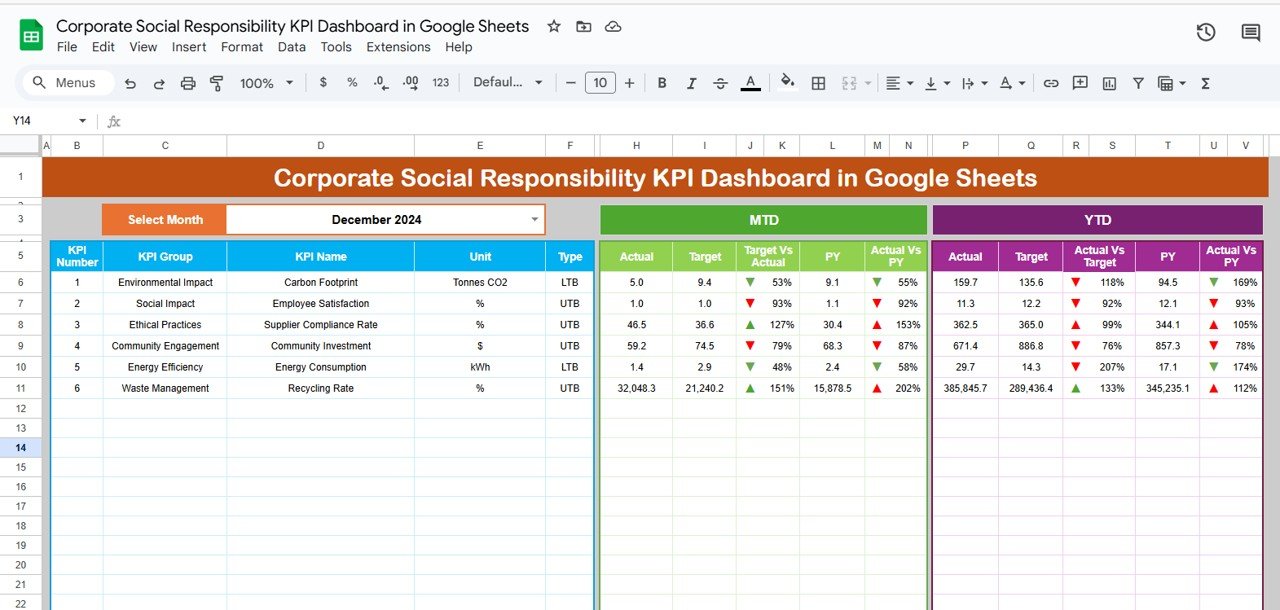
📊 Dashboard Sheet Tab
High-level summary of all CSR KPIs.
Select any month to auto-update performance metrics.
Displays MTD Actual, Target, and Previous Year (PY) data.
Conditional formatting with arrows makes performance trends easy to spot.
YTD analysis for long-term performance tracking.
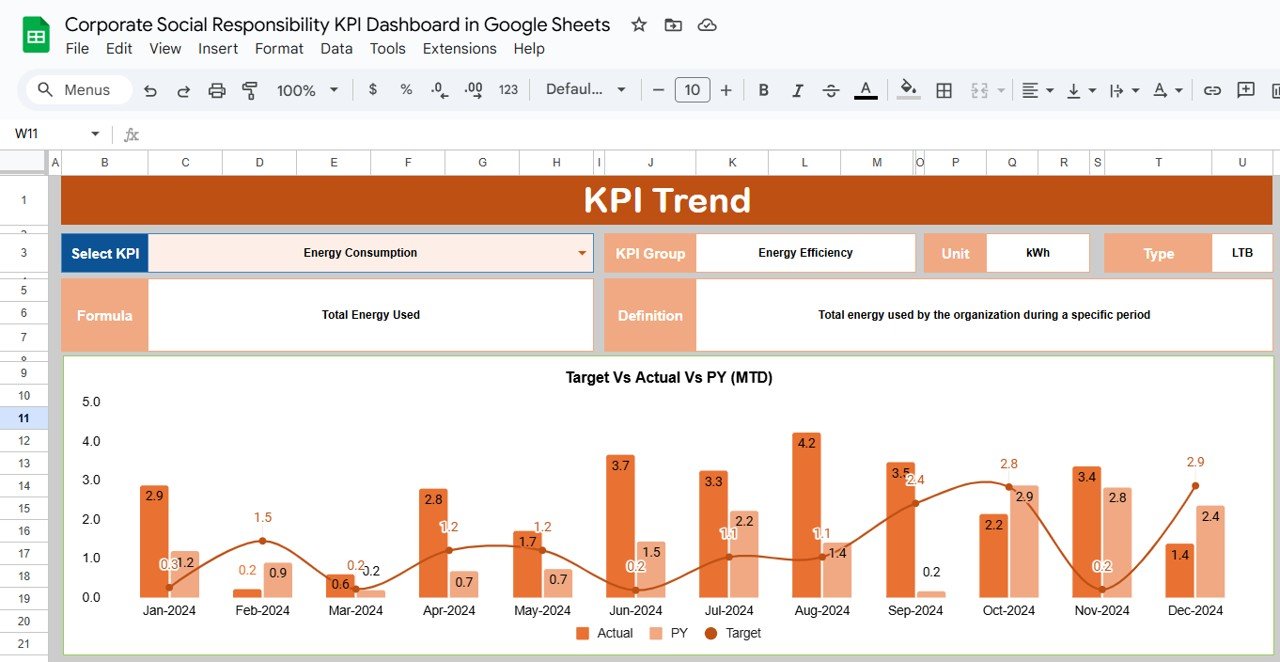
📈 KPI Trend Sheet Tab
Drill into any KPI with dropdown selection.
Shows KPI Group, Unit, Type (LTB/UTB), Formula, and Definition.
Helps ensure clarity and consistency across the organization.
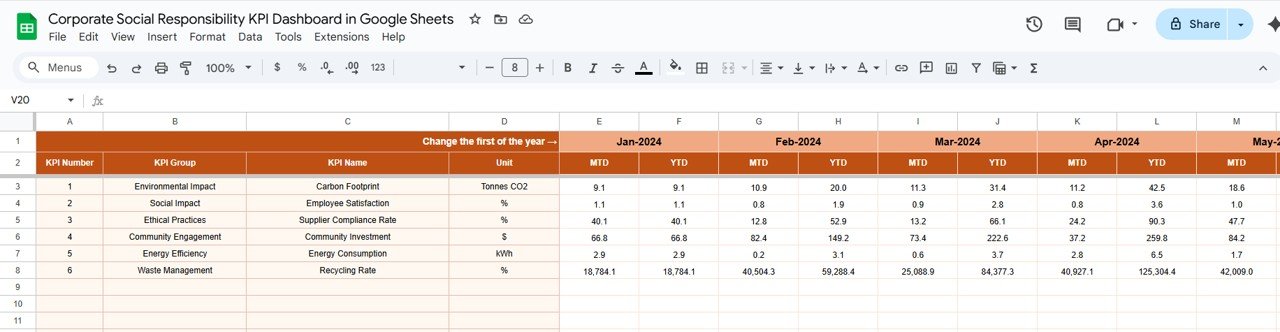
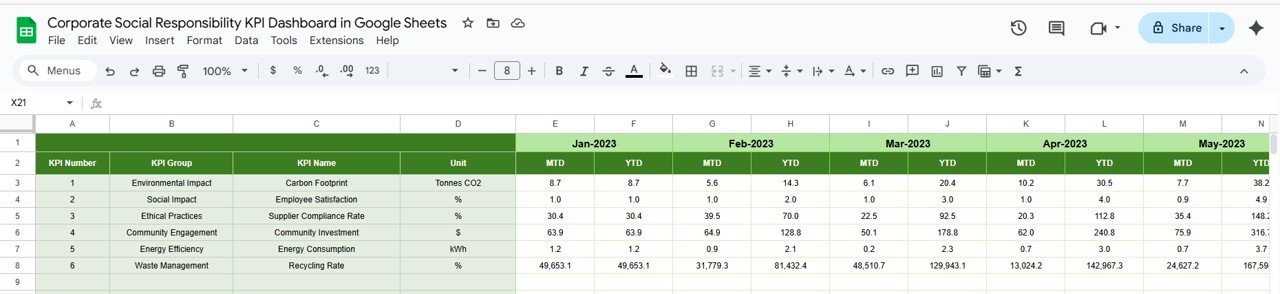
🧾 Actual Number Sheet Tab
Input actual values for MTD and YTD metrics.
Auto-calculates performance based on starting month.
Ensures accuracy and transparency.
🎯 Target Sheet Tab
Input monthly and yearly targets for all KPIs.
Keep CSR initiatives aligned with organizational goals.
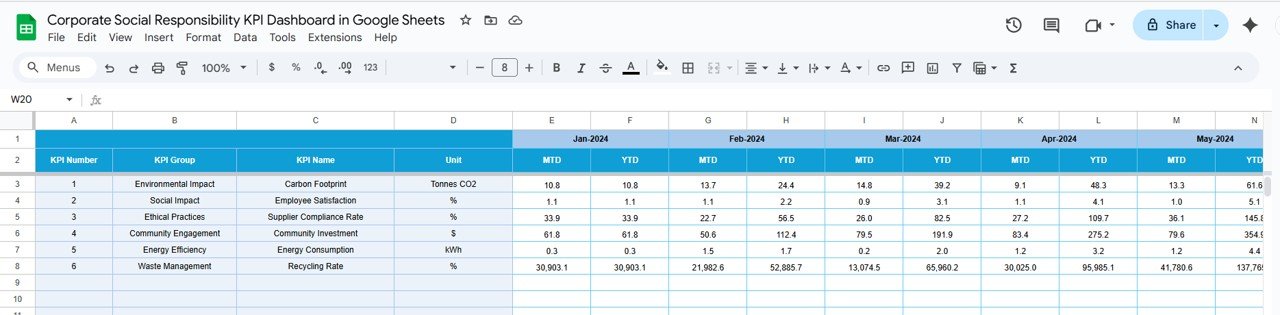
📉 Previous Year Number Sheet Tab
Record historical data for year-over-year benchmarking.
Quickly spot progress and recurring challenges.
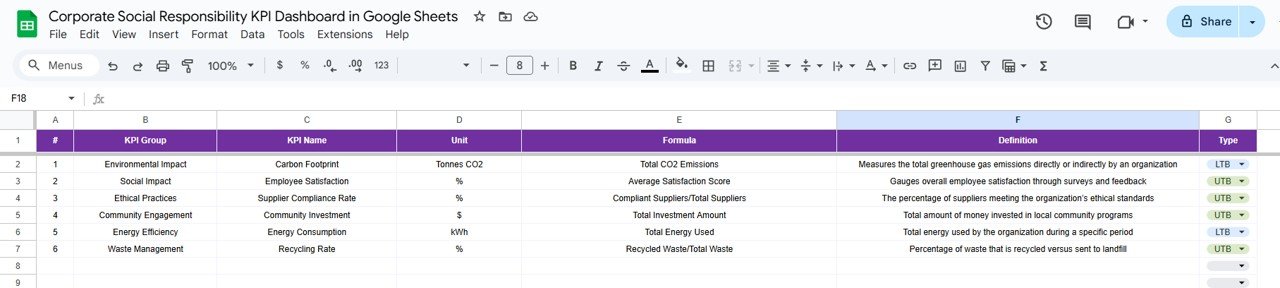
📑 KPI Definition Sheet Tab
Master database of CSR KPIs.
Includes names, groups, formulas, units, and definitions.
Standardizes KPI understanding across departments.
📦 What’s Inside the Dashboard
✅ 6 Pre-Built Tabs – Dashboard, KPI Trend, Actual Numbers, Targets, Previous Year, KPI Definitions
✅ Interactive Reporting – MTD, YTD, and YoY comparisons
✅ Conditional Formatting – Arrows and highlights for instant analysis
✅ Cloud Access – Real-time updates and collaboration in Google Sheets
✅ Pre-Formatted Layout – Plug-and-play structure, no coding needed
✅ Customizable KPIs – Add or adjust to fit your organization’s CSR goals
👥 Who Can Benefit from This Dashboard?
🌍 CSR Managers & Sustainability Officers – Track and showcase impact.
🏢 Business Leaders & Executives – Align CSR initiatives with strategy.
💡 Nonprofits & NGOs – Monitor donor-driven CSR activities.
📊 Analysts & Auditors – Simplify compliance and reporting.
🤝 HR & Community Teams – Track employee volunteerism and engagement.
Whether you’re a small business or a large enterprise, this dashboard helps you demonstrate accountability, improve transparency, and maximize impact.
📋 Best Practices for Using the CSR KPI Dashboard
🔄 Update actual data regularly (weekly or monthly).
🎯 Set measurable CSR goals with clear targets.
📊 Monitor trends using the KPI Trend Sheet.
🔎 Use conditional formatting to quickly detect underperformance.
👩🏫 Educate staff about KPI definitions for consistent reporting.
💾 Keep historical data for year-over-year impact analysis.
🤝 Share with stakeholders to encourage collaboration and trust.
✅ Advantages of CSR KPI Dashboard
Centralized Tracking – All CSR KPIs in one platform.
Real-Time Collaboration – Cloud-based for easy access.
Visual Performance Insights – Arrows and charts make data easy to understand.
Goal Alignment – MTD and YTD tracking ensures initiatives meet targets.
Comparative Analysis – Benchmark against past performance.
Decision Support – Guide resource allocation with data-driven insights.
🔗 Click here to read the Detailed blog post
🔗 Visit our YouTube channel to learn step-by-step video tutorials
Compatibility and Requirements
- Works in Google Sheets. You need a free Google account and a web browser.
- You pick the month from a dropdown on the Dashboard sheet, and you choose a KPI from a dropdown on the KPI Trend sheet. Google explains dropdowns in Create an in-cell dropdown list.
Frequently Asked Questions
Which sheets are included?
Six sheets: Dashboard, KPI Trend, Actual Numbers, Target, Previous Year Number and KPI Definition.
How do I update the dashboard?
Enter your MTD and YTD figures in the Actual Numbers sheet and your goals in the Target sheet. Then select a month on the Dashboard sheet and the metrics update.
Can I compare this year with last year?
Yes. Add last year’s figures to the Previous Year Number sheet. The Dashboard shows MTD Actual, Target and Previous Year data side by side, with arrows that mark the trend.
Can I add or change KPIs?
Yes. The KPI Definition sheet holds the KPI names, groups, formulas, units and definitions, and you can adjust the KPIs to fit your organization’s CSR goals.
Is there an Excel or Power BI version?
Yes. See the Corporate Social Responsibility KPI Dashboard in Excel and the Corporate Social Responsibility KPI Dashboard in Power BI.
Related Corporate Social Responsibility Templates
- Corporate Social Responsibility KPI Dashboard in Excel: the same KPIs in Excel
- Corporate Social Responsibility KPI Dashboard in Power BI: the Power BI edition
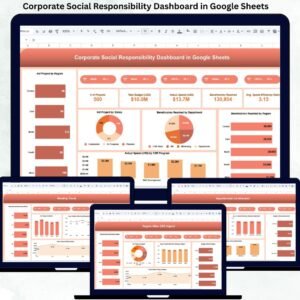
- Corporate Social Responsibility Dashboard in Google Sheets: another CSR dashboard in Google Sheets
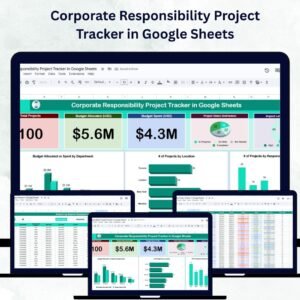
- Corporate Responsibility Project Tracker in Google Sheets: track individual CSR projects
- Corporate Social Responsibility Calendar in Google Sheets: schedule CSR activities
Browse all Google Sheets KPI dashboards.












Reviews
There are no reviews yet.