

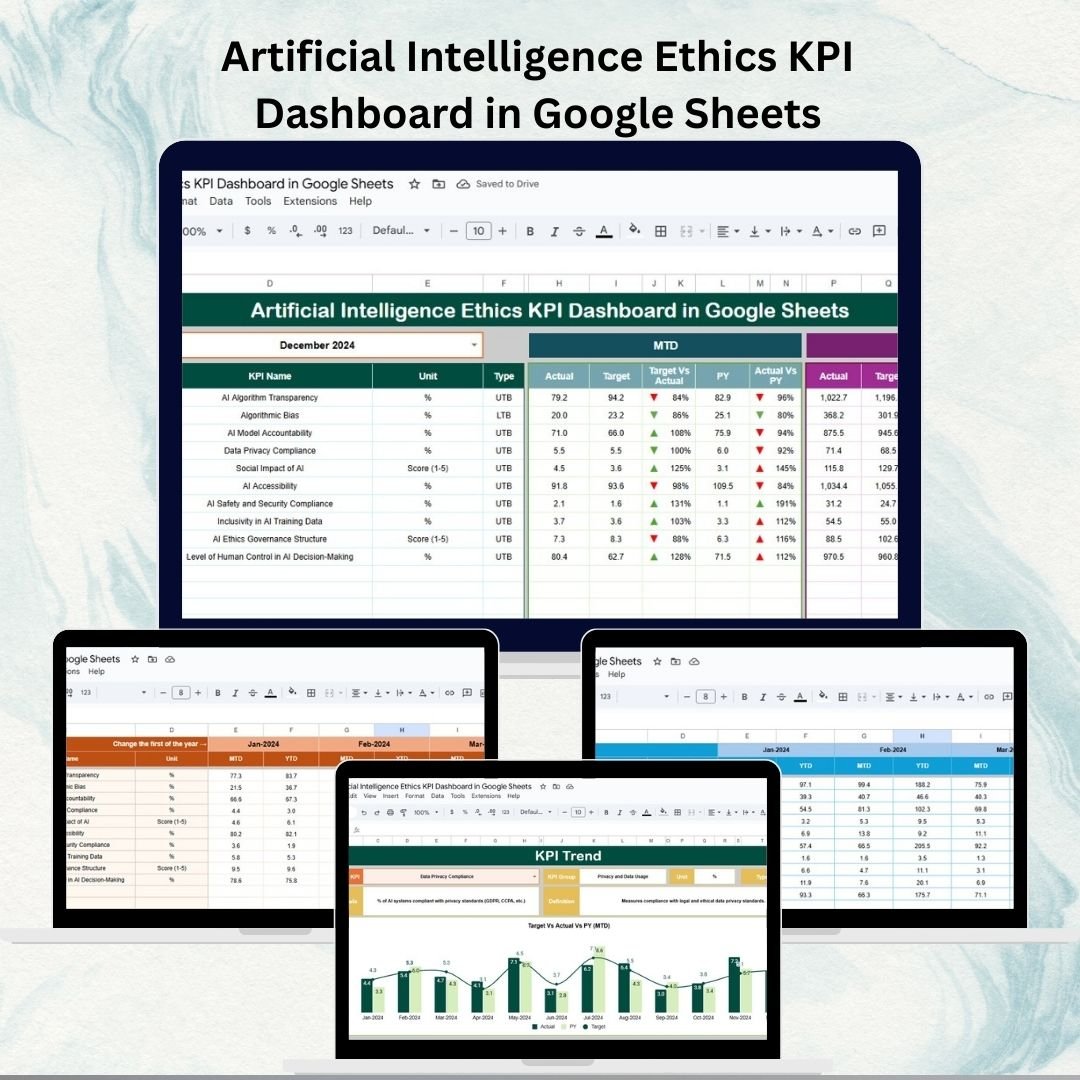

Artificial Intelligence (AI) is transforming industries, but with innovation comes responsibility. 🌍 Ensuring fairness, transparency, and ethical compliance in AI systems is no longer optional — it’s essential. That’s why we built the Artificial Intelligence Ethics KPI Dashboard in Google Sheets — a ready-to-use, customizable tool that helps organizations track, measure, and improve their AI ethics practices.
This dashboard empowers businesses, researchers, and compliance teams to centralize KPI monitoring, visualize ethical performance trends, and compare results against targets or historical data. Designed with simplicity and depth, it ensures that ethical AI remains at the forefront of decision-making.
🔑 Key Features of AI Ethics KPI Dashboard
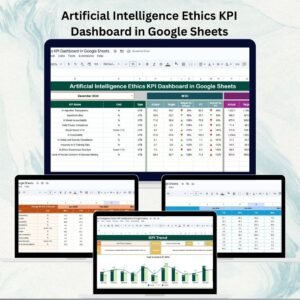
📊 Dashboard Sheet Tab
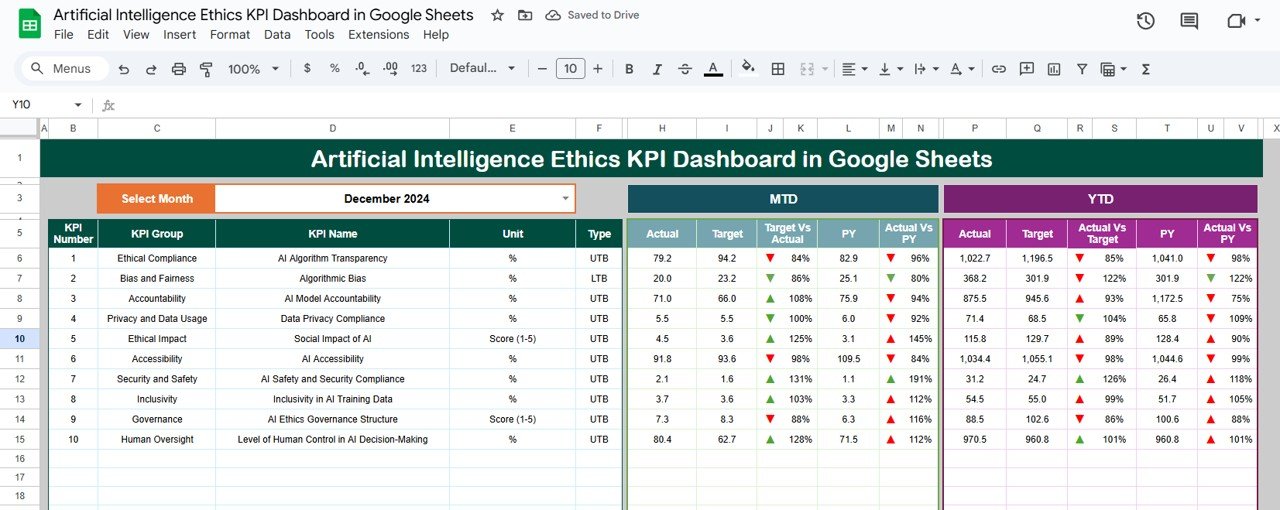
Month Selector – Choose any month to update all MTD & YTD results dynamically
KPI Cards – Instant visibility into fairness, bias, and transparency metrics
MTD vs YTD Analysis – Compare Actual vs Target vs Previous Year with up/down arrows for quick insights
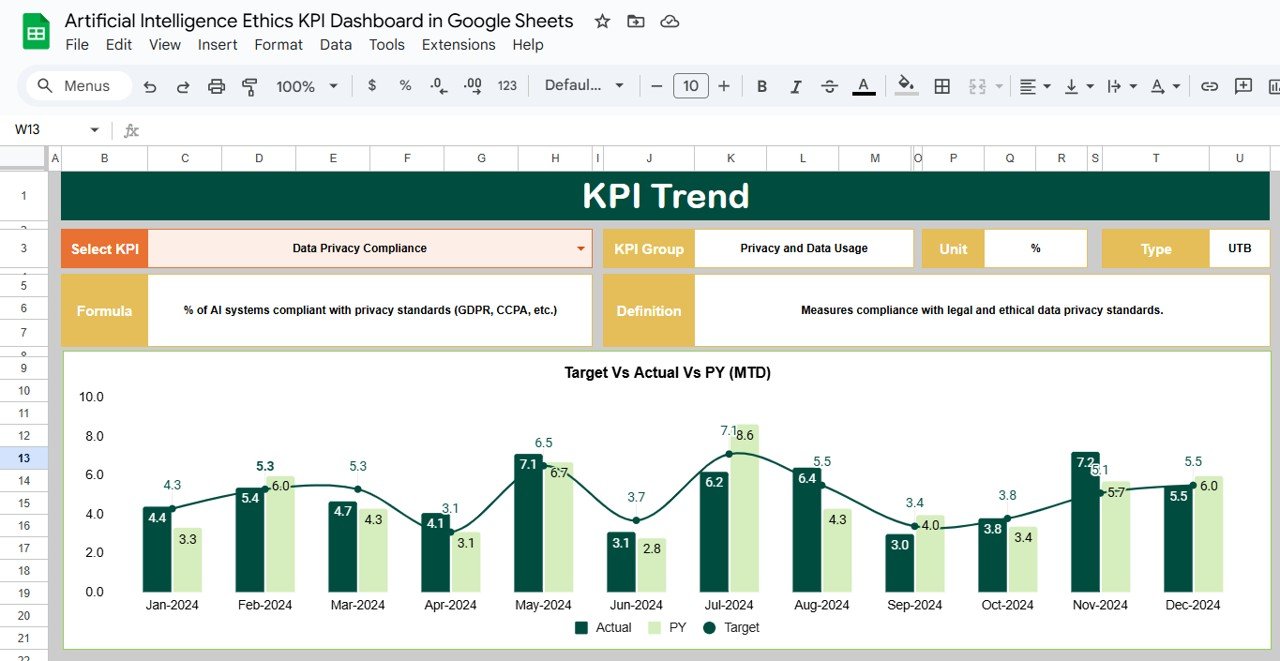
📈 KPI Trend Sheet Tab
KPI Selector – Pick any KPI to analyze its performance trend over time
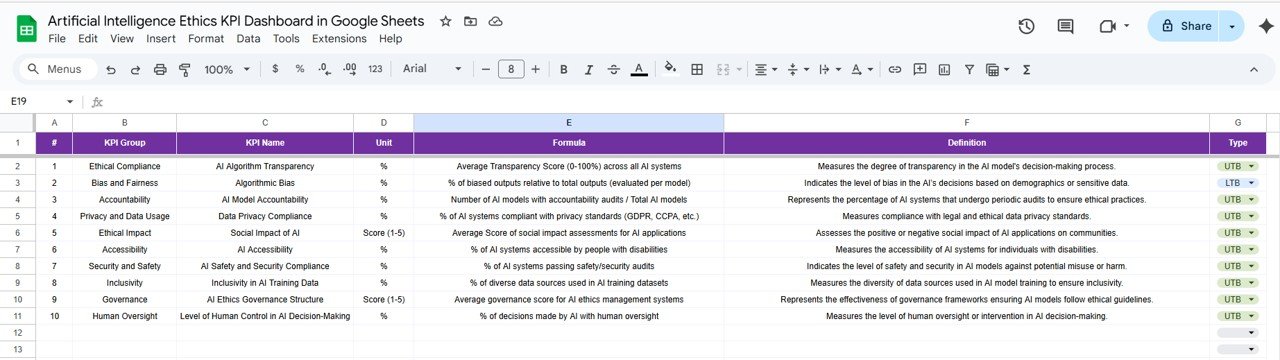
Detailed KPI Info – Group, Unit, Formula, Type (UTB or LTB), and Definition
Trend Charts – Spot ethical risks, improvements, and performance deviations
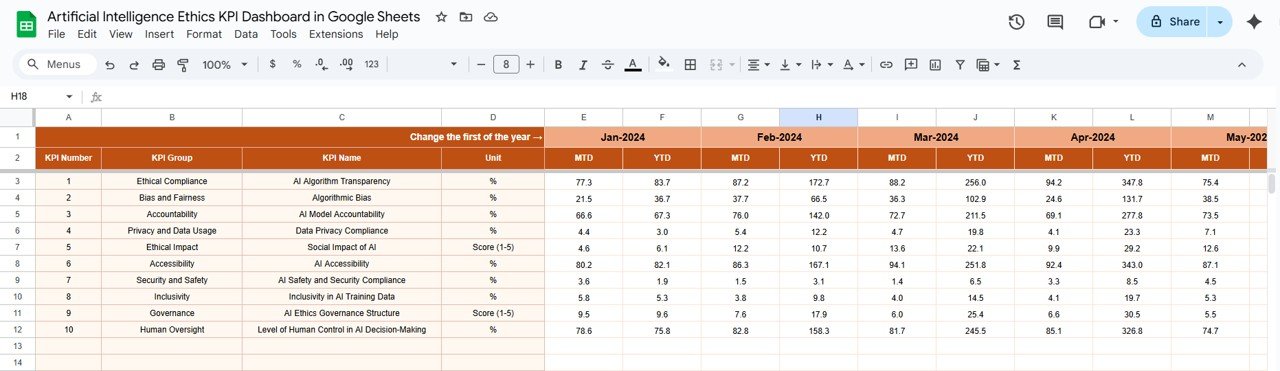
🧾 Actual Numbers Sheet Tab
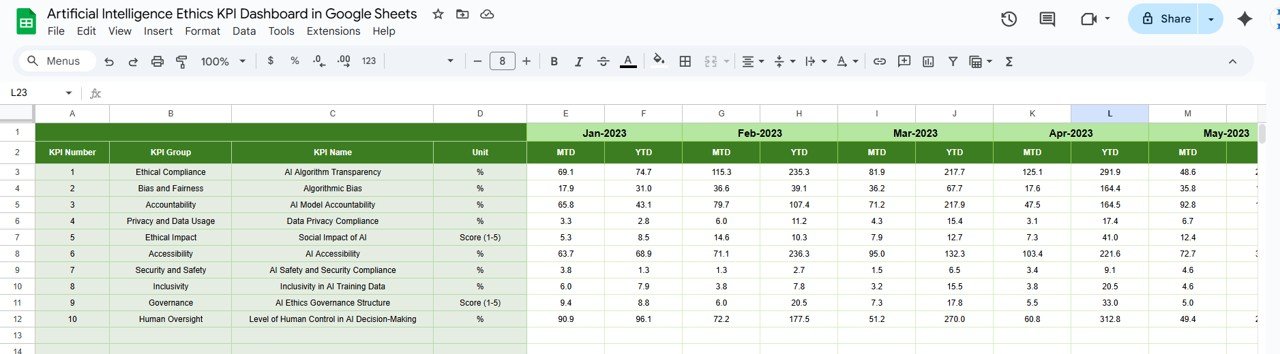
Input actual performance data (monthly)
Automatic updates across Dashboard & Charts
Ensures real-time reporting accuracy
🎯 Target Sheet Tab
Store target values for each KPI (MTD & YTD)
Compare actual results vs planned ethical performance
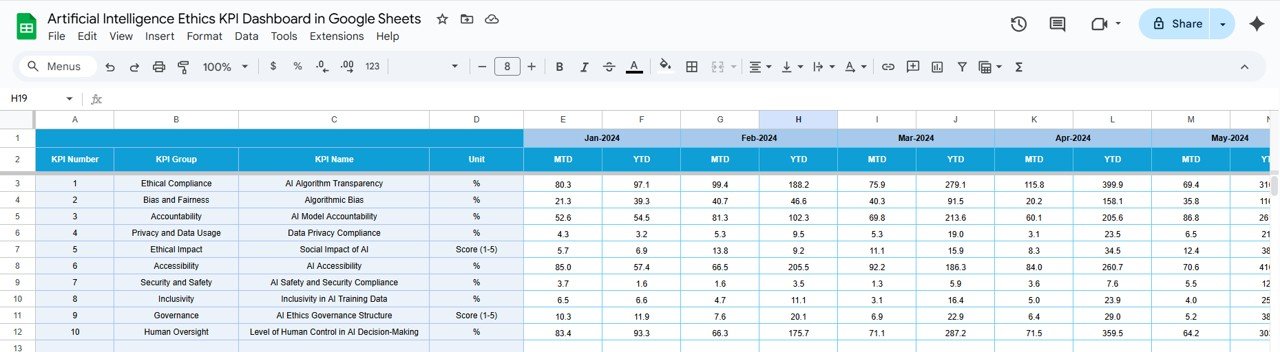
📊 Previous Year Numbers Sheet Tab
Capture historical data for benchmarking
Instantly track improvements or regressions
📘 KPI Definition Sheet Tab
Transparent documentation of KPIs, formulas, and definitions
Clear distinction of Lower the Better (LTB) and Upper the Better (UTB) metrics
Essential for stakeholder understanding and compliance
📦 What’s Inside the AI Ethics KPI Dashboard?
✅ Dashboard Tab – KPI cards + MTD/YTD metrics
✅ KPI Trend Tab – Detailed analysis of selected KPIs
✅ Actual Numbers Tab – Input actual performance data
✅ Target Tab – Set and track KPI targets
✅ Previous Year Tab – Benchmark with last year’s data
✅ KPI Definition Tab – Full documentation of each KPI
✅ Sample Data – Pre-filled to demonstrate functionality
🧠 How to Use the AI Ethics KPI Dashboard
Select Month – Use the dropdown on the Dashboard tab
Enter Data – Add actual numbers in the Actual Numbers sheet
Set Targets – Input planned values in the Target sheet
Compare Results – Review performance vs targets and last year
Analyze Trends – Use the KPI Trend sheet for in-depth insights
Refine Policies – Take action to improve fairness, bias detection, and transparency
👥 Who Can Benefit from This Dashboard?
AI & Data Science Teams – Monitor ethical KPI performance
Compliance Officers – Ensure alignment with regulatory standards
Executives & Policy Makers – Track AI accountability and risk management
Research Institutions – Measure AI fairness and transparency in experiments
Startups & Enterprises – Build trust by embedding ethics in AI practices
⭐ Advantages of Using the AI Ethics KPI Dashboard
📊 Centralized Monitoring – All KPIs in one place
⚡ Real-Time Visualization – Interactive charts for quick decision-making
🧾 Accurate Comparisons – Actual vs Target vs Previous Year analysis
✅ Transparent KPI Documentation – Clear definitions for all stakeholders
🔍 Error-Free Reporting – Automated formulas reduce manual mistakes
🔄 Customizable – Add more KPIs as your AI program evolves
🔗 Click here to read the Detailed blog post
Watch the step-by-step video Demo:
🔗 Visit our YouTube channel to learn step-by-step video tutorials
Compatibility and Requirements
- Works in Google Sheets. You need a free Google account and a web browser.
- You pick the month from a dropdown on the Dashboard sheet. Google explains dropdowns in Create an in-cell dropdown list.
Frequently Asked Questions
Which sheets are included?
Six sheets: Dashboard, KPI Trend, Actual Numbers, Target, Previous Year Numbers and KPI Definition. The file also has sample data so you can see how it works.
How do I update the dashboard?
Enter your actual numbers in the Actual Numbers sheet and your planned values in the Target sheet. Then choose a month from the dropdown on the Dashboard sheet, and the MTD and YTD results update.
Can I compare results with last year?
Yes. Add last year’s figures to the Previous Year Numbers sheet. The Dashboard compares Actual, Target and Previous Year, with up and down arrows.
How do I see the trend for a single KPI?
Open the KPI Trend sheet and pick a KPI with the selector. It shows the group, unit, formula, type (Lower the Better or Upper the Better) and definition, with a trend chart.
Is there an Excel or Power BI version?
Yes. See the Artificial Intelligence Ethics KPI Dashboard in Excel and the Artificial Intelligence Ethics KPI Dashboard in Power BI.
Related Artificial Intelligence Templates
- Artificial Intelligence Ethics KPI Dashboard in Excel: the same ethics KPIs in Excel
- Artificial Intelligence Ethics KPI Dashboard in Power BI: the Power BI edition
- Artificial Intelligence AI Dashboard in Google Sheets: a broader AI dashboard in Google Sheets
- Ethics and Conduct Checklist in Google Sheets: a checklist for ethics and conduct reviews
- Google Sheets Business Pack (Pro): 14 business templates in one download
Browse all Google Sheets KPI dashboards.

















Reviews
There are no reviews yet.