

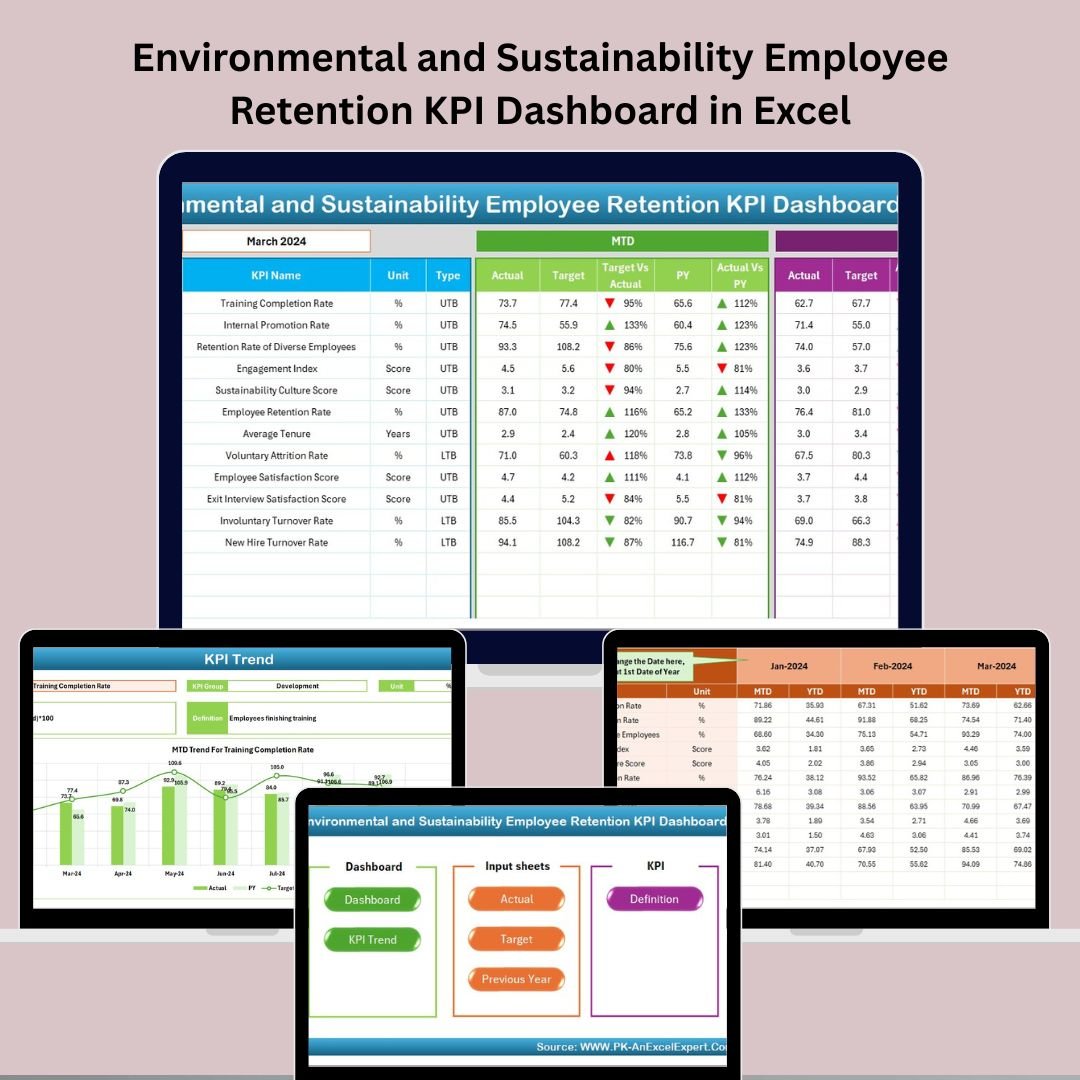

In the mission toward a greener planet, people matter just as much as policies. That’s why the Environmental and Sustainability Employee Retention KPI Dashboard in Excel is a must-have tool for every sustainability-focused organization. Built in Excel, this ready-to-use, no-code dashboard allows you to track the KPIs that directly impact employee stability, engagement, and long-term contribution in green roles.
Whether you manage a CSR department, lead a climate-focused initiative, or work in HR for a renewable energy firm, this Excel dashboard helps you:
Visualize employee retention trends
Compare current performance with past benchmarks
Make data-backed HR decisions in your environmental teams
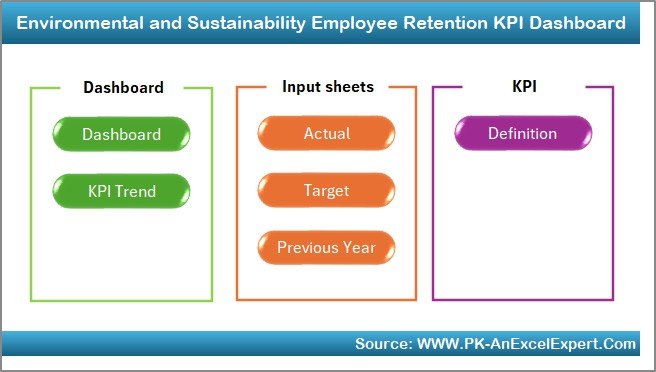
🧩 7 Prebuilt Worksheet Tabs for Seamless Monitoring
✅ Home Sheet – Easy Navigation
Jump to any section with a single click. Includes 6 navigation buttons for quick access.
📊 Dashboard Sheet – Visualize MTD & YTD Metrics
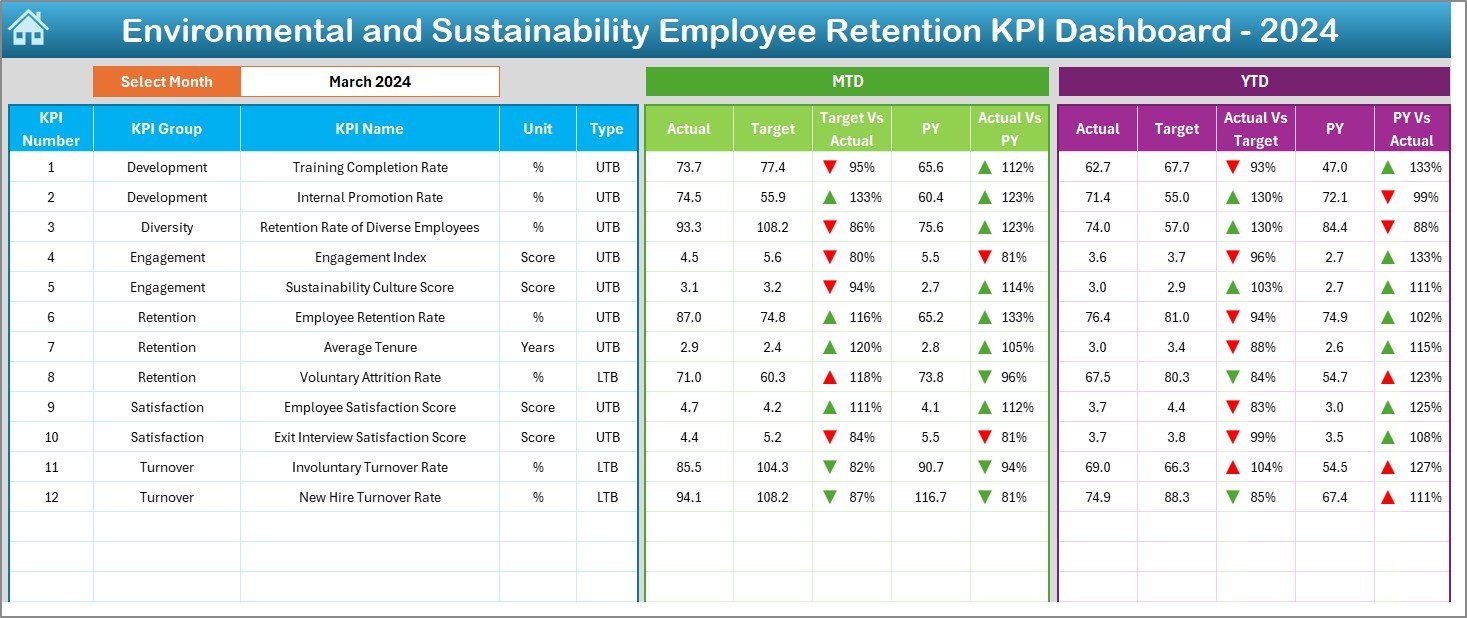
Select a month (cell D3) to update KPIs automatically:
MTD Actual vs Target & Previous Year
YTD Actual vs Target & Previous Year
Includes smart arrow indicators to highlight performance.
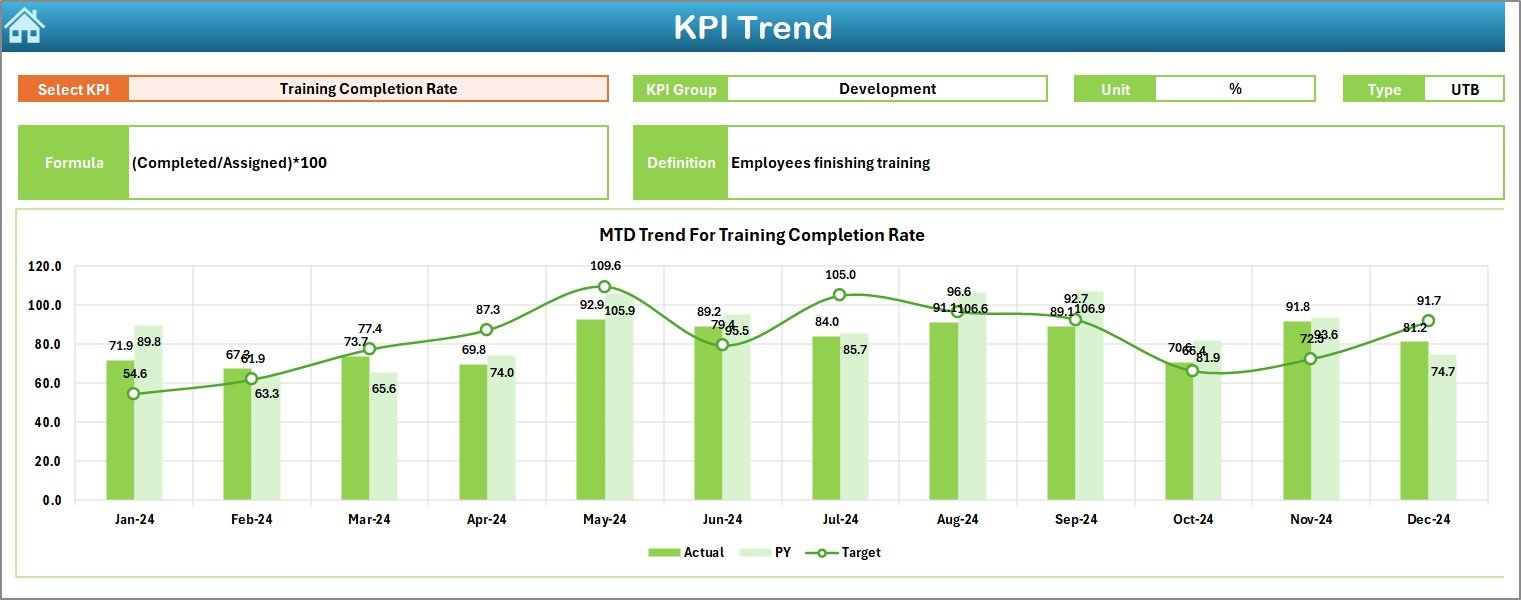
📈 KPI Trend Sheet – Analyze Performance Over Time
Select any KPI from the dropdown (cell C3) to view:
KPI metadata: unit, formula, UTB/LTB
Trend charts for MTD/YTD Actuals vs Target/PY
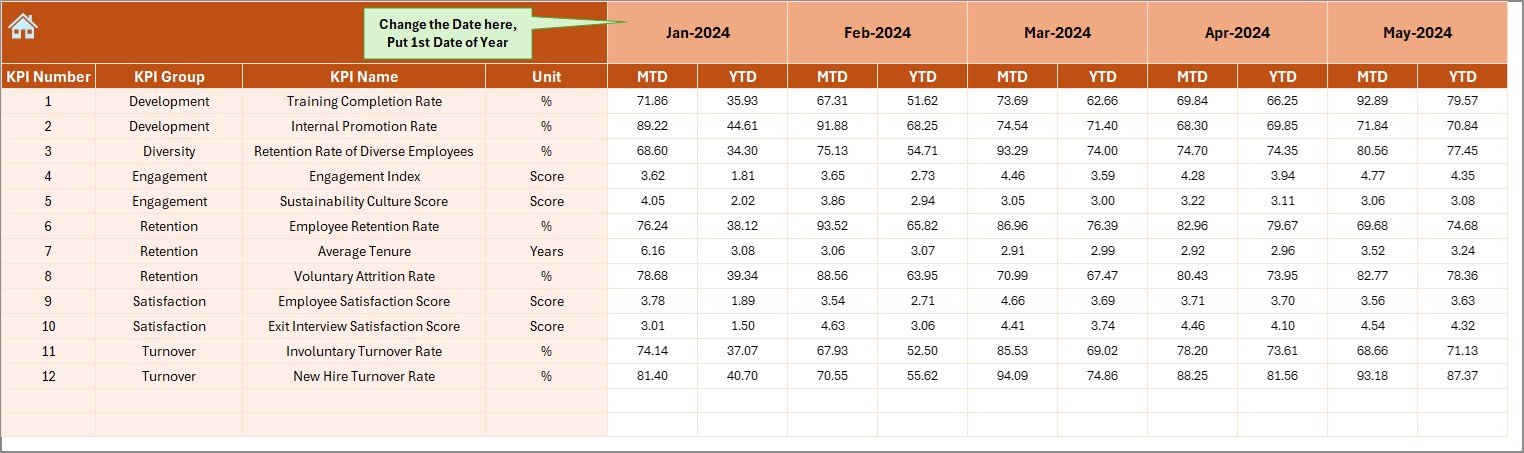
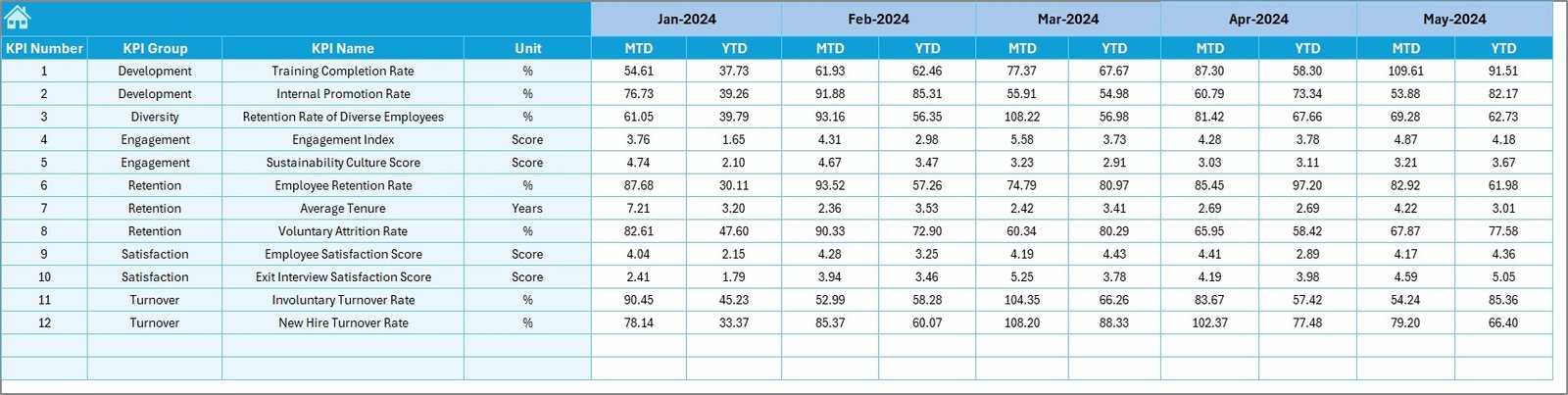
🧾 Actual Numbers Input Sheet
Input monthly MTD and YTD values. Adjust fiscal year start from cell E1.
🎯 Target Sheet
Add monthly MTD and YTD targets for all your KPIs.
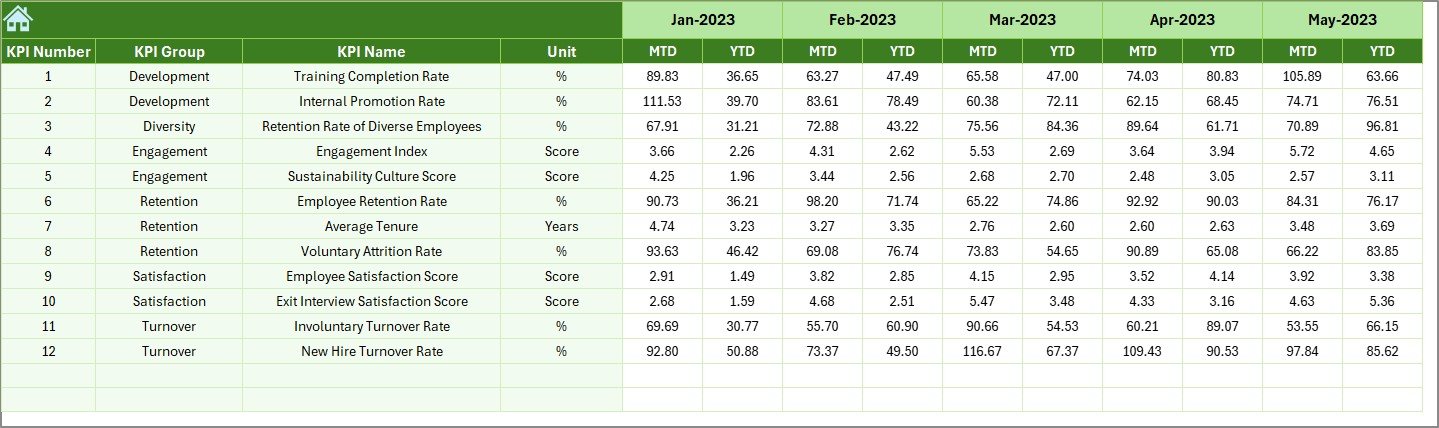
📆 Previous Year Number Sheet
Benchmark your performance against the previous year’s values.
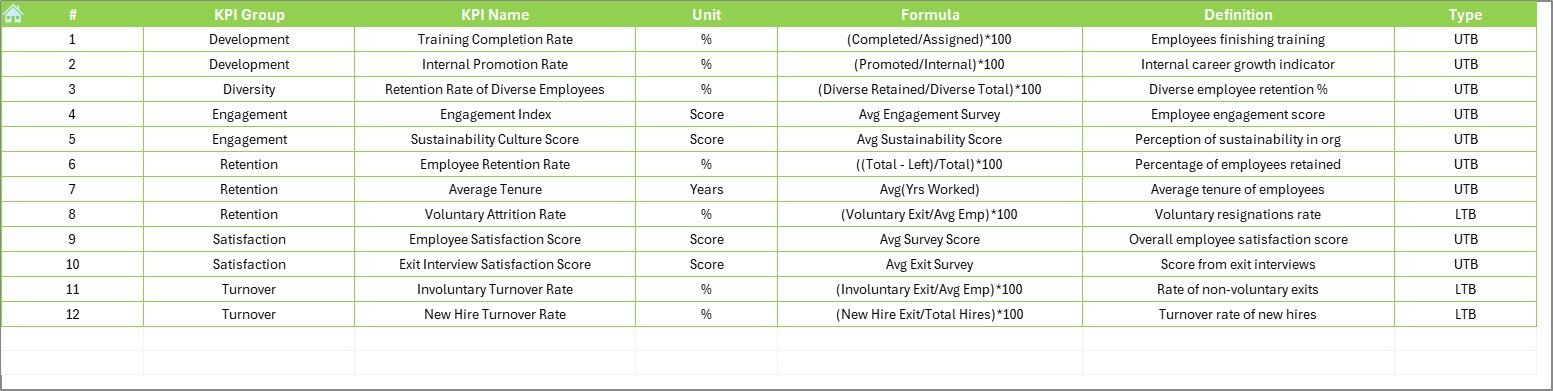
📘 KPI Definition Sheet
Define KPI Name, Group, Unit, Formula, Type (UTB or LTB), and concise descriptions.
🌟 Key Advantages
✅ Employee-Centric Retention Analytics
Track KPIs like Retention Rate, Average Tenure, Exit Rate in Green Roles, and more.
✅ Instant Visual Feedback
Charts, KPIs, and smart indicators update instantly based on selected month.
✅ Customizable and Scalable
Easily modify KPI formulas, add new indicators, or align with department needs.
✅ No Macros or VBA Needed
Fully built on native Excel features—pivot tables, slicers, conditional formatting, and charts.
✅ Supports Strategic HR in Sustainability
Measure impact of engagement, learning, compensation, and turnover on mission-driven employees.
👥 Who Should Use This Dashboard?
✅ HR Managers in eco-conscious companies
✅ Sustainability Officers and ESG Teams
✅ CSR Department Leads
✅ Environmental NGO Analysts
✅ HR Consultants focused on Green Talent
✅ Startups and Enterprises in Renewable Energy, Green Manufacturing, and CleanTech
📌 Sample Use Cases
📍 Green Startup
Track high attrition among mission-driven employees. Identify stress points and adjust roles accordingly.
📍 Government Agency
Evaluate effectiveness of climate training programs across departments via exit rate and retention KPIs.
📍 CSR Division in Energy Firm
Analyze average tenure of sustainability staff and adjust onboarding based on early churn data.
📘 How to Use It (Step-by-Step)
Start at the Home Sheet
Use buttons to navigate easily.Input Your Data
Enter actuals, targets, and past year data in relevant sheets.Choose a Month in Dashboard Tab
Instantly visualize updated KPIs, charts, and indicator arrows.Use KPI Trend Tab
Drill down into specific KPIs and view month-wise performance.Export as PDF or Present at Meetings
Print or share your dashboard in boardrooms or team reviews.
✅ Best Practices
✔ Focus on 10–15 high-impact KPIs
✔ Update data monthly for accurate MTD & YTD trends
✔ Compare with previous year to detect real progress
✔ Use actionable data to refine retention strategies
✔ Customize KPIs for role-specific tracking
🧠 Why Excel Over Power BI or Sheets?
💻 Offline Capability
No need for internet or software installation.🔧 Full Customization
Built-in formulas, slicers, and charts. Easily modify.🖨️ Printable Reports
Export high-quality visuals for reports and presentations.🔐 Control & Security
File-based sharing ensures data control within your team.
📺 Learn with Step-by-Step Video Tutorials
🎥 YouTube.com/@PKAnExcelExpert
🔗 Click here to read the Detailed blog post
Watch the step-by-step video tutorial:
Compatibility and Requirements
- Works in Microsoft Excel desktop (Excel 2016 or later, or Microsoft 365).
- Arrow indicators use conditional formatting. Microsoft explains it in Use conditional formatting to highlight information.
Frequently Asked Questions
How many worksheet tabs does it have?
Seven: Home, Dashboard, KPI Trend, Actual Numbers Input, Target, Previous Year Number and KPI Definition.
Which retention KPIs can I track?
KPIs such as Retention Rate, Average Tenure and Exit Rate in Green Roles. You can edit the formulas and add your own indicators.
How do I update the dashboard for a month?
Select the month in cell D3 of the Dashboard sheet. The MTD and YTD figures, charts and arrows update for that month.
Can I change the fiscal year start?
Yes. Set the first month in cell E1 of the Actual Numbers Input sheet.
What does UTB or LTB mean?
Each KPI is marked Upper the Better (UTB) or Lower the Better (LTB) in the KPI Definition sheet, so the arrows read the right way.
Related Retention and Sustainability Templates
- Employee Retention KPI Dashboard in Excel: retention KPIs for any team
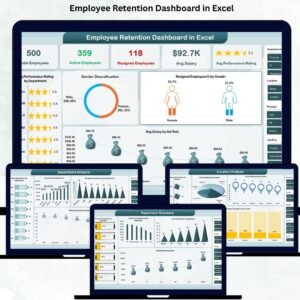
- Employee Retention Dashboard in Excel: analyze exits and tenure
- Environmental and Sustainability Operations KPI Dashboard in Excel: operations KPIs for the same sector
- Sustainability Reporting KPI Dashboard in Excel: report on sustainability goals
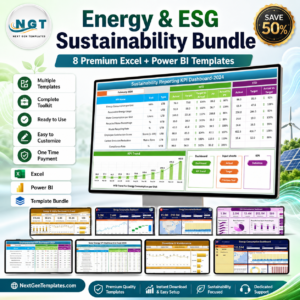
- Energy & ESG Sustainability Bundle: 8 sustainability templates in one download
Browse all Excel KPI dashboards.




Reviews
There are no reviews yet.