

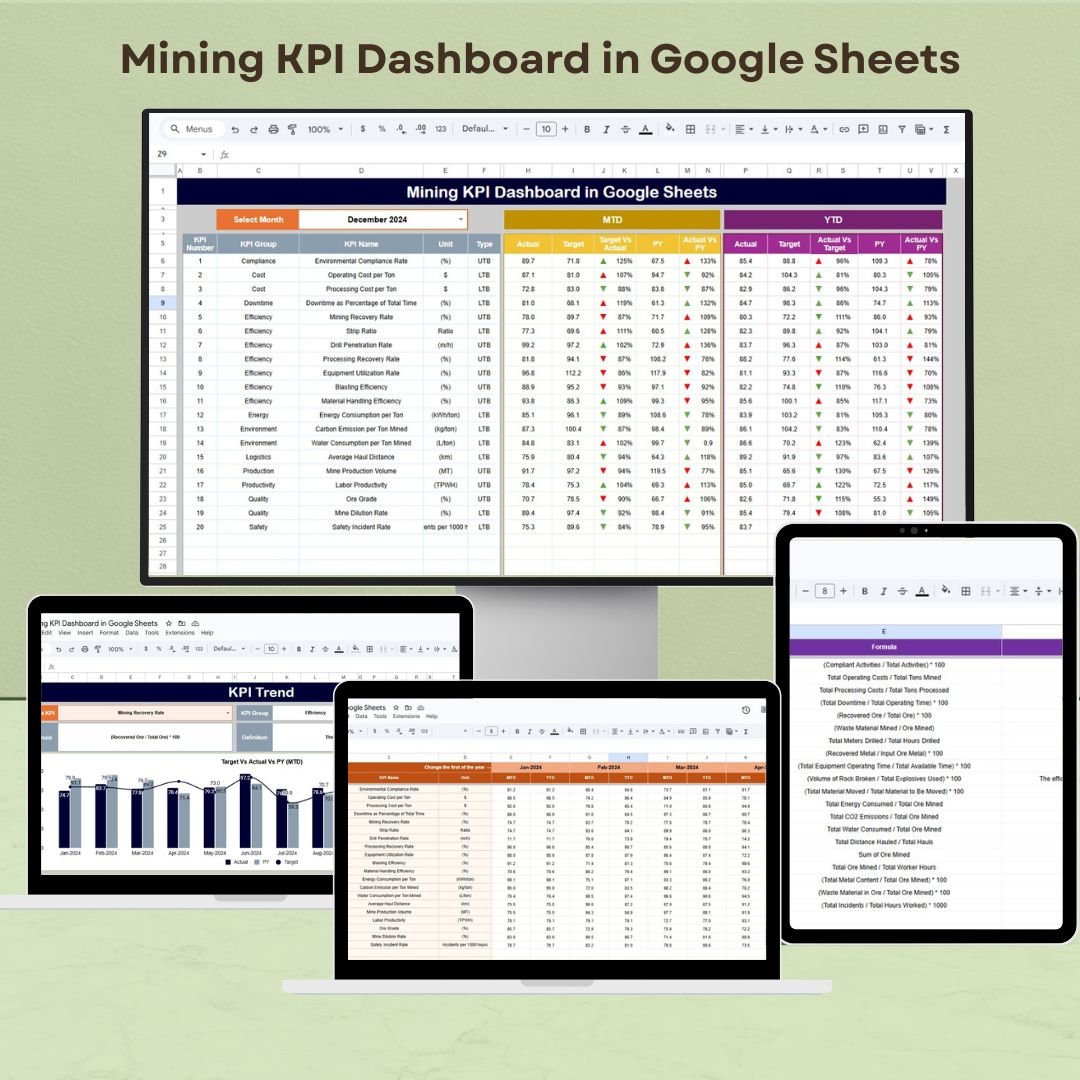



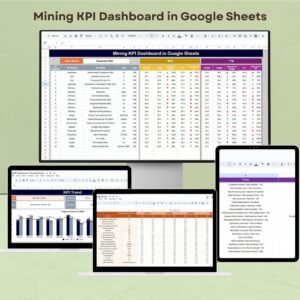
The Mining KPI Dashboard in Google Sheets is a powerful tool designed to help mining professionals monitor, analyze, and optimize key performance indicators (KPIs) within their operations. This dashboard consolidates vital metrics such as production output, equipment efficiency, safety compliance, and operational costs, providing a clear overview of mining activities.
By using this Google Sheets-based dashboard, mining teams can make informed, data-driven decisions to enhance productivity, reduce operational costs, and ensure safety and compliance across all mining operations.
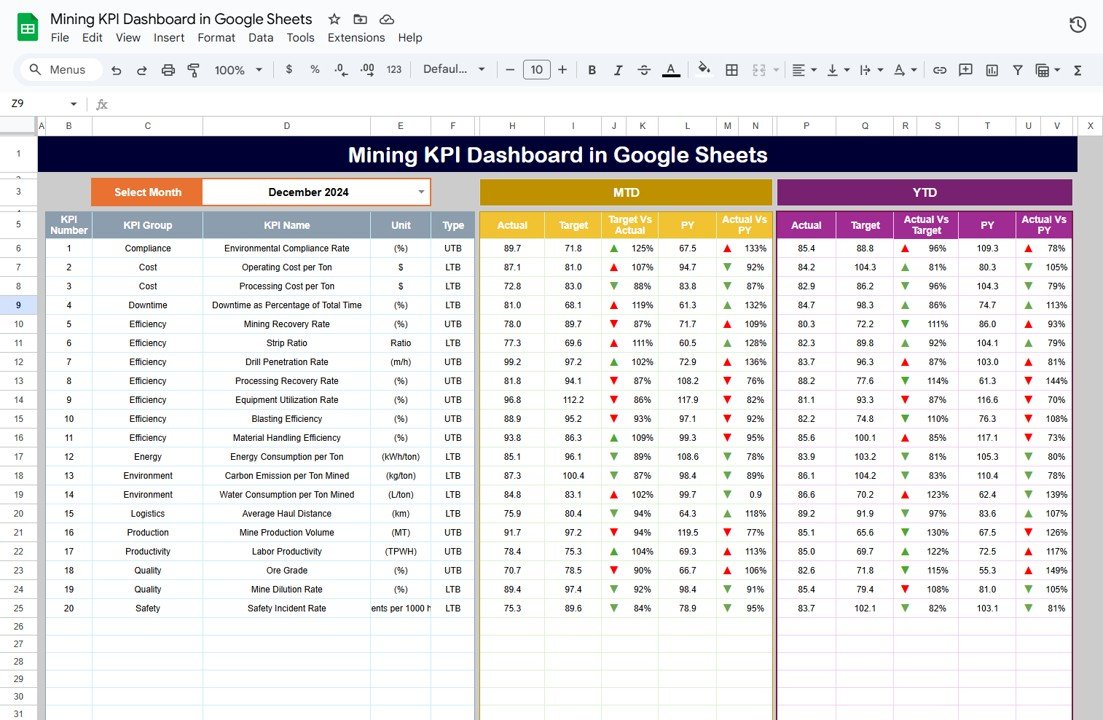
Key Features of the Mining KPI Dashboard in Google Sheets
📊 Comprehensive KPI Tracking
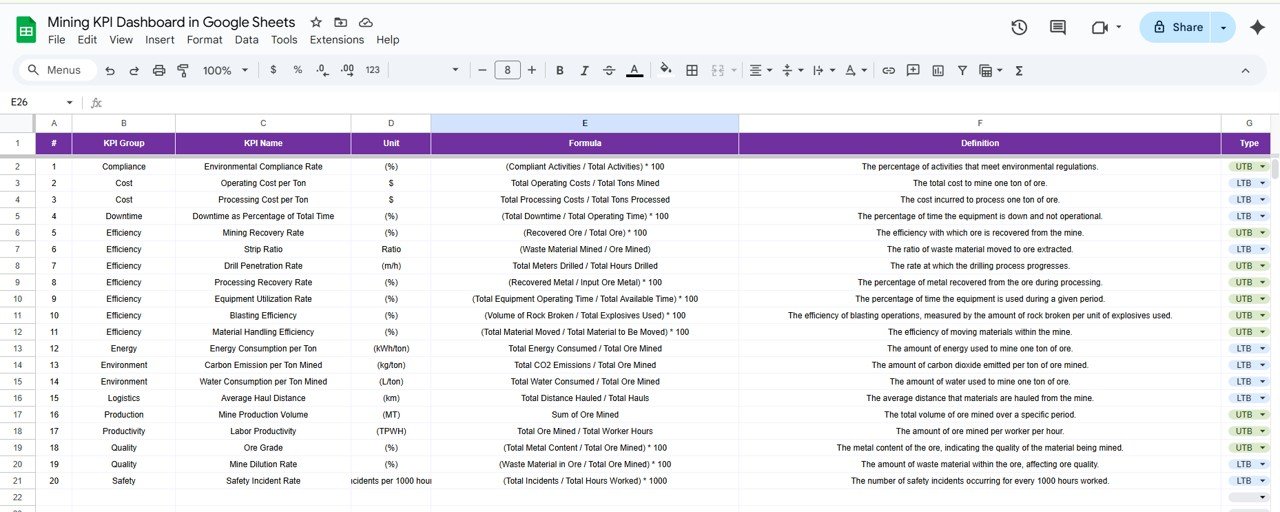
Monitor Essential Metrics: Track important KPIs such as ore extraction rates, processing yields, equipment utilization, downtime, and safety incident rates.
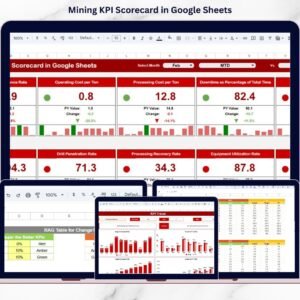
Visualize Data: Use dynamic charts and graphs to visualize trends and performance over time, providing quick insights into operational efficiency.
📈 Customizable Inputs
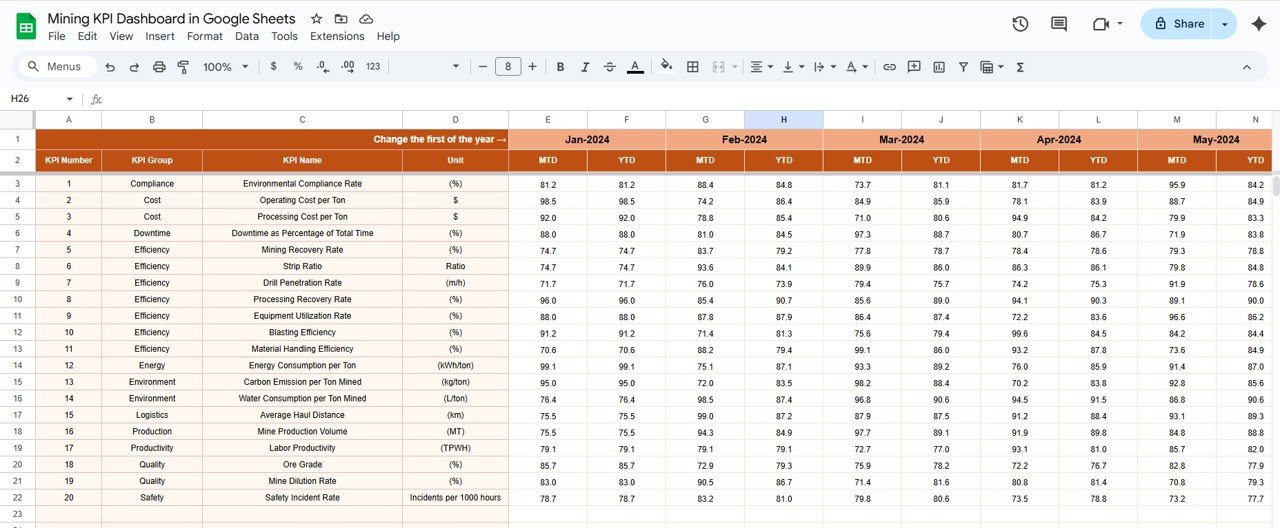
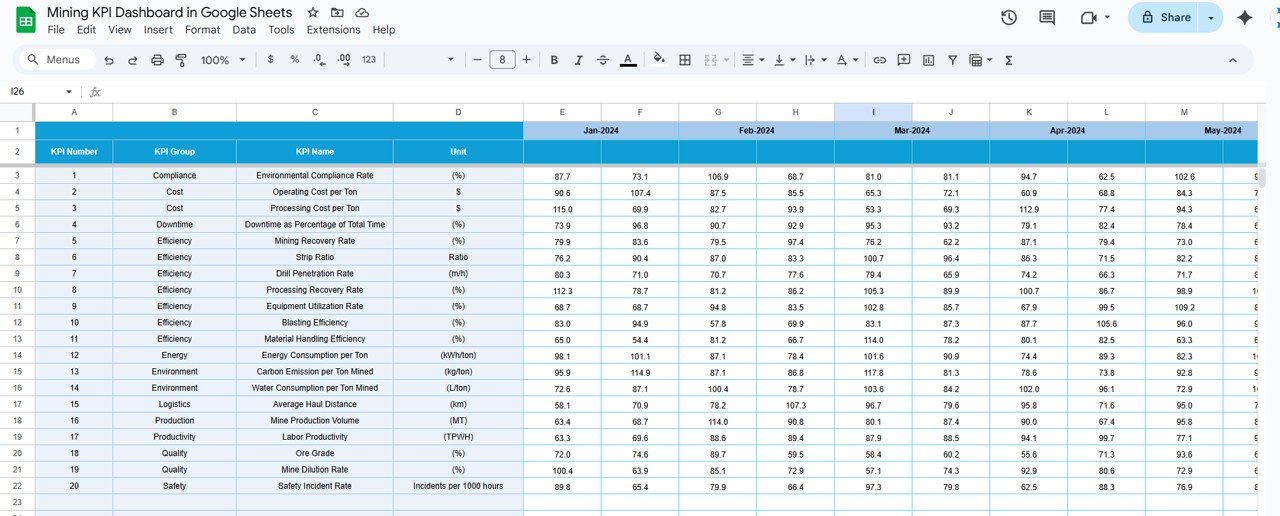
Tailored to Your Operations: Easily input actual, target, and historical data to ensure your reporting stays accurate and relevant to your specific mining operations.
Data Integration: Import data from operational systems to keep the dashboard updated with real-time information.
🔧 User-Friendly Interface
Easy to Use: The dashboard is designed to be intuitive, making it accessible to all team members, even those with limited experience in Google Sheets.
Flexible Layout: Adjust the dashboard to suit your specific reporting needs and modify KPIs as required.
📅 Performance Monitoring & Reporting
MTD & YTD Tracking: Monitor Month-to-Date (MTD) and Year-to-Date (YTD) performance to compare results over different periods.
Target vs. Actual Comparison: Track and compare actual performance against predefined targets to ensure your mining operations meet objectives.
Benefits of Using the Mining KPI Dashboard in Google Sheets
✅ Informed Decision-Making
Access real-time data that enables quick, informed decisions to optimize mining operations and improve performance.
✅ Improved Efficiency
Identify inefficiencies in equipment use or processing, and take corrective actions to improve productivity and reduce costs.
✅ Increased Accountability
Transparent tracking of KPIs helps foster accountability across teams, ensuring that performance standards are met consistently.
✅ Streamlined Reporting
Automate data collection and reporting with visualizations, saving time and ensuring consistency in tracking mining performance.
Getting Started with Your Mining KPI Dashboard in Google Sheets
Download the Template: Begin by downloading the Mining KPI Dashboard template to customize it for your mining operations.
Set Up Your KPIs: Define the KPIs that are most relevant to your mining operations, such as production rates, equipment efficiency, and downtime.
Integrate Data: Import data from mining systems to keep the dashboard updated with real-time metrics.
Track & Analyze: Use the dashboard to monitor trends, track performance, and make data-driven decisions to optimize operations.
Share Insights: Distribute the dashboard to stakeholders to improve transparency and foster collaboration.
By utilizing the Mining KPI Dashboard in Google Sheets, your team can optimize mining operations, improve efficiency, and ensure compliance and safety standards are met across all activities.
Click here to read the Detailed blog post
Mining KPI Dashboard in Google Sheets
Visit our YouTube channel to learn step-by-step video tutorials
YouTube.com/@NeotechNavigators
Who Uses This Dashboard
Mine managers, operations and production teams, and safety officers who report on output, equipment use and safety in one shared sheet.
Compatibility and Requirements
- Works in Google Sheets. You need a free Google account and a web browser.
- New to Sheets? Google’s guide How to use Google Sheets covers the basics.
Frequently Asked Questions
Which mining KPIs does it track?
It tracks ore extraction rates, processing yields, equipment utilization, downtime and safety incident rates.
Can I compare actual results with targets?
Yes. You enter actual, target and historical data, and the dashboard compares actual performance with targets and shows month-to-date and year-to-date results.
Can I change the KPIs?
Yes. You can adjust the layout and change the KPIs to suit your own reporting.
Can I share it with my team?
Yes. It runs in Google Sheets, so you can share the dashboard with stakeholders.
Related Mining Templates
- Mining KPI Dashboard in Excel: the same KPIs in Excel
- Mining KPI Dashboard in Power BI: the same KPIs in Power BI
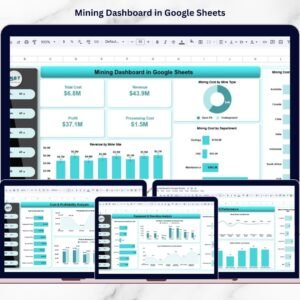
- Mining Dashboard in Google Sheets: a full mining dashboard in Google Sheets
- Mining Operations Dashboard in Excel: day-to-day mining operations
- Google Sheets Business Pack (Pro): 14 business templates for Google Sheets in one download
Browse all Google Sheets KPI dashboards or the Google Sheets dashboards.




Reviews
There are no reviews yet.