



The Annual Performance Appraisal Calendar in Excel is a specialized tool designed to assist organizations in managing and tracking performance evaluations throughout the year. By providing a structured and customizable platform, this calendar ensures that performance reviews are conducted timely, promoting consistent feedback and continuous improvement within your team.

Key Features of the Annual Performance Appraisal Calendar in Excel:
Multiple View Options:
Navigate seamlessly between Annual, Monthly, and Daily views for better tracking and planning of performance reviews.Customizable Theme & Highlights:
Choose from five different color themes and highlight specific weekdays for improved organization and personalization.Automated Event Management:
Easily add, update, and delete performance review events with a single click, streamlining the scheduling process.Dynamic Date Selection:
Modify the starting month, week, and year to personalize your calendar experience, ensuring alignment with your organization’s fiscal year.Interactive Dashboard:
The Home Sheet tab provides quick access buttons to navigate through different views and event sheets, enhancing user experience and efficiency.
Benefits of Using the Annual Performance Appraisal Calendar in Excel:
Enhanced Organizational Efficiency:
By centralizing and scheduling performance reviews, the calendar helps in better resource planning and allocation, leading to improved operational efficiency.Timely Feedback Delivery:
Ensuring that reviews are conducted as scheduled facilitates timely feedback, which is essential for employee growth and motivation.Improved Employee Development:
Regular and structured performance evaluations provide employees with clear insights into their strengths and areas for improvement, fostering a culture of continuous development.Alignment with Organizational Goals:
The calendar aids in aligning individual performance with company objectives, ensuring that all team members are working towards common goals.
How to Utilize the Annual Performance Appraisal Calendar in Excel:
Purchase and Download:
Obtain the calendar template for $4.99 and download it to your device.Customize the Calendar:
Open the template in Excel and modify settings such as review frequencies, dates, and other parameters to suit your organization’s needs.Input Data:
Enter relevant details such as employee names, reviewer information, and scheduled review dates into the calendar.Monitor Reviews:
Use the calendar to track the status of each performance review, ensuring that all evaluations are completed as planned.Maintain Records:
Keep records updated within the calendar, providing a comprehensive overview of performance evaluations conducted throughout the year.
Who Will Benefit from the Annual Performance Appraisal Calendar in Excel:
Human Resources Professionals:
Manage and oversee the performance appraisal process efficiently, ensuring compliance with organizational policies.Team Leaders and Managers:
Schedule and track performance reviews for team members, facilitating effective feedback and development discussions.Administrators:
Maintain organized records of all performance evaluations, supporting administrative tasks and reporting requirements.Small to Medium Enterprises (SMEs):
Implement a structured performance review system without the need for complex software solutions, utilizing the simplicity of Excel.
Investing in the Annual Performance Appraisal Calendar in Excel empowers your organization to manage performance evaluations systematically, fostering a culture of continuous improvement and alignment with strategic objectives.
Click here to read the Detailed blog post
Read the Blog Post
Visit our YouTube channel to learn step-by-step video tutorials
Youtube.com/@PKAnExcelExpert
Watch the step-by-step video Demo:
What’s Inside the Annual Performance Appraisal Calendar
- Home sheet with buttons to move between the views and event sheets
- Annual View, Monthly View and Daily View
- Event sheet where you add, update and delete review events
- Five color themes and weekday highlights
Compatibility and Requirements
- Works in Microsoft Excel desktop (Excel 2016 or later, or Microsoft 365).
- You can highlight chosen weekdays with color. Microsoft explains color rules in Use conditional formatting to highlight information.
Frequently Asked Questions
Which views does the calendar have?
It has Annual, Monthly and Daily views, plus a Home sheet with buttons to move between them.
Can the calendar follow our fiscal year?
Yes. You can change the starting month, week and year to match your fiscal year.
How do I add a review?
Add, update or delete performance review events from the event sheet with a single click.
Can I change the colors?
Yes. Choose from five color themes and highlight specific weekdays.
Is there a Google Sheets version?
A similar Performance Review Calendar in Google Sheets is available for teams that work in a browser.
Related Performance Review Templates
- Performance Review Calendar in Excel: another review scheduling calendar
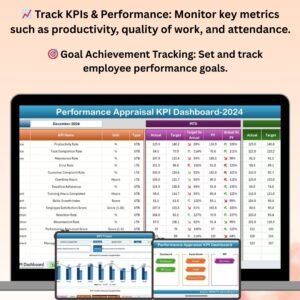
- Performance Appraisal KPI Dashboard in Excel: appraisal KPIs on a dashboard
- Employee Performance Review Report in Excel: report on review results
- Performance Review Calendar in Google Sheets: review scheduling in Google Sheets
- HR Director Toolkit: 10 HR templates in one download
Browse all Excel calendars or the Excel HR and payroll templates.




























Reviews
There are no reviews yet.