


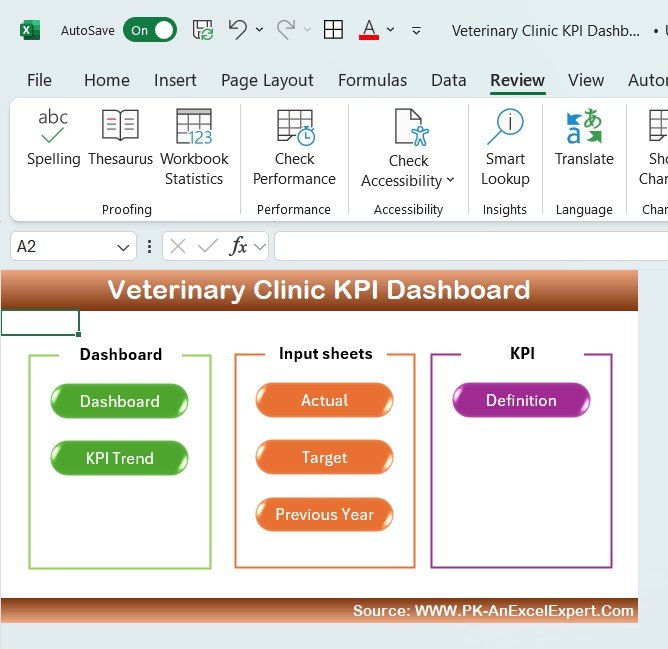



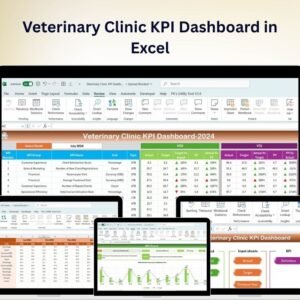
The Veterinary Clinic KPI Dashboard in Excel is a powerful tool designed specifically for veterinary clinic owners, managers, and administrative teams to monitor key performance indicators (KPIs) related to clinic operations. This Excel-based dashboard helps you track and optimize clinic performance by monitoring metrics such as patient intake, revenue, appointment scheduling, staff performance, and customer satisfaction.
Whether you’re managing a small animal practice or a larger multi-location clinic, this dashboard provides a comprehensive overview of your clinic’s performance, ensuring efficient operations and improved patient care.

Key Features of the Veterinary Clinic KPI Dashboard in Excel:
🐾 Patient Intake and Treatment Tracking
Monitor the number of patients treated, their medical conditions, treatments administered, and follow-up visits to track clinic activity and patient care quality.
💰 Revenue and Financial Performance
Track revenue from different services (e.g., check-ups, surgeries, medications) and evaluate your clinic’s financial health. Assess profitability and identify opportunities for growth.
📅 Appointment Scheduling and Wait Times
Track appointment scheduling efficiency, manage wait times, and optimize staff availability to improve patient care and clinic workflow.
👨⚕️ Staff Performance and Productivity
Monitor staff performance, including the number of patients treated per day, patient satisfaction, and the efficiency of clinic operations.
💬 Customer Satisfaction and Feedback
Track customer feedback, satisfaction ratings, and reviews to ensure your clients are happy with the care their pets receive and to identify areas for improvement.
🚀 Why You’ll Love the Veterinary Clinic KPI Dashboard in Excel:
✅ Track Patient Care – Monitor the number of patients, treatments, and follow-up visits to ensure efficient patient management and quality care.
✅ Optimize Financial Performance – Track revenue, expenses, and profitability to ensure the clinic remains financially healthy and sustainable.
✅ Improve Appointment Efficiency – Manage appointment scheduling, minimize wait times, and optimize clinic workflows to improve patient satisfaction.
✅ Enhance Staff Productivity – Track staff performance, productivity, and patient satisfaction to ensure high-quality service and efficient clinic operations.
✅ Collect Customer Feedback – Track reviews, ratings, and customer feedback to assess client satisfaction and improve the overall clinic experience.
✅ Fully Customizable and Interactive – Tailor the dashboard to meet your specific veterinary clinic needs, with interactive features for real-time tracking and analysis.
What’s Inside the Veterinary Clinic KPI Dashboard in Excel:
Patient Intake and Treatment Tracking: Track patient intake, medical conditions, treatments, and follow-up visits to ensure timely and effective care.
Revenue and Profitability Monitoring: Track revenue from different services such as consultations, surgeries, vaccinations, and medications, and assess profitability.
Appointment Management: Monitor appointment scheduling, wait times, and appointment types to streamline clinic operations and ensure a smooth workflow.
Staff Performance: Track staff productivity, the number of patients treated, and customer feedback to ensure high-quality service and efficient operations.
Customer Satisfaction: Monitor client feedback, reviews, and satisfaction ratings to improve the quality of service and build customer loyalty.
Custom Reports: Generate custom reports summarizing key metrics such as patient volume, revenue, staff performance, and customer satisfaction to make informed decisions.
How to Use the Veterinary Clinic KPI Dashboard in Excel:
1️⃣ Download the Template – Instantly access your Excel file upon purchase.
2️⃣ Input Clinic Data – Enter data such as patient information, treatment details, appointment schedules, and revenue figures to track key metrics.
3️⃣ Monitor Clinic Performance – Use the dashboard to track appointments, treatments, financials, and staff performance in real-time.
4️⃣ Evaluate Financials – Track revenue, expenses, and profitability to ensure the clinic’s financial health.
5️⃣ Generate Reports – Create detailed reports summarizing key performance metrics such as patient volume, staff performance, and client satisfaction to guide decision-making.
Who Can Benefit from the Veterinary Clinic KPI Dashboard in Excel:
Veterinary Clinic Owners and Managers
Veterinarians and Veterinary Technicians
Administrative and Operational Staff
Financial Analysts in Veterinary Clinics
Customer Service Teams
Business Analysts in Healthcare
Clinic Support Staff
Animal Care Teams and Professionals
The Veterinary Clinic KPI Dashboard in Excel is the perfect tool for managing and optimizing the operations of your veterinary clinic. By tracking important KPIs such as patient care, revenue, staff performance, and customer satisfaction, this dashboard helps ensure that your clinic provides the highest level of care while maintaining smooth operations and strong financial health.
Click here to read the Detailed blog post
https://www.pk-anexcelexpert.com/veterinary-clinic-kpi-dashboard-in-excel/
Visit our YouTube channel to learn step-by-step video tutorials
Youtube.com/@PKAnExcelExpert
Compatibility and Requirements
- Works in Microsoft Excel desktop (Excel 2016 or later, or Microsoft 365).
- For help with the Excel features it uses, see Microsoft’s guide Create a chart from start to finish.
Frequently Asked Questions
What does the Veterinary Clinic KPI Dashboard track?
Patient intake and treatments, revenue by service, appointment scheduling and wait times, staff performance, and customer satisfaction and feedback.
Can I track revenue by service?
Yes. You can track revenue from services such as consultations, check-ups, surgeries, vaccinations and medications.
Can I monitor appointment wait times?
Yes. The appointment section tracks scheduling, wait times and appointment types.
Can I build reports from it?
Yes. You can create reports that summarize patient volume, revenue, staff performance and client satisfaction.
Related Veterinary Templates
- Veterinary Clinic KPI Dashboard in Google Sheets: the Google Sheets edition.
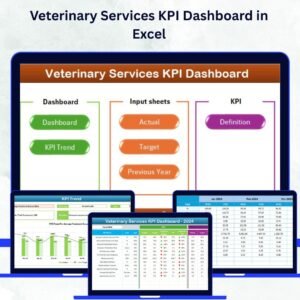
- Veterinary Services KPI Dashboard in Excel: KPIs for wider veterinary services.
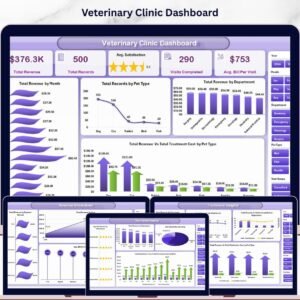
- Veterinary Clinic Dashboard in Excel: a full dashboard for clinic data.
- Veterinary Clinic KPI Scorecard in Excel: a scorecard view of clinic KPIs.
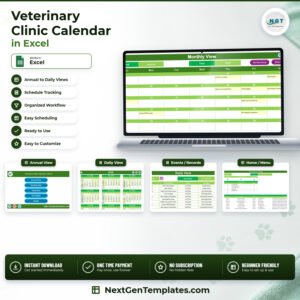
- Veterinary Clinic Calendar in Excel: plan clinic dates and schedules.
Browse all Excel KPI dashboards or the health and safety templates.
















Reviews
There are no reviews yet.