

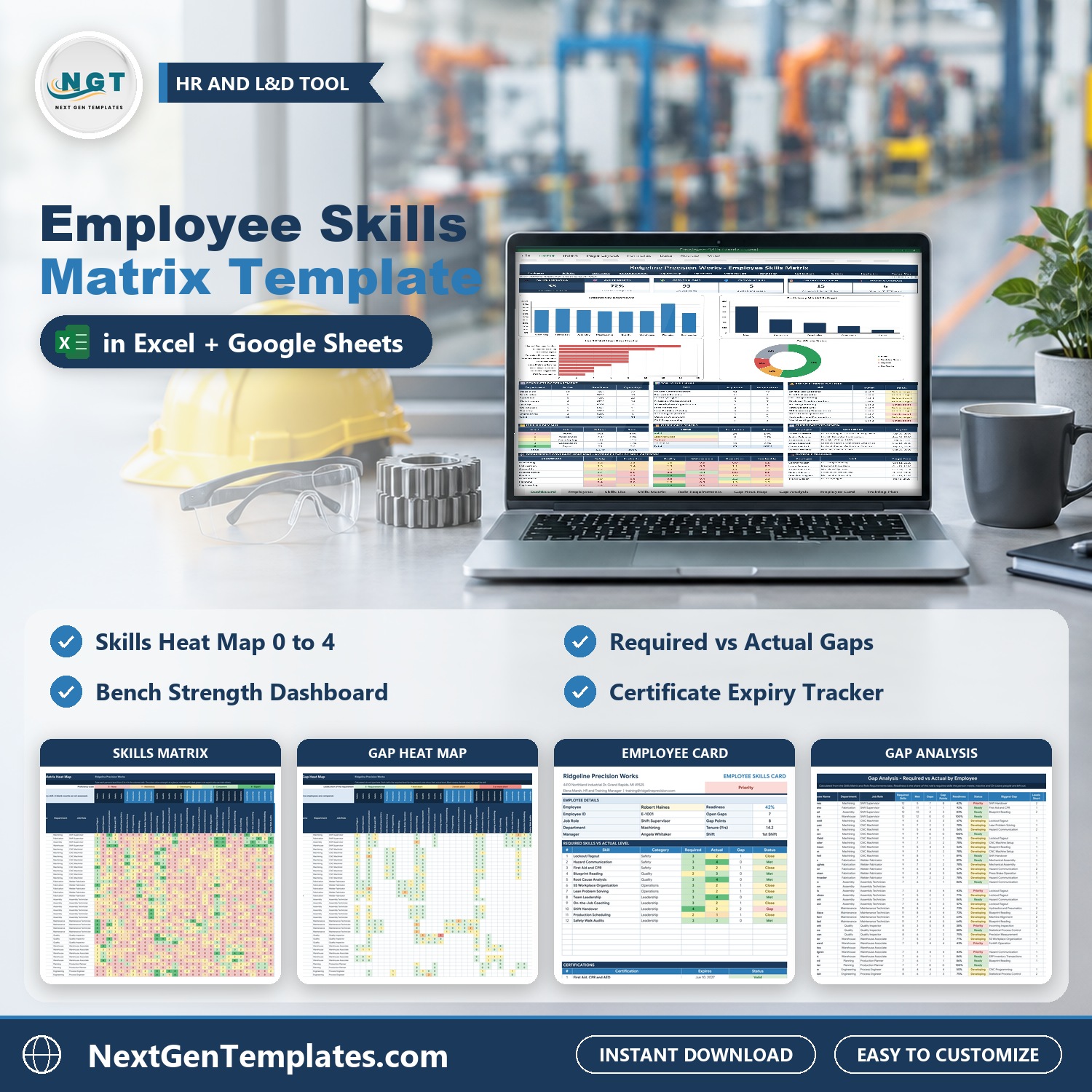

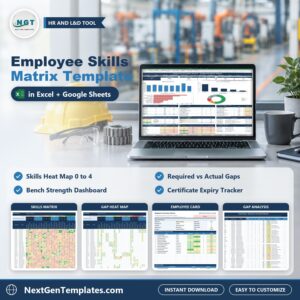
Employee Skills Matrix Template in Excel and Google Sheets shows who can do what across your whole team and where you are exposed. Rate every employee on every skill from 0 to 4, compare them with what each job role needs, see the gaps as a heat map, plan the training, watch the certificates and read your bench strength on one Dashboard. It ships in two editions, Google Sheets and Microsoft Excel, with the same tabs, the same formulas and sample data for a precision manufacturer in Michigan.
Watch the Employee Skills Matrix Template in Excel and Google Sheets walkthrough
If you are searching for a skill matrix template, a skills matrix template excel file, a training matrix template excel tracker or a skills matrix excel workbook, this is a ready-made one.
Good to know: this is a planning tool with formulas and charts, not an HR system. You type your people, ratings, courses and certificates yourself. Check the legal renewal rules for your own certificates with your safety or compliance team.
What You Get
- Dashboard with six tiles, four charts and tables for top skill gaps, bench strength at risk, certificates to renew and overdue training
- Skills Matrix with red to dark green colors for levels 0 to 4, grouped by six skill categories
- Role Requirements for up to 12 job roles and a Gap Heat Map that shows required level minus actual level
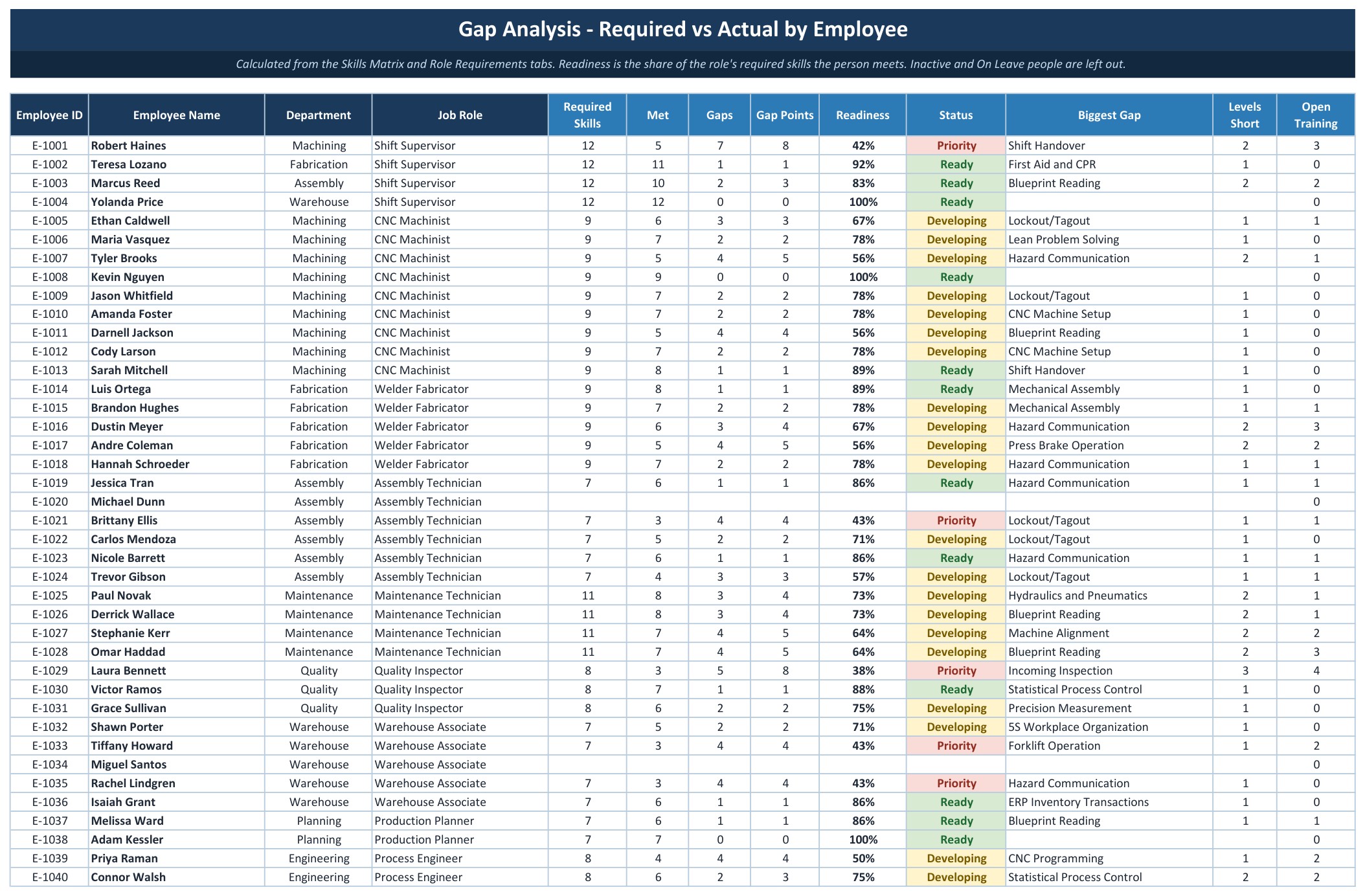
- Gap Analysis with readiness percent, Ready, Developing or Priority status and the biggest gap for each employee
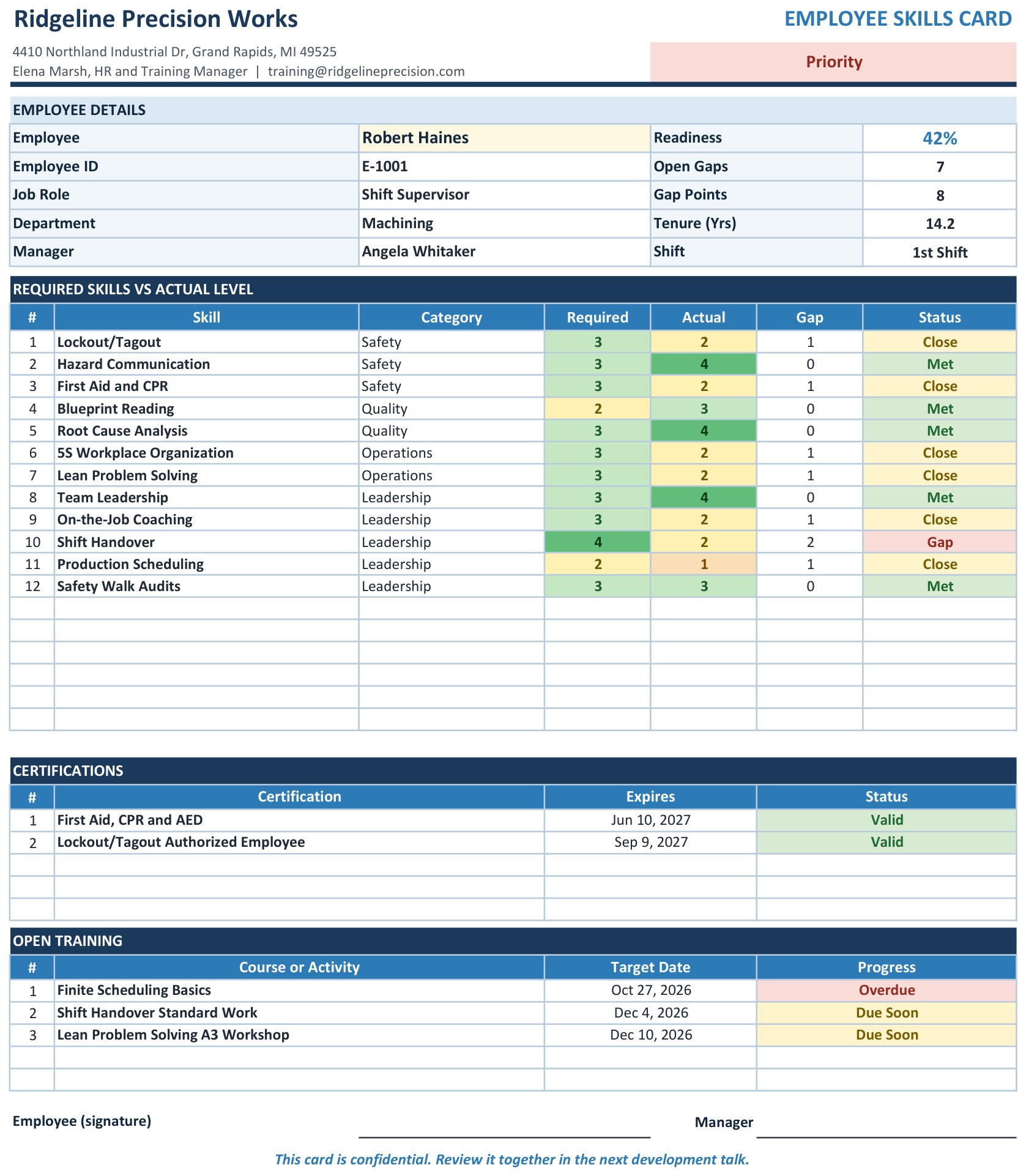
- One-page Employee Card for Letter or A4 with signature lines
- Training Plan and Certifications tabs with Overdue, Due Soon, Expiring Soon and Expired flags
- Room for 60 employees, 30 skills, 12 job roles, 200 training rows and 200 certificates
- Two editions in one download: Excel (.xlsx, no macros) and a PDF guide with the Make a copy link for Google Sheets
Key Features
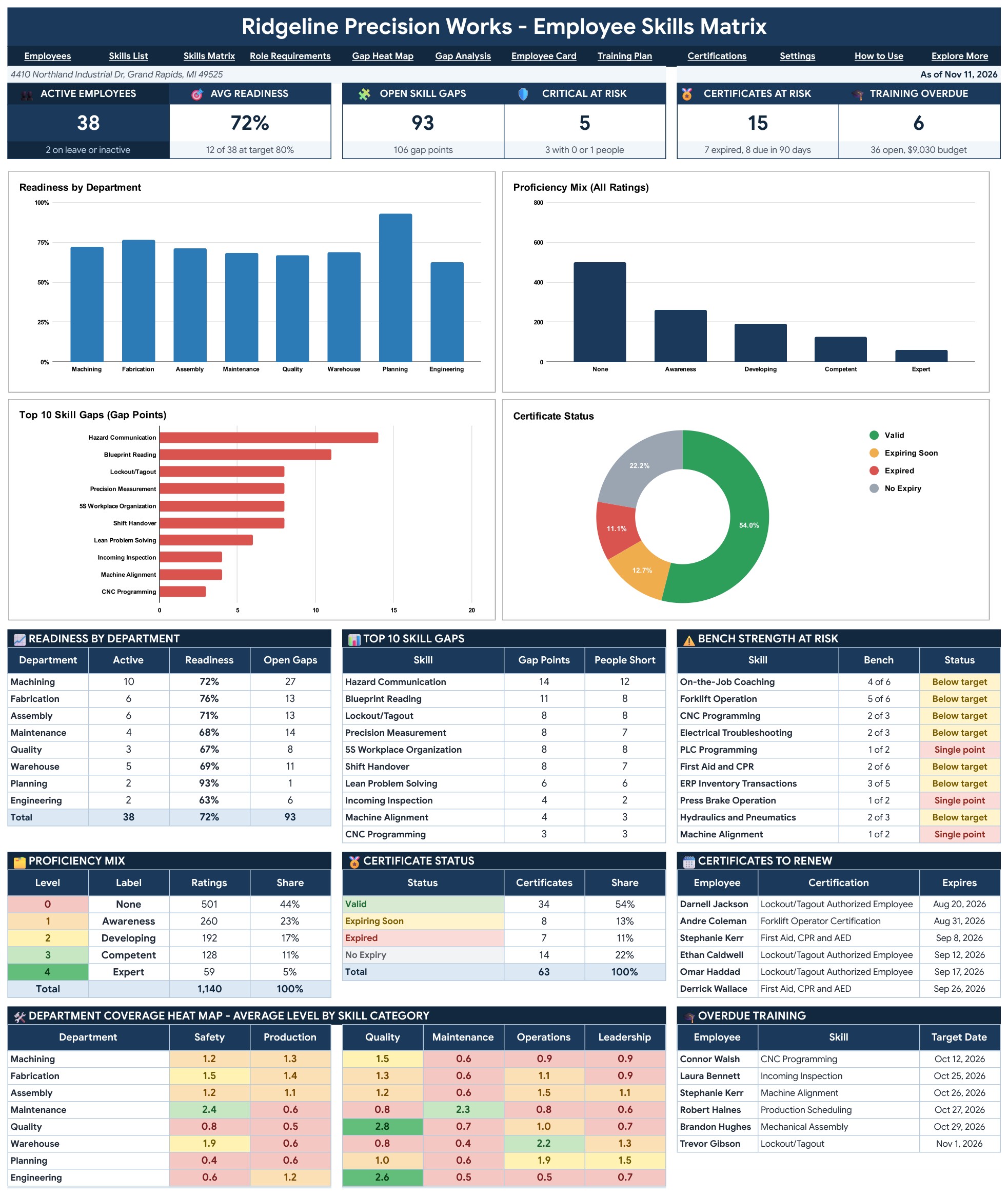
Dashboard (Google Sheets)
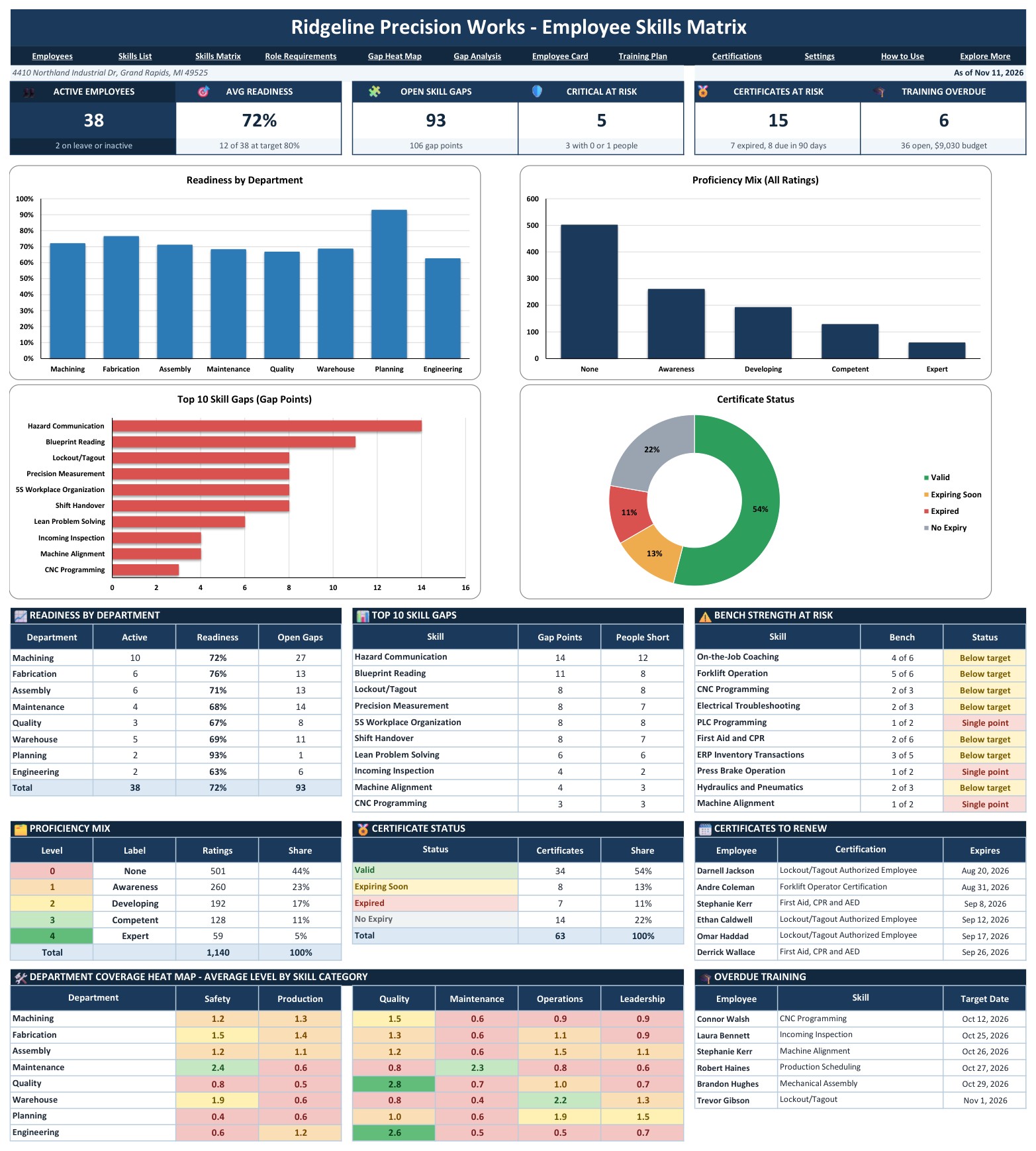
Six tiles open the page: Active Employees, Avg Readiness, Open Skill Gaps, Critical At Risk, Certificates At Risk and Training Overdue. Under them sit four charts (Readiness by Department, Proficiency Mix, Top 10 Skill Gaps and Certificate Status), then the tables that tell you what to act on: top skill gaps, bench strength at risk, certificates to renew, overdue training and a department coverage heat map.
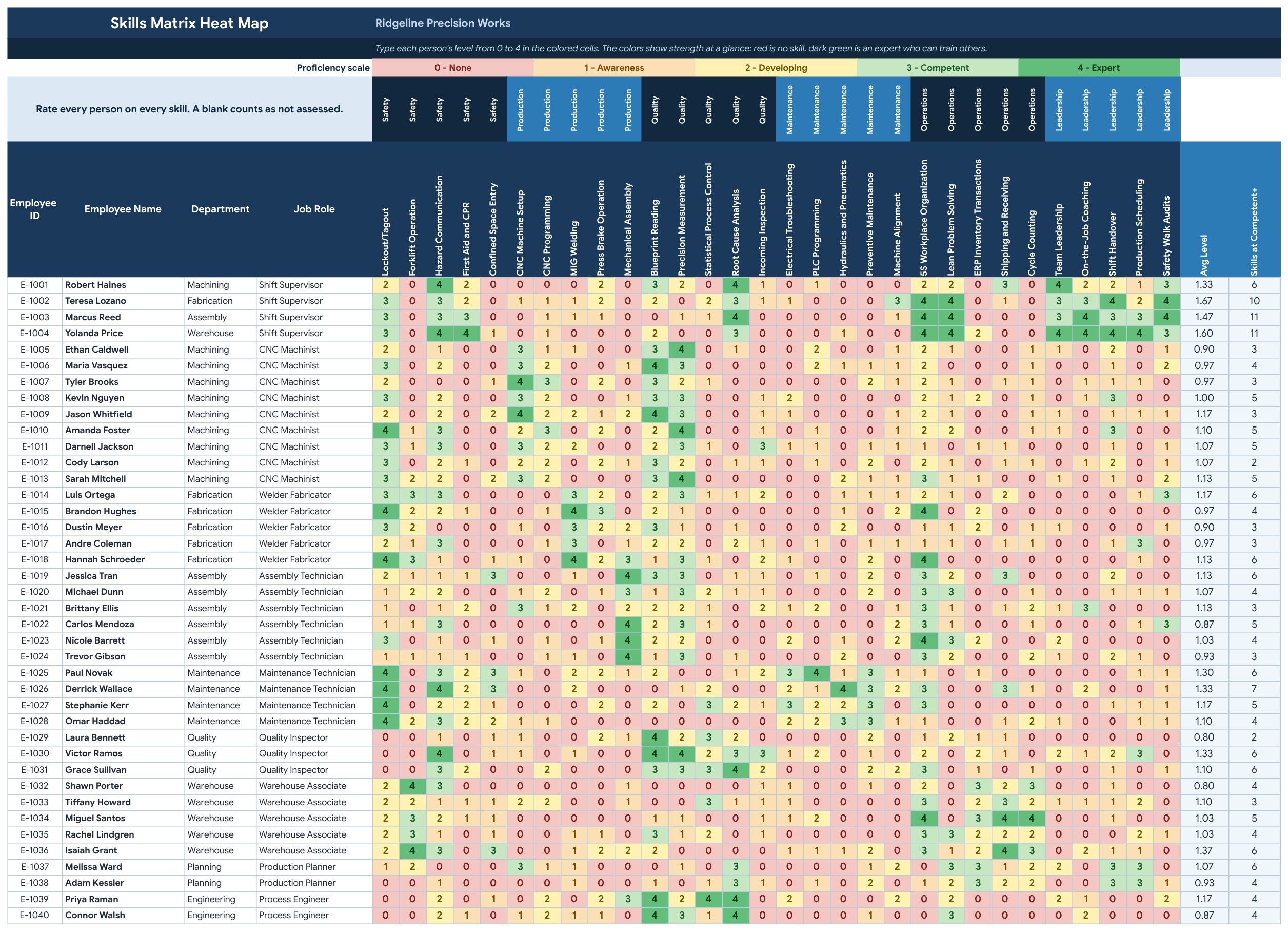
Skills Matrix (Google Sheets)
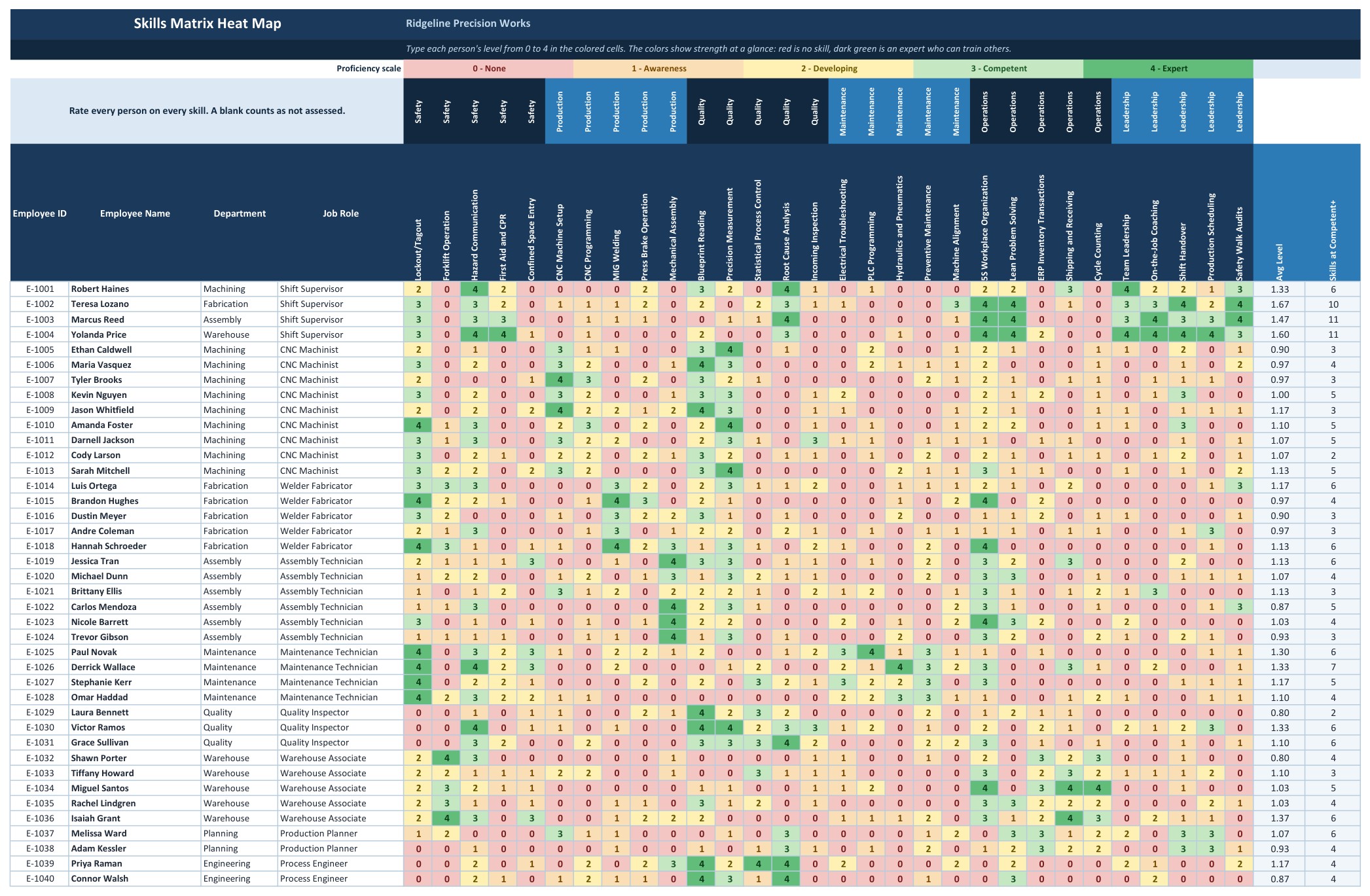
One row per person and one column per skill, grouped by category: Safety, Production, Quality, Maintenance, Operations and Leadership. Type a level from 0 to 4 and the cell colors itself from red to dark green. Each person’s average level and competent skill count sit on the right.
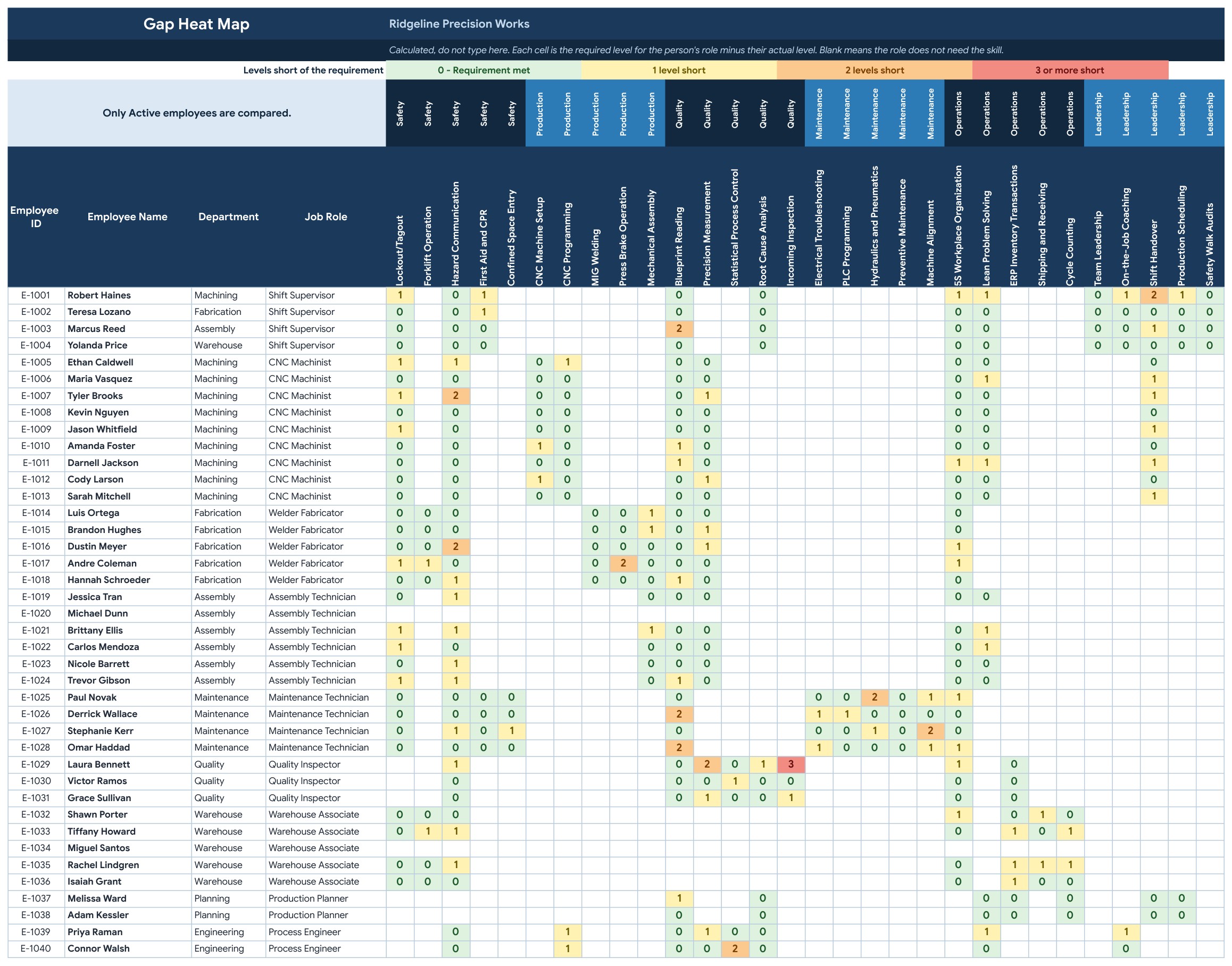
Gap Heat Map (Google Sheets)
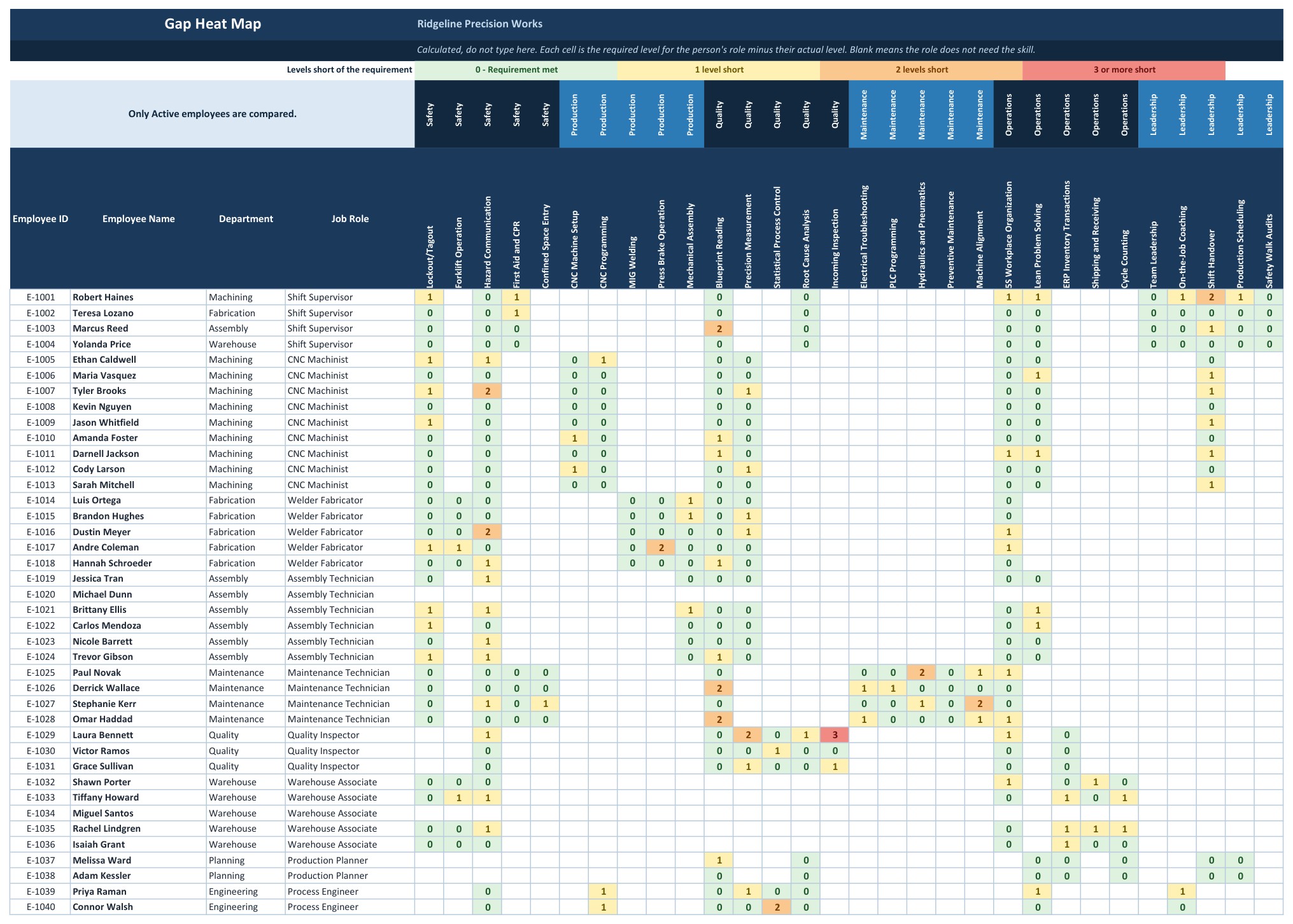
Every cell is the level the job role requires minus the person’s actual level. Green means the requirement is met, yellow is one level short, orange is two short and red is three or more.
Gap Analysis (Google Sheets)
One row per employee: required skills, met, gaps, gap points, readiness percent, a Ready, Developing or Priority status, the biggest gap and open training.
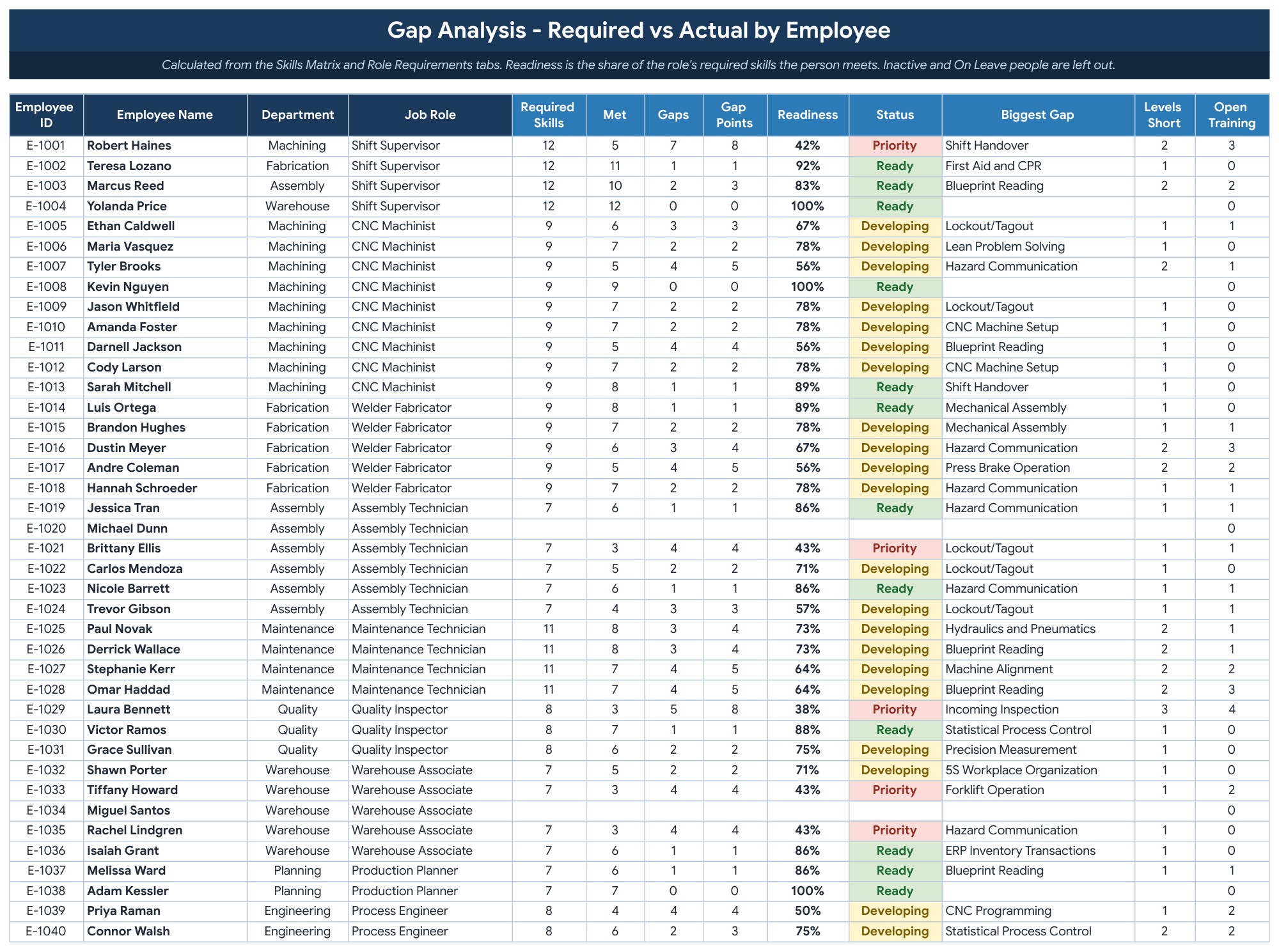
Role Requirements (Google Sheets)
Set the level each job role needs on each skill. Up to 12 job roles, and a blank cell means the role does not need that skill.
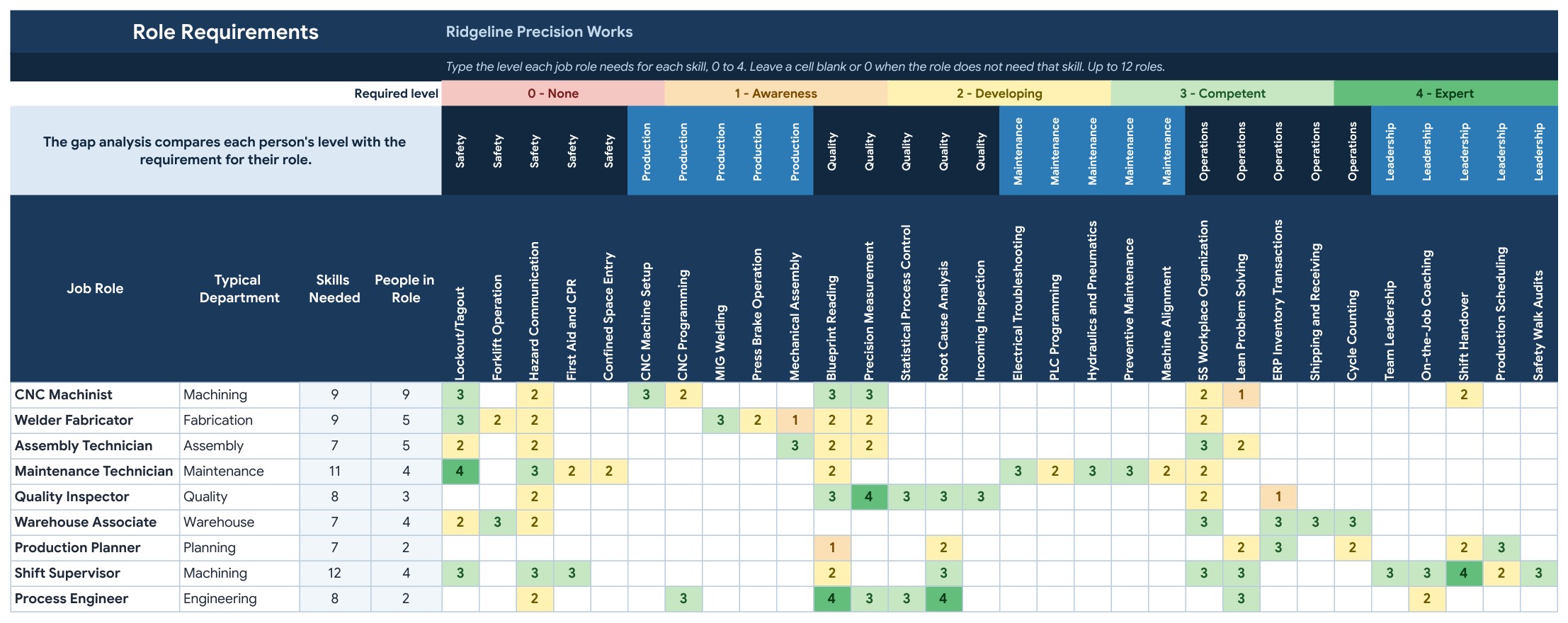
Employee Card (Google Sheets)
Pick a name in the yellow cell and a one-page card fills itself: job role, readiness, required skills against actual level, certificates and open training, with signature lines for Letter or A4.
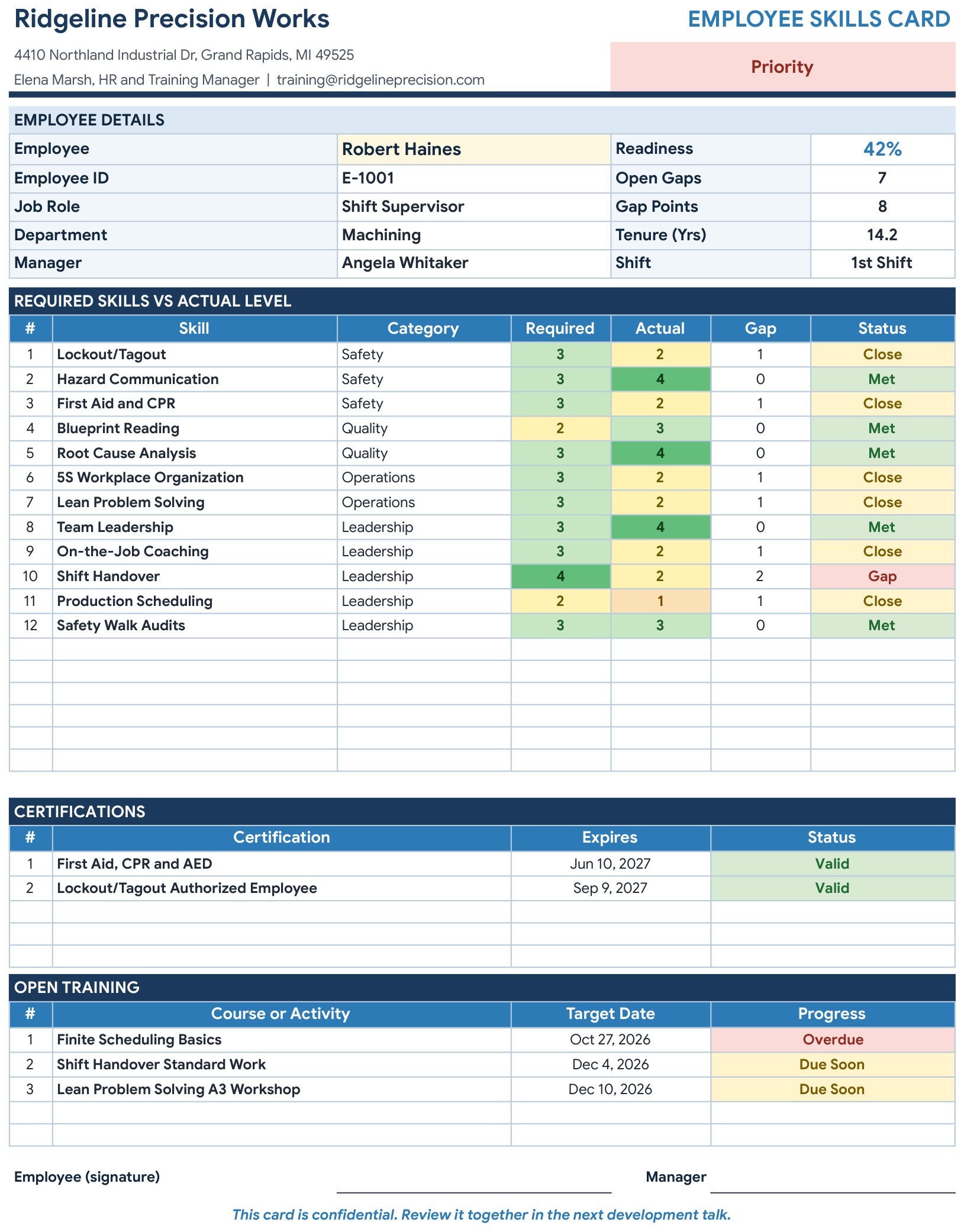
Employees (Google Sheets)
One row per person with ID, name, job role, department, shift, manager, hire date and status, for up to 60 employees. A Check column flags anything missing or duplicated.
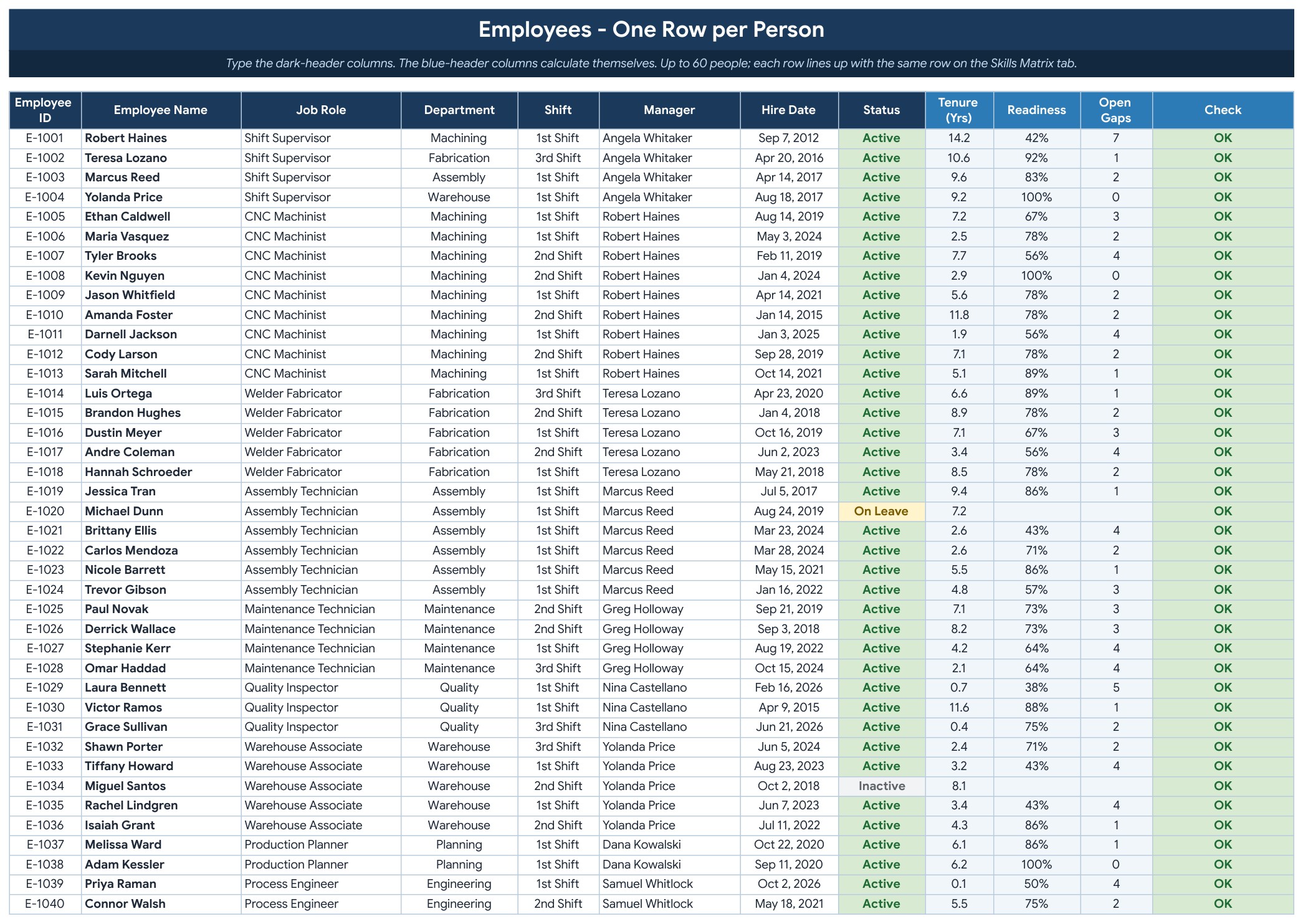
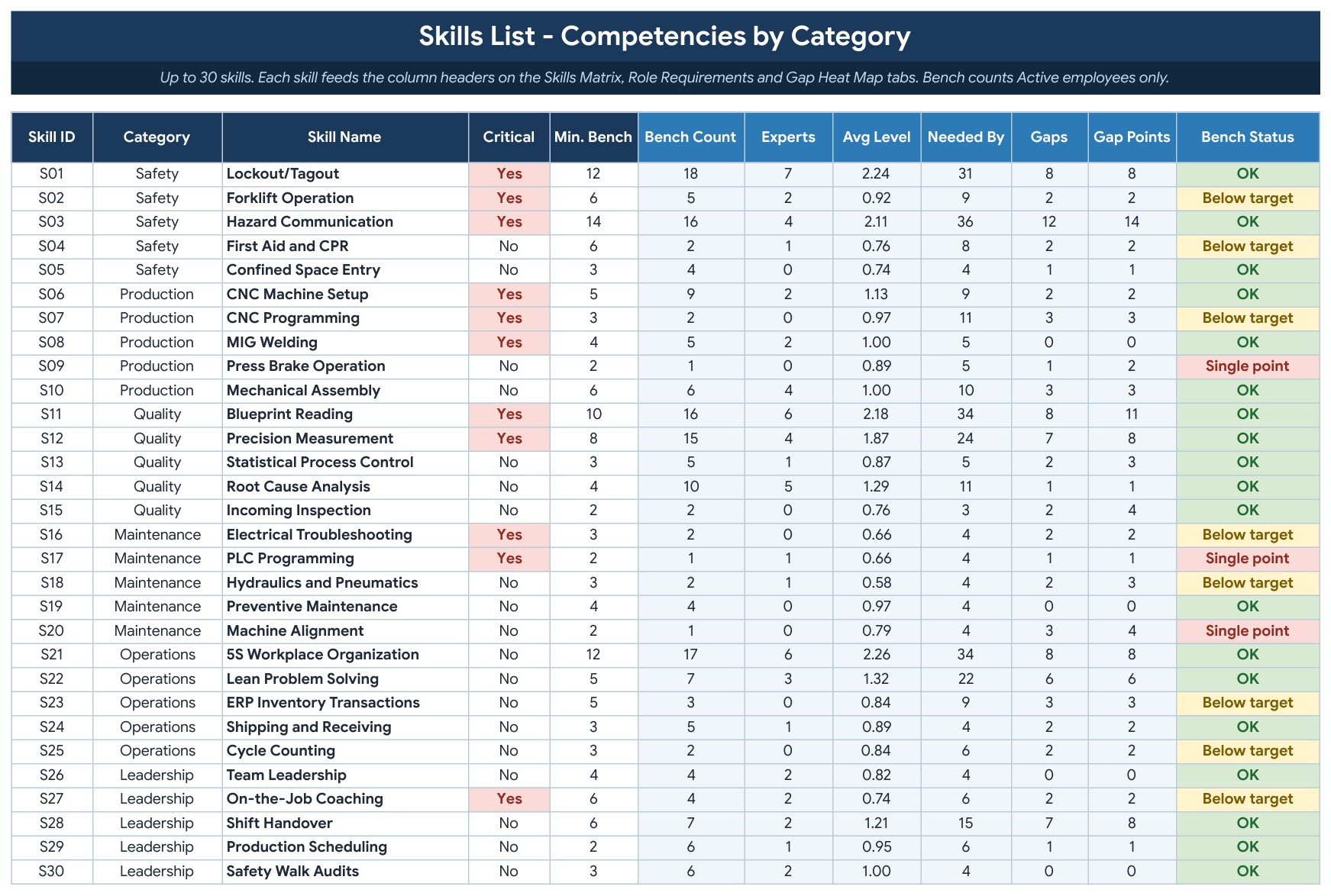
Skills List (Google Sheets)
Up to 30 skills with a category, a Critical flag and a minimum bench. Bench count, experts, average level, gaps and bench status calculate themselves.
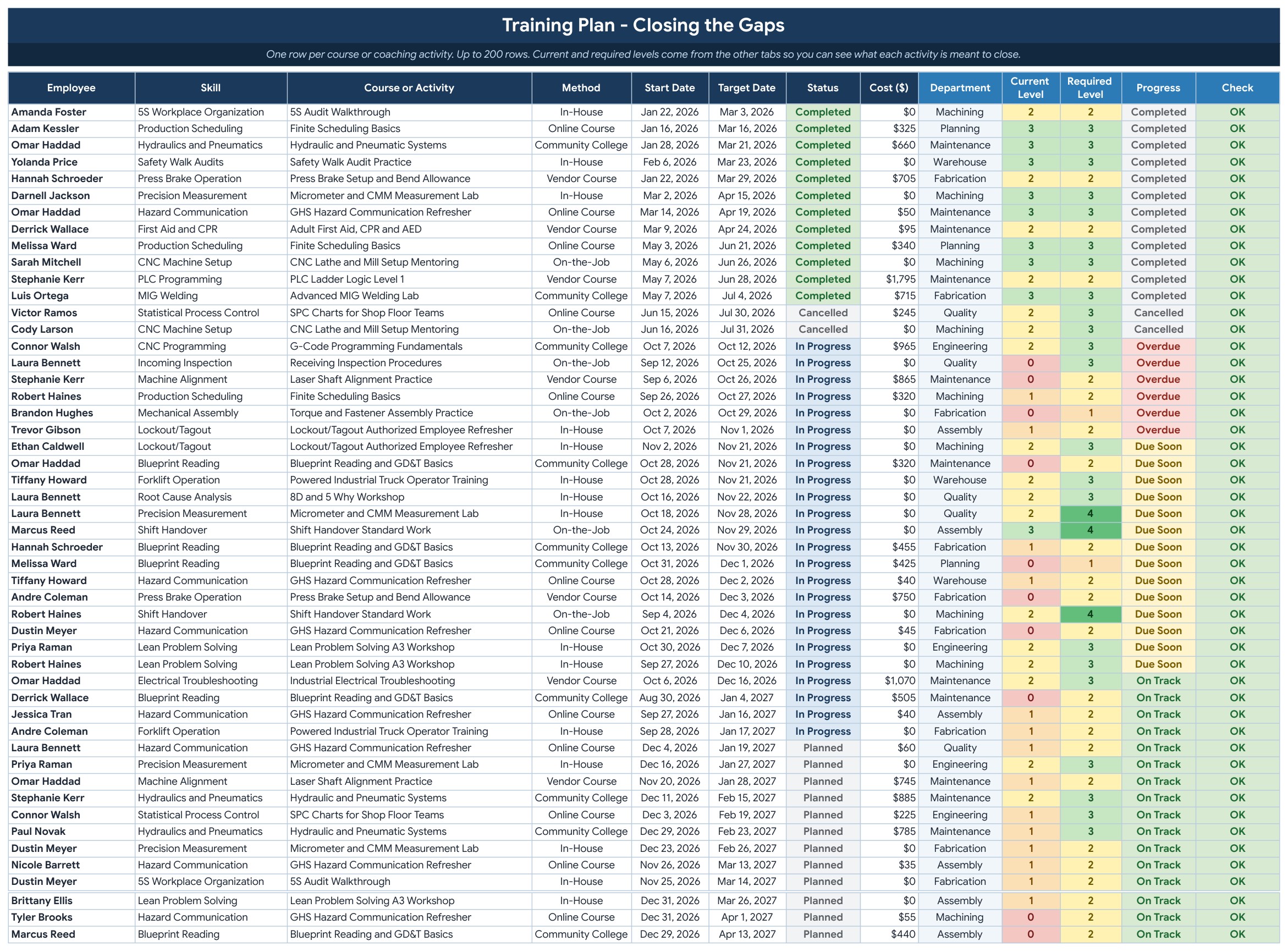
Training Plan (Google Sheets)
One row per course or coaching activity with the employee, skill, method, dates, status and cost. Progress shows Overdue, Due Soon or On Track, next to the current and required level.
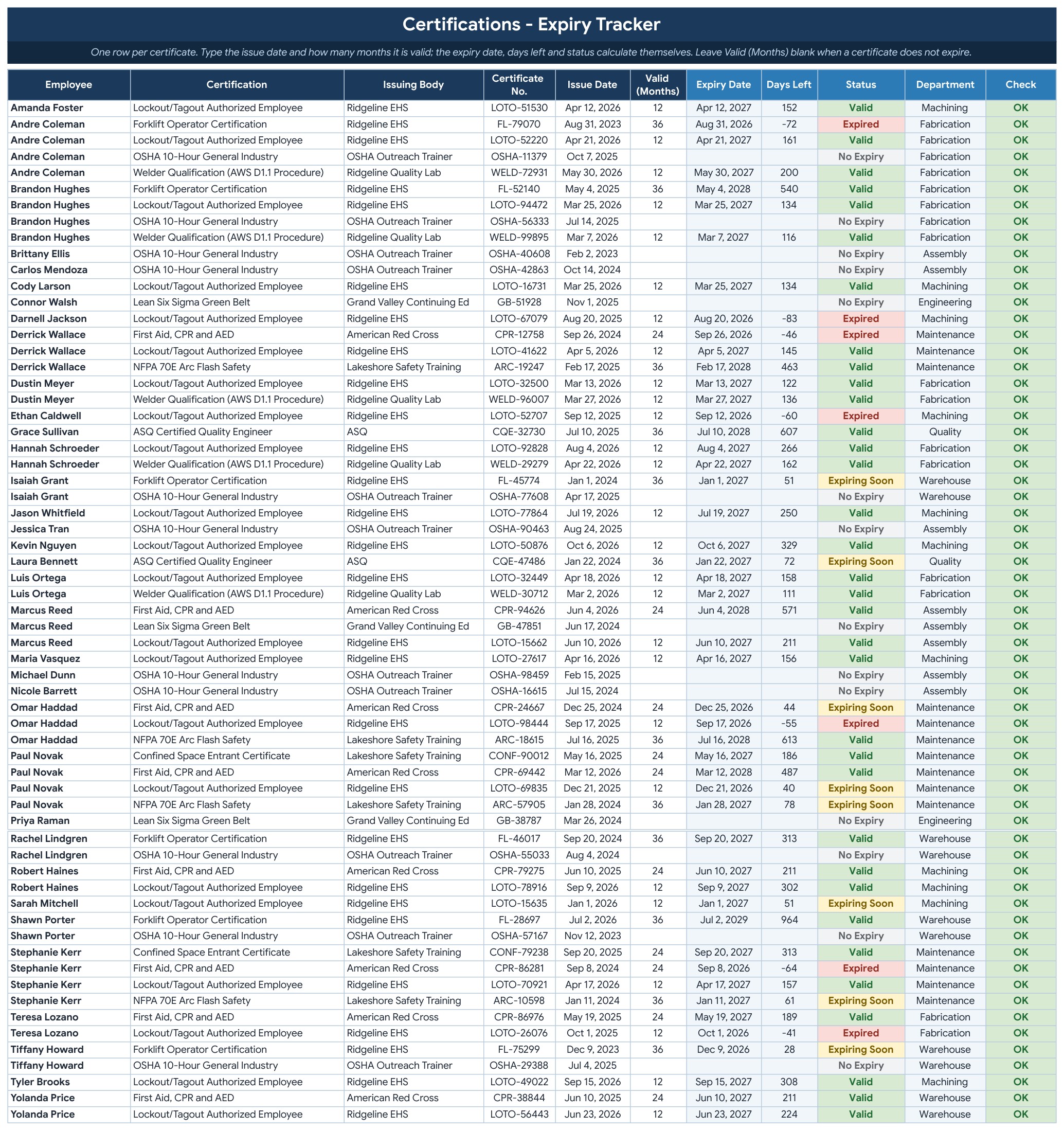
Certifications (Google Sheets)
Type the issue date and how many months the certificate is valid. The expiry date, days left and status (Valid, Expiring Soon or Expired) calculate themselves.
Settings (Google Sheets)
Company details, the competent level, certificate warning days, the readiness target and the lists for departments, categories, shifts and training methods.

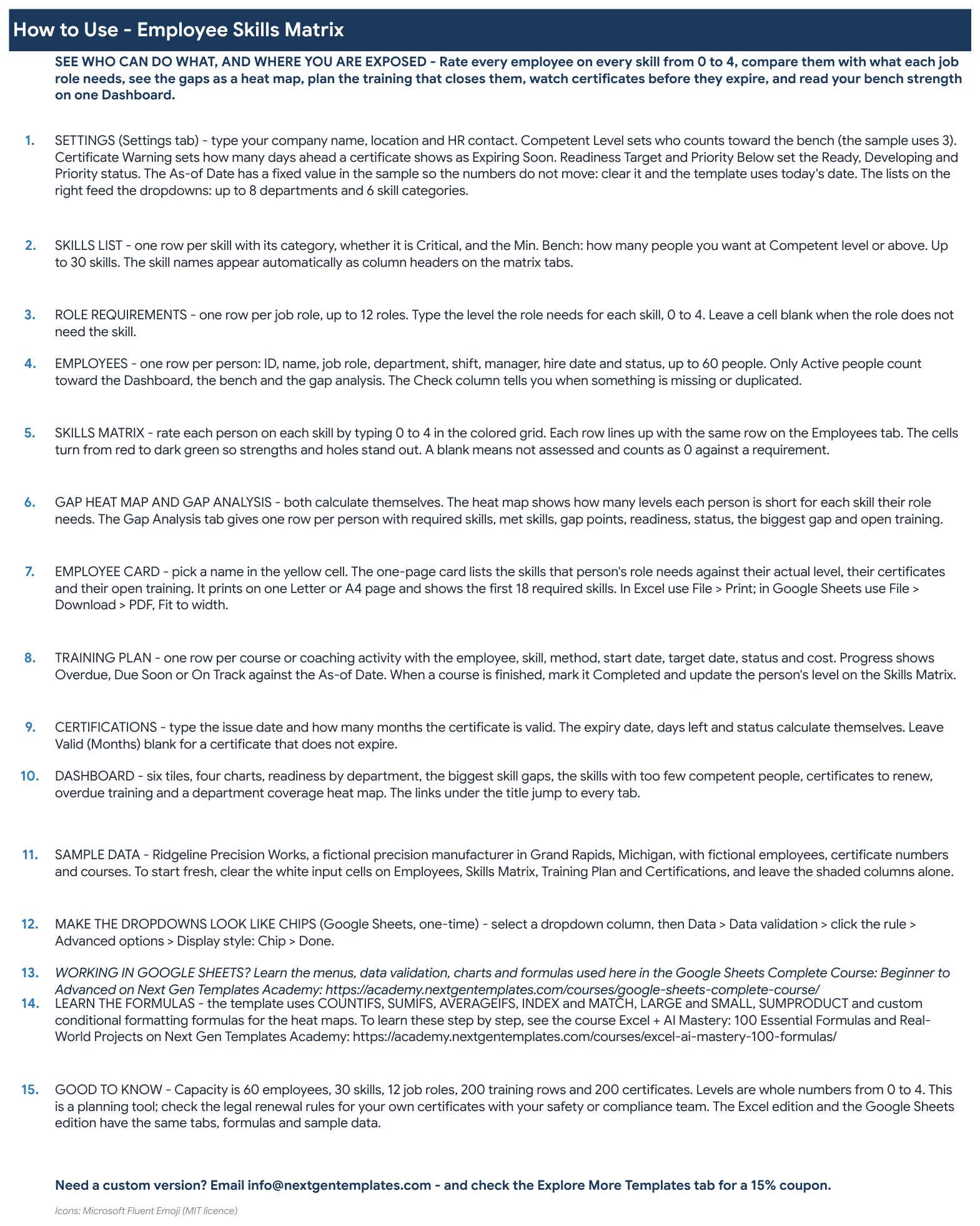
How to Use (Google Sheets)
A numbered walk-through from Settings to the Dashboard, with the sample data and capacity notes.
Explore More Templates (Google Sheets)
Recommended HR templates and popular categories, plus a WELCOME15 coupon for 15% off your next purchase.
Dashboard (Excel edition)
The same six tiles, four charts and tables in Microsoft Excel, with the same formulas and sample data.
Skills Matrix (Excel edition)
The color-coded 0 to 4 grid in Excel, one row per person and one column per skill.
Gap Heat Map (Excel edition)
Required level minus actual level for every skill, in Excel.
Employee Card (Excel edition)
The one-page employee card in Excel, ready to print on Letter or A4.
Gap Analysis (Excel edition)
Readiness, status and biggest gap for each employee, in Excel.
Who Is It For?
HR managers, plant managers, team leaders and training coordinators who need to know who can cover which job, which skills have only one competent person and whose certificate is about to expire. It suits manufacturing, warehouses, maintenance teams and any group where the work depends on real skills.
How to Use
- Open the PDF guide and click Make a copy for Google Sheets, or open the Excel file.
- On the Settings tab, enter your company details, the competent level and the readiness target.
- List your skills on the Skills List tab, your people on the Employees tab and what each role needs on Role Requirements.
- Rate every person from 0 to 4 on the Skills Matrix tab.
- Add courses to the Training Plan and certificates to the Certifications tab.
- Read the Dashboard, the Gap Heat Map and each Employee Card.
Comparison
| Feature | This template | Blank spreadsheet |
|---|---|---|
| Color-coded 0 to 4 skills grid | Built in | Set up yourself |
| Gap against each job role | Heat Map and Gap Analysis | Write the formulas |
| Bench strength and single points of failure | On the Dashboard | Build yourself |
| Certificate expiry and overdue training | Automatic status | Manual dates |
| Google Sheets and Excel editions | Both included | One platform |
Frequently Asked Questions
What is an employee skills matrix?
A skills matrix is a grid that shows what every person on your team can do. You rate each employee on each skill, compare the ratings with what the job role needs, and see where you have gaps or only one person who can do the work.
What do the levels 0 to 4 mean?
0 is none, 1 is awareness, 2 is developing, 3 is competent and 4 is expert, someone who can train others. The competent level that counts toward your bench is a setting you can change.
Does it work in Google Sheets and in Excel?
Yes. The ZIP holds an Excel edition (.xlsx, no macros) and a PDF guide with the Make a copy link for Google Sheets. Both have the same tabs, formulas and sample data.
How many people and skills can it hold?
Up to 60 employees, 30 skills, 12 job roles, 200 training rows and 200 certificates.
Does it track certificates and training?
Yes. The Certifications tab turns an issue date and validity in months into an expiry date, days left and a status. The Training Plan tab shows Overdue, Due Soon or On Track for each course. This is a planning tool, so check the legal renewal rules for your own certificates.
What does the sample data show?
A fictional precision manufacturer in Grand Rapids, Michigan with 40 employees, 30 skills and 63 certificates. Clear the yellow input cells to start fresh.
Can I rename the departments, categories and shifts?
Yes. They live on the Settings tab and the dropdowns follow.
Does it connect to HR software?
No. You type your people, ratings, courses and certificates yourself. It does not import from an HR system.
Get the Template
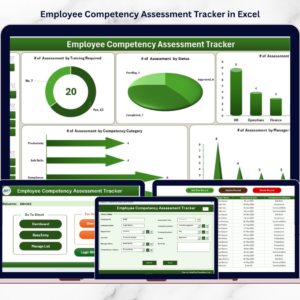
Download the Employee Skills Matrix Template in Excel and Google Sheets and see your team’s skills, gaps, certificates and training on one Dashboard. For a deeper competency view, see the Employee Competency Assessment Tracker in Excel, or browse all Google Sheets templates.











Reviews
There are no reviews yet.