

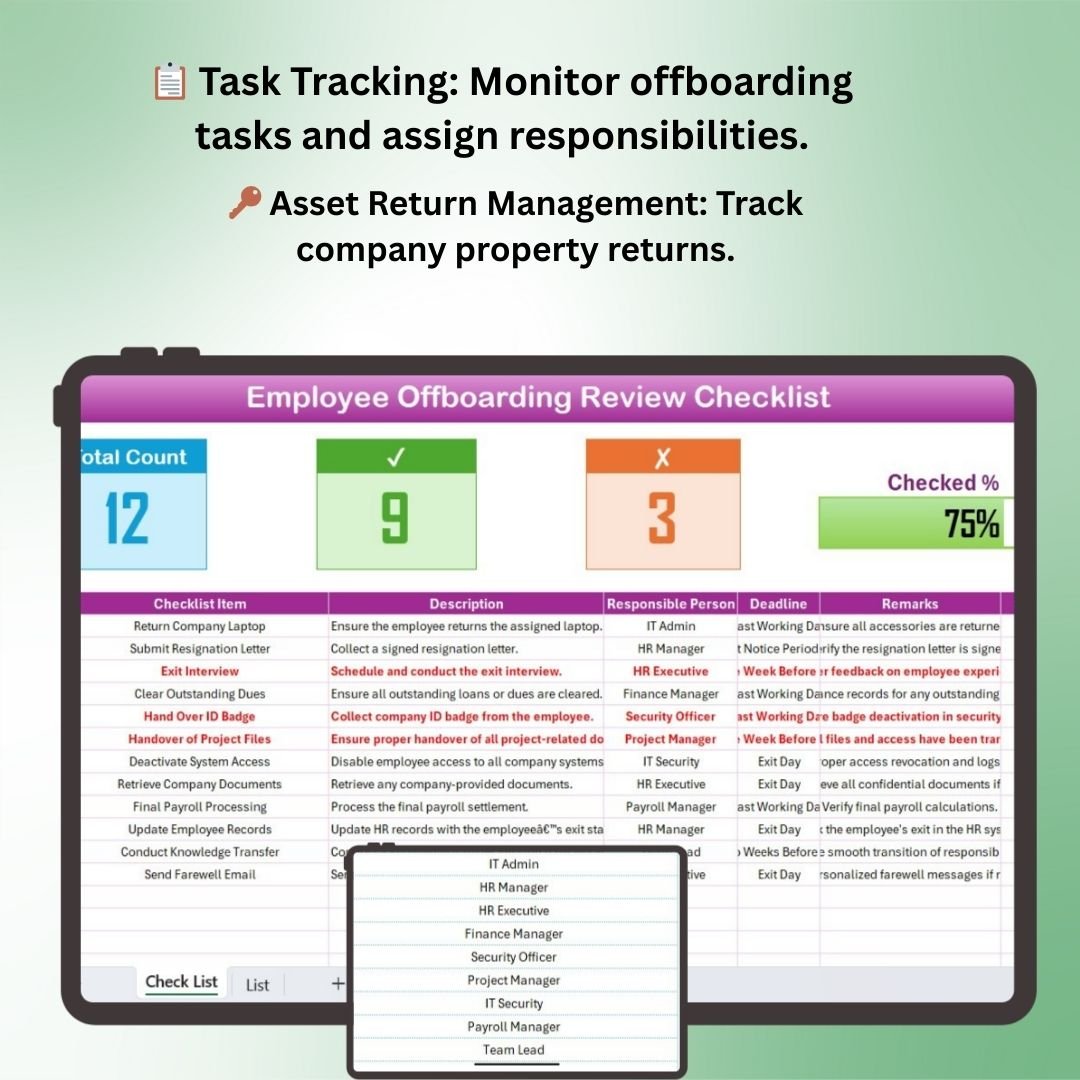

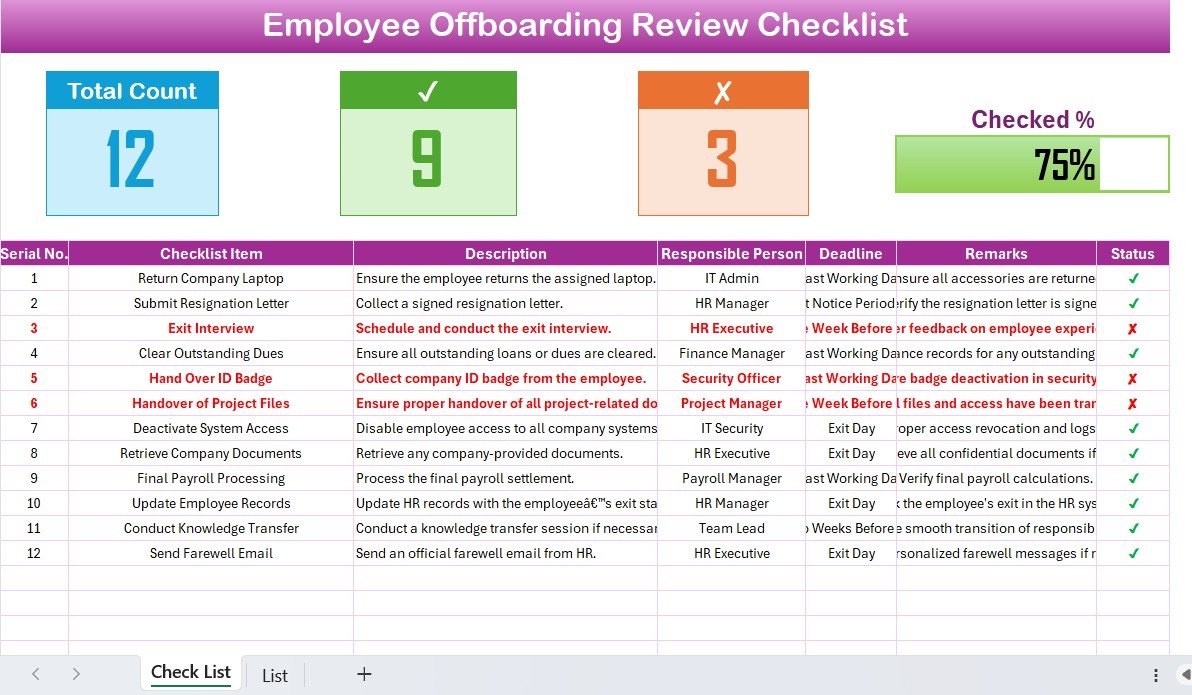
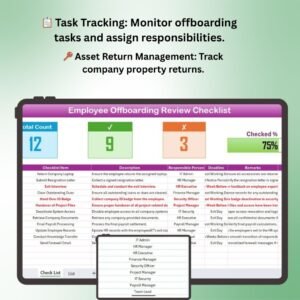
The Employee Offboarding Review Checklist in Excel is a comprehensive tool designed to help organizations manage and streamline the employee offboarding process. This Excel-based checklist provides an organized and structured way to track all tasks and requirements associated with an employee’s departure, ensuring a smooth transition for both the employee and the organization.
Offboarding is a crucial process that involves collecting company assets, conducting exit interviews, and ensuring that all legal and administrative matters are addressed. With this checklist, you can easily track key offboarding activities, reduce potential risks, and maintain compliance with company policies. The dashboard helps HR teams efficiently manage offboarding tasks and ensures that no step is missed during this important process.
Key Features of the Employee Offboarding Review Checklist in Excel
📋 Task Management & Tracking
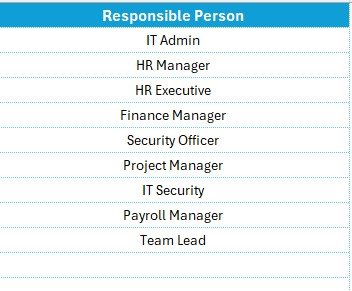
The checklist includes detailed tasks such as conducting exit interviews, collecting company property, and processing final payments. Each task is assigned to the relevant department, and due dates are tracked to ensure timely completion.
🔑 Asset Return Tracking
Monitor the return of company assets, such as laptops, security badges, keys, and documents. This ensures that all property is returned before the employee’s departure.
👥 Exit Interview Management
Track and manage exit interview schedules. Collect valuable feedback from departing employees to gain insights into workplace improvement areas and enhance future employee engagement strategies.
📑 Compliance & Legal Documentation
Ensure that all necessary compliance documents and legal agreements are completed. The checklist includes sections to track the completion of necessary forms and confidentiality agreements.
📅 Time-Based Offboarding Analysis
Track the offboarding process over a defined time period. Monitor the status of tasks and ensure the employee’s departure is completed on time.
⚙️ Customizable for Your Offboarding Process
Customize the checklist to suit your organization’s specific offboarding requirements. Add or remove tasks and adjust the template to reflect your HR policies and procedures.
Why You’ll Love the Employee Offboarding Review Checklist in Excel
✅ Streamline Offboarding Tasks
Easily manage and track all offboarding tasks in one place. Ensure a smooth process with a well-organized checklist that covers every important aspect of the employee departure.
✅ Ensure Compliance & Risk Mitigation
Track all necessary legal and compliance documentation. Ensure that all forms and agreements are completed before the employee leaves, reducing the risk of legal complications.
✅ Improve Exit Interview Effectiveness
Collect meaningful feedback during exit interviews to improve your organization’s culture, retention strategies, and employee engagement.
✅ Customizable & Scalable
Adapt the checklist to fit your organization’s unique offboarding needs. Whether you’re a small business or a large enterprise, this tool is flexible and scalable.
✅ Efficient Task Monitoring & Reporting
Monitor the completion of each offboarding task in real time. Track progress, identify bottlenecks, and ensure a timely, organized offboarding process.
What’s Inside the Employee Offboarding Review Checklist in Excel?
- Task Management & Tracking: Track offboarding tasks and assign responsibilities.
- Asset Return Tracking: Monitor the return of company property.
- Exit Interview Management: Schedule and manage exit interviews with departing employees.
- Compliance & Legal Documentation: Ensure all required forms and agreements are completed.
- Time-Based Performance Tracking: Monitor offboarding progress over time.
- Customizable Checklist: Adjust tasks and requirements to meet your organization’s needs.
How to Use the Employee Offboarding Review Checklist in Excel
1️⃣ Download the Template: Instantly access the Employee Offboarding Review Checklist in Excel.
2️⃣ Set Up Tasks & Deadlines: Input offboarding tasks, assign responsibilities, and set due dates for each task.
3️⃣ Track Asset Return & Documentation: Monitor the return of company property and completion of legal forms.
4️⃣ Schedule Exit Interviews: Manage exit interview scheduling and collect feedback.
5️⃣ Optimize Offboarding Process: Use insights from the checklist to refine your offboarding process and improve efficiency.
Who Can Benefit from the Employee Offboarding Review Checklist in Excel?
🔹 HR & People Operations Teams
🔹 Small & Medium Enterprises (SMBs)
🔹 Large Enterprises & Corporations
🔹 Employee Relations Managers
🔹 Legal & Compliance Teams
🔹 Business Owners & Founders
🔹 Consultants & Outsourced HR Teams
Ensure a smooth and compliant offboarding process with the Employee Offboarding Review Checklist in Excel. Track tasks, monitor asset returns, collect feedback, and mitigate risks to create a seamless exit experience for your employees.
Click here to read the Detailed blog post
Visit our YouTube channel to learn step-by-step video tutorials
Youtube.com/@PKAnExcelExpert
Compatibility and Requirements
- Works in Microsoft Excel desktop (Excel 2016 or later, or Microsoft 365).
- Want to add your own status lists? Microsoft’s guide Apply data validation to cells shows how.
Frequently Asked Questions
Which offboarding tasks does the checklist cover?
Exit interviews, collection of company property, final payments, and compliance and legal documents. Each task has a department and a due date.
Can I track returned assets?
Yes. There is a section for laptops, security badges, keys and documents, so you can confirm everything is back before the last day.
Does it help with exit interviews?
Yes. You can schedule exit interviews and note the feedback departing employees give.
Can I adapt it to our HR policy?
Yes. Add or remove tasks and adjust the template to match your own offboarding process.
Related Offboarding Templates
- Employee Offboarding Tracker in Excel: track several departures at once
- Employee Offboarding Planner Checklist in Excel: plan the steps before the exit date
- Employee Offboarding Checklist in Google Sheets: a shared checklist in the browser
- Exit Interview KPI Dashboard in Excel: analyze exit interview results
- HR Director Toolkit: 10 Excel and Google Sheets HR templates
Browse all Excel checklist templates or the Excel HR and payroll templates.
























Reviews
There are no reviews yet.