

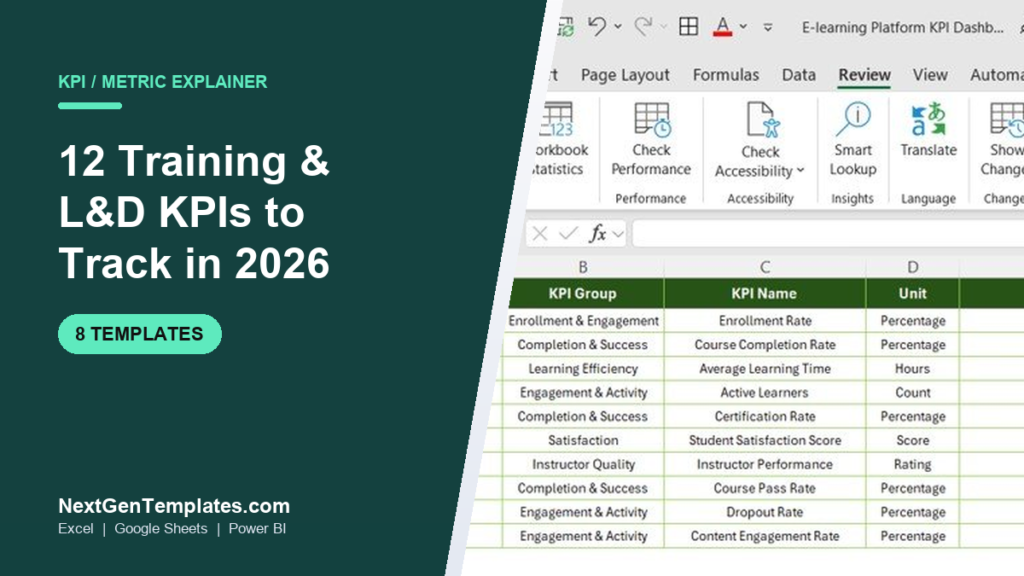
Training KPIs are the metrics L&D teams use to prove that learning changes behaviour and pays for itself — completion rate, pass rate, knowledge gain, cost per employee, training ROI and more. The 12 training KPIs below each come with a plain definition, the exact formula, a realistic 2026 benchmark and the mistake teams make.
Last updated: September 2026
Key takeaways
- The 12 training KPIs every L&D team should track split into four families: reach (enrollment, attendance), learning (completion, pass rate, knowledge gain), cost (cost per employee, cost per completion, ROI) and impact (satisfaction, application rate).
- ATD benchmarks put average direct training spend at roughly $1,200–$1,800 per employee per year — a number most teams cannot report because they never track cost per completion.
- A healthy voluntary course completion rate is only 40–60%; mandatory compliance training should sit at 95–100%. Judging both by the same target is the most common reporting error.
- You do not need a $30k LMS report to track these — a spreadsheet does it. The Training Completion Certification Tracker in Excel starts at $6.99.
- All 12 training KPIs are pre-built into 8 ready-made NGT dashboards for Excel, Google Sheets and Power BI, priced $6.99–$14.99.
 Launch offer
From your first Pivot Table to the Data Model, DAX, Power Query and a one-page KPI dashboard. 11h 51m of video by PK, with practice files, quizzes and a capstone.
The 12 training KPIs at a glance
| Training KPI | Formula | 2026 benchmark | Where to see it |
|---|---|---|---|
| 1. Course Completion Rate | (Completions ÷ Enrollments) × 100 | 40–60% voluntary; 95%+ mandatory | E-learning Platform KPI Dashboard |
| 2. Training Attendance Rate | (Sessions attended ÷ Sessions scheduled) × 100 | 80–90% | Employee Training KPI Dashboard |
| 3. Assessment Pass Rate | (Learners passing ÷ Learners assessed) × 100 | 70–85% | Education & Learning Performance Dashboard |
| 4. Knowledge Gain | Avg post-test score − Avg pre-test score | +20–30 points | Education & Learning Performance Dashboard |
| 5. Average Time to Completion | Total learning hours ÷ Completions | ≤ 1.2× designed seat time | Online Learning Platforms Dashboard |
| 6. Training Cost per Employee | Total L&D spend ÷ Employees trained | $1,200–$1,800 / yr | Cost Efficiency KPI Dashboard |
| 7. Cost per Completion | Total course cost ÷ Completions | Trend down over time | Cost Efficiency KPI Dashboard |
| 8. Training ROI | ((Benefit − Cost) ÷ Cost) × 100 | Positive; 10–25%+ strong | Revenue Tracking KPI Dashboard |
| 9. Learner Satisfaction (CSAT) | Avg post-course survey rating | ≥ 4.2 / 5 or ≥ 85% | E-learning Platform KPI Dashboard |
| 10. Dropout Rate | (Abandoned ÷ Enrollments) × 100 | < 20% self-paced | Online Learning Platforms Dashboard |
| 11. Certification / Compliance Rate | (Certified & current ÷ Required) × 100 | 95–100% | Training Completion Certification Tracker |
| 12. Application Rate (Level 3) | (Applying on the job ÷ Trained) × 100 | 60–75% | Employee Training KPI Dashboard |
How we picked these training KPIs
We started from the four-level Kirkpatrick evaluation model — reaction, learning, behaviour, results — and mapped each level to the metrics L&D teams can actually calculate from an LMS export or an attendance sheet. We cross-checked benchmark ranges against published ATD talent-development data and excluded vanity numbers (raw “hours of training delivered”, logins) that move without any learning happening.
The result is 12 training KPIs that cover reach, learning, cost and business impact, each of which is already wired into one of the ready-made NGT dashboards in the second half of this guide, so you can go from formula to a live chart the same afternoon.
The 12 training KPIs to track in 2026, defined
1. Course Completion Rate
Definition: the share of enrolled learners who finish a course. It is the headline training KPI on almost every L&D scorecard.
Formula: (Learners who completed ÷ Learners enrolled) × 100.
Benchmark: 40–60% for voluntary self-paced e-learning is normal and healthy; mandatory or compliance courses should reach 95–100%.
Selling courses rather than training staff? Our roundup of e-learning dashboard templates ranks eight EdTech dashboards that track completion rate next to course revenue.
The mistake teams make: counting “logged in” or “opened” as complete. Completion means the learner hit the defined end — final assessment submitted or last module marked done — not that they watched the intro video.
2. Training Attendance Rate
Definition: for instructor-led or live virtual sessions, the proportion of scheduled seats that were actually filled.
Formula: (Sessions attended ÷ Sessions scheduled) × 100.
Benchmark: 80–90%. Below 80% usually signals calendar conflicts or weak manager sponsorship, not disinterest.
The mistake teams make: recording attendance as all-or-nothing. A learner who joins for 15 minutes of a 2-hour workshop should not count the same as one who stayed the whole time — track partial attendance.
3. Assessment Pass Rate
Definition: the percentage of learners who meet the passing threshold on the end-of-course assessment.
Formula: (Learners passing ÷ Learners assessed) × 100.
Benchmark: 70–85% on a first attempt. A pass rate near 100% often means the assessment is too easy to be diagnostic.
The mistake teams make: setting the pass mark so low that the test measures attendance rather than knowledge. Calibrate the threshold to real job competence.
4. Knowledge Gain
Definition: the measurable increase in knowledge from before to after training — the cleanest evidence that learning (Kirkpatrick Level 2) actually occurred.
Formula: Average post-test score − Average pre-test score.
Benchmark: a gain of +20–30 percentage points indicates the course taught something new.
The mistake teams make: running no pre-test, so a high post-test score cannot be attributed to the training — the cohort may have known most of it already.
5. Average Time to Completion
Definition: how long learners take to finish, measured either in learning hours consumed or elapsed days from enrollment to completion.
Formula: Total learning hours ÷ Number of completions (or median enrol-to-complete days).
Benchmark: completions should land within about 1.2× the designed seat time; long elapsed times point to a course that is hard to fit into the workday.
The mistake teams make: averaging only the people who finished and ignoring the long tail who never do — that hides a completion problem behind a flattering average.
6. Training Cost per Employee
Definition: total L&D investment divided across the people trained — the training KPI finance cares about most.
Formula: Total L&D spend ÷ Number of employees trained.
Benchmark: ATD data puts direct spend at roughly $1,200–$1,800 per employee per year, though it varies widely by industry and role.
The mistake teams make: counting only course fees and leaving out facilitator time, content licensing and the learners’ own paid hours — the true cost can be double the invoice.
7. Cost per Completion
Definition: what each finished learner actually costs, which is the honest efficiency number.
Formula: Total course cost ÷ Number of completions.
Benchmark: no universal figure — track the trend and aim to drive it down as content is reused across cohorts.
The mistake teams make: dividing by enrollments instead of completions. A course with a 40% completion rate has a cost per completion 2.5× higher than its cost per enrollment suggests.
8. Training ROI
Definition: the financial return on a programme, expressed as a percentage of its cost (Kirkpatrick Level 4 / results).
Formula: ((Monetary benefit − Training cost) ÷ Training cost) × 100.
Benchmark: any positive figure is good; well-isolated programmes report 10–25% and higher, but ROI on soft-skills training is famously hard to pin down.
The mistake teams make: claiming ROI without isolating training’s effect from everything else that changed — use a control group or a trend line, not a bare before/after.
9. Learner Satisfaction (CSAT / Level 1)
Definition: how learners rate the course immediately afterwards — the “reaction” level of evaluation.
Formula: Average rating on the post-course survey (e.g. mean of 1–5 scores, or % rating 4+).
Benchmark: aim for ≥ 4.2 out of 5, or ≥ 85% positive.
The mistake teams make: treating these “smile sheets” as proof of learning. High satisfaction with zero knowledge gain means an enjoyable course that taught nothing — always pair Level 1 with Level 2.
10. Dropout Rate
Definition: the mirror image of completion — the share of learners who start but abandon a course.
Formula: (Learners who abandoned ÷ Learners enrolled) × 100.
Benchmark: under 20% for self-paced online courses; higher warrants a redesign.
The mistake teams make: reporting a single dropout number without flagging where learners quit. The module where drop-off spikes is your redesign priority.
11. Certification / Compliance Rate
Definition: the proportion of employees who hold a current, non-expired certification for roles that require one.
Formula: (Employees certified and in-date ÷ Employees required to be certified) × 100.
Benchmark: 95–100% — in regulated industries anything below 100% is an audit risk.
The mistake teams make: tracking who was ever certified instead of who is currently in-date. Without expiry-date tracking, your compliance rate is fiction the day a certificate lapses.
12. Application Rate (On-the-Job Behaviour Change, Level 3)
Definition: the share of trained learners who actually apply the new skill in their work — the training KPI that connects learning to performance.
Formula: (Learners observed applying the skill ÷ Learners trained) × 100, gathered via manager or self-assessment 60–90 days after the course.
Benchmark: 60–75% is strong for behaviour change that far downstream.
The mistake teams make: measuring only at course end and never following up on the job, so the most important level of evaluation is left blank.
8 ready-made dashboards that already calculate these training KPIs
You do not have to build any of the formulas above from scratch. These eight NGT templates ship with the training KPIs pre-wired to charts — type your numbers into the data sheet and the scorecard updates itself. Every price is the current USD listing.
| Template | Format | Best for | Price |
|---|---|---|---|
| E-learning Platform KPI Dashboard (Best overall) | Excel | The full 12-KPI picture in one file | $14.99 |
| Training Completion Certification Tracker (Best value) | Excel VBA | Completion + certification expiry tracking | $6.99 |
| Training Completion Certification Tracker | Google Sheets | Same tracker, cloud & shareable | $6.99 |
| Employee Training KPI Dashboard | Google Sheets | Attendance, cost per employee, application | $12.99 |
| Online Learning Platforms KPI Dashboard | Power BI | Completion & dropout at platform scale | $11.99 |
| Education & Learning Performance KPI Dashboard | Excel | Pass rate & knowledge-gain analysis | $14.99 |
| Education & Learning Cost Efficiency KPI Dashboard | Excel | Cost per employee & per completion | $14.99 |
| Education & Learning Revenue Tracking KPI Dashboard | Excel | Training ROI & revenue for providers | $14.99 |
1. E-learning Platform KPI Dashboard in Excel — best overall

The most complete single file for training KPIs: enrollment rate, course completion rate, average learning time, active learners, certification rate, satisfaction score, instructor performance, course pass rate, dropout rate and content engagement, all on one scorecard.
- Covers 8 of the 12 KPIs above out of the box
- Pre-built charts and a KPI-group summary panel
- Drop-in data sheet — no formula editing needed
Price: $14.99. Best for: an L&D lead who wants the whole training-KPI picture in one Excel file. Get the E-learning Platform KPI Dashboard →
2. Training Completion Certification Tracker in Excel — best value
A focused VBA tool for KPIs 1 and 11 — course completion rate and certification/compliance rate — with automatic expiry-date tracking so lapsed certificates surface before an audit does.
- Tracks completion status and certificate validity per employee
- Flags upcoming and expired certifications automatically
- The cheapest way to start reporting training KPIs at all
Price: $6.99. Best for: compliance-heavy teams that need certification currency, not a full analytics suite. Get the Excel tracker →
3. Training Completion Certification Tracker in Google Sheets
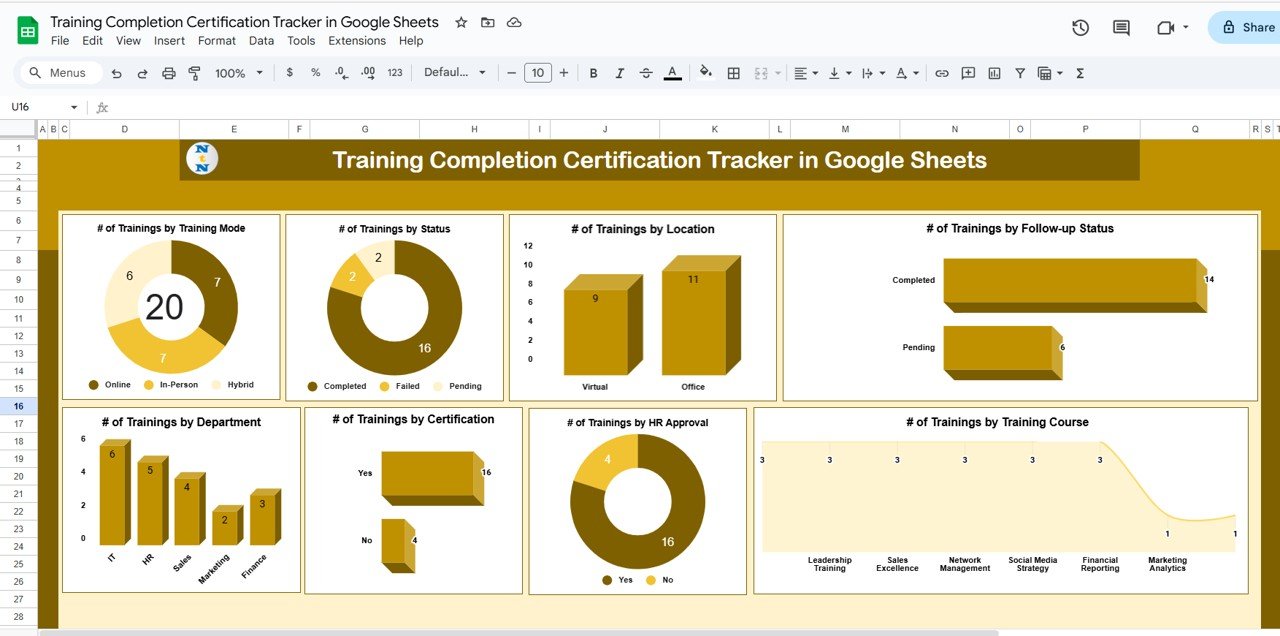
The same completion-and-certification tracker in the cloud, so a distributed L&D team can update it together and managers can view it without an Excel licence.
- Real-time shared editing and view-only sharing
- Same completion-rate and certification-rate logic as the Excel edition
- Works on any device with a browser
Price: $6.99. Best for: remote or multi-site teams living in Google Workspace. Get the Google Sheets tracker →
4. Employee Training KPI Dashboard in Google Sheets

An employee-centric view of training KPIs — attendance rate, cost per employee, satisfaction and on-the-job application — built natively in Google Sheets.
- Per-employee training history and attendance
- Cost-per-employee and satisfaction roll-ups
- Shareable with department managers instantly
Price: $12.99. Best for: HR/People teams tracking training at the individual-employee level. Get the Employee Training KPI Dashboard →
5. Online Learning Platforms KPI Dashboard in Power BI
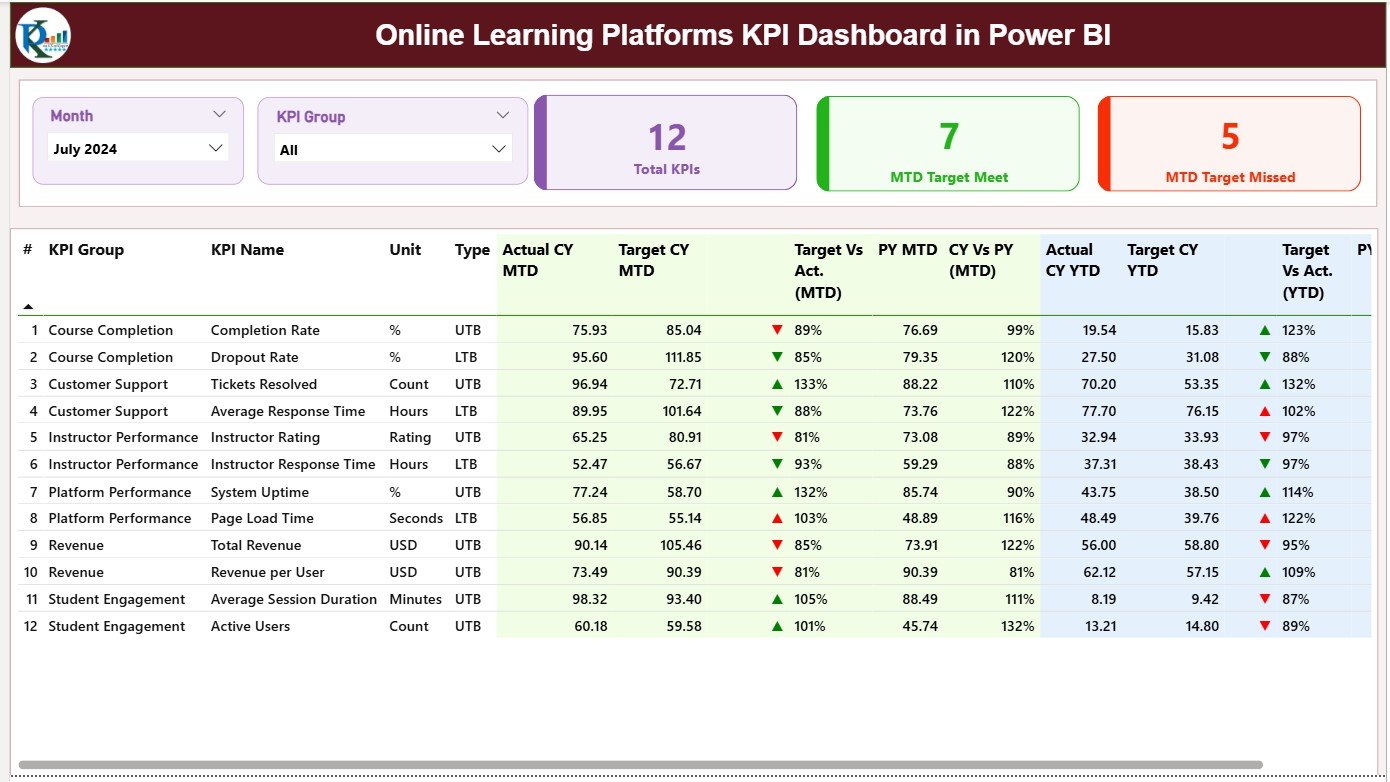
When you are reporting across thousands of learners, Power BI handles the volume. This template models completion, dropout and average time to completion at platform scale with drill-down by course and cohort.
- Interactive slicers by course, cohort and period
- Dropout-by-module analysis for redesign decisions
- Refreshable from an LMS data export
Price: $11.99. Best for: platform and academy teams with large learner volumes. Get the Power BI dashboard →
6. Education & Learning Performance KPI Dashboard in Excel
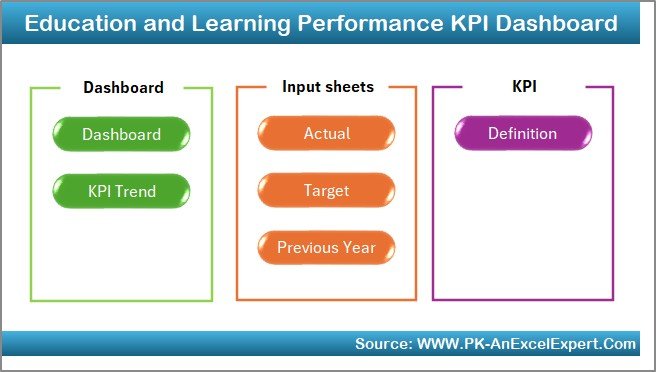
The performance specialist: assessment pass rate and knowledge gain (pre- vs post-test) charted so you can see which courses actually move the needle on learning.
- Pre/post assessment comparison built in
- Pass-rate trends by course and cohort
- Ideal companion to the completion tracker
Price: $14.99. Best for: instructional designers proving Level 2 learning. Get the Performance KPI Dashboard →
7. Education & Learning Cost Efficiency KPI Dashboard in Excel

Built for KPIs 6 and 7 — training cost per employee and cost per completion — so you can walk into a budget review with the efficiency numbers finance asks for.
- Cost-per-employee and cost-per-completion tracking
- Spend breakdown by category and course
- Budget-vs-actual variance view
Price: $14.99. Best for: L&D managers defending or growing a training budget. Get the Cost Efficiency Dashboard →
8. Education & Learning Revenue Tracking KPI Dashboard in Excel

For training providers and academies that sell courses, this dashboard closes the loop on training ROI by tracking course revenue alongside delivery cost.
- Revenue by course, product and period
- Margin and ROI calculations
- Turns training from a cost centre into a P&L
Price: $14.99. Best for: commercial training providers and internal academies with chargebacks. Get the Revenue Tracking Dashboard →
Need more than the KPI dashboards? Our learning and development tools stack for L&D managers adds the planning and tracking side: a training needs survey, a schedule request tracker, a certification tracker and a training budget dashboard.
How to choose between them
- Just starting? Buy the $6.99 completion & certification tracker — get completion and compliance reporting live this week.
- Want everything in one file? The E-learning Platform KPI Dashboard covers most of the 12 training KPIs at $14.99.
- Team lives in Google Workspace? Pair the Sheets tracker with the Employee Training KPI Dashboard.
- Reporting on thousands of learners? Use the Power BI dashboard for scale and drill-down.
- Under budget pressure? Add the Cost Efficiency dashboard to answer the cost-per-employee question.
When a template is NOT the right answer
Spreadsheet and Power BI dashboards are the right tool when your data lives in exports and you want full control of the formulas. They are the wrong tool in three situations. First, if you have thousands of daily learner events flowing in real time, a dedicated LMS or learning-analytics platform with automated data pipes will serve you better than a manually refreshed file. Second, if you need SCORM/xAPI statement capture at source, that has to happen in the LMS — a dashboard can only report what the export contains. Third, if no one owns the data entry, even the best template goes stale; a KPI you never update is worse than no KPI because it invites decisions based on old numbers. Buy the template when you have clean periodic exports and a named owner; buy software when you need live capture at scale.
Frequently asked questions
What are training KPIs?
Training KPIs are the key performance indicators L&D teams use to measure whether learning is working — covering reach (enrollment, attendance), learning (completion, pass rate, knowledge gain), cost (cost per employee, ROI) and impact (satisfaction, on-the-job application). Together they show if training changes behaviour and pays back its cost.
What is a good course completion rate?
For voluntary, self-paced e-learning, 40–60% is a normal and healthy completion rate. For mandatory or compliance training, expect 95–100%. The two should never be judged against the same target — comparing optional and required courses on one number is the most common training-KPI reporting error.
How do you calculate training ROI?
Training ROI = ((monetary benefit − training cost) ÷ training cost) × 100. The hard part is the benefit: isolate training’s effect using a control group or trend line rather than assuming every improvement after a course was caused by it. Any positive figure is good; well-isolated programmes often report 10–25%.
What is the difference between Kirkpatrick Levels 1 and 3?
Level 1 (reaction) is learner satisfaction measured right after a course — the “smile sheet”. Level 3 (behaviour) is whether learners actually apply the skill on the job weeks later. High Level 1 with low Level 3 means an enjoyable course that changed nothing, which is why you track both.
How many training KPIs should we track?
Start with three or four you can report reliably — typically completion rate, pass rate, satisfaction and cost per employee — then expand. Tracking all 12 training KPIs poorly is worse than tracking four well. The dashboards in this guide let you switch more on as your data collection matures.
Can I track training KPIs in Excel or Google Sheets instead of an LMS?
Yes. If you can export enrollment, completion and assessment data, a spreadsheet calculates every KPI in this guide. The E-learning Platform KPI Dashboard ($14.99) and the $6.99 completion tracker do this without you writing formulas.
What is knowledge gain and why does it matter?
Knowledge gain is the average post-test score minus the average pre-test score. It matters because it is the cleanest proof that learning happened — without a pre-test, a high post-test score might just mean the cohort already knew the material. Aim for a gain of +20–30 points.
How often should training KPIs be reviewed?
Operational KPIs like completion, attendance and dropout suit a monthly cadence; cost, ROI and application-rate KPIs are better reviewed quarterly, since behaviour change and financial impact take 60–90 days to show. Set the dashboard’s refresh rhythm to match, and assign a named owner for data entry.
Which training KPI matters most to executives?
Executives care about cost per employee and training ROI — the numbers that tie L&D to the P&L. Learning-level KPIs like pass rate and knowledge gain matter to designers, but the budget conversation is won with cost efficiency and business impact, which the Cost Efficiency and Revenue Tracking dashboards surface.
Get more training KPI templates
All eight dashboards above are ready-made, editable and priced $6.99–$14.99 — the fastest way to turn the 12 training KPIs in this guide into a live scorecard. Start with the E-learning Platform KPI Dashboard at $14.99 for full coverage, or the $6.99 completion tracker to start today.
For more on the tools behind these metrics, see our guide to training and learning dashboard templates for L&D teams and how to control spend with training budget dashboards. Tracking metrics in another function? See our companion guides to recruitment KPIs, manufacturing KPIs, inventory KPIs and supply chain KPIs.
Prefer to watch a walkthrough? Subscribe to NextGenTemplates on YouTube for dashboard tutorials and template demos.