

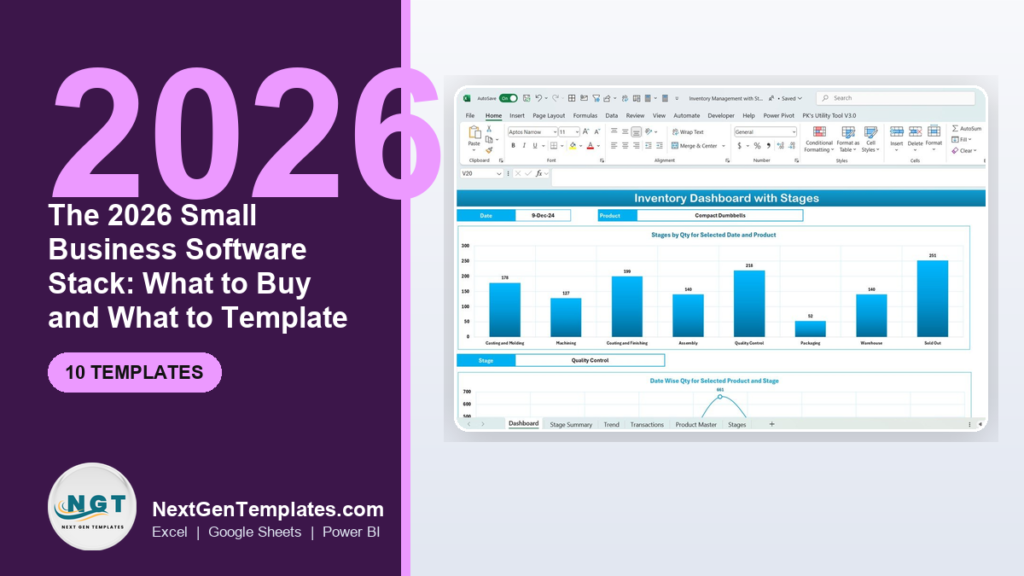
The smartest 2026 small business software stack is a hybrid: buy SaaS only where you need real-time multi-user sync, bank feeds or compliance (accounting, payroll filing, email), and template the rest in Excel or Google Sheets. Doing this cuts a typical stack from $400+ per month to under $150, and one-time template purchases of $9.99–$39.99 replace whole recurring subscriptions.
For the buy-versus-build call on record-keeping tools specifically, see our transparent pricing guide on how to scale a spreadsheet to a business system, comparing $19.99 Excel VBA systems against $39.99 web apps.
Last updated: September 2026
Key takeaways
- Buy what changes daily and files legally — accounting bank feeds, payroll tax filing, and transactional email are worth a subscription; almost everything else can be templated.
- A full templated stack from NextGenTemplates costs a one-time $9.99 to $39.99 per tool versus $20–$70 per month for the SaaS equivalent.
- The Inventory Management System with Product Stages in Excel ($19.99) is the best overall foundation for a product business — a full stage-based system with a live dashboard.
- Best value is the Inventory Management Dashboard in Google Sheets ($9.99): cloud, multi-user, and free to run on a Google account.
- Rule of thumb: if a tool touches a bank, a tax authority, or a customer’s inbox, buy the SaaS; if it only organizes your own data, template it.
 Launch offer
SUMIFS, XLOOKUP, FILTER, LAMBDA and checking AI-written formulas, with real business projects. 11h 47m of video by PK, with practice files, quizzes and a capstone.
The 2026 small business software stack: templates compared
| Template | Format | Best for | Price |
|---|---|---|---|
| Inventory Management System with Product Stages (Best overall) | Excel | Product businesses tracking stock through stages | $19.99 |
| CRM & Sales Pipeline Management System | Excel Web App | Replacing a paid CRM seat | $39.99 |
| Accounting Ledger Pro Management System | Excel Web App | Bookkeeping without a monthly ledger fee | $39.99 |
| Payroll & Salary Management System | Excel Web App | Running payroll math in-house | $39.99 |
| Pharmacy Inventory & Billing Management System | Excel Web App | Retail/pharmacy billing + stock | $39.99 |
| Auto Parts Inventory Management System | Excel Web App | Parts retailers & workshops | $39.99 |
| CRM KPI Dashboard | Power BI | Sales analytics & reporting | $11.99 |
| Inventory Management Dashboard (Best value) | Google Sheets | Cloud, multi-user, zero software cost | $9.99 |
| Expense Reimbursement Management System | Excel VBA | Staff expense claims | $19.99 |
| Inventory Management Form | Excel | Simple structured data entry | $14.99 |
Every price above is a one-time payment. The same ten capabilities bought as software — a CRM seat, an accounting subscription, a payroll processor, inventory SaaS and a BI license — would total roughly $250–$400 every month. That gap is the entire argument of this page.
How we picked these
We searched the full NextGenTemplates catalog of 2,000+ paid templates and mapped every candidate to the six layers a real small business actually runs on: operations/inventory, sales/CRM, accounting, payroll/HR, expenses, and analytics. We kept only paid, self-contained tools priced between $9.99 and $39.99, favored ones that ship a working dashboard or web-app interface over static spreadsheets, and deliberately spread the list across Excel, Google Sheets, Power BI and Excel web-app formats so you can match each layer to how your team already works. Tools that duplicated a category without adding a new capability were cut.
The 10 best small business stack templates for 2026
1. Inventory Management System with Product Stages in Excel — best overall

What it is: A complete Excel inventory system that tracks each product through named stages — casting, machining, assembly, quality control, packaging, warehouse and sold-out — with a live dashboard on top.
Who it is for: Any product, manufacturing or workshop business that needs to know not just how much stock exists but where in the process it sits.
What is inside:
- Stage-by-stage quantity tracking with a date-and-product picker
- Dashboard charts for stage summary, trend and transactions
- Product master and transaction logs that feed the dashboard automatically
A 30-SKU workshop can drop three separate whiteboards and one paid inventory subscription and run the whole floor from one file. Replacing a $29/month inventory SaaS with this $19.99 template pays for itself in the first three weeks. It is also the natural upgrade path from a basic stock sheet — see our roundup of the best inventory management Excel templates for lighter options.
Price: $19.99 — get the Inventory Management System with Product Stages.
Best for: the operations layer of a physical-product business.
2. CRM & Sales Pipeline Management System Web App — best CRM replacement
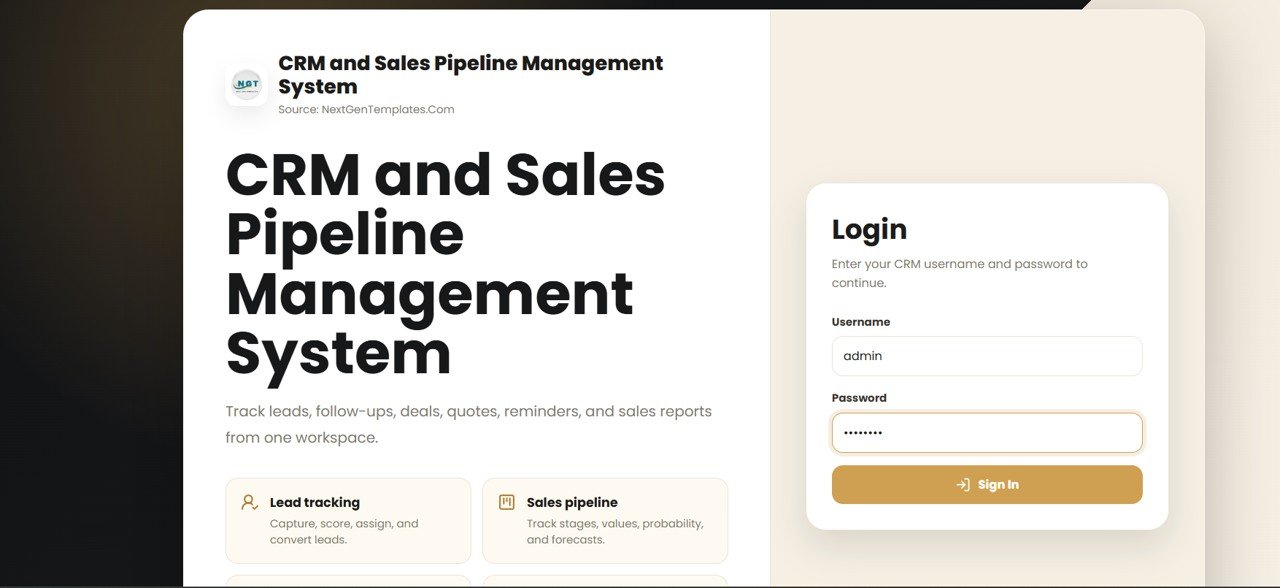
What it is: An Excel-based web-app CRM that manages contacts, deals and pipeline stages with follow-up tracking — a genuine alternative to a per-seat SaaS CRM.
Who it is for: Small sales teams paying $20–$25 per user per month for a CRM they only use to log calls and move deals.
What is inside:
- Contact and company records with activity history
- Visual pipeline with customizable deal stages
- Follow-up reminders and win/loss tracking
A three-person sales desk on a paid CRM spends roughly $60–$75/month; this one-time $39.99 web app covers the same core workflow. Pair it with a lead tracker to pipeline dashboard if you want the front-of-funnel captured too.
Price: $39.99 — get the CRM & Sales Pipeline system.
Best for: the sales layer when you have outgrown a spreadsheet but do not want a subscription.
3. Accounting Ledger Pro Management System Web App
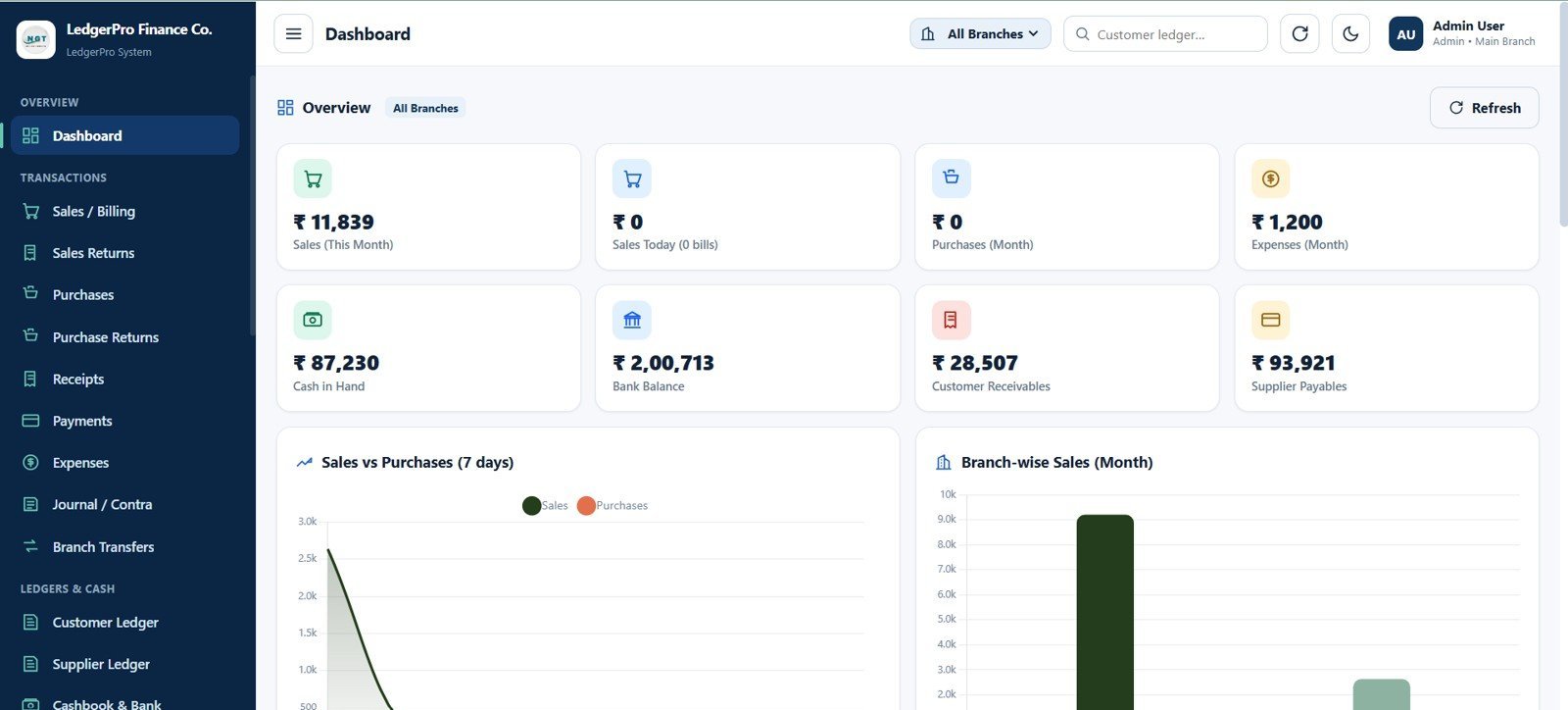
What it is: A double-entry-style ledger and bookkeeping system delivered as an Excel web app, covering accounts, journals and financial summaries.
Who it is for: Owner-operators and bookkeepers who want a structured ledger without a monthly accounting subscription.
What is inside:
- Chart of accounts and journal entry screens
- Ledger views with running balances
- Summary reports for month- and year-end review
Honest note: this templates your bookkeeping, not your bank feed or tax filing. For businesses that need automatic bank reconciliation, keep a low-tier accounting SaaS and use this for internal reporting. For a cash-based service business, it can stand alone.
Price: $39.99 — get Accounting Ledger Pro.
Best for: the accounting layer for simple, cash-based books.
4. Payroll & Salary Management System Web App
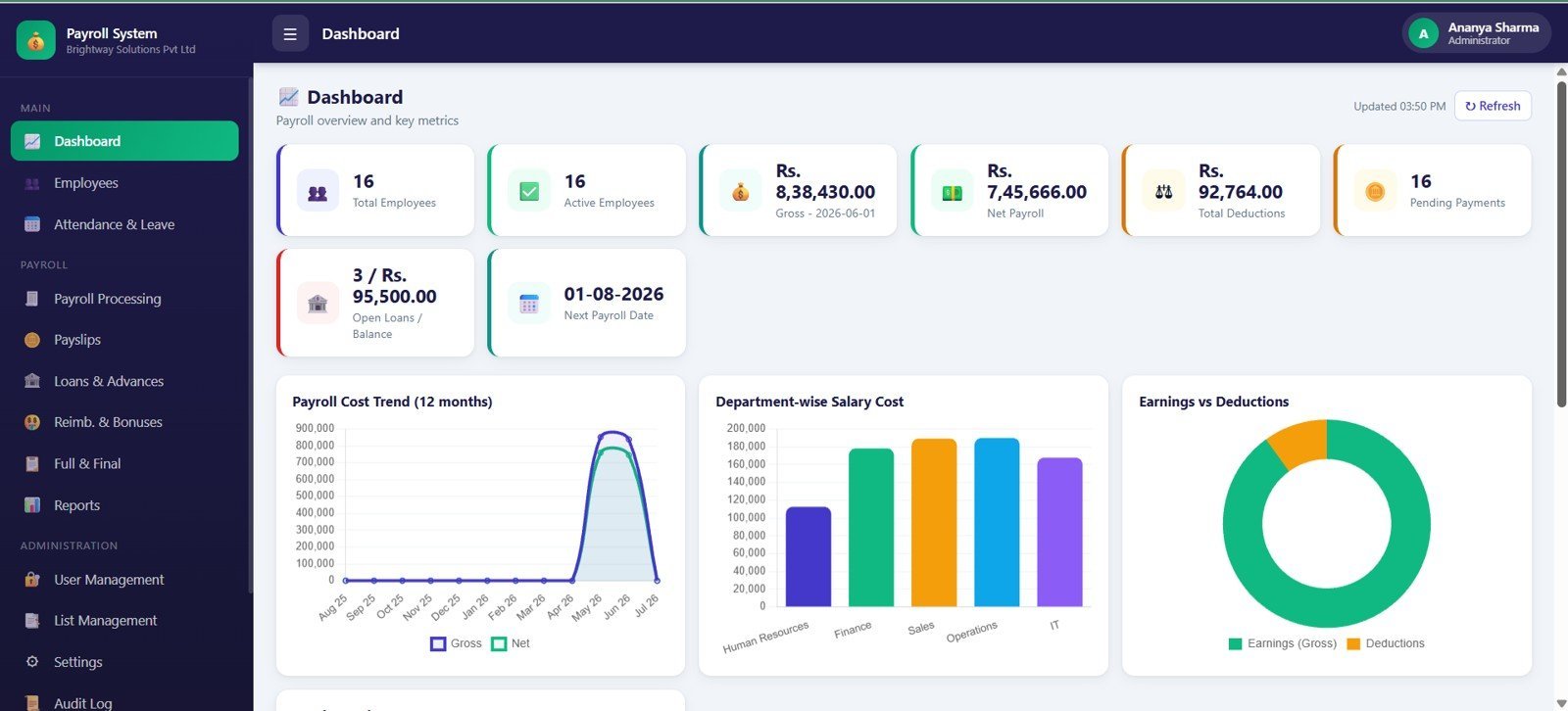
What it is: A payroll and salary calculator web app that manages employees, computes pay, and produces payslips.
Who it is for: Businesses with a handful of employees who want to run the math of payroll in-house.
What is inside:
- Employee master with pay components
- Salary computation and payslip generation
- Deductions and allowances handling
Honest note: a template calculates payroll; it does not file taxes with your government. If you need automated federal/state deposits, keep a payroll processor and use this to model and audit the numbers. To do the calculations correctly yourself, read our guide to payroll calculation in Excel with US federal, state and FICA formulas, and the full payroll template toolkit.
Price: $39.99 — get the Payroll & Salary system.
Best for: the payroll layer where filing is handled elsewhere.
5. Pharmacy Inventory & Billing Management System Web App
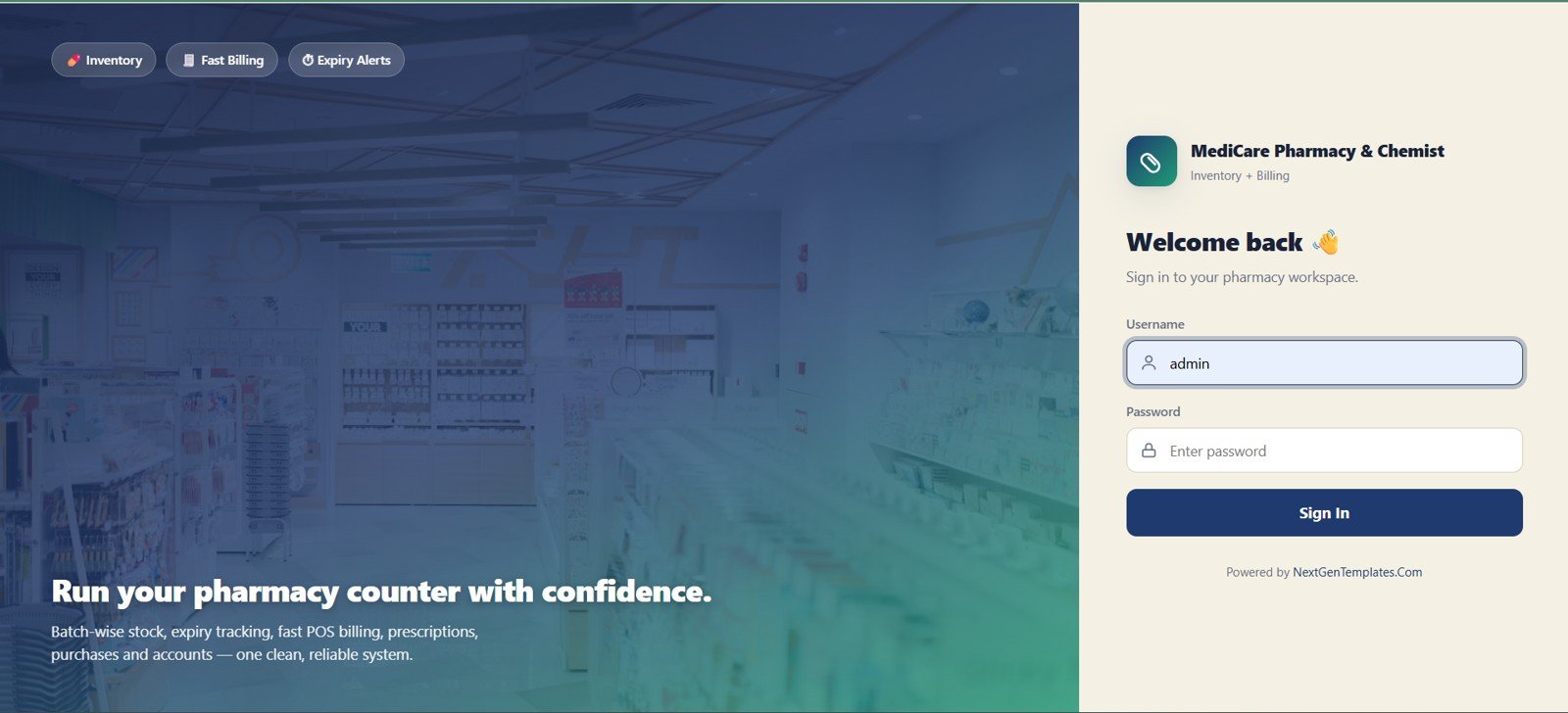
What it is: A vertical web app that combines stock control with point-of-billing for pharmacies and small retail.
Who it is for: Pharmacies, clinics and small shops that need inventory and invoicing in one screen.
What is inside:
- Product and batch inventory with expiry tracking
- Billing/invoicing with running stock deduction
- Sales and stock reports
This is where a template beats generic SaaS: a $39.99 vertical tool built for the workflow often fits better than a $50/month horizontal POS you have to bend into shape.
Price: $39.99 — get the Pharmacy Inventory & Billing system.
Best for: retail/pharmacy businesses needing billing and stock together.
6. Auto Parts Inventory Management System Web App
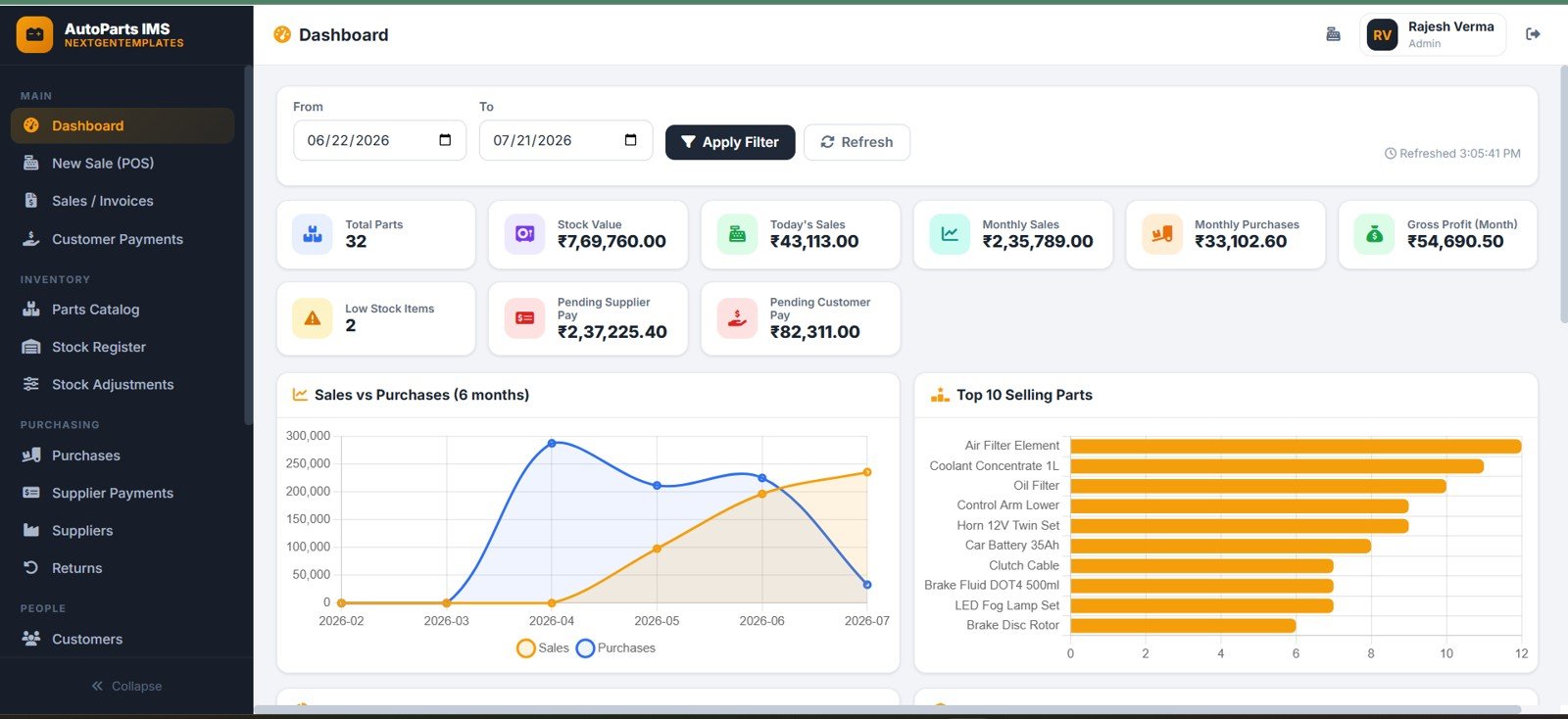
What it is: A parts-catalog inventory web app built for auto-parts retailers and workshops, with part numbers, suppliers and stock levels.
Who it is for: Parts sellers and repair shops managing thousands of SKUs by part number.
What is inside:
- Part-number catalog with supplier and location fields
- Stock in/out movement logging
- Low-stock and reorder views
Price: $39.99 — get the Auto Parts Inventory system.
Best for: part-number-driven inventory in the automotive trade.
7. CRM KPI Dashboard in Power BI

What it is: A ready-built Power BI dashboard that turns CRM data into sales KPIs — conversion rates, pipeline value, win rate and rep performance.
Who it is for: Owners who have the sales data but no reporting layer, and do not want to pay for a BI seat to build one.
What is inside:
- Pre-modeled KPI cards and trend visuals
- Slicers for period, rep and stage
- Drop-in data model you point at your own export
At $11.99 this is the cheapest way to add an analytics layer. Compare it against the full Power BI dashboard templates ranked by industry if you want a different vertical.
Price: $11.99 — get the CRM KPI Dashboard.
Best for: the analytics layer on top of any CRM.
8. Inventory Management Dashboard in Google Sheets — best value
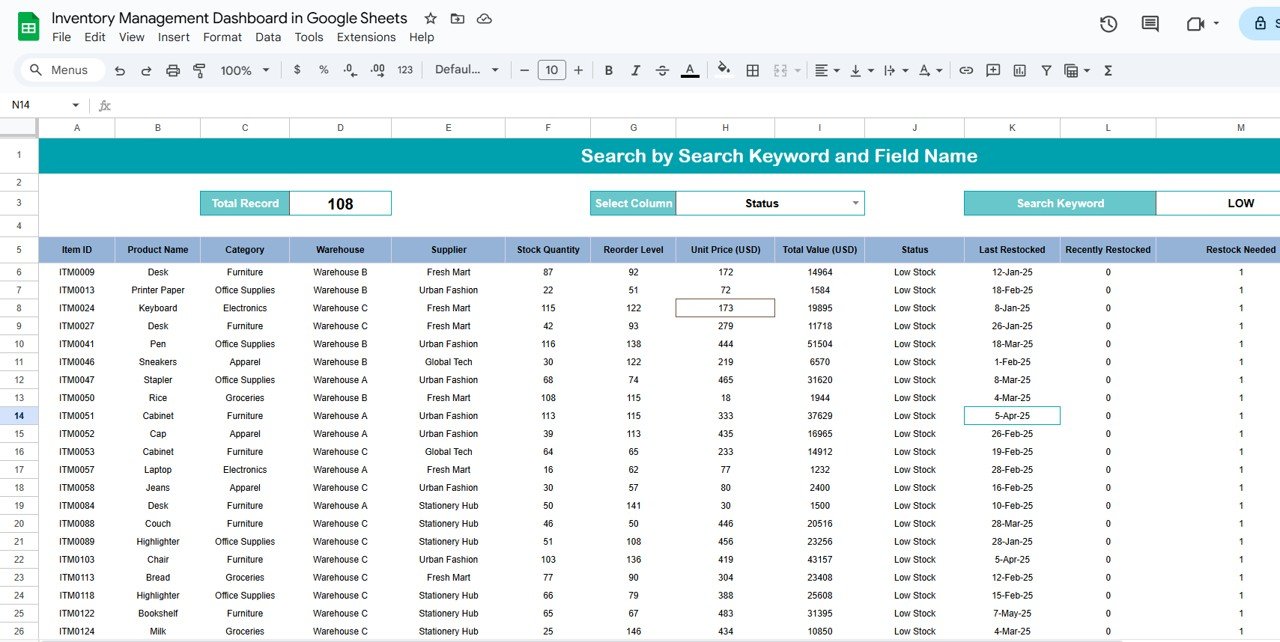
What it is: A cloud inventory dashboard that runs entirely in Google Sheets — multi-user, auto-saving, and free to operate on any Google account.
Who it is for: Teams that want live shared access without buying Excel or inventory SaaS.
What is inside:
- Live stock dashboard with charts
- Cloud multi-user editing and version history
- Simple entry sheets that feed the dashboard
At $9.99 with zero running cost, this is the highest value-per-dollar tool in the stack — the best entry point if you are templating your operations layer for the first time.
Price: $9.99 — get the Google Sheets Inventory Dashboard.
Best for: the cloud-native operations layer on a budget.
9. Expense Reimbursement Management System in Excel VBA
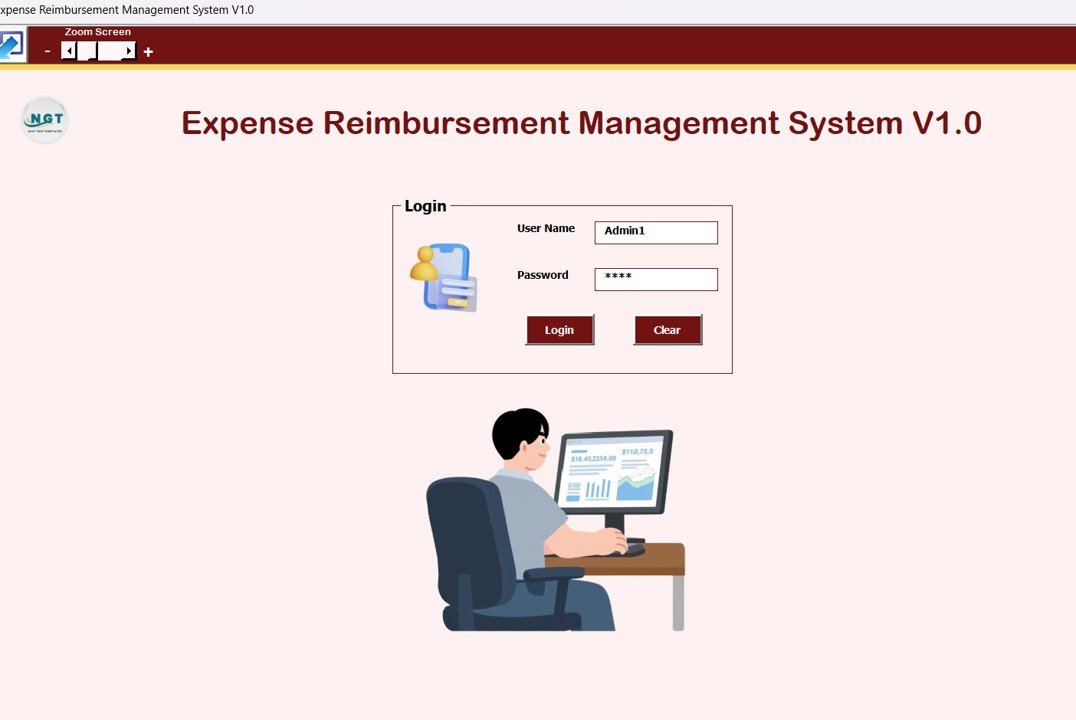
What it is: A VBA-driven system for logging, approving and tracking staff expense claims and reimbursements.
Who it is for: Any business paying staff back for expenses that has outgrown emailed receipts.
What is inside:
- Claim entry forms with category and receipt fields
- Approval status and reimbursement tracking
- Summary reports by employee and period
Dedicated expense SaaS starts around $5–$8 per user per month; for a 10-person team this one-time $19.99 tool replaces roughly $600–$900 a year. For personal or blended tracking, see our expense tracker Excel templates.
Price: $19.99 — get the Expense Reimbursement system.
Best for: the expense layer of a growing team.
10. Inventory Management Form
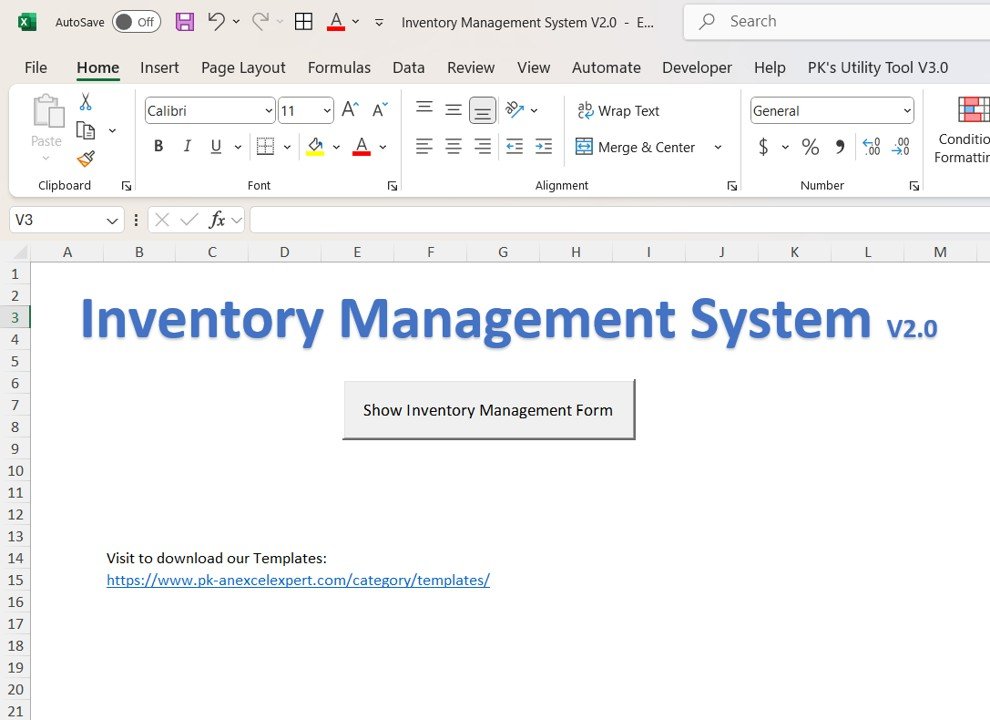
What it is: A clean, structured data-entry form for adding and updating inventory records without touching raw cells.
Who it is for: Owners who want their team entering clean data but do not need a full dashboard yet.
What is inside:
- Guided add/update form with validation
- Structured record table behind the form
- The lightest, cheapest starting point in this list
Price: $14.99 — get the Inventory Management Form.
Best for: clean data capture before you scale up to a full system.
What to buy vs. what to template: the decision framework
The whole 2026 stack decision reduces to one question for each tool: does this software need to talk to the outside world in real time? If yes, buy it. If it only organizes data you already own, template it.
| Stack layer | Buy the SaaS when… | Template it when… |
|---|---|---|
| Accounting | You need live bank feeds & automated reconciliation | Books are simple/cash-based — use Accounting Ledger Pro |
| Payroll | You need automatic tax filing & direct deposit | You run the math in-house — use the Payroll system |
| CRM | You need email sync, automations & 5+ seats | A small team just logs deals — use the CRM web app |
| Inventory | You need barcode hardware & warehouse integrations | You track stock & stages yourself — use an inventory template |
| Expenses | You need corporate cards & auto-import | Staff submit claims for approval — use the Expense system |
| Analytics | You need a live cloud BI portal for many viewers | You want KPIs on demand — use a Power BI dashboard template |
| Email/website | Always — deliverability & uptime are non-negotiable | Never template these |
The real 2026 cost: SaaS stack vs. templated stack
Here is the arithmetic that makes this a money page. The figures below are typical published list prices for common small-business tools in 2026 (verify current pricing before you buy — SaaS pricing moves).
| Layer | Typical SaaS (per month) | NGT template (one-time) |
|---|---|---|
| Accounting | ~$30–$35 | $39.99 |
| CRM (3 seats) | ~$60–$75 | $39.99 |
| Payroll (base + per employee) | ~$40–$80 | $39.99 |
| Inventory | ~$29–$50 | $9.99–$19.99 |
| Expenses (10 users) | ~$50–$80 | $19.99 |
| BI / analytics | ~$10–$20 per seat | $11.99 |
| Rough total | ~$220–$340 / month | ~$160 one-time |
Even if you keep two of these layers on SaaS (say accounting and payroll for compliance), templating the other four still removes well over $1,500 a year in recurring cost. The best-value move for most owners is the small business template bundle of 15 Excel tools, which covers most of this stack for one bundled price.
How to choose between them
Use this five-line decision tree:
- Product business? Start with the Inventory Management System ($19.99) or the Google Sheets dashboard ($9.99).
- Sales-led business? Start with the CRM & Sales Pipeline web app ($39.99) plus the CRM KPI Dashboard ($11.99).
- Service business? Start with Accounting Ledger Pro ($39.99) and the Expense system ($19.99).
- Retail/pharmacy/auto? Use the matching vertical web app ($39.99) — it beats bending horizontal SaaS to fit.
- Team collaboration matters most? Choose the Google Sheets format so multiple people edit live.
When a template is NOT the right answer
Templates are the wrong buy in four situations, and being honest about them saves you a refund:
- Legal filing. Payroll tax deposits, sales-tax remittance and e-invoicing compliance must go through licensed software. A template models the numbers; it does not file them.
- Live bank connections. If you need automatic bank-feed reconciliation, keep a real accounting SaaS — no spreadsheet can pull your bank securely in real time.
- Many concurrent editors. Beyond roughly 5–10 simultaneous users on the same file, a cloud database app scales better than a shared spreadsheet.
- Customer-facing systems. Your website, checkout and transactional email need uptime and deliverability guarantees. Never template these.
For everything else — the internal organizing, tracking and reporting that makes up most of a small business’s software bill — a $9.99–$39.99 template does the job a subscription was overcharging you for.
Small businesses collectively spend billions on software each year, and the U.S. Small Business Administration consistently flags overhead control as a survival factor — recurring software is exactly the overhead a templated stack trims.
Frequently asked questions
What is a small business software stack?
A software stack is the set of tools a business runs on across its core functions: accounting, CRM/sales, inventory/operations, payroll/HR, expenses and analytics. In 2026 the practical stack is a hybrid — a few paid SaaS subscriptions for compliance-critical layers, and one-time templates for everything internal.
What should a small business buy versus template in 2026?
Buy SaaS for anything that connects to a bank, files taxes, or sends customer email — accounting feeds, payroll filing, transactional email and your website. Template everything that only organizes your own data: inventory, internal CRM, expense claims, ledgers and reporting dashboards.
How much does a small business software stack cost per month?
A typical all-SaaS stack runs about $220–$340 per month once you add accounting, CRM seats, payroll, inventory, expenses and a BI seat. Replacing the internal layers with one-time templates ($9.99–$39.99 each) can cut that to under $150 per month.
Are Excel and Google Sheets templates good enough to replace software?
For internal, single-source-of-truth data they are — inventory, ledgers, pipelines and expense tracking all work well as templates. They fall short where you need live bank feeds, tax filing, barcode hardware or many concurrent editors, which is where a targeted SaaS subscription still earns its price.
Which template is the best starting point for a product business?
The Inventory Management System with Product Stages in Excel ($19.99) is the strongest single foundation because it tracks stock through stages and ships a live dashboard. If your team needs shared cloud access, start instead with the Inventory Management Dashboard in Google Sheets at $9.99.
Can I run payroll from a template?
You can run the calculations — gross pay, deductions, allowances and payslips — from the Payroll & Salary Management System ($39.99). What a template cannot do is file taxes or deposit them with your government, so pair it with a filing service or your accountant if you have statutory obligations.
Do these templates work on Mac and in the cloud?
Excel templates run on Excel for Windows and Mac; VBA-based tools need desktop Excel with macros enabled. The Google Sheets dashboard runs in any browser on any device, and the Power BI dashboard needs Power BI Desktop, which is free. Choose the format that matches how your team already works.
What is the cheapest way to buy the whole stack?
Buying the layers individually totals roughly $160 one-time. The best value is a bundle — the small business template bundle packages 15 Excel tools together for less than the standalone sum, covering most of this stack in a single purchase.
Will a templated stack scale as my business grows?
It scales well up to roughly 10 users and mid-thousands of records per file. Past that, migrate the highest-traffic layer (usually inventory or CRM) to a database web app or SaaS, and keep templating the quieter layers. Many businesses run a hybrid stack indefinitely and never fully leave templates.
Are the prices one-time or subscriptions?
Every NextGenTemplates price in this guide is a one-time payment with lifetime use of that version — there is no monthly fee. That is the core saving versus SaaS, where the same capability bills every month for as long as you use it.
Get more small business templates
Build your 2026 stack layer by layer, or take the shortcut: the Ultimate Small Business Template Bundle — 15 Excel tools covers most of this stack in one purchase and is the best-value way to template your business. Individual tools in this guide range from $9.99 to $39.99, one-time.
Prefer to see the templates in action first? Watch build walkthroughs and demos on the NextGenTemplates YouTube channel, then start with the layer that costs you the most in monthly software today.