
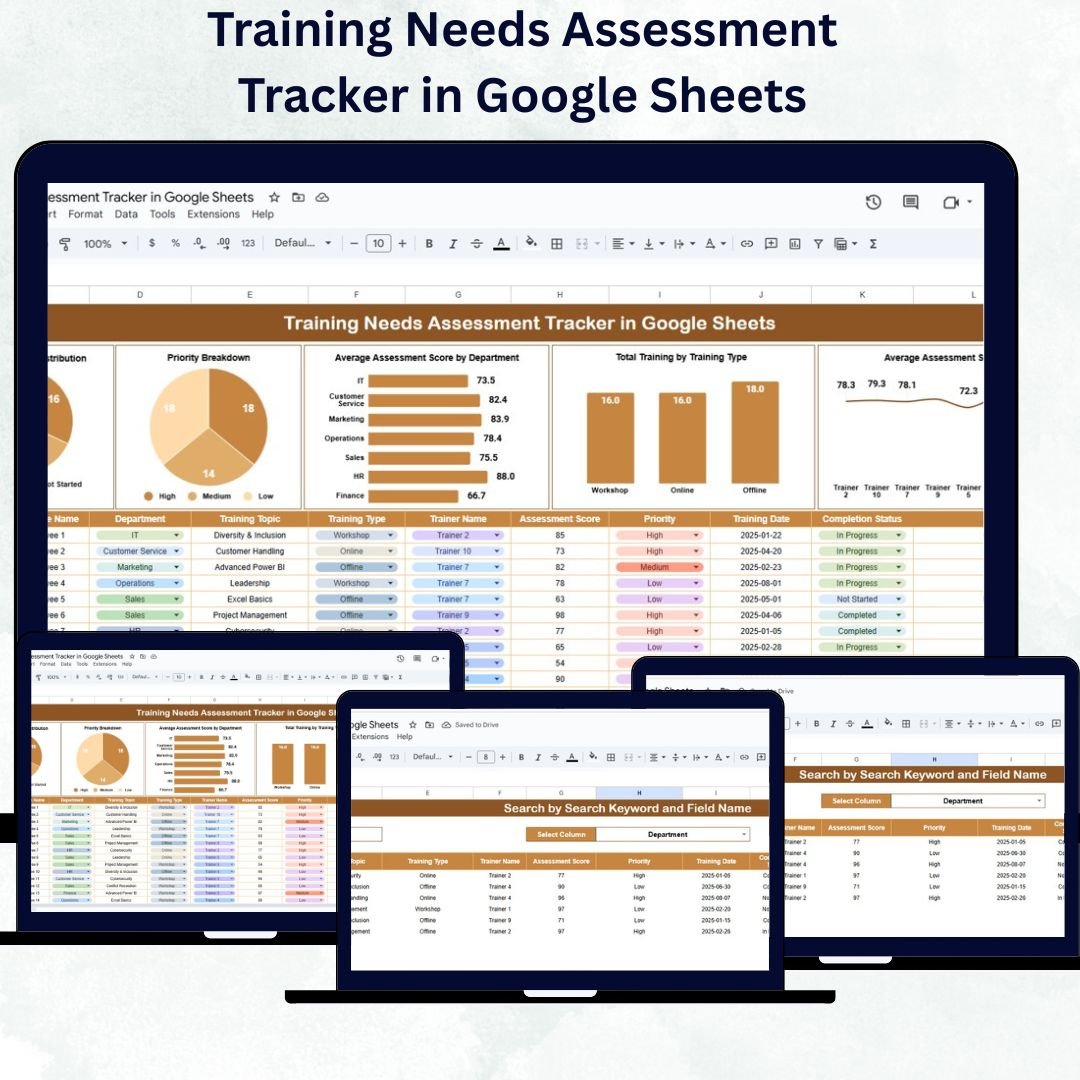
Employee development is one of the strongest drivers of organizational success — but identifying which skills need improvement can be a challenge. The Training Needs Assessment Tracker in Google Sheets provides a ready-to-use, data-driven solution for HR professionals and training managers to identify, evaluate, and monitor training needs efficiently.
This tracker simplifies how organizations capture skill gaps, measure assessment results, and prioritize learning initiatives — all in a visual, collaborative Google Sheets format. With automated charts and search functionality, it offers real-time insights into employee performance, departmental training priorities, and trainer effectiveness.
🔑 Key Features of the Training Needs Assessment Tracker in Google Sheets
📊 Tracker Sheet Tab
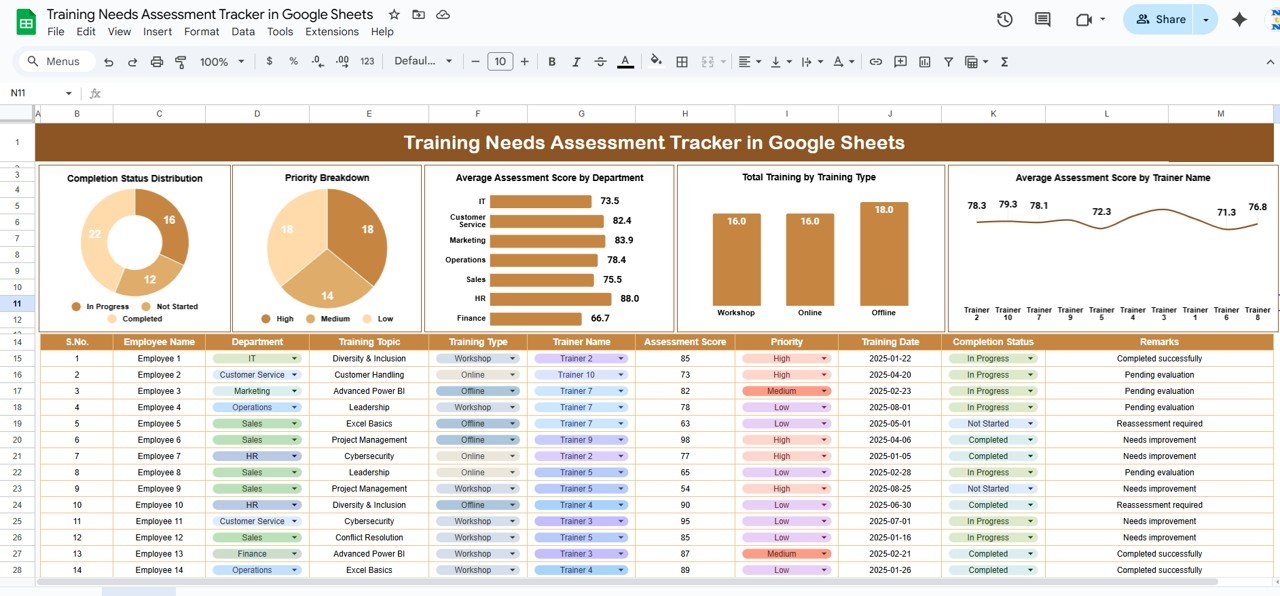
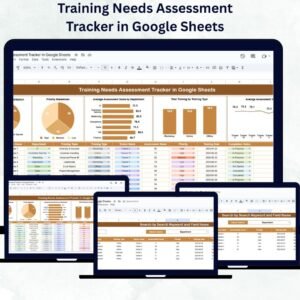
The main dashboard where insights are visualized through automated charts and summaries.
Charts Include:
-
Completion Status Distribution: Shows how many training sessions are completed, pending, or in progress.
-
Priority Breakdown: Highlights training sessions categorized by High, Medium, or Low priority.
-
Average Assessment Score by Department: Reveals departments that need targeted training focus.
-
Total Training by Training Type: Displays training volume across categories such as Soft Skills, Technical, and Compliance.
-
Average Assessment Score by Trainer Name: Evaluates trainer performance to identify top facilitators.
This visual dashboard provides a comprehensive snapshot of training performance and progress across the organization.
🔍 Search Sheet Tab
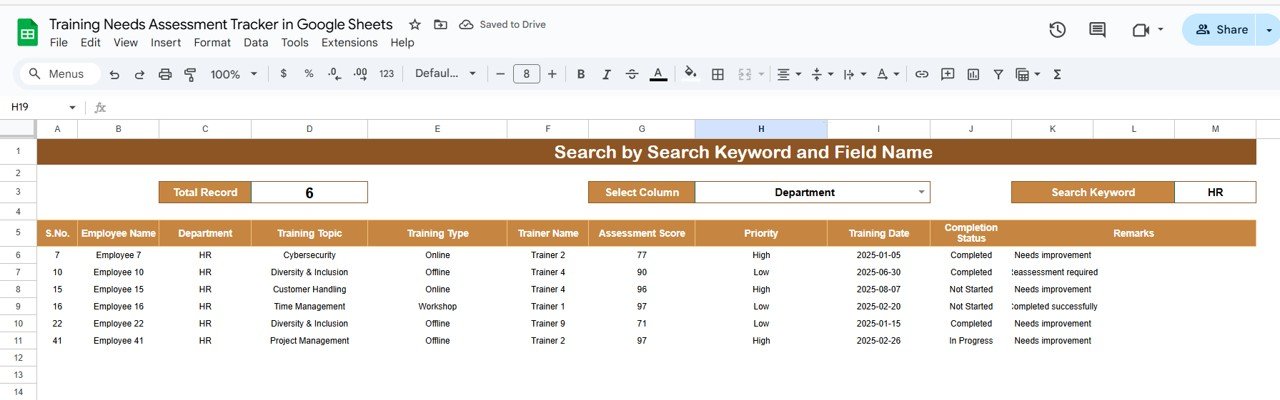
A powerful built-in tool to find and filter data instantly.
-
Search by keyword or field (e.g., Employee Name, Department, Training Title, Trainer).
-
Displays filtered records for quick analysis.
-
Ideal for organizations managing multiple training sessions or locations simultaneously.
📦 What’s Inside the Template
✅ Tracker Sheet – Visual dashboard with charts for completion rate, scores, and priorities.
✅ Search Sheet – Search by employee, department, or trainer for detailed insights.
✅ Automated Calculations – Real-time chart updates as new data is entered.
✅ Editable Categories – Add or customize training types, departments, or trainers.
✅ User-Friendly Layout – Clean design with dropdowns and filters.
All components work together seamlessly, turning training data into actionable insights — no coding or add-ons required. 🚀
👩💼 Who Can Use This Tracker
🏢 HR Managers: Identify skill gaps and training needs across teams.
🎓 L&D Professionals: Track participation, scores, and completion rates.
👨💻 Department Heads: Monitor their team’s performance and progress.
📈 Training Consultants: Evaluate effectiveness and ROI for training programs.
🌐 Organizations of Any Size: Scalable structure suitable for small teams or large enterprises.
🧠 How to Use the Training Needs Assessment Tracker
-
Input Training Data: Enter details such as employee name, department, training type, trainer, and completion status.
-
Add Assessment Scores: Update pre- and post-training scores for accurate evaluation.
-
View the Dashboard: Review auto-generated charts for completion, priority, and department performance.
-
Use the Search Sheet: Filter data quickly to analyze specific teams, trainers, or training topics.
-
Review & Decide: Use visual trends to allocate training budgets and plan improvement initiatives.
The entire process is automated — as soon as you update the data, all visuals and summaries refresh instantly.
🌟 Advantages of Using This Tracker
-
🎯 Centralized Data Management: Store all training records in one location.
-
📊 Visual Performance Insights: Quickly identify where training is succeeding or lagging.
-
🧠 Trainer Evaluation: Track average scores per trainer to ensure quality delivery.
-
📅 Real-Time Updates: Collaborate with HR and department heads simultaneously.
-
💡 Data-Driven Decisions: Prioritize training investments where they’ll have the most impact.
-
💻 Cost-Effective & Simple: Built entirely in Google Sheets — no extra tools needed.
With this tracker, HR teams can transform raw data into strategic insights and make informed decisions about employee development.
⚙️ Best Practices
✅ Update data regularly after each training session.
✅ Maintain consistent naming conventions for employees, trainers, and departments.
✅ Use priority levels to plan which training sessions require urgent rollout.
✅ Monitor average assessment scores to track progress and ROI.
✅ Share the dashboard with department heads for transparency and collaboration.
🏆 How It Helps Organizations
-
Identify and address skill gaps efficiently.
-
Improve employee productivity through focused training.
-
Optimize training budgets using real data.
-
Build a continuous learning culture.
-
Evaluate training effectiveness and trainer performance easily.





Reviews
There are no reviews yet.