
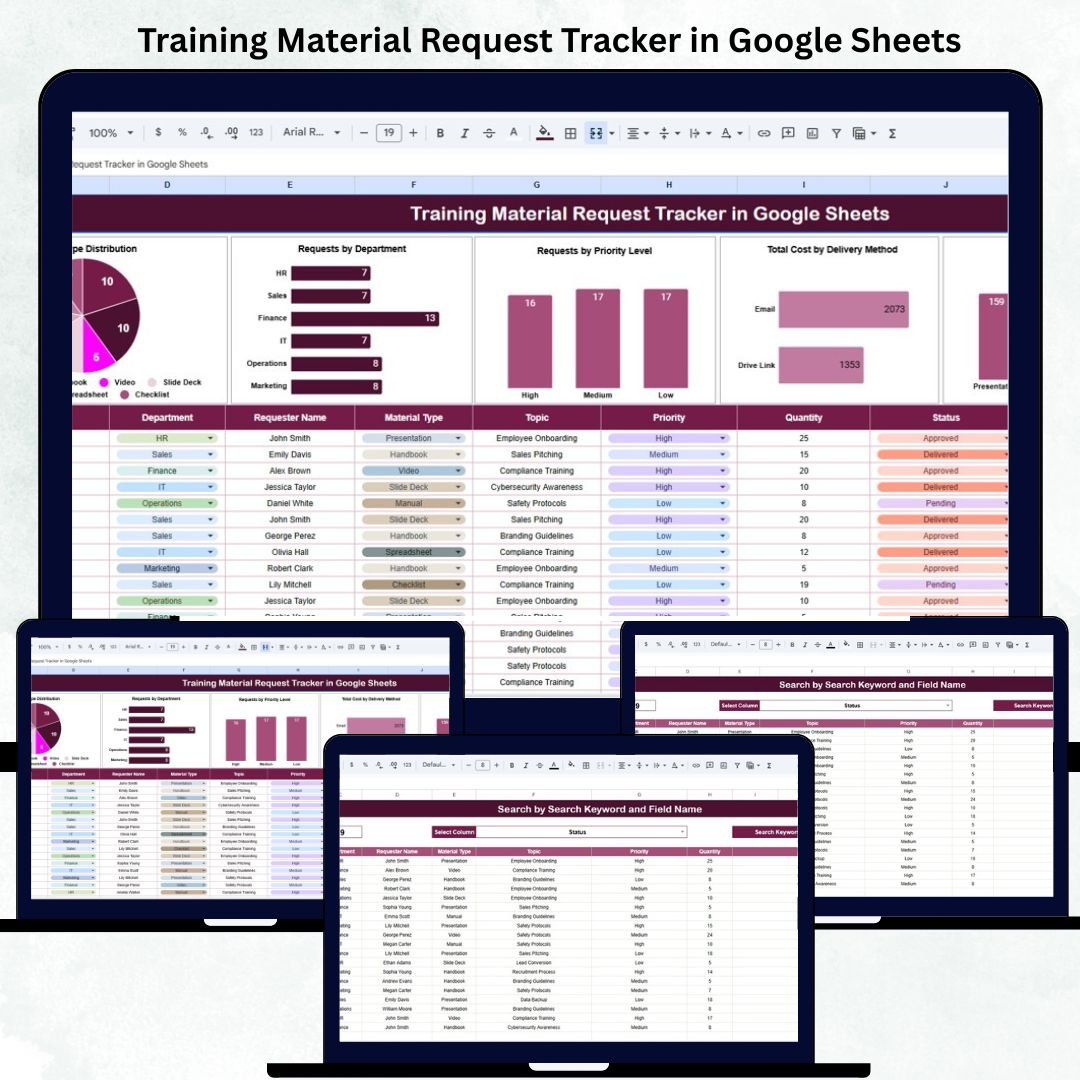
In every organization, the Learning & Development (L&D) function plays a key role in building employee capability. However, managing multiple training material requests — whether printed guides, e-learning access, or digital resources — can quickly become challenging without a centralized system.
The Training Material Request Tracker in Google Sheets provides an all-in-one, ready-to-use solution that allows HR, L&D, and training teams to log, track, and analyze all requests in one structured and automated spreadsheet.
This easy-to-navigate tracker enhances visibility, streamlines the approval process, and ensures efficient budget management while promoting departmental transparency.
🔑 Key Features of the Training Material Request Tracker in Google Sheets
📊 Tracker Sheet Tab (Main Dashboard)
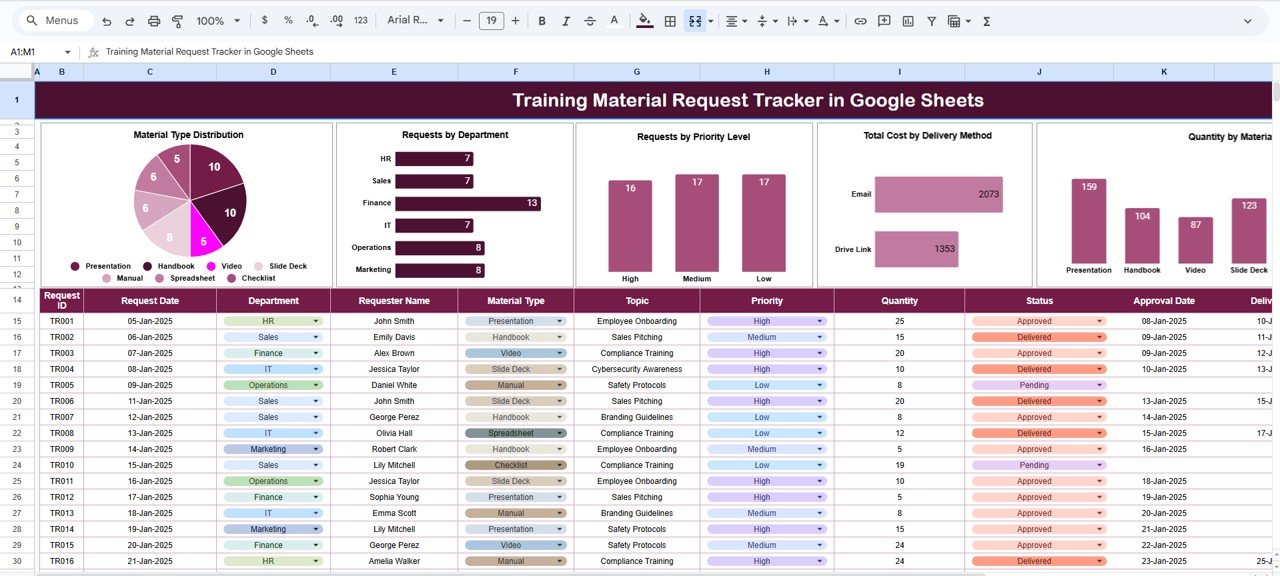
The main dashboard visualizes all critical request data with automated charts and real-time summaries.
Charts Displayed:
-
📚 Material Type Distribution: Displays which material categories (manuals, videos, e-learning access, printed guides) are most requested.
-
🏢 Requests by Department: Identifies which departments are making the highest number of training material requests.
-
⚡ Requests by Priority Level: Highlights urgent vs regular requests to help teams prioritize faster.
-
💰 Total Cost by Delivery Method: Compares spending across digital, physical, and blended delivery channels.
-
📦 Quantity by Material Type: Summarizes how many units or licenses were requested by category.
These charts update automatically whenever new requests are added, giving HR and L&D managers instant visibility into organizational training needs and spending trends.
🔍 Search Sheet Tab (Smart Lookup)
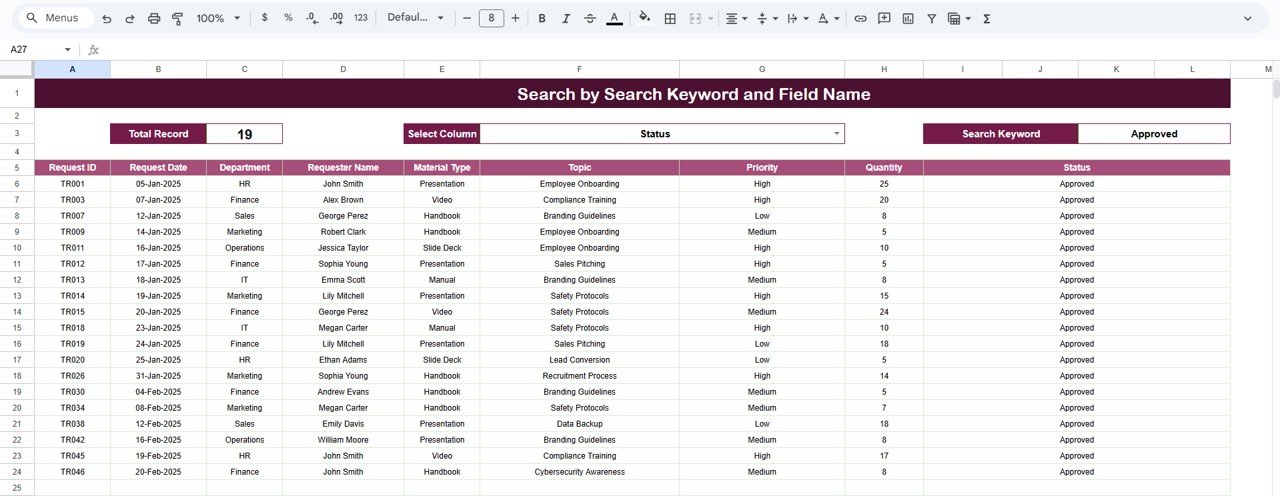
A powerful built-in search tab makes it easy to find any record instantly.
Examples of Searches:
-
“Finance” → shows all training requests from the Finance department.
-
“Online Course” → lists all e-learning material requests.
-
“High Priority” → displays all urgent, time-sensitive requests.
The smart search system removes the need to manually filter through rows — making reporting and quick lookups seamless.
📦 What’s Inside the Tracker
✅ Automated charts for department-wise, category-wise, and cost analysis
✅ Smart search system for quick record access
✅ Structured data entry format for better accuracy
✅ Formula-driven insights with zero coding required
✅ Fully editable and customizable Google Sheets file
🧑🏫 Who Can Benefit from This Tracker
👩💼 HR Managers — to monitor overall learning material demand.
🧑🏫 L&D Teams — to plan resource allocation efficiently.
📚 Training Coordinators — to manage and prioritize material requests.
💡 Finance Teams — to control training material budgets effectively.
🏢 Department Heads — to track employee learning needs.
This tracker is ideal for any organization that values structured learning management and cost transparency.
⚙️ Opportunities for Improvement
Enhance your tracker by:
-
📤 Adding an Approval Workflow using Google Forms integration.
-
⏳ Including a Request Aging Tracker to monitor pending requests.
-
📆 Creating a Monthly Summary Report for L&D management.
-
🔗 Linking Google Drive URLs for quick material access.
-
💬 Automating notifications for new or approved requests using Google Apps Script.
🧠 Best Practices
✅ Update data weekly for accurate analytics.
✅ Use dropdowns for “Department” and “Priority” to standardize entries.
✅ Review monthly spending trends to manage learning budgets.
✅ Apply conditional formatting for overdue or high-priority requests.
✅ Protect formula cells to prevent accidental edits.
🌟 Why Choose the Training Material Request Tracker in Google Sheets
-
🧾 Centralized Request Management: Manage all material requests from one place.
-
📊 Data-Driven Insights: Visual charts reveal cost and demand patterns.
-
⚙️ Automation: Formulas and charts auto-refresh as data changes.
-
☁️ Cloud Collaboration: Share and edit in real time across HR and L&D teams.
-
💡 Customizable Layout: Adapt to your organization’s specific process.
The Training Material Request Tracker in Google Sheets helps organizations bring order and accountability to training material management — improving turnaround times, reducing costs, and enhancing team productivity.
🔗 Read the detailed blog post
Watch the step-by-step video Demo:
































Reviews
There are no reviews yet.