

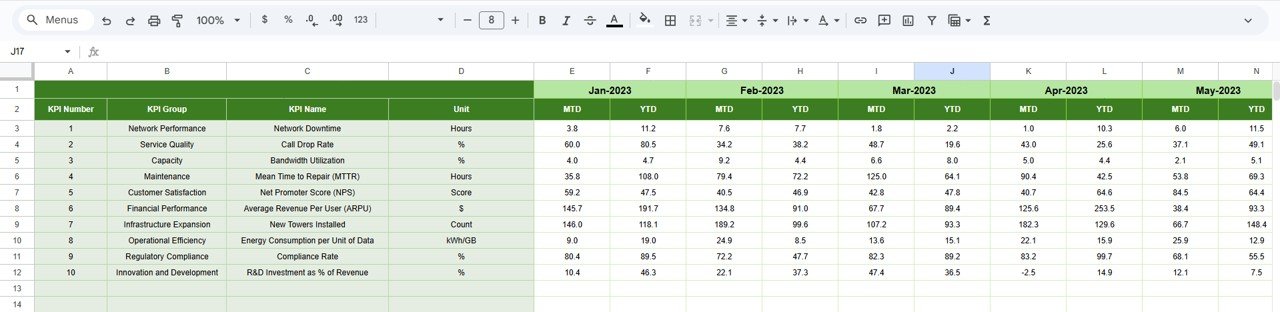

Telecommunications infrastructure is the foundation of reliable connectivity. Network uptime, capacity utilization, fault resolution, and maintenance performance directly influence service quality and customer trust. However, when infrastructure KPIs are spread across multiple spreadsheets or reviewed through static reports, performance gaps remain hidden and corrective actions get delayed.
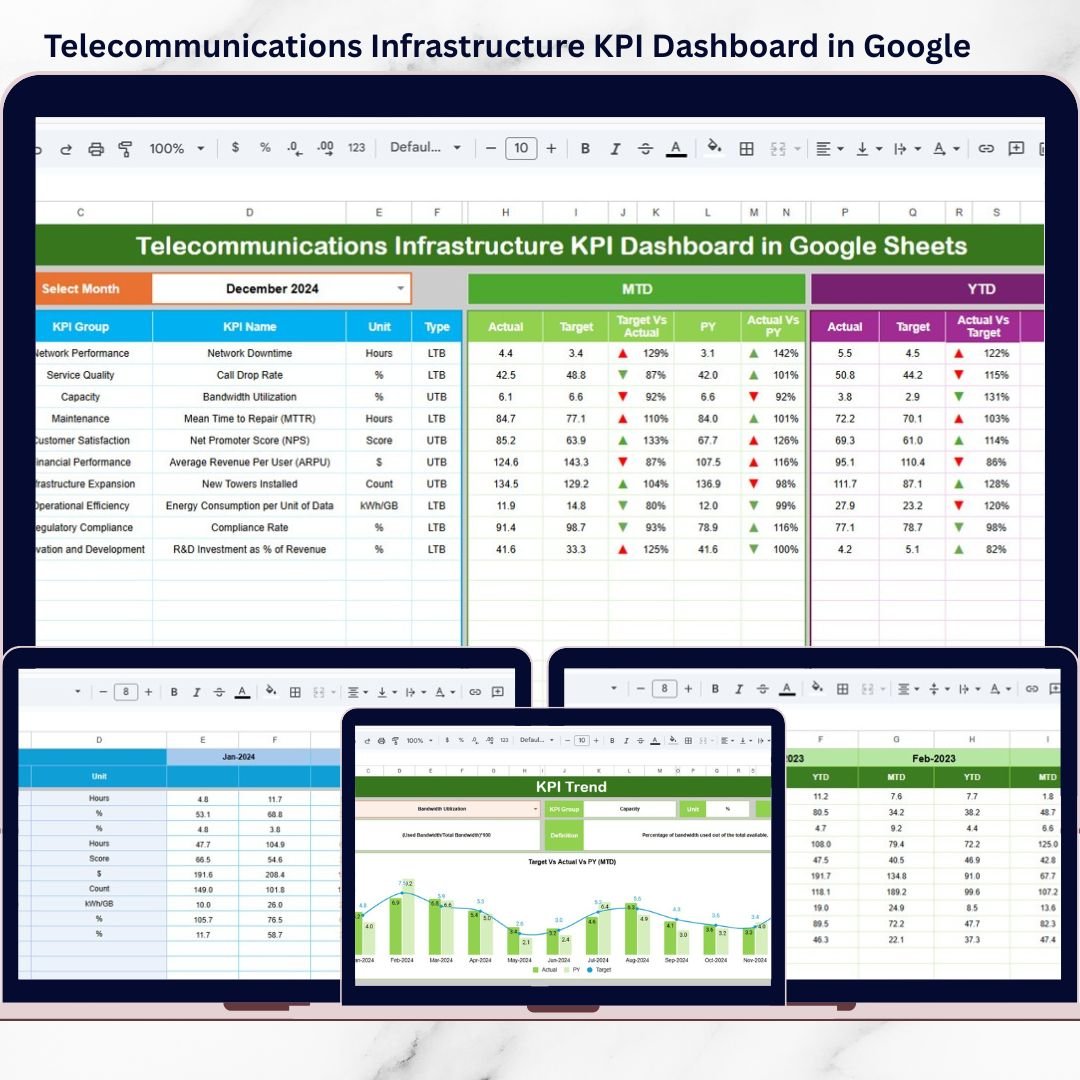
The Telecommunications Infrastructure KPI Dashboard in Google Sheets is a ready-to-use, interactive solution designed to centralize infrastructure KPIs, automate performance tracking, and highlight issues before they escalate.
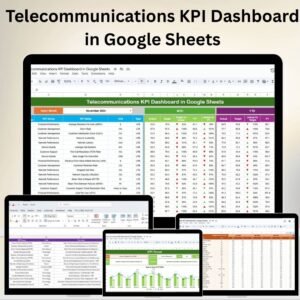
Built entirely in Google Sheets, this dashboard converts raw infrastructure data into clear KPIs, trend insights, and visual indicators. Instead of manual consolidation and guesswork, telecom teams gain real-time visibility into MTD and YTD performance, supported by targets and previous-year comparisons. As a result, infrastructure monitoring becomes structured, proactive, and data-driven.
🚀 Key Features of Telecommunications Infrastructure KPI Dashboard in Google Sheets
📊 Centralized Infrastructure KPI Monitoring – Track all critical network KPIs in one dashboard
📅 MTD & YTD Performance Views – Analyze short-term and long-term infrastructure performance
🎯 Target vs Actual Comparison – Instantly identify underperforming KPIs
📈 Previous Year Comparison – Measure improvement or decline year over year
⬆️⬇️ Conditional Formatting & Arrows – Spot trends and deviations at a glance
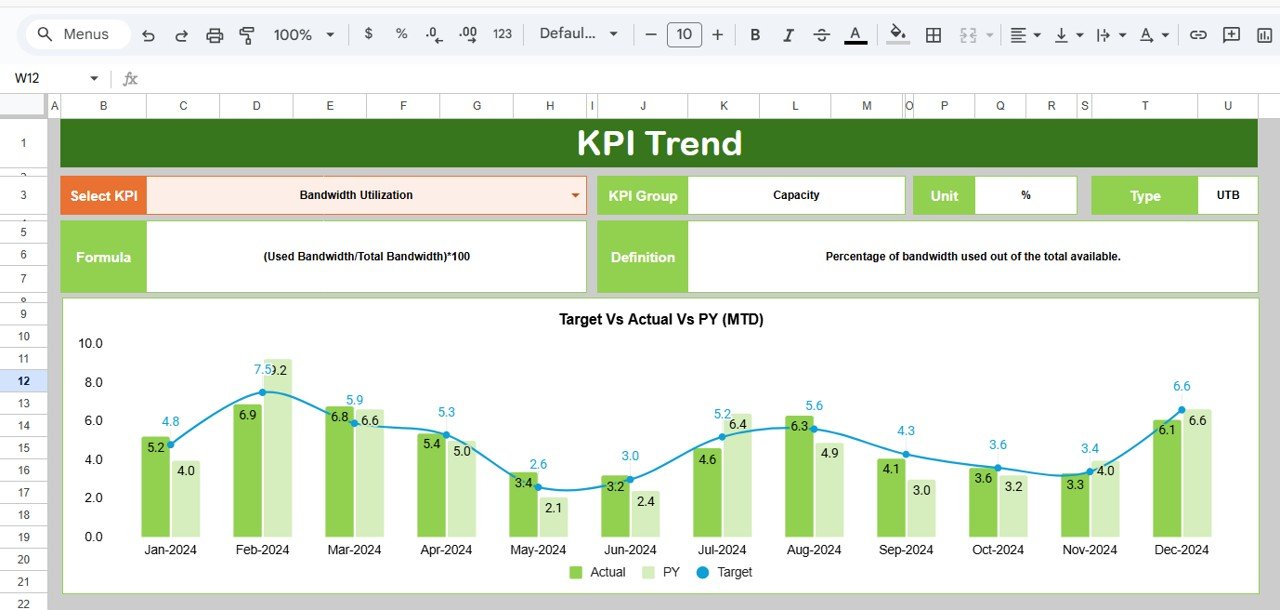
📉 Dedicated KPI Trend Analysis – Understand KPI behavior over time
📘 Built-In KPI Definitions – Clear unit, formula, definition, and KPI type
☁️ Google Sheets Based – Real-time collaboration and cloud access
⚙️ Fully Customizable Structure – Adapt KPIs, targets, and logic easily
📦 What’s Inside the Telecommunications Infrastructure KPI Dashboard
This digital product includes a professionally structured Google Sheets template with 6 purpose-built worksheets, designed specifically for telecom infrastructure teams.
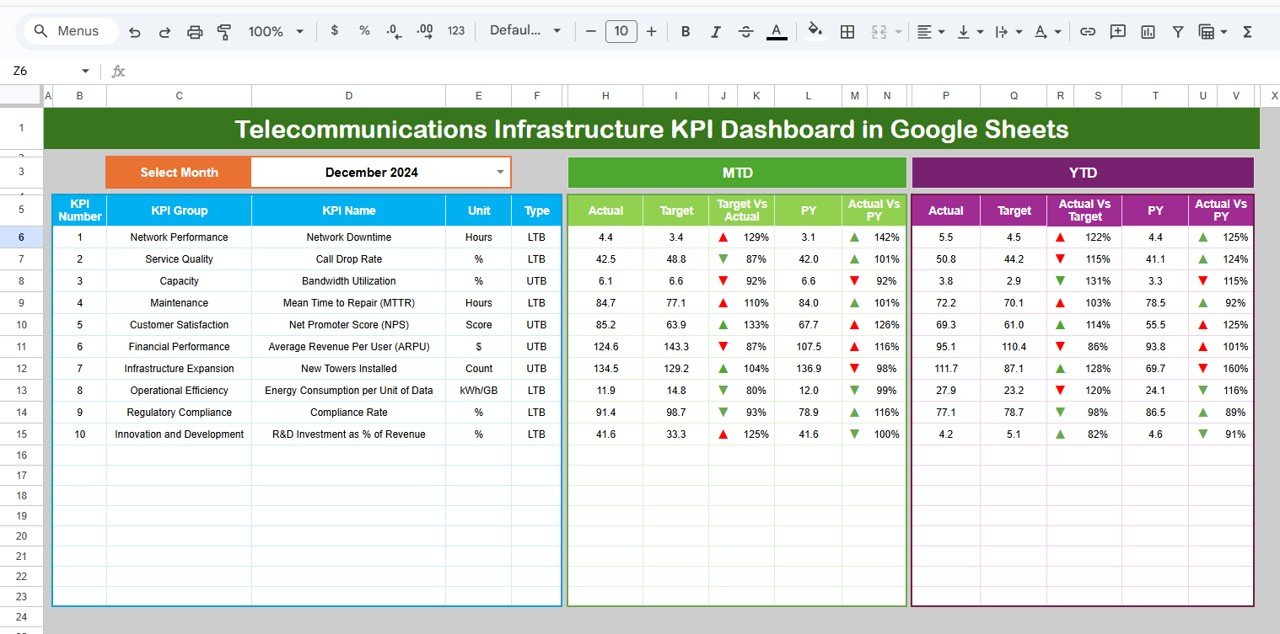
🔹 Dashboard Sheet Tab
Month selection drop-down (Cell D3)
Automatic KPI updates based on selected month
MTD & YTD sections showing:
Actual
Target
Previous Year
Target vs Actual
Previous Year vs Actual
Visual arrows and indicators for quick interpretation
🔹 KPI Trend Sheet Tab
KPI selector (Cell C3)
Displays:
KPI Group
KPI Unit
KPI Type (Lower the Better / Upper the Better)
KPI Formula
KPI Definition
Helps analyze individual KPI movement and long-term trends.
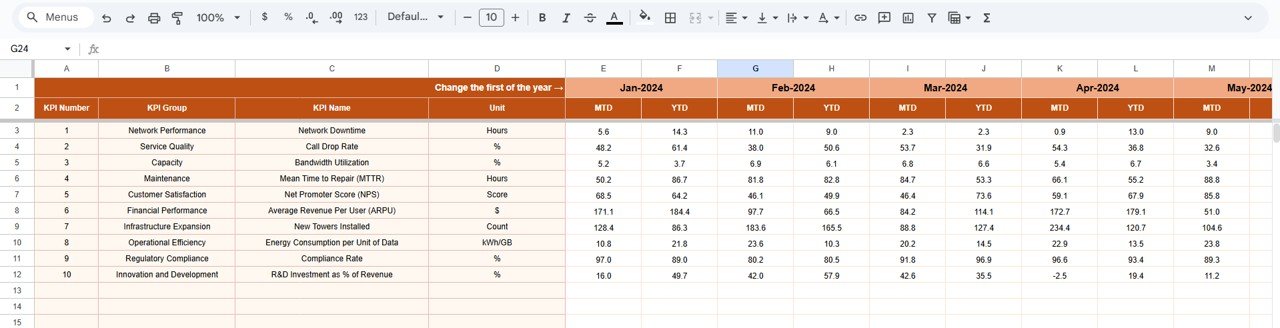
🔹 Actual Number Sheet Tab
Main data entry area
Enter MTD and YTD actual values
Select starting month of the year (Cell E1)
Protected formulas ensure data integrity
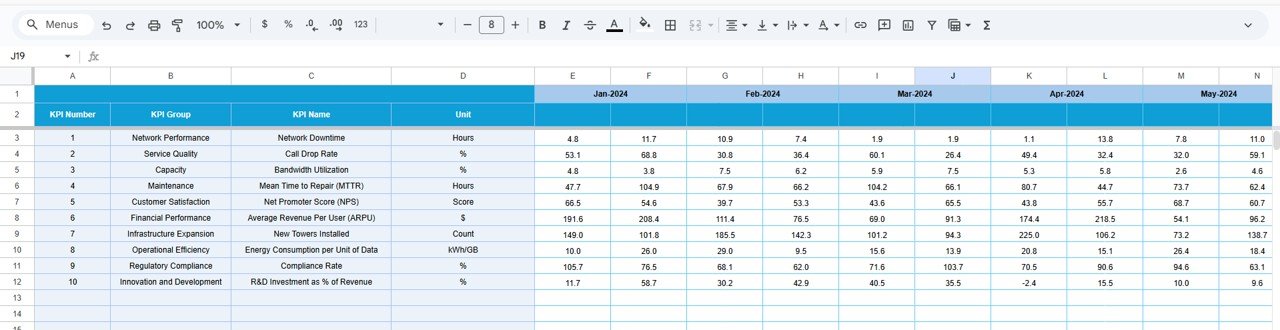
🔹 Target Sheet Tab
Define MTD and YTD performance targets
Align infrastructure KPIs with operational benchmarks
🔹 Previous Year Number Sheet Tab
Stores historical KPI values
Enables accurate year-over-year comparison
Supports audits and performance reviews
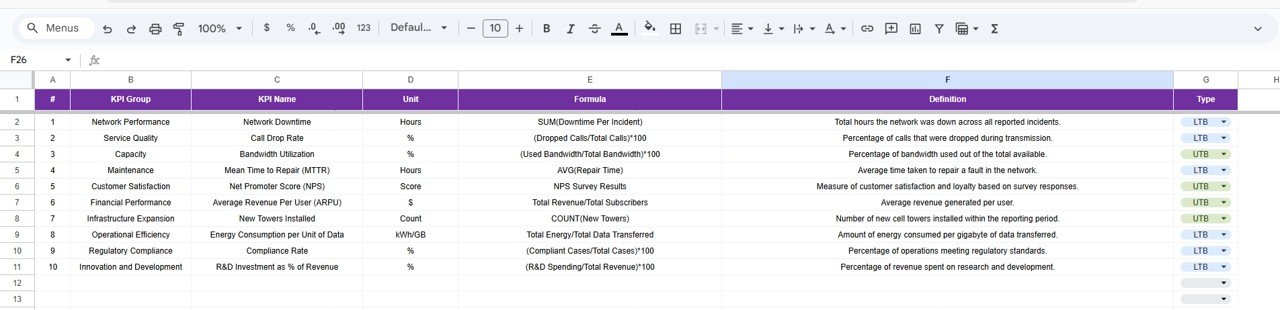
🔹 KPI Definition Sheet Tab
Central reference for:
KPI Name
KPI Group
Unit
Formula
KPI Definition
Ensures consistent KPI interpretation across teams.
🧭 How to Use the Telecommunications Infrastructure KPI Dashboard
Using this dashboard is simple and efficient:
1️⃣ Enter actual KPI values in the Actual Number Sheet
2️⃣ Define targets in the Target Sheet
3️⃣ Maintain historical data in the Previous Year Sheet
4️⃣ Select the desired month from the dashboard
5️⃣ Review MTD and YTD performance instantly
6️⃣ Use the KPI Trend Sheet for deeper analysis
No complex formulas to manage. No dashboards to build. Just clear infrastructure performance insights.
🎯 Who Can Benefit from This Telecommunications Infrastructure KPI Dashboard?
This dashboard is ideal for:
✔ Telecom Infrastructure Teams – Monitor network health and reliability
✔ Network Operations Managers – Track uptime, downtime, and capacity
✔ Engineering & Maintenance Teams – Analyze repair and compliance KPIs
✔ Performance & Analytics Teams – Evaluate trends and benchmarks
✔ Senior Management – Gain high-level infrastructure visibility
Both technical and non-technical users can use it confidently.
🔗 Click here to read the Detailed blog post
Watch the step-by-step video tutorial:
▶ Visit our YouTube channel to learn step-by-step video tutorials
Compatibility and Requirements
- Works in Google Sheets. You need a free Google account and a web browser.
- You pick the month from a dropdown on the Dashboard sheet and the KPI on the KPI Trend sheet. Google explains dropdowns in Create an in-cell dropdown list.
Frequently Asked Questions
Which sheets are included?
Six sheets: Dashboard, KPI Trend, Actual Number, Target, Previous Year Number and KPI Definition.
How do I update the dashboard?
Enter your MTD and YTD actual values in the Actual Number sheet and your targets in the Target sheet. Then select a month on the Dashboard sheet and the KPIs update.
Can I compare this year with last year?
Yes. Add last year’s values to the Previous Year Number sheet. The Dashboard then shows Previous Year vs Actual next to Target vs Actual, with arrows to mark the direction.
How do I see the trend for one KPI?
Open the KPI Trend sheet and pick the KPI in cell C3. It shows the KPI group, unit, type (Lower the Better or Upper the Better), formula and definition.
Is there an Excel or Power BI version?
Yes. See the Telecommunications Infrastructure KPI Dashboard in Excel and the Telecommunications Infrastructure KPI Dashboard in Power BI.
Related Telecommunications Templates
- Telecommunications Infrastructure KPI Dashboard in Excel: the same dashboard in Excel
- Telecommunications Infrastructure KPI Dashboard in Power BI: the Power BI edition
- Telecommunications KPI Dashboard in Google Sheets: a wider set of telecom KPIs
- Telecommunications KPI Scorecard in Google Sheets: a scorecard view of telecom KPIs
- IT Infrastructure KPI Dashboard in Google Sheets: infrastructure KPIs for IT teams
Browse all Google Sheets KPI dashboards.
































Reviews
There are no reviews yet.