

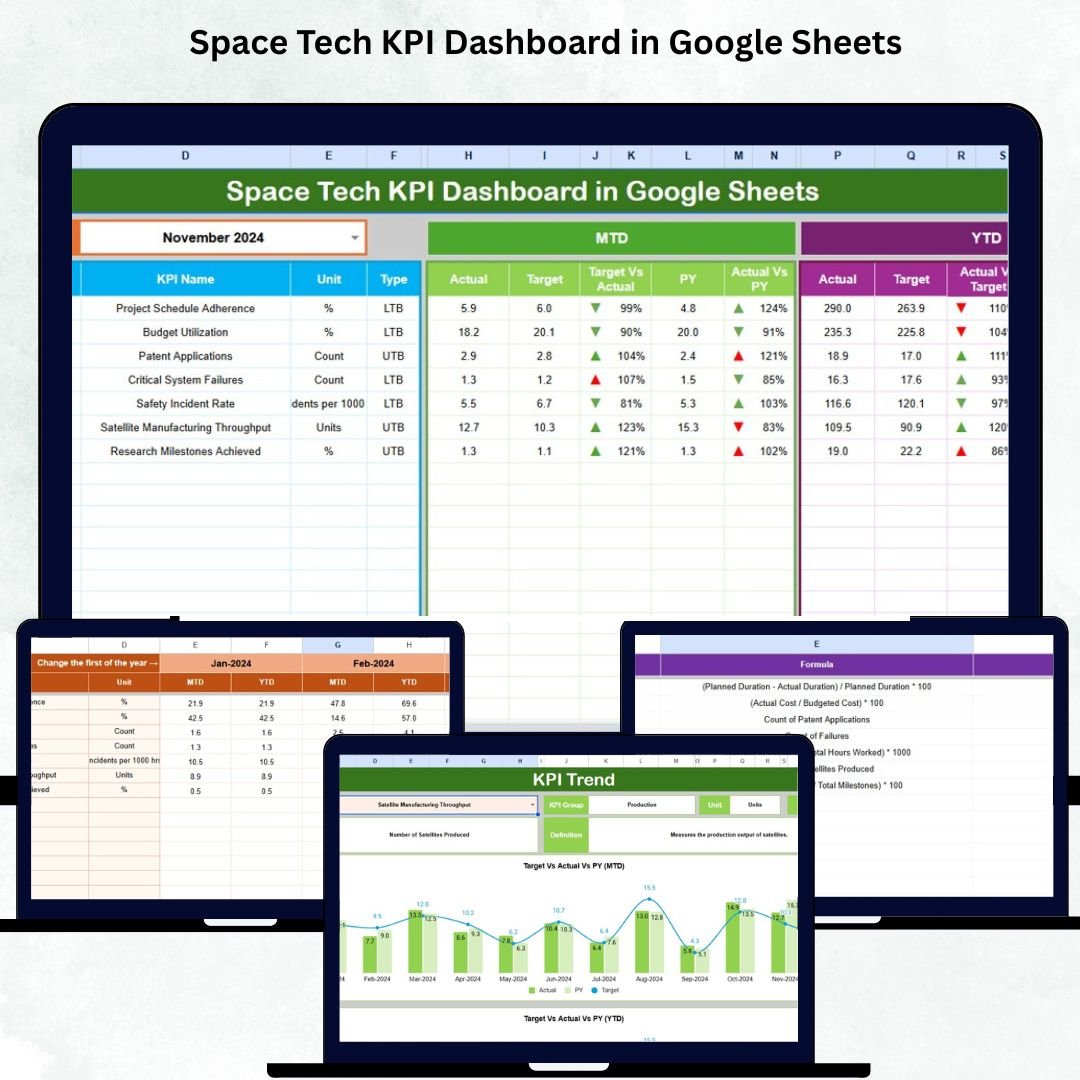

In today’s fast-evolving space industry, data accuracy and real-time insights are critical for mission success. The Space Tech KPI Dashboard in Google Sheets is your all-in-one analytical command center—designed to help space organizations track mission performance, analyze R&D efficiency, and ensure seamless operational control. 🌌Space Tech KPI Dashboard in Google Sheets
Whether you’re managing satellite programs, propulsion systems, or research projects, this dashboard transforms raw data into intelligent, actionable insights—all within Google Sheets. No coding. No complex setup. Just clarity, precision, and performance at your fingertips.
🚀 Key Features of Space Tech KPI Dashboard in Google Sheets
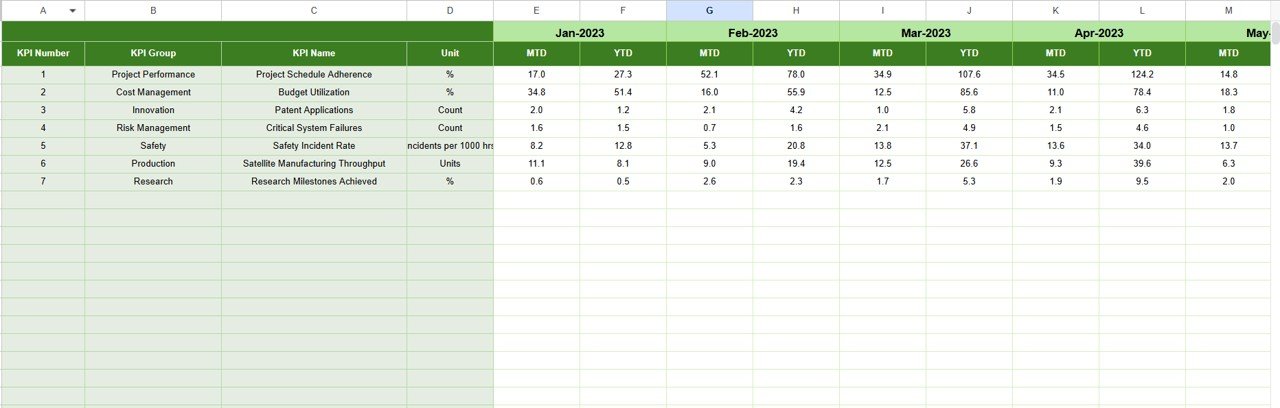
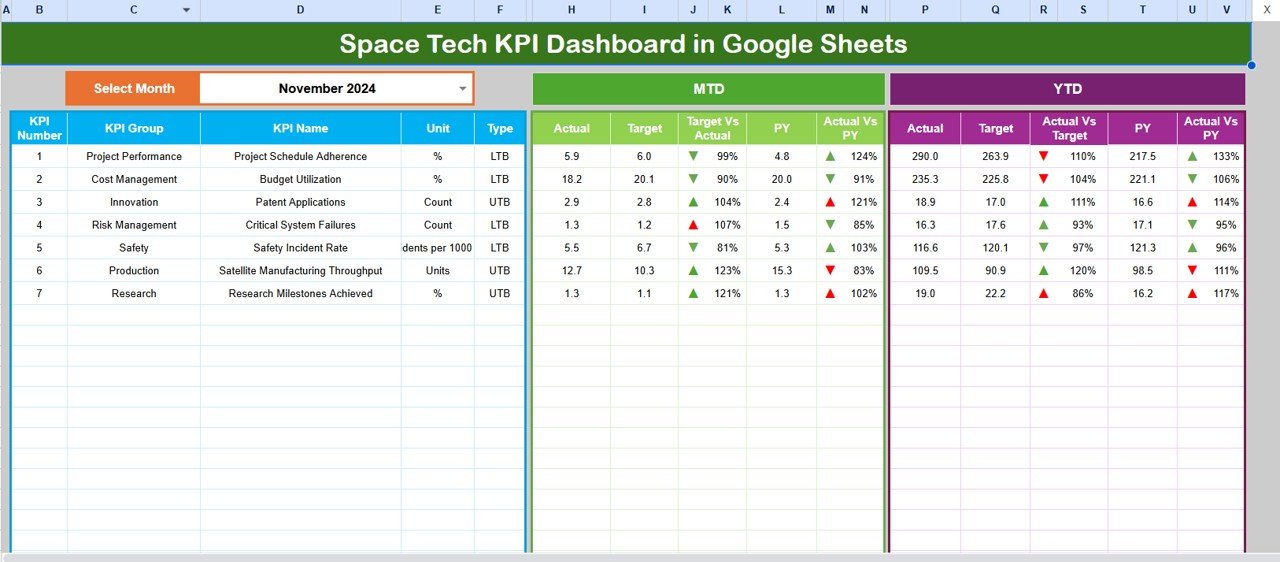
✨ Interactive Dashboard View – Visualize Month-to-Date (MTD) and Year-to-Date (YTD) metrics instantly with dynamic dropdowns and automated calculations.
📈 Real-Time Comparison – Instantly compare Actual vs. Target and Previous Year vs. Current Year performance with up/down trend arrows.
💡 Department-Wise Transparency – Get KPI insights for R&D, propulsion, launch operations, and finance in one view.
🛰️ Cloud-Based Accessibility – Access and update your data from anywhere—ideal for multi-location teams.
📊 Automatic Data Refresh – Whenever new data is entered, charts and metrics update automatically—saving hours of manual work.
🔒 Secure Collaboration – Built on Google Sheets, enabling role-based access, protected ranges, and version history.
⚙️ Customizable KPIs – Add, edit, or remove KPIs easily to align with your specific mission goals.
🌍 Cost-Effective & Scalable – No need for expensive BI tools; manage everything within Google Workspace.
🧭 What’s Inside the Space Tech KPI Dashboard in Google Sheets
The dashboard is structured into six powerful sheet tabs, each with a unique analytical purpose:
1️⃣ Dashboard Sheet Tab (Main View) – The control center for your KPIs. Select any month and watch all metrics refresh automatically.Space Tech KPI Dashboard in Google Sheets
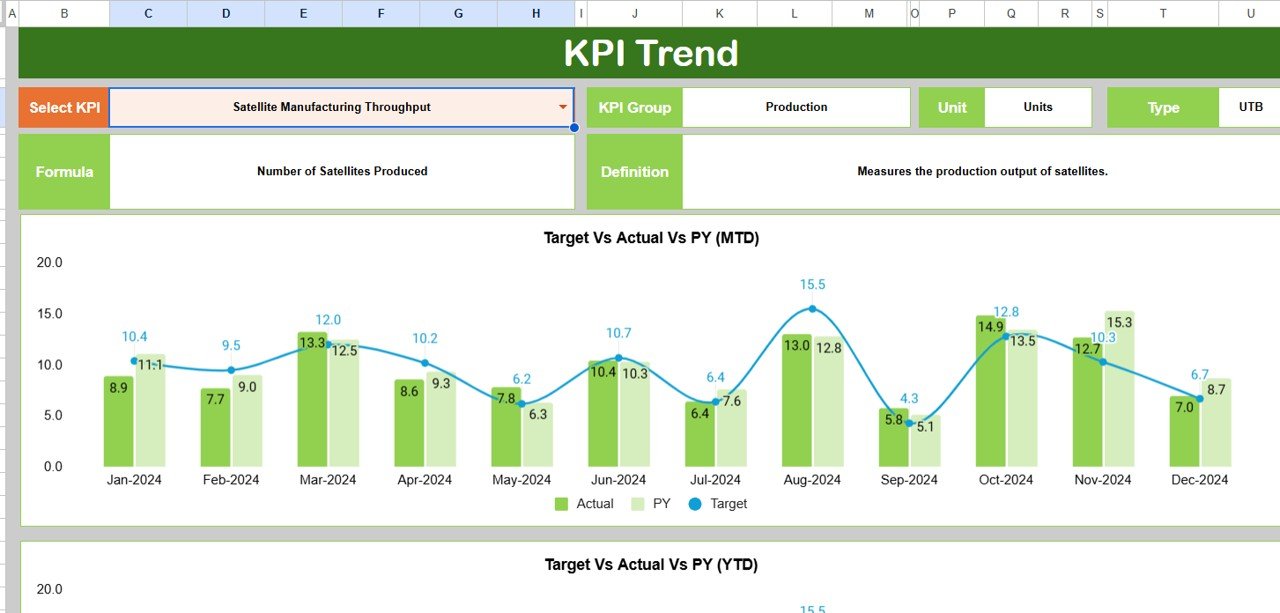
2️⃣ KPI Trend Sheet Tab – Choose a KPI from the dropdown to analyze detailed month-wise and year-over-year performance.
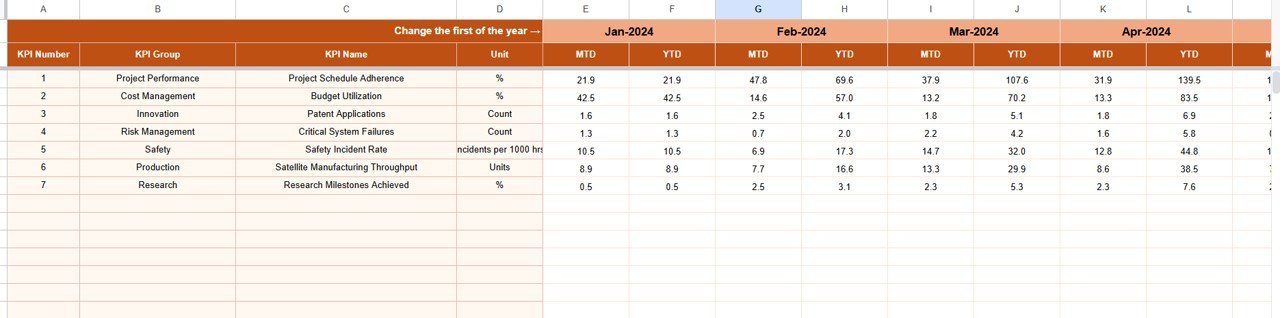
3️⃣ Actual Numbers Sheet Tab – Enter MTD and YTD values for continuous tracking and accuracy.
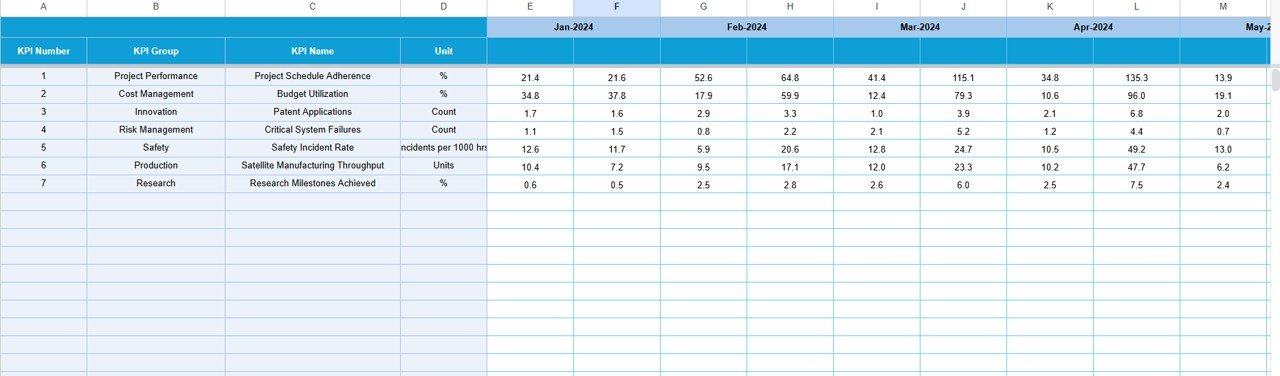
4️⃣ Target Sheet Tab – Define expected monthly and annual performance benchmarks for all KPIs.
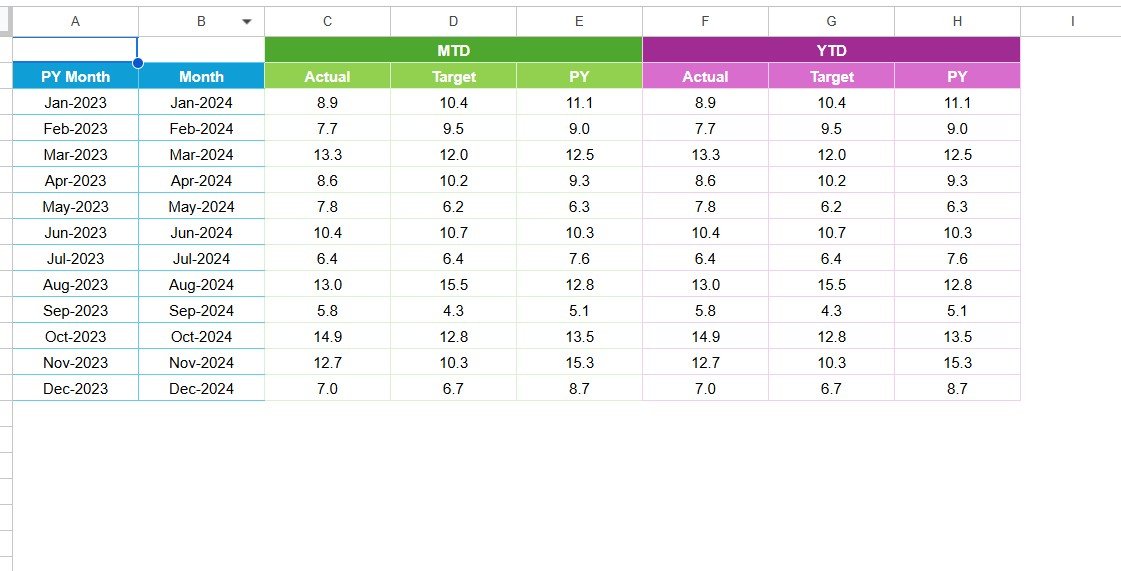
5️⃣ Previous Year Sheet Tab – Compare this year’s progress with last year’s performance to assess improvement.
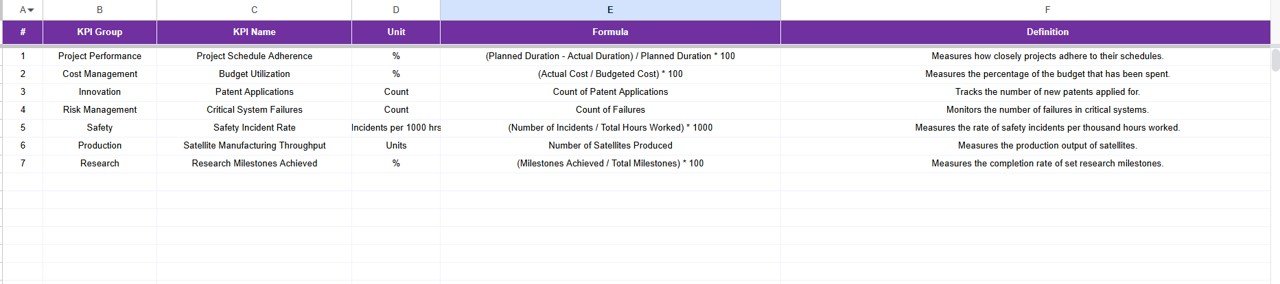
6️⃣ KPI Definition Sheet Tab – Clearly define KPI name, unit, formula, and type (Upper/Lower the Better) to standardize reporting across departments.
Every tab is interconnected, providing a 360° analytical experience that ensures your entire team speaks the same performance language. 🧩
🧑🚀 How to Use the Space Tech KPI Dashboard in Google Sheets
1️⃣ Open the dashboard in Google Sheets.
2️⃣ Go to the Dashboard tab and select a month from the dropdown menu.
3️⃣ Review your MTD and YTD data, complete with visual indicators.
4️⃣ Explore individual KPI insights in the KPI Trend tab.
5️⃣ Update Actual and Target sheets monthly to keep analytics fresh.
6️⃣ Compare performance using the Previous Year data tab.
7️⃣ Refine KPI definitions anytime for consistent monitoring.
It’s plug-and-play—making performance analysis simple, collaborative, and transparent.
🌠 Who Can Benefit from This Space Tech KPI Dashboard
👩🚀 Space Agencies (NASA, ISRO, ESA) – Track mission progress, R&D success rate, and launch outcomes.
🏭 Satellite Manufacturers – Monitor production efficiency, budget variance, and delivery timelines.
🛰️ Aerospace Startups – Get instant insights on funding utilization, project status, and growth metrics.
🎓 Research Institutions – Evaluate innovation performance and cross-department collaboration metrics.
💼 Defense R&D Labs – Analyze operational readiness and technology integration KPIs.
If you’re managing any aspect of space technology, this dashboard will become your go-to control room for strategic decisions.
🔗 Click Here to Read the Detailed Blog Post
Watch the step-by-step video tutorial:
🎥 Visit our YouTube channel to learn step-by-step video tutorials
Compatibility and Requirements
- Works in Google Sheets. You need a free Google account and a web browser.
- The month and KPI are picked from dropdowns. Google explains dropdowns in Create an in-cell dropdown list.
Frequently Asked Questions
Which sheets are included?
Six tabs: Dashboard, KPI Trend, Actual Numbers, Target, Previous Year and KPI Definition.
Does it compare actuals with targets?
Yes. The Dashboard compares Actual vs Target and Previous Year vs Current Year for MTD and YTD, with up and down trend arrows.
Which teams can it cover?
It shows KPIs for R&D, propulsion, launch operations and finance in one view.
Can I change the KPIs?
Yes. You can add, edit or remove KPIs to match your mission goals.
Is there an Excel or Power BI version?
Yes. See the Space Tech KPI Dashboard in Excel and the Space Tech KPI Dashboard in Power BI.
Related Space and Aerospace Templates
- Space Tech KPI Dashboard in Excel: the same KPIs in Excel
- Space Tech KPI Dashboard in Power BI: the Power BI edition
- Aerospace KPI Dashboard in Google Sheets: aerospace KPIs in Google Sheets
- Satellite Communication KPI Dashboard in Google Sheets: KPIs for satellite communication teams
- KPI Scorecard Mega Pack: 12 KPI scorecard templates for Excel and Google Sheets
Browse all Google Sheets KPI dashboards.































Reviews
There are no reviews yet.