


Running a rehabilitation center involves much more than patient treatment — it’s about tracking recovery outcomes, optimizing staff performance, and maintaining operational efficiency. The Rehabilitation Center KPI Dashboard in Google Sheets is your all-in-one solution for doing exactly that. 💪
Built for rehabilitation facilities, therapy centers, and healthcare administrators, this interactive and data-driven dashboard provides real-time visibility into your key performance indicators (KPIs). It empowers you to make smarter, faster, and more strategic decisions — all within an easy-to-use Google Sheets interface.
Unlike complicated software or manual reporting, this ready-to-use template requires zero coding, works entirely online, and can be shared instantly with your team. Whether you want to measure patient recovery, therapy sessions, or staff efficiency, this dashboard helps you track it all — clearly and visually.
✨ Key Features of Rehabilitation Center KPI Dashboard in Google Sheets
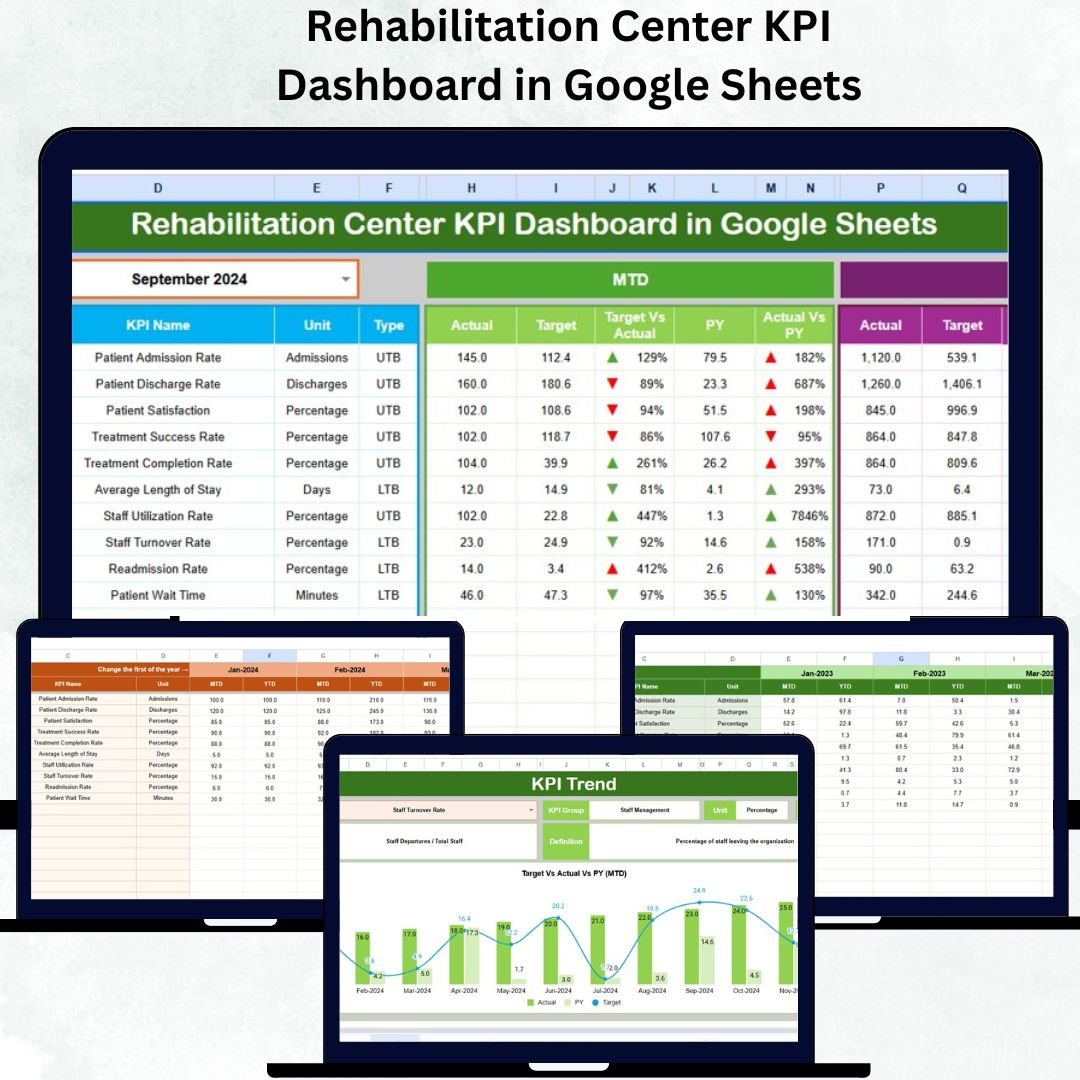
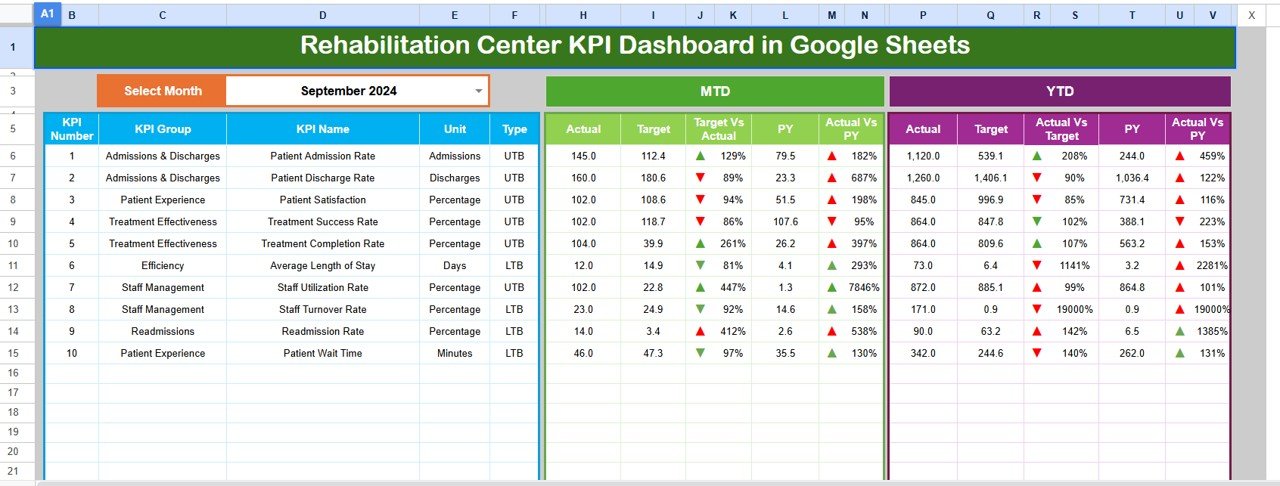
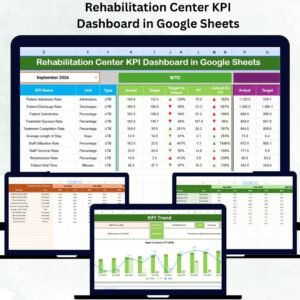
📊 Dynamic Dashboard Page – Analyze your performance instantly. A simple month selector updates all KPIs automatically, displaying both MTD (Month-To-Date) and YTD (Year-To-Date) data for quick insights.
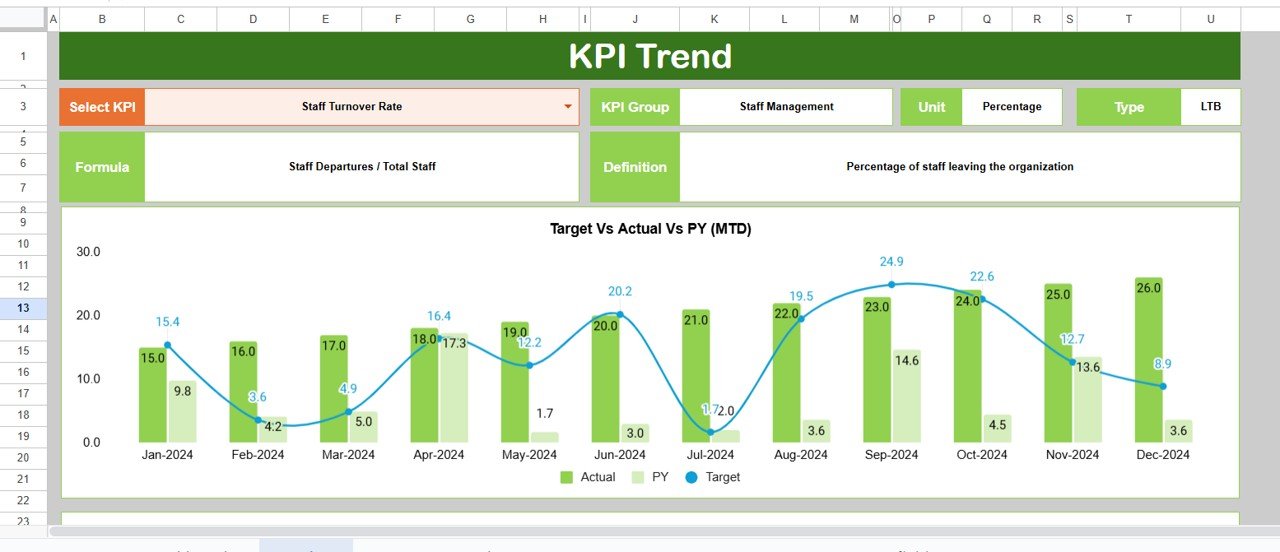
📈 Real-Time Trend Analysis – View interactive KPI trend charts comparing Actual, Target, and Previous Year (PY) data to identify progress or areas needing attention.
📋 Target vs Actual Tracking – Track how well your rehabilitation center meets its monthly and yearly targets with visual variance indicators and color-coded arrows.
📁 Comprehensive Data Tabs – Six organized worksheets for Dashboard, Trend, Actual Numbers, Targets, Previous Year Data, and KPI Definitions keep your analytics clean and structured.
☁️ Cloud-Based & Collaborative – Work seamlessly with your team from anywhere, at any time, using the collaborative power of Google Sheets.
🔧 Easy Customization – Modify KPIs, formulas, and definitions to match your center’s unique goals — whether physiotherapy outcomes, counseling success, or occupancy rates.
📊 Automatic Variance Calculations – Instantly compare performance across years to evaluate growth, improvements, and areas needing focus.
🧠 Data-Driven Decisions – Turn raw data into actionable insights that help improve patient satisfaction, operational efficiency, and overall outcomes.
📂 What’s Inside the Rehabilitation Center KPI Dashboard
🗂️ Dashboard Sheet Tab – The main analytical page with all KPI summaries, trend arrows, and variance highlights.
📈 Trend Sheet Tab – A detailed view with a KPI selector and comparative trend charts to monitor growth and seasonal patterns.
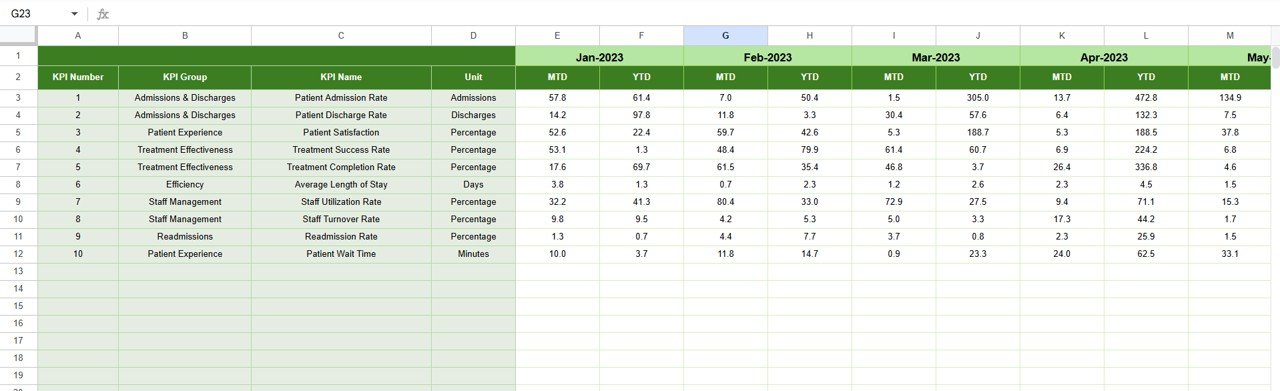
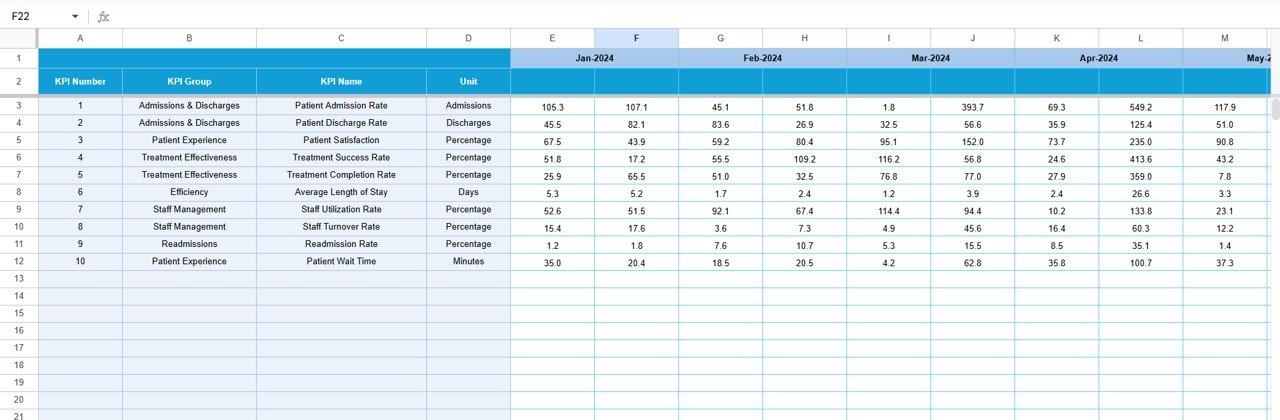
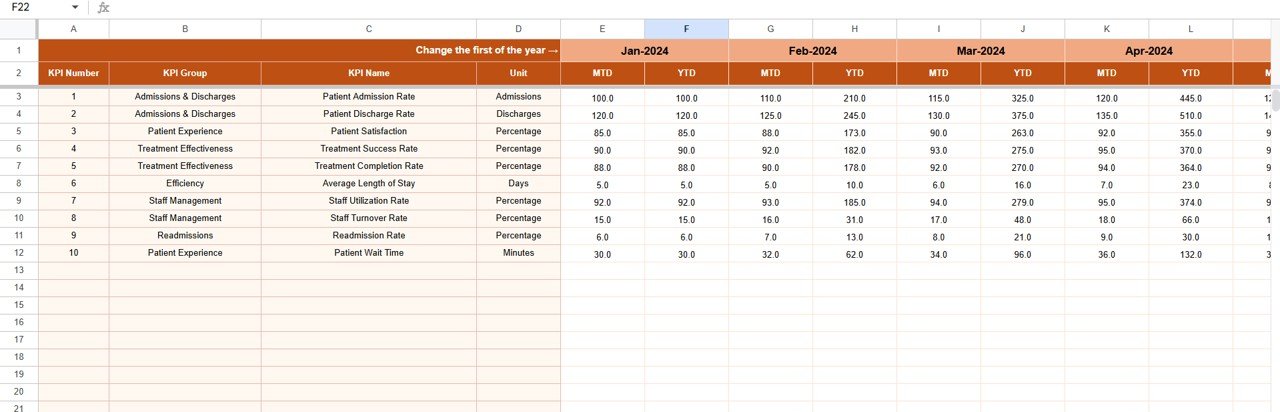
🧾 Actual Numbers Input Sheet – Input your actual monthly results for each KPI with MTD and YTD breakdowns.
🎯 Target Sheet Tab – Record monthly and yearly goals to track progress toward defined performance benchmarks.
📅 Previous Year Sheet – Store historical data to automatically calculate and visualize year-over-year differences.
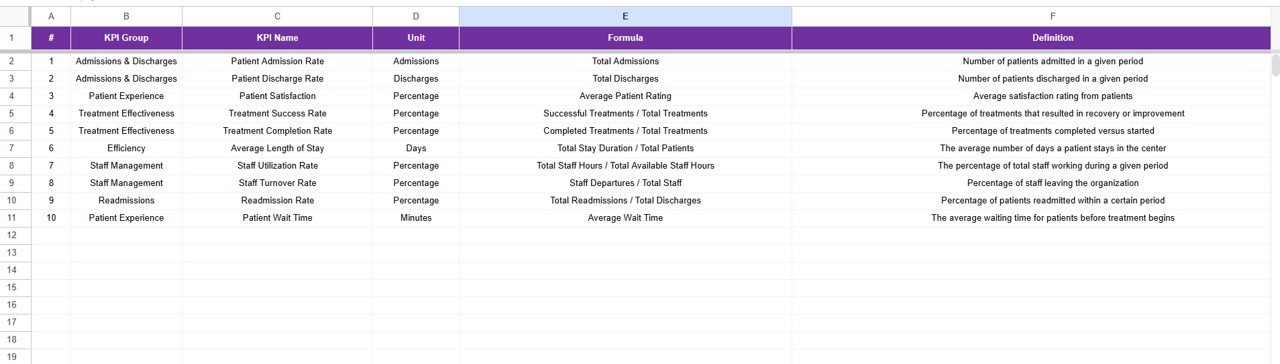
📘 KPI Definition Sheet – A clear reference for each KPI, including Group, Unit, Formula, Definition, and Type (UTB or LTB).
Together, these sheets form a robust system that helps rehabilitation centers maintain transparency and continuous improvement.
⚙️ How to Use the Rehabilitation Center KPI Dashboard
1️⃣ List Your KPIs: Begin by entering all relevant KPIs in the KPI Definition Sheet — such as Patient Recovery Rate, Therapy Attendance, or Readmission Rate.
2️⃣ Set Targets: Define monthly goals for each KPI in the Target Sheet to establish performance expectations.
3️⃣ Enter Actual Data: Input your monthly figures in the Actual Numbers Sheet for real-time tracking.
4️⃣ Add Previous Year Data: Include last year’s data to enable year-over-year comparison.
5️⃣ View the Dashboard: Choose any month in the Dashboard Tab (cell D3) to instantly view updated metrics and performance trends.
6️⃣ Analyze Trends: Use the Trend Sheet to identify strengths, weaknesses, and seasonal variations.
💡 The entire process is automated and requires no technical skills — perfect for any healthcare or rehabilitation professional.
👥 Who Can Benefit from This Rehabilitation Center KPI Dashboard
🏥 Rehabilitation Centers & Clinics – Monitor patient recovery and therapy success rates effortlessly.
🧑⚕️ Healthcare Administrators – Manage staff performance and facility efficiency with clarity.
💼 Operations & Finance Teams – Track cost efficiency, bed occupancy, and service quality.
📊 Therapists & Counselors – Measure session effectiveness and identify improvement areas.
🌐 Multi-Branch Networks – Consolidate data from multiple centers into one centralized reporting system.
Whether you run a small rehab center or a large healthcare institution, this Google Sheets dashboard ensures data transparency, accountability, and measurable progress.
Click here to read the Detailed Blog Post
Watch the step-by-step video tutorial:
Visit our YouTube channel to learn step-by-step video tutorials
Compatibility and Requirements
- Works in Google Sheets. You need a free Google account and a web browser.
- You pick the month from a dropdown on the Dashboard sheet (cell D3). Google explains dropdowns in Create an in-cell dropdown list.
Frequently Asked Questions
Which sheets are included?
Six sheets: Dashboard, Trend, Actual Numbers, Target, Previous Year and KPI Definition.
How do I update the dashboard?
Enter your monthly MTD and YTD figures in the Actual Numbers sheet and your goals in the Target sheet. Then choose a month in cell D3 of the Dashboard sheet and all KPIs update.
Can I compare this year with last year?
Yes. Add last year’s data to the Previous Year sheet. The dashboard calculates the variance against your actual and target figures.
Can I change the KPIs to fit my center?
Yes. You can edit KPIs, formulas and definitions in the KPI Definition sheet. Each KPI has a group, unit, formula, definition and type (UTB or LTB).
Is there an Excel version?
Yes. See the Rehabilitation Center KPI Dashboard in Excel.
Related Healthcare Templates
- Rehabilitation Center KPI Dashboard in Excel: the same dashboard in Excel
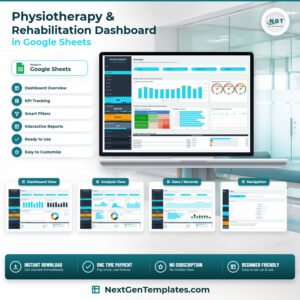
- Physiotherapy & Rehabilitation Dashboard in Google Sheets: a Google Sheets dashboard for therapy practices
- Substance Abuse Center KPI Dashboard in Google Sheets: KPI tracking for treatment centers
- Rehabilitation Center KPI Scorecard in Excel: a scorecard view of rehab KPIs
- Google Sheets Business Pack (Pro): 14 business templates in one download
Browse all Google Sheets KPI dashboards.

Reviews
There are no reviews yet.