



Regulatory and statutory compliance is a non-negotiable responsibility for every organization. Companies must follow labor laws, tax regulations, safety standards, environmental rules, financial reporting requirements, and various statutory obligations across departments and geographies. When compliance is managed using emails, manual registers, or disconnected spreadsheets, deadlines are missed, penalties increase, audits become stressful, and reputational risk rises. The Regulatory & Statutory Compliance Dashboard in Google Sheets solves these challenges by offering a centralized, visual, and data-driven compliance management system.
This ready-to-use dashboard helps organizations track all compliance requirements in one place. It provides real-time visibility into compliance status, urgency levels, departmental performance, and monthly trends. Because the dashboard is built entirely in Google Sheets, it is easy to maintain, highly collaborative, and accessible from anywhere—without investing in expensive compliance software.
Whether you manage compliance for HR, finance, legal, safety, or multi-department operations, this dashboard gives you clarity, control, and confidence throughout the year.

✨ Key Features of the Regulatory & Statutory Compliance Dashboard in Google Sheets
📊 Centralized Compliance Monitoring
All regulatory and statutory compliance records are stored in a single structured system. No more scattered files or manual follow-ups.
🚦 Compliance Risk & Urgency Tracking
Urgency scores and delayed compliance indicators help teams focus on high-risk areas before penalties occur.
📈 Automated KPI Cards & Visual Charts
Key compliance metrics update automatically, making it easy for leadership to assess compliance health instantly.
🏢 Department-Wise & Priority-Wise Insights
Analyze how departments and priority levels perform against deadlines and targets.
🔍 Smart Search Functionality
Find any compliance record instantly using keyword-based search and field selection.
🤝 Real-Time Collaboration
Multiple users across HR, finance, legal, and audit teams can work together securely in Google Sheets.
📦 What’s Inside the Regulatory & Statutory Compliance Dashboard
🖥 Overview Sheet – Compliance Health at a Glance
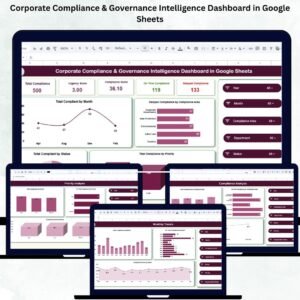
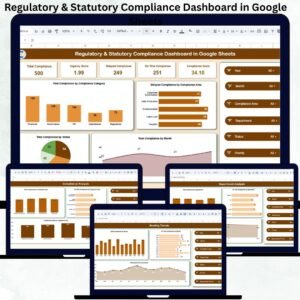
The Overview sheet acts as the command center and displays powerful KPI cards:
-
Total Compliance – Total obligations tracked
-
Urgency Score – Overall compliance risk indicator
-
Delayed Compliance – Missed deadlines
-
On-Time Compliance – Tasks completed within deadlines
-
Compliance Score – Overall compliance performance index
Overview Charts Include:
-
Total Compliance by Compliance Category
-
Delayed Compliance by Compliance Area
-
Total Compliance by Month
-
Total Compliance by Status
These visuals give instant clarity on compliance workload and risk exposure.
🏢 Department Analysis – Accountability & Performance
This section evaluates compliance performance across departments.
Charts Included:
-
Total Compliance by Department
-
On-Time Compliance by Department
-
Compliance Score by Department
It helps leadership identify departments performing well and areas needing improvement.
🚨 Priority Analysis – Focus on What Matters Most
Not all compliances carry equal risk. This section helps teams prioritize effectively.
Charts Included:
-
Total Compliance by Priority (High, Medium, Low)
-
On-Time Compliance by Priority
-
Compliance Score by Priority
High-risk compliances receive the attention they deserve.
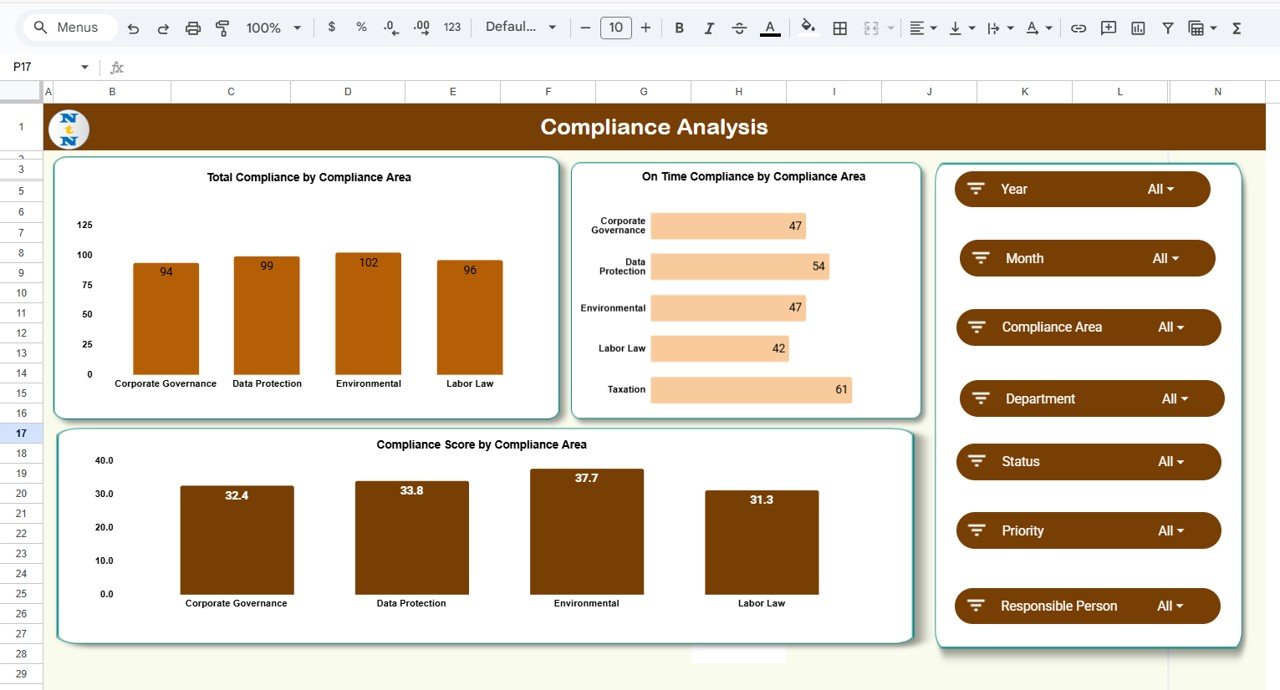
📑 Compliance Area Analysis – Regulatory Risk Insights
This section analyzes performance by compliance area.
Charts Included:
-
Total Compliance by Compliance Area
-
On-Time Compliance by Compliance Area
-
Compliance Score by Compliance Area
It helps identify regulatory domains with higher delays or risk exposure.
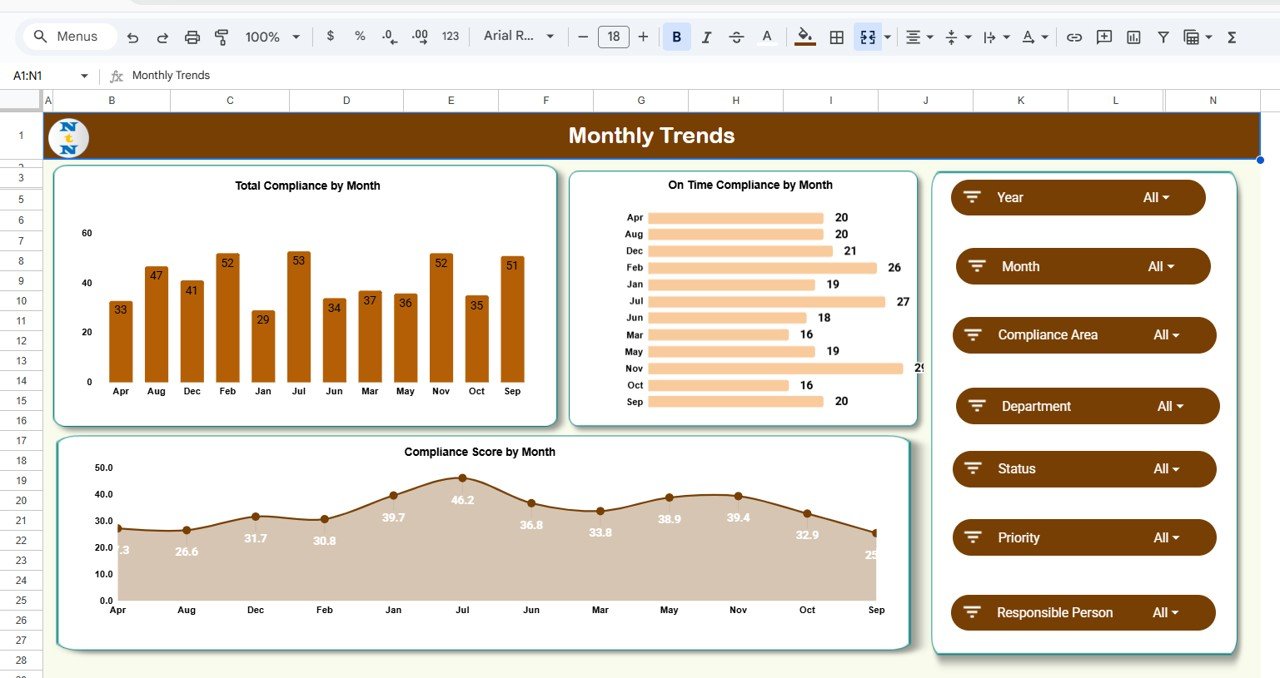
📅 Monthly Trends – Long-Term Compliance Visibility
Monitor how compliance workload and performance change over time.
Trend Charts:
-
Total Compliance by Month
-
On-Time Compliance by Month
-
Compliance Score by Month
These insights support forecasting, planning, and compliance maturity tracking.
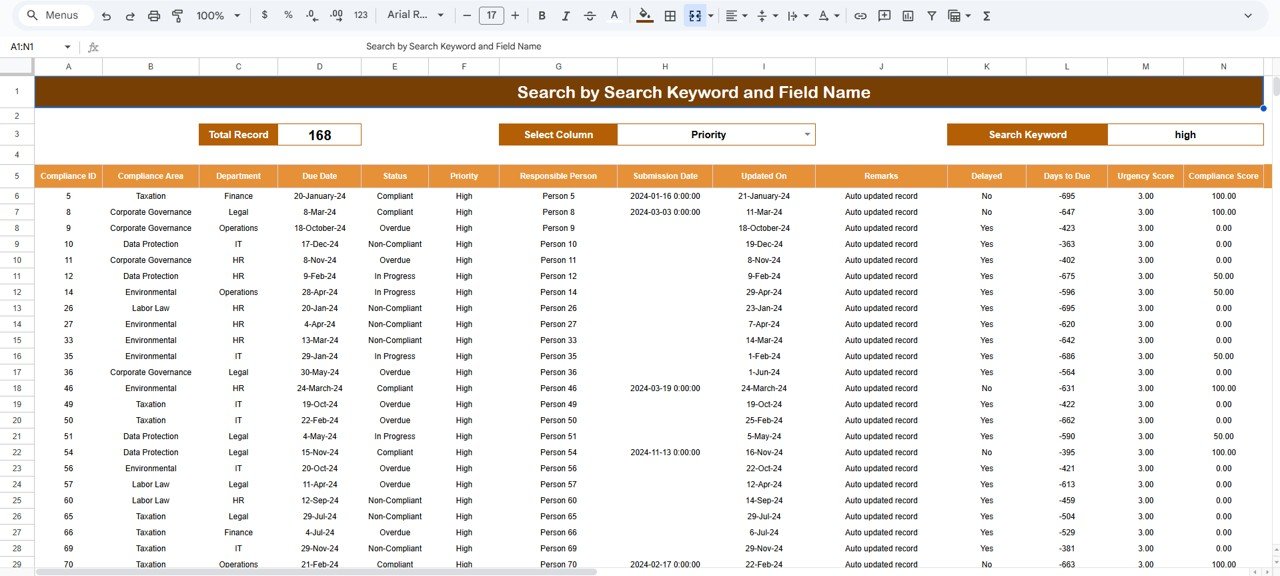
🔍 Search Functionality – Instant Record Lookup
The dashboard includes a powerful Search Panel that allows filtering by:
-
Department
-
Compliance Area
-
Priority
-
Status
-
Owner
-
Keyword
This feature is extremely useful for audits, internal reviews, and management queries.
🛠 How to Use the Regulatory & Statutory Compliance Dashboard
1️⃣ Enter compliance records in the Data Sheet
2️⃣ Assign owners, priorities, and due dates
3️⃣ Update compliance status regularly
4️⃣ Review delayed and high-priority compliances weekly
5️⃣ Use charts during audits and leadership reviews
🎯 Who Can Benefit from This Dashboard
-
📋 Compliance Teams
-
👥 HR & Payroll Departments
-
💰 Finance & Tax Teams
-
⚖ Legal & Corporate Governance Teams
-
🧩 Internal Audit & Risk Teams
-
🚀 Organizations of All Sizes
### Click here to read the Detailed blog post
Watch the step-by-step video tutorial:

























Reviews
There are no reviews yet.