
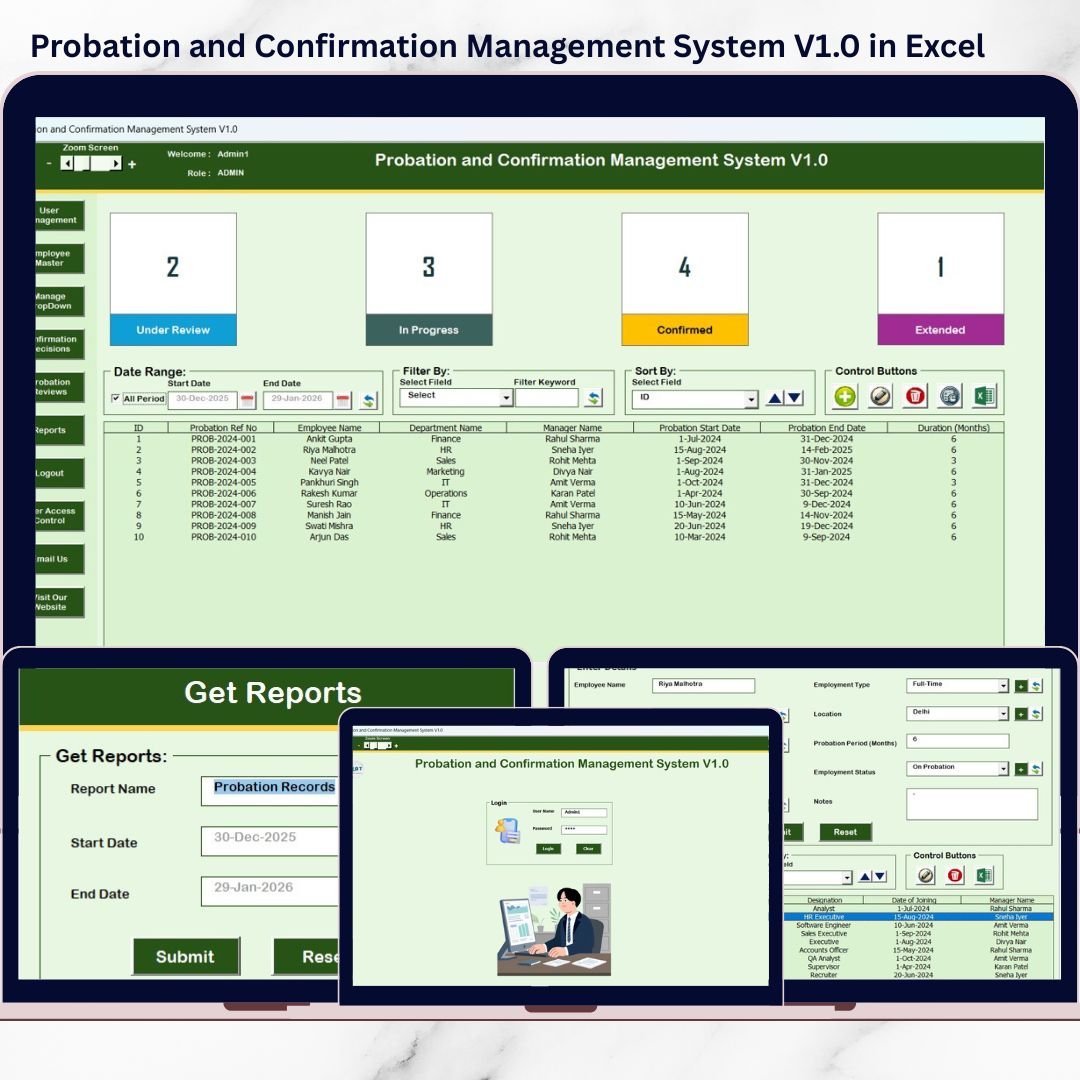
Managing employee probation and confirmation is one of the most sensitive HR processes. Missed review dates, unclear confirmation decisions, scattered Excel files, and email-based tracking often lead to delays, compliance risks, and poor employee experience. Unfortunately, many organizations still manage probation data manually, which makes the process inefficient and error-prone.Probation and Confirmation Management System V1.0 in Excel VBA
That is exactly why we created the Probation and Confirmation Management System V1.0 in Excel VBA.
This ready-to-use Excel & VBA-based HR management system helps organizations track employee probation periods, reviews, and confirmation decisions from one secure, centralized, offline platform. Instead of juggling multiple sheets or registers, HR teams get a structured, role-based system that ensures accuracy, transparency, and timely decision-making.
Built entirely in Microsoft Excel with VBA, this tool is ideal for organizations looking for a simple yet powerful desktop solution without subscriptions or complex HR software.
## 🚀 Key Features of Probation and Confirmation Management System V1.0
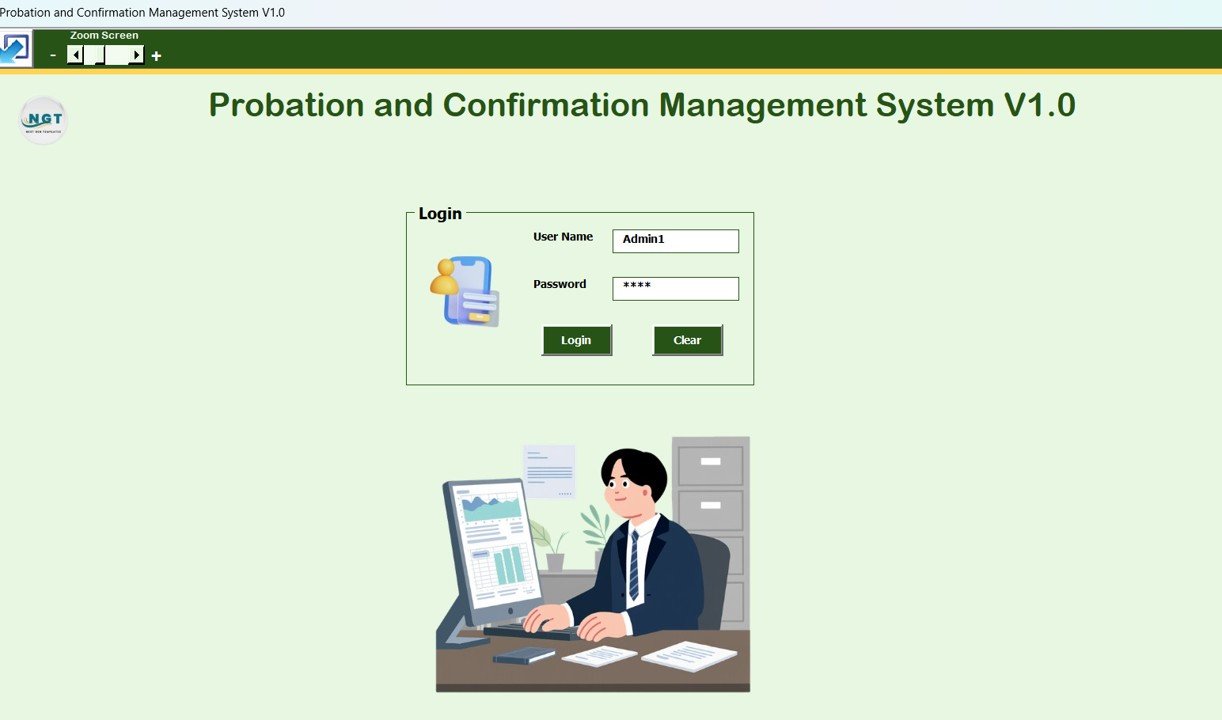
🔐 Secure Login with Admin & User Roles
Protect sensitive HR data with role-based login access.
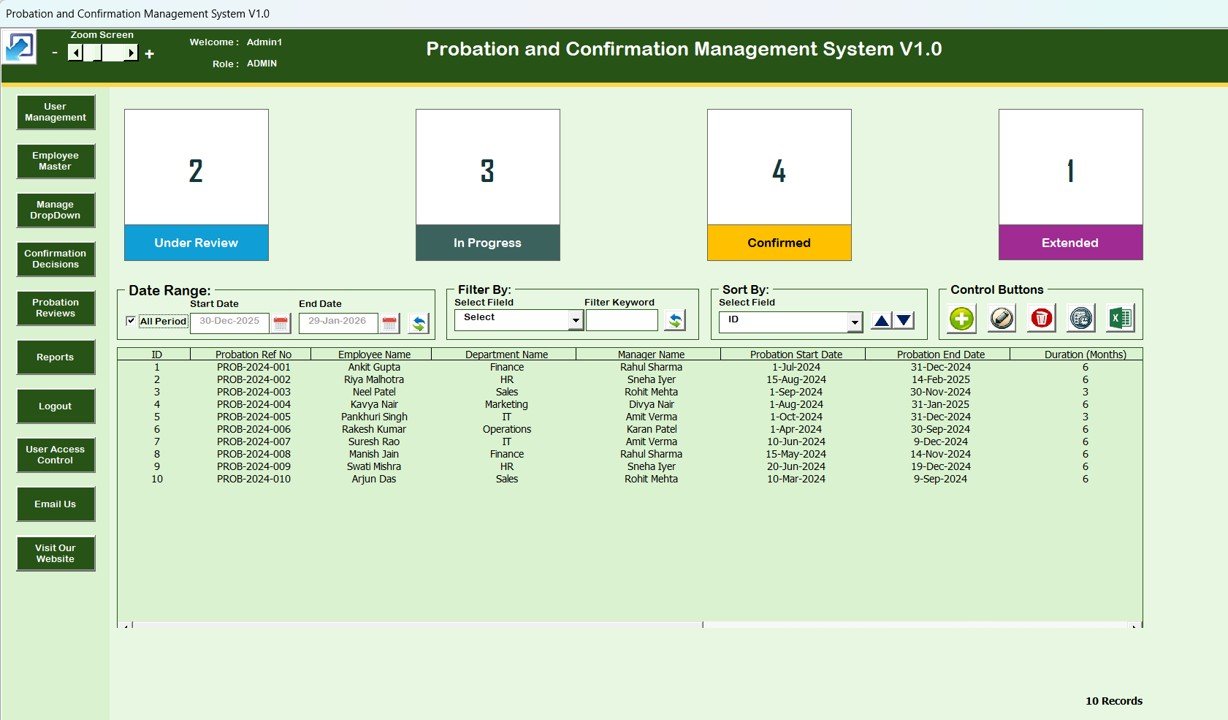
🧩 Centralized Main Form Dashboard
Manage all probation and confirmation records from one control screen.
📋 Dynamic List Box View
View, select, and manage employee probation records easily.
🔍 Smart Filters & Sorting Options
Quickly search records by date range or columns and sort data for clarity.
➕ Add, Update & Delete Records
Full control over probation and confirmation records with secure editing.
📤 Export to Excel Reports
Generate Excel reports instantly for audits and reviews.
🧭 Left-Side Navigation Menu
Quick access to all modules without confusion.
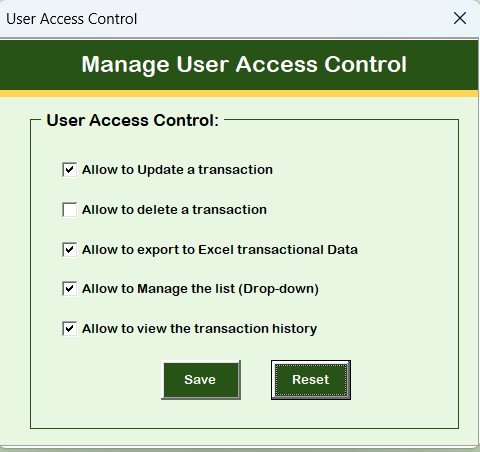
👥 User Access Control (Admin Only)
Assign module-level permissions to maintain data security.
📧 Support & Website Access Buttons
Contact support or explore more tools directly from the system.
## 📦 What’s Inside the Probation and Confirmation Management System
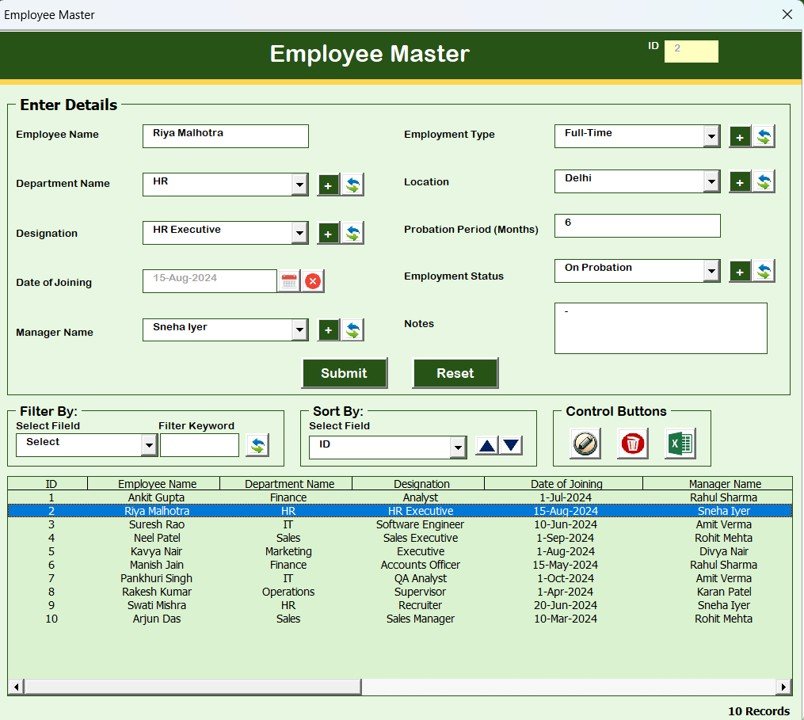
👤 Employee Master Module
Store and manage complete employee details centrally.
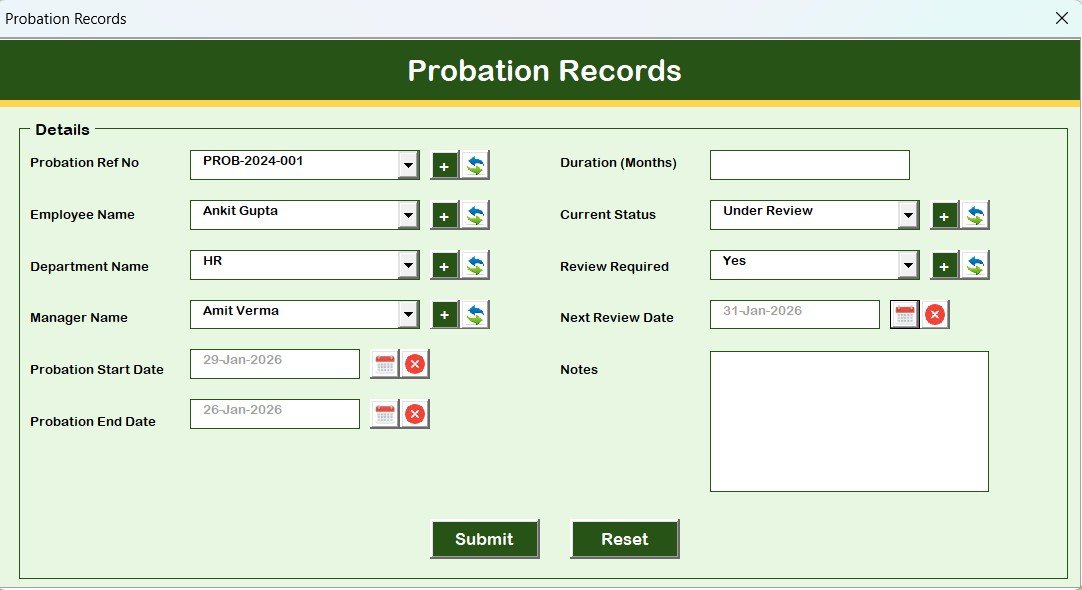
🗂️ Probation Records Module
Track probation start dates, durations, and related details accurately.
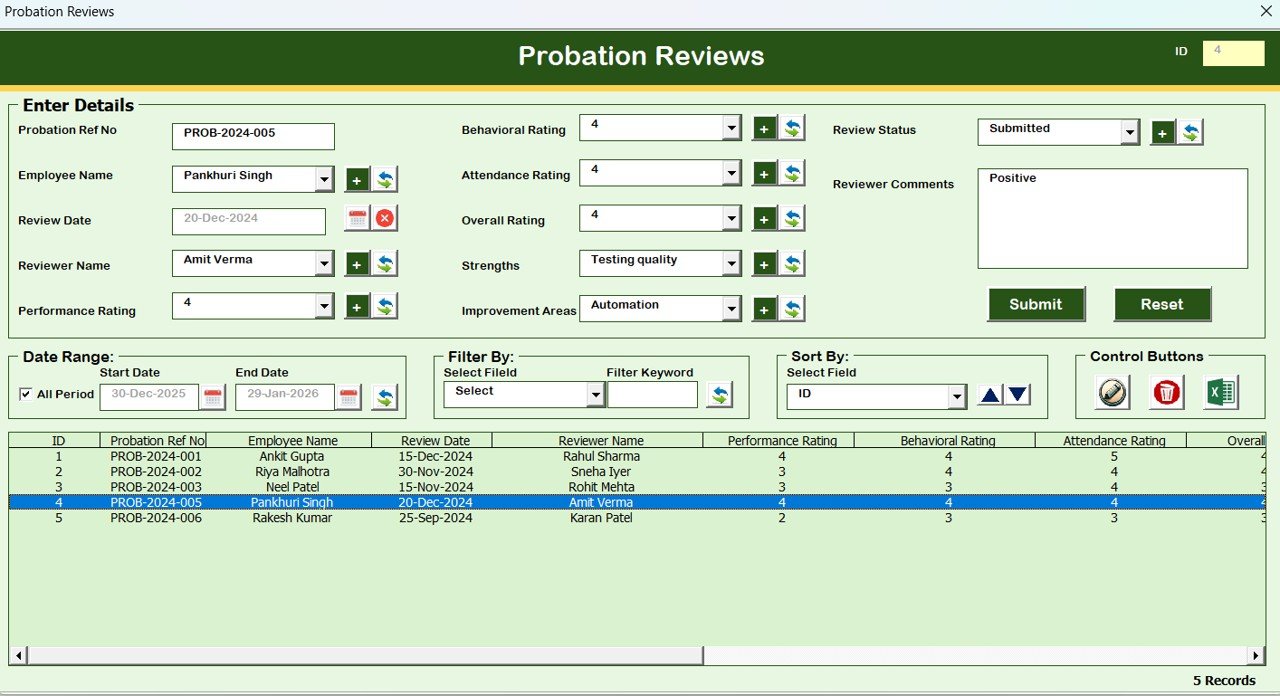
📝 Probation Reviews Module
Record review dates, performance feedback, and remarks systematically.
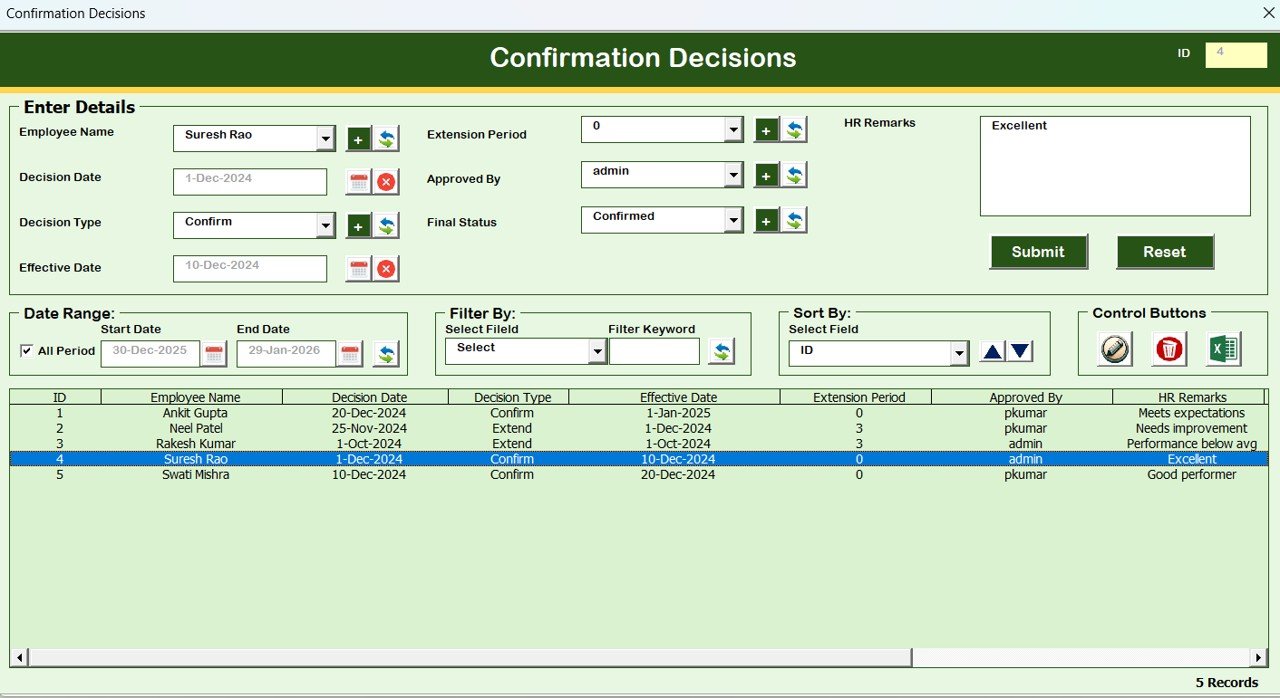
✅ Confirmation Decisions Module
Document confirmation outcomes such as confirmed, extended, or not confirmed.
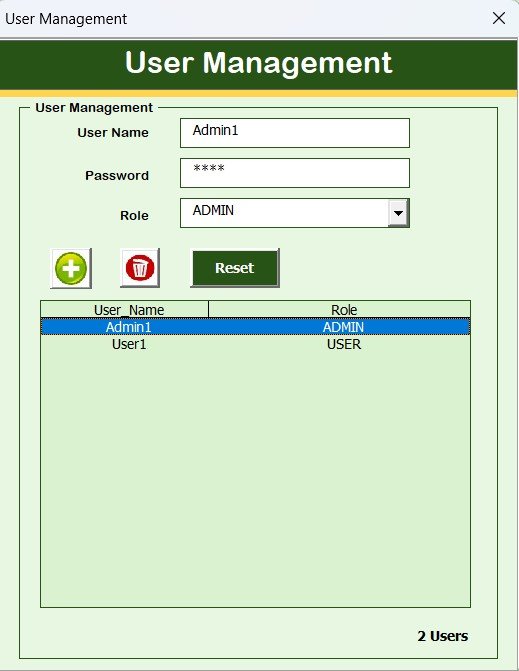
👥 User Management Module
Add users, update details, reset passwords, and manage roles.
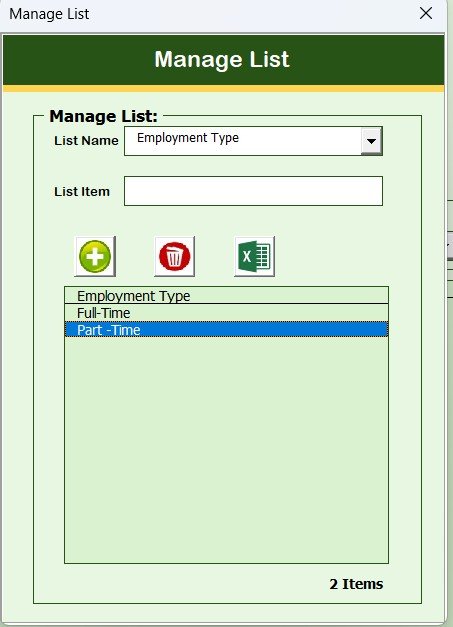
📋 Manage List Module
Maintain clean dropdown lists and master data.
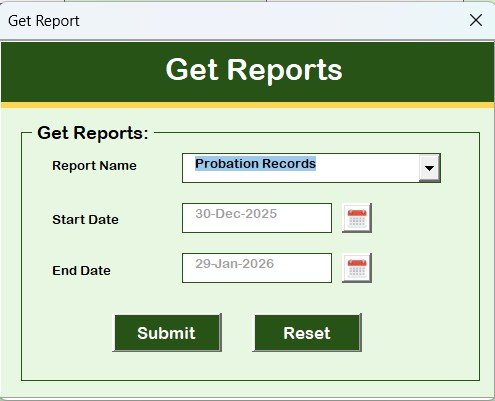
📊 Reports Module
Generate date-wise Excel reports for management and compliance.
🔒 User Access Control Module
Restrict module visibility and editing rights based on roles.
🚪 Safe Logout Function
Automatically saves data and closes the system securely.
## 🛠️ How to Use the Probation and Confirmation Management System
1️⃣ Open the Excel file and log in using Admin or User credentials
2️⃣ Access the Main Form based on your role
3️⃣ Add or update employee probation records using structured forms
4️⃣ Record reviews and confirmation decisions accurately
5️⃣ Use filters and sorting to analyze probation status
6️⃣ Export reports for audits or management reviews
7️⃣ Log out safely to save all changes
No advanced Excel or VBA knowledge required—everything is form-based and user-friendly.
## 🎯 Who Can Benefit from This Probation and Confirmation Management System
🏢 HR Managers managing probation cycles
👥 HR Executives handling employee reviews
📊 Operations & Admin Teams supporting HR processes
🏗️ SMEs and growing organizations
📈 Organizations seeking an offline HR tracking solution
This system is perfect for businesses that want clarity, control, and compliance in probation management.
### 👉 Click here to read the Detailed blog post
Watch the step-by-step video tutorial:









Reviews
There are no reviews yet.