

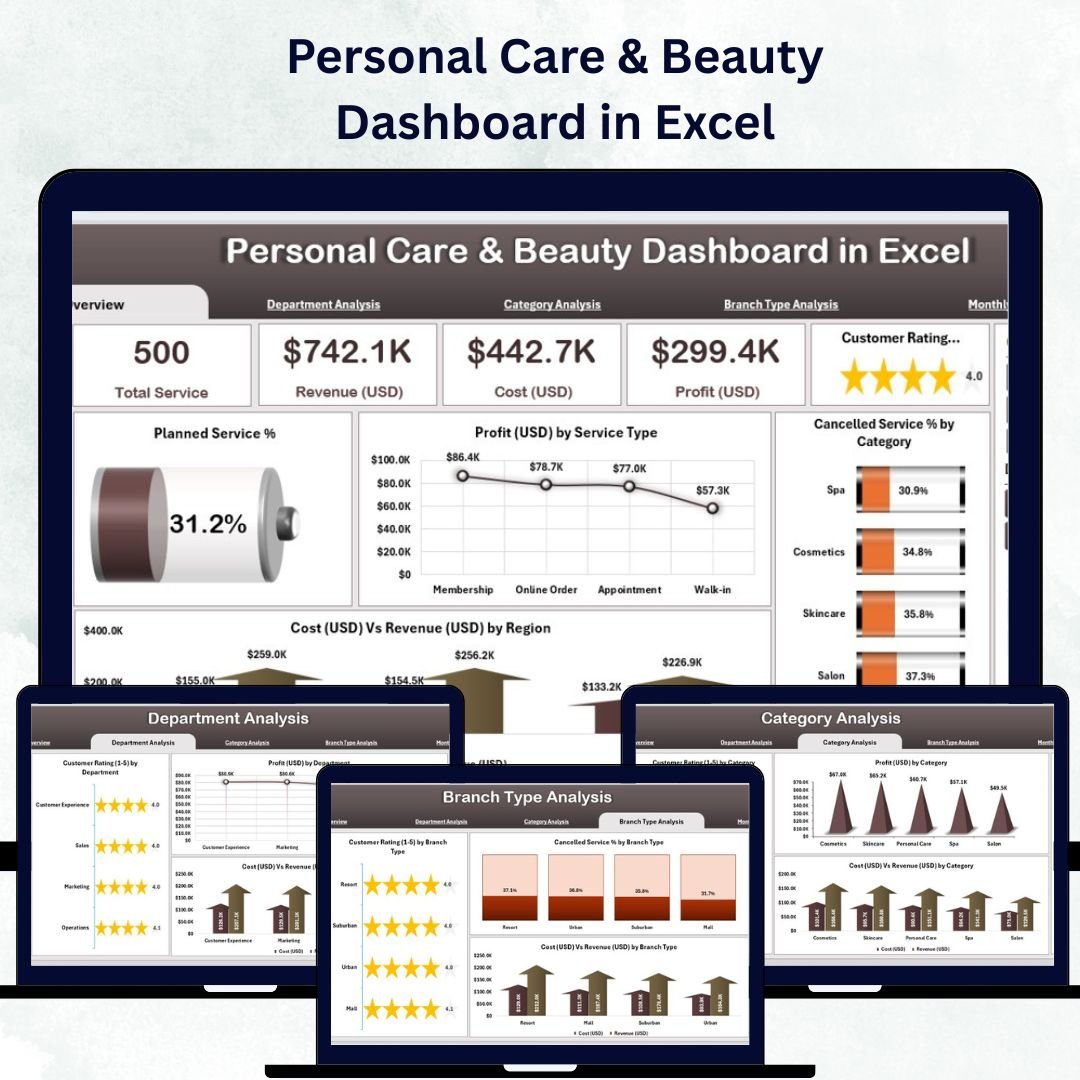



In the beauty business, every detail matters — from client appointments to product sales and service quality. But when you try to manage all this data manually, it quickly becomes overwhelming. That’s why the Personal Care & Beauty Dashboard in Excel is your secret weapon for smooth operations, smarter decisions, and stunning results!
This ready-to-use Excel dashboard transforms your raw salon or spa data into interactive visuals and key performance insights. Whether you’re tracking customer ratings, analyzing profitability, or monitoring cancellations, this tool makes it effortless to understand your business performance in one glance.
Built with pivot tables, formulas, slicers, and dynamic charts, the dashboard helps you evaluate everything from revenue and profit to service ratings — all in real time and without any coding skills.
💅 Key Features of Personal Care & Beauty Dashboard in Excel

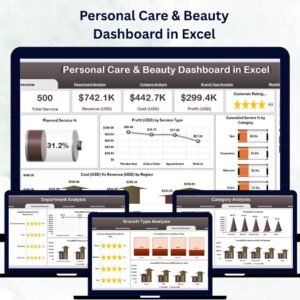
✅ 📊 Five Analytical Pages – Overview, Department Analysis, Category Analysis, Branch Type Analysis, and Monthly Trends — each designed for clear, actionable insights.
✅ 🎯 Interactive Overview Page – View high-level KPIs such as Total Services, Planned Services %, Total Profit, Revenue, and Cost at a glance.
✅ 🧭 Page Navigator & Slicers – Easily move between pages and filter data by Month, Branch, or Service Category to analyze any aspect of performance instantly.
✅ 💼 Department Analysis – Compare Customer Ratings, Profit, and Cost vs Revenue across departments like Hair, Skin, and Spa Treatments.
✅ 💄 Category Analysis – Discover which service categories generate the highest profit and satisfaction to guide your marketing focus.
✅ 🏢 Branch Type Analysis – Evaluate performance for Franchise, Mall Outlet, or Standalone Stores to see which location model performs best.
✅ 📈 Monthly Trends Page – Track Profit USD, Total Services, and Cost vs Revenue month-by-month to visualize seasonal growth.
✅ 📂 Data Sheet + Support Sheet – Clean data structure ensures automatic refresh for all charts and cards once you update your inputs.
✅ ⚙️ Completely Customizable – Add new services, KPIs, or categories with ease — no technical skills required.
✅ 💡 Offline & Affordable – Works entirely in Excel with no subscription fees or internet connection needed.
💖 What’s Inside the Personal Care & Beauty Dashboard
Here’s everything you’ll get inside this professional Excel template:
📁 Overview Page – Your main dashboard with KPIs, charts, and slicers for instant insights.
📁 Department Analysis Page – Breakdown of revenue, profit, and ratings across departments.
📁 Category Analysis Page – Visuals showing category-wise performance and cost efficiency.
📁 Branch Type Analysis Page – Compare profit margins and cancellations across branch models.
📁 Monthly Trends Page – Track monthly movements in cost, revenue, and service totals.
📁 Support Sheet – Dropdown lists and lookups for data validation and easy updates.
📁 Data Sheet – The single source of truth that powers the entire dashboard.
All pages are interconnected so you only update your data once — the entire file refreshes automatically!
🧭 How to Use the Personal Care & Beauty Dashboard
1️⃣ Open the Excel file in Microsoft Excel (Desktop version recommended).
2️⃣ Go to the Data Sheet and enter your latest numbers — revenue, cost, ratings, etc.
3️⃣ Use the Page Navigator to explore different dashboard views.
4️⃣ Apply Slicers on the right side to filter by month, department, or branch.
5️⃣ Analyze the interactive charts to identify growth trends and areas for improvement.
Within minutes, you’ll have a complete, real-time snapshot of your business health and customer experience.
👩💼 Who Can Benefit from This Dashboard
💇♀️ Salon Owners – Track services, profits, and customer ratings easily.
💆♀️ Spa Managers – Monitor departmental revenue and staff performance.
💅 Beauty Chains & Franchises – Compare branch types and regional profits.
🏬 Cosmetic Retailers – Analyze category-wise sales and return rates.
📊 Business Consultants & Analysts – Leverage data for strategic advice.
💰 Financial Controllers – Manage costs and track profit margins seamlessly.
Whether you run a small boutique salon or a multi-branch brand, this dashboard helps you visualize success and drive growth.
🔗 Click here to read the Detailed blog post
📺 Visit our YouTube channel to learn step-by-step video tutorials
👉 YouTube.com/@PKAnExcelExpert
Watch the step-by-step video tutorial:
Compatibility and Requirements
- Works in Microsoft Excel desktop (Excel 2016 or later, or Microsoft 365).
- The dashboard uses pivot tables and slicers to filter by month, department and branch. Microsoft explains slicers in Use slicers to filter data.
Frequently Asked Questions
Which pages does the dashboard include?
Five analysis pages: Overview, Department Analysis, Category Analysis, Branch Type Analysis and Monthly Trends. There are also a Support sheet and a Data sheet.
Where do I enter my data?
Enter revenue, cost, ratings and the other figures in the Data sheet. All charts and cards on the other pages refresh from it.
Can I filter the dashboard?
Yes. Slicers let you filter by month, branch or service category, and a page navigator moves you between the views.
Which branch types can I compare?
The Branch Type Analysis page compares Franchise, Mall Outlet and Standalone Store locations.
Is there a Google Sheets or Power BI version?
Yes. See the Personal Care & Beauty Dashboard in Google Sheets and the Personal Care & Beauty Dashboard in Power BI.
Related Beauty and Personal Care Templates
- Personal Care & Beauty KPI Dashboard in Excel: a KPI-focused view for the same industry
- Personal Care & Beauty Dashboard in Power BI: the Power BI edition
- Personal Care & Beauty Dashboard in Google Sheets: the Google Sheets edition
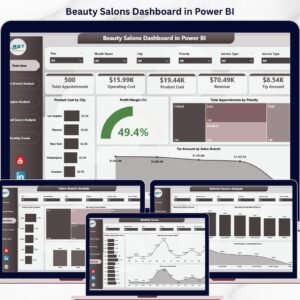
- Beauty Salons Dashboard in Power BI: a dashboard for salon businesses
Browse all Excel dashboards.












Reviews
There are no reviews yet.