

Organizing internal office events is fun, but managing registrations, tracking attendance, and pulling reports can quickly become chaotic—unless you have the right tool. That’s where our Office Event Registration Tracker in Excel steps in! 💼🎉
Built with powerful VBA automation, this all-in-one Excel tool allows HR teams, event coordinators, and admin staff to track every participant, visualize real-time insights, and simplify event workflows—no extra software required!
Let’s dive into what makes this registration tracker a must-have for your office operations.
✨ Key Features of the Office Event Registration Tracker
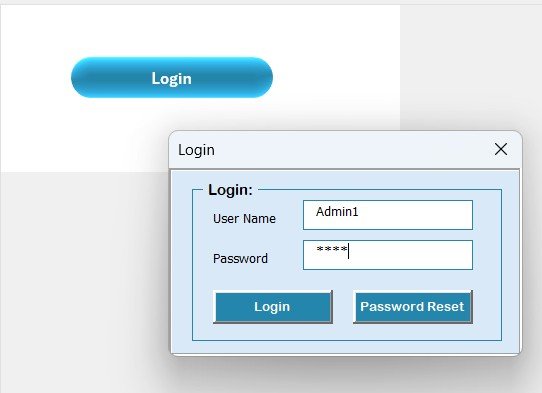
🔐 Login Form for Secure Access
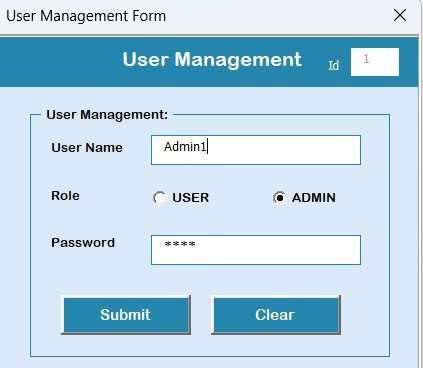
The tool opens with a secure login screen. You can manage user roles and credentials to ensure controlled access for Admins and Users.
Default login:
👤 User ID: Admin1
🔑 Password: abcd
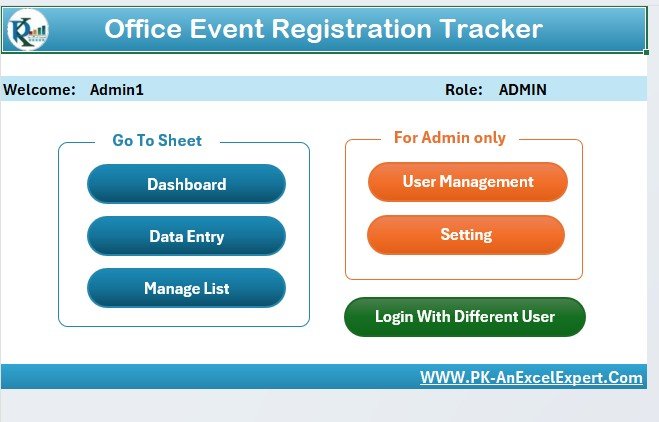
🖥️ Main Form – The Central Control Hub
After login, the Main Form gives access to:
-
✅ View, edit, or delete records
-
🔁 Perform bulk actions (Export, Print)
-
🧭 Navigate across sheets with one click
The clean layout ensures anyone—even non-tech users—can operate it effortlessly.
📊 Dashboard Sheet – Visual Insights in One Glance
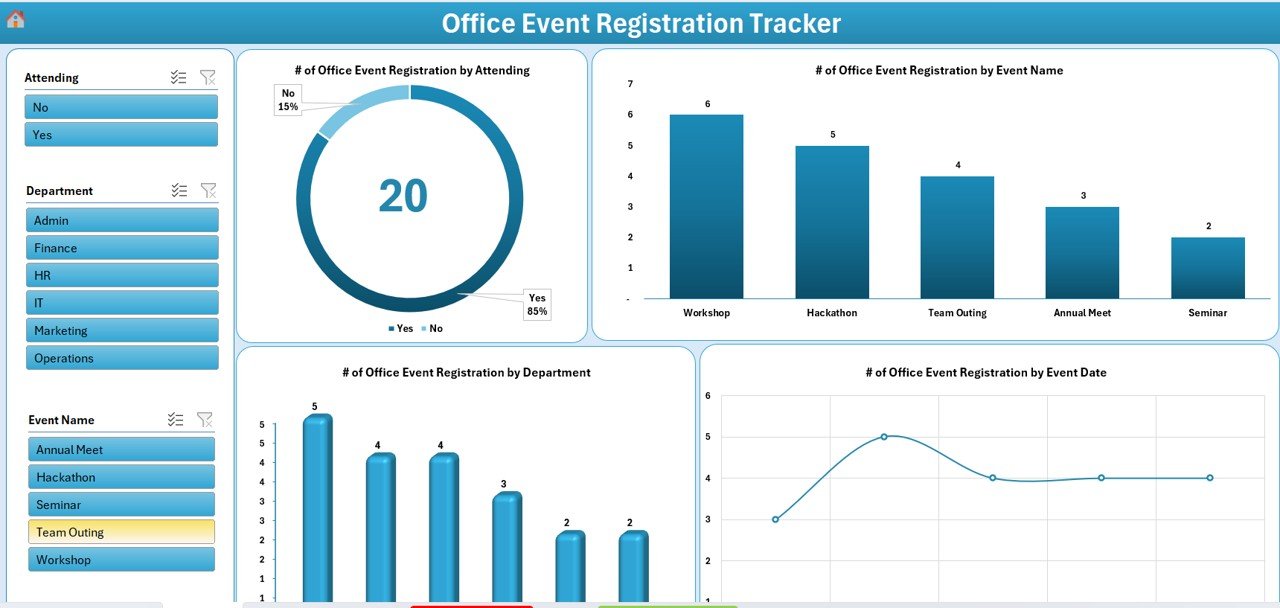
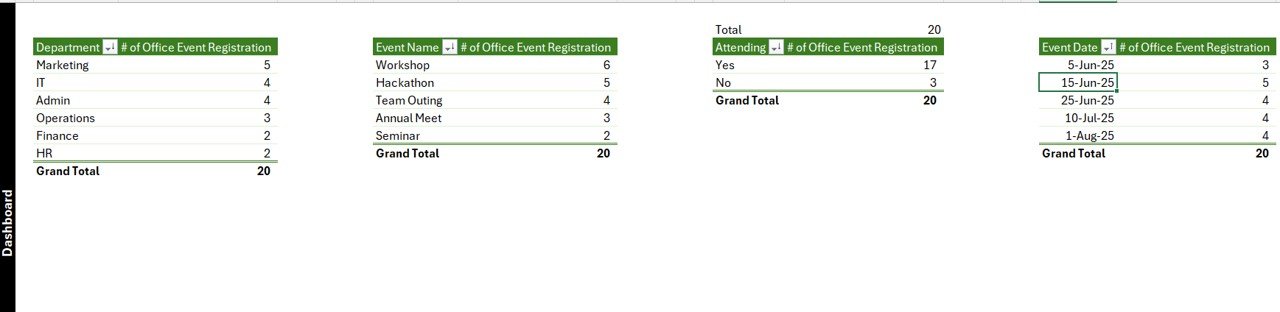
Gain real-time visibility using interactive slicers and charts:
-
🔍 Filter by Event Name, Department, Date, and Attendance
-
🍩 Doughnut Chart: Attending vs Not Attending
-
📊 Bar Charts: Event-wise & Department-wise registrations
-
📈 Line Chart: Registration trends by date
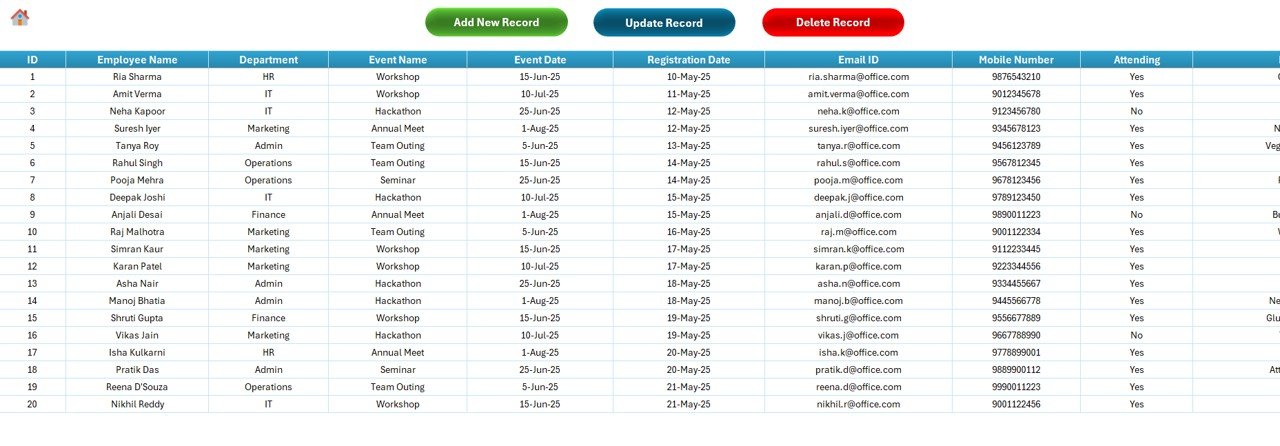
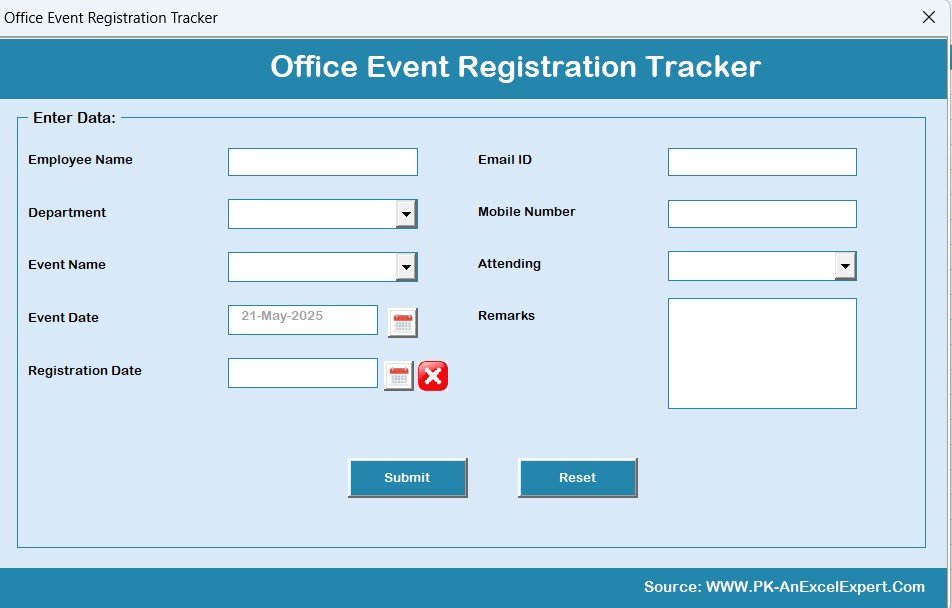
📝 Data Entry Sheet – Automated Record Keeping
This sheet is your data backbone, with:
-
Auto ID Generation
-
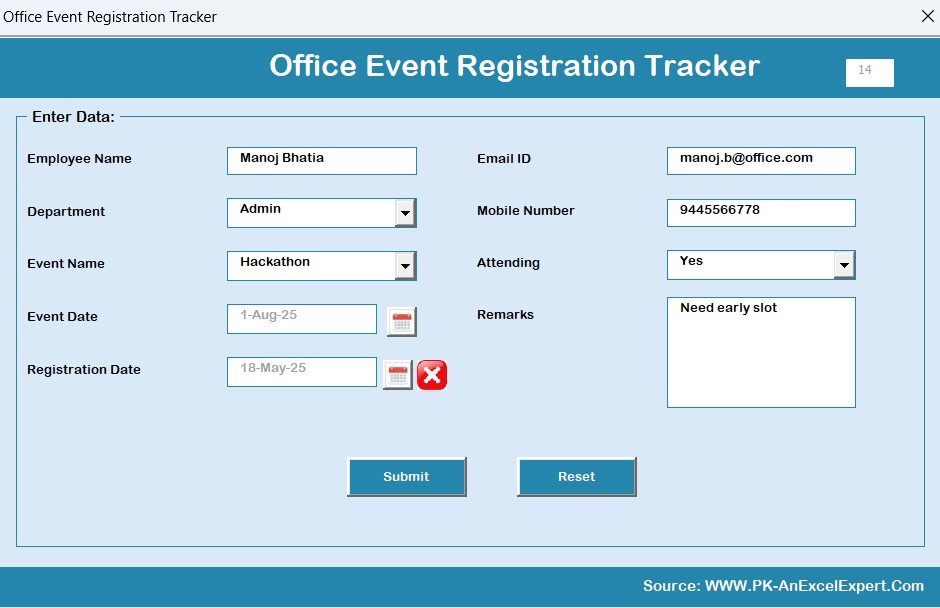
Fields for Name, Department, Event, Email, Mobile, Attendance & Remarks
-
💡 Three automated buttons:
-
➕ Add New Record
-
🔄 Update Existing Record
-
❌ Delete Record (with confirmation prompt)
-
Everything updates dynamically—no manual refresh required!
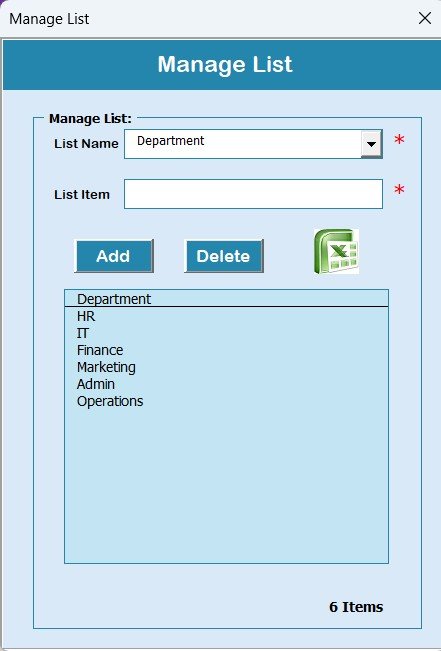
⚙️ Manage List Sheet – Dynamic Dropdowns
Customize Departments, Event Names, and Attendance Options in one place. All values instantly update in the dropdown menus on the Data Entry Form.
📈 Support Sheet – Hidden Analytics Engine
This sheet powers the dashboard with pivot tables and backend calculations. No edits required—just let it do its magic behind the scenes.
👥 Multi-User Management System
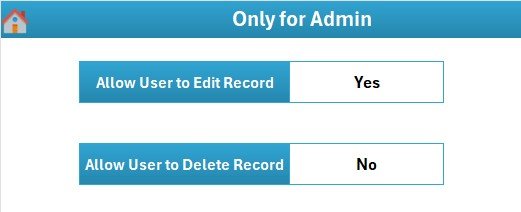
Add, delete, or modify user roles from the User Management section. You can:
-
Create new users
-
Set passwords
-
Assign roles (Admin/User)
Role-based access improves accountability and security.
🎛️ Settings Sheet
Set global preferences:
-
Default dashboard view
-
Color themes
-
Data validation rules
This makes it easy to tailor the tool to your brand or workflow.
🧠 How to Use the Product
-
📥 Download the Tracker and open in Excel
-
🔐 Log in as Admin using the default credentials
-
⚙️ Customize Lists: Add event names & departments via the Manage List sheet
-
📝 Register Attendees using the Main Form
-
📊 View Dashboard: Monitor registrations, trends, and department-wise participation live
👥 Who Can Benefit from This Tracker?
-
👩💼 HR Teams – For workshops, celebrations, or wellness programs
-
🧑🏫 Training Departments – Track upskilling program attendance
-
🧾 Admin Staff – Manage RSVP lists for internal events
-
🎉 Event Committees – Monitor live participation
-
🏢 Corporate Offices – For any event with 10 to 1,000+ participants
🔗 Click here to read the Detailed blog post
📺 Visit our YouTube channel to learn step-by-step video tutorials













Reviews
There are no reviews yet.