



Key Features of Knowledge Management KPI Scorecard
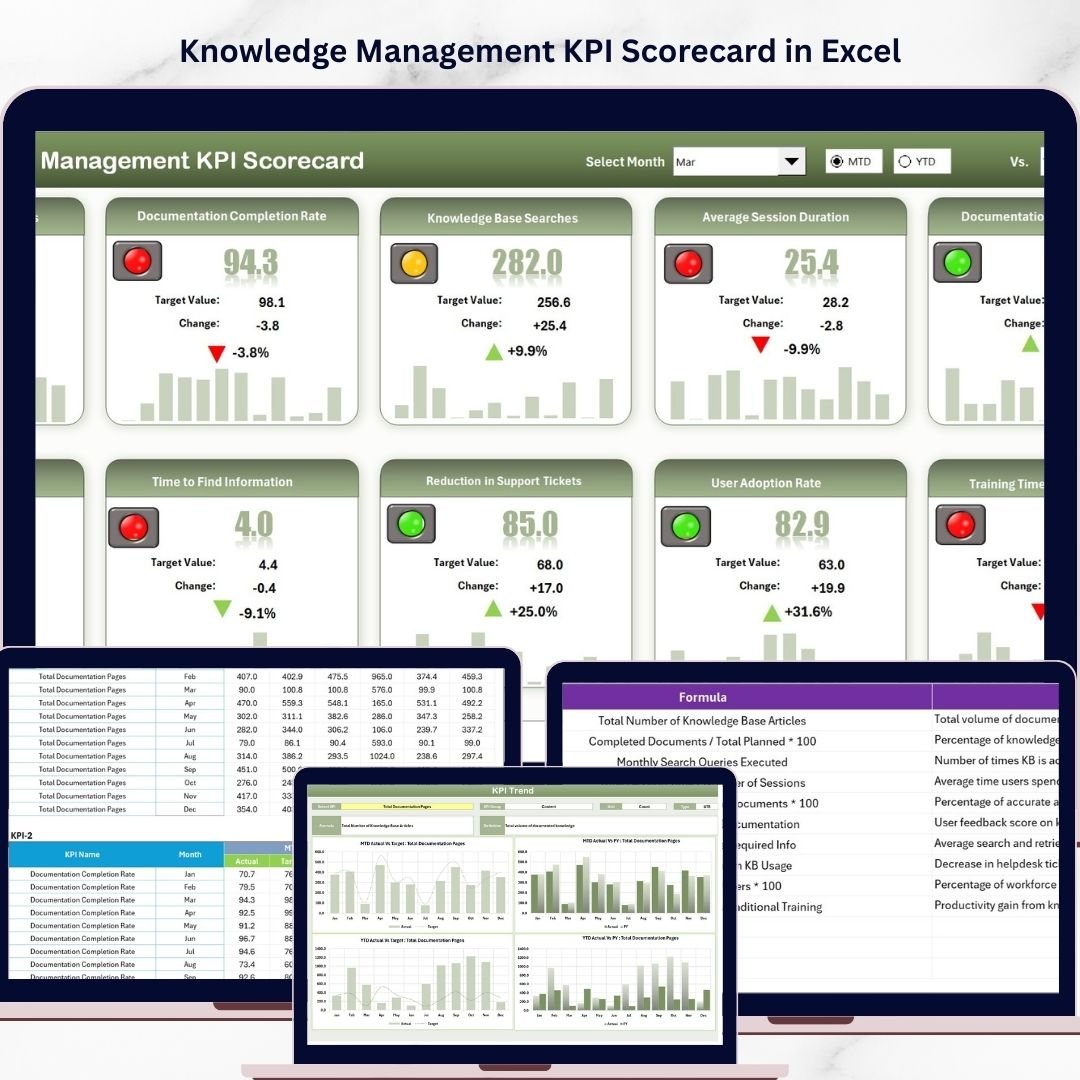
The Knowledge Management KPI Scorecard is a ready-to-use, comprehensive digital template designed to help you measure, track, and enhance your knowledge management initiatives efficiently. This scorecard provides a streamlined way to visualize and analyze key performance indicators (KPIs) with intuitive, interactive features that cater to both monthly and yearly evaluations.
- 📅 Dropdown Menus for Easy Selection: Quickly choose between month, Month-to-Date (MTD), or Year-to-Date (YTD) data for dynamic performance analysis.
- 📊 Actual vs Target Comparison: See how your actual results stack up against your goals to identify areas requiring immediate attention.
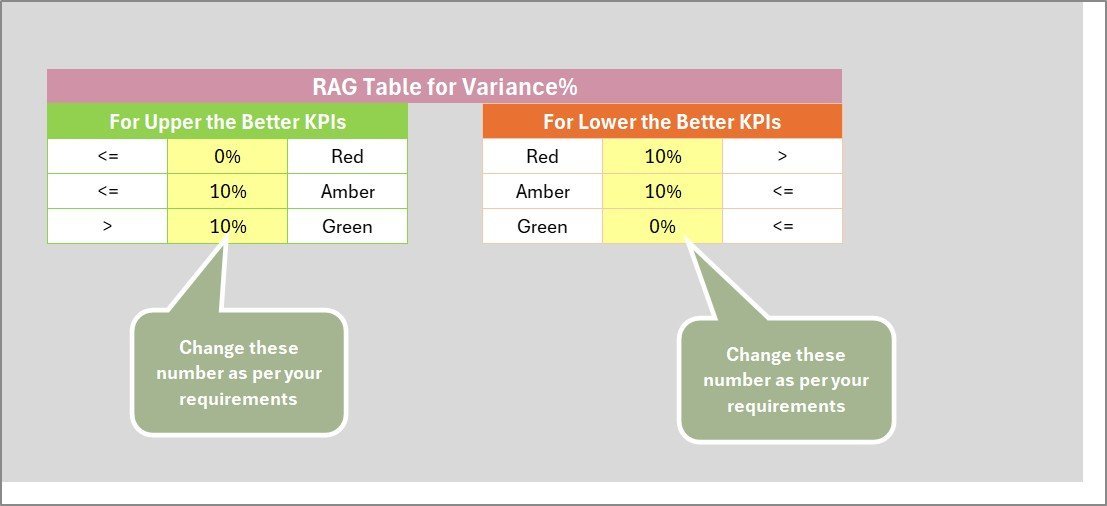
- 🎨 Visual Indicators: Color-coded visuals and conditional formatting provide an at-a-glance understanding of KPI status, helping you make fast decisions.
- 📈 Comprehensive KPI Overview: All relevant KPI information, including trends and comparisons, is organized clearly for easy interpretation.
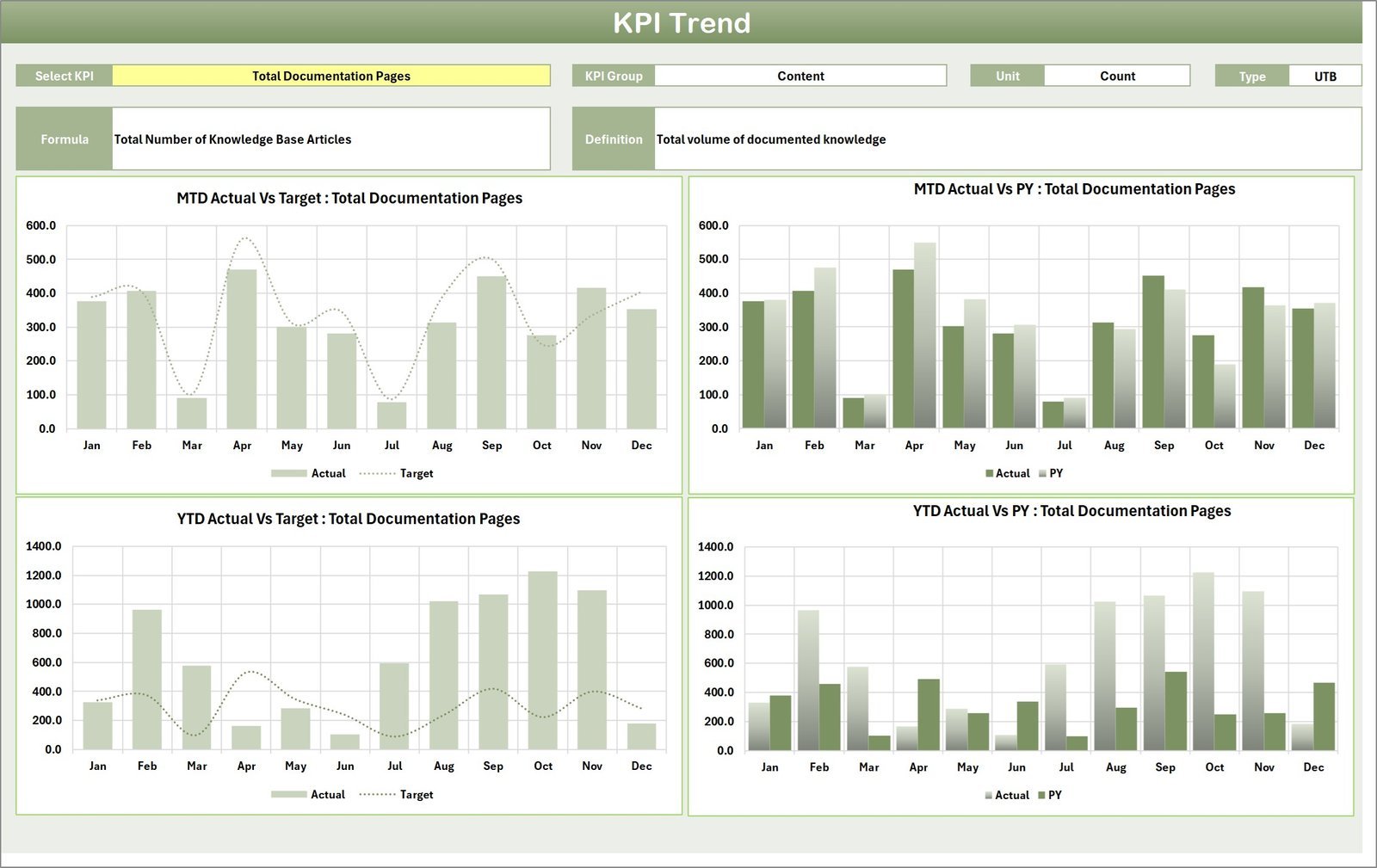
- 📉 KPI Trend Analysis: Delve deeper into individual KPIs with trend charts showing Actual, Target, and Prior Year (PY) numbers for both MTD and YTD periods.
- 📝 Flexible Data Entry: Input actual values, targets, and other critical metrics effortlessly, keeping your scorecard accurate and up to date.
- 📚 KPI Definitions and Formulas: Understand each KPI’s purpose with detailed definitions, grouping, unit information, and calculation formulas all included for clarity.
What’s Inside the Knowledge Management KPI Scorecard
This digital product consists of four well-structured worksheets designed to deliver an all-in-one solution for knowledge management performance tracking:
1. Scorecard Sheet
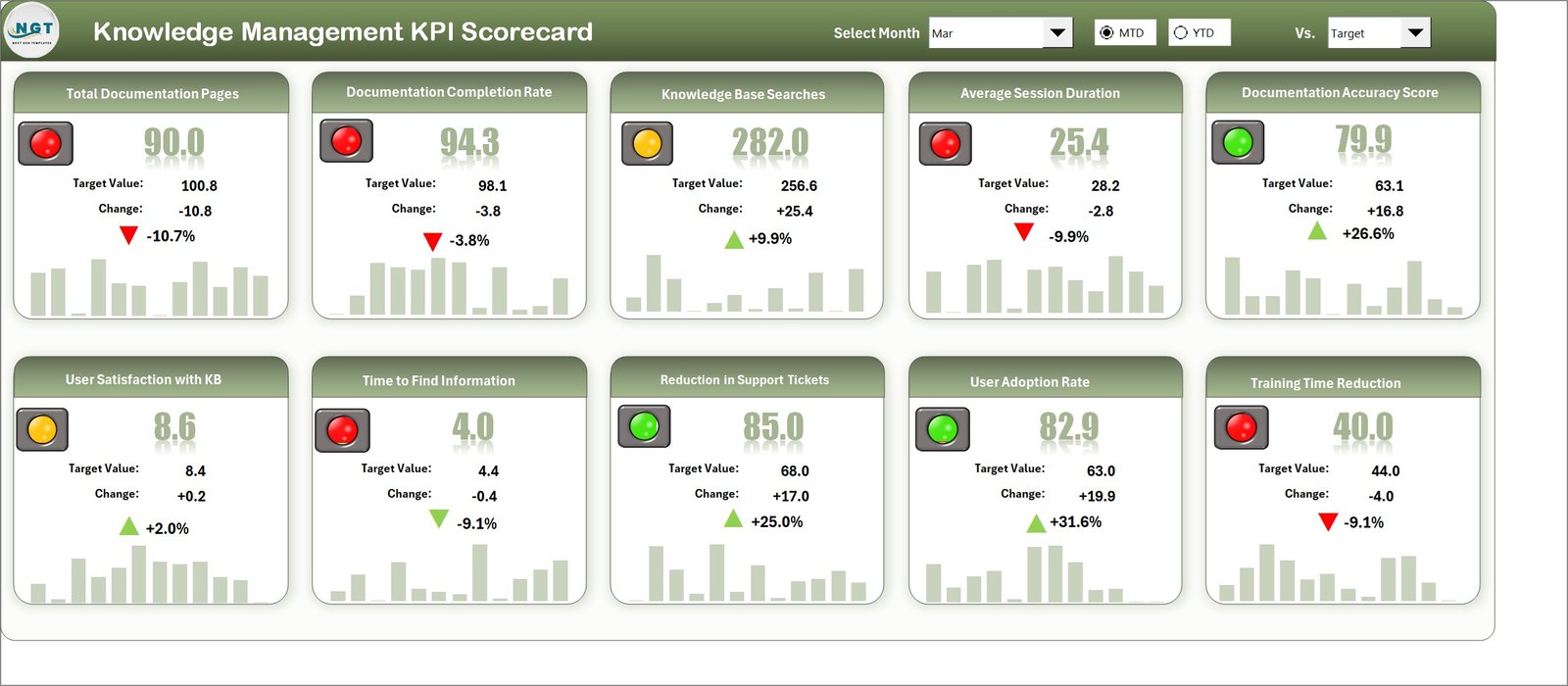
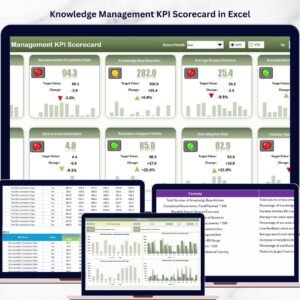
Knowledge Management KPI Scorecard
The main dashboard where you can select the period (month, MTD, YTD) and instantly see actual vs target KPI values with visual color-coded indicators for quick insights.
2. KPI Trend Sheet
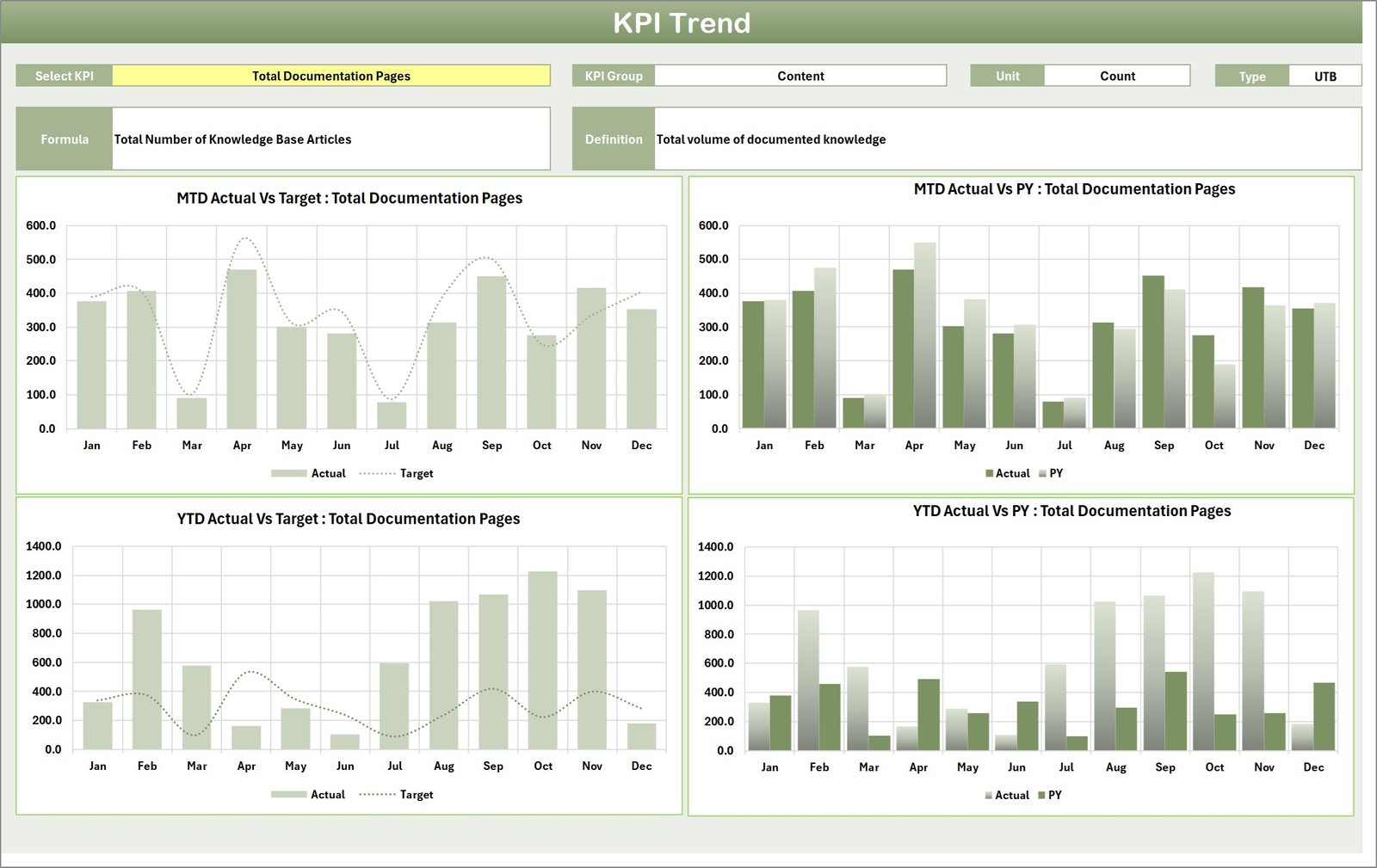
KPI Trend Sheet
Analyze individual KPI trends with selectable KPI names, detailed KPI groupings, unit specifications, KPI types (whether lower values are better or upper values), formulas, and definitions. Track MTD and YTD trends against actual, target, and prior year data.
3. Input Data Sheet
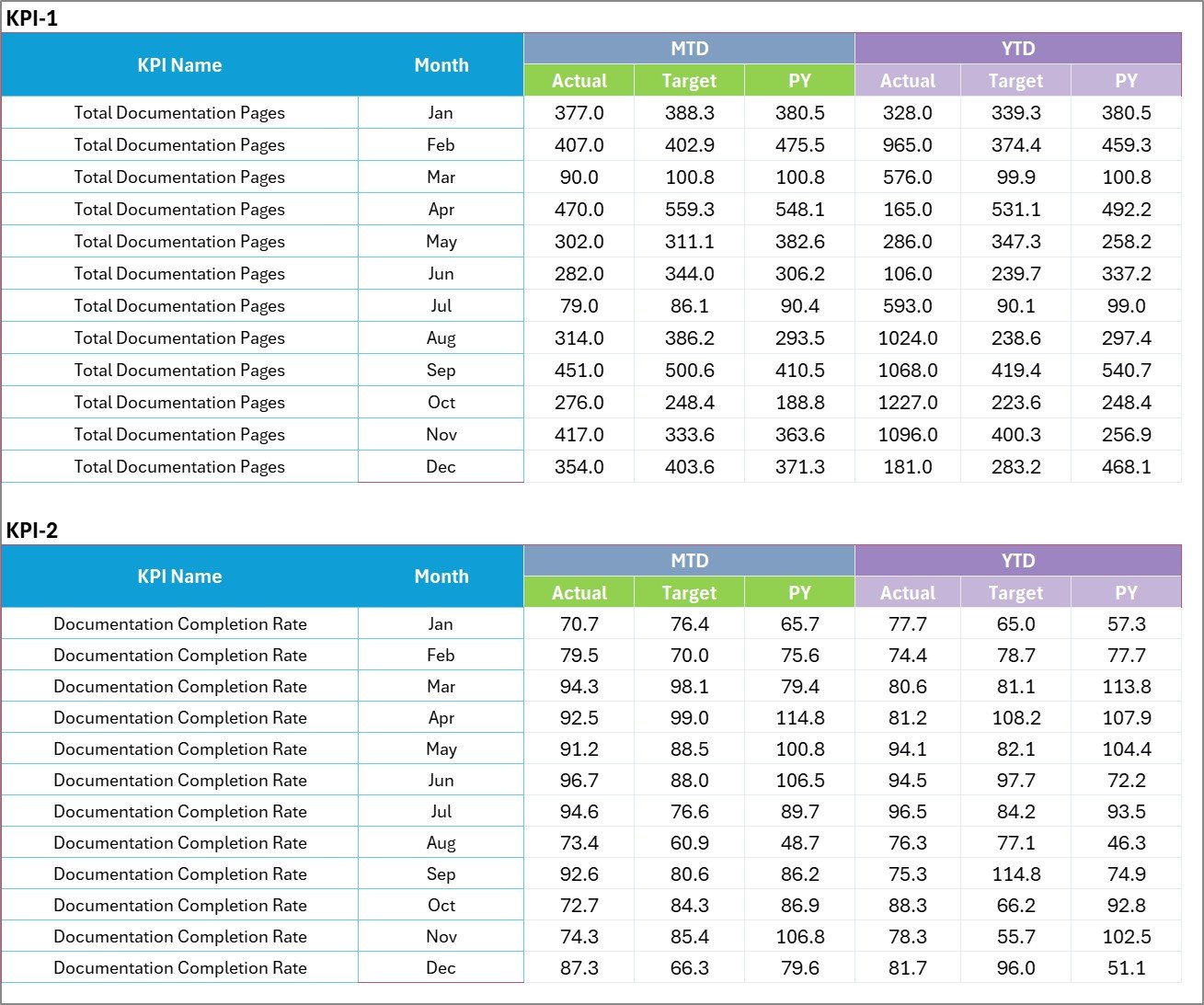
Input Data Sheet
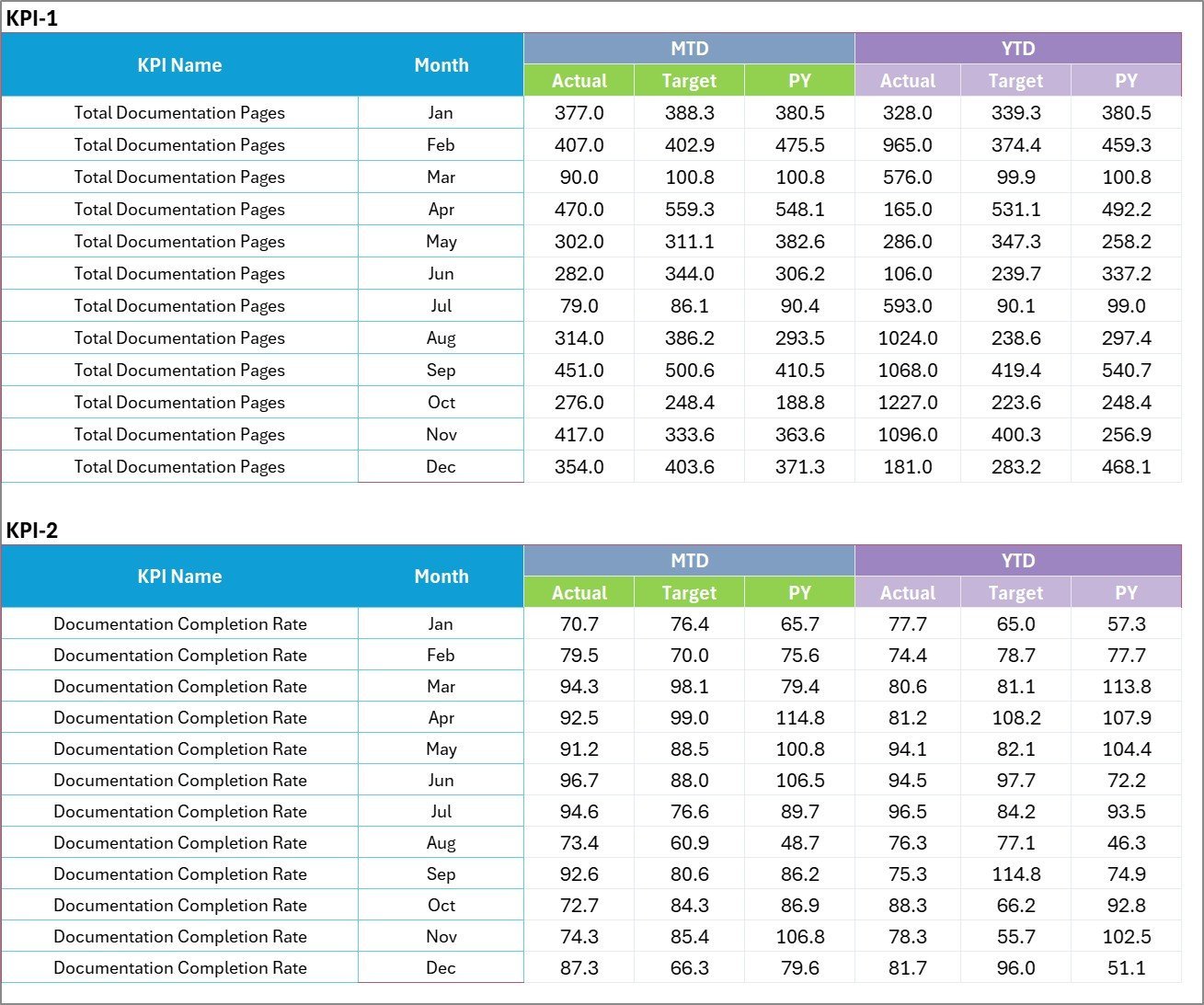
This sheet allows for easy data entry of KPI actuals, targets, and other relevant metrics, ensuring your scorecard reflects the most current results.
4. KPI Definition Sheet

KPI Definition sheet tab
Define all KPIs clearly by entering their names, groups, units, formulas, and detailed descriptions to maintain consistency and understanding across your organization.
How to Use the Knowledge Management KPI Scorecard
Getting started with the Knowledge Management KPI Scorecard is effortless and user-friendly:
- 📝 Step 1 – Define Your KPIs: Use the KPI Definition sheet to input all relevant KPIs along with their formulas and definitions.
- 📊 Step 2 – Enter Your Data: Populate the Input Data Sheet with actual values, targets, and other key metrics as your team collects them.
- 📅 Step 3 – Analyze Performance: Navigate to the Scorecard Sheet to select your desired period and instantly view performance comparisons with clear visual indicators.
- 📈 Step 4 – Track Trends: Dive into the KPI Trend Sheet for detailed trend charts showing historical and current KPI data to guide strategic decisions.
- 🔄 Step 5 – Update Regularly: Keep your scorecard updated with fresh data to maintain accuracy and relevance in your performance monitoring.
Who Can Benefit from This Knowledge Management KPI Scorecard
This digital scorecard template is ideal for:
- 🏢 Knowledge Managers: To monitor and improve knowledge sharing initiatives effectively.
- 📈 Business Analysts: Who need precise KPI tracking and trend analysis tools.
- 👥 Team Leads and Project Managers: To ensure team knowledge goals are met on time.
- 📊 Executives and Decision Makers: For quick, data-driven insights into organizational knowledge performance.
- 📚 Consultants and Trainers: To demonstrate KPI impacts and drive improvements.
- 💻 Anyone involved in Knowledge Management: Who wants a structured, easy-to-use scorecard to measure success.
Click here to read the Detailed blog post.
Visit our YouTube channel to learn step-by-step video tutorials.
Watch the step-by-step video tutorial:
Compatibility and Requirements
- Works in Microsoft Excel desktop (Excel 2016 or later, or Microsoft 365).
- You choose the month, MTD or YTD from dropdowns, and the Scorecard uses color-coded conditional formatting. Microsoft explains the feature in Use conditional formatting to highlight information in Excel.
Frequently Asked Questions
Which sheets are included?
Four sheets: Scorecard, KPI Trend, Input Data and KPI Definition.
How do I update the scorecard?
Enter your actual values, targets and other metrics in the Input Data sheet. Then pick the period on the Scorecard sheet and it updates.
Can I view month, MTD and YTD figures?
Yes. Dropdown menus on the Scorecard sheet let you choose the month, Month-to-Date (MTD) or Year-to-Date (YTD) view.
How do I see the trend for one KPI?
Open the KPI Trend sheet and select the KPI name. It shows MTD and YTD trends for Actual, Target and Prior Year numbers, plus the KPI group, unit, type, formula and definition.
Can I define my own KPIs?
Yes. Use the KPI Definition sheet to enter each KPI name, group, unit, formula and definition.
Is there a Power BI version?
Yes. See the Knowledge Management KPI Dashboard in Power BI.
Related KPI Templates
- Knowledge Management KPI Dashboard in Power BI: the same topic in Power BI
- Knowledge Base KPI Dashboard in Excel: a dashboard view for knowledge base metrics
- Project Management KPI Scorecard in Excel: a scorecard for project teams
- Operations KPI Scorecard in Excel: a scorecard for operations metrics
- KPI Scorecard Mega Pack: 12 KPI scorecard templates in one download
Browse all Excel KPI dashboards.






Reviews
There are no reviews yet.