

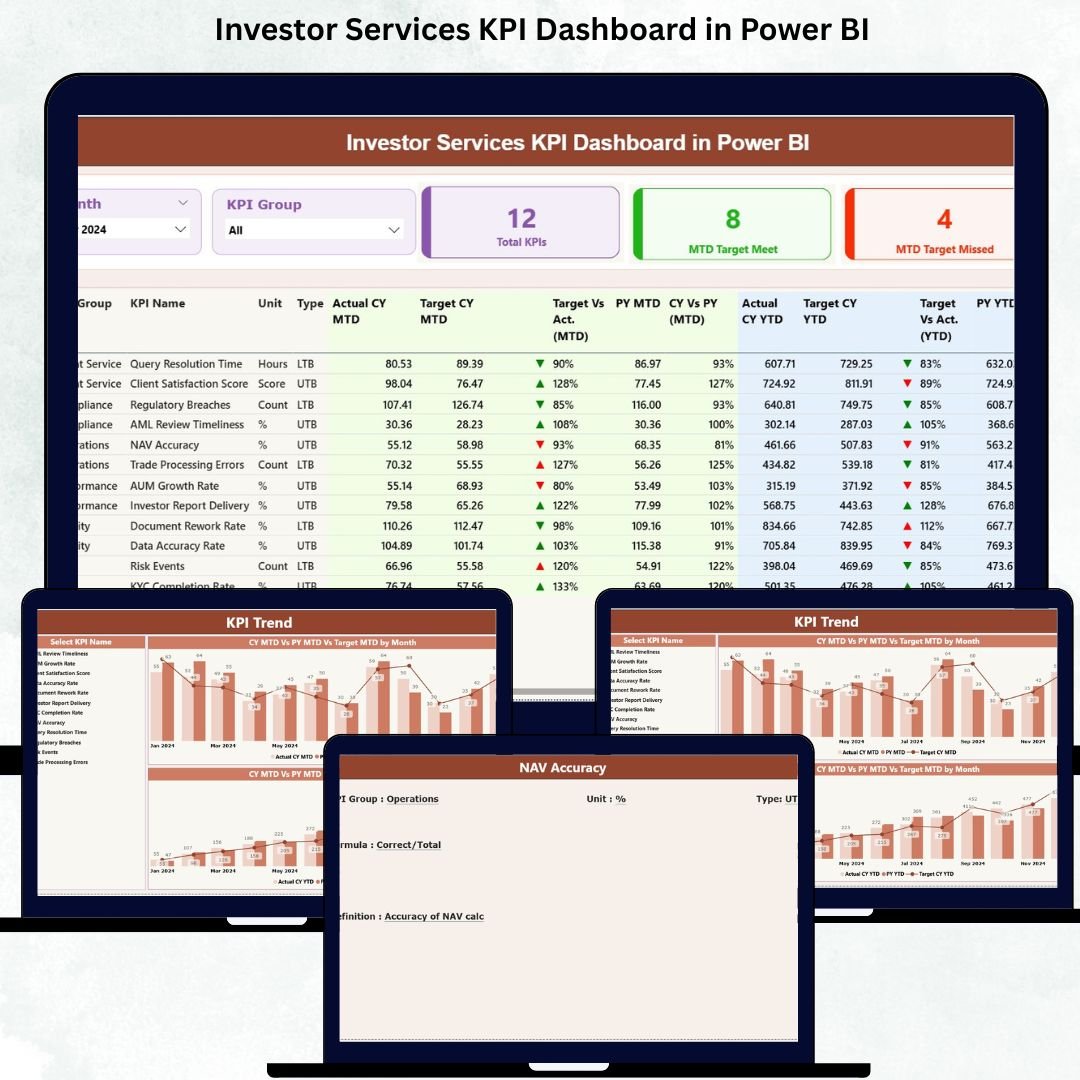

The Investor Services KPI Dashboard in Power BI is the ultimate performance-tracking solution designed for teams that handle investor onboarding, communication, reporting, compliance reviews, and service-level commitments. In a fast-paced environment where accuracy and responsiveness matter the most, this dashboard gives you one centralized system to track KPIs, identify bottlenecks, and make smarter decisions instantly.
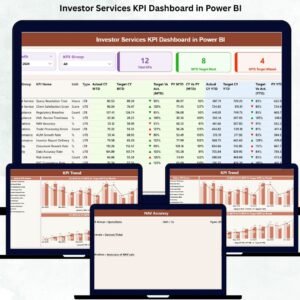
This ready-to-use dashboard converts your monthly and yearly performance data into clear visuals, trend charts, KPI cards, and comparison metrics. Built on Power BI with an Excel data source, it brings automation, transparency, and continuity to investor operations. Whether you manage investor relations, service operations, reporting teams, or compliance workflows—this dashboard helps you stay ahead with real-time insights and simple navigation.
With slicers, drill-through features, KPI definitions, and visual trend analysis, the dashboard ensures your entire team stays aligned, accountable, and performance-driven. Let’s explore everything included in this powerful template.
✨ Key Features of the Investor Services KPI Dashboard in Power BI
This dashboard is packed with smart features that help investor services teams track and improve performance easily.
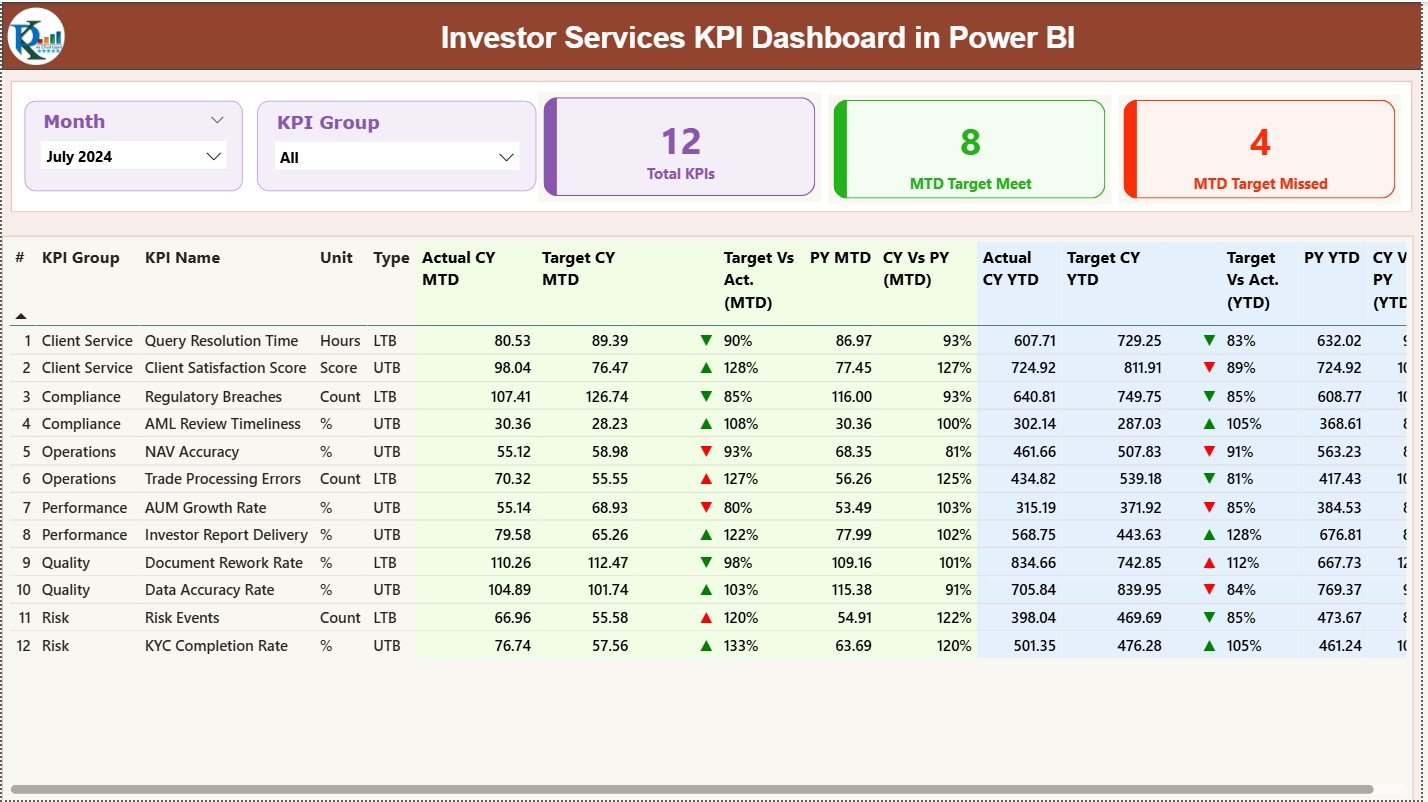
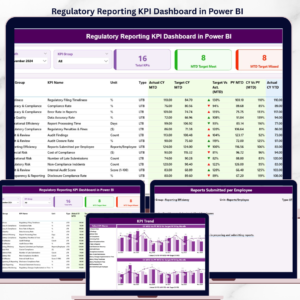
📊 Summary Page: Review all KPIs with Month and KPI Group slicers. Instantly view Total KPIs, MTD Target Meet, and MTD Target Missed counts.
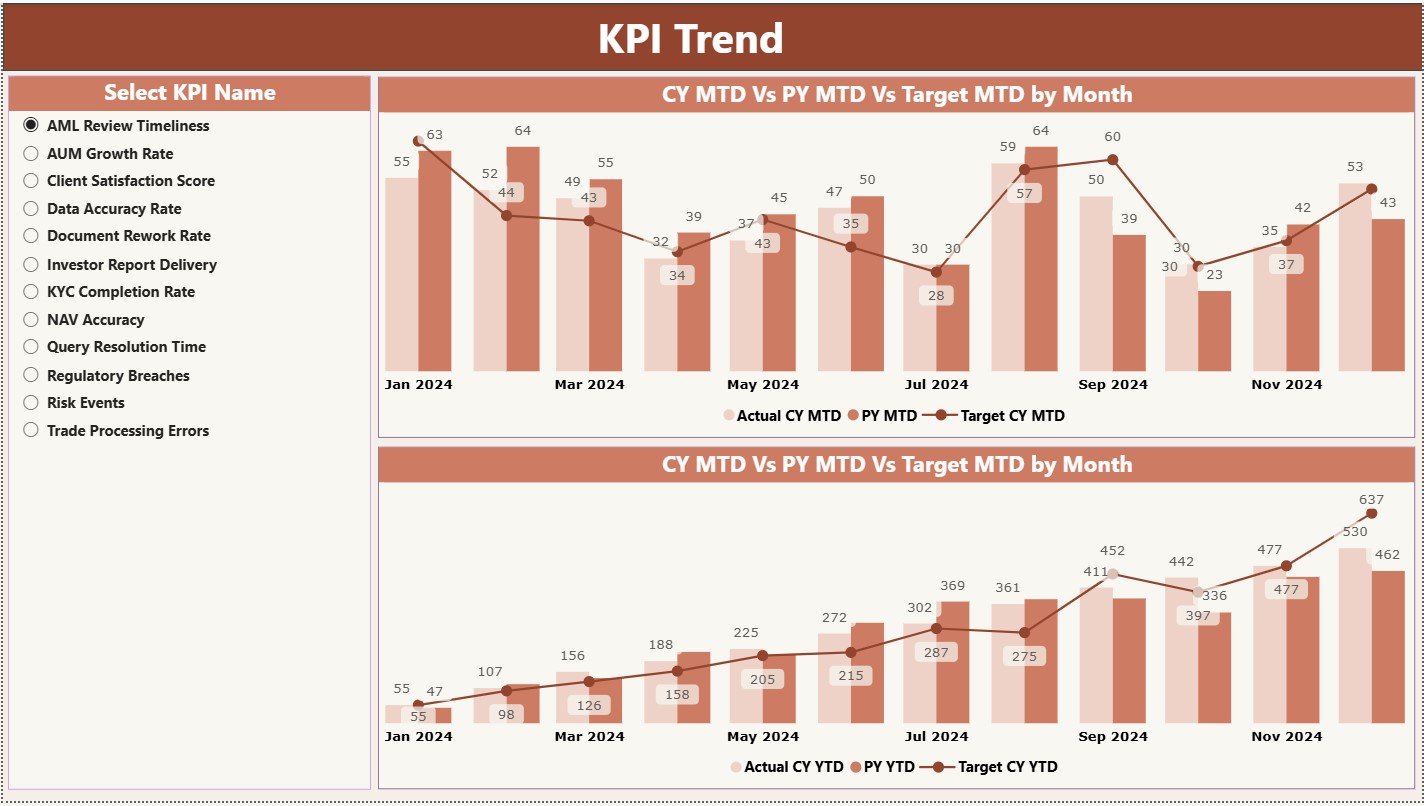
📈 Trend Page: Deep dive into KPI performance with MTD and YTD trend charts showing Current Year Actual, Previous Year Actual, and Target values.
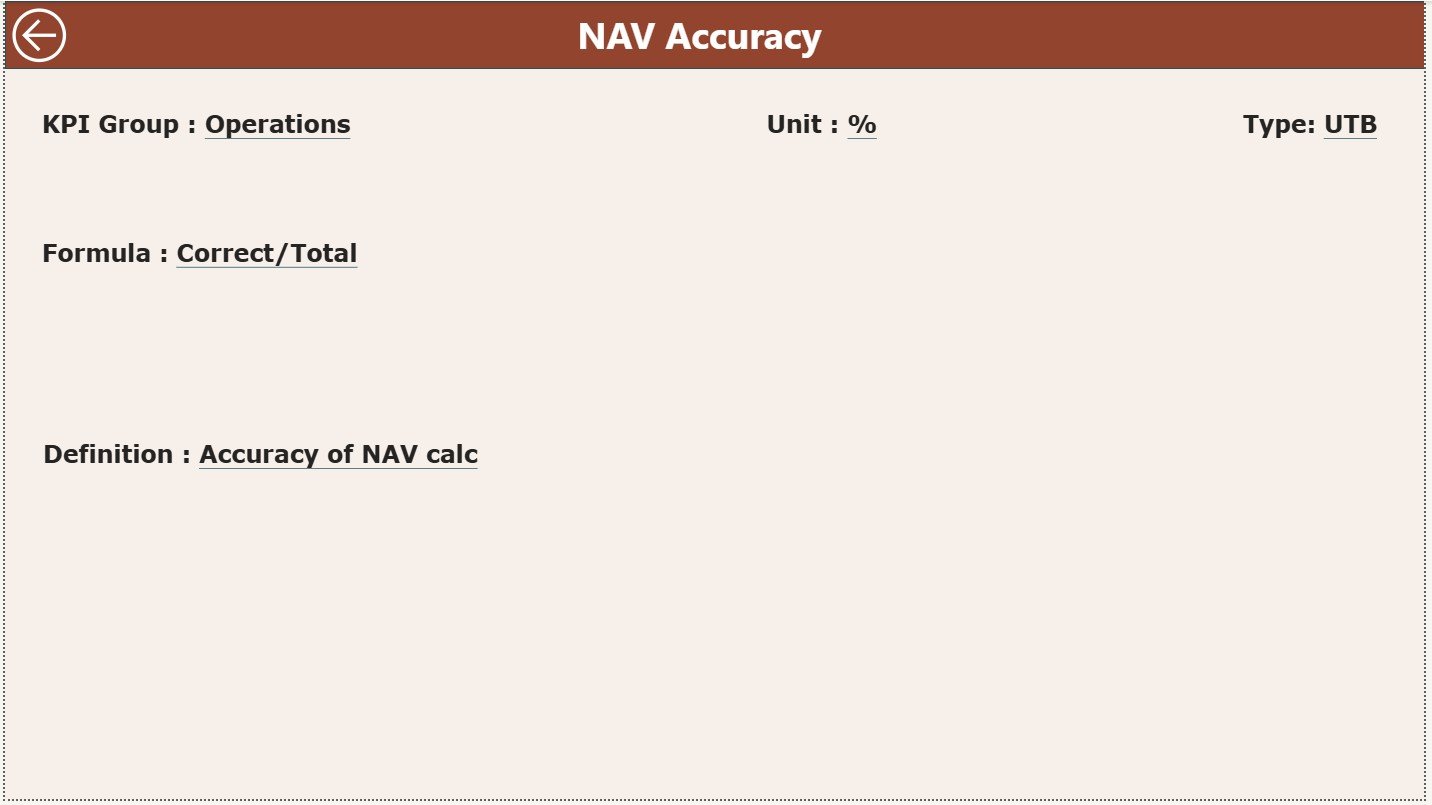
📖 KPI Definition Page: Understand every KPI with clear definitions, formulas, units, and types (UTB/LTB). This acts as a reference library for your team.
🟢🔴 Visual Indicators: Green ▲ and red ▼ icons make KPI performance status instantly visible.
📂 Structured Excel Data Source: Includes Actuals, Targets, and KPI Definition sheets for seamless monthly updates.
📦 What’s Inside the Investor Services KPI Dashboard in Power BI
Inside this template, you get everything needed for automated investor services performance tracking:
Power BI Dashboard File (.pixy) with 3 interactive pages
Excel Data File (.xlsx) containing:
Input Actual sheet
Input Target sheet
KPI Definition sheet
Pre-designed visuals for MTD/YTD actuals, targets, and PY comparisons
Automated slicers for Month and KPI Group
Drill-through functionality for KPI details
Clean layout with easy-to-read charts and tables
Everything is structured so you can plug in your data and start using the dashboard immediately.
🛠️ How to Use the Investor Services KPI Dashboard in Power BI
Using this dashboard is simple and efficient:
Update the Excel File with your monthly actuals and target numbers.
Load the Excel File into Power BI (included in the setup).
Use the Summary Page to review KPI performance for the selected month.
Switch KPI Groups like onboarding, reporting, compliance, or investor support to filter data instantly.
Open the Trend Page to understand performance patterns and improvement areas.
Drill Through to KPI Definitions to understand formulas, units, or measurement types.
Refresh Power BI whenever new data is added.
This workflow ensures you always have updated insights without manual reporting.
👥 Who Can Benefit from This Investor Services KPI Dashboard in Power BI
This dashboard is perfect for organizations that want accuracy, transparency, and high-quality investor service. Ideal users include:
Investor Relations Teams
Customer/Investor Service Departments
Asset Management Companies
Compliance & Reporting Teams
Fund Administrators
Operations Managers
Performance Analytics Teams
Whether you’re tracking response times, SLA adherence, compliance checks, or reporting accuracy, this dashboard is designed to support every aspect of investor servicing.
### Click here to read the Detailed blog post
Visit our YouTube channel to learn step-by-step video tutorials
Watch the step-by-step video tutorial:
Compatibility and Requirements
- Works in Power BI Desktop, which is free. Microsoft explains how to get it in Get Power BI Desktop.
- The data lives in an Excel file (.xlsx) with Input Actual, Input Target and KPI Definition sheets, so you also need Microsoft Excel to edit your numbers.
Frequently Asked Questions
How many pages does the dashboard have?
Three interactive pages: Summary, Trend and KPI Definition.
Where do I enter my data?
Type your monthly actuals into the Input Actual sheet and your goals into the Input Target sheet of the Excel file. Then refresh Power BI.
Can I filter by month or KPI group?
Yes. The Summary page has Month and KPI Group slicers. It shows Total KPIs, MTD Target Meet and MTD Target Missed counts for your selection.
Does it show a comparison with last year?
Yes. The Trend page shows MTD and YTD charts with Current Year Actual, Previous Year Actual and Target values.
Where can I find the KPI formulas?
The KPI Definition page lists each KPI with its definition, formula, unit and type (UTB or LTB). You can drill through to it from the other pages.
Is there an Excel version?
Yes. See the Investor Services KPI Dashboard in Excel.
Related Investor Services Templates
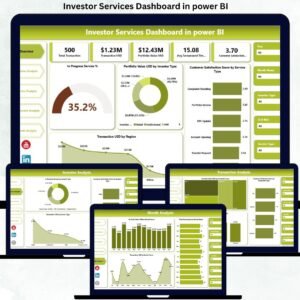
- Investor Services Dashboard in Power BI: another Power BI dashboard for investor services
- Investor Services KPI Dashboard in Excel: the same KPI topic in Excel
- Investor Services Dashboard in Excel: an Excel dashboard for investor services
- Investor Relations KPI Dashboard in Excel: KPIs for investor relations teams
- Power BI Dashboard Mega Collection: 15 Power BI templates in one download
Browse all Power BI KPI dashboards.

























Reviews
There are no reviews yet.