

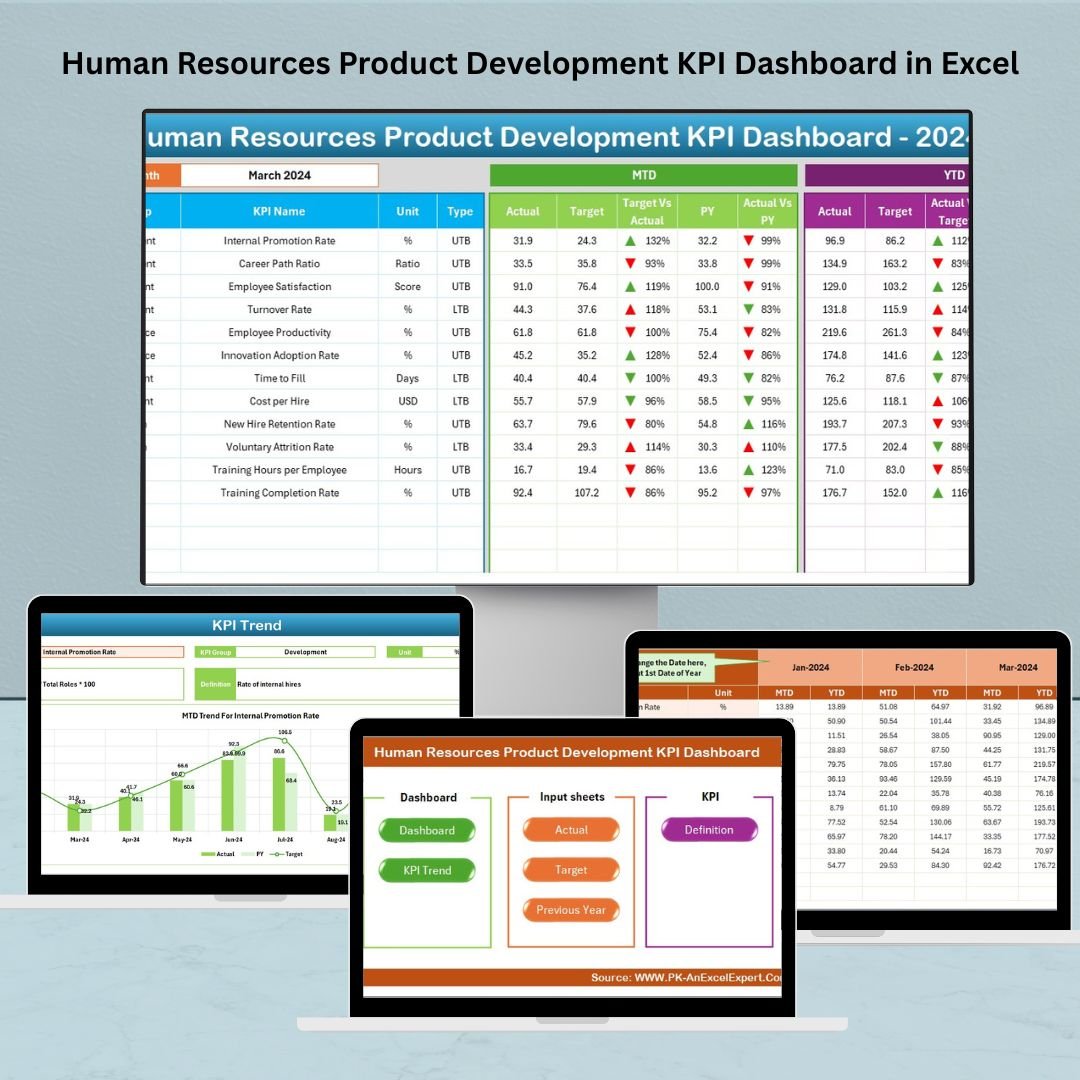



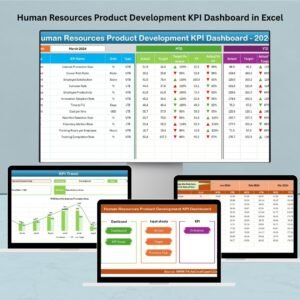
The Human Resources Product Development KPI Dashboard in Excel is a powerful tool designed to help HR departments, product development teams, and business managers track the performance and success of product development initiatives. This Excel-based dashboard provides valuable insights into key HR and product development metrics, enabling you to optimize the recruitment, training, and performance management processes that directly impact product success.
By monitoring critical KPIs such as employee productivity, time-to-hire, employee engagement, and training effectiveness, this dashboard helps you make data-driven decisions, improve HR processes, and ensure that your product development teams are set up for success. Whether you’re developing new products or scaling existing ones, this tool will streamline performance tracking, helping your team meet its goals more efficiently.
Key Features of the Human Resources Product Development KPI Dashboard in Excel
📊 Recruitment & Hiring Efficiency
Track key recruitment metrics such as time-to-hire, cost-per-hire, and offer acceptance rates. This feature helps HR teams measure the efficiency of the hiring process and make necessary adjustments to speed up recruitment.
📈 Employee Productivity Tracking
Monitor the productivity of employees working on product development projects. Track individual and team performance to identify areas for improvement and recognize top performers.
🧠 Employee Engagement & Satisfaction
Measure employee engagement and satisfaction through survey results, feedback, and performance metrics. This helps HR teams gauge the health of the work environment and ensure that employees are motivated and engaged.
💼 Training & Development Tracking
Track the effectiveness of employee training programs and monitor the skills development of your product development team. Ensure that employees are continuously growing and improving their skill sets.
📅 Time-Based Performance Analysis
Assess employee performance and HR metrics over time. Use time-based analysis to identify trends and monitor the impact of HR interventions, such as new training programs or recruitment strategies.
⚙️ Customizable KPIs & Metrics
Customize the dashboard to track the KPIs most relevant to your HR and product development goals. Whether you’re monitoring employee turnover, training success, or product team performance, the dashboard can be tailored to fit your needs.
Why You’ll Love the Human Resources Product Development KPI Dashboard in Excel
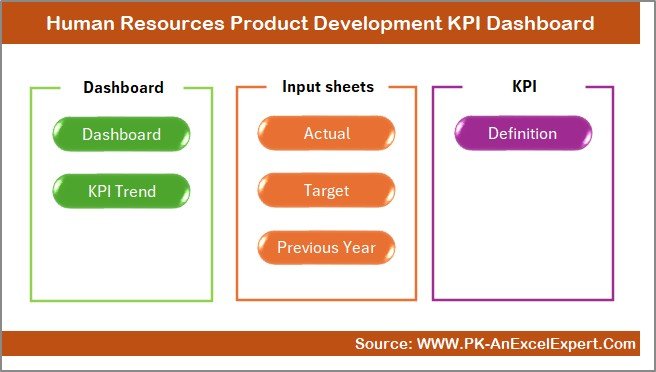
✅ Streamline HR Processes
Track and manage recruitment, training, and employee engagement data in one place. Ensure that your HR processes are aligned with your product development goals.
✅ Optimize Recruitment & Hiring
Monitor recruitment KPIs such as time-to-hire and cost-per-hire. Improve the efficiency of your hiring processes and ensure that you’re bringing in the best talent for your product development projects.
✅ Boost Employee Engagement & Productivity
Track employee engagement, satisfaction, and productivity to create a positive work environment that drives performance. Use the insights to boost morale and improve team output.
✅ Data-Driven Decision Making
Leverage real-time data to make informed decisions about recruitment strategies, training programs, and employee development efforts. Ensure that your HR efforts are aligned with your product development objectives.
✅ Customizable & Scalable
The dashboard is fully customizable and scalable, making it ideal for businesses of any size. Whether you’re managing a small team or overseeing a large product development department, this tool adapts to your needs.
What’s Inside the Human Resources Product Development KPI Dashboard in Excel?
Recruitment Metrics Tracking: Monitor time-to-hire, cost-per-hire, and other key recruitment metrics.
Employee Productivity Monitoring: Track individual and team productivity metrics.
Employee Engagement & Satisfaction: Measure employee engagement, motivation, and satisfaction.
Training & Development Tracking: Monitor employee growth and development through training programs.
Time-Based Performance Analysis: Track KPIs over various time periods to identify trends.
Customizable Metrics: Tailor the dashboard to track the KPIs most relevant to your organization.
How to Use the Human Resources Product Development KPI Dashboard in Excel
1️⃣ Download the Template: Get access to the Human Resources Product Development KPI Dashboard in Excel instantly.
2️⃣ Input HR Data & Metrics: Enter data related to recruitment, employee performance, training, and engagement.
3️⃣ Track KPIs & Performance: Monitor key metrics like time-to-hire, employee satisfaction, and productivity.
4️⃣ Analyze Data & Trends: Use time-based analysis to understand trends and measure the impact of HR interventions.
5️⃣ Optimize HR Strategies: Use the insights to refine recruitment, training, and employee engagement strategies.
Who Can Benefit from the Human Resources Product Development KPI Dashboard in Excel?
🔹 HR Managers & Recruiters
🔹 Product Development Teams & Managers
🔹 HR Analysts & Data Scientists
🔹 Business Owners & Executives
🔹 Employee Engagement & Satisfaction Specialists
🔹 Small & Medium Enterprises (SMBs)
🔹 Large Corporations with Product Development Departments
Track, measure, and optimize your HR and product development efforts with the Human Resources Product Development KPI Dashboard in Excel. Ensure that your HR initiatives are aligned with product goals and improve employee performance and satisfaction.
Click here to read the Detailed blog post
Visit our YouTube channel to learn step-by-step video tutorials
Youtube.com/@PKAnExcelExpert



















Reviews
There are no reviews yet.