

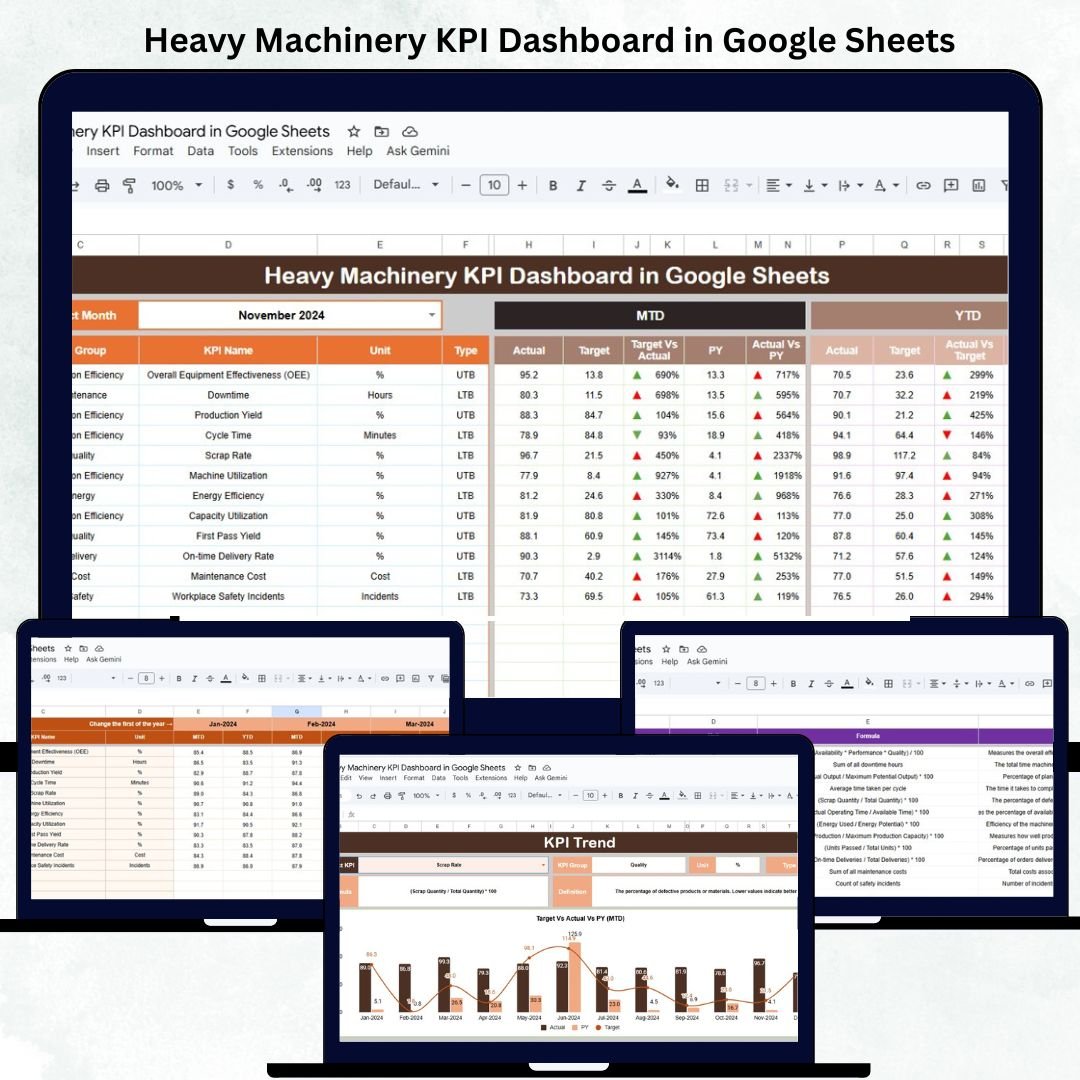

Managing heavy machinery assets is critical for industries like construction, mining, logistics, and manufacturing — where downtime or inefficiency can lead to significant financial losses. The Heavy Machinery KPI Dashboard in Google Sheets is a ready-to-use analytical solution that simplifies the process of monitoring machine utilization, maintenance, fuel usage, and cost performance.
This dashboard helps operations managers, maintenance teams, and project supervisors visualize real-time metrics, identify inefficiencies, and make data-backed decisions — all in one automated Google Sheet.
With prebuilt calculations, conditional color indicators, and trend charts, it provides comprehensive insights into your heavy equipment performance — no coding or additional software required.
🔑 Key Features of the Heavy Machinery KPI Dashboard in Google Sheets
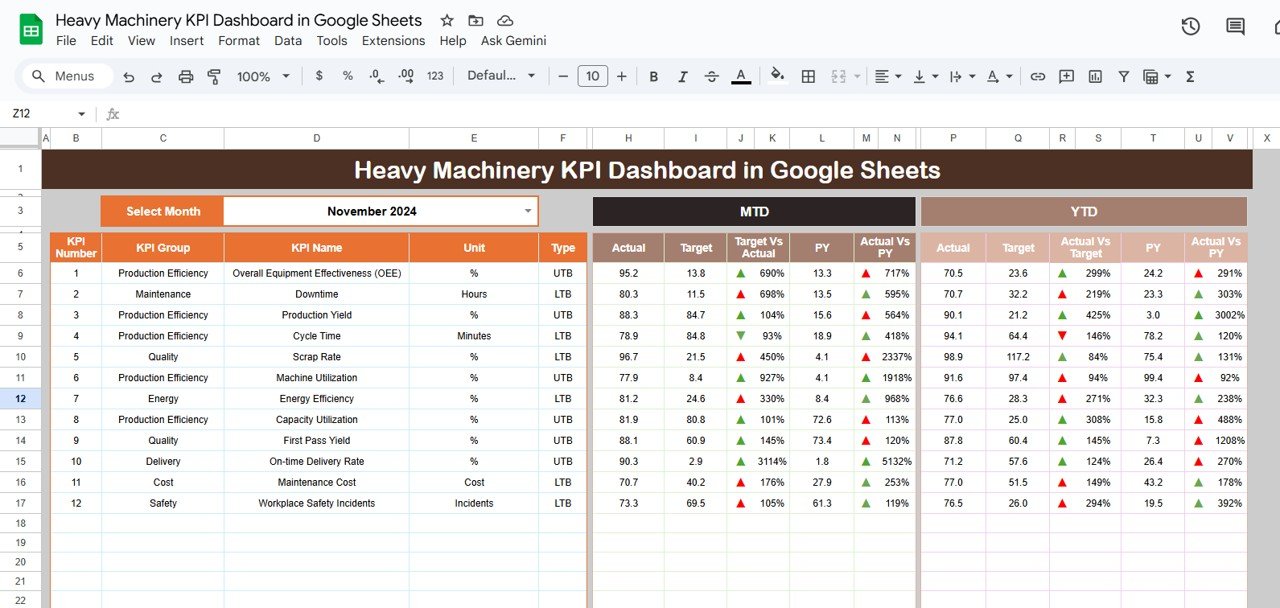
📊 Dashboard Sheet Tab (Main Visualization Page)
The central hub where all KPIs are presented in a clean, visual format.
Features include:
📅 Dynamic Month Selector (Cell D3): Select any month and view updated MTD and YTD results.
📈 Automated Comparison: Compare Actual vs Target vs Previous Year values.
🟢 Conditional Arrows: Instantly identify improved (↑) or declined (↓) KPI performance.
⚙️ Full Automation: No formulas to adjust — data syncs automatically from the input sheets.
KPI Cards Displayed:
Total Machines in Operation
Average Equipment Utilization (%)
Average Downtime (hrs)
Maintenance Cost ($)
Fuel Consumption (liters)
Cost per Operating Hour ($)
Breakdown Frequency (%)
Preventive Maintenance Compliance (%)
Availability Rate (%)
Operator Efficiency (%)
These cards give managers a clear overview of fleet performance, operational efficiency, and maintenance health at a glance.
📉 KPI Trend Sheet Tab
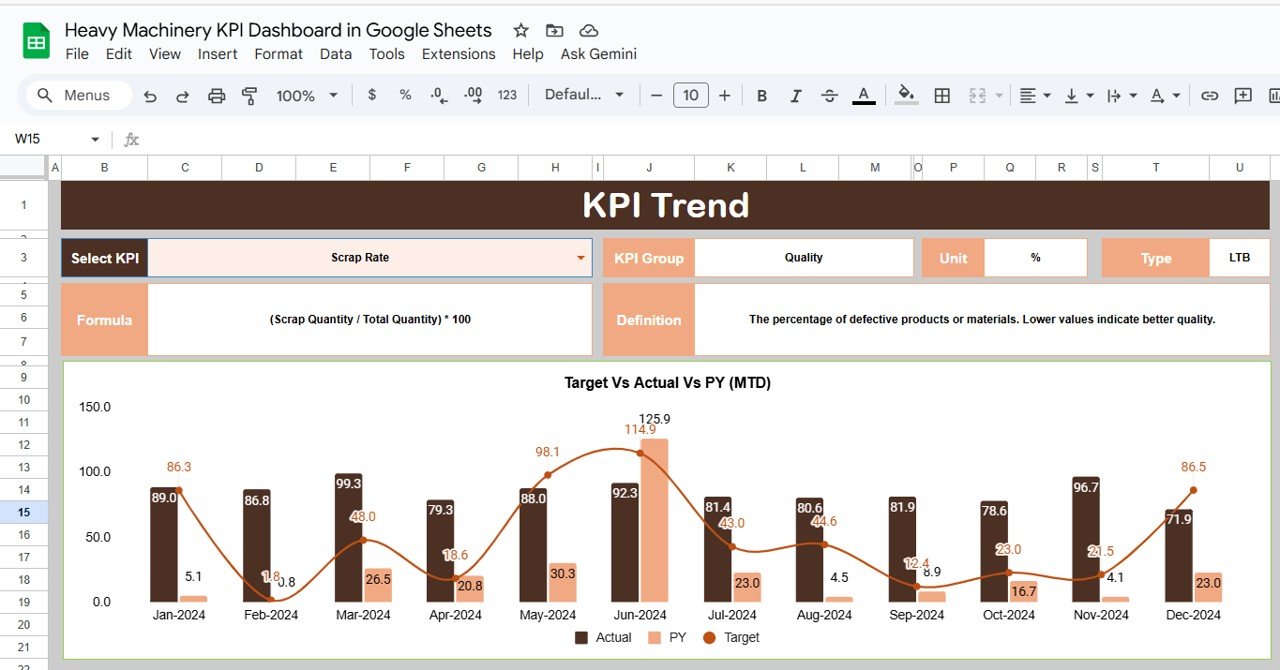
Provides in-depth trend analysis for any KPI.
Features:
Dropdown in Range C3 to select any KPI.
Displays KPI Group, Unit, Formula, Definition, and Type (UTB/LTB).
Trend charts show MTD and YTD progress for each month.
This view helps identify seasonal patterns, maintenance cycles, and overall performance trends.
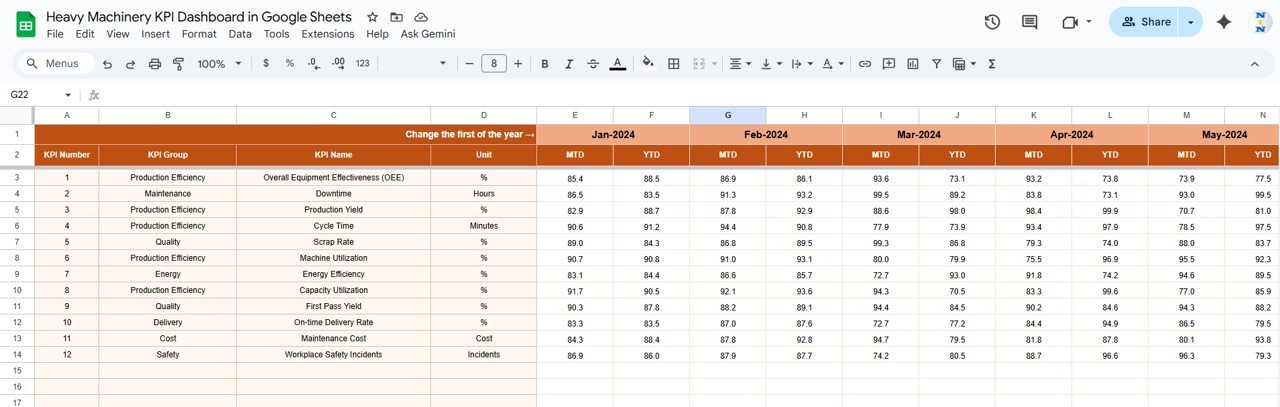
🧾 Actual Number Sheet Tab
The main data entry sheet for logging performance metrics.
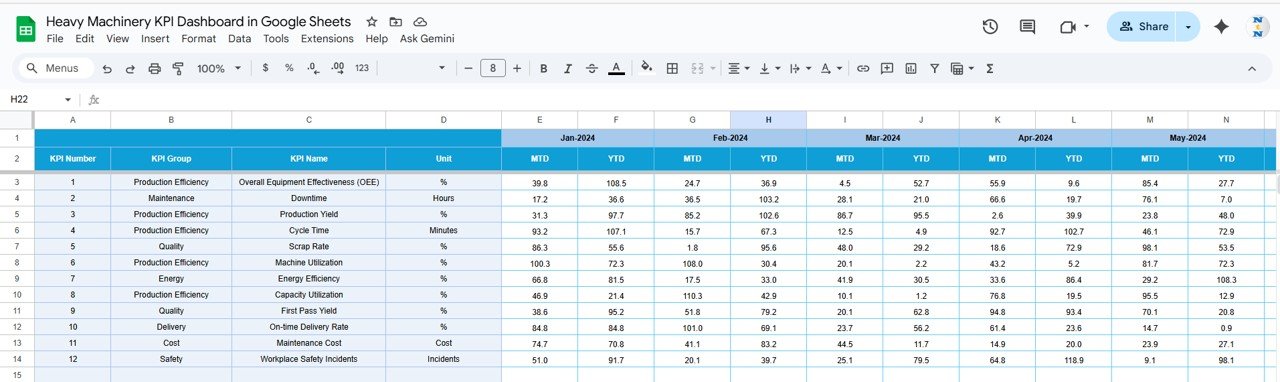
Input monthly MTD and YTD actuals for each KPI.
The current reporting month (cell E1) dynamically updates the dashboard.
Ensures consistency in monthly performance tracking.
🎯 Target Sheet Tab
Used to define operational goals for each KPI.
Enter monthly and yearly targets.
The dashboard calculates achievement percentages automatically.
Conditional colors (green/red) indicate if targets are met or missed.
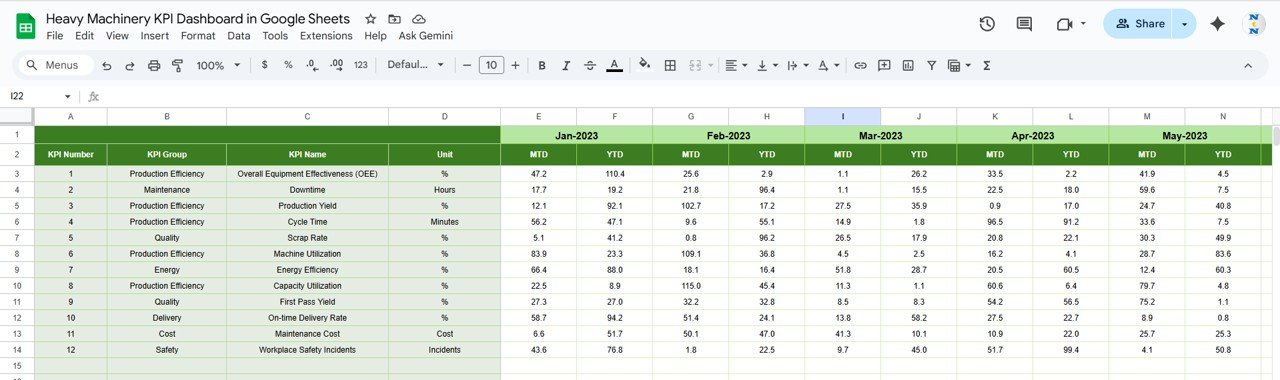
📆 Previous Year Number Sheet Tab
Stores historical KPI data for Year-over-Year (YoY) comparison.
This helps management benchmark progress and identify recurring trends.
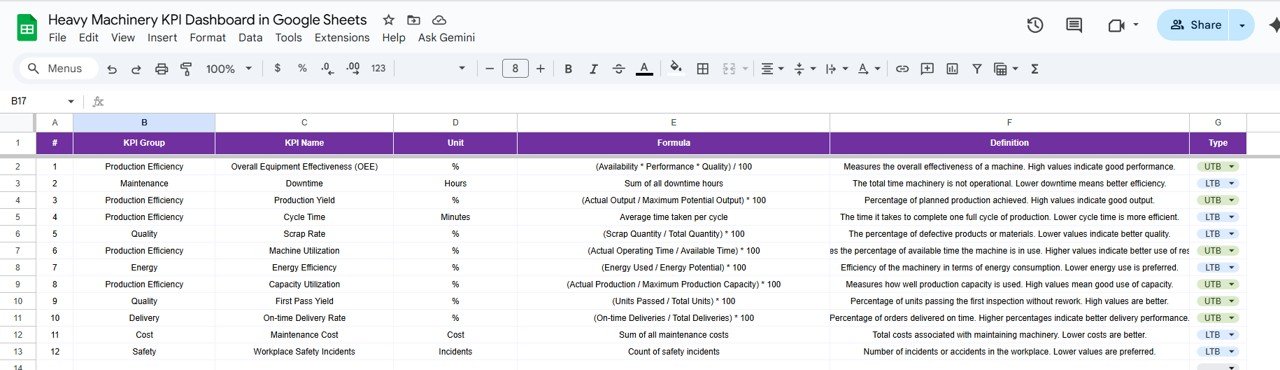
📘 KPI Definition Sheet Tab
A reference sheet listing all KPIs along with:
KPI Group
Unit of Measurement
Formula
Definition
Type (Upper/Lower the Better)
This ensures consistent interpretation of performance metrics across departments.
📦 What’s Inside the Dashboard
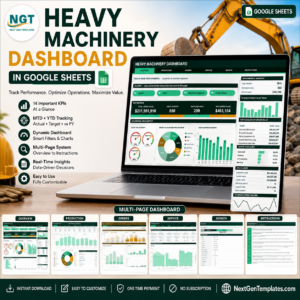
✅ Automated dashboard with charts and KPI cards
✅ MTD, YTD, and YoY comparison views
✅ 6 structured worksheets (Dashboard, Trend, Actual, Target, PY, Definition)
✅ Color-coded up/down indicators for performance visualization
✅ 100% editable and formula-driven
✅ Cloud-based collaboration through Google Sheets
🧑🏭 Who Can Use This Dashboard
🚧 Construction Firms — Track machinery utilization, cost per hour, and downtime trends.
🏗 Mining Companies — Monitor equipment availability and fuel consumption rates.
🚚 Logistics & Warehousing Teams — Analyze operator efficiency and maintenance cost performance.
🏭 Manufacturing Units — Evaluate preventive maintenance compliance and breakdown frequency.
It’s a must-have tool for operations leaders aiming to enhance efficiency and reduce operational costs across heavy machinery assets.
⚙️ Opportunities for Improvement
You can enhance this dashboard by:
🔄 Integrating GPS/telematics data for live equipment tracking.
⛽ Adding fuel efficiency KPIs per vehicle type.
🧮 Including CO₂ emission estimations for sustainability metrics.
📉 Automating maintenance forecasting via Google Apps Script.
🚨 Setting email alerts for KPI thresholds or downtime limits.
🧠 Best Practices
✅ Update actuals weekly for better visibility.
✅ Track operator efficiency monthly for performance reviews.
✅ Record breakdown causes to support root-cause analysis.
✅ Separate fixed and variable maintenance costs.
✅ Benchmark metrics against manufacturer or supplier standards.
🌟 Why Choose the Heavy Machinery KPI Dashboard in Google Sheets
🚜 End-to-end monitoring of machine performance and costs.
📈 Real-time MTD/YTD analytics with visual indicators.
🧮 Formula-based automation for error-free reporting.
☁️ Cloud collaboration for multi-user access.
🧩 Fully customizable to your fleet or department structure.
The Heavy Machinery KPI Dashboard in Google Sheets is a data-powered management tool that helps you optimize machine utilization, minimize downtime, and control costs — driving higher productivity and profitability across your operations.
🔗 Read the detailed blog post
Watch the step-by-step video Demo:
🔗 Visit our YouTube channel for video tutorials
Compatibility and Requirements
- Works in Google Sheets. You need a free Google account and a web browser.
- You pick the reporting month from a selector on the Dashboard sheet and a KPI from a dropdown on the KPI Trend sheet. Google explains dropdowns in Create an in-cell dropdown list.
Frequently Asked Questions
Which sheets are included?
Six sheets: Dashboard, KPI Trend, Actual Number, Target, Previous Year Number and KPI Definition.
How do I update the dashboard?
Enter your monthly MTD and YTD actuals in the Actual Number sheet and your goals in the Target sheet. Then select the month on the Dashboard sheet and the KPI cards update.
Which KPIs does it track?
It tracks Total Machines in Operation, Average Equipment Utilization, Average Downtime, Maintenance Cost, Fuel Consumption, Cost per Operating Hour, Breakdown Frequency, Preventive Maintenance Compliance, Availability Rate and Operator Efficiency.
Can I compare this year with last year?
Yes. Add last year’s figures to the Previous Year Number sheet and the Dashboard shows them next to your actuals and targets, with arrows for improved or declined results.
Is there an Excel or Power BI version?
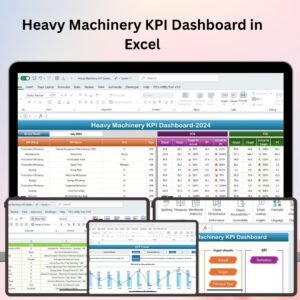
Yes. See the Heavy Machinery KPI Dashboard in Excel and the Heavy Machinery Dashboard in Power BI.
Related Heavy Machinery Templates
- Heavy Machinery KPI Dashboard in Excel: the same KPIs in Excel
- Heavy Machinery Dashboard in Google Sheets: another machinery dashboard in Google Sheets
- Heavy Machinery Dashboard in Power BI: the Power BI edition
- Agricultural Machinery KPI Dashboard in Excel: machinery KPIs for farm equipment
Browse all Google Sheets KPI dashboards.




























Reviews
There are no reviews yet.