



The Freelance Business KPI Dashboard in Power BI is an essential tool for freelancers and business owners looking to monitor and optimize their freelance operations. This Power BI-based dashboard allows you to track key performance indicators (KPIs) across various aspects of your freelance business, such as revenue, client acquisition, project performance, and profitability.
With real-time data tracking, customizable visuals, and an interactive interface, this dashboard helps freelancers make data-driven decisions, streamline their processes, and maximize their earnings while providing an organized view of business performance.
Key Features of the Freelance Business KPI Dashboard in Power BI:
💰 Revenue Tracking
Monitor your total income, breaking it down by client, project, or service type, allowing you to identify your most lucrative sources of revenue.
📈 Client Acquisition and Retention
Track new client acquisition rates and monitor client retention, providing insights into the effectiveness of your marketing and client relationship strategies.
📅 Project Performance and Deadlines
Keep track of the performance of your ongoing and completed projects, including deadlines, milestones, and the time spent on each project.
📊 Profitability Metrics
Monitor your expenses, time investment, and project costs to determine the profitability of each project and the overall health of your freelance business.
⚡ Time Management Analysis
Track billable and non-billable hours, allowing you to evaluate how your time is being spent across various projects and tasks.
🚀 Why You’ll Love the Freelance Business KPI Dashboard in Power BI:

✅ Streamline Business Monitoring – Track all key aspects of your freelance business, from revenue to project performance, in one easy-to-use dashboard.
✅ Make Data-Driven Decisions – Use insights from the dashboard to optimize your business strategy, improve client relationships, and maximize profitability.
✅ Enhance Time Management – Track billable hours and monitor how much time is spent on each project, helping you stay efficient and increase profitability.
✅ Track Client Acquisition & Retention – Monitor client relationships to identify areas where you can improve client acquisition and retention efforts.
✅ Customizable and Interactive – Fully customizable to match your business’s needs and interactive with visually appealing charts and graphs that make data easy to analyze.
✅ Optimize Profitability – Monitor expenses, time investment, and revenue to ensure that each project is profitable, allowing you to run a financially efficient freelance business.
What’s Inside the Freelance Business KPI Dashboard in Power BI:
Revenue Tracking: Track total income from various clients, projects, and service types, giving you an overview of your financial performance.
Client Acquisition & Retention: Monitor the number of new clients and repeat clients, helping you assess the effectiveness of your marketing and retention strategies.
Project Performance: Track the performance of ongoing and completed projects, ensuring that milestones and deadlines are being met.
Profitability Monitoring: Track project costs, time investments, and expenses to ensure each project is profitable and that your business is financially healthy.
Time Tracking: Analyze how much time you are spending on billable vs. non-billable tasks to improve time management and maximize earnings.
Custom Reports: Generate customized reports summarizing your key KPIs, financial performance, and business trends, giving you insights for strategic decision-making.
How to Use the Freelance Business KPI Dashboard in Power BI:
1️⃣ Download the Template – Instantly access your Power BI file upon purchase.
2️⃣ Input Your Business Data – Enter your income, expenses, time investments, project details, and client information into the dashboard.
3️⃣ Monitor KPIs – Track revenue, client acquisition, project performance, and profitability metrics to monitor your business’s health.
4️⃣ Analyze Time Management – Track billable and non-billable hours to optimize how you allocate time across projects.
5️⃣ Generate Reports – Create detailed reports to track business performance, monitor profitability, and make data-driven decisions for future projects.
Who Can Benefit from the Freelance Business KPI Dashboard in Power BI:
Freelancers
Solopreneurs
Consultants
Independent Contractors
Small Business Owners
Digital Creatives (designers, writers, developers, etc.)
Agencies and Consulting Firms
The Freelance Business KPI Dashboard in Power BI is a game-changer for freelancers who want to take their business to the next level. By tracking key performance metrics and analyzing trends, you can make smarter business decisions, optimize your time, and ultimately increase your earnings.
Click here to read the Detailed blog post
https://www.pk-anexcelexpert.com/freelance-business-kpi-dashboard-in-power-bi/
Visit our YouTube channel to learn step-by-step video tutorials
Youtube.com/@PKAnExcelExpert
Compatibility and Requirements
- Built for Power BI Desktop, which is free. You can download it from Microsoft: Get Power BI Desktop.
- Open the file in Power BI Desktop to use its charts and visuals with your own data.
Frequently Asked Questions
What does the Freelance Business KPI Dashboard track?
It tracks revenue, client acquisition and retention, project performance, profitability and billable versus non-billable time.
What data do I enter?
You enter your income, expenses, time spent, project details and client information.
Can I see where my time goes?
Yes. It shows billable and non-billable hours so you can plan your time across projects.
Is there an Excel or Google Sheets version?
Yes. The Freelance Business KPI Dashboard in Excel and the Google Sheets edition track the same KPIs.
Related Freelance Business Templates
- Freelance Business KPI Dashboard in Excel: the same KPIs in Excel
- Freelance Business KPI Dashboard in Google Sheets: the same KPIs in Google Sheets
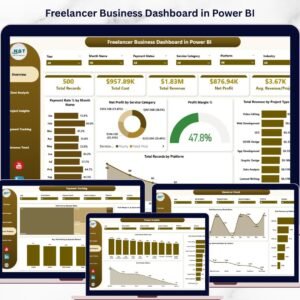
- Freelancer Business Dashboard in Power BI: a full freelancer business dashboard in Power BI
- Freelancer KPI Dashboard in Power BI: freelancer KPIs in Power BI
- Consultant’s Toolkit: 10 consultant templates in one download
Browse all Power BI KPI dashboards or the Power BI dashboards.

Reviews
There are no reviews yet.