

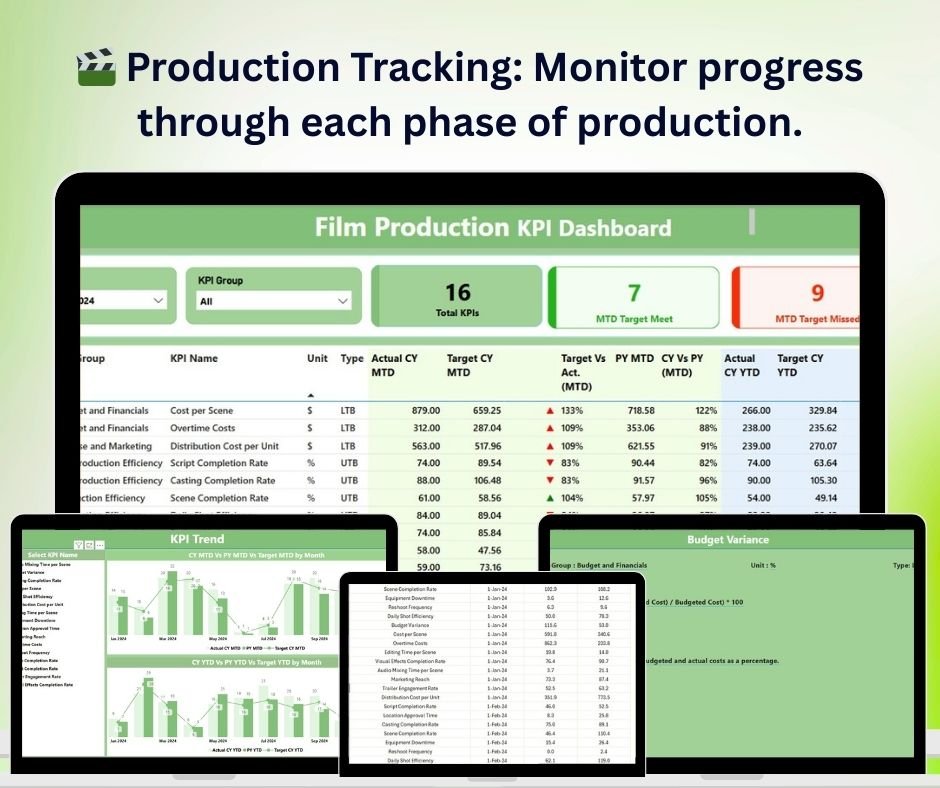



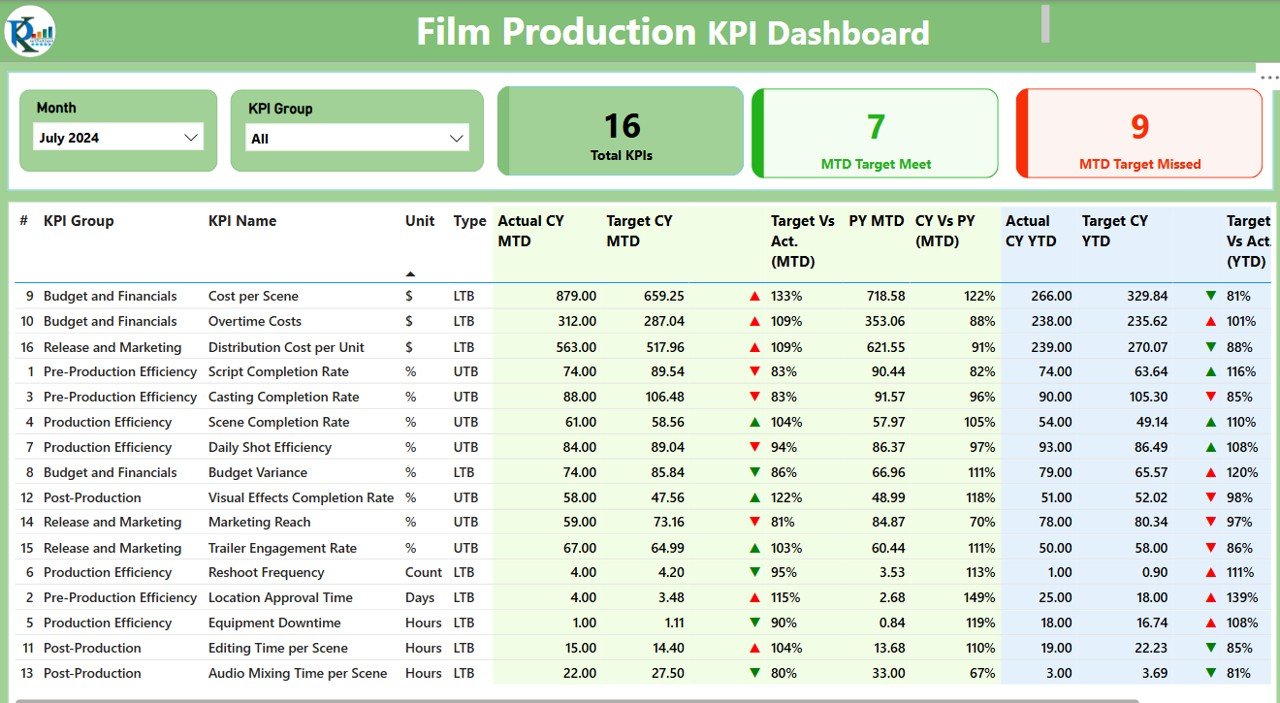
The Film Production KPI Dashboard in Power BI is a comprehensive and intuitive tool designed for production teams, managers, and stakeholders in the film industry. This Power BI-based dashboard provides essential insights and real-time tracking of key performance indicators (KPIs) related to every stage of film production. From budgeting and scheduling to resource allocation and team performance, this dashboard helps you stay organized and on track throughout the entire production process.
Film production involves managing multiple moving parts—budgets, timelines, resources, and team coordination. The Film Production KPI Dashboard in Power BI simplifies the complex process of monitoring these aspects, enabling better decision-making, improving project timelines, and increasing the efficiency of the production process.
Key Features of the Film Production KPI Dashboard in Power BI
🎬 Production Progress Tracking
Track the progress of each stage of film production, from pre-production planning to filming and post-production. The dashboard provides clear visibility into how each project phase is progressing in real time.
💸 Budget Monitoring & Cost Control
Monitor the production budget and actual costs in real time. Keep track of expenses and compare them with the budget to ensure that production remains within financial limits.
📅 Scheduling & Timeline Management
View the production schedule and critical timelines. Stay on track with the completion of tasks and meet deadlines to avoid delays and unexpected costs.
📊 Resource Allocation & Utilization
Track the allocation and utilization of resources such as personnel, equipment, and studio time. This helps ensure that resources are used efficiently and effectively.
📈 Team Performance Metrics
Monitor the performance of different teams involved in the production process. Track individual and team progress, allowing you to make adjustments when necessary.
⚙️ Real-Time Data & Customization
Integrate real-time data from different departments and customize the dashboard to reflect the unique needs of your film production. The dashboard is adaptable to the changing demands of the production process.
Why You’ll Love the Film Production KPI Dashboard in Power BI
✅ Comprehensive Project Tracking
Track all aspects of film production in one place—from budgeting and scheduling to resource allocation and team performance.
✅ Optimize Resource Utilization
Track resource allocation, such as personnel and equipment, to ensure maximum utilization and avoid over- or under-utilization.
✅ Stay Within Budget
Monitor actual expenses and compare them against the planned budget to avoid overspending and ensure financial control throughout production.
✅ Improve Scheduling & Timelines
Efficiently manage production schedules, monitor task completion, and ensure that all deadlines are met, leading to smoother production processes.
✅ Informed Decision-Making
Leverage real-time insights and comprehensive KPIs to make informed decisions, troubleshoot issues early, and improve overall production efficiency.
What’s Inside the Film Production KPI Dashboard in Power BI?
Production Progress Tracking: Monitor the progress of different production stages in real-time.
Budget Monitoring & Cost Control: Track budget expenses and keep the production within financial limits.
Scheduling & Timeline Management: Visualize the project schedule, milestones, and deadlines.
Resource Allocation & Utilization: Track resource allocation, such as personnel and equipment.
Team Performance Metrics: Monitor team performance and progress across production phases.
Real-Time Data Integration: Access live data from different departments to make quick decisions.
How to Use the Film Production KPI Dashboard in Power BI
1️⃣ Download the Template: Get access to the Film Production KPI Dashboard in Power BI instantly.
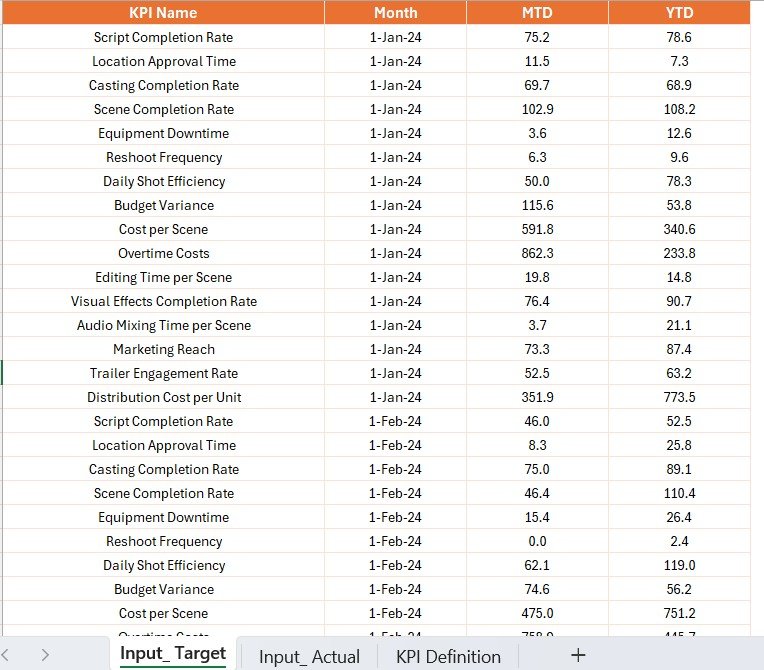
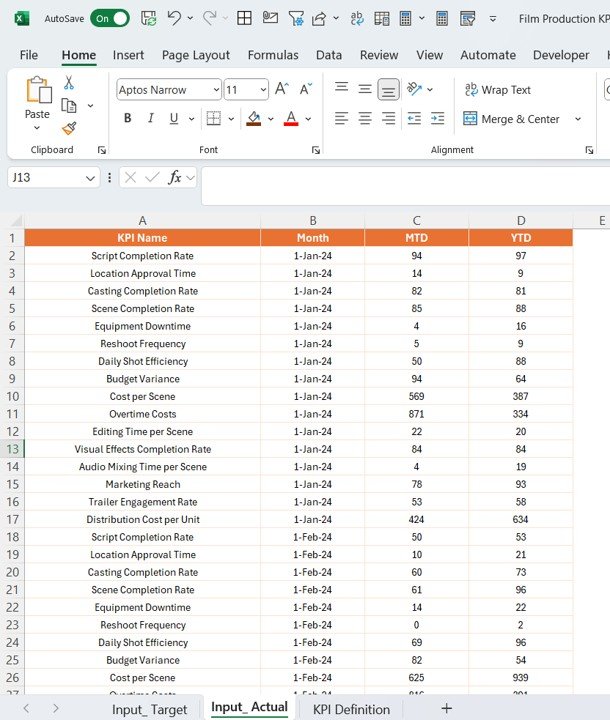
2️⃣ Integrate Your Data: Link data from various production sources, such as budgets, schedules, and resources, to get real-time updates.
3️⃣ Track KPIs & Performance: Monitor critical KPIs like production progress, budget usage, and resource utilization.
4️⃣ Analyze Trends & Patterns: Use historical and real-time data to identify trends, adjust schedules, and optimize resource usage.
5️⃣ Optimize Film Production: Use the insights from the dashboard to improve efficiency, reduce costs, and ensure that deadlines are met.
Who Can Benefit from the Film Production KPI Dashboard in Power BI?
🔹 Film Production Managers & Coordinators
🔹 Producers & Production Companies
🔹 Studio Managers & Directors
🔹 Budget Analysts & Finance Teams in Film Production
🔹 Resource Managers & Equipment Coordinators
🔹 Creative & Technical Teams
🔹 Freelancers & Contractors in Film Production
🔹 Post-production Teams
Ensure that your film production stays on track, on budget, and on time with the Film Production KPI Dashboard in Power BI. Track every aspect of your production process in one place and make data-driven decisions to enhance your project’s success.
Click here to read the Detailed blog post
Visit our YouTube channel to learn step-by-step video tutorials
Youtube.com/@PKAnExcelExpert
Compatibility and Requirements
- Works in Power BI Desktop, which is free to download from Microsoft. Microsoft explains the download in Get Power BI Desktop.
- The report file opens in Power BI Desktop on Windows.
Frequently Asked Questions
What does the Film Production KPI Dashboard track?
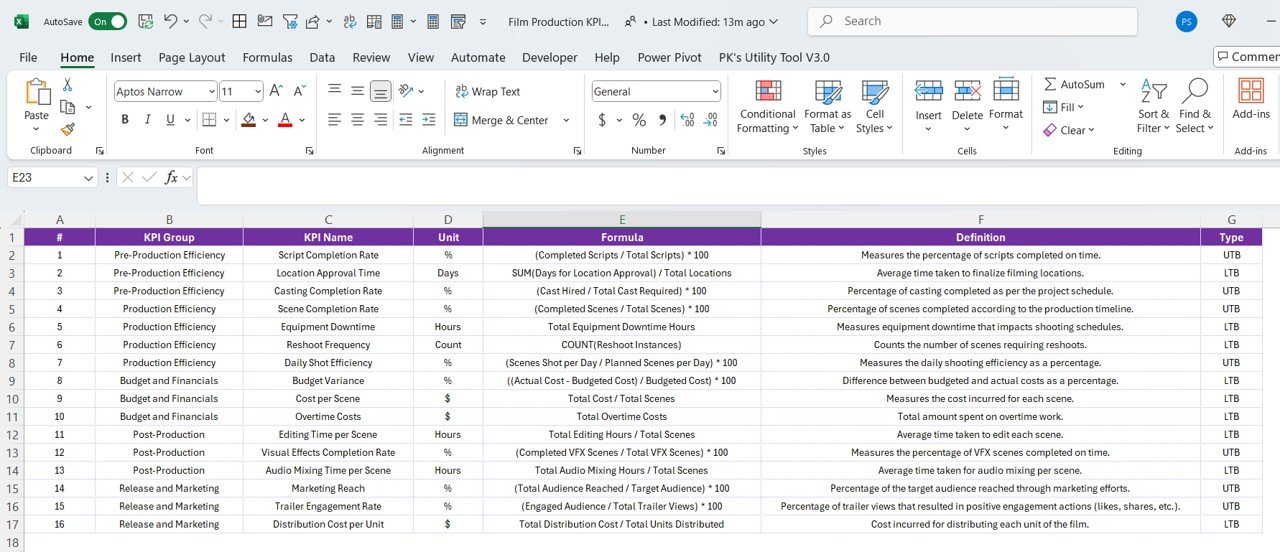
It tracks production progress by stage, budget spending and cost control, schedule milestones and deadlines, personnel and equipment allocation, and team performance.
How do I add my own data?
Link data from your production sources, such as budgets, schedules and resources. The dashboard then shows the KPIs.
Can I see the production schedule?
Yes. It shows the project schedule, milestones and deadlines.
Can I spot trends?
Yes. You can use historical and current data to find trends and adjust schedules and resources.
Is there an Excel or Google Sheets version?
Yes. The Film Production KPI Dashboard in Excel and the Film Production KPI Dashboard in Google Sheets cover the same KPIs on those platforms.
Related Film and Media Templates
- Film Production KPI Dashboard in Excel: the same KPIs in Excel
- Film Production KPI Dashboard in Google Sheets: the same KPIs in Google Sheets
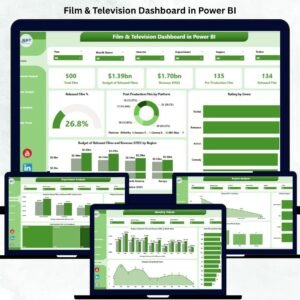
- Film & Television Dashboard in Power BI: a dashboard for film and TV
- Film Production Houses Dashboard in Power BI: a dashboard for production houses
- Power BI Dashboard Mega Collection: 15 Power BI dashboards in one download
Browse all Power BI KPI dashboards or the Power BI dashboards.































Reviews
There are no reviews yet.