


In today’s sustainability-driven business environment, ESG performance is no longer optional. Investors, regulators, customers, and leadership teams expect clear, measurable, and transparent ESG reporting—not scattered spreadsheets or manual reports. However, raw ESG data alone does not create value unless it is converted into meaningful insights.
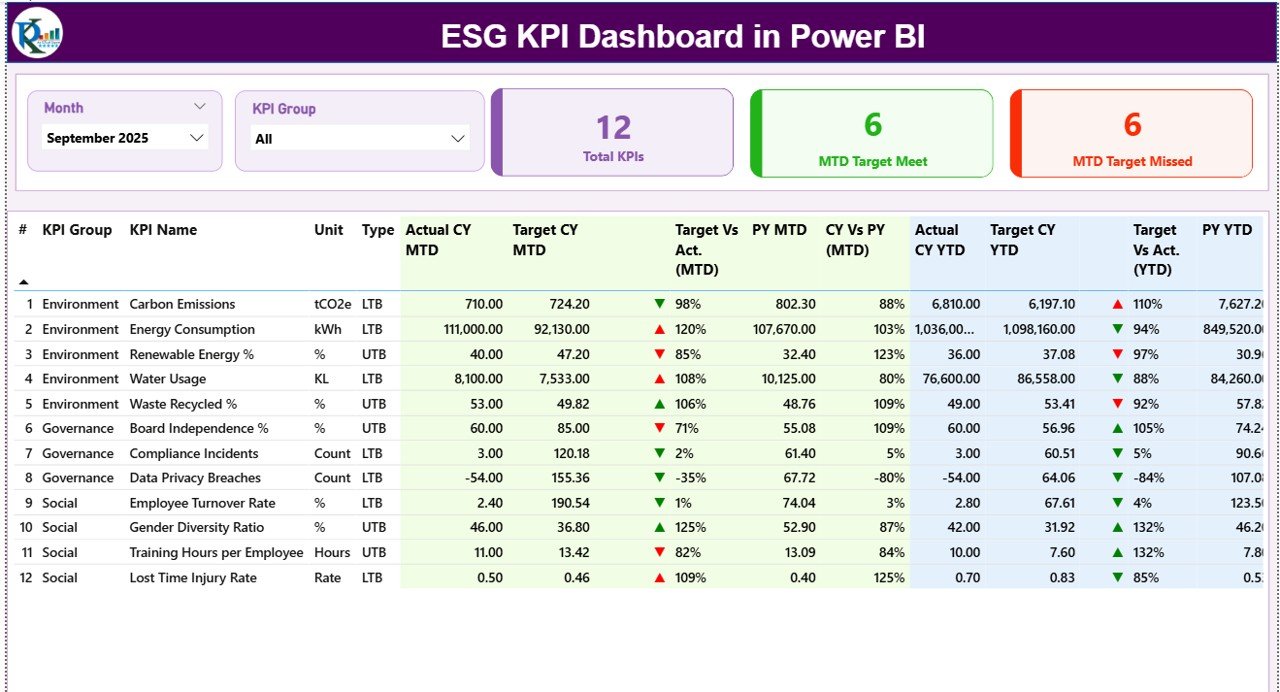
The ESG KPI Dashboard in Power BI is a ready-to-use, interactive reporting solution designed to help organizations track, analyze, and monitor Environmental, Social, and Governance performance in one centralized Power BI dashboard. Instead of managing ESG data across multiple Excel files, this dashboard transforms structured Excel inputs into dynamic visuals, KPI cards, indicators, tables, and trend charts.
As a result, organizations gain clarity, control, and confidence in ESG decision-making.
🚀 Key Features of ESG KPI Dashboard in Power BI
📊 Centralized ESG Performance Tracking – One dashboard for all ESG KPIs
🎯 MTD & YTD Monitoring – Track Month-to-Date and Year-to-Date performance
📈 Target vs Actual Comparison – Instantly identify gaps and achievements
🔄 Current Year vs Previous Year Analysis – Measure ESG progress over time
🧭 Interactive Slicers – Filter by Month and ESG KPI Group
🚦 Performance Status Indicators – Green / Red arrows for quick insights
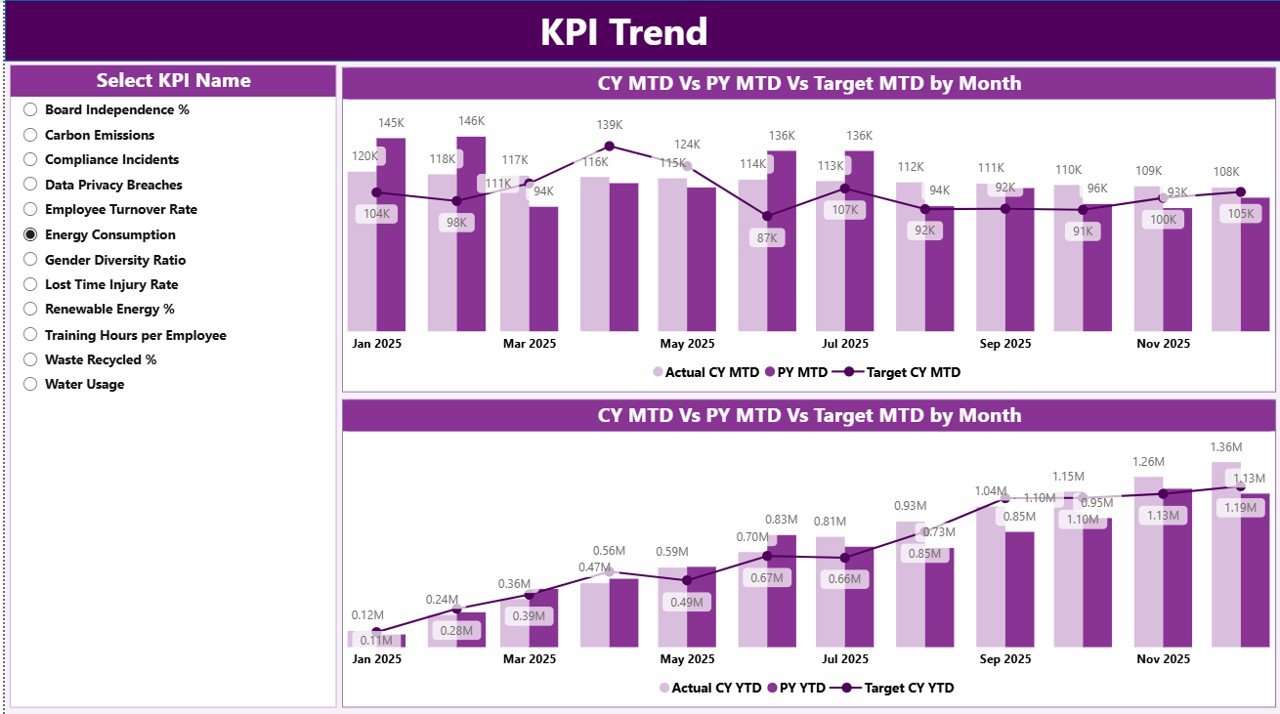
📉 KPI Trend Analysis – Visual trend comparison with targets and PY data
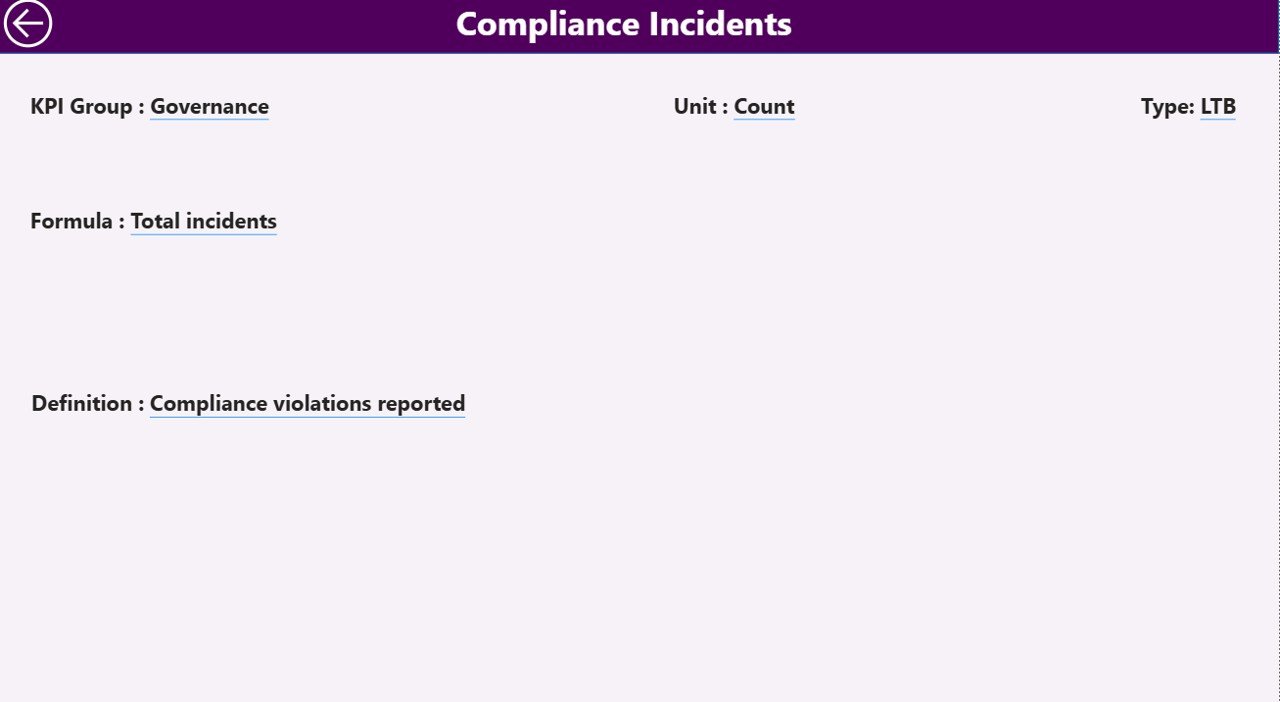
📘 Drill-Through KPI Definition Page – Full clarity on KPI logic
⚡ Excel-Based Data Input – Simple updates, automatic Power BI refresh
📦 What’s Inside the ESG KPI Dashboard in Power BI
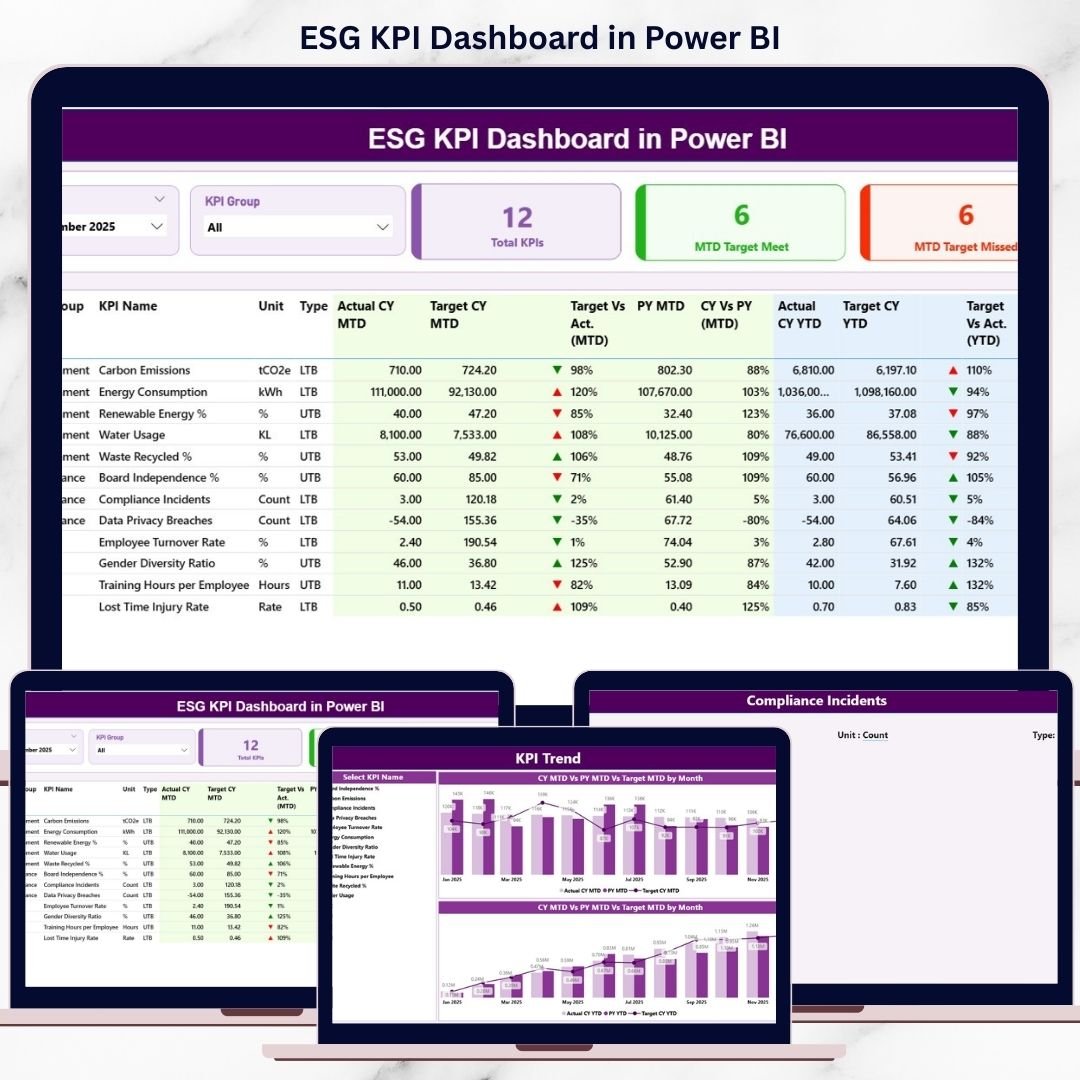
📁 Power BI (.pbix) Dashboard File
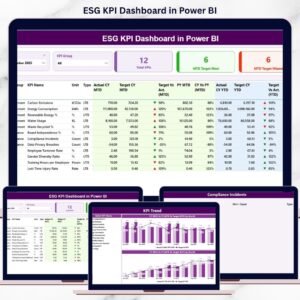
📊 Summary Page – ESG performance snapshot with KPI cards and detailed table
📈 KPI Trend Page – MTD and YTD trend comparison charts
📘 KPI Definition Page – Drill-through page for formulas and definitions
📄 Excel Data Source Structure, including:
Input_Actual Sheet
Input_Target Sheet
KPI Definition Sheet
This dashboard is designed to be scalable, audit-friendly, and leadership-ready.
🧠 How to Use the ESG KPI Dashboard in Power BI
1️⃣ Enter actual ESG values in the Input_Actual Excel sheet
2️⃣ Define ESG targets in the Input_Target sheet
3️⃣ Maintain KPI logic in the KPI Definition sheet
4️⃣ Refresh the Power BI dashboard
5️⃣ Use Month and KPI Group slicers to filter insights
6️⃣ Review KPI cards, tables, and trend charts
7️⃣ Drill through to understand KPI formulas and definitions
No advanced Power BI expertise is required. If you can update Excel data, you can use this dashboard.
👥 Who Can Benefit from This ESG KPI Dashboard
🌍 Sustainability & ESG Teams – Monitor ESG commitments and progress
📊 ESG Managers & Analysts – Track performance trends and gaps
🛡 Compliance & Risk Teams – Improve audit and disclosure readiness
🏢 Senior Leadership & Boards – Get high-level ESG visibility
💼 Investors & Consultants – Review structured ESG performance insights
This dashboard suits small organizations, large enterprises, and ESG-focused consultants.
### 👉 Click here to read the Detailed Blog Post
🎥 Visit our YouTube channel to learn step-by-step video tutorials
https://www.youtube.com/@PKAnExcelExpert
Watch the step-by-step video tutorial:
Compatibility and Requirements
- Works in Power BI Desktop, which is free to download from Microsoft. Get it from Get Power BI Desktop.
- You enter your data in an Excel workbook, so you also need Microsoft Excel to update the Input_Actual, Input_Target and KPI Definition sheets.
Frequently Asked Questions
Which pages are included in the dashboard?
Three pages: Summary, KPI Trend and KPI Definition. The Summary page shows KPI cards and a detailed table. The KPI Trend page shows MTD and YTD trend charts. The KPI Definition page is a drill-through page for formulas and definitions.
Where do I enter my ESG data?
Enter actual values in the Input_Actual Excel sheet and targets in the Input_Target sheet. Keep the KPI logic in the KPI Definition sheet, then refresh the dashboard in Power BI.
Can I compare this year with last year?
Yes. The dashboard compares current year against previous year and against target, and the KPI Trend page charts these side by side.
Can I filter the dashboard by month or KPI group?
Yes. Use the Month and KPI Group slicers to filter the cards, table and charts.
Is there an Excel or Google Sheets version?
An Excel version is available as the ESG KPI Dashboard in Excel. The ESG KPI Dashboard in Google Sheets covers Google Sheets.
Related ESG Templates
- ESG KPI Dashboard in Excel: the same ESG KPIs in Excel
- ESG Compliance KPI Dashboard in Power BI: a Power BI dashboard focused on ESG compliance
- ESG Environmental Dashboard in Power BI: the environmental side of ESG in Power BI
- ESG Reporting Dashboard in Power BI: a reporting view for ESG data
- Energy & ESG Sustainability Bundle: 8 Excel and Power BI templates in one download
Browse all Power BI KPI dashboards.
































Reviews
There are no reviews yet.