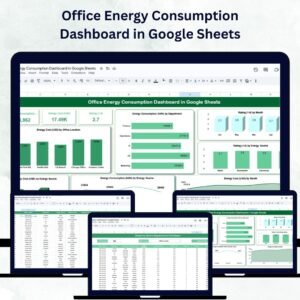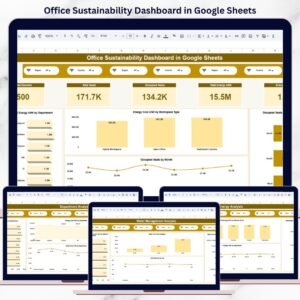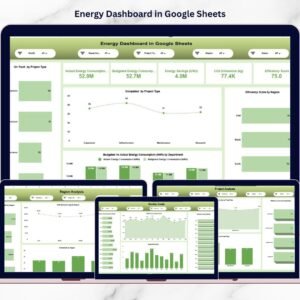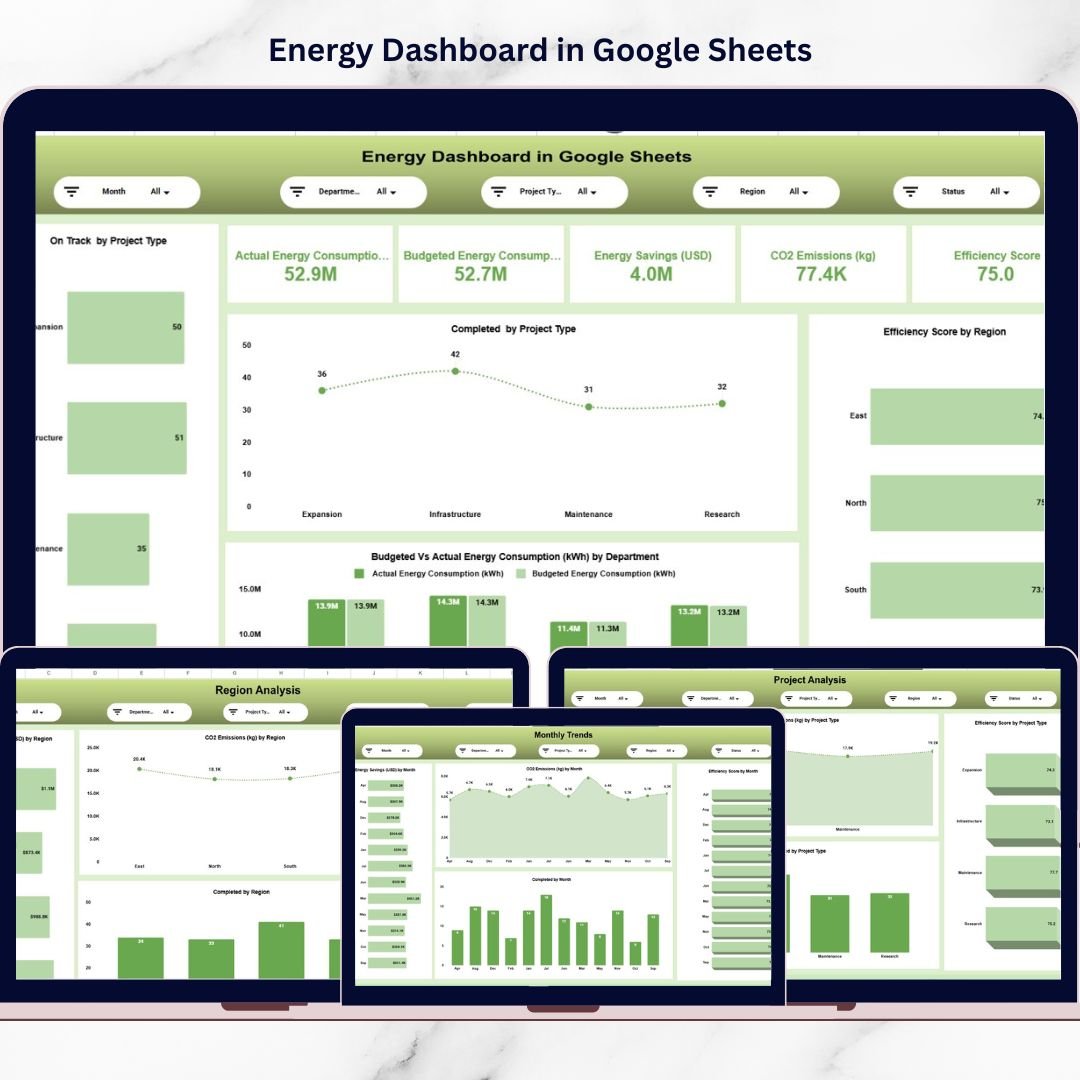
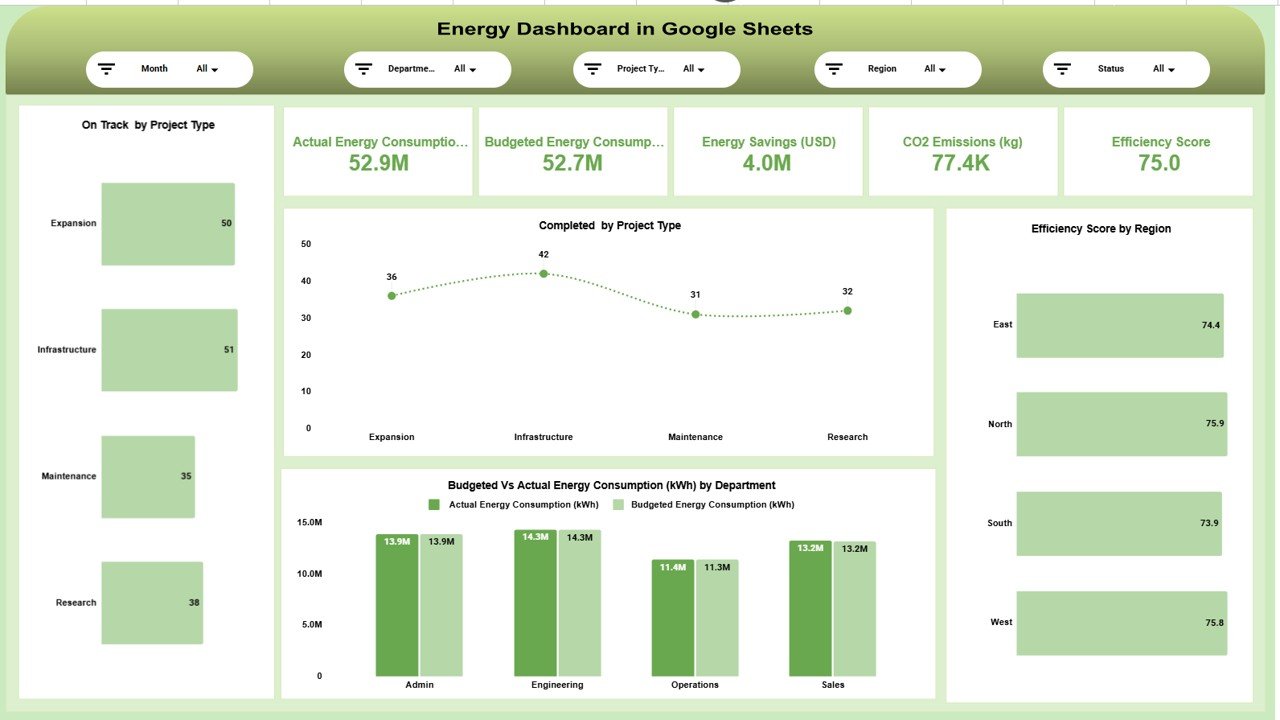
The Energy Dashboard in Google Sheets is a ready-to-use, interactive reporting system designed to monitor energy consumption, savings, CO₂ emissions, efficiency scores, and project performance — all in one centralized dashboard.
No expensive BI software.
No complicated installations.
Just structured, cloud-based analytics inside Google Sheets.
With dynamic filters for Month, Department, Project Type, Region, and Status, this dashboard gives you instant visibility into operational and sustainability metrics.
Key Feature of Energy Dashboard in Google Sheets
⚡ Real-Time Energy Monitoring – Track actual vs budgeted energy consumption instantly.
💰 Energy Savings Tracking – Measure cost savings in USD clearly and accurately.
🌍 CO₂ Emission Monitoring – Keep sustainability and ESG reporting on track.
📊 Efficiency Score Analysis – Evaluate operational performance across departments and regions.
🏗️ Project Performance Insights – Monitor completion status and progress by project type.
📈 Monthly Trend Analysis – Identify seasonal spikes and improvement trends.
🔍 Interactive Filters & Slicers – Filter by Month, Department, Region, Project Type, and Status.
☁️ Cloud-Based Collaboration – Access and share data from anywhere.
What’s Inside the Energy Dashboard in Google Sheets
This structured dashboard includes multiple analytical pages for complete performance tracking:
1️⃣ Main Dashboard Overview
View summary KPI cards such as:
-
Actual Energy Consumption (kWh)
-
Budgeted Energy Consumption
-
Energy Savings (USD)
-
CO₂ Emissions (kg)
-
Efficiency Score
Includes visual charts like:
-
Budgeted vs Actual Energy by Department
-
Efficiency Score by Region
-
On-Track Projects by Type
-
Completed Projects by Type
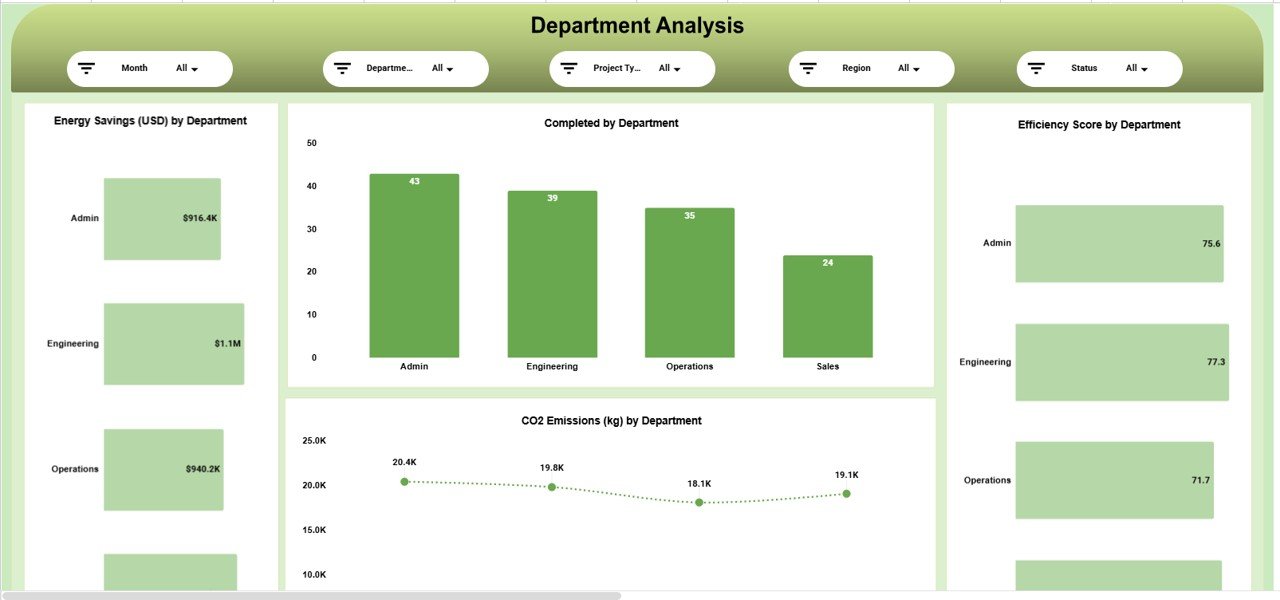
2️⃣ Department Analysis Page
Analyze performance department-wise:
-
Energy Savings by Department
-
CO₂ Emissions by Department
-
Efficiency Score by Department
-
Completed Projects by Department
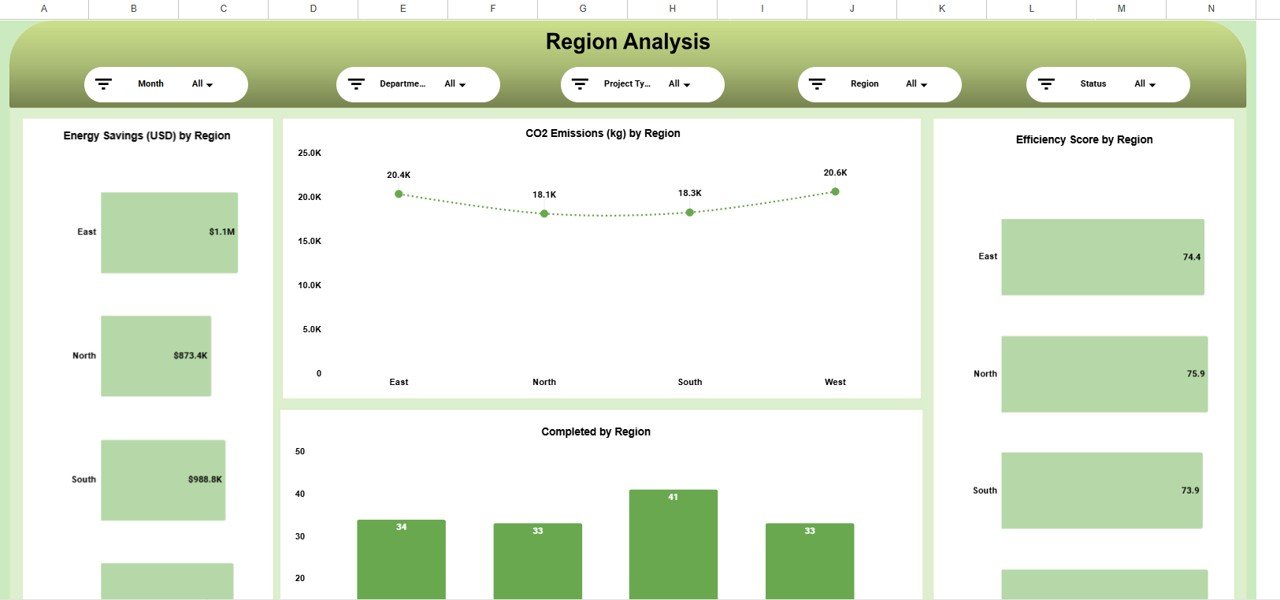
3️⃣ Region Analysis Page
Track geographical performance:
-
Energy Savings by Region
-
CO₂ Emissions by Region
-
Completed Projects by Region
-
Efficiency Score by Region
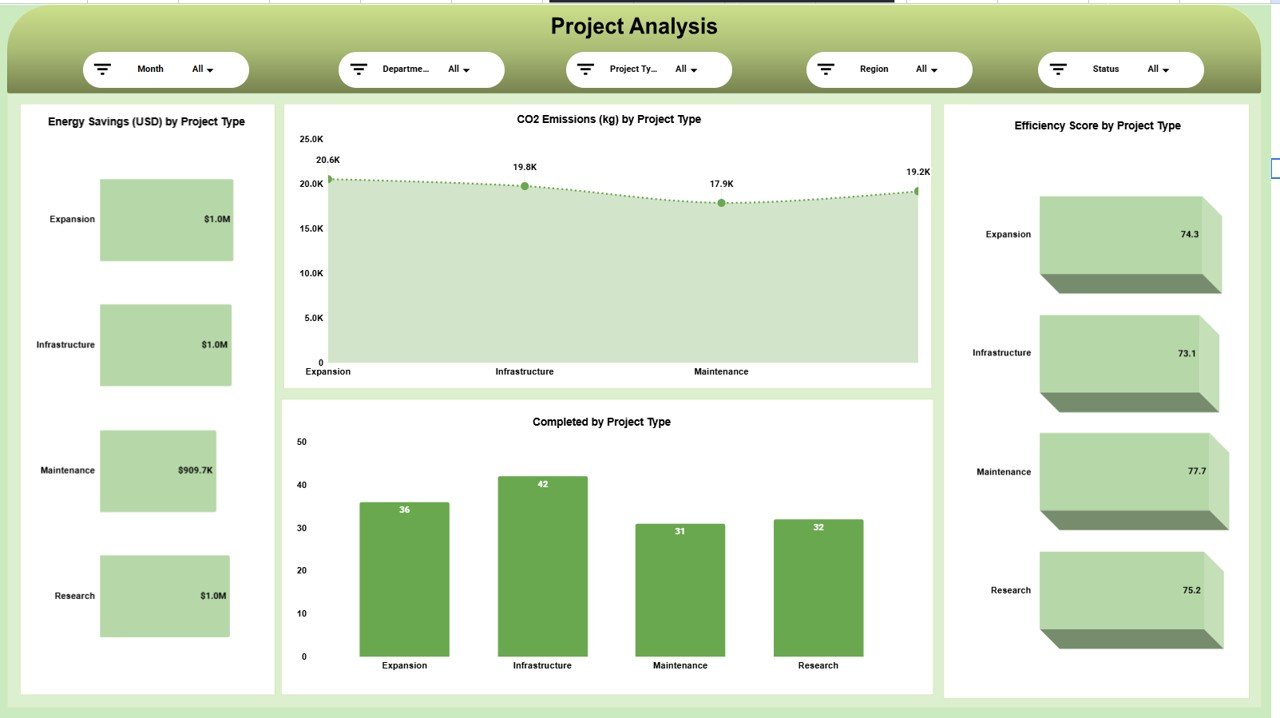
4️⃣ Project Analysis Page
Understand project-level impact:
-
Energy Savings by Project Type
-
CO₂ Emissions by Project Type
-
Efficiency Score by Project Type
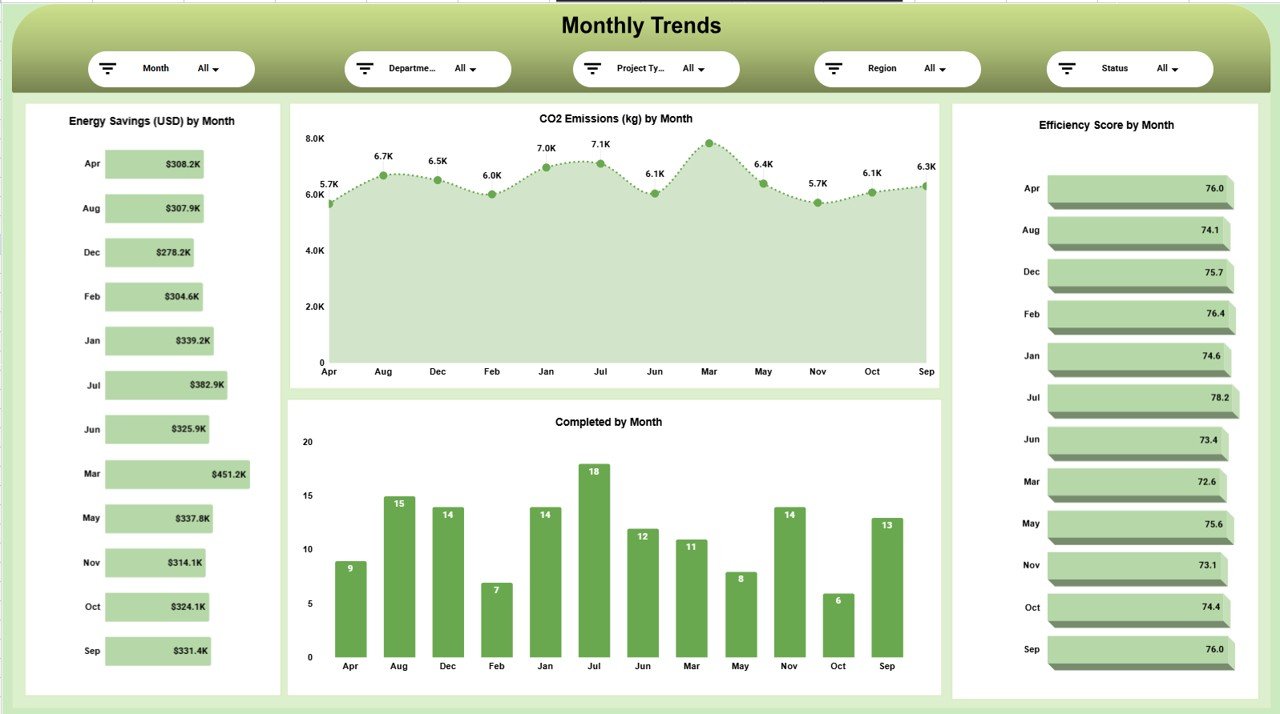
5️⃣ Monthly Trends Page
Monitor time-based performance:
-
Energy Savings by Month
-
CO₂ Emissions by Month
-
Efficiency Score by Month
This multi-page structure ensures complete operational and environmental visibility.
How to Use the Energy Dashboard in Google Sheets
Using this dashboard is simple and effective:
1️⃣ Enter energy consumption, savings, and emission data in the data sheet.
2️⃣ Update budgeted energy targets.
3️⃣ Apply filters for Month, Department, Region, or Project Type.
4️⃣ Instantly review updated charts and KPI cards.
5️⃣ Analyze monthly trends and efficiency scores.
Because the dashboard updates automatically when filters are applied, decision-making becomes faster and more accurate.
Who Can Benefit from This Energy Dashboard in Google Sheets
This dashboard is ideal for:
🏭 Manufacturing Companies
🏢 Corporate Facilities
🌍 Sustainability Managers
📊 Energy Analysts
📈 Operations Managers
🏗️ Infrastructure & Utility Teams
🌱 ESG & Compliance Officers
If your organization manages energy usage across departments or regions, this dashboard delivers the clarity you need.
Why This Dashboard Strengthens Sustainability & Cost Control
When you consistently track:
✔ Energy consumption vs budget
✔ Energy savings in USD
✔ CO₂ emission levels
✔ Efficiency scores
✔ Project completion status
You gain real visibility.
You identify high-consumption departments.
You detect emission-heavy regions.
You control energy overuse.
You support ESG and sustainability reporting.
Instead of reacting to rising energy bills, you proactively manage consumption.
Instead of guessing where emissions increase, you see the data clearly.
This dashboard transforms raw energy numbers into strategic sustainability insights.
Click here to read the Detailed blog post
Watch the step-by-step video tutorial: