


Employee engagement is one of the strongest indicators of organizational success. Engaged employees perform better, stay longer, collaborate more effectively, and contribute positively to workplace culture. However, many organizations still struggle to convert employee engagement survey results into clear insights because survey data remains scattered, unstructured, and difficult to analyze.
That is exactly why the Employee Engagement Survey KPI Dashboard in Google Sheets becomes an essential HR analytics solution.
This ready-to-use dashboard transforms raw employee engagement survey data into meaningful KPIs, performance comparisons, and actionable trends. Instead of reviewing multiple survey spreadsheets manually, HR teams and leaders gain instant visibility into engagement levels, satisfaction trends, motivation scores, leadership perception, and workplace culture indicators—all in one centralized Google Sheets dashboard.
Because the dashboard is built entirely in Google Sheets, it stays flexible, cloud-based, collaborative, and cost-effective. You do not need expensive HR analytics software, BI tools, or technical expertise. You simply enter survey scores, select the month, and the dashboard updates automatically.
## 🌟 Key Features of the Employee Engagement Survey KPI Dashboard
📊 MTD & YTD Engagement Tracking
Track Month-to-Date and Year-to-Date engagement scores with automatic calculations.
🎯 Target vs Actual Comparison
Clearly compare survey results against defined engagement targets.
📈 Previous Year Benchmarking
Measure progress by comparing current performance with last year’s engagement data.
🔍 KPI-Level Trend Analysis
Analyze how individual engagement KPIs perform over time.
🤝 Real-Time Collaboration
HR teams and leaders can work together in one shared dashboard.
## 📦 What’s Inside the Employee Engagement Survey KPI Dashboard
📌 Dashboard Sheet Tab (Main Page)
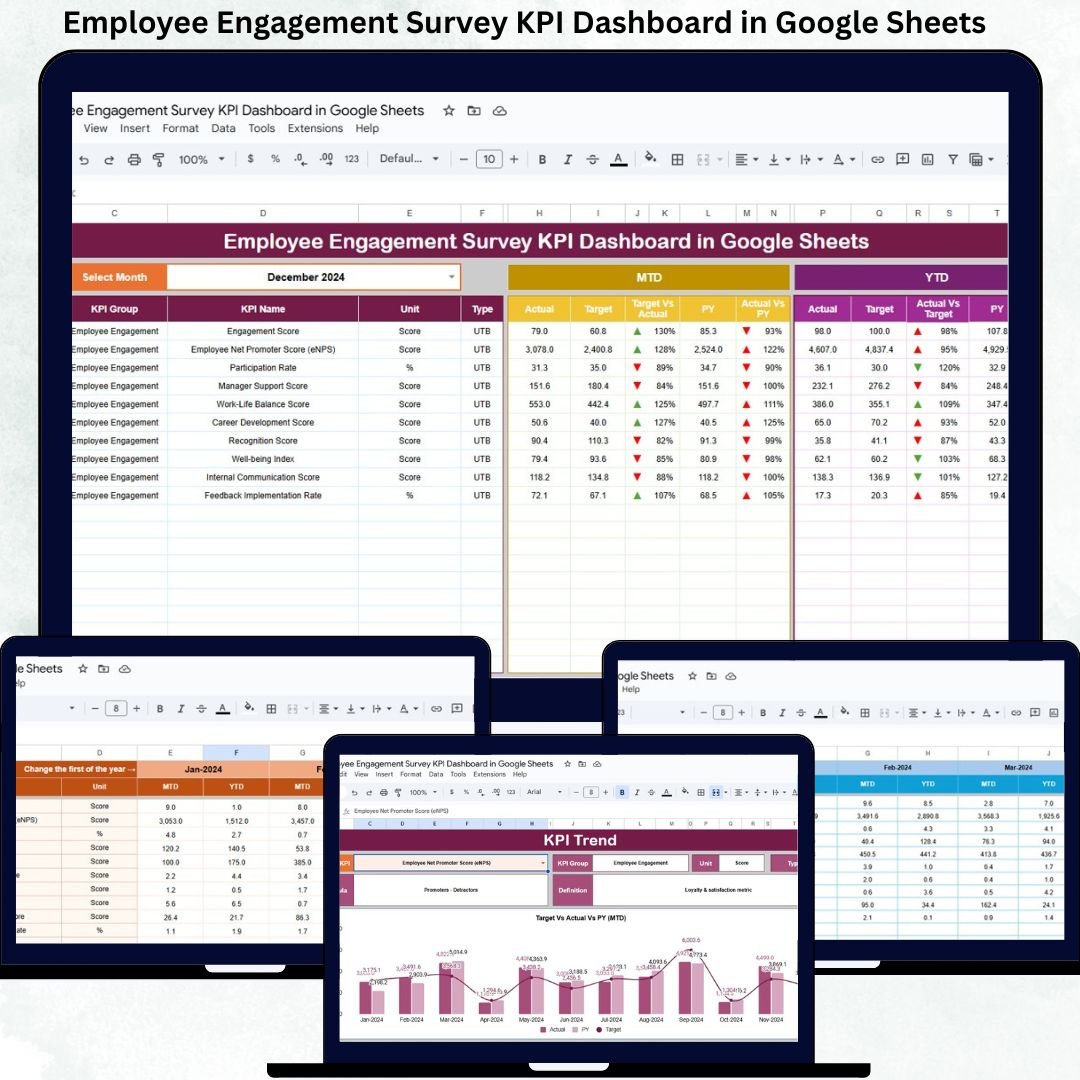
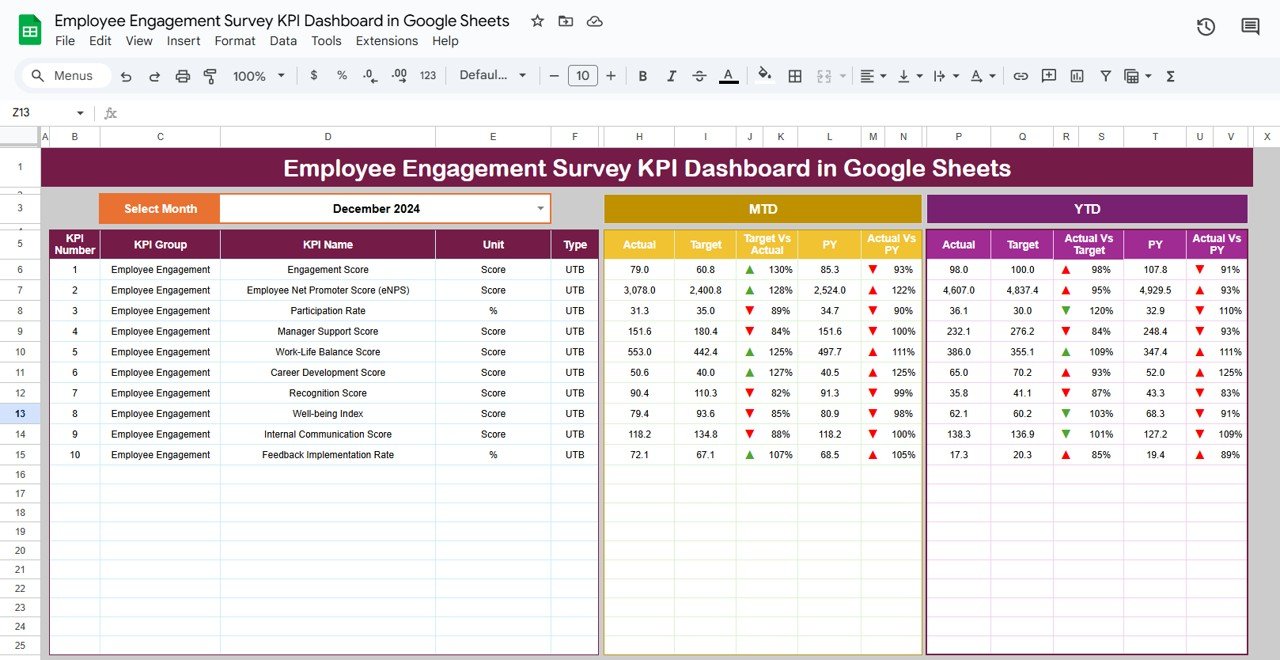
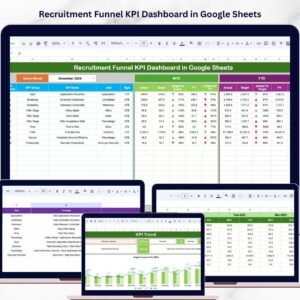
This is the executive summary of the dashboard. You select the reporting month from cell D3, and the entire dashboard updates instantly.
The dashboard displays:
MTD Metrics
Actual
Target
Previous Year
Target vs Actual
PY vs Actual
YTD Metrics
Actual
Target
Previous Year
Target vs Actual
PY vs Actual
Conditional formatting with green and red arrows highlights whether engagement is improving or declining. This allows leadership to assess engagement health within seconds.
## 📊 KPI Trend Sheet Tab
This sheet enables deep analysis of individual engagement KPIs.
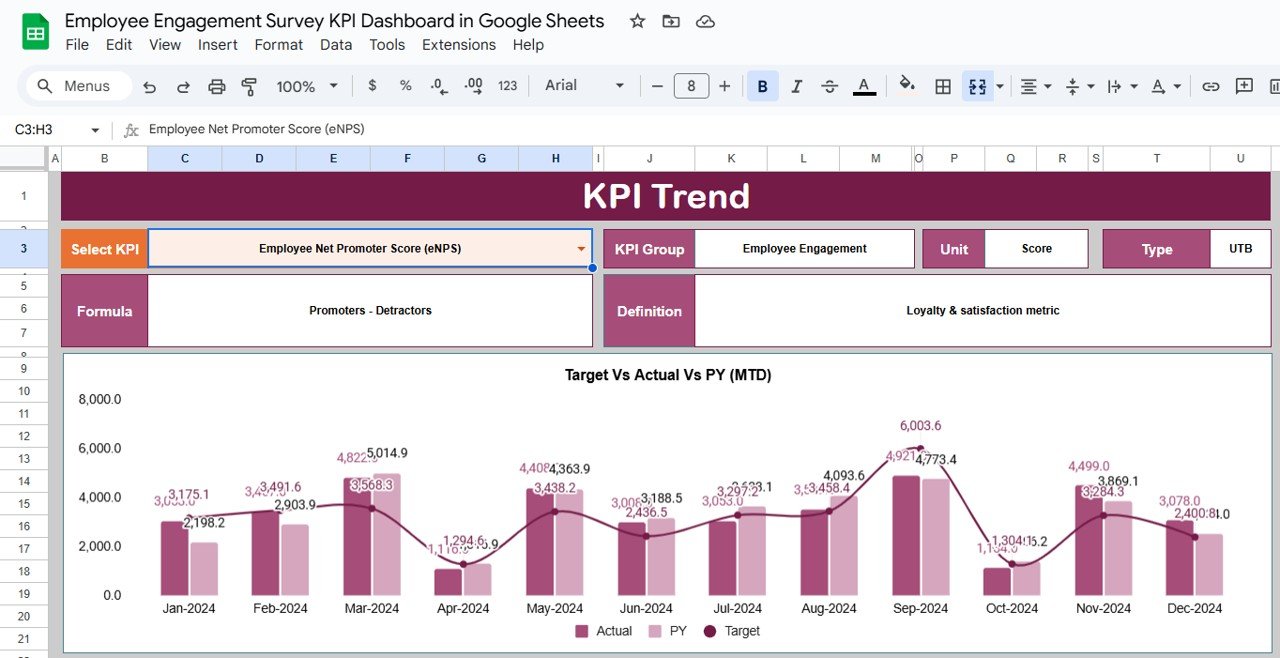
You select a KPI from the dropdown in cell C3, and the dashboard automatically displays:
KPI Group
KPI Unit
KPI Type (Upper the Better or Lower the Better)
KPI Formula
KPI Definition
Trend charts show month-wise movement, helping HR teams understand whether engagement initiatives are working or require adjustment.
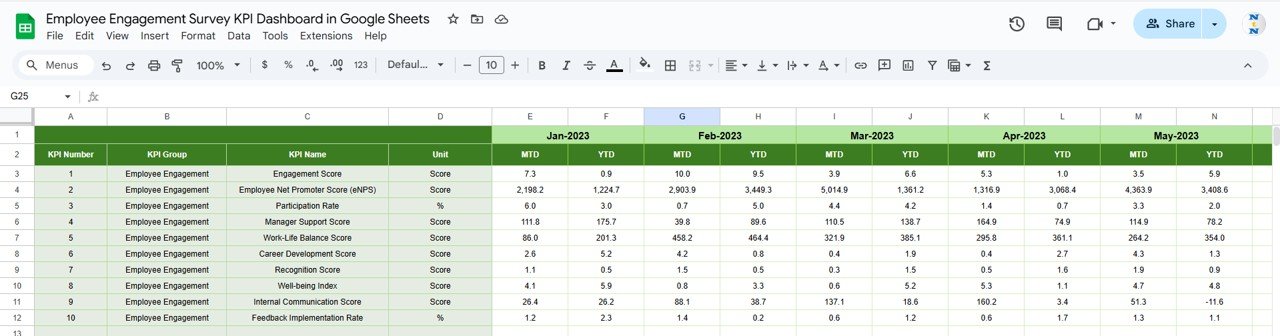
## 🧾 Actual Number Sheet Tab
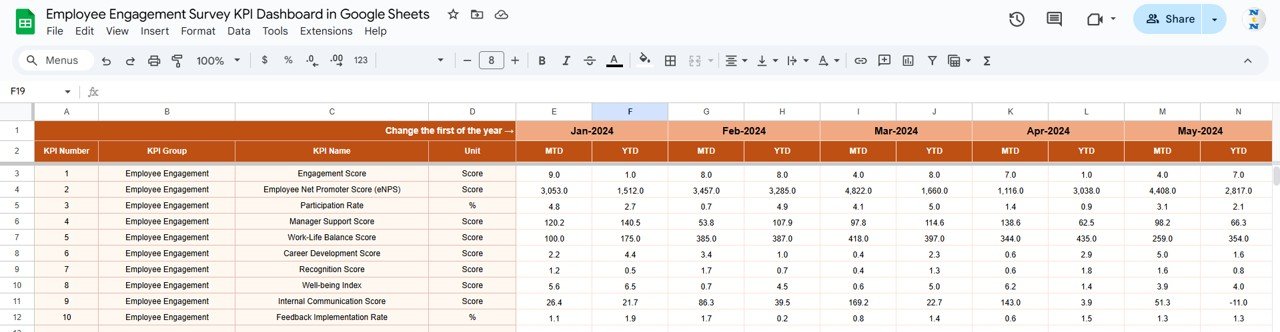
This sheet acts as the single source of truth for engagement survey results.
You:
Set the first month of the year in cell E1
Enter MTD and YTD actual survey scores month by month
All KPIs and visuals update automatically, ensuring accuracy and consistency.
## 🎯 Target Sheet Tab
This sheet stores engagement targets for each KPI.
It helps organizations:
Define clear engagement goals
Align survey results with HR strategy
Measure success objectively
## 📅 Previous Year Number Sheet Tab
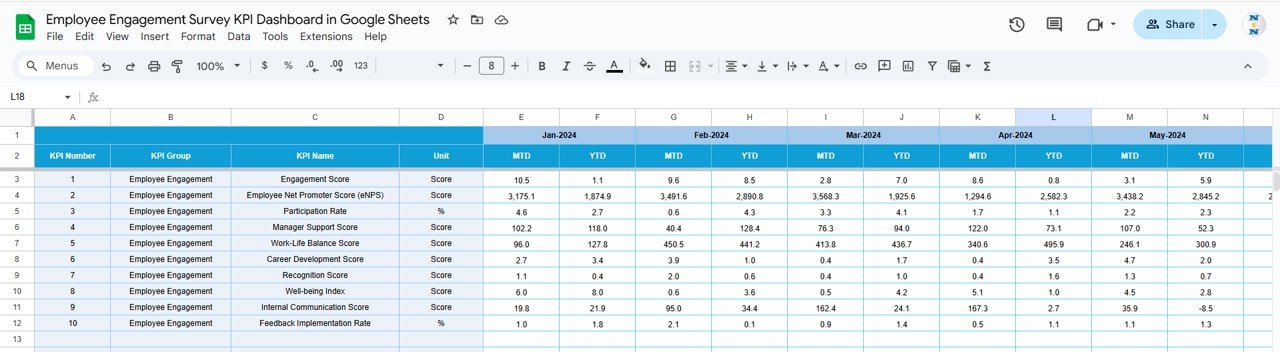
This sheet stores last year’s engagement survey data.
It supports:
Year-over-year comparison
Long-term engagement trend analysis
Evaluation of improvement initiatives
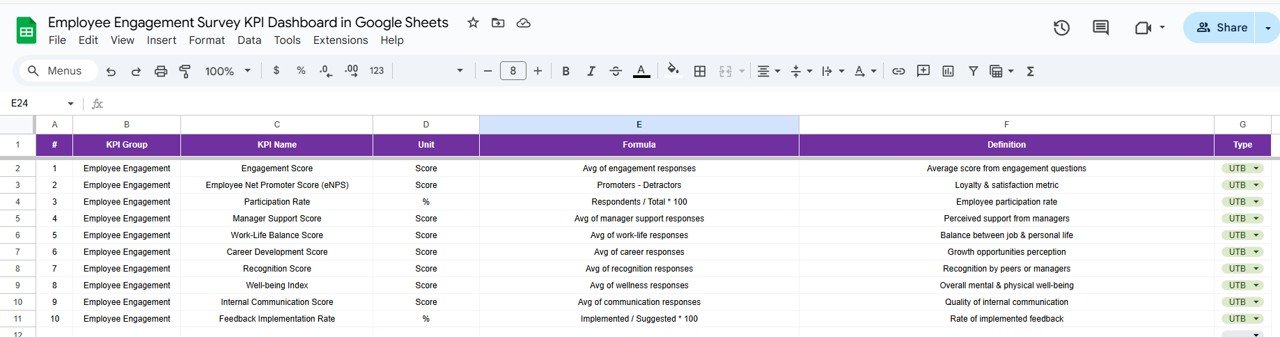
## 📚 KPI Definition Sheet Tab
This reference sheet ensures governance and clarity.
It includes:
KPI Name
KPI Group
Unit
Formula
KPI Definition
KPI Type (UTB / LTB)
This avoids confusion and ensures consistent interpretation across teams.
## 🎯 Who Can Benefit from This Dashboard
HR Teams – Convert survey data into actionable insights
People Managers – Understand engagement gaps early
Leadership Teams – Make data-driven engagement decisions
Organizations of Any Size – From startups to enterprises
### Click here to read the Detailed blog post
Watch the step-by-step video tutorial:




























Reviews
There are no reviews yet.