



In today’s hyper-digital era, transformation without tracking is just guesswork. That’s why the Digital Transformation KPI Dashboard in Power BI is a game-changing tool designed to help you monitor, measure, and master your digital progress. From cloud adoption and automation to customer experience and innovation speed—this dynamic dashboard helps you stay in control, always. 🧠📈
Built using Power BI with Excel as the backend, this solution gives leaders and teams real-time visual insights that guide smart decisions and drive continuous growth.
🔍 Key Features of the Power BI Dashboard
🔸 1. Summary Page
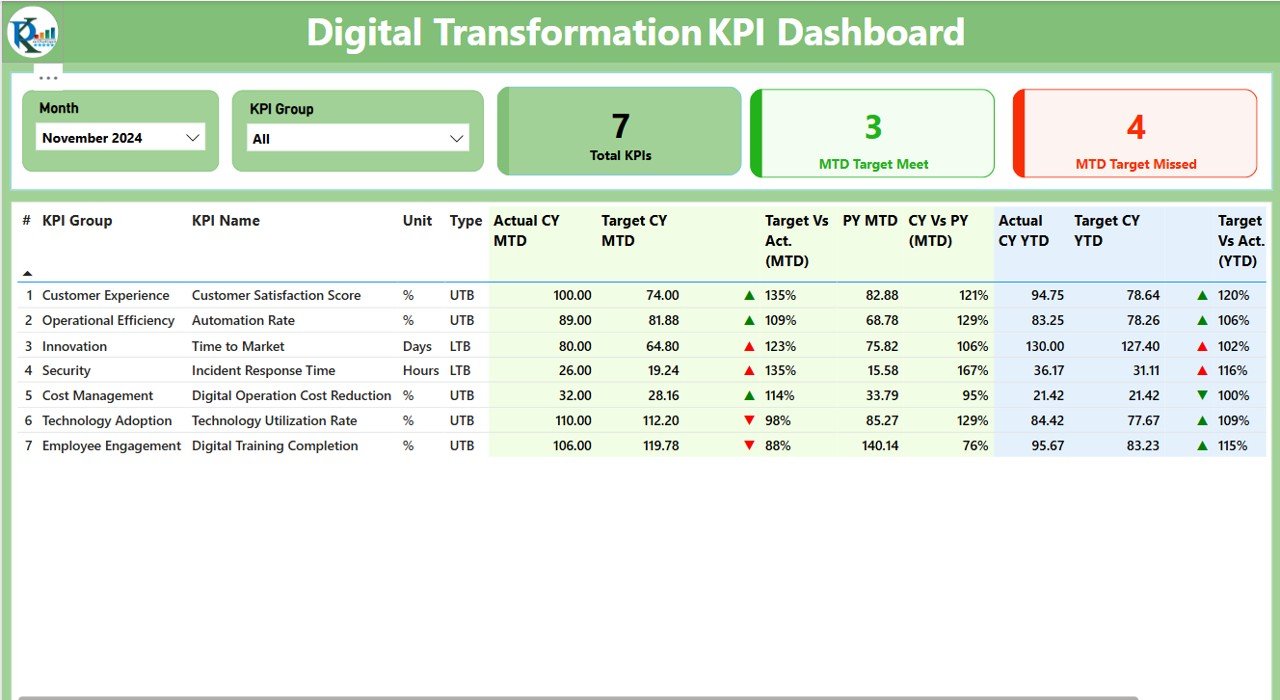
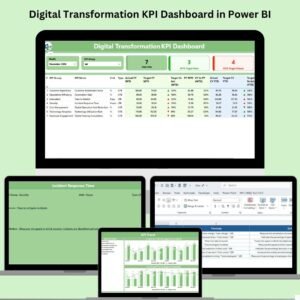
Your executive snapshot! Use filters for Month and KPI Group to view:
🟢 3 Insightful KPI Cards: Total KPIs, Target Met (MTD), and Target Missed (MTD)
📋 Dynamic Table: See KPI Number, Group, Name, Unit, Type (UTB/LTB), CY vs PY, Target vs Actual, and more.
🎯 Red/Green Icons: Visual cues that show if your KPIs are on track.
🔸 2. KPI Trend Page
Visualize progress over time using combo charts:
📆 MTD & YTD Trends: Compare CY actuals, PY actuals, and targets.
🧩 Interactive slicer lets you analyze any KPI in detail.
🔸 3. KPI Definition Page
A hidden drill-through page that reveals:
💡 KPI Formula
📘 Short, clear definition
🔙 Easy return button to main dashboard
📊 Data Source: Excel-Driven Simplicity
No complex database setup! Just use our structured Excel sheets:
Input_Actual – Actual KPI values by month
Input_Target – Target KPI values by month
KPI Definition – Master sheet for KPI number, group, formula, unit, and type
🚀 Why Use This Dashboard?
A Digital Transformation dashboard isn’t just a nice-to-have—it’s a necessity. This tool helps your organization:
📌 Focus on what matters
⏱️ React faster with real-time metrics
🔁 Track improvements month-over-month & year-over-year
💼 Align efforts across departments
From tech startups to global enterprises, this dashboard adapts to your size, speed, and goals.
💡 Best Practices for Maximum Impact
✅ Choose the Right KPIs: Link metrics to your transformation objectives
📐 Use Standard Formats: Keep units consistent across all KPIs
🎨 Visualize with Purpose: Use status icons to highlight trends clearly
🔗 Connect Excel to Power BI: Automate refreshes for real-time analysis
🧾 Document Definitions: Ensure all team members understand each KPI
💼 Real-World Use Cases
🏢 Corporates: Measure digital training, app adoption, and system upgrades
🏦 Banks: Monitor mobile banking, AI deployment, and cybersecurity KPIs
🚀 Startups: Track automation goals, customer onboarding, and feature releases
🎓 Educational Institutes: Follow online learning effectiveness and digital resources
🔁 MTD & YTD Analysis – Simplified
Instantly compare MTD (Month-to-Date) and YTD (Year-to-Date) actuals with targets and previous year values. No manual calculation—just real-time insights with intuitive icons and charts.
🎓 Who Can Use This?
Digital Transformation Teams
CIOs, CTOs & Innovation Leaders
Operations & Strategy Heads
Business Analysts & BI Developers
All you need is basic Excel and Power BI knowledge.
📥 What You’ll Get:
✅ Power BI Dashboard (.pbix) file
📊 Excel Data Source Template
🎯 Sample KPI Definitions
🔄 Automated calculations for MTD/YTD with visuals
🎓 Access to video tutorial: youtube.com/@PKAnExcelExpert
🔗 Click here to read the Detailed blog post
Watch the step-by-step video tutorial:
Compatibility and Requirements
- Built for Power BI Desktop, which is free. Get it from Microsoft: Get Power BI Desktop.
- The report reads three Excel sheets: Input_Actual, Input_Target and KPI Definition. Update them and refresh the report.
Frequently Asked Questions
Which pages does the report have?
A Summary page, a KPI Trend page and a hidden KPI Definition drill-through page with a button back to the main dashboard.
What does the Summary page show?
Filters for Month and KPI Group, cards for Total KPIs, Target Met (MTD) and Target Missed (MTD), and a table with CY vs PY and target vs actual, marked with red and green icons.
How do I see trends?
The KPI Trend page uses combo charts to compare CY actuals, PY actuals and targets for MTD and YTD. A slicer picks the KPI.
What is in the download?
The Power BI dashboard (.pbix) file, the Excel data source template and sample KPI definitions.
Is there an Excel or Google Sheets version?
Yes. See the Digital Transformation KPI Dashboard in Excel and the Digital Transformation KPI Dashboard in Google Sheets.
Related Digital Transformation Templates
- Digital Transformation KPI Dashboard in Excel: the same KPIs in Excel
- Digital Transformation KPI Dashboard in Google Sheets: the Google Sheets edition
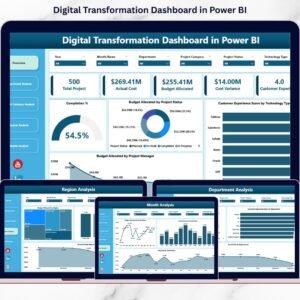
- Digital Transformation Dashboard in Power BI: a project level dashboard in Power BI
- Digital Transformation KPI Scorecard in Excel: a scorecard view in Excel
- Power BI Dashboard Mega Collection: 15 Power BI templates in one download
Browse all Power BI KPI dashboards.






























Reviews
There are no reviews yet.