

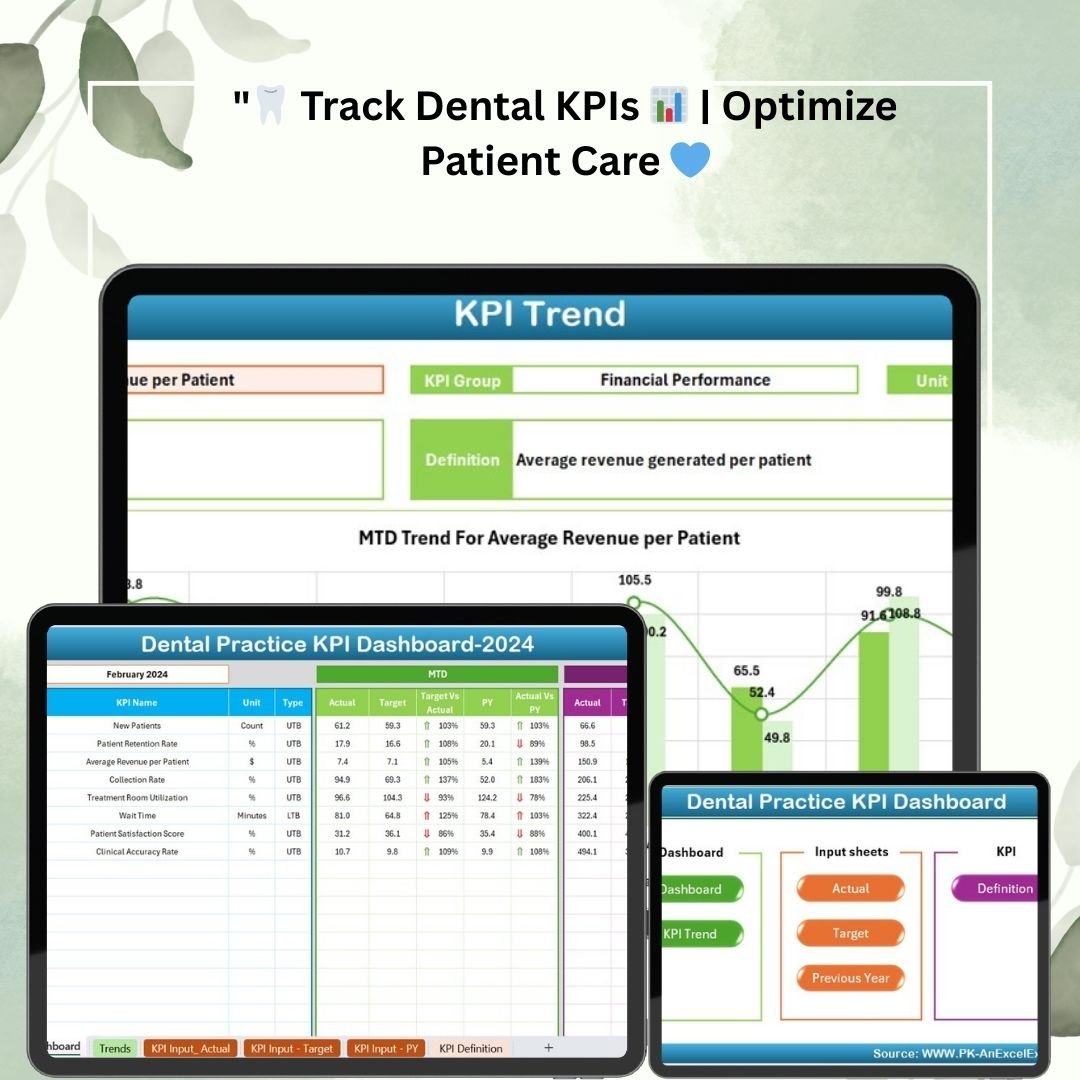



The Dental Practice KPI Dashboard in Excel is a ready-made Excel template that helps dental clinics track the numbers that matter most: patient acquisition, patient retention, financial performance and operational efficiency. It is built for practice owners, office managers and clinic teams of any size who want a clear, up-to-date view of performance against targets and the previous year, all in one easy-to-use Excel dashboard.
Enter your monthly actuals and targets, pick a month from a dropdown, and the dashboard updates every KPI automatically, with color coding that shows where the practice is on track or falling short.

Key Features
- Comprehensive dashboard view: See Month-to-Date (MTD) and Year-to-Date (YTD) actual figures, targets and previous-year comparisons in one centralized view.
- Month selection dropdown: Choose any month and all KPIs update automatically.
- Conditional formatting: Color coding highlights where the practice is performing well and where it is falling short of targets.
- Detailed KPI trend analysis: Select a KPI from a dropdown to view its MTD and YTD trends, comparing actual performance, targets and previous year values in charts.
- Interactive input sheets: Enter actual numbers, monthly and yearly targets, and last year’s data in simple, user-friendly sheets.
- Customizable KPI definitions: Each KPI has a name, group, unit, formula and definition, and you can tailor KPIs, definitions and targets to your practice.
- Real-time updates: The dashboard is linked to the input sheets, so changes to a month’s data are reflected instantly, removing the need for manual tracking.
- Year-over-year comparisons: Compare current performance with the previous year to spot improvement, stagnation or decline.
- Instant download: Get quick access to the template after purchase.
What You Can Track
- Patient Acquisition: Measure the number of new patients entering your practice.
- Patient Retention: Track the patient retention rate to make sure patients keep coming back for regular visits.
- Financial Performance: Assess key financial metrics such as average revenue per patient and collection rates.
- Operational Efficiency: Monitor treatment room utilization and wait time to minimize waiting for patients.
What’s Inside the Template
| Sheet | What it does |
|---|---|
| Dashboard | Centralized MTD and YTD view of actuals, targets and previous-year comparisons, with a month dropdown and conditional formatting. |
| KPI Trend Sheet | Select any KPI to see MTD and YTD trend charts comparing actual, target and previous year values. |
| Actual Numbers Input Sheet | Enter actual numbers for each KPI by month. |
| Target Sheet | Define and update monthly and yearly targets for each KPI. |
| Previous Year Data Sheet | Input last year’s data for year-over-year comparative analysis. |
| KPI Definition Sheet | Lists the name, group, unit, formula and definition of every KPI. |
Who It’s For
- Dental practice owners who want a clear picture of how the practice is performing against its goals.
- Practice and office managers responsible for patient flow, scheduling and day-to-day operations.
- Small dental clinics looking for a simple, structured way to track performance in Excel.
- Larger multi-practice operations that need consistent KPI reporting and informed, data-driven decisions.
Why Choose This Excel Dashboard?
Dental practices are expected to deliver excellent patient care while also staying operationally and financially efficient. With clear, actionable insights, this template helps you:
- Optimize patient care and retention
- Improve financial management
- Streamline operations and reduce inefficiencies
- Achieve practice goals and set targets for future growth
The Excel format makes it easy to use, update and analyze your data, and you can adjust the dashboard to focus on whatever matters most to you, whether that is patient satisfaction, financial performance or operational efficiency.
Compatibility
- Excel version: Compatible with Excel 2016 and later versions, including Excel 365.
- Operating system: Works on Windows and macOS.
How to Use It
- Review the KPIs: Open the KPI Definition Sheet and customize KPI names, groups, units, formulas and definitions if needed.
- Set your targets: Enter monthly and yearly targets for each KPI in the Target Sheet.
- Add last year’s data: Fill in the Previous Year Data Sheet for year-over-year comparisons.
- Enter actuals: Record your monthly figures in the Actual Numbers Input Sheet.
- Analyze: Select a month on the Dashboard to review MTD and YTD results, then use the KPI Trend Sheet to dig into individual metrics.
Click here to read the detailed blog post
Visit our YouTube channel to learn step-by-step video tutorials: Youtube.com/@PKAnExcelExpert
Frequently Asked Questions
What does the Dental Practice KPI Dashboard in Excel track?
It tracks patient acquisition (new patients), patient retention rate, financial metrics such as average revenue per patient and collection rates, and operational metrics such as treatment room utilization and wait time.
Does it show Month-to-Date and Year-to-Date results?
Yes. The dashboard displays month-to-date (MTD) and year-to-date (YTD) actuals alongside targets and previous-year figures for each KPI.
Which versions of Excel does it work with?
It is compatible with Excel 2016 and later versions, including Excel 365, and works on both Windows and macOS.
Can I customize the KPIs?
Yes. You can tailor the KPIs, definitions and targets based on the dental services you offer, the size of your practice or your business goals.
How does the dashboard update?
The dashboard is linked to the input sheets, so when you update a month’s data the dashboard reflects the changes instantly. Simply select a month from the dropdown to refresh all KPIs.
Is it suitable for a small clinic?
Yes. It is designed for dental practices of all sizes, from a small dental clinic to a larger multi-practice operation.
Also check our HR KPI Dashboard
Last updated: October 2026
More Questions About This Template
How does the month selection work?
The month on the Dashboard is picked from a drop-down list, and every KPI updates for that month. Microsoft’s guide Create a drop-down list explains how these lists work if you want to edit one.
Where do I enter targets and last year’s figures?
Monthly and yearly targets go in the Target Sheet, and last year’s numbers go in the Previous Year Data Sheet. The dashboard compares your actuals with both.
Related Dental and Clinic Templates
- Dental Practice KPI Dashboard in Google Sheets: the same KPIs in the browser
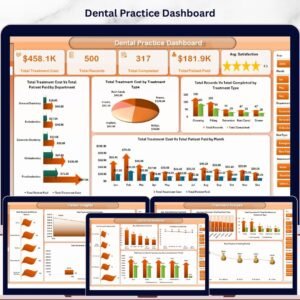
- Dental Practice Dashboard in Excel: a full dashboard for the practice
- Dental Services KPI Dashboard in Excel: KPIs by dental service
- Dental Clinic Management System V1.0: run patient records and appointments in Excel
- Healthcare & Hospital Management Bundle: 8 healthcare templates together
Browse all Excel KPI dashboards or the Excel dashboards.




















Reviews
There are no reviews yet.