


Managing defense and military operations requires precision, accountability, and real-time visibility. Leaders must monitor troop readiness, mission success rates, logistics, training, and budget utilization with accuracy. Without a structured system, vital insights get lost, decisions are delayed, and operational efficiency suffers.
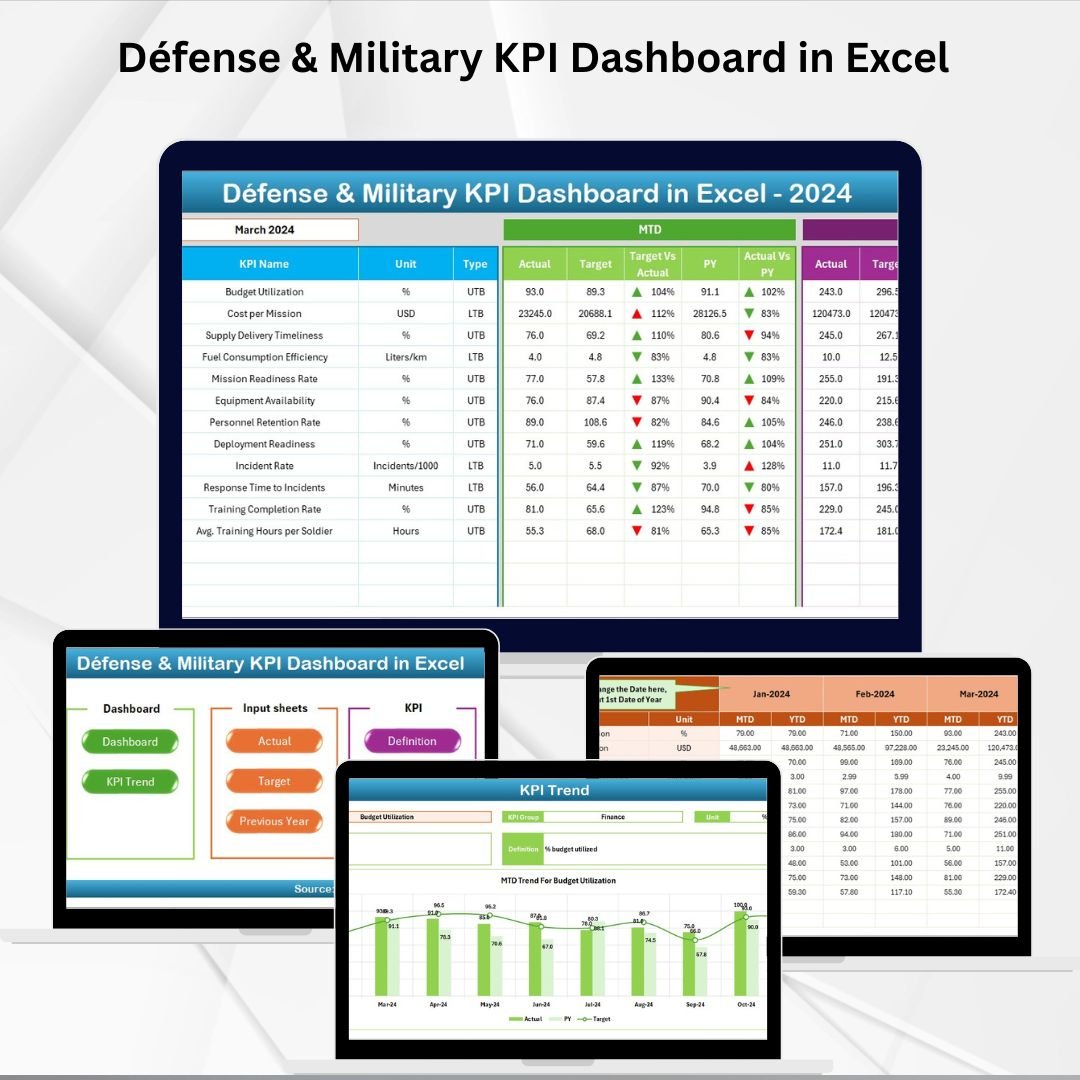
That’s where the Defense & Military KPI Dashboard in Excel comes in. 🎯 This ready-to-use, prebuilt analytics template transforms raw numbers into clear insights, enabling commanders, analysts, and administrators to track performance, evaluate trends, and make data-driven decisions. Built entirely in Excel, this solution is cost-effective, customizable, and user-friendly, making it accessible to defense organizations of any size.
✨ Key Features of Defense & Military KPI Dashboard in Excel
🏠 Home Sheet – Acts as an index with quick navigation buttons to other sheets.
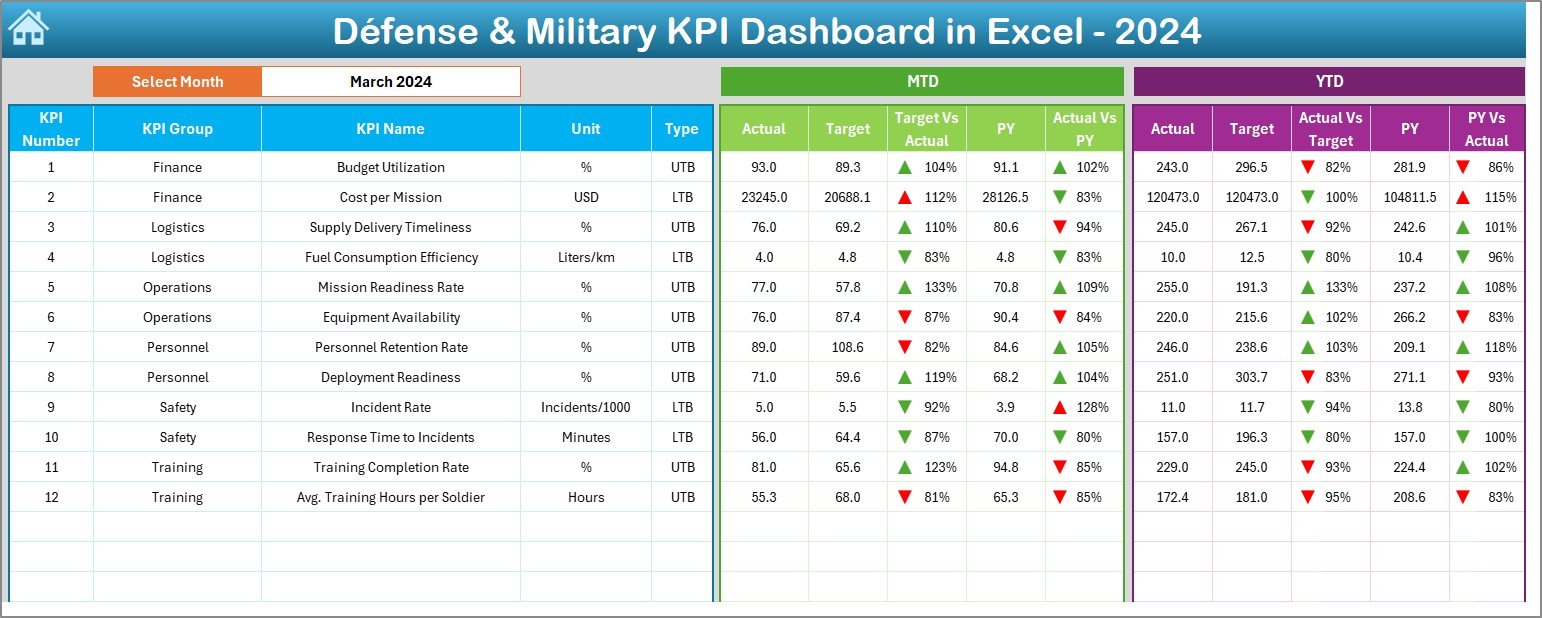
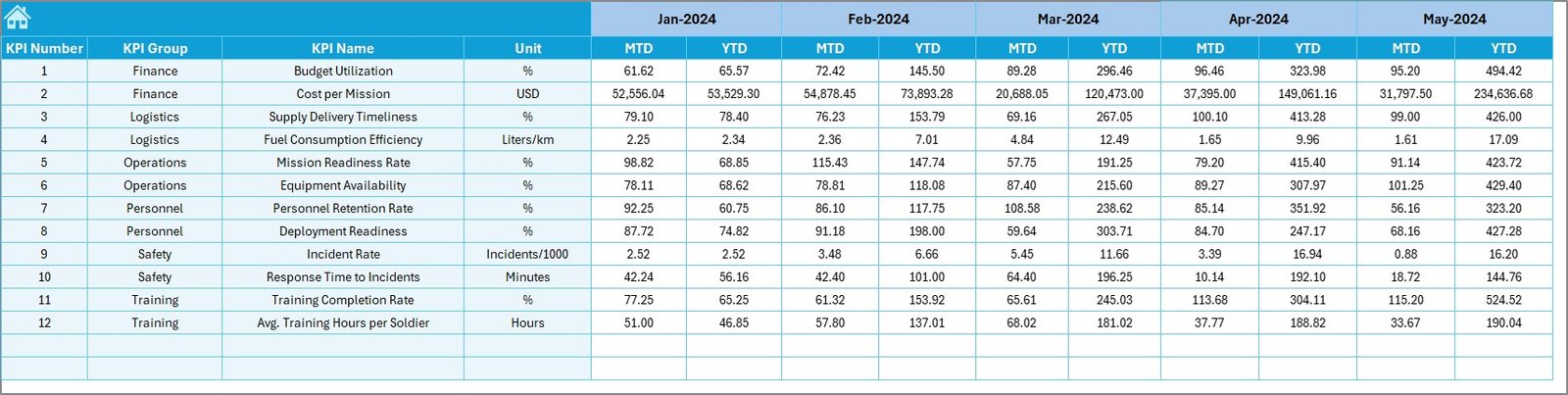
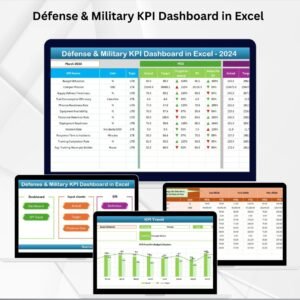
📊 Dashboard Sheet – Central hub with MTD (Month-to-Date) and YTD (Year-to-Date) actuals, targets, and comparisons vs. previous year. Conditional arrows highlight performance at a glance.
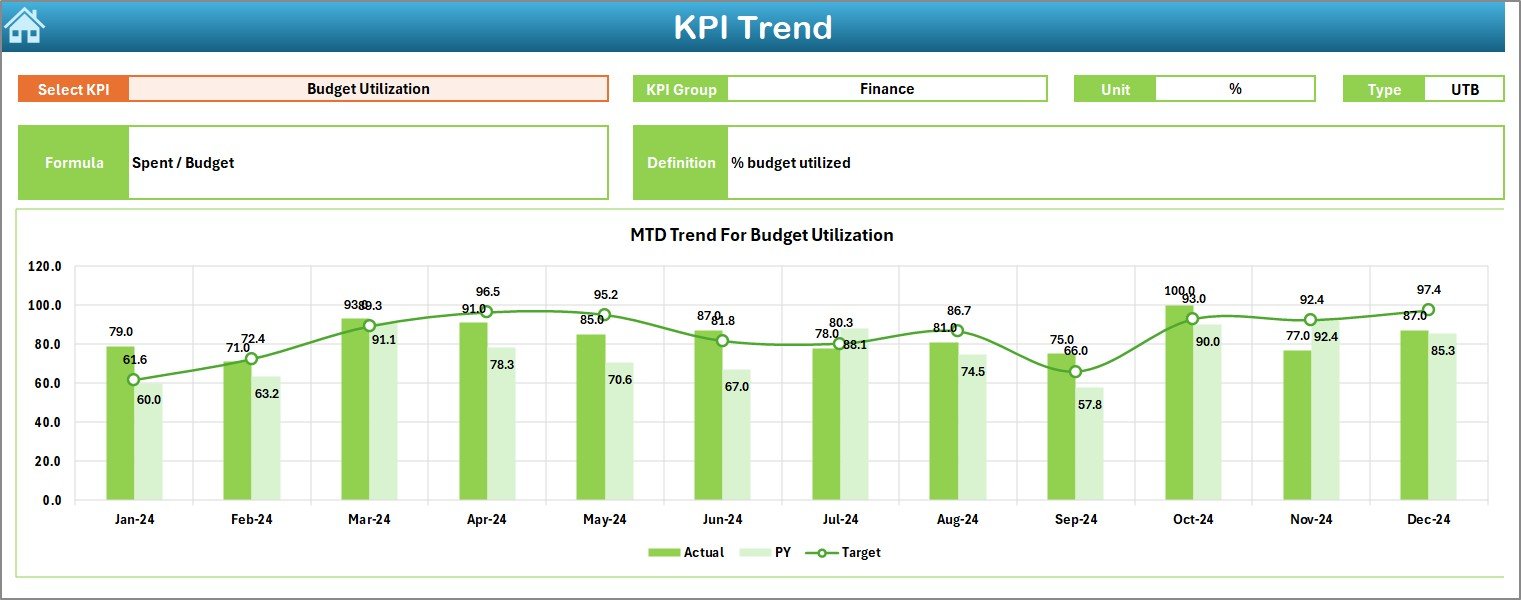
📈 KPI Trend Sheet – Select a KPI from a dropdown and view detailed MTD and YTD charts to analyze trends and patterns.
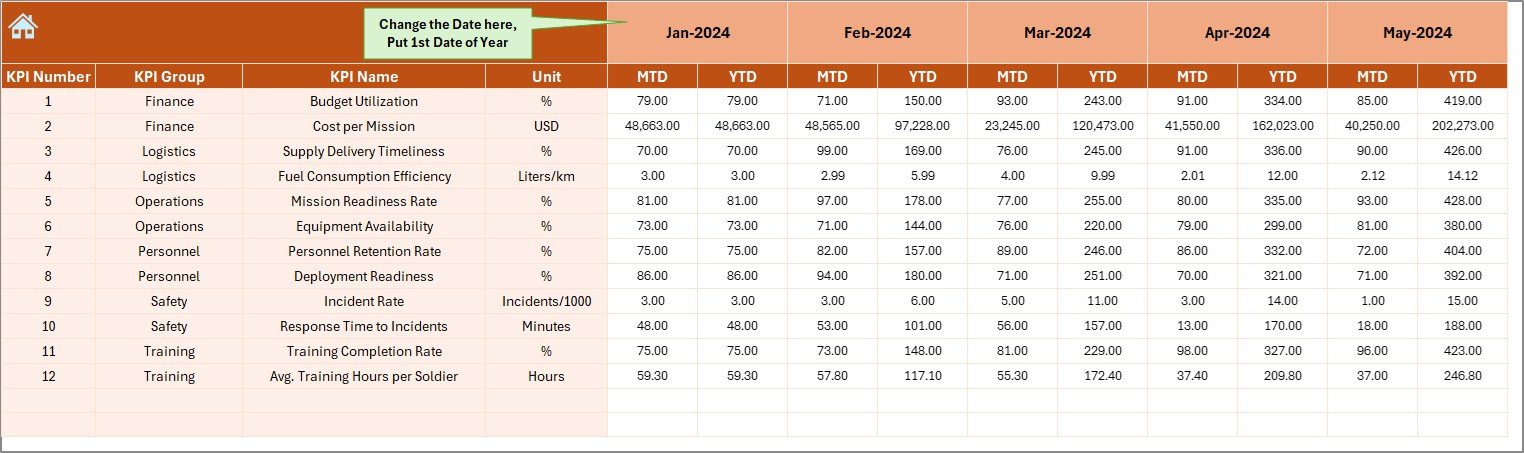
📝 Actual Numbers Input Sheet – Enter monthly actual values with a flexible reference system.
🎯 Target Sheet – Store monthly MTD and YTD targets for each KPI.
📂 Previous Year Numbers Sheet – Record last year’s values for meaningful comparisons.
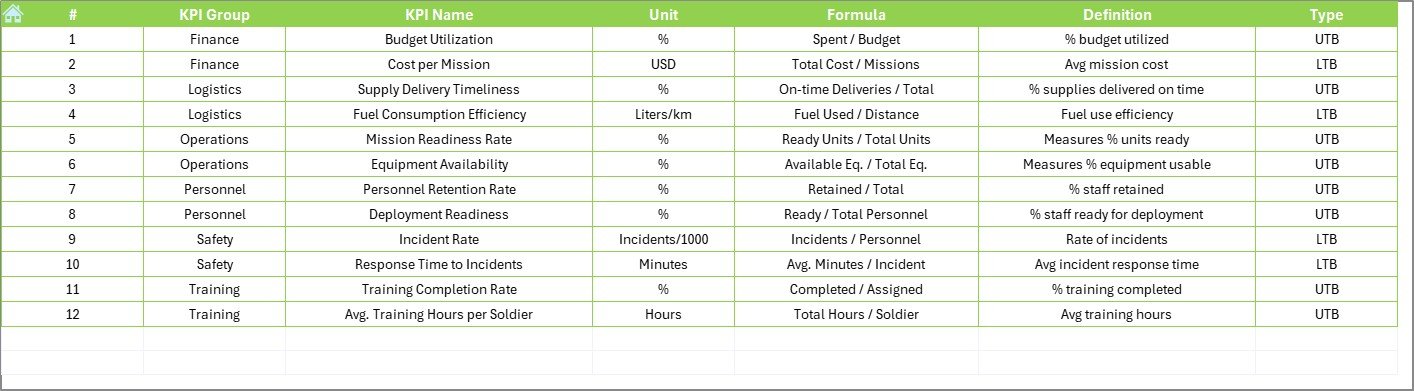
📘 KPI Definition Sheet – Standardize KPI names, formulas, definitions, and units for transparency and consistency.
📂 What’s Inside the Defense & Military KPI Dashboard
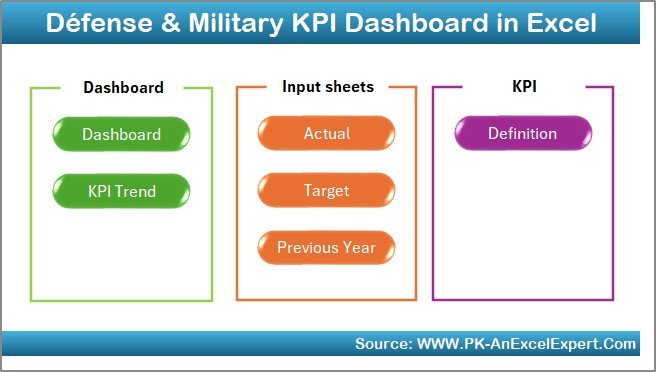
This template is structured into seven worksheets, each with a clear purpose:
Home Sheet – Professional interface for quick navigation.
Dashboard Sheet – Visual overview of all KPIs with instant MTD and YTD insights.
KPI Trend Sheet – Drill down into individual KPI performance over time.
Actual Numbers Input – Enter actuals monthly to feed the dashboard.
Target Sheet – Define organizational benchmarks and goals.
Previous Year Numbers – Capture historical data for comparisons.
KPI Definition – A reference library ensuring clarity and accountability.
🛠 How to Use the Defense & Military KPI Dashboard
Set KPI Definitions – Enter all KPI details into the KPI Definition Sheet.
Load Targets – Input monthly targets in the Target Sheet.
Add Previous Year Data – Populate last year’s actuals in the Previous Year Numbers Sheet.
Input Actuals – Update monthly actual values in the Actual Numbers Input Sheet.
View Dashboard – Navigate to the Dashboard and KPI Trend Sheets for real-time analysis.
Review Trends – Use arrows, charts, and tables to identify risks and opportunities.
Update Regularly – Refresh data each month for ongoing monitoring.
👥 Who Can Benefit from This Dashboard
This tool is designed for multiple roles across defense and military organizations:
🎖 Commanders & Leaders – Get instant visibility on mission readiness and performance.
📊 Military Analysts – Analyze trends and spot recurring issues.
🚛 Logistics Officers – Track resource allocation and readiness of equipment.
🎓 Training Coordinators – Monitor training completion and troop preparedness.
💰 Finance & Admin Teams – Evaluate budget utilization and spending efficiency.
🛡 Strategic Planners – Support long-term planning with historical insights.




















Reviews
There are no reviews yet.