
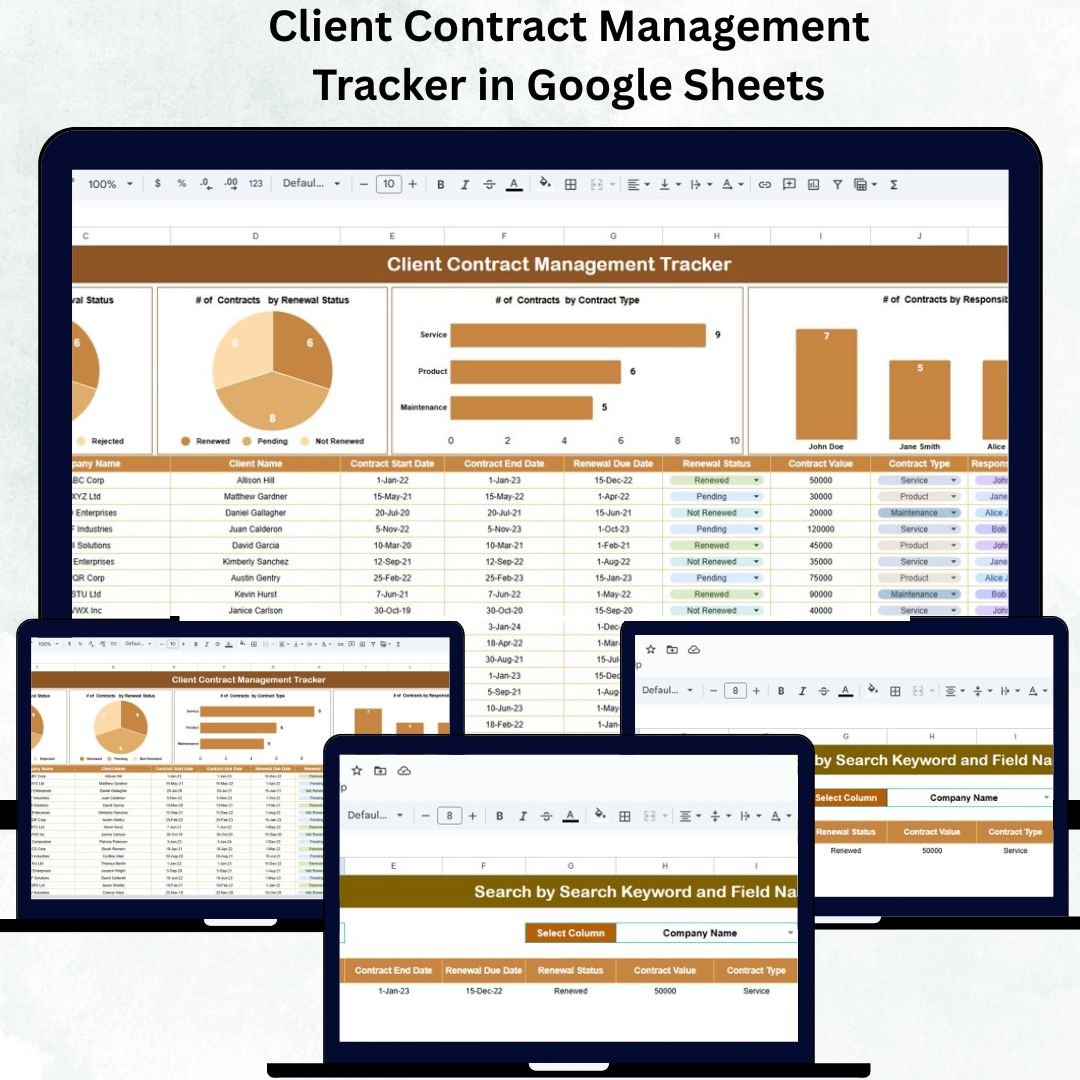
Managing multiple client contracts can be complex, time-consuming, and prone to costly oversights. From tracking approval statuses to monitoring renewal dates and responsible personnel, the process requires precision and visibility. The Client Contract Management Tracker in Google Sheets offers a structured and automated way to manage all your contracts — helping you stay on top of every agreement without missing deadlines or renewal opportunities.
This ready-to-use tracker consolidates all contract-related information into one interactive Google Sheets dashboard. With smart visuals, automated charts, and dynamic search features, it enables organizations to manage their contracts efficiently while maintaining transparency and accountability.
📘 What Is a Client Contract Management Tracker in Google Sheets?
A Client Contract Management Tracker is a digital tool designed to record, track, and monitor client contracts in a centralized manner.
Built entirely in Google Sheets, it provides:
✅ Real-time collaboration between departments
✅ Automatic chart updates as data changes
✅ Instant search and filtering of contracts
✅ Complete visibility into renewals, expirations, and approval statuses
This solution is ideal for organizations that want a lightweight, cloud-based contract management system without investing in expensive software.
🧭 Tracker Sheet Tab (Main Dashboard)
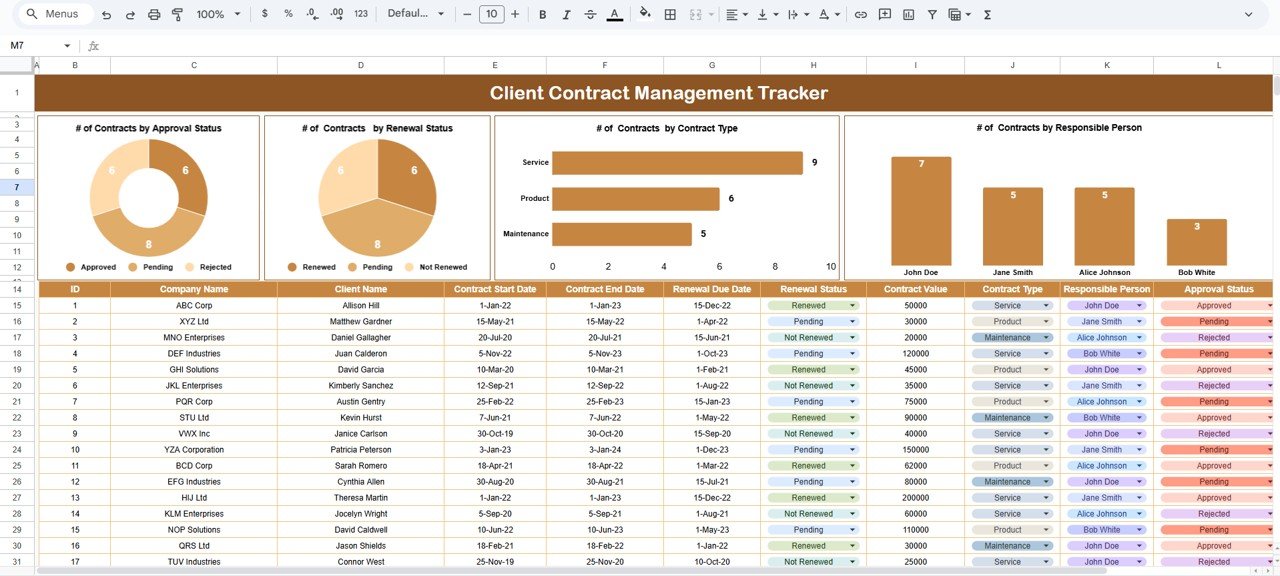
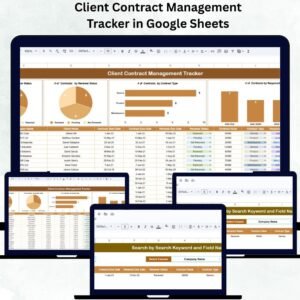
The Tracker Sheet is the primary tab where users can view all contract insights and visual summaries. It combines data visualization charts, summaries, and search functionality for quick and easy contract monitoring.
🔹 Key Functions
-
Store client details, contract types, values, and renewal data
-
Automatically calculate active, pending, or expired contracts
-
Generate dynamic visuals as you update data
-
Use keyword search and filters for fast record lookup
📊 Charts and Visual Insights
The Tracker includes several interactive charts for data-driven analysis:
-
# of Contracts by Approval Status
-
Displays Approved, Pending, and Rejected contracts.
-
Helps identify workflow bottlenecks and track pending approvals.
-
-
# of Contracts by Renewal Status
-
Visualizes contracts categorized as Renewed, Pending Renewal, or Expired.
-
Ensures timely renewals and minimizes revenue loss.
-
-
# of Contracts by Contract Type
-
Categorizes agreements into Service, Product, or Maintenance.
-
Reveals which type of contracts dominate your business.
-
-
# of Contracts by Responsible Person
-
Displays contract allocation across employees or managers.
-
Aids in workload management and accountability tracking.
-
These charts automatically update with every data entry, making analysis both effortless and immediate.
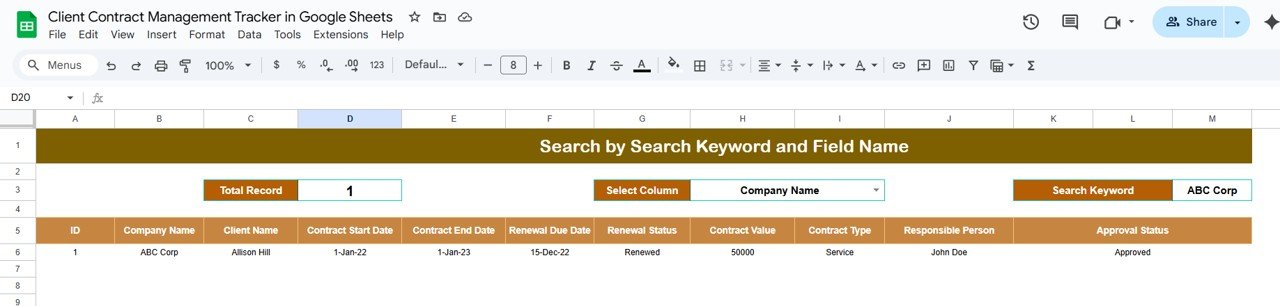
🔍 Search Sheet Tab
The Search Sheet Tab enhances accessibility by allowing users to locate specific contracts instantly.
You can search using:
-
Keywords (e.g., “Pending”, “Renewed”, “Service”)
-
Field Names (Client Name, Responsible Person, or Contract Type)
Example searches:
-
Type “Pending” to see all awaiting approvals.
-
Type “John Doe” to find all contracts managed by that employee.
-
Type “Service” to display all service contracts.
This intelligent search capability saves time and prevents manual scrolling through long lists.
📂 Data Sheet & Key Columns
The Data Sheet acts as the backbone of the tracker. It houses all core information that feeds into the dashboard and charts.
Typical Columns Include:
-
Contract ID
-
Client Name
-
Contract Type
-
Contract Start Date
-
Contract End Date
-
Renewal Due Date
-
Approval Status (Approved, Pending, Rejected)
-
Renewal Status (Renewed, Pending, Expired)
-
Responsible Person
-
Contract Value (USD)
Every change made here automatically refreshes visuals in the Tracker tab.
🌟 Advantages of the Client Contract Management Tracker
-
🗂 Centralized Data Management: Keep all client contracts organized in one system.
-
🔄 Real-Time Updates: Visuals and summaries refresh instantly.
-
👥 Collaborative Platform: Multiple users can edit or view simultaneously.
-
🔍 Smart Search Functionality: Locate contracts by any parameter in seconds.
-
📊 Automated Analytics: Gain instant performance and renewal insights.
-
🧩 Customizable: Add new fields or filters based on organizational needs.
-
☁️ Cloud-Based Access: Use it anytime, anywhere via Google Sheets.
🚀 Opportunities for Improvement
Enhance your tracker even further with these features:
-
📧 Automated Email Alerts: Send renewal reminders using Google Apps Script.
-
🔗 Document Attachment: Add contract links or Google Drive URLs for direct access.
-
🧾 Approval Workflow: Add multi-level dropdowns for sign-off tracking.
-
⚠️ Expiry Highlights: Use conditional formatting for soon-to-expire contracts.
-
📋 Google Forms Integration: Submit new contracts directly into the tracker.
-
✅ Data Validation: Maintain data accuracy for contract types and dates.
💡 Best Practices for Using the Tracker
✅ Update contract information regularly after signing or renewal.
✅ Use color coding for pending or expired contracts.
✅ Standardize naming conventions for contract categories.
✅ Restrict editing permissions to authorized staff.
✅ Review dashboard insights monthly for renewal performance.
✅ Create backup copies periodically for added data security.
👥 Who Can Use This Tracker
-
Sales & Business Teams: Track client agreements and renewal cycles.
-
Legal Departments: Manage approval workflows and contract compliance.
-
Finance Teams: Monitor contract values and payment obligations.
-
Admin & Procurement Teams: Oversee vendor and service contracts.
✅ Conclusion
The Client Contract Management Tracker in Google Sheets offers a professional yet user-friendly solution for monitoring every stage of contract management. With real-time updates, visual charts, and instant search capabilities, it helps teams stay organized, proactive, and compliant.
If your goal is to manage multiple contracts efficiently, reduce errors, and improve visibility — this tracker is the perfect, cost-effective solution for you.






















Reviews
There are no reviews yet.