
Business growth never happens by accident. It comes from consistent tracking, smart analysis, and timely decisions. However, many businesses still depend on scattered spreadsheets, delayed reports, and manual calculations. As a result, leaders struggle to understand what truly drives revenue, profit, and scalability.
That is where the Business Growth Dashboard in Google Sheets becomes a powerful game-changer.
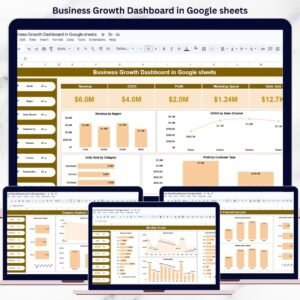
This ready-to-use dashboard converts raw business data into clear KPIs, visual insights, and interactive trends. Instead of switching between multiple files, you get a single, centralized dashboard to monitor revenue, costs, profit, units sold, sales channels, customer behavior, and growth patterns—all in real time.
Because it is built in Google Sheets, the dashboard is cloud-based, collaborative, cost-effective, and easy to customize, without requiring any advanced BI tools or technical expertise.
📊 Key Features of the Business Growth Dashboard
🚀 All-in-One Growth Monitoring
Track revenue, profit, costs, and volume from a single dashboard.
📍 Multi-Dimensional Analysis
Analyze performance by region, category, sales channel, customer type, and time.
📈 Trend-Based Insights
Identify monthly growth patterns, seasonality, and emerging risks early.
🎯 Decision-Ready KPIs
Focus on profit drivers instead of just topline revenue.
🤝 Real-Time Collaboration
Share insights instantly with leadership and teams using Google Sheets.
📦 What’s Inside the Business Growth Dashboard
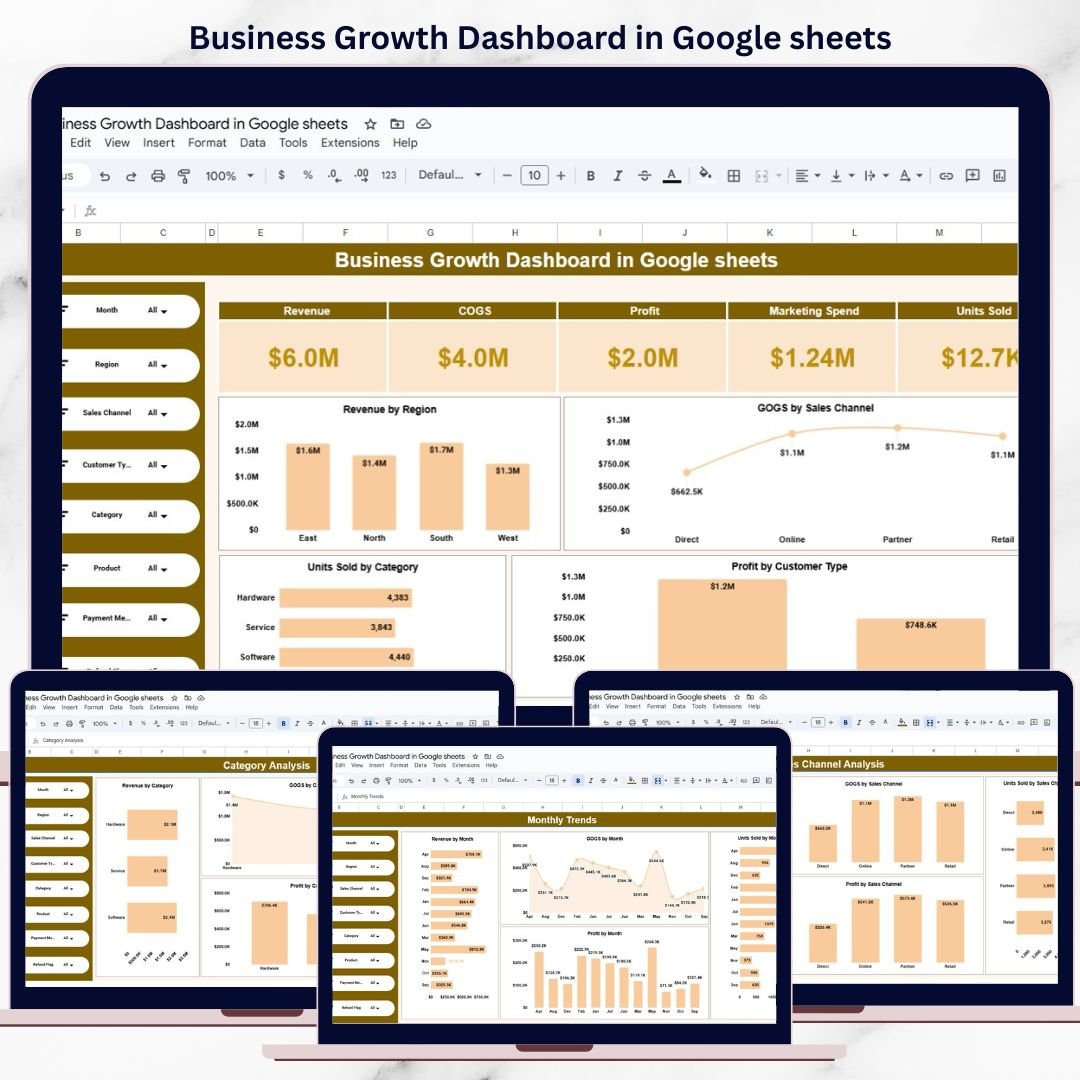
🧭 Overview Sheet – Growth Control Center
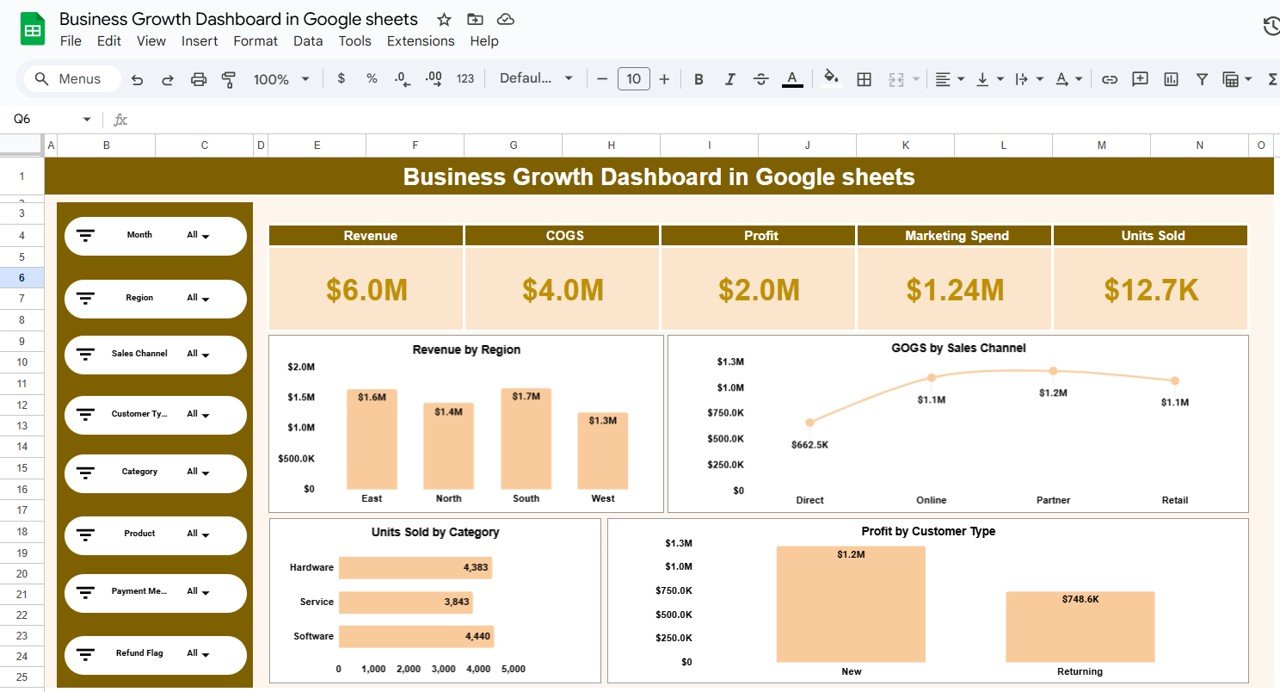
The Overview Sheet gives a snapshot of overall business performance.
KPI Cards Display:
-
Revenue
-
COGS (Cost of Goods Sold)
-
Profit
-
Marketing Spend
-
Units Sold
All KPIs update automatically using filters.
Key Charts Include:
-
📍 Revenue by Region
-
🛒 COGS by Sales Channel
-
📦 Units Sold by Category
-
👥 Profit by Customer Type
Advanced filters allow analysis by:
Month, Region, Sales Channel, Customer Type, Category, Product, Payment Method, and Refund Flag.
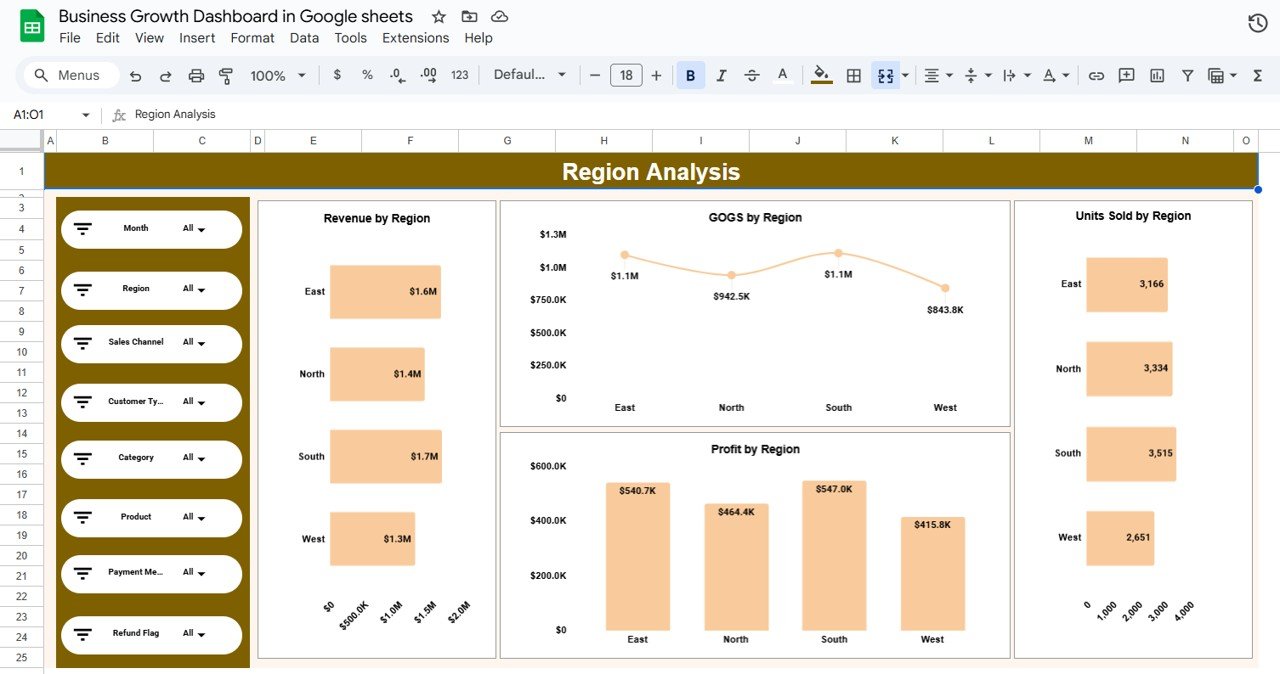
🌍 Region Analysis – Geographic Performance
This sheet helps compare performance across regions.
Charts Included:
-
Revenue by Region
-
COGS by Region
-
Profit by Region
-
Units Sold by Region
This analysis supports market expansion planning and cost optimization.
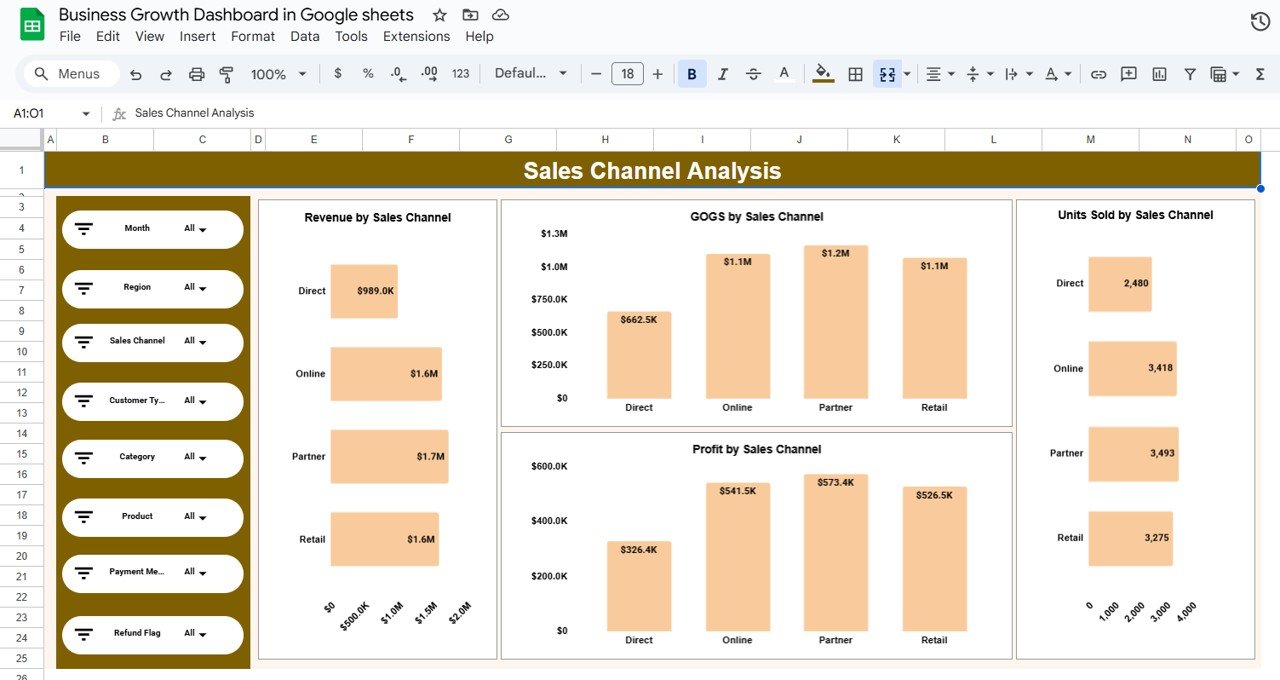
🛍️ Sales Channel Analysis – Channel Profitability
Understand which channels actually drive growth.
Charts Included:
-
Revenue by Sales Channel
-
COGS by Sales Channel
-
Profit by Sales Channel
-
Units Sold by Sales Channel
This sheet helps identify high-margin and low-efficiency channels.
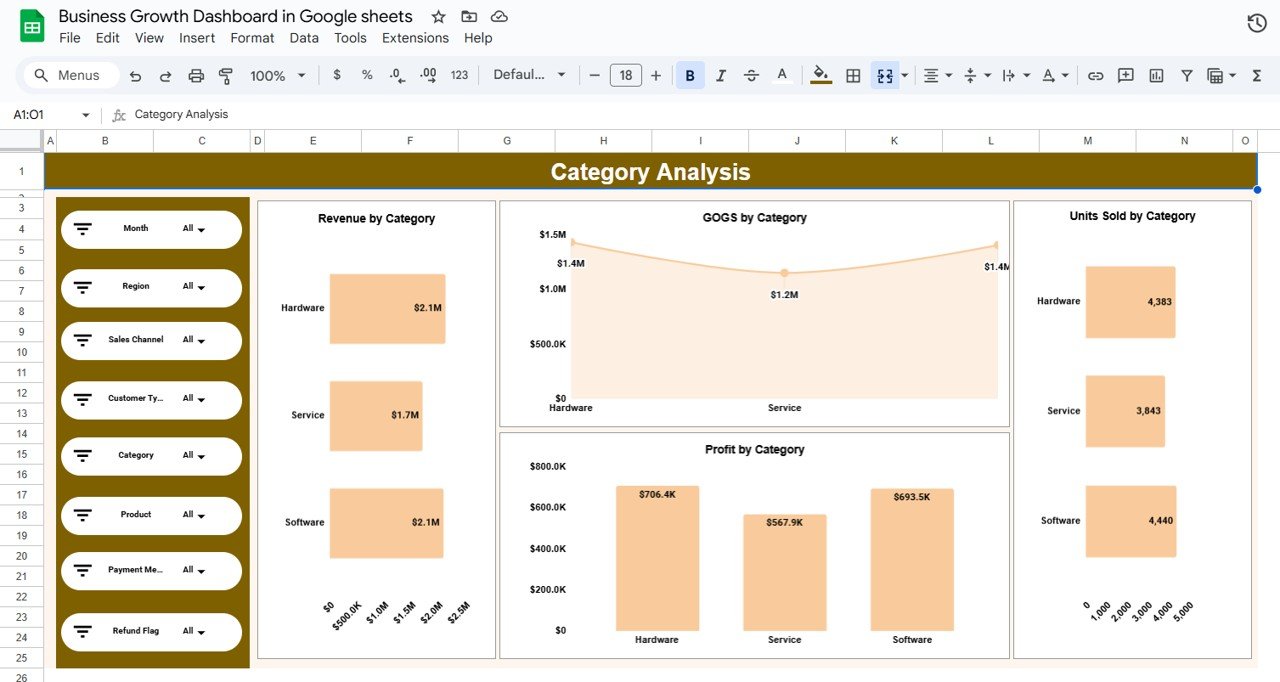
🧩 Category Analysis – Product & Service Insights
Analyze performance by product or service category.
Charts Included:
-
Revenue by Category
-
COGS by Category
-
Profit by Category
-
Units Sold by Category
Perfect for product mix optimization and portfolio decisions.
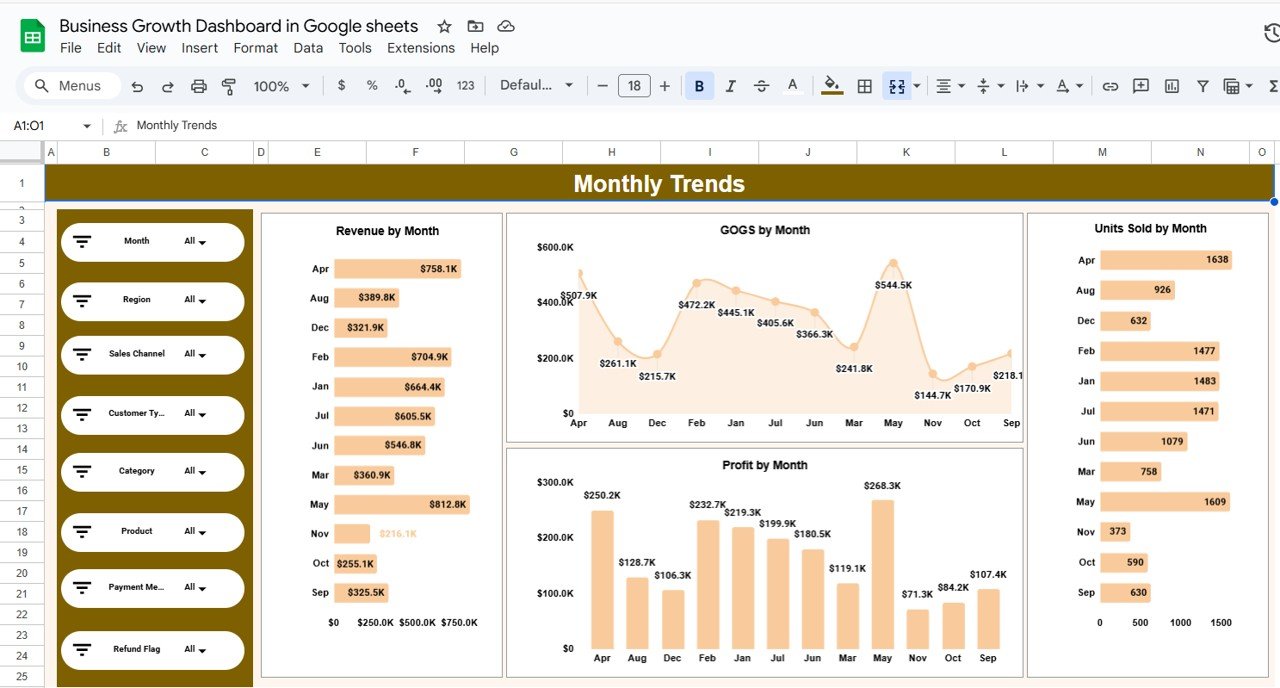
📅 Monthly Trends – Growth Over Time
Track performance trends month by month.
Trend Charts Include:
-
Revenue by Month
-
COGS by Month
-
Profit by Month
-
Units Sold by Month
This view helps detect seasonality, growth acceleration, or early slowdowns.
👥 Who Can Benefit from This Dashboard
-
Business owners & founders
-
Startups & growing companies
-
Finance & operations teams
-
Sales & marketing managers
-
Business analysts & consultants
⚙️ How to Use the Business Growth Dashboard
-
Paste or connect your business data
-
Use filters to slice performance instantly
-
Review profit trends, not just revenue
-
Identify growth drivers and bottlenecks
-
Share insights with stakeholders
No advanced skills required—100% beginner-friendly.
### Click here to read the Detailed blog post
Watch the step-by-step video tutorial:



























Reviews
There are no reviews yet.