



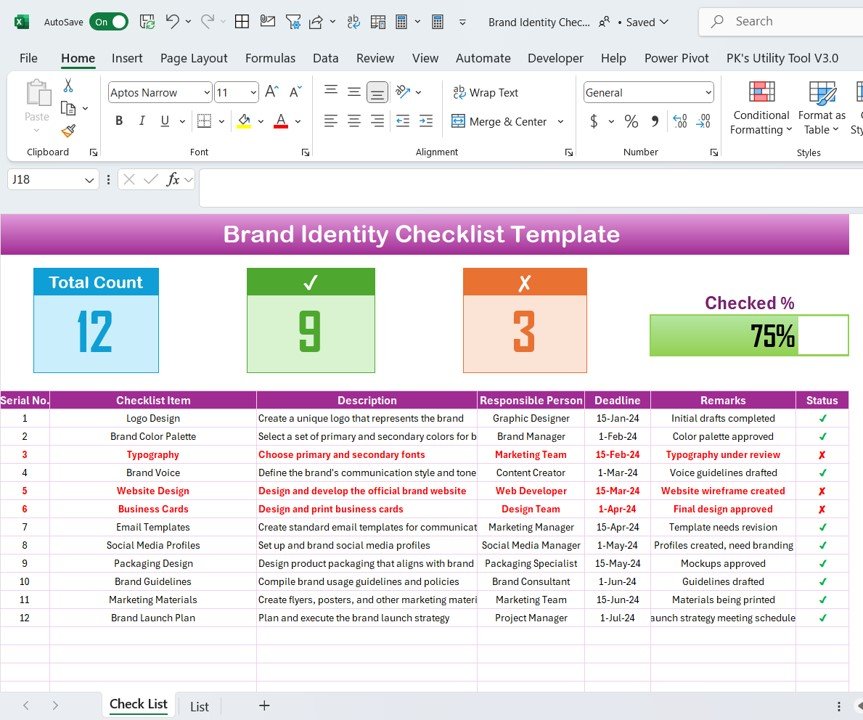
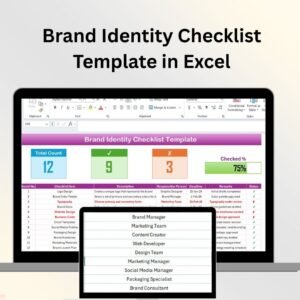
The Brand Identity Checklist Template in Excel is a powerful and customizable tool designed to help businesses, marketers, and brand managers ensure that every aspect of their brand identity is consistent and aligned with their values. Whether you’re launching a new brand or refining an existing one, this Excel-based checklist helps you stay on track with every key element of your brand identity, including logo usage, color schemes, typography, and more.
By organizing brand assets and ensuring uniformity across all touchpoints, this template allows you to maintain a cohesive and professional image that resonates with your target audience. It’s ideal for businesses of all sizes, marketing teams, and design professionals who want to maintain a strong brand presence across various platforms.
Key Features of the Brand Identity Checklist Template in Excel
🎨 Brand Element Tracking
Track all key elements of your brand identity, such as logos, color schemes, fonts, tone of voice, and imagery. Ensure consistency across all brand materials.
📝 Brand Guidelines & Instructions
Provide detailed instructions and guidelines for each brand element. Ensure that your team understands how to use brand assets correctly, including logo placement, color usage, and typography.
🔄 Consistency Across Channels
Monitor and maintain brand consistency across all marketing and communication channels. From print materials to digital platforms, ensure that your brand identity is always aligned.
📅 Timeline & Milestones
Track important milestones in your brand development and rebranding efforts. Set timelines for tasks such as logo design, website launch, and brand guideline distribution.
⚙️ Customizable Checklist
Customize the checklist to suit your specific brand requirements. Add new elements, modify existing fields, and tailor the template to reflect your company’s unique branding strategy.
📈 Brand Progress Monitoring
Monitor progress on your brand identity development. Ensure that all tasks are completed and that your brand identity is implemented correctly across all touchpoints.
Why You’ll Love the Brand Identity Checklist Template in Excel
✅ Ensure Brand Consistency
Maintain uniformity across all marketing materials, digital platforms, and print assets to ensure that your brand’s message is always clear and recognizable.
✅ Streamline Brand Development
Use the checklist to guide the creation of brand elements and ensure that every team member follows the same guidelines, from design to execution.
✅ Clear Brand Guidelines
Provide your team with easy-to-follow instructions on how to implement your brand identity, ensuring that everyone is aligned with the company’s vision.
✅ Improve Marketing Efficiency
With everything in one place, track the completion of each task and ensure that brand development and marketing efforts are on schedule and completed effectively.
✅ Customizable to Your Needs
Adjust the checklist to suit your brand’s specific needs, adding or removing sections based on your branding strategy or goals.
What’s Inside the Brand Identity Checklist Template in Excel?
Brand Element Tracking: Track logos, fonts, color schemes, and other key brand elements.
Brand Guidelines & Instructions: Provide detailed instructions for brand asset usage.
Consistency Across Channels: Ensure consistency across all marketing materials.
Timeline & Milestones: Track important brand development milestones.
Customizable Template: Modify the checklist to suit your company’s branding needs.
Progress Monitoring: Track the completion and implementation of brand elements.
How to Use the Brand Identity Checklist Template in Excel
1️⃣ Download the Template: Access the Brand Identity Checklist Template in Excel instantly.
2️⃣ Customize Your Brand Elements: Add logos, fonts, and other branding assets, and define their usage guidelines.
3️⃣ Track Progress & Milestones: Monitor the progress of each brand element and set important milestones.
4️⃣ Ensure Consistency Across Channels: Use the checklist to maintain uniformity across marketing materials and digital platforms.
5️⃣ Refine Your Brand Identity: Continually update the checklist to reflect changes in your brand identity as your business evolves.
Who Can Benefit from the Brand Identity Checklist Template in Excel?
🔹 Marketing Teams & Brand Managers
🔹 Small & Medium Enterprises (SMBs)
🔹 Startups & Entrepreneurs
🔹 Designers & Creative Agencies
🔹 Corporate Communications Teams
🔹 Content & Social Media Managers
🔹 Advertising & PR Professionals
Maintain a cohesive and professional brand identity with the Brand Identity Checklist Template in Excel. Track key elements, ensure consistency, and streamline brand development efforts across all channels.
Click here to read the Detailed blog post
Visit our YouTube channel to learn step-by-step video tutorials
Youtube.com/@PKAnExcelExpert
Compatibility and Requirements
- Works in Microsoft Excel desktop (Excel 2016 or later, or Microsoft 365).
- New to Excel? Microsoft has free lessons in Excel for Windows training.
Frequently Asked Questions
What brand elements can I track?
You can track logos, color schemes, fonts, tone of voice and imagery. The template also holds usage guidelines for each element, such as logo placement, color usage and typography.
Can I add my own checklist items?
Yes. The checklist is customizable. You can add new elements, change existing fields and remove sections that do not fit your branding strategy.
Does it help with consistency across channels?
Yes. It includes a section for checking that your brand looks the same across marketing and communication channels, from print materials to digital platforms.
Can I set deadlines for brand tasks?
Yes. The timeline and milestones section lets you set dates for tasks such as logo design, website launch and brand guideline distribution. You can then monitor progress on each brand element.
Is there a Google Sheets version?
Yes. See the Brand Identity Checklist in Google Sheets.
Related Checklist Templates
- Brand Identity Checklist in Google Sheets: the same brand checklist for Google Sheets
- Product Launch Checklist Template in Excel: plan a launch once your brand is set
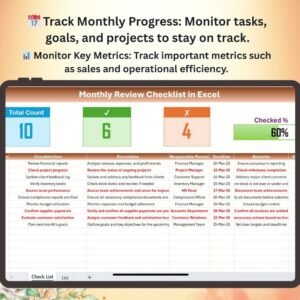
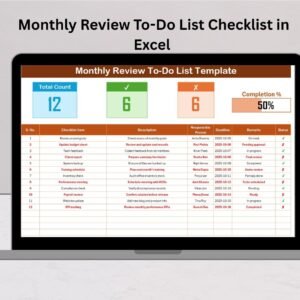
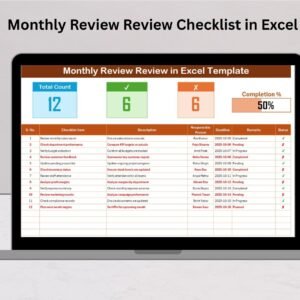
- Monthly Review Checklist in Excel: a recurring review of your tasks
- Employee Onboarding Checklist Template in Excel: get new hires started on your guidelines
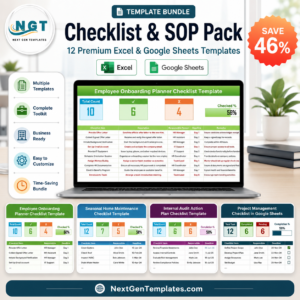
- Checklist & SOP Pack: 12 checklist templates in one download
Browse all Excel checklist templates.





Reviews
There are no reviews yet.