

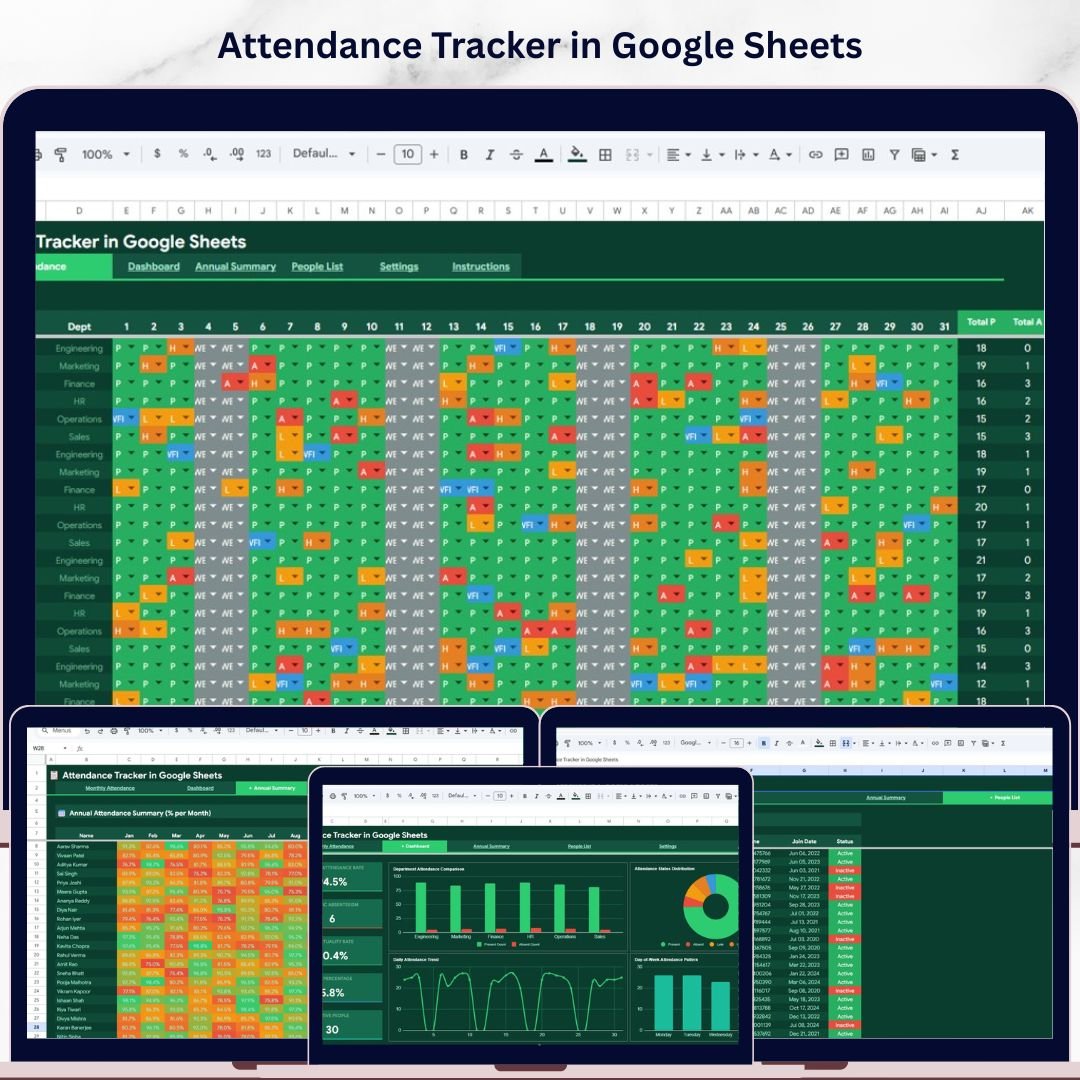
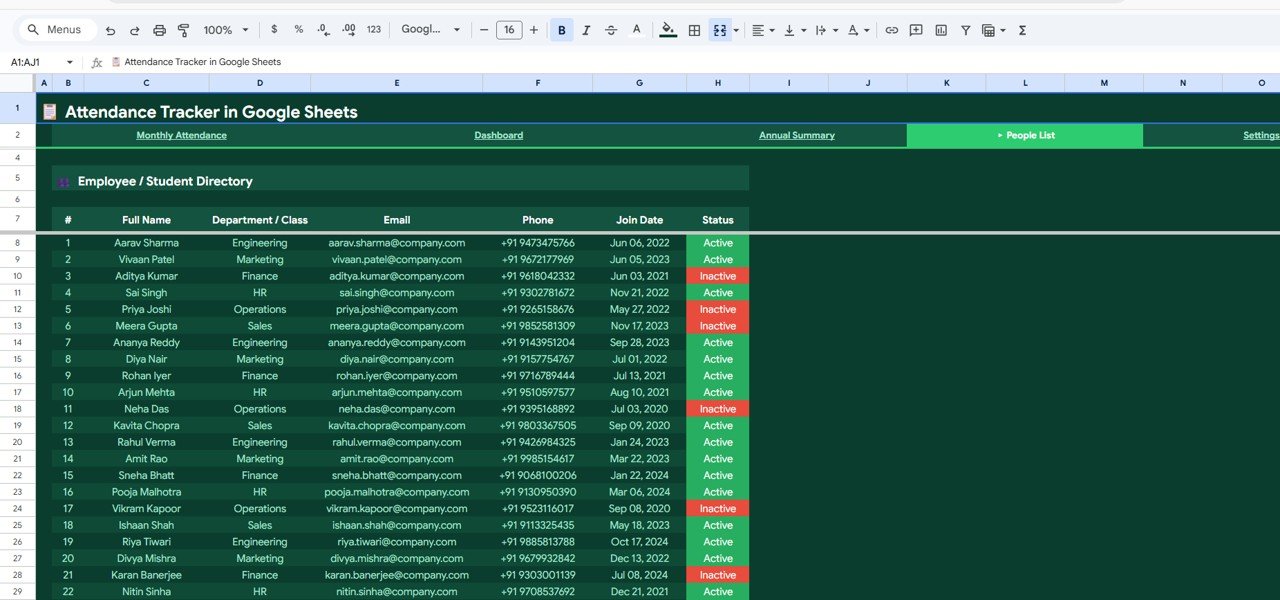
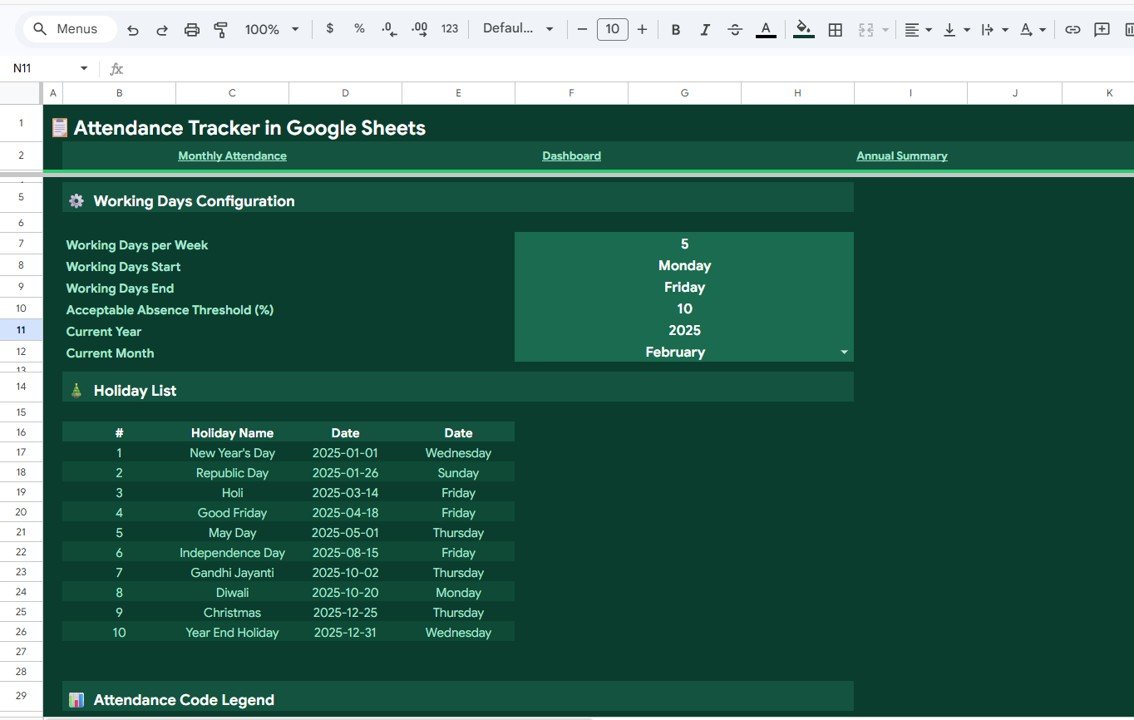
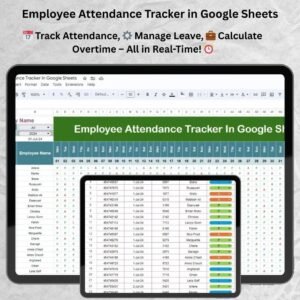
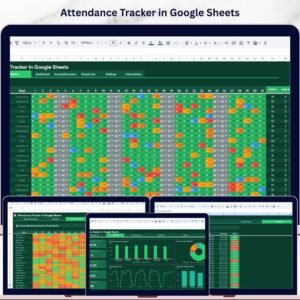
Attendance Tracker in Google Sheets is the ultimate cloud-based solution for HR managers, team leads, and school administrators who need a simple yet powerful way to record, monitor, and analyze daily attendance. This ready-to-use Google Sheets template includes 5 professionally designed pages — a Monthly Attendance data entry sheet, a visual Dashboard with charts and KPI cards, an Annual Summary for year-round tracking, a People List directory, and a customizable Settings page. Whether you’re managing a team of 10 or a workforce of 500, this Google Sheets Tracker streamlines your entire attendance workflow without any costly software subscriptions.
🔑 Key Features of Attendance Tracker in Google Sheets
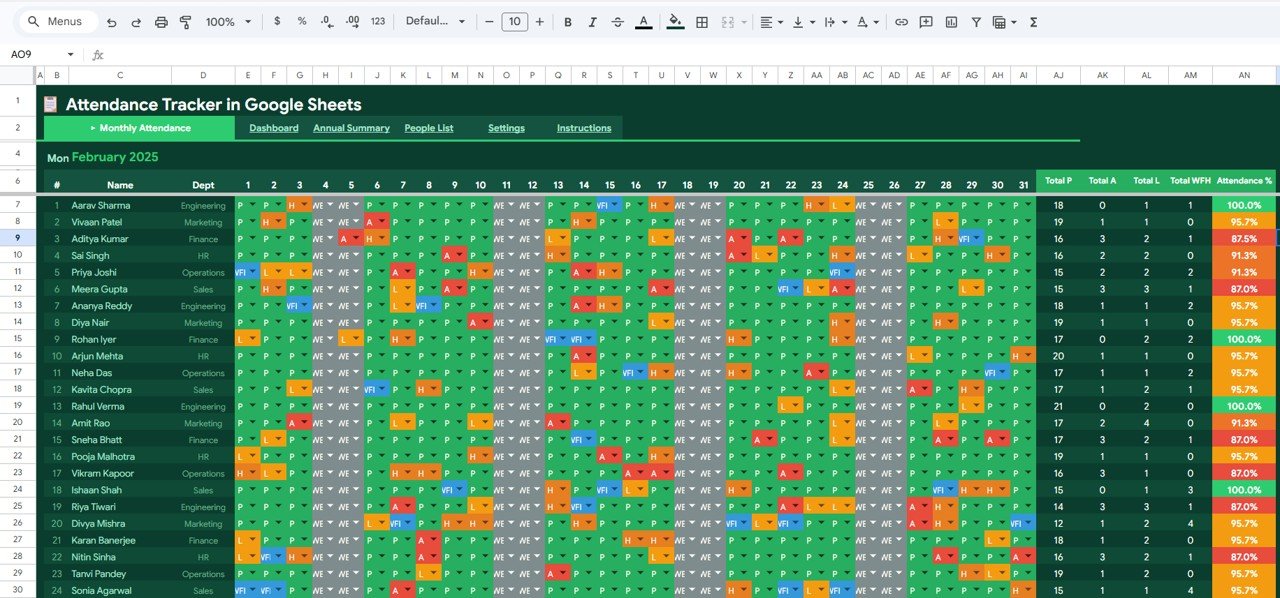
📊 Color-Coded Daily Attendance Entry — Record attendance using intuitive codes like Present, Absent, Late, Half Day, and WFH with automatic color coding for instant visual clarity across the entire month
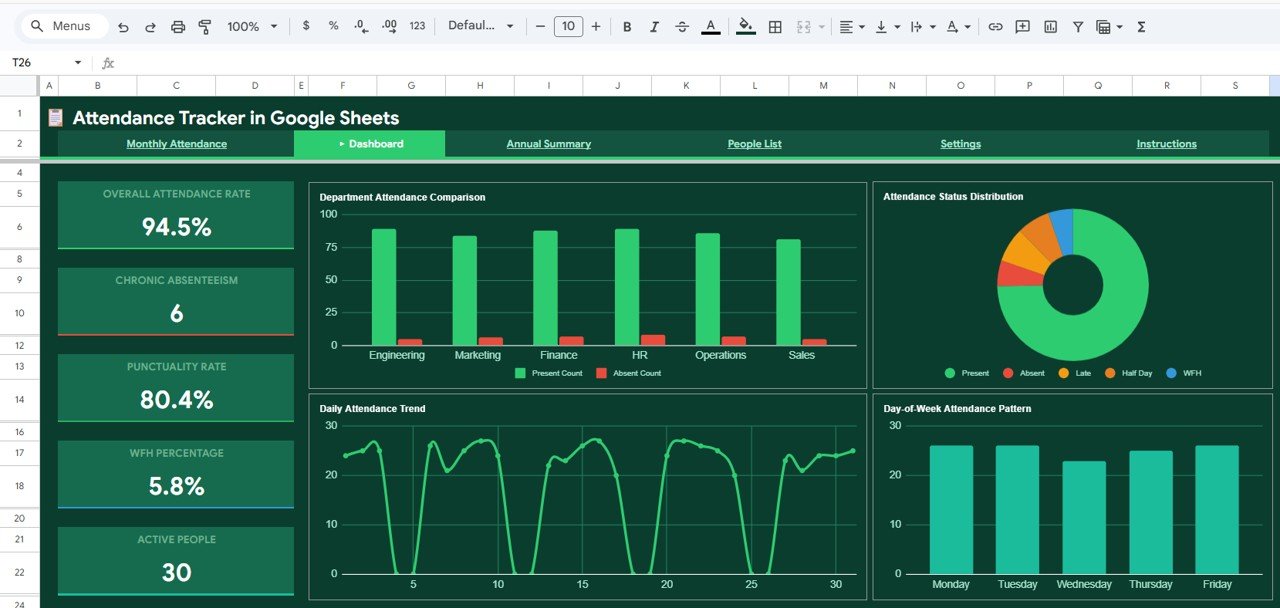
📈 Interactive Dashboard with 5 KPI Cards — Monitor Overall Attendance Rate, Chronic Absenteeism, Punctuality Rate, WFH Percentage, and Active People count at a glance
📉 4 Analytical Charts — Visualize Present Count and Absent Count by Department, Attendance Status Distribution by Category, Daily Attendance Trend by Day of Month, and Attendance Count by Day of Week
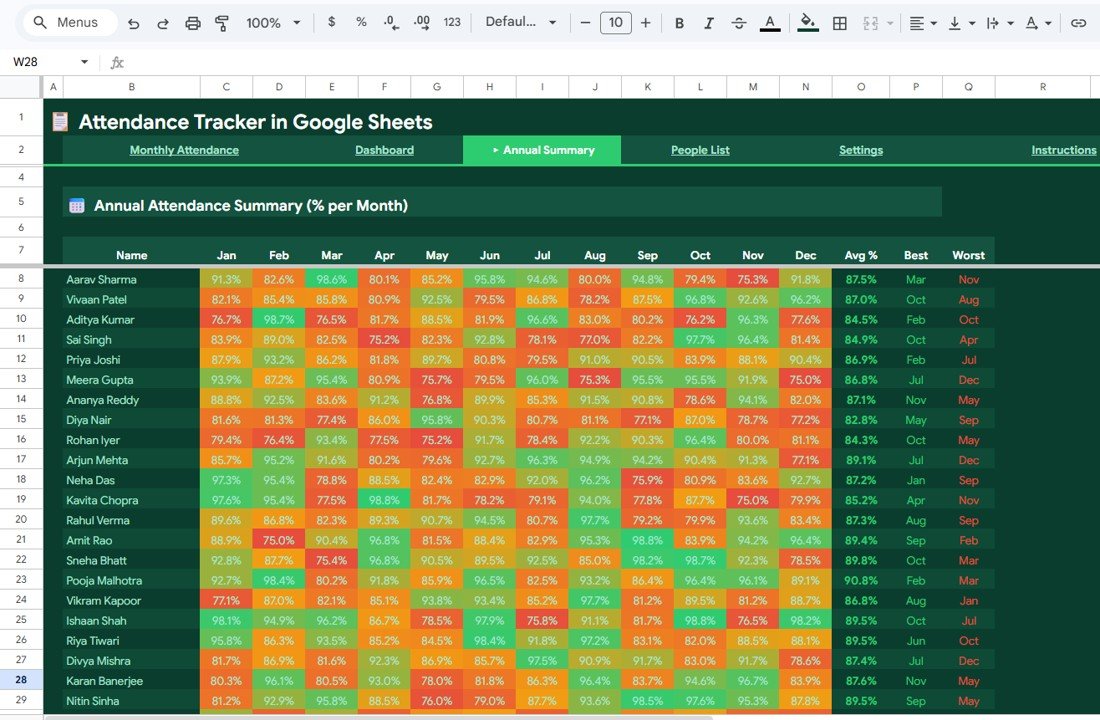
📅 Annual Summary with Color-Coded Heatmap — Track each employee’s attendance percentage month by month across the full year, with automatic highlighting of high and low attendance months
👥 People List Directory — Maintain a complete directory with Full Name, Department, Email, Phone Number, Join Date, and Active/Inactive status
⚙️ Configurable Settings — Customize working days per week, set acceptable absence thresholds, define the current year and month, manage a holiday list, and configure attendance code legends with custom colors
☁️ Cloud-Based Real-Time Collaboration — Share with your team for simultaneous updates and access from any device
🔄 Auto-Calculating Summary Columns — Right-side summary columns automatically calculate Present, Absent, Late, Half Day, and WFH totals for each person
📦 What’s Inside the Attendance Tracker in Google Sheets
This template includes 5 purpose-built sheets that work together seamlessly:
1️⃣ Monthly Attendance Page — The main data entry sheet where you record daily attendance for each employee or student. Names run down the left column and dates span across the top. Each cell is color-coded using attendance codes, and summary columns on the right automatically calculate totals for Present, Absent, Late, Half Day, and WFH.
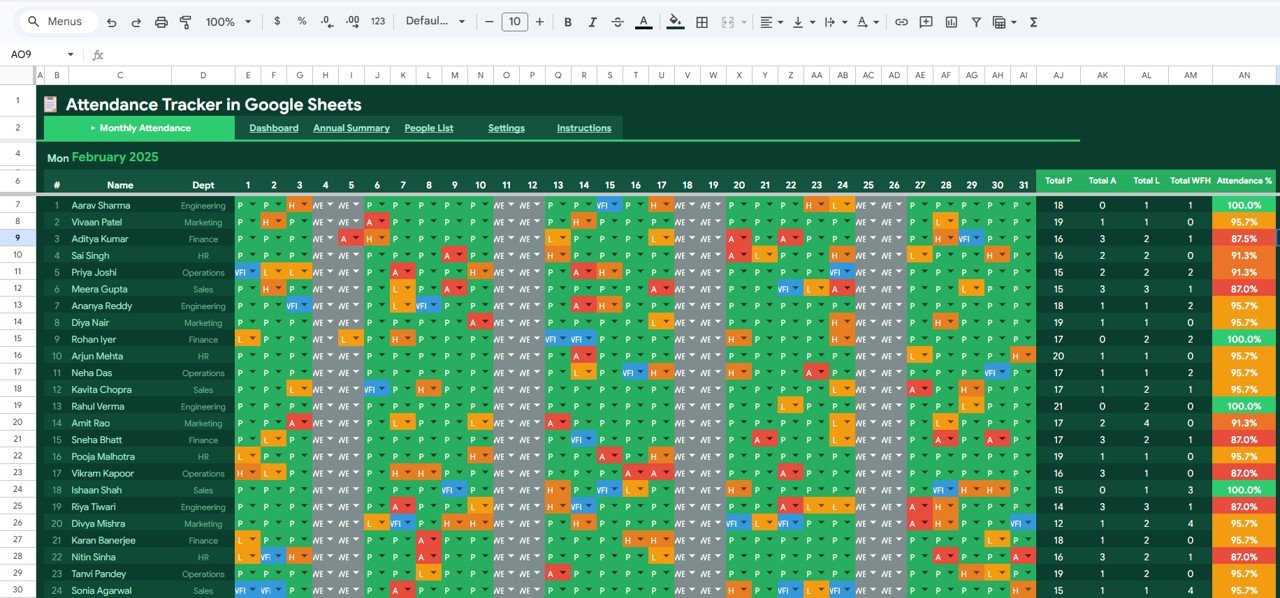 Attendance Tracker in Google Sheets — Monthly Attendance Page
2️⃣ Dashboard — A visual analytics page featuring 5 KPI cards (Overall Attendance Rate, Chronic Absenteeism, Punctuality Rate, WFH Percentage, Active People) and 4 interactive charts covering Present and Absent Count by Department, Attendance Status Distribution by Category, Daily Attendance Trend by Day of Month, and Attendance Count by Day of Week.
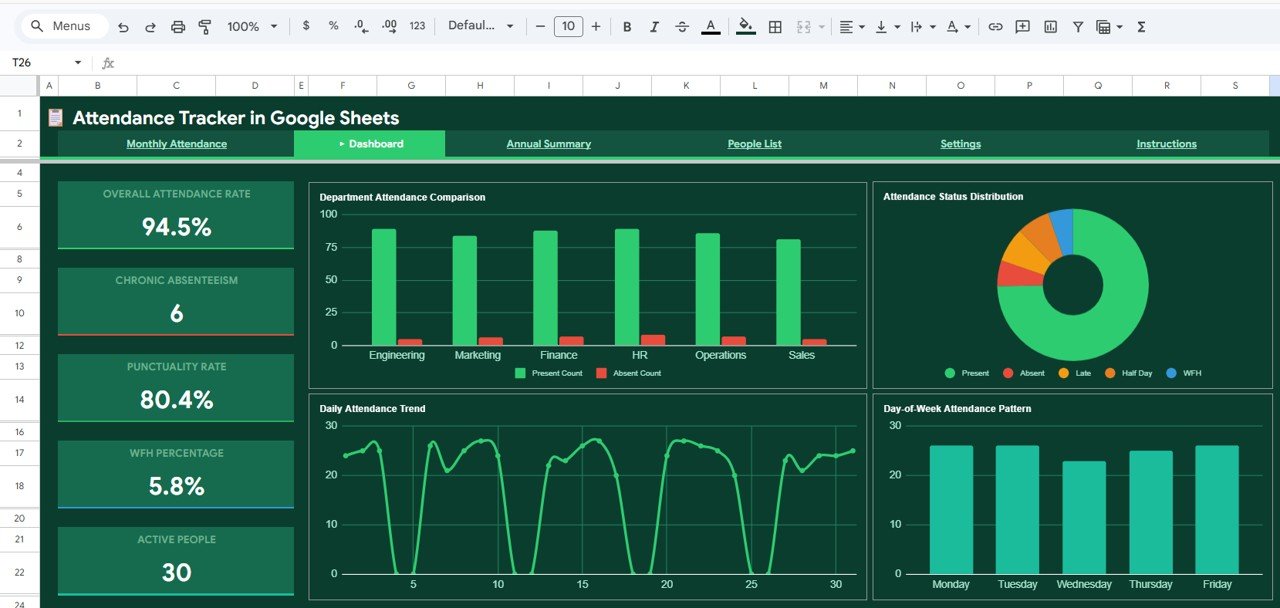 Attendance Tracker Dashboard
3️⃣ Annual Summary — Displays the annual attendance percentage for each employee broken down by month, with color-coded cells highlighting high and low attendance periods. Includes calculated average attendance percentage per employee along with best and worst performing months.
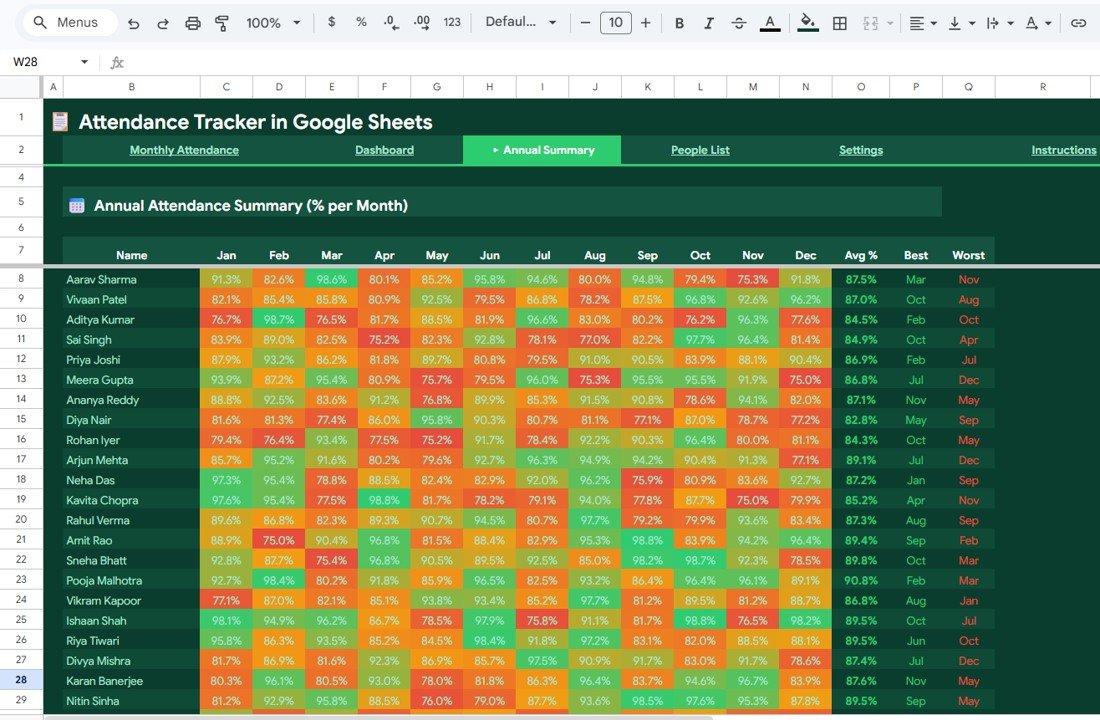 Annual Summary
4️⃣ People List — A complete employee or student directory containing Full Name, Department or Class, Email Address, Phone Number, Join Date, and Active or Inactive Status for easy reference and management.
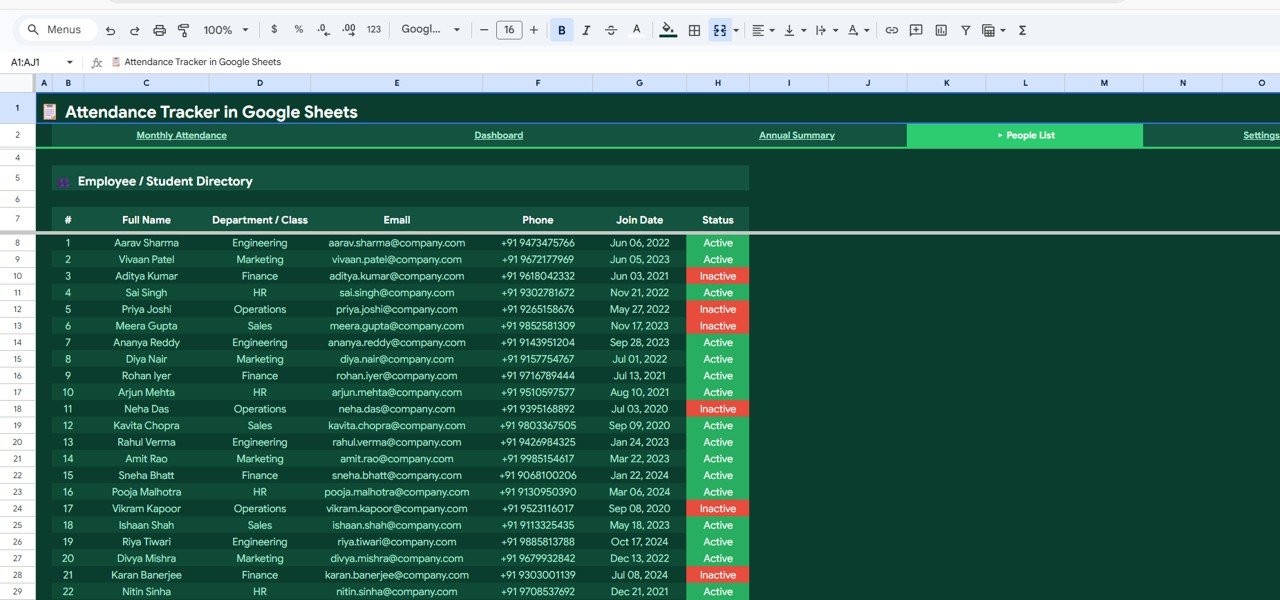 People List
5️⃣ Settings — Configure working days (days per week, start and end days), set acceptable absence threshold percentage, select current year and month, manage a holiday list with names, dates, and days, and define the attendance code legend with color definitions.
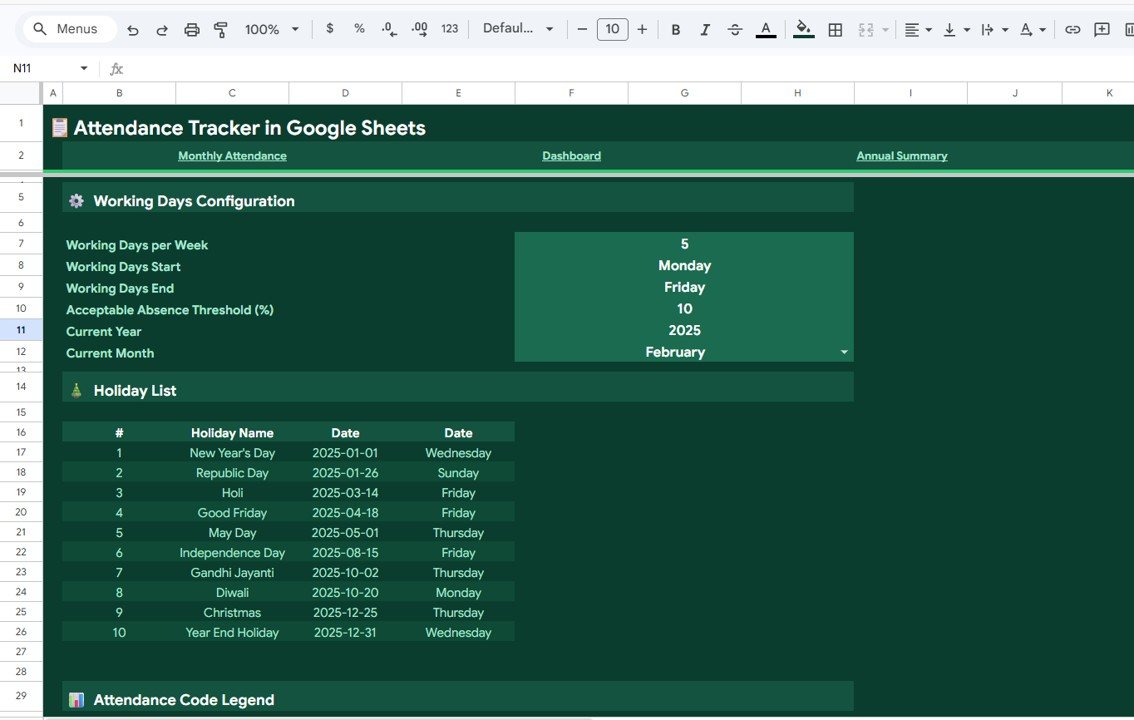 Settings
⚙️ How to Use the Attendance Tracker in Google Sheets
1️⃣ Open and Copy — Use the PDF guide in your download to get the Google Sheets copy link. Click it to create your own editable version in Google Drive.
2️⃣ Set Up the Settings Page — Configure your working days, holidays, attendance codes, and acceptable absence thresholds.
3️⃣ Add Your People — Enter employee or student details in the People List sheet including names, departments, emails, and join dates.
4️⃣ Record Daily Attendance — Mark attendance daily in the Monthly Attendance sheet using the color-coded status codes. Summary totals update automatically.
5️⃣ Analyze and Act — View the Dashboard for instant insights and check the Annual Summary to track long-term attendance patterns and trends.
👥 Who Can Benefit from This Attendance Tracker in Google Sheets
👩💼 HR Managers and Officers — Monitor employee attendance, absenteeism, and punctuality across departments
🏫 School Administrators and Teachers — Track student attendance with daily, monthly, and annual views
🏢 Team Leads and Project Managers — Keep tabs on team availability and work-from-home patterns
📊 Operations Managers — Ensure workforce coverage and identify chronic absenteeism early
🏭 Small and Medium Businesses — Affordable attendance management without expensive HRMS software
🎓 Training Institutes and Coaching Centers — Monitor learner attendance and engagement
❓ Frequently Asked Questions
What is the Attendance Tracker in Google Sheets?
The Attendance Tracker in Google Sheets is a ready-to-use template that helps organizations record daily attendance, track absenteeism trends, and analyze workforce availability. It includes 5 sheets — Monthly Attendance, Dashboard, Annual Summary, People List, and Settings — all working together with automated calculations and color-coded visuals.
Can I use this attendance tracker for student attendance?
Yes. The Attendance Tracker in Google Sheets works equally well for tracking student attendance in schools, colleges, coaching centers, and training institutes. Simply update the People List with student names and class information instead of department details.
What attendance codes does this tracker support?
The template supports 5 attendance statuses — Present, Absent, Late, Half Day, and Work From Home (WFH). Each status has its own color code for instant visual identification, and you can customize these codes and colors in the Settings page.
Do I need any special software or add-ons to use this tracker?
No. The Attendance Tracker works entirely within Google Sheets — no add-ons, macros, or plugins required. Just open the template in Google Drive, enter your data, and the dashboard updates automatically.
How does the Annual Summary page work?
The Annual Summary page automatically calculates each employee’s or student’s monthly attendance percentage for all 12 months. It uses color-coded heatmap cells to highlight months with high and low attendance, and shows the average attendance percentage along with best and worst months for each person.
Can multiple people update this tracker at the same time?
Yes. Since it’s built on Google Sheets, multiple users can access and update the tracker simultaneously in real-time. You can share the file with your HR team, department heads, or teachers for collaborative attendance management.
🔗 Explore Related Templates
📋 Weekly Attendance Sheet in Google Sheets — A simplified weekly format for quick attendance tracking with automatic calculations and trend graphs.
📋 Attendance and Overtime Dashboard in Excel — VBA-powered attendance tracker with overtime tracking, department-wise analysis, and interactive slicers for Excel users.
📋 HR & Workforce Analytics Bundle — Get 10 premium HR templates covering turnover, performance, attendance, safety, and more — save 47% with the bundle.
📖 Click here to read the Detailed Blog Post
Watch the step-by-step video tutorial:












Reviews
There are no reviews yet.