



The Fundraising Event Calendar in Excel is a comprehensive tool designed to help nonprofit organizations, event planners, and fundraising teams organize and manage their fundraising events effectively. This Excel-based calendar provides a clear and structured approach to scheduling events, tracking tasks, and monitoring key milestones in your fundraising efforts.
With the rising importance of strategic planning in successful fundraising, this calendar helps streamline the entire process—from event planning and resource allocation to tracking donations and engagement. Whether you’re organizing a charity run, gala, or online fundraising campaign, this tool ensures that every detail is accounted for, helping you maximize your event’s success and impact.
Key Features of the Fundraising Event Calendar in Excel
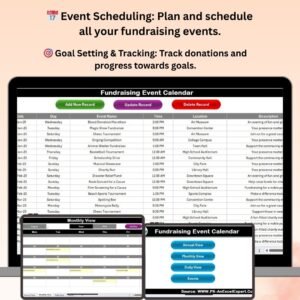
📅 Event Scheduling & Planning
Plan and schedule all your fundraising events in one place. Organize events by date, location, and target goals, and assign tasks to team members for smooth execution.
🎯 Goal Setting & Performance Tracking
Set fundraising goals and track progress towards achieving them. Monitor donations, ticket sales, and overall fundraising success with real-time data.
📊 Task & Milestone Tracking
Track key tasks, milestones, and deadlines for each event. Ensure that all preparations are made on time and that you stay organized and on schedule.
📈 Donor & Sponsor Tracking
Record donor contributions and sponsorships for each event. Track donations in real-time and keep a record of financial support to optimize future fundraising campaigns.
⚙️ Customizable Categories & Metrics
Customize the calendar with your event-specific needs. Add or adjust categories for ticket sales, volunteer assignments, donor contributions, and marketing efforts.
📅 Time-Based Performance Reports
Analyze event performance over different time periods to see how your fundraising efforts are progressing. Evaluate trends, successes, and areas for improvement in your event strategy.
Why You’ll Love the Fundraising Event Calendar in Excel

✅ Organized Event Planning
Efficiently plan, schedule, and manage your fundraising events with ease. Stay on top of every detail, from task assignments to goal tracking.
✅ Track Donations & Financial Goals
Monitor donation progress and track fundraising goals in real-time to ensure you are on track to meet your targets.
✅ Optimize Resource Allocation
Track volunteer assignments, sponsorship contributions, and event logistics to ensure efficient resource allocation.
✅ Make Data-Driven Decisions
Analyze your fundraising efforts with time-based performance reports to evaluate success and improve future events.
✅ Fully Customizable for Your Needs
Tailor the calendar to fit the specifics of your fundraising campaign. Adjust categories, task fields, and metrics to suit your event requirements.
What’s Inside the Fundraising Event Calendar in Excel?
- Event Scheduling & Planning: Organize fundraising events by date, location, and target goals.
- Goal Setting & Tracking: Set fundraising goals and track your progress toward meeting them.
- Task & Milestone Tracking: Monitor key tasks and milestones for event preparation and execution.
- Donor & Sponsor Tracking: Record and track donations, sponsors, and their contributions.
- Customizable Fields & Metrics: Adjust the calendar to fit your event’s needs with customized categories and tracking metrics.
- Time-Based Reporting: Analyze fundraising success over different time periods to identify trends and optimize future events.
How to Use the Fundraising Event Calendar in Excel
1️⃣ Download the Template: Access the Fundraising Event Calendar in Excel instantly.
2️⃣ Set Up Events & Goals: Input event dates, fundraising targets, and key objectives for your upcoming campaigns.
3️⃣ Assign Tasks & Track Progress: Organize tasks and deadlines for your team to ensure all preparations are on track.
4️⃣ Track Donations & Sponsorships: Monitor donations, track sponsor contributions, and evaluate financial performance.
5️⃣ Analyze & Optimize: Use time-based reports to evaluate event success and make improvements for future campaigns.
Who Can Benefit from the Fundraising Event Calendar in Excel?
🔹 Nonprofit Organizations & Charities
🔹 Event Planners & Coordinators
🔹 Fundraising Managers & Teams
🔹 Community Outreach Teams
🔹 Volunteers & Donor Coordinators
🔹 Small & Medium Enterprises (SMEs)
🔹 Corporate Sponsorship Teams
Ensure that your fundraising events are well-planned, well-executed, and successful with the Fundraising Event Calendar in Excel. Organize events, track donations, and optimize your fundraising strategy for maximum impact.
Click here to read the Detailed blog post
Visit our YouTube channel to learn step-by-step video tutorials
Youtube.com/@PKAnExcelExpert
Compatibility and Requirements
- Works in Microsoft Excel desktop (Excel 2016 or later, or Microsoft 365).
- Events, goals, tasks and donations are entered straight into the calendar workbook.
- New to Excel charts and reports? Microsoft explains the basics in Create a chart from start to finish.
Frequently Asked Questions
What can I track with the Fundraising Event Calendar?
Event dates and locations, fundraising goals, tasks and milestones, donors and sponsors, ticket sales and volunteer assignments.
Can I record donations for each event?
Yes. You record donor contributions and sponsorships per event and track progress toward the goal.
Can I change the categories?
Yes. You can add or adjust categories for ticket sales, volunteers, donors and marketing.
Is there a Google Sheets version?
Yes. See the Fundraising Event Calendar in Google Sheets.
Related Fundraising Templates
- Fundraising Event Calendar in Google Sheets: the same calendar in Google Sheets
- Fundraising Campaign Calendar in Excel: plan whole campaigns
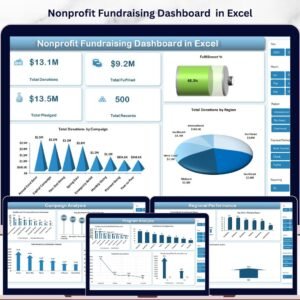
- Nonprofit Fundraising Dashboard in Excel: analyze donations and results
- Charity Fundraising KPI Dashboard in Excel: KPIs for charity fundraising
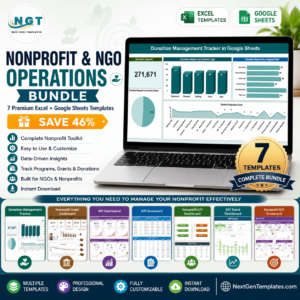
- Nonprofit & NGO Operations Bundle: 7 nonprofit templates in one bundle
Browse all Excel calendars or the Excel financial tools.









Reviews
There are no reviews yet.