



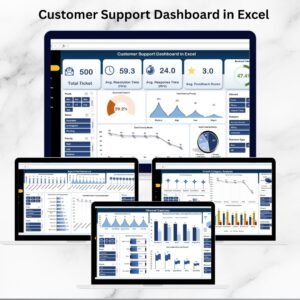
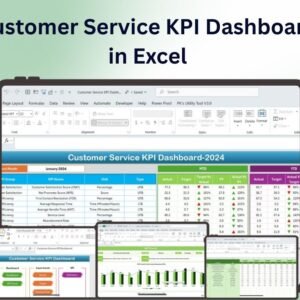
The Customer Service KPI Dashboard in Excel is a dynamic tool designed to help customer service teams and managers track, monitor, and optimize their performance. This dashboard enables you to visualize essential customer service KPIs such as customer satisfaction, response times, resolution rates, and more, all in one place. With real-time data updates and customizable features, this tool helps you manage customer support operations effectively, improve service delivery, and ensure customer satisfaction.
Whether you’re overseeing a customer support team, managing helpdesk performance, or analyzing customer feedback, the Customer Service KPI Dashboard provides clear insights that allow you to make data-driven decisions. This Excel-based dashboard offers easy-to-read charts and graphs, making it simple to spot trends, monitor performance, and identify areas for improvement in customer service operations.

Key Features of the Customer Service KPI Dashboard in Excel:
📊 Comprehensive KPI Tracking
Track critical customer service KPIs, including customer satisfaction (CSAT), first response time, average resolution time, service level agreement (SLA) compliance, and more.
💡 Real-Time Data Monitoring
The dashboard updates automatically as you enter new data, ensuring that you have the latest insights into your customer service performance.
📈 Customizable for Your Needs
Tailor the dashboard to suit your specific customer service goals, KPIs, and team structure. Adjust the metrics, layout, and visualizations to match your organization’s needs.
📅 Service Level Tracking
Monitor compliance with SLAs, track response and resolution times, and ensure that your team is meeting customer expectations.
🎨 Visual Data Representation
Use dynamic charts and graphs to present key metrics clearly, making it easy to analyze trends and identify areas for improvement in customer service.
Why You’ll Love the Customer Service KPI Dashboard in Excel:
✅ All-In-One Dashboard – Keep track of all essential customer service KPIs in one location, helping you monitor performance and make informed decisions. ✅ Real-Time Updates – Get up-to-the-minute insights into your customer service metrics with automatic data updates. ✅ Customizable to Fit Your Business – Tailor the dashboard to reflect your organization’s customer service KPIs, goals, and priorities. ✅ Actionable Insights – Use visual data to analyze trends and identify areas for improvement in service delivery, response times, and customer satisfaction. ✅ User-Friendly – Designed to be simple and intuitive, making it easy for anyone, regardless of Excel experience, to set up and use.
What’s Inside the Customer Service KPI Dashboard in Excel:
- Customer Service KPIs – Track essential KPIs such as CSAT, first response time, resolution rates, SLA compliance, and more.
- Real-Time Data Integration – The dashboard automatically updates as you enter new customer service data, giving you accurate and timely insights.
- Customizable Metrics and Layout – Adjust the dashboard to match your customer service goals, team performance, and key metrics.
- Visual Performance Indicators – Use bar charts, line graphs, and pie charts to visualize key customer service metrics.
- SLA Compliance Tracking – Monitor SLA compliance and ensure your team is meeting customer expectations in a timely manner.
How to Use the Customer Service KPI Dashboard in Excel:
1️⃣ Download the Template – Get access to the Excel dashboard after purchase. 2️⃣ Input Your Customer Service Data – Enter your data such as customer feedback, response times, and resolution rates. 3️⃣ Customize the Dashboard – Adjust the KPIs, layout, and design to match your specific customer service needs. 4️⃣ Track Performance – Use the dashboard to monitor KPIs in real time and ensure that your team is meeting performance goals. 5️⃣ Optimize Service Delivery – Use the insights from the dashboard to refine customer service strategies, improve response times, and enhance customer satisfaction.
Who Can Benefit from the Customer Service KPI Dashboard in Excel:
- Customer Service Managers
- Helpdesk Teams
- Customer Support Directors
- Operations Managers
- Anyone responsible for managing and improving customer service operations
The Customer Service KPI Dashboard in Excel is an invaluable tool for managing customer service operations, tracking KPIs, and ensuring that your team meets customer expectations. With its intuitive design, real-time updates, and customizable features, this dashboard provides the insights you need to optimize service delivery, improve response times, and increase customer satisfaction.
Click here to read the Detailed blog post
https://www.pk-anexcelexpert.com/customer-service-kpi-dashboard-in-excel/
Visit our YouTube channel to learn step-by-step video tutorials
Compatibility and Requirements
- Works in Microsoft Excel desktop (Excel 2016 or later, or Microsoft 365).
- Results show in charts you can restyle. Microsoft explains Excel charts in Create a chart from start to finish.
Frequently Asked Questions
Which KPIs does the Customer Service KPI Dashboard track?
It tracks customer satisfaction (CSAT), first response time, average resolution time, resolution rates and SLA compliance.
Can I check SLA compliance?
Yes. It monitors SLA compliance along with response and resolution times, so you can see whether your team meets customer expectations.
Does the dashboard update when I add data?
Yes. It updates automatically as you enter new customer service data.
Can I change the KPIs and layout?
Yes. You can adjust the metrics, layout and charts to match your team structure and goals.
Is there a Google Sheets or Power BI version?
Yes. See the Customer Service KPI Dashboard in Google Sheets and the Customer Service KPI Dashboard in Power BI.
Related Customer Service Templates
- Customer Service KPI Dashboard in Google Sheets: the same KPIs in a browser
- Customer Service KPI Dashboard in Power BI: the same KPIs in Power BI
- Customer Service Dashboard in Excel: a wider customer service dashboard
- Customer Support SLA KPI Dashboard in Excel: focus on SLA targets
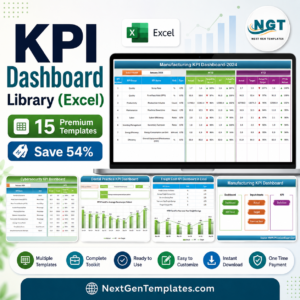
- KPI Dashboard Library (Excel): 15 Excel KPI dashboards in one download
Browse all Excel KPI dashboards or the Excel dashboards.





Reviews
There are no reviews yet.