

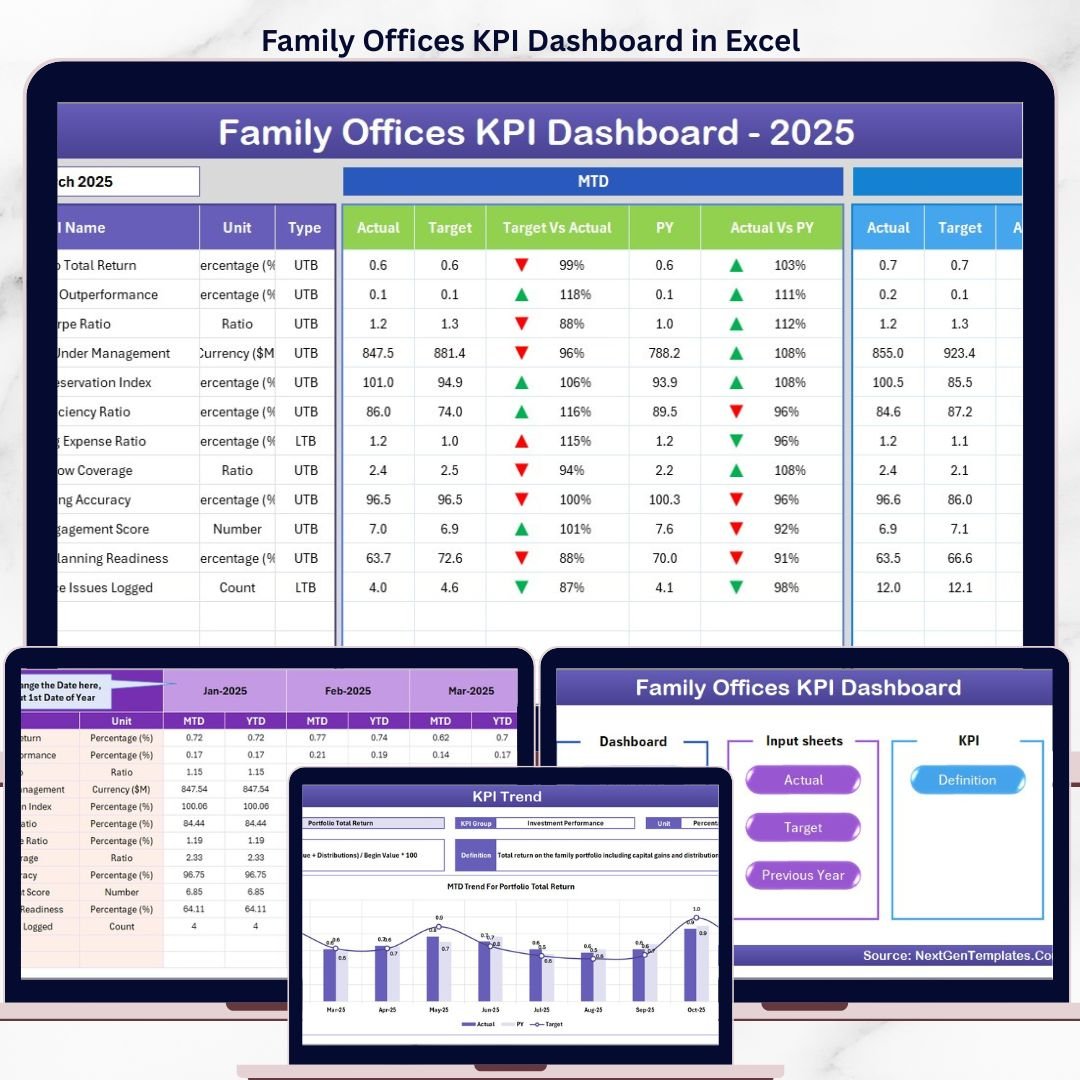
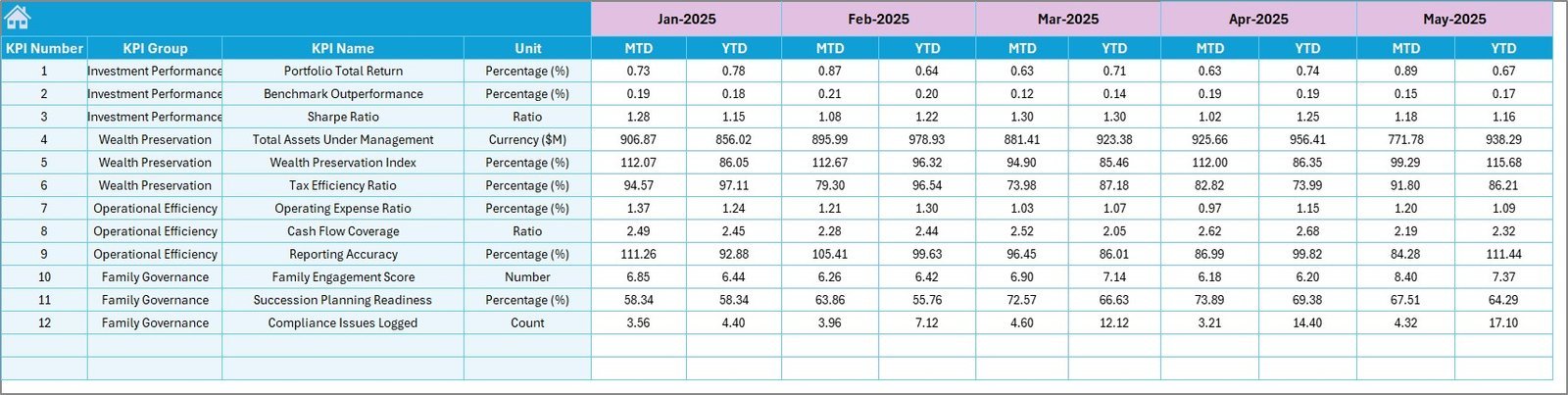
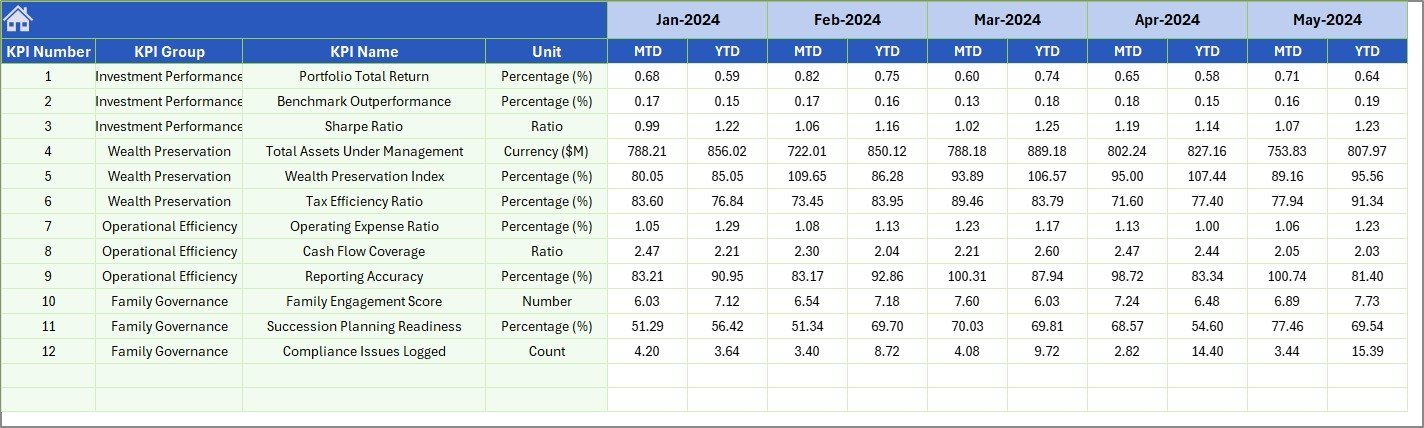

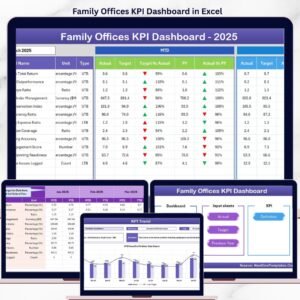
The Family Offices KPI Dashboard in Excel tracks performance metrics across 7 structured worksheets, delivering MTD and YTD Actual vs Target vs Previous Year comparisons with conditional formatting variance arrows — all controlled by a single month selector on cell D3. Setup takes under 15 minutes: define your KPIs once in the KPI Definition sheet, enter monthly actuals, and every chart and indicator updates automatically.
🌍 Join 8,400+ teams in 40+ countries using NextGenTemplates to replace expensive analytics platforms with one-time-purchase Excel KPI Dashboard Templates.
✅ Instant download · One-time payment · No subscription · No per-user fees · Lifetime access
🔑 Key Features of Family Offices KPI Dashboard in Excel
🔹 MTD and YTD dual-view monitoring — Every KPI shows Month-to-Date and Year-to-Date Actual, Target, and Previous Year data side by side, giving family office managers a complete performance picture at a single glance. This dashboard tracks performance across all defined KPI groups simultaneously.
🔹 Conditional formatting variance arrows — Target vs Actual and PY vs Actual columns display dynamic up/down arrows colored green or red. The Family Offices KPI Dashboard in Excel eliminates manual variance analysis for your entire team.
🔹 Dynamic month selector — A single dropdown on cell D3 of the Dashboard sheet switches the entire view to the selected month, with all MTD numbers, charts, and variance indicators recalculating in real time.
🔹 KPI Trend charts with LTB/UTB classification — The KPI Trend sheet plots separate MTD and YTD trend lines for Actual, Target, and Previous Year. Each KPI is classified as Lower the Better or Upper the Better, so variance colors always reflect the correct performance direction for wealth management KPIs.
🔹 Fully configurable KPI library — Define KPI Name, Group, Unit, Formula, and Description for every metric. The KPI Definition sheet gives family offices 100% flexibility to track any financial, operational, or compliance KPI relevant to their mandate.
📦 What’s Inside the Family Offices KPI Dashboard in Excel
Sheet 1 — Home Sheet: An index navigation page with 6 quick-access buttons to jump directly to any worksheet in the template.
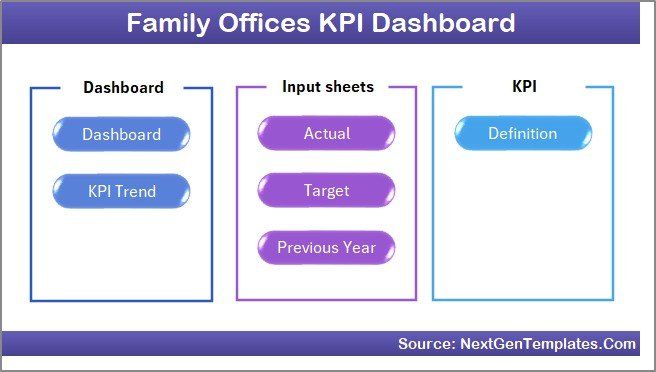
Home Page
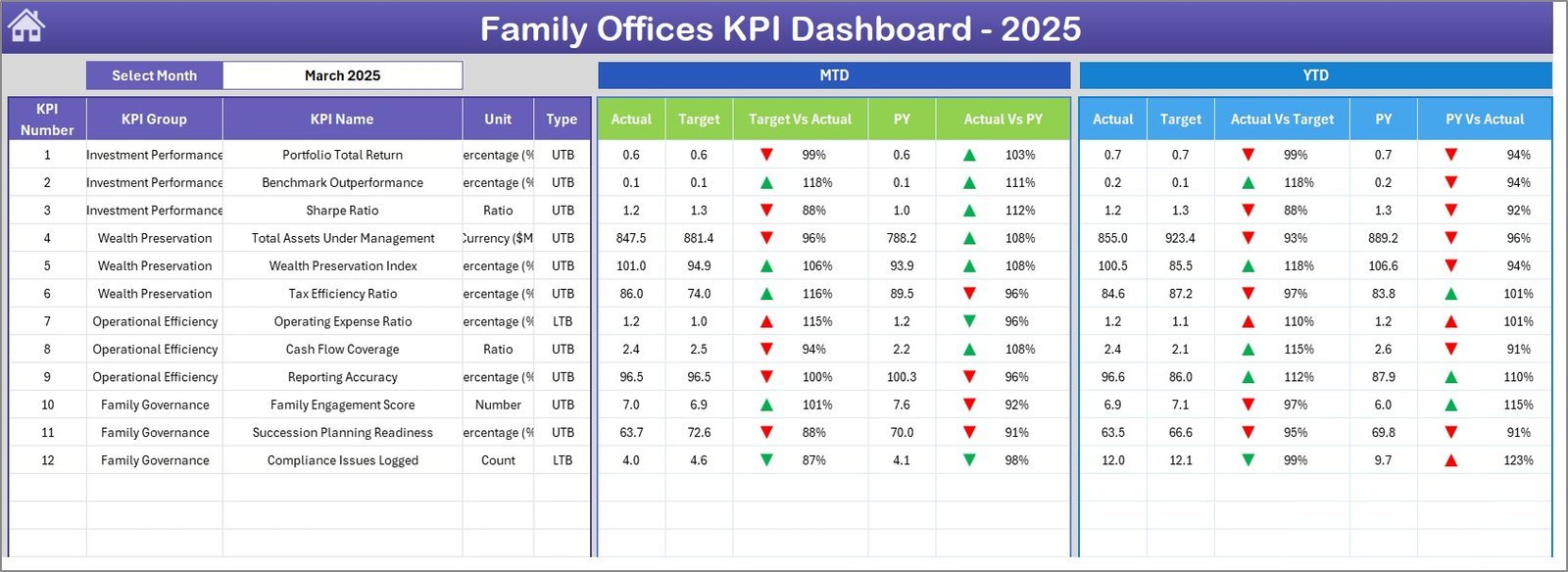
Sheet 2 — Dashboard Sheet: The main reporting view. Select any month from the dropdown on cell D3 and the entire dashboard refreshes — MTD Actual, Target, Previous Year plus Target vs Actual and PY vs Actual with conditional formatting up/down arrows, then YTD equivalents for the same metrics.
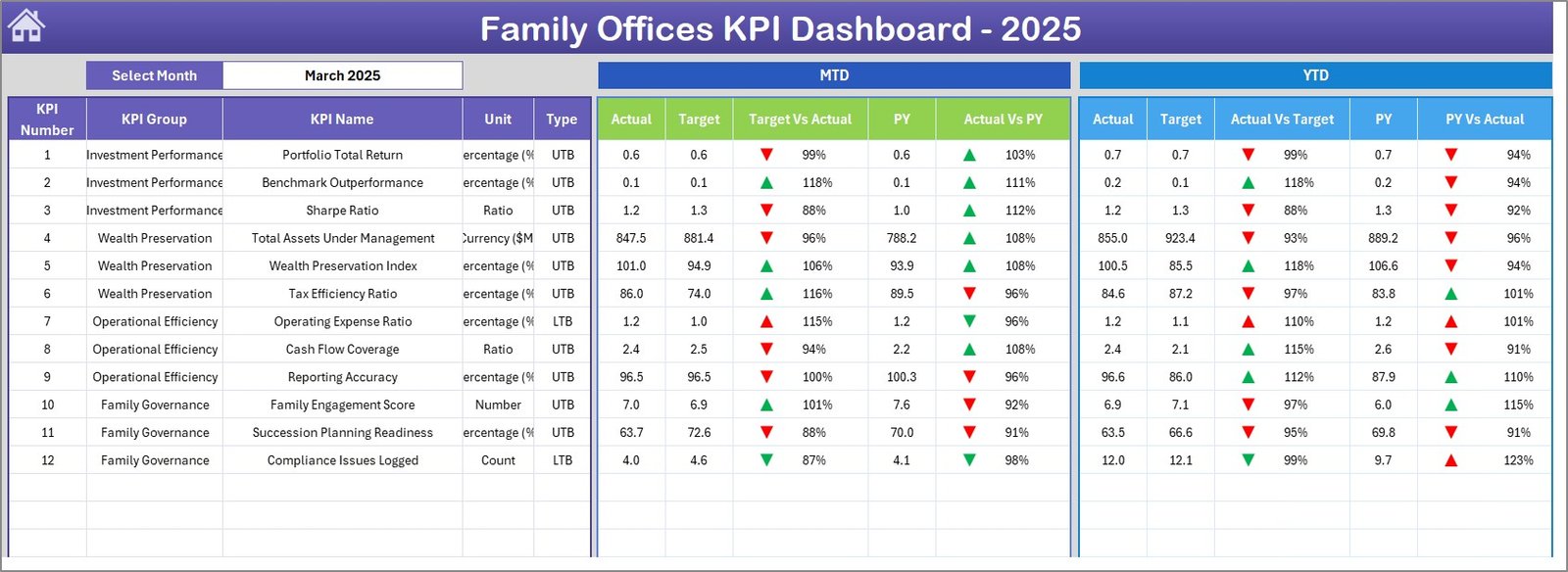
Family Offices KPI Dashboard in Excel
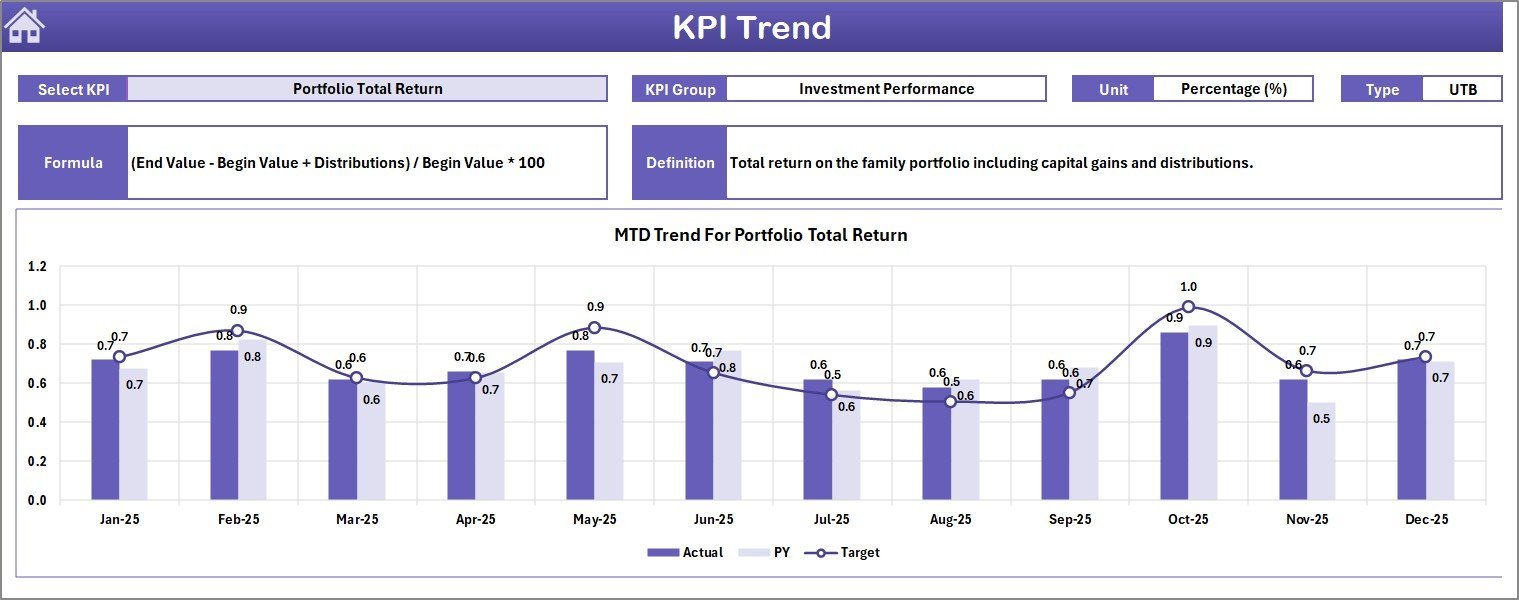
Sheet 3 — KPI Trend Sheet: Select any KPI from the dropdown on cell C3 to view its KPI Group, Unit, Type (Lower the Better or Upper the Better), Formula, and Definition. Separate MTD and YTD trend charts display Actual, Target, and PY lines for that KPI across all months.
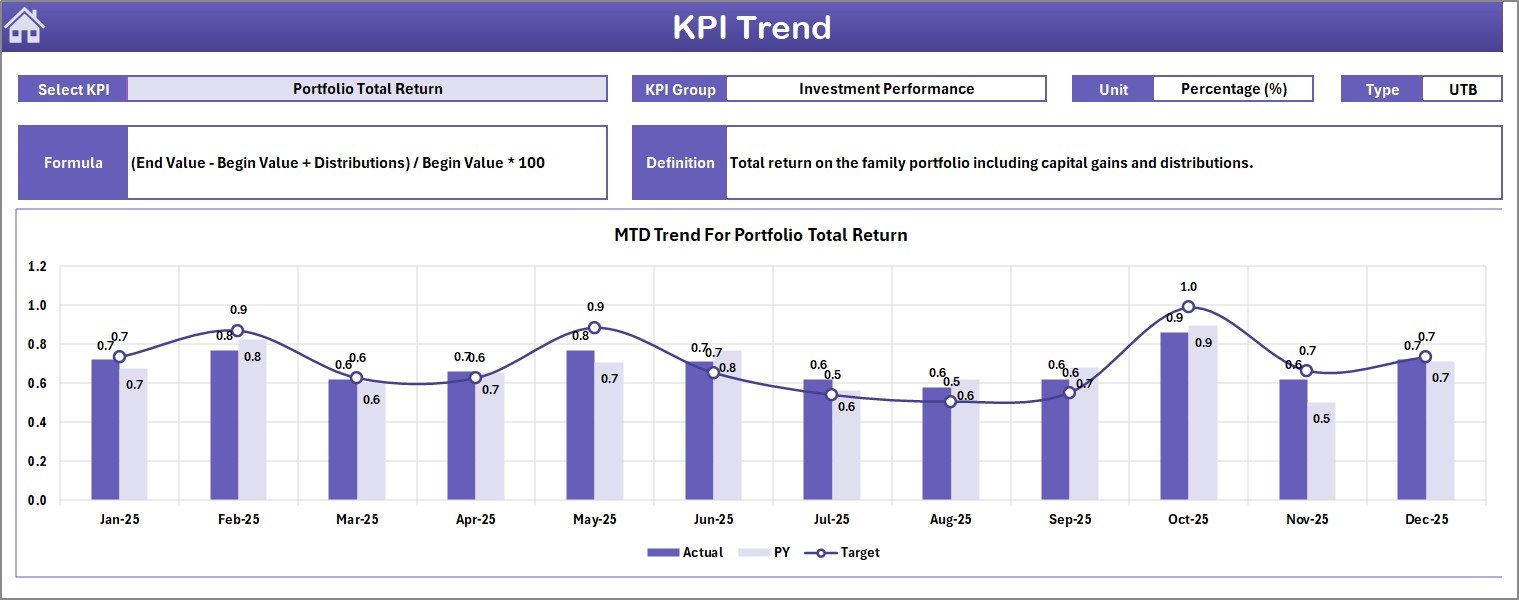
KPI Trend Sheet
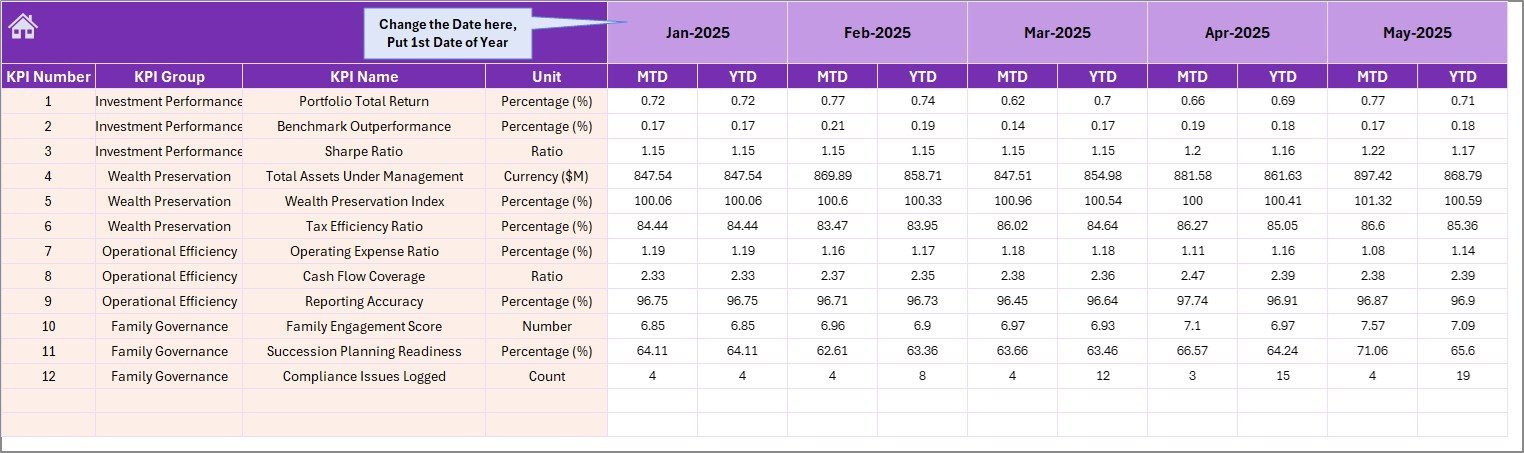
Sheet 4 — Actual Numbers Input Sheet: Enter actual MTD and YTD figures for each KPI for the selected month. Change the first month of the year on cell E1 and the entire input structure adjusts automatically.
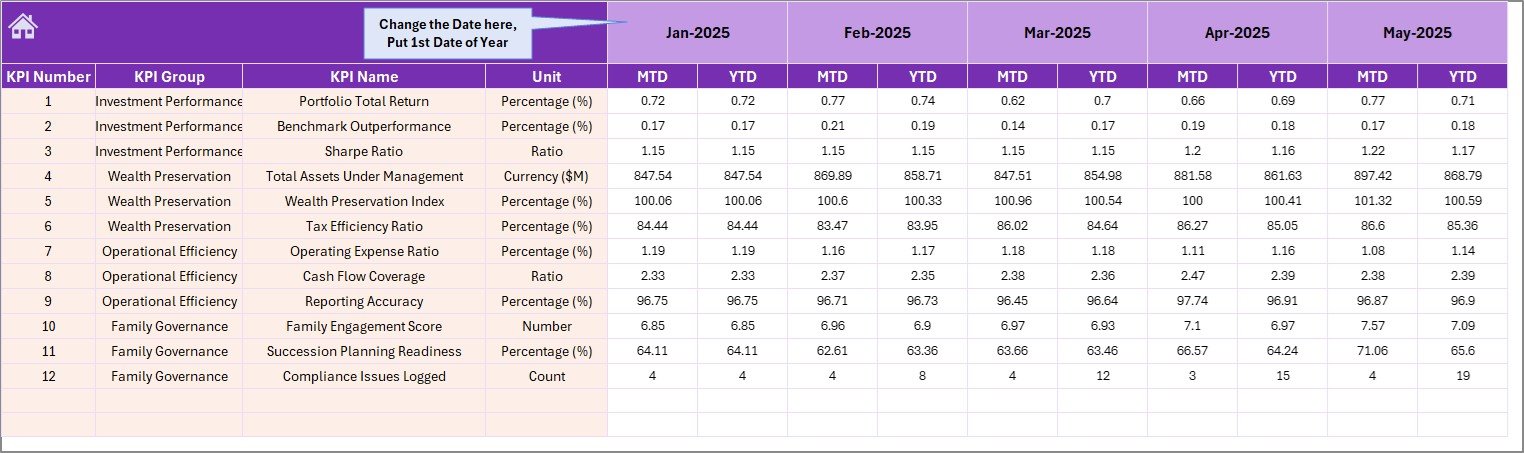
Actual Numbers Input Sheet
Sheet 5 — Target Number Input Sheet: Input your Target numbers for each KPI for each month as both MTD and YTD values.
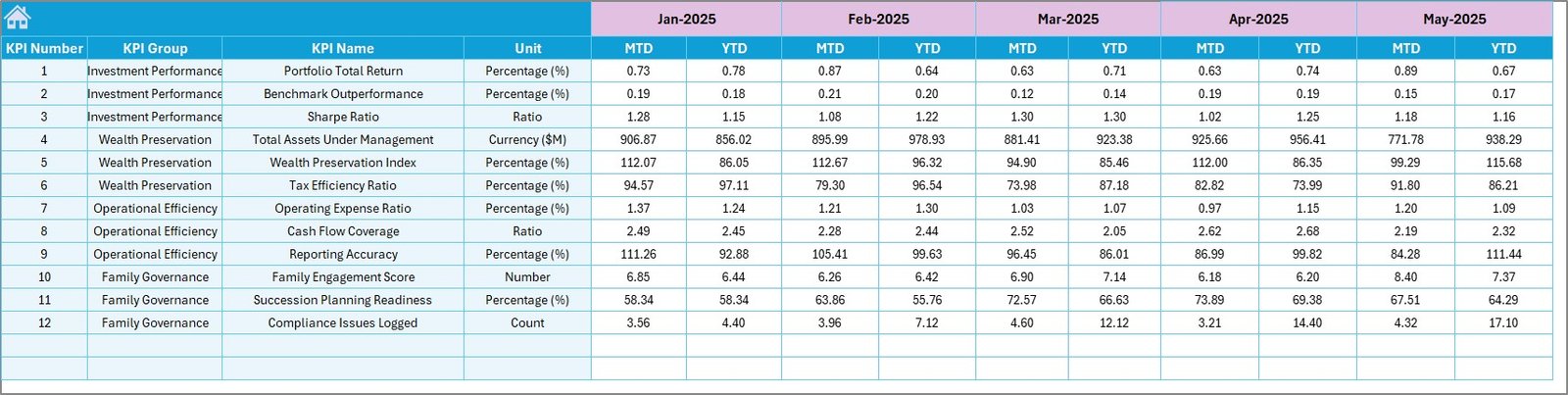
Target Number Input Sheet
Sheet 6 — Previous Year Number Input Sheet: Enter last year’s actuals in the same MTD/YTD structure to enable the year-over-year variance comparisons on the dashboard.
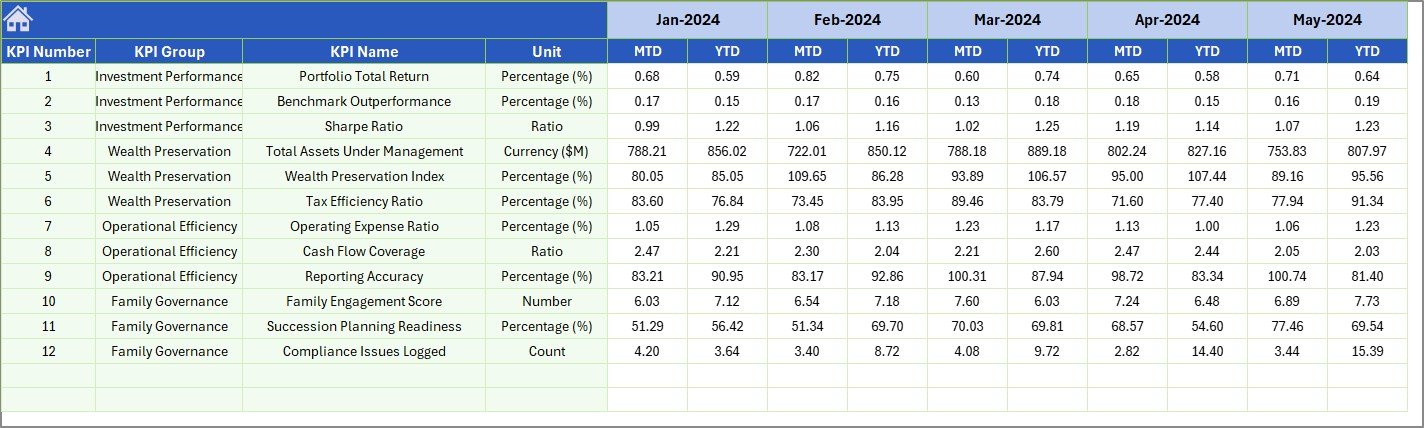
Previous Year Number Input Sheet
Sheet 7 — KPI Definition Sheet: Enter KPI Name, KPI Group, Unit, Formula, and KPI Definition for every metric. In the last column, specify the KPI type as LTB (Lower the Better) or UTB (Upper the Better) to drive correct conditional formatting logic.

KPI Definition Sheet
📊 Family Offices KPI Dashboard in Excel vs. Google Sheets vs. Addepar — Where This Fits
| Feature | Family Offices KPI Dashboard in Excel | Google Sheets Equivalent | Addepar / Orion |
|---|---|---|---|
| Cost | $14.99 one-time | Free (manual build) | $500–$2,000+/month |
| Platform | Microsoft Excel | Google Sheets (browser) | Cloud SaaS |
| Setup time | Under 15 minutes | Hours of manual build | Weeks of onboarding |
| MTD + YTD dual-view | ✅ Built-in | ❌ Manual formula setup | ✅ Yes |
| LTB/UTB KPI classification | ✅ Built-in | ❌ Not standard | ✅ Configurable |
| Customizable KPI library | ✅ Fully configurable | ✅ Manual | ✅ Yes |
| Works offline | ✅ Yes | ❌ Requires internet | ❌ Requires internet |
| Year-1 cost (5 users) | $14.99 total | $0 (build time cost) | $30,000–$120,000 |
For family offices that need structured MTD/YTD KPI reporting without enterprise pricing, the Family Offices KPI Dashboard in Excel sits in the clear sweet spot.
👥 Who This Template Is For — and Who It’s Not For
✅ This template is built for:
- Single-family and multi-family office teams tracking 10–50 KPIs monthly
- Finance directors and CFOs who need MTD/YTD Actual vs Target reporting for board presentations
- Wealth managers and investment analysts already using Excel for financial modeling
- Family office administrators setting up their first structured KPI monitoring process
❌ This template is NOT for:
- Enterprise teams needing SOC 2 compliance, SSO, or real-time portfolio data feeds
- Offices that require automated data ingestion from custodians or prime brokers
- Teams with no Microsoft Excel access (consider our Wealth Management KPI Dashboard in Google Sheets)
⚙️ How to Use the Family Offices KPI Dashboard in Excel
- Open the file in Microsoft Excel (2016 or later recommended).
- Go to the KPI Definition sheet and enter your KPI Names, Groups, Units, Formulas, Definitions, and LTB/UTB type.
- Go to the Target Number Input sheet and enter your monthly targets for each KPI as MTD and YTD.
- Go to the Previous Year Number sheet and enter last year’s actuals in the same structure.
- Go to the Actual Numbers Input sheet each month, set the first month on cell E1, and enter your actuals.
- Open the Dashboard sheet, select the month from the dropdown on cell D3, and review your full KPI performance view.
- Use the KPI Trend sheet to drill into any individual KPI’s trend across all months.
💼 Real-World Use Cases
Marcus manages reporting for a $300M single-family office. Every month he opens the Family Offices KPI Dashboard in Excel, enters actuals on the input sheet, selects the current month from the dropdown, and produces a complete board report in under 20 minutes — showing MTD and YTD variance against target for every operational, investment, and compliance KPI tracked by the office.
Priya heads a multi-family office serving 12 client families. She uses the KPI Definition sheet to maintain a consistent set of performance metrics across all client reports, and the KPI Trend sheet to spot which KPIs are trending off-target before quarterly review meetings — without paying $1,000/month for a dedicated reporting platform.
A boutique wealth management firm uses the Investment Banking KPI Dashboard in Excel for deal-desk metrics and the Family Offices KPI Dashboard for their family office division — giving each team a structured reporting tool without IT infrastructure investment.
❓ Frequently Asked Questions
What KPIs does the Family Offices KPI Dashboard in Excel track?
The Family Offices KPI Dashboard in Excel tracks any KPIs you define in the KPI Definition sheet — financial, operational, compliance, or investment-related. The template ships with a configurable library so your office can monitor the exact metrics relevant to your mandate, with MTD and YTD views for each.
How does the month selector work on the Dashboard sheet?
Cell D3 on the Dashboard sheet contains a dropdown listing all 12 months. Selecting a month instantly refreshes all MTD Actual, Target, and Previous Year figures plus the conditional formatting variance arrows for that period — no manual formula changes needed.
What is LTB/UTB classification and why does it matter?
LTB (Lower the Better) and UTB (Upper the Better) tells the dashboard whether a KPI improving means the value went up or down. For example, client complaint rate is LTB while AUM growth is UTB. Correct classification ensures the green/red conditional formatting arrows reflect the right performance direction.
How does the Family Offices KPI Dashboard compare to Addepar or Orion?
Addepar and Orion are enterprise platforms costing $500–$2,000+/month with weeks of onboarding. The Family Offices KPI Dashboard in Excel delivers structured MTD/YTD KPI reporting for a one-time payment of $14.99 — with no subscription, no per-user fees, and setup in under 15 minutes.
Can I add or remove KPIs after initial setup?
Yes. The KPI Definition sheet is fully editable — add rows for new KPIs or remove unused ones at any time. The dashboard, trend charts, and input sheets all reference this definition sheet dynamically, so changes propagate automatically.
Does the template work on Excel for Mac?
The Family Offices KPI Dashboard in Excel is built using standard Excel features compatible with Excel 2016 and later on both Windows and Mac. No VBA macros or add-ins are required for core dashboard functionality.
👤 About the Author
Built by PK — Microsoft Certified Professional with 15+ years of Excel, Google Sheets, and Power BI experience. Founder of NextGenTemplates, reaching 300K+ subscribers across YouTube channels (@PK-AnExcelExpert, @NextGenTemplates, @NeoTechNavigators). Every template is hand-built and tested before release.
🔗 Explore Related Templates
💎 Also available for family office and investment management reporting:
- Investment Banking KPI Dashboard in Excel — same 7-worksheet structure optimized for deal-desk and M&A KPIs
- Wealth Management KPI Dashboard in Google Sheets — browser-based version for cloud-first teams
- Investment Management Dashboard in Excel — portfolio performance visualization with interactive charts
Browse all Excel KPI Dashboard Templates on NextGenTemplates.
📖 Click here to read the Detailed Blog Post
🎥 Visit our YouTube channel for step-by-step video tutorials
👉 YouTube.com/@NextGenTemplates































Reviews
There are no reviews yet.