

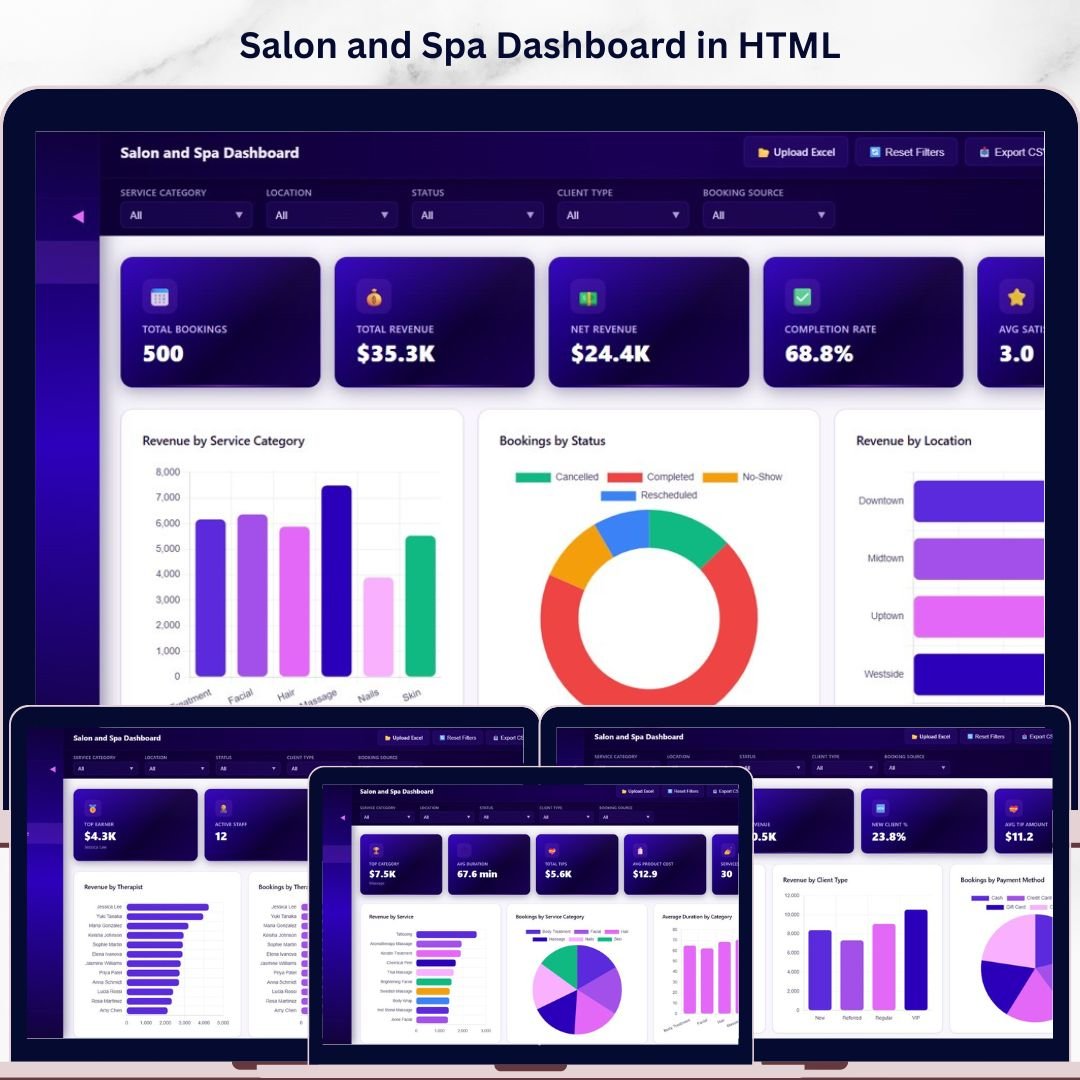

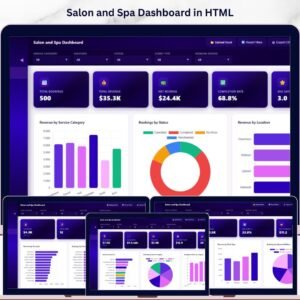
Salon and Spa Dashboard in HTML is a professionally designed, browser-based analytics template built for salon owners, spa managers, and beauty business operators who want to track revenue, monitor staff performance, analyze client behavior, and visualize service trends — all in one powerful interactive dashboard. This HTML Dashboard includes 5 interactive pages covering every critical aspect of your salon and spa operations, from high-level KPI overviews to detailed data tables with search, sort, and export capabilities.
🔑 Key Features of Salon and Spa Dashboard in HTML
This Salon and Spa Dashboard in HTML delivers everything you need to run a data-driven beauty business. It includes 5 dedicated dashboard pages — Overview, Service Analysis, Staff Performance, Client Insights, and Data View — covering every operational metric that matters. The template tracks 5 core KPIs on the overview page: Total Bookings, Total Revenue, Net Revenue, Completion Rate, and Avg Satisfaction, giving you an instant snapshot of your salon’s health. Multiple interactive slicers let you filter the entire dashboard by date, location, service category, and more. Whether you manage a single spa location or a multi-branch beauty salon chain, this dashboard scales to meet your analytical needs. If you prefer Excel, check out the Salon and Spa Dashboard in Excel, or explore the Salon and Spa Dashboard in Power BI for advanced analytics.
📦 What’s Inside the Salon and Spa Dashboard in HTML
📌 1 – Overview Page: This is your high-level command center. At the top, you’ll find KPI cards showing Total Bookings, Total Revenue, Net Revenue, Completion Rate, and Avg Satisfaction. Below, interactive charts display Revenue by Service Category, Bookings by Status, Revenue by Location, Bookings by Month, and Monthly Revenue Trend. Dynamic slicers let you filter the entire view instantly.
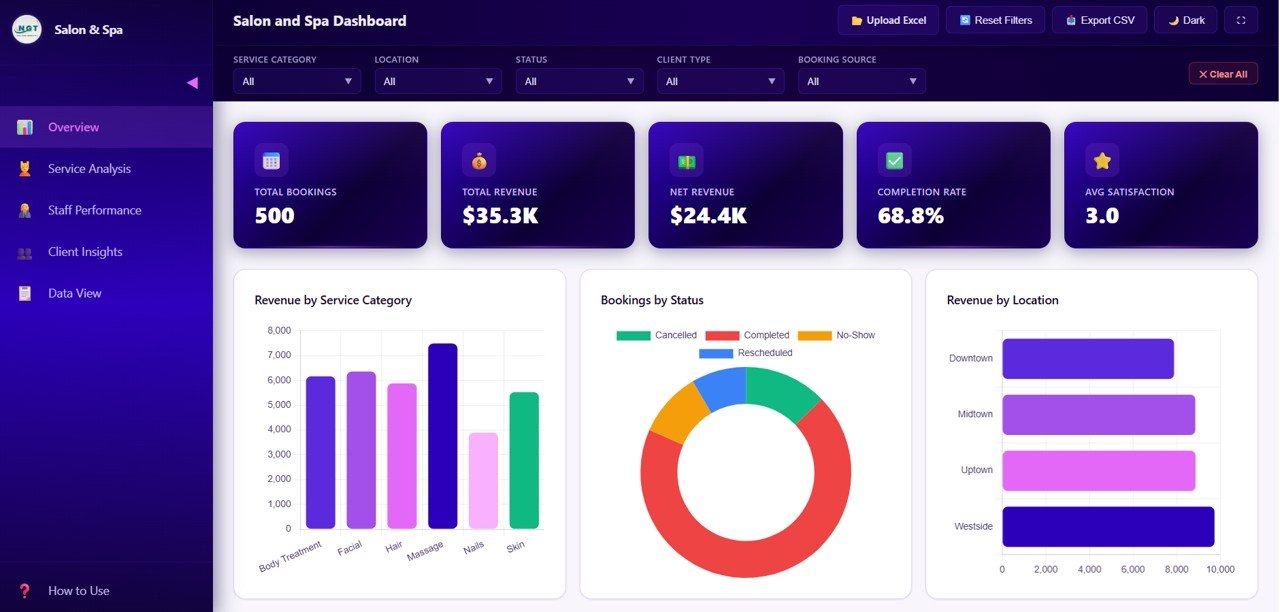 Salon and Spa Dashboard Overview
📌 2 – Service Analysis: Dive deep into your service offerings with charts showing Revenue by Service, Bookings by Service Category, Average Duration by Category, Tips by Service Category, and Satisfaction Rating by Service Category. Understand which services generate the most revenue and which ones deliver the highest client satisfaction.
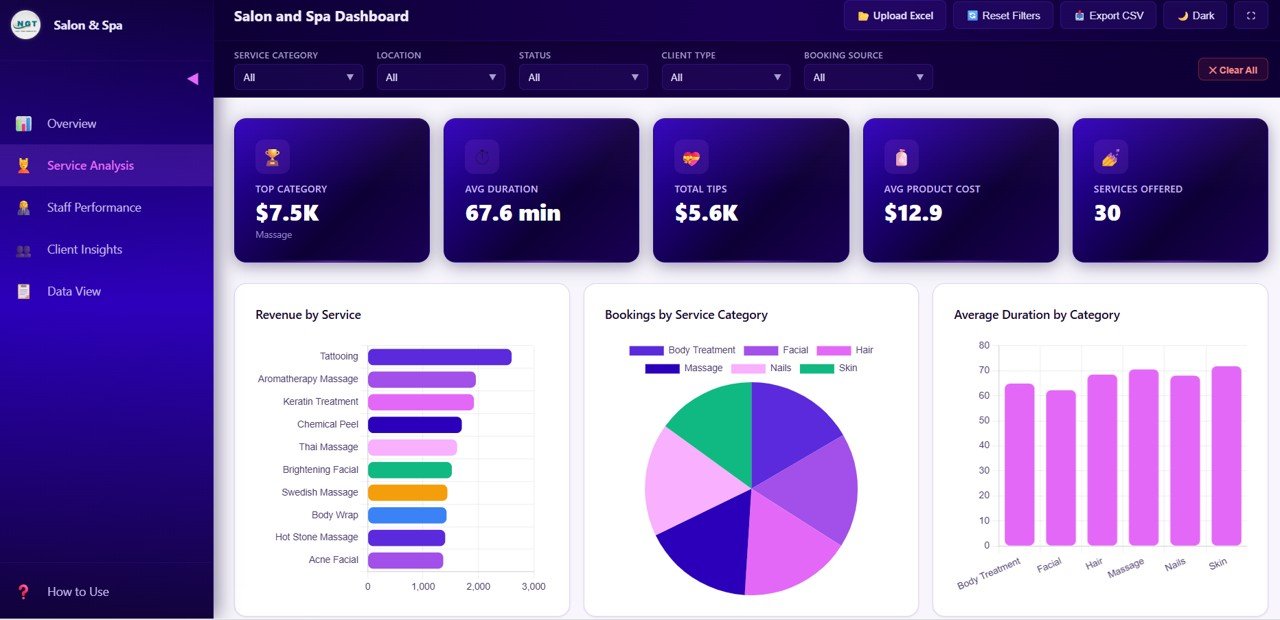 Service Analysis
📌 3 – Staff Performance: Evaluate your team with Revenue by Therapist, Bookings by Therapist, Satisfaction by Therapist, Completion Rate by Therapist, and Revenue and Tips by Therapist. Instantly identify your highest-performing staff members and recognize who drives the most business. This page is essential for performance reviews and incentive planning.
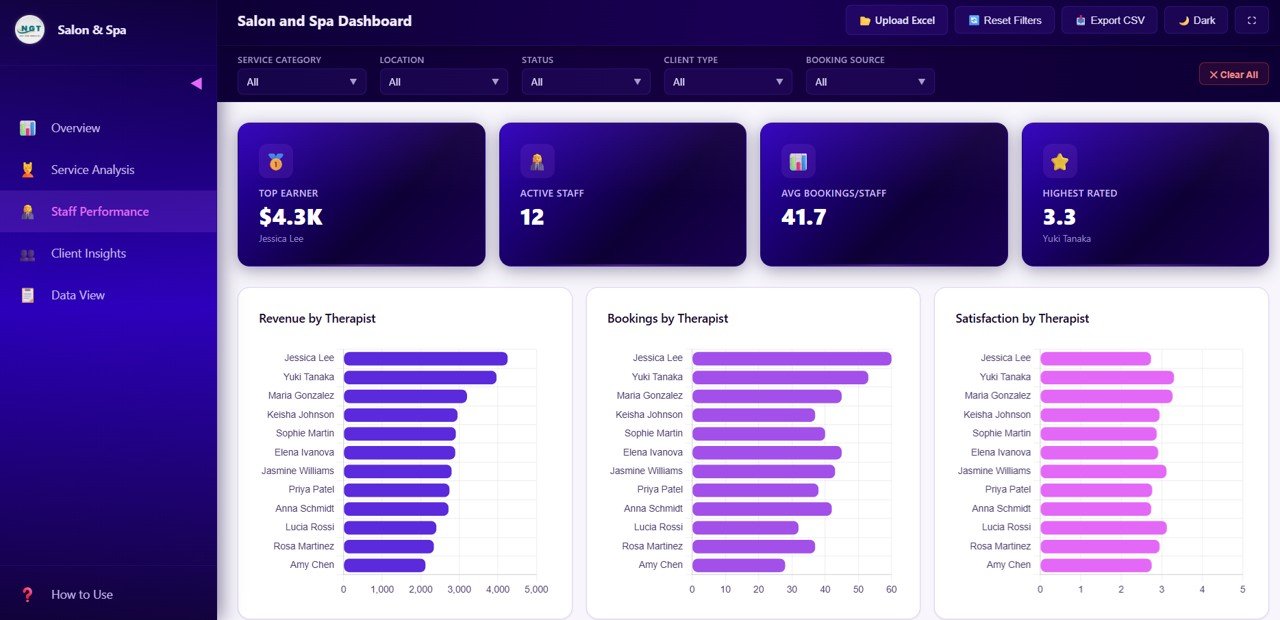 Staff Performance
📌 4 – Client Insights: Understand your customers better with analysis of Bookings by Client Type, Revenue by Client Type, Bookings by Payment Method, Bookings by Source, and Satisfaction Distribution by Client Type. Discover which channels bring in the most clients and which customer segments drive the highest revenue. Also explore the Beauty Salons Dashboard in Power BI for even more beauty industry analytics.
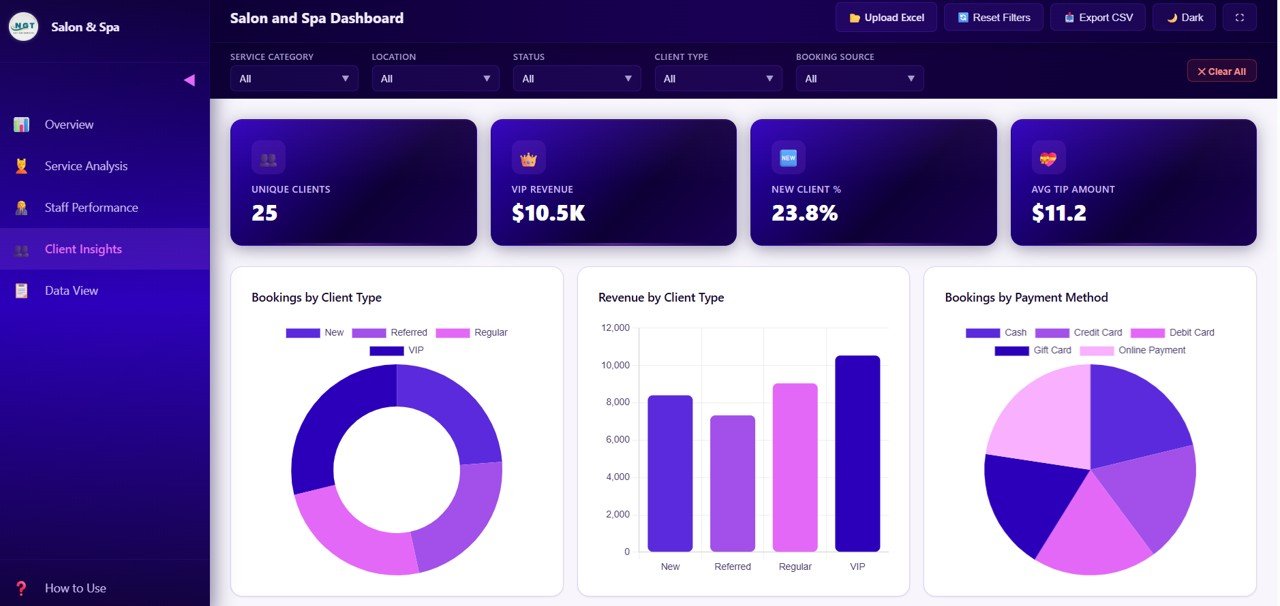 Client Insights
📌 5 – Data View: This is the detailed data table page. Here you can see all the records with search, sort, and pagination features. You can also export the filtered data to CSV for further analysis in Excel or Google Sheets.
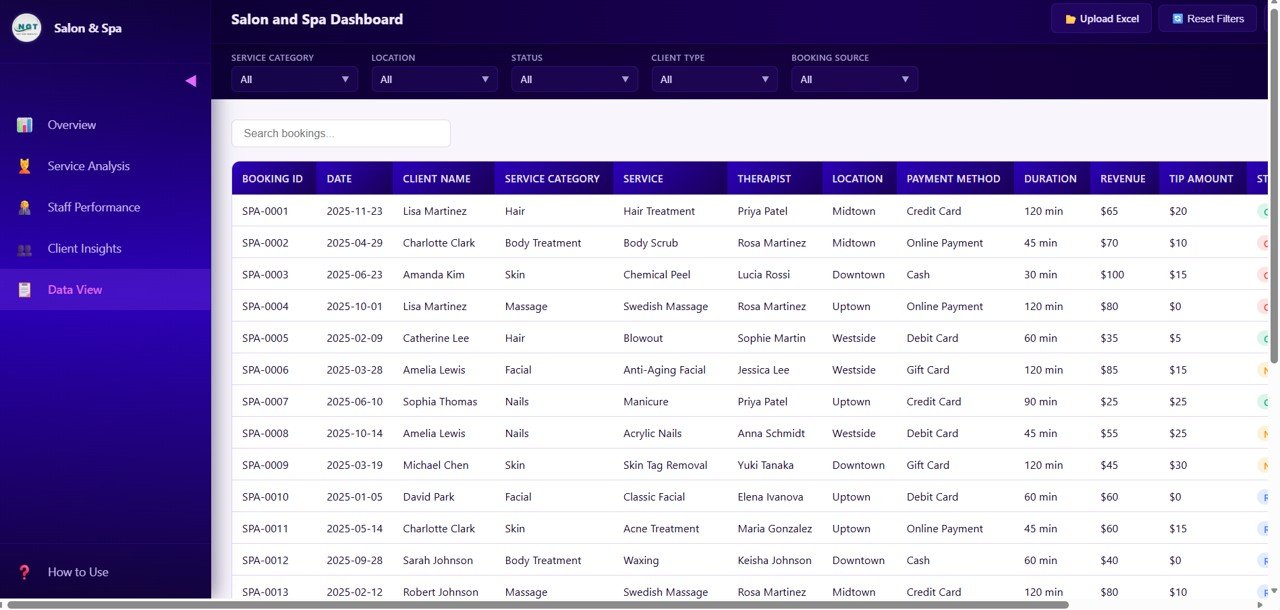 Data View
⚙️ How to Use the Salon and Spa Dashboard in HTML
📌 Step 1: Download and unzip the file after purchase
📌 Step 2: Open the index.html file in any modern browser (Chrome, Edge, Firefox)
📌 Step 3: Review the sample data to understand the data structure
📌 Step 4: Replace the sample data in the data file with your salon’s actual booking, revenue, and staff data
📌 Step 5: All charts, KPIs, and visuals refresh automatically
📌 Step 6: Use the interactive filters and slicers to explore your data by location, date, service, and client type
👥 Who Can Benefit from This Salon and Spa Dashboard in HTML
📌 Salon Owners & Spa Managers tracking revenue and bookings
📌 Beauty Business Chains monitoring multi-location performance
📌 Spa Directors analyzing client satisfaction and service trends
📌 Wellness Center Operators evaluating staff productivity and tips
📌 Data Analysts building reports for the beauty and wellness industry
📌 Business Consultants advising salon and spa clients
❓ Frequently Asked Questions
What KPIs does the Salon and Spa Dashboard in HTML track?
The Salon and Spa Dashboard in HTML tracks 5 key performance indicators: Total Bookings, Total Revenue, Net Revenue, Completion Rate, and Average Satisfaction. These KPIs are displayed as interactive cards on the Overview page and can be filtered using slicers.
Can I use this HTML dashboard for multiple salon locations?
Yes. The dashboard includes multi-location analytics with charts that compare Revenue by Location, making it ideal for salon chains and multi-branch spa businesses.
Do I need any software to use this HTML dashboard?
No. Simply open the index.html file in any modern web browser such as Chrome, Edge, or Firefox. No additional software, plugins, or licenses are required.
How do I replace the sample data with my own salon data?
Open the data file included in the download, replace the sample records with your own booking, revenue, and staff data, then refresh the browser. All charts and KPIs update automatically.
What is the best HTML dashboard template for a salon and spa business?
The Salon and Spa Dashboard in HTML from NextGen Templates is one of the best options available. It covers 5 analytical pages including service analysis, staff performance, client insights, and a data view with search and export — all in a single, browser-ready HTML file.
🔗 Explore Related Templates
📌 Salon and Spa Dashboard in Excel – The Excel version of this salon analytics dashboard with pivot tables and slicers
📌 Salon and Spa Dashboard in Power BI – Advanced Power BI version with drill-through analysis
📌 Beauty Salons Dashboard in Power BI – Another Power BI dashboard for the beauty industry
📖 Click here to read the Detailed Blog Post
🎥 Visit our YouTube channel to learn step-by-step video tutorials
👉 YouTube.com/@NextGenTemplates
Watch the step-by-step video tutorial:
YouTube



Reviews
There are no reviews yet.