

In the fast-moving food manufacturing industry, packaging performance directly affects product quality, safety, operational efficiency, and customer satisfaction. Even small inefficiencies in packaging can lead to material waste, compliance risks, delayed deliveries, and increased operational costs. That’s why modern food companies are shifting toward data-driven performance monitoring.
The Food Packaging KPI Scorecard in Excel is a powerful, ready-to-use performance management solution designed to help organizations monitor, analyze, and improve packaging operations using structured Key Performance Indicators (KPIs).
Instead of managing scattered spreadsheets or manual reports, this intelligent Excel scorecard brings all packaging metrics into one centralized system. Managers can instantly compare Actual vs Target performance, track trends over time, and identify operational gaps before they become costly problems.
Built entirely in Microsoft Excel, this template requires no complex software or technical expertise — making it an ideal solution for organizations seeking professional analytics without expensive investments.
📊 Key Features of Food Packaging KPI Scorecard in Excel
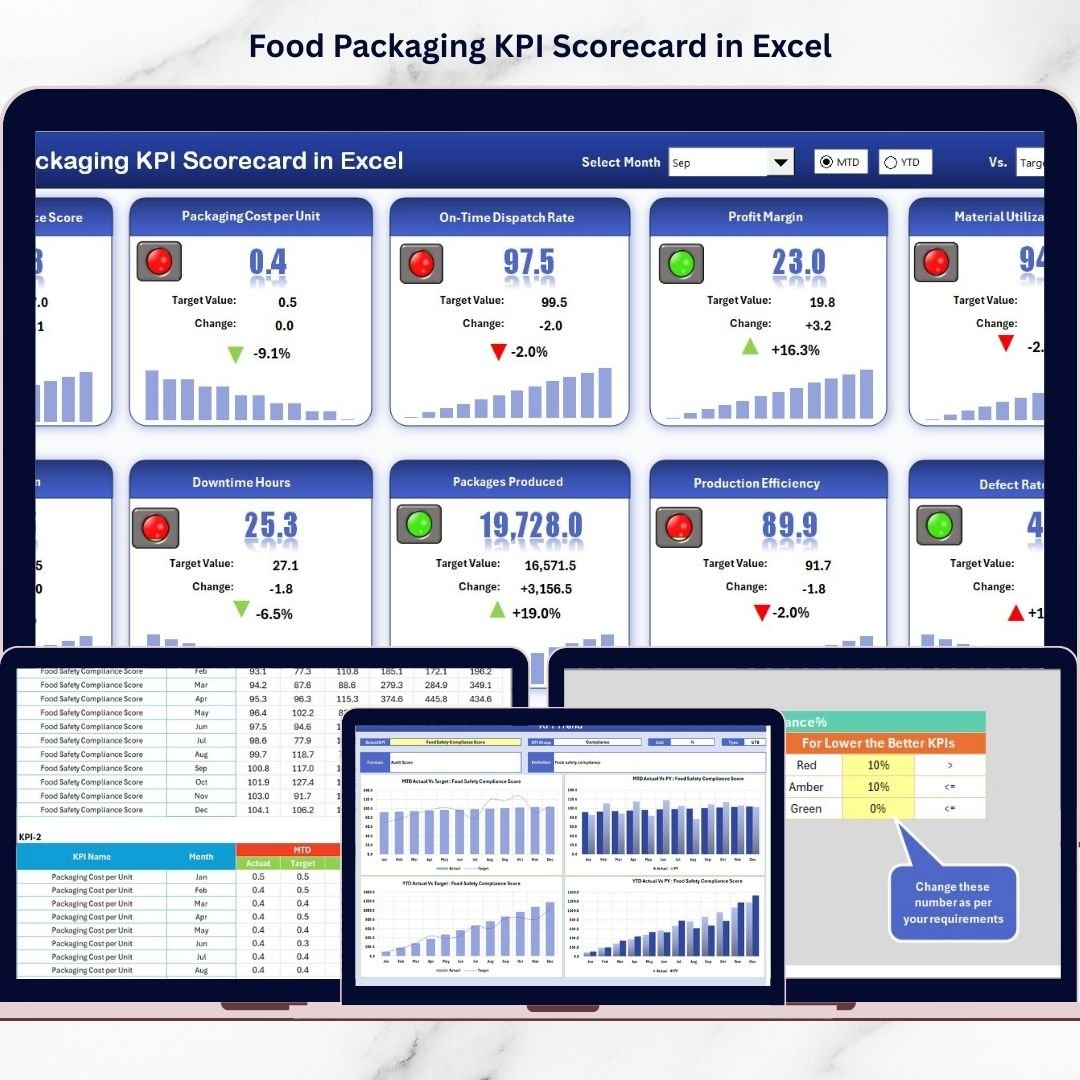
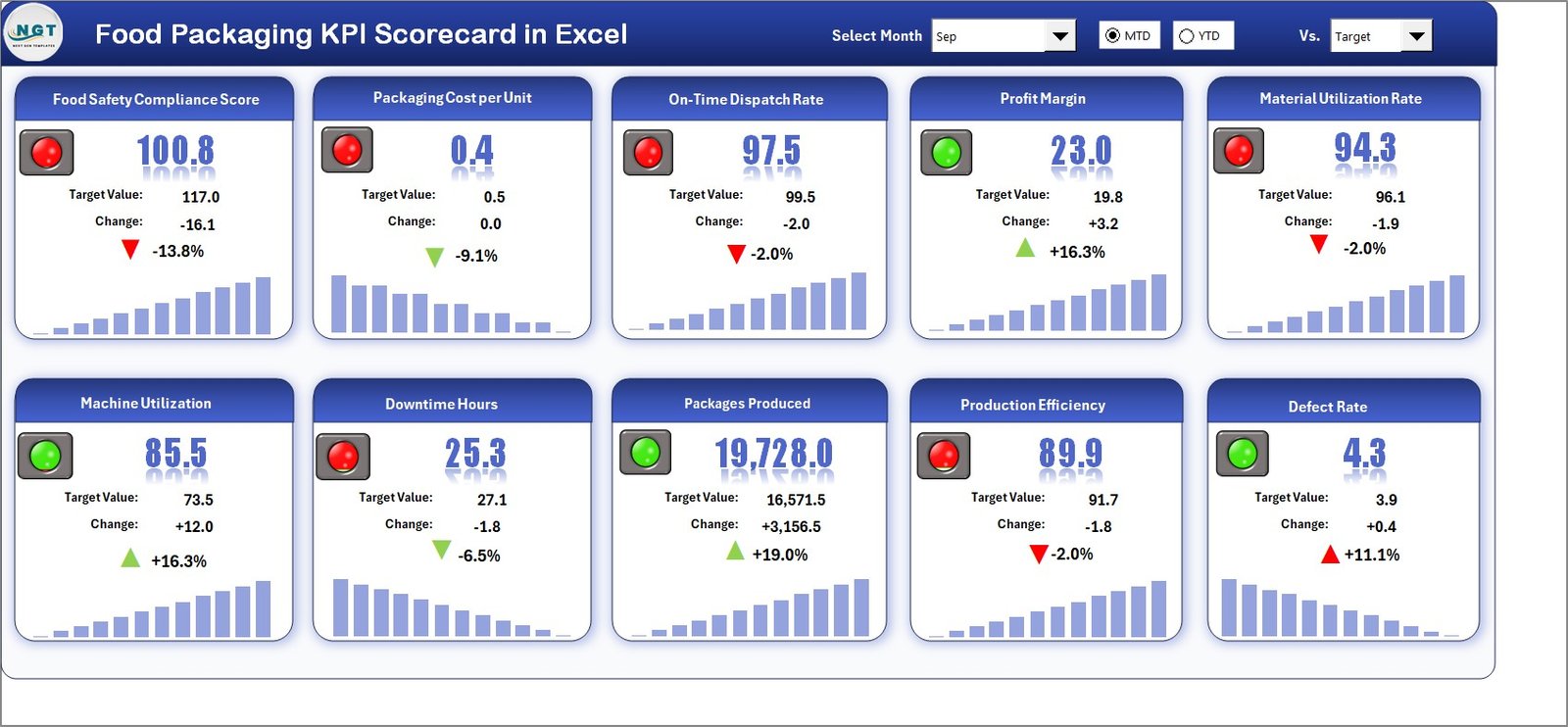
✅ Interactive KPI Scorecard Dashboard for instant performance visibility
✅ Month selection with MTD and YTD performance comparison
✅ Automated Actual vs Target calculations for quick analysis
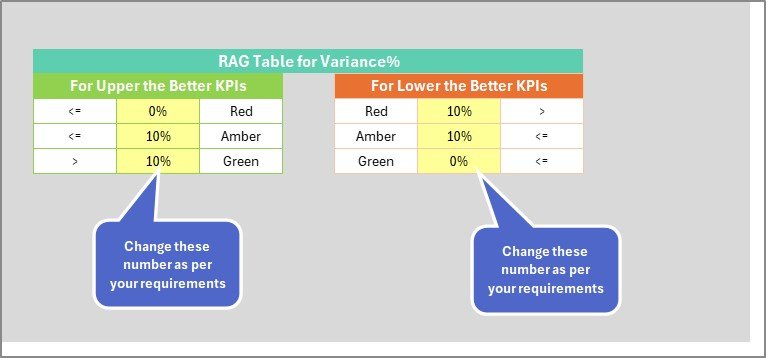
✅ Color-coded indicators for fast performance evaluation
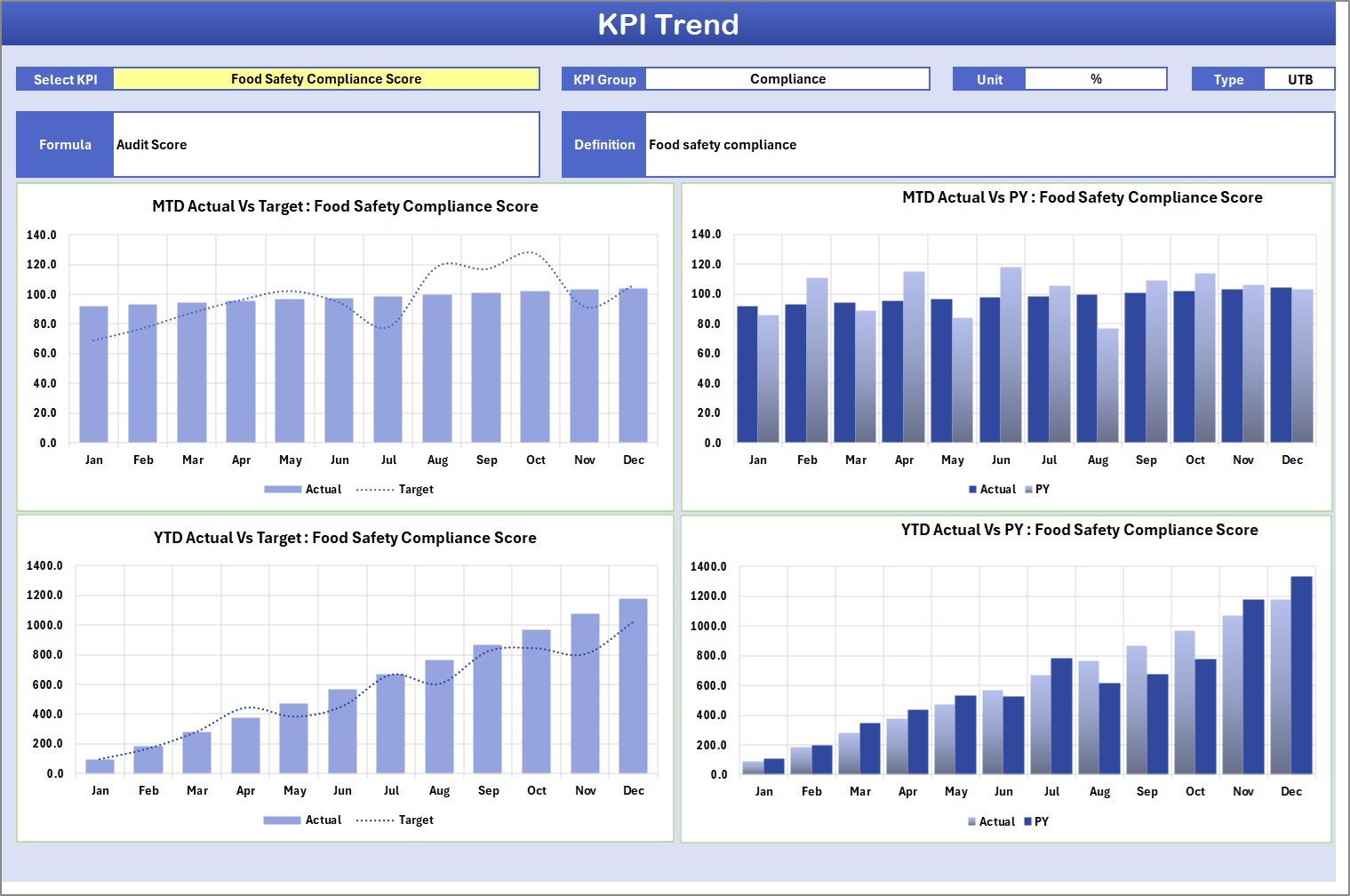
✅ KPI Trend Analysis with dynamic charts
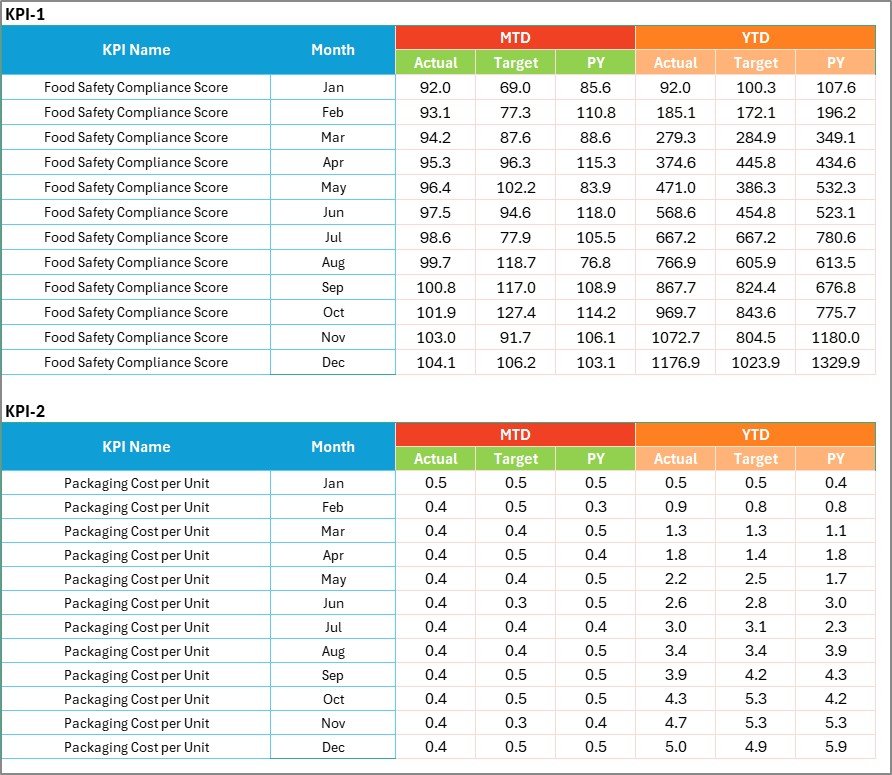
✅ Centralized input system to reduce manual work
✅ Standardized KPI documentation for consistency
✅ Easy customization based on business needs
These features allow decision-makers to understand packaging performance within seconds and take corrective actions quickly.]
📦 What’s Inside the Food Packaging KPI Scorecard in Excel
This ready-to-use template includes four professionally structured worksheets:
📌 Scorecard Sheet – The main dashboard showing KPI performance, comparisons, and visual indicators in one view.
📌 KPI Trend Sheet – Displays historical performance trends with charts comparing Actual, Target, and Previous Year values.
📌 Input Data Sheet – A centralized area for entering KPI data once, automatically updating the entire scorecard.
📌 KPI Definition Sheet – A documentation hub storing KPI formulas, definitions, units, and classifications to maintain reporting accuracy.
Together, these sheets create a complete performance monitoring ecosystem.
⚙️ How to Use the Food Packaging KPI Scorecard in Excel
Using the scorecard is simple and beginner-friendly:
1️⃣ Enter KPI definitions and targets in the KPI Definition sheet
2️⃣ Input packaging performance data in the Input Data sheet
3️⃣ Select the desired month using dropdown controls
4️⃣ Switch between MTD and YTD analysis views
5️⃣ Review dashboard indicators and trend charts instantly
Once data is entered, all calculations and visuals update automatically — eliminating manual reporting effort.
👥 Who Can Benefit from This Food Packaging KPI Scorecard in Excel
This template is ideal for professionals across food manufacturing operations:
Production Managers monitoring efficiency
Packaging Supervisors tracking daily performance
Quality Assurance Teams ensuring compliance
Plant Managers improving operational control
Business Analysts analyzing performance trends
Operations Leaders driving continuous improvement
Because the interface is simple and Excel-based, both technical and non-technical users can adopt it quickly.
By implementing this KPI scorecard, organizations gain:
Clear performance visibility
Faster decision-making
Reduced packaging waste
Improved compliance monitoring
Better production planning
Consistent operational improvement
Instead of reacting to problems after they occur, teams can proactively manage packaging performance using real data insights.
The Food Packaging KPI Scorecard in Excel transforms everyday operational data into meaningful intelligence, helping food manufacturers achieve higher productivity, stronger quality control, and sustainable growth.
Click here to read the Detailed blog post
Watch the step-by-step video tutorial: