

Employee Engagement Dashboard in Google Sheets is no longer just an HR metric—it is a direct driver of productivity, retention, collaboration, and business performance. Engaged employees show higher commitment, deliver better results, and contribute positively to organizational culture. However, many organizations struggle to measure and monitor engagement effectively because data remains scattered across surveys, HR systems, and manual reports.
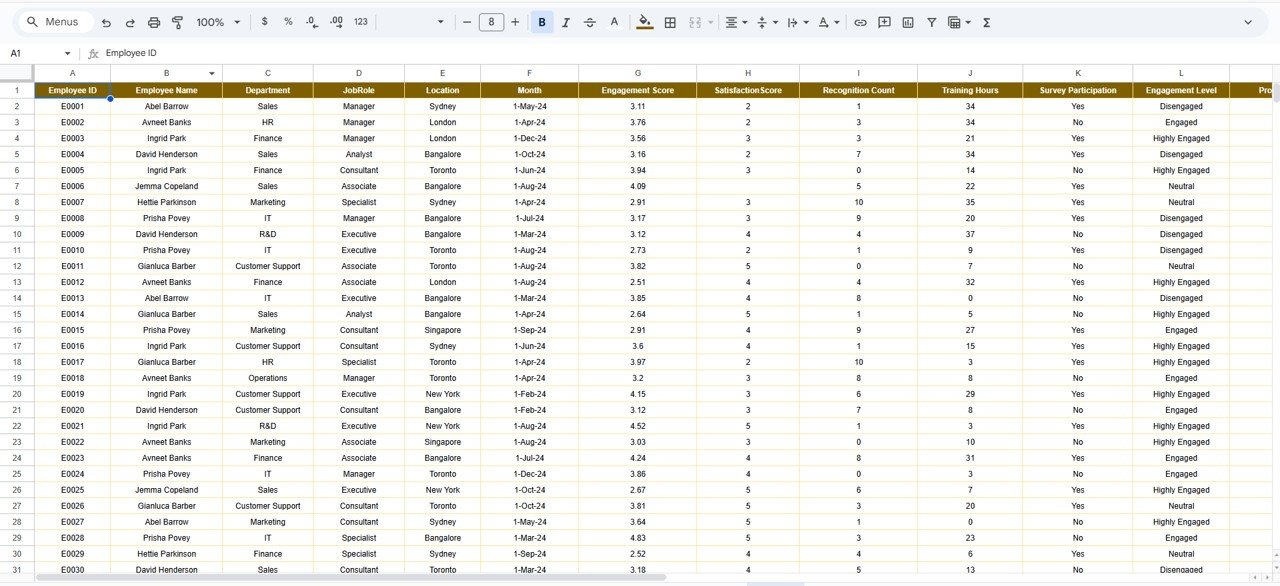
The Employee Engagement Dashboard in Google Sheets solves this challenge by bringing all engagement-related data into one centralized, visual, and easy-to-use dashboard. Instead of reviewing multiple spreadsheets or survey files, HR teams and leadership gain instant visibility into engagement levels, satisfaction scores, recognition activity, training efforts, project involvement, and participation trends.
Because this dashboard runs entirely in Google Sheets, it is cloud-based, collaborative, and extremely flexible. Teams can update data in real time, share insights instantly, and customize metrics without relying on expensive HR analytics software.
🚀 Key Features of the Employee Engagement Dashboard
📊 Complete Engagement Visibility
Track engagement, satisfaction, recognition, training, and participation metrics in one dashboard.
🧠 Employee-Level Insights
Identify highly engaged employees as well as those at risk of disengagement.
🏢 Department, Location & Role Analysis
Compare engagement patterns across departments, locations, and job roles.
📈 Monthly Trend Tracking
Understand how engagement evolves over time and evaluate the impact of initiatives.
🔍 Smart Search Functionality
Instantly locate any employee or group using keyword-based search.
⚙️ Fully Customizable & Scalable
Modify KPIs, charts, and structure to match your organization’s engagement strategy.
📦 What’s Inside the Employee Engagement Dashboard
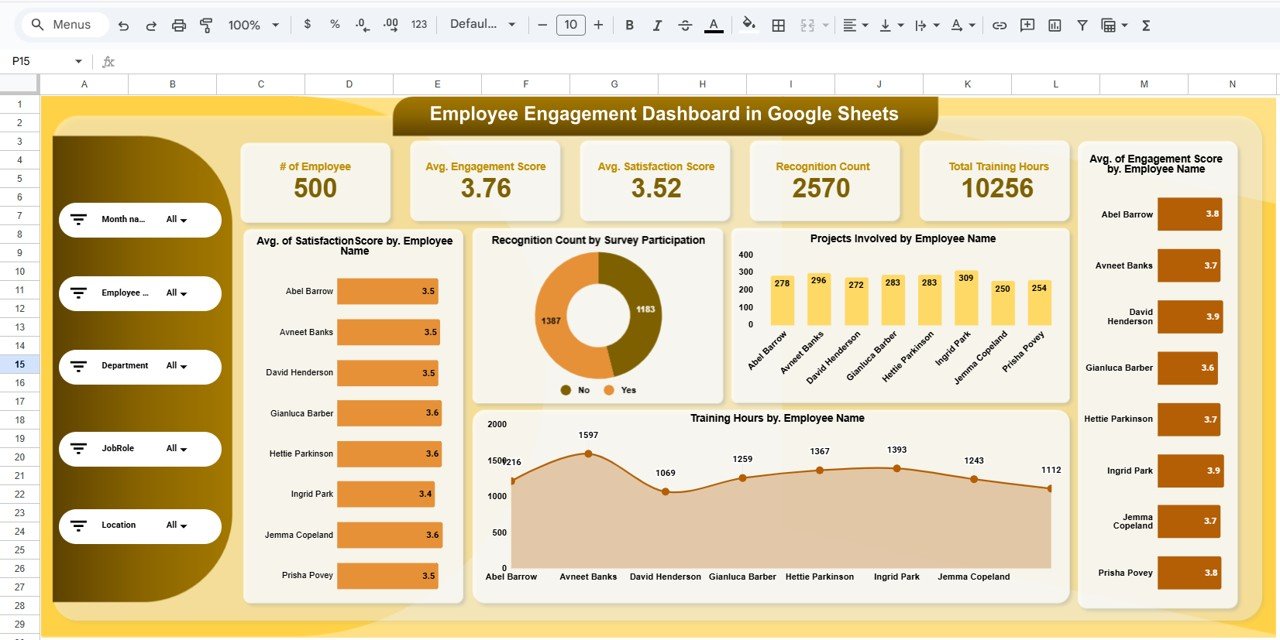
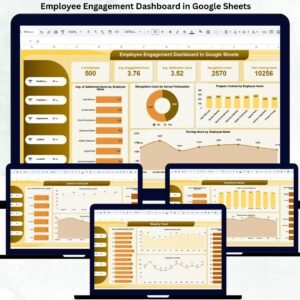
🧾 Overview Sheet – Executive Summary
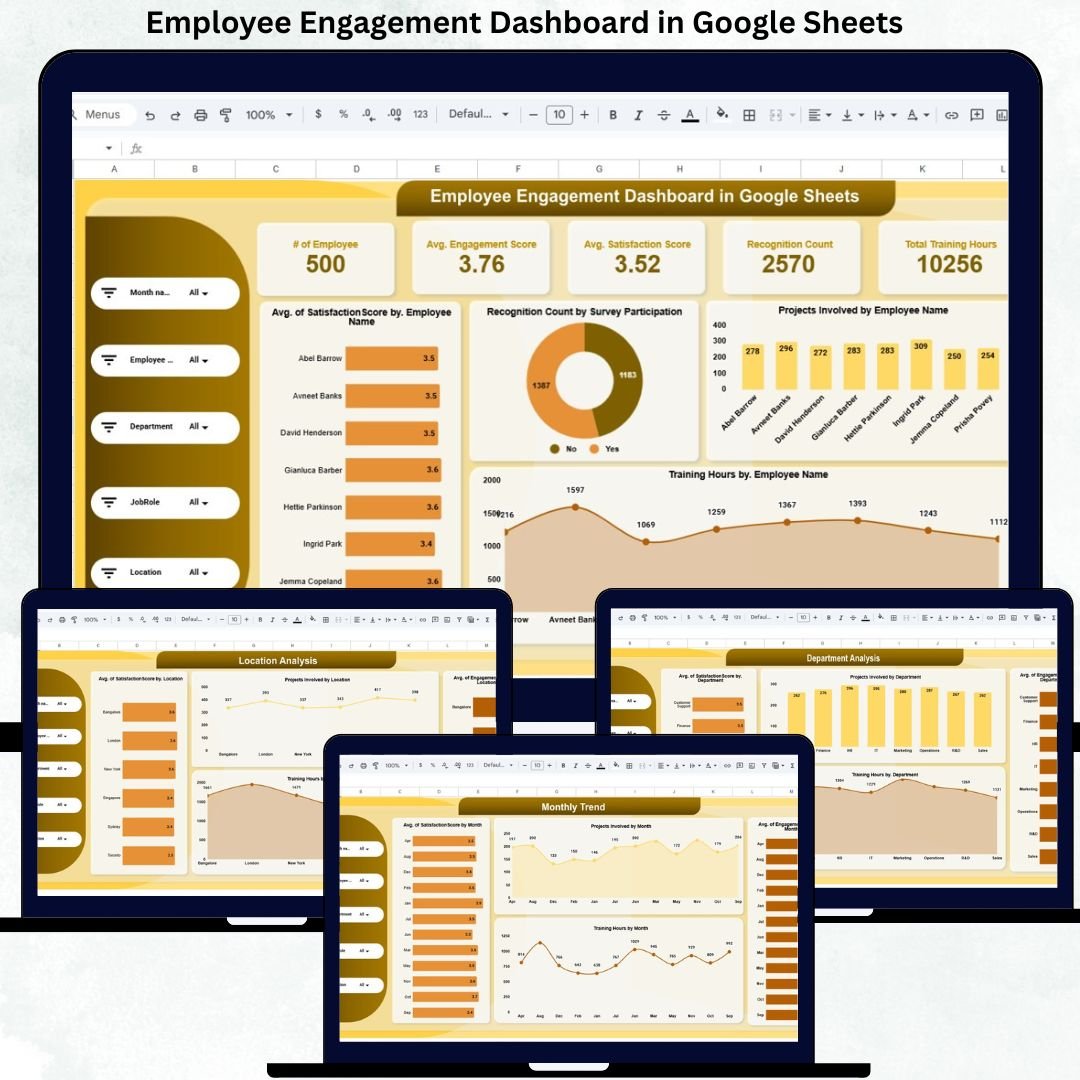
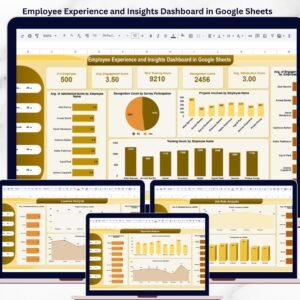
The Overview sheet provides leadership with a quick snapshot of workforce engagement through powerful KPI cards and charts.
KPI Cards Include:
-
Number of Employees
-
Average Engagement Score
-
Average Satisfaction Score
-
Recognition Count
-
Total Training Hours
These KPIs help leadership assess workforce health within seconds.
Overview Charts Show:
-
Average Engagement Score by Employee
-
Average Satisfaction Score by Employee
-
Recognition Count by Survey Participation
-
Projects Involved by Employee
-
Training Hours by Employee
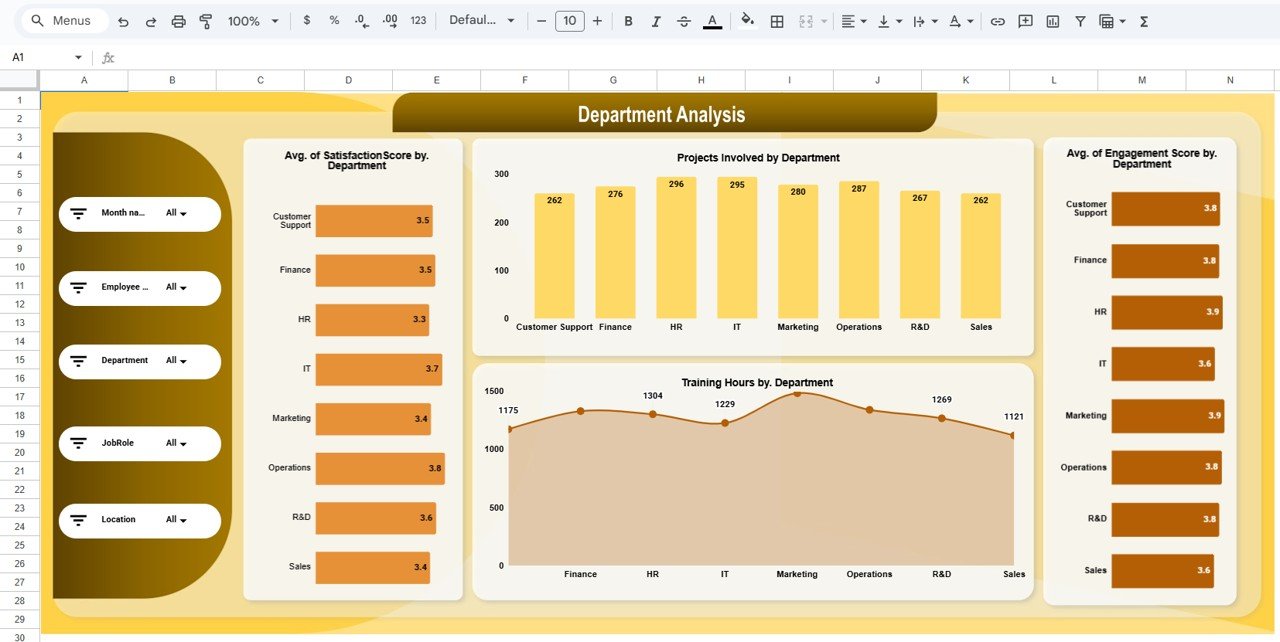
🏢 Department Analysis Sheet
This sheet compares engagement metrics across departments.
You can analyze:
-
Average Engagement Score by Department
-
Average Satisfaction Score by Department
-
Projects Involved by Department
-
Training Hours by Department
It helps HR teams identify which departments need support and which ones are performing well.
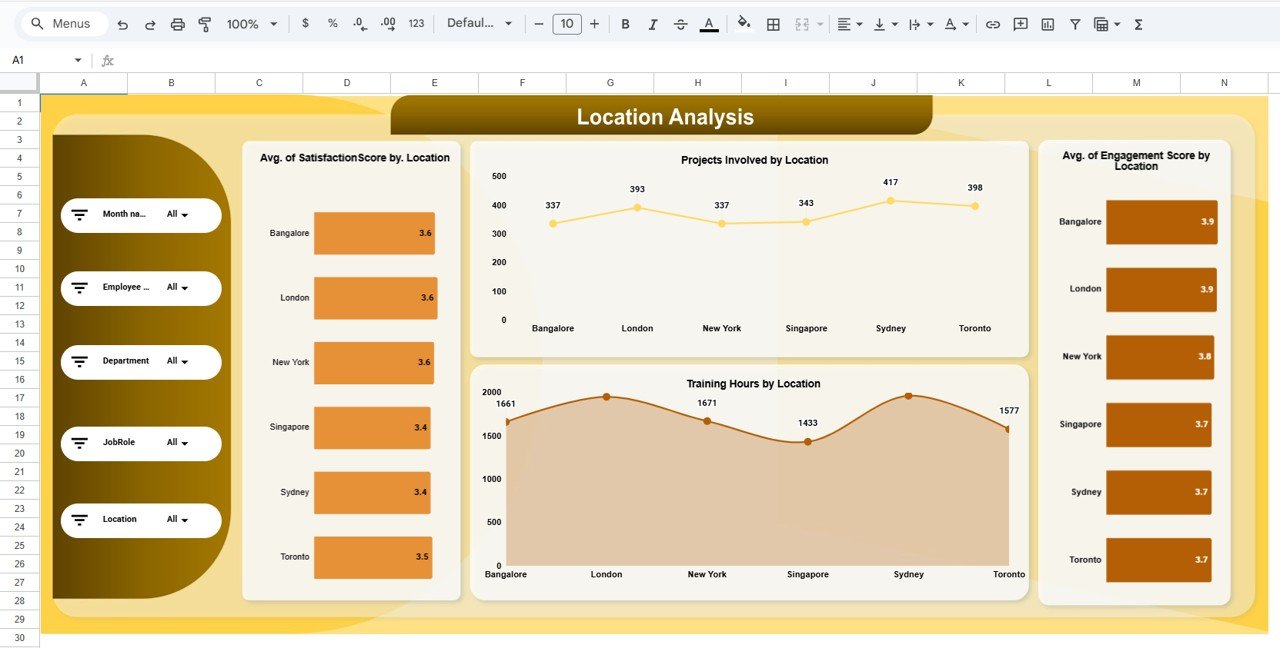
🌍 Location Analysis Sheet
Perfect for hybrid and distributed teams, this sheet shows engagement trends by location.
You can track:
-
Average Engagement Score by Location
-
Average Satisfaction Score by Location
-
Projects Involved by Location
-
Training Hours by Location
This insight helps leadership understand geographic engagement differences.
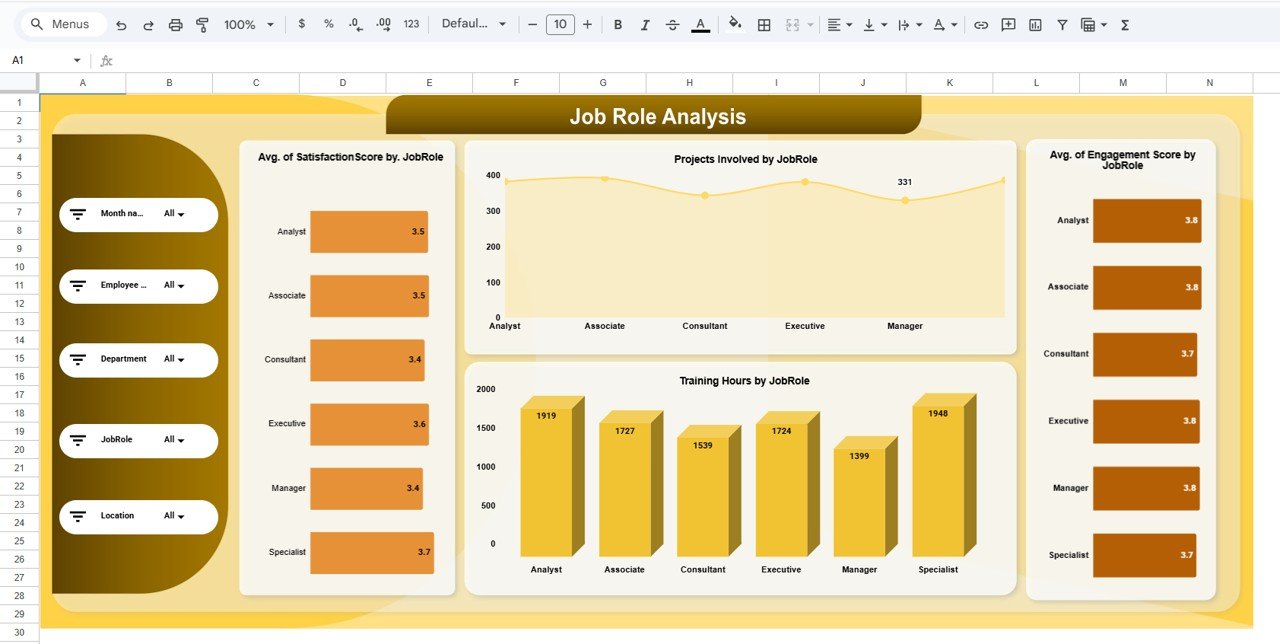
🧑💼 Job Role Analysis Sheet
This sheet highlights engagement patterns by job role or designation.
It includes:
-
Average Engagement Score by Job Role
-
Average Satisfaction Score by Job Role
-
Projects Involved by Job Role
-
Training Hours by Job Role
This view helps HR teams design role-specific engagement initiatives.
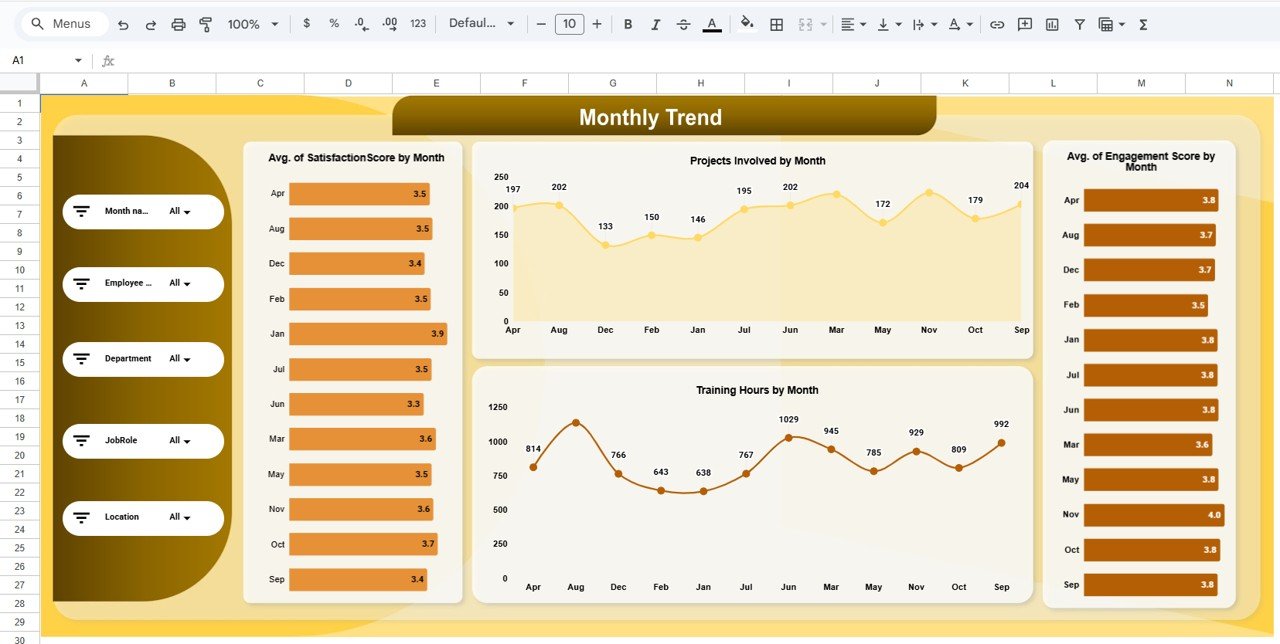
📅 Monthly Trend Sheet
The Monthly Trend sheet tracks engagement progress over time.
You can monitor:
-
Average Engagement Score by Month
-
Average Satisfaction Score by Month
-
Projects Involved by Month
-
Training Hours by Month
This sheet supports long-term engagement strategy evaluation.
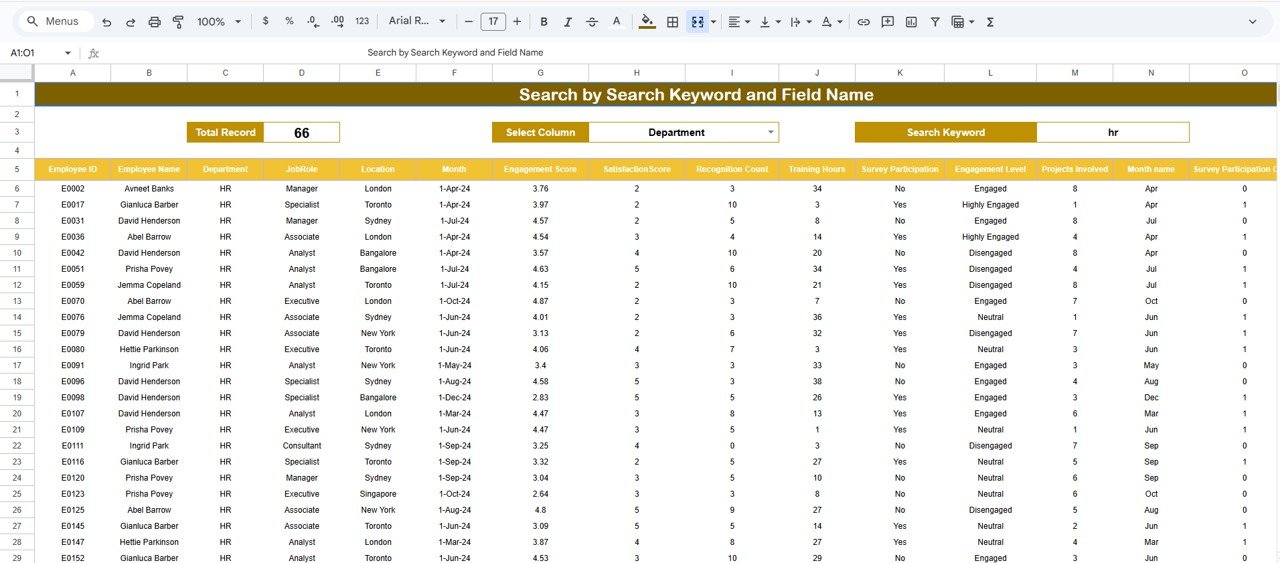
🔎 Smart Search Feature
The built-in search panel allows users to:
-
Enter a Search Keyword
-
Select a Field Name (Employee Name, Department, Location, Job Role)
Matching records appear instantly, saving hours of manual filtering.
🛠️ How to Use the Employee Engagement Dashboard
1️⃣ Enter employee engagement and survey data
2️⃣ Review KPI cards for instant insights
3️⃣ Analyze department, location, and role-based trends
4️⃣ Track monthly engagement movement
5️⃣ Use search to find specific employees or groups
👥 Who Can Benefit from This Dashboard
-
🧑💼 HR Teams & People Analytics Teams
-
👔 Managers & Team Leaders
-
🏢 Senior Leadership
-
🌐 Hybrid & Remote Organizations
-
📊 Employee Experience & Culture Teams
### Click here to read the Detailed blog post
Watch the step-by-step video tutorial:












Reviews
There are no reviews yet.