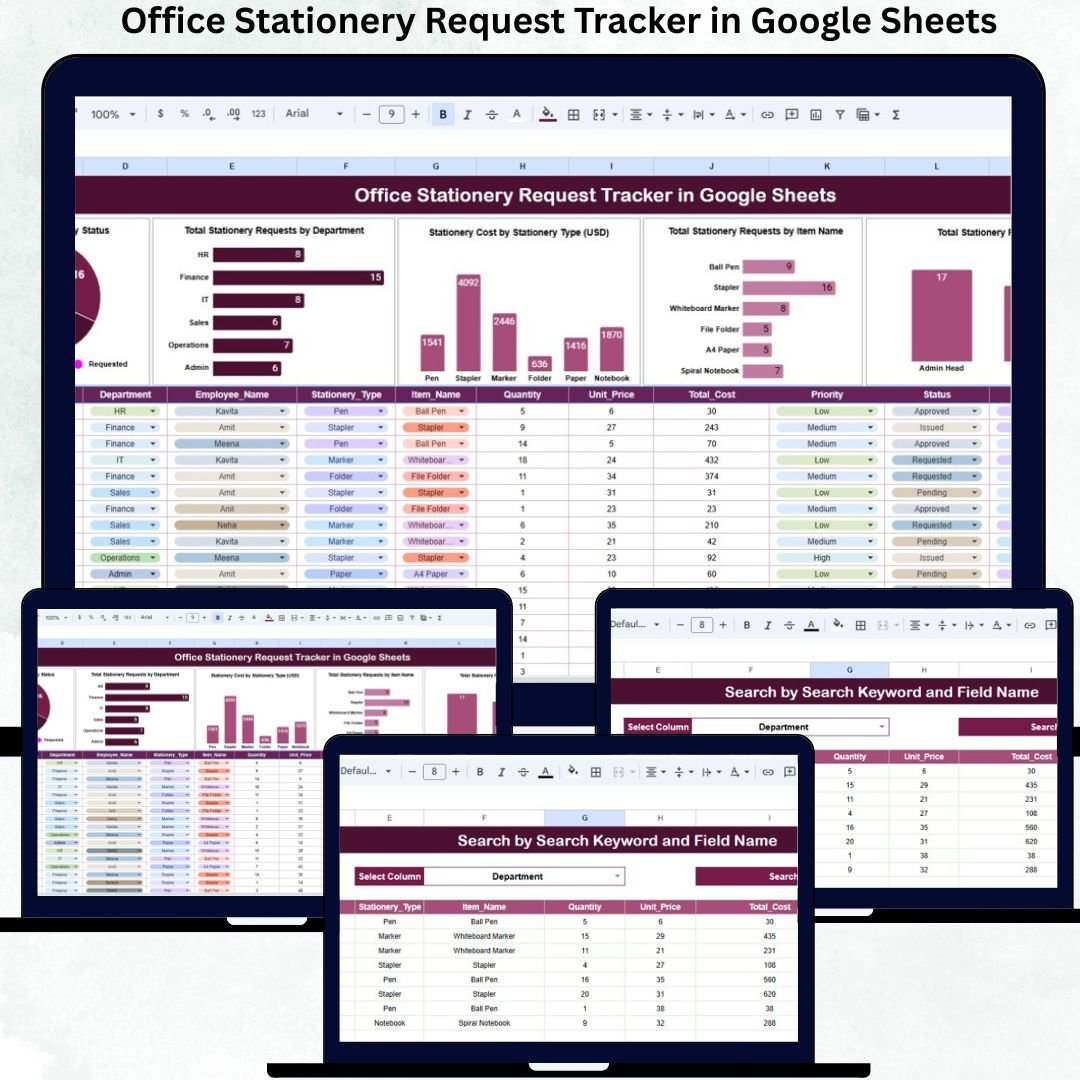
Office stationery may look like a small operational element, but unmanaged stationery requests silently increase costs, create delays, and cause inventory confusion. Pens, notebooks, printer paper, files, cartridges, and other essential supplies move daily across departments. When teams rely on emails, verbal requests, or manual registers, requests get missed, approvals slow down, and spending goes out of control.
The Office Stationery Request Tracker in Google Sheets solves this problem by introducing structure, visibility, and cost control into stationery management. This ready-to-use tracker captures every stationery request, tracks approvals, monitors costs, and provides real-time insights using smart charts and a powerful search system. Because it is built in Google Sheets, teams collaborate easily without investing in complex inventory software.
📌 Key Features of the Office Stationery Request Tracker
✅ Centralized stationery request management
✅ Department-wise usage tracking
✅ Approval workflow visibility
✅ Item-wise and cost-wise analysis
✅ Smart search for quick lookup
✅ Fully built in Google Sheets
✅ Ready to use with zero setup effort
This tracker turns everyday stationery operations into a well-controlled, transparent process.
📦 What’s Inside the Office Stationery Request Tracker
📝 Tracker Sheet Tab (Main Data Entry Sheet)
This is the backbone of the entire system. Every stationery request gets recorded here in a structured format.
Typical fields include:
Request ID
Request Date
Employee Name
Department
Stationery Item Name
Quantity Requested
Approval Status
Approved By
Request Status
Cost per Item
Total Cost
Remarks
Once data is entered or updated, all charts update automatically, ensuring accurate and real-time reporting.
📊 Charts – Instant Visual Insights
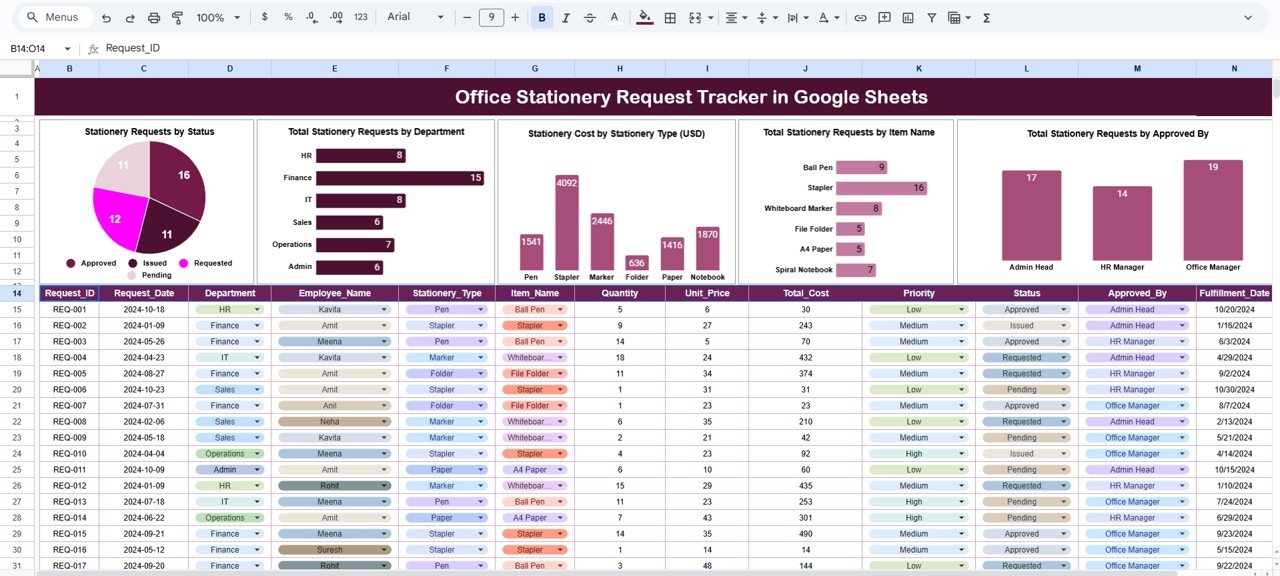
The tracker includes five powerful charts that help administrators understand stationery usage patterns instantly.
✅ 1. Stationery Requests by Status
Shows how many requests are Pending, Approved, Rejected, or Completed.
Helps identify approval delays and backlog.
✅ 2. Total Stationery Requests by Department
Displays demand by department.
Highlights high-consumption departments for better budgeting and policy review.
✅ 3. Stationery Cost by Stationery Type (USD)
Shows spending by category such as paper, writing supplies, printing, files, etc.
✅ Helps control procurement cost
✅ Identifies expensive categories
✅ Supports vendor negotiation
✅ 4. Total Stationery Requests by Item Name
Identifies the most frequently requested items.
✅ Helps maintain minimum stock
✅ Prevents shortages
✅ Enables bulk procurement
✅ 5. Total Stationery Requests by Approved By
Shows approval workload distribution.
✅ Improves accountability
✅ Balances approver workload
✅ Speeds up approval cycles
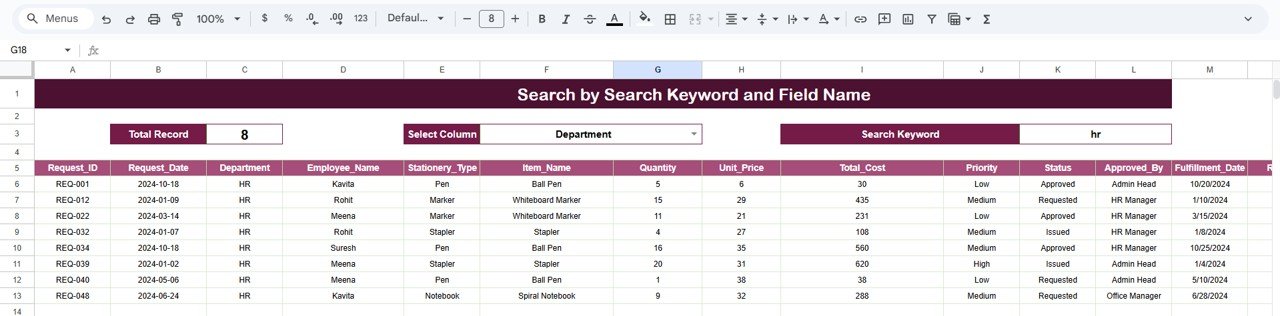
🔍 Search Functionality – Find Any Request Instantly
The tracker includes a Smart Search Panel that eliminates manual filtering.
You simply enter:
Search Keyword (Item name, department, employee, approver, status)
Field Name (Department, Item Name, Status, Approved By)
Matching records appear instantly, saving time during audits, approvals, or reviews.
⚙️ How to Use the Office Stationery Request Tracker
1️⃣ Enter stationery requests in the Tracker Sheet
2️⃣ Update approval and request status
3️⃣ Monitor charts for usage and cost trends
4️⃣ Use search to find specific requests
5️⃣ Review patterns weekly or monthly
No technical skills required—basic Google Sheets knowledge is enough.
👥 Who Can Benefit from This Tracker
🧾 Admin & Office Management Teams
📦 Procurement Teams
💰 Finance & Cost Control Teams
🏢 Operations Managers
🧑💼 HR & Facility Teams
Suitable for startups, SMEs, corporate offices, and multi-department organizations.
✅ Advantages of Using This Tracker
✔ Centralized request management
✔ Better cost control and budgeting
✔ Department-wise transparency
✔ Faster approval workflow
✔ Audit-ready documentation
✔ Easy collaboration in Google Sheets
✔ Zero software or licensing cost
🔧 Opportunities for Improvement
You can extend the tracker with:
Automated email notifications
Live inventory stock tracking
Department-wise budget limits
Vendor-wise cost comparison
Recurring request identification
✅ Best Practices
Standardize stationery item names
Review charts weekly
Define approval authority clearly
Maintain minimum stock for fast-moving items
Restrict edit access for data accuracy
✅ Conclusion
The Office Stationery Request Tracker in Google Sheets brings structure, accountability, and financial control to everyday stationery operations. It replaces chaos with clarity and manual effort with automation. With smart charts, cost visibility, and instant search, admin teams gain full control over stationery usage—without complexity or additional cost.
Click here to read the Detailed blog post
Watch the step-by-step video tutorial: