

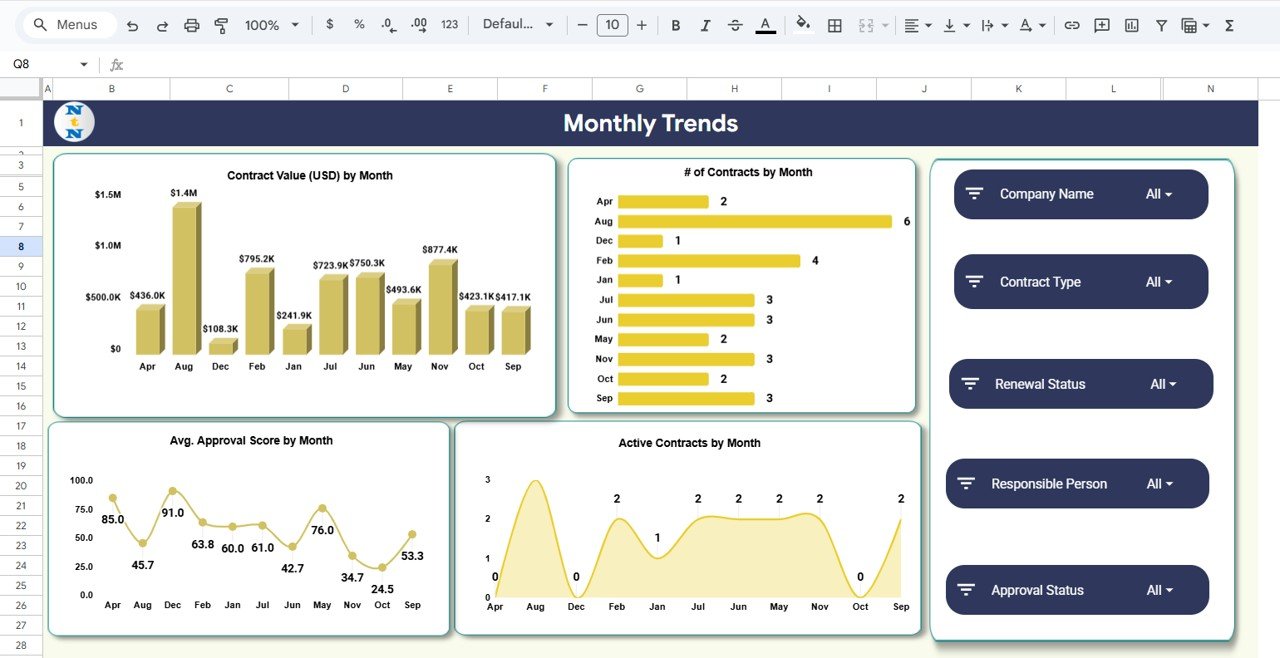
Managing contracts is one of the most important responsibilities in every organization. Contracts impact revenue, compliance, vendor performance, financial commitments, risk exposure, and long-term business sustainability. But when contract data is scattered across emails, PDFs, folders, and multiple spreadsheets, companies struggle with missed renewals, increased risk, inaccurate reporting, and delays in decision-making. The Contract Risk & Status Intelligence Dashboard in Google Sheets provides a complete solution to these challenges.Contract Risk & Status Intelligence Dashboard in Google Sheets
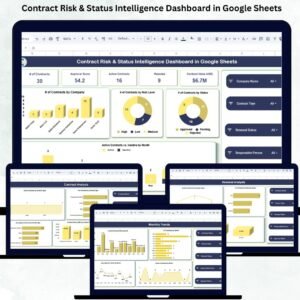
This ready-to-use dashboard consolidates all contract information into one powerful visual system. It gives your team full visibility into contract risk, status, renewal readiness, approval scores, contract value, and responsible person performance. Since it is built in Google Sheets, it is completely cloud-based, easy to use, and accessible from anywhere—making it ideal for legal teams, procurement teams, finance teams, contract administrators, and business leaders.Contract Risk & Status Intelligence Dashboard in Google Sheets
Every chart, KPI, slicer, and card in this dashboard helps you monitor contract health in real time, prevent revenue loss, reduce risk, improve compliance, and make faster, smarter decisions.Contract Risk & Status Intelligence Dashboard in Google Sheets
✨ Key Features of the Contract Risk & Status Intelligence Dashboard in Google Sheets
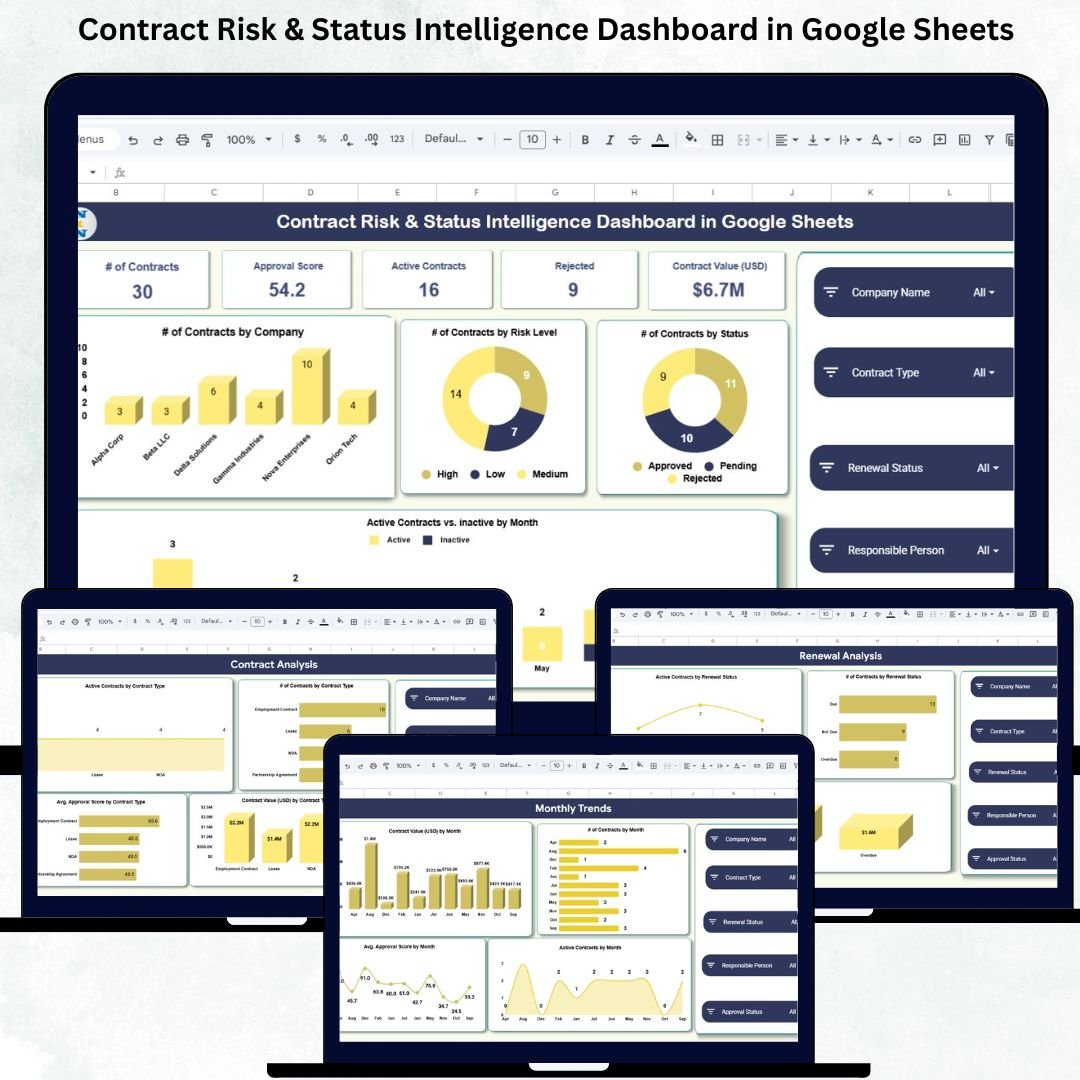
📊 1. High-Level Summary Cards
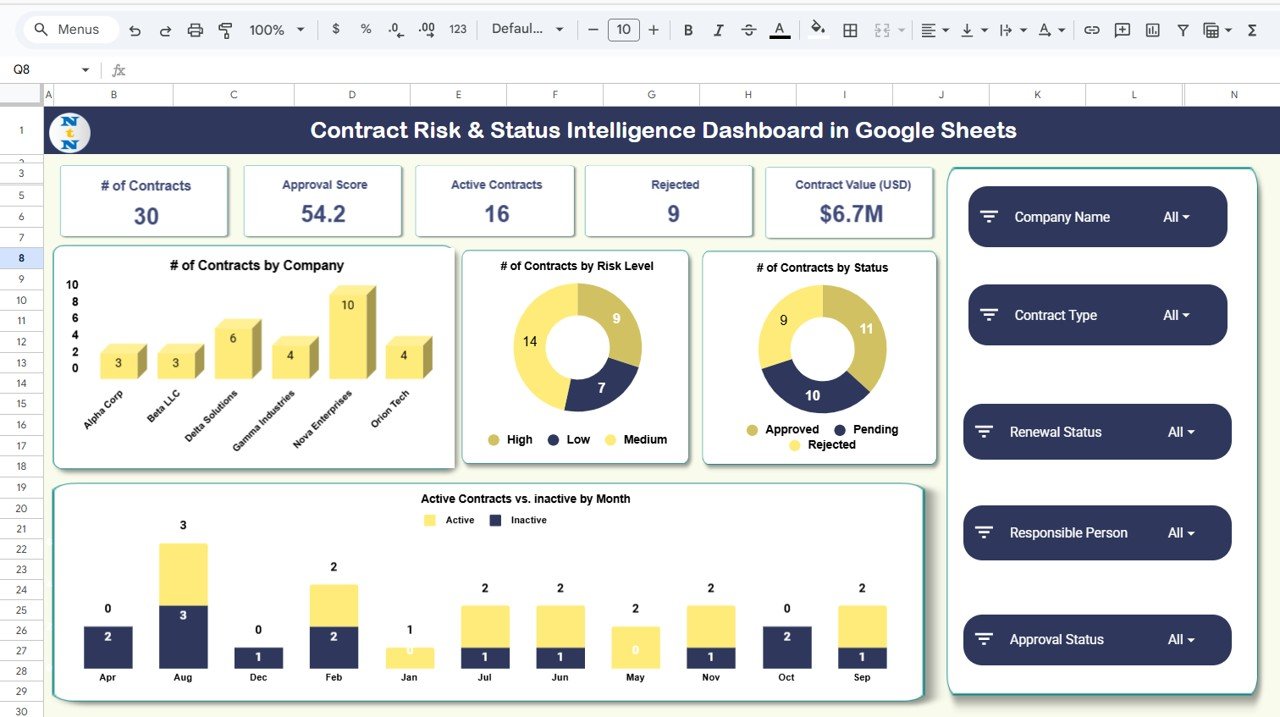
Instantly view the most important metrics such as:
Total number of contracts
Approval score
Active and rejected contracts
Total contract value (USD)
These cards help management understand the overall contract landscape at a glance.
🚦 2. Risk Classification Insights
The dashboard visually shows # of contracts by risk level. You can easily identify high-risk contracts requiring urgent action.
🔄 3. Renewal Readiness Monitoring
See which contracts are due soon, which are already expired, and which renew automatically or manually. This prevents missed renewals and potential revenue or service disruptions.
👤 4. Responsible Person Analysis
Track how many contracts each responsible person manages, their approval score, and total contract value handled—improving accountability and workload planning.
🏢 5. Contract Type Analysis
Analyze contracts by category such as service agreements, vendor contracts, NDAs, licensing, and more. This helps you identify which contract types contribute the most revenue and which need attention.
📦 What’s Inside the Contract Risk & Status Intelligence Dashboard in Google Sheets
📍 1. Overview Sheet (Main Dashboard)
This page includes summary cards and key charts such as:
Contracts by company
Contracts by risk level
Contracts by status
Monthly active vs inactive contracts
These insights help management spot compliance gaps, bottlenecks, and upcoming risks instantly.
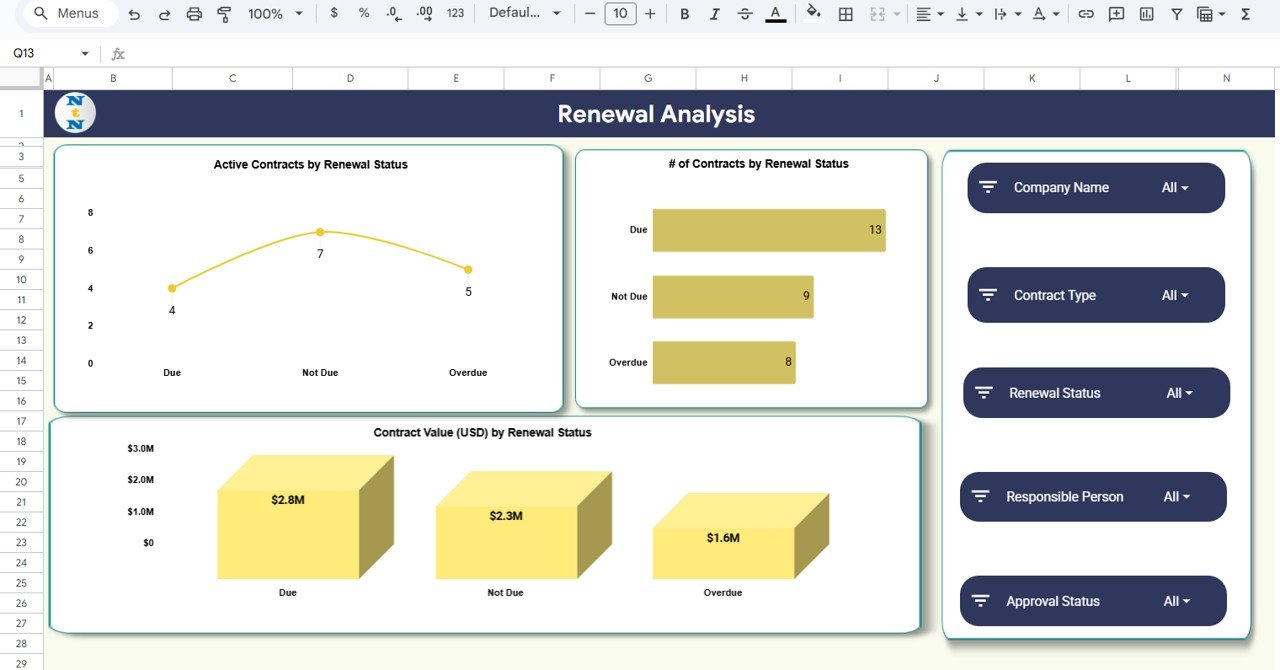
🔄 2. Renewal Analysis Sheet
This tab is dedicated to renewal planning and includes charts such as:
Active contracts by renewal status
Total contracts by renewal type
Contract value (USD) by renewal status
This helps teams prepare renewal schedules proactively and avoid financial loss.
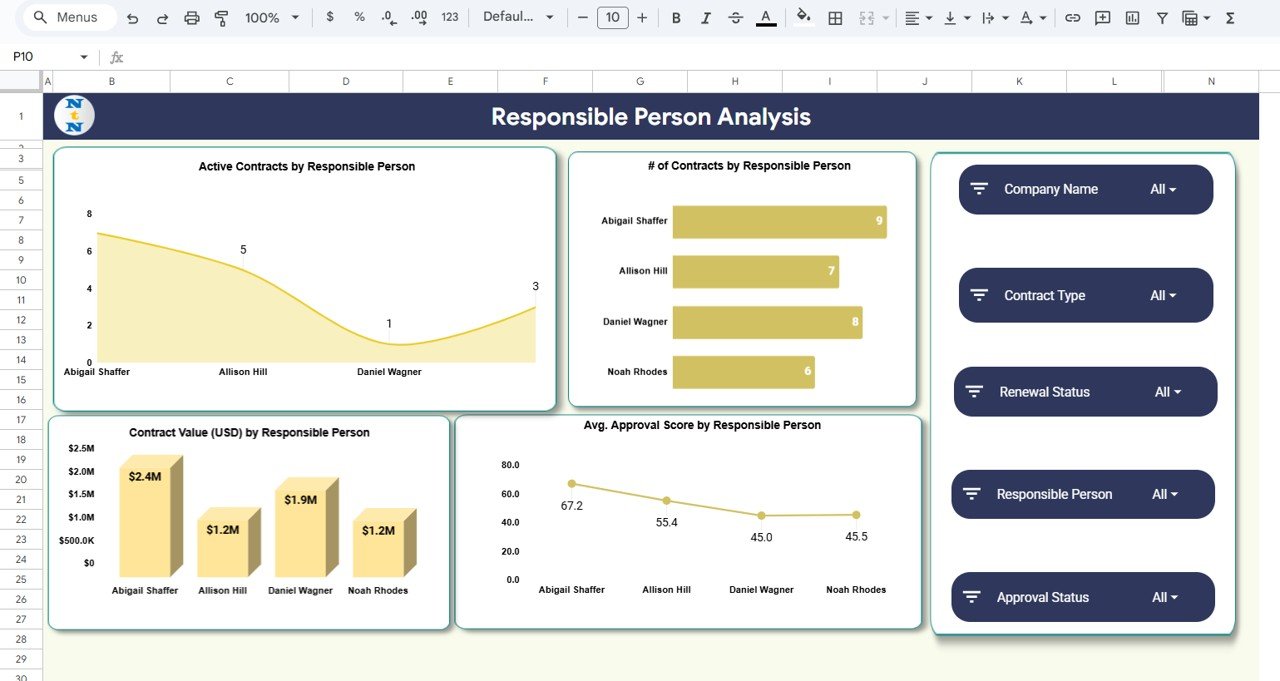
👤 3. Responsible Person Analysis Sheet
Evaluate workload distribution and performance using:
Active contracts per responsible person
Total contracts handled
Avg. approval score
Contract value handled
This supports better accountability and resource management.
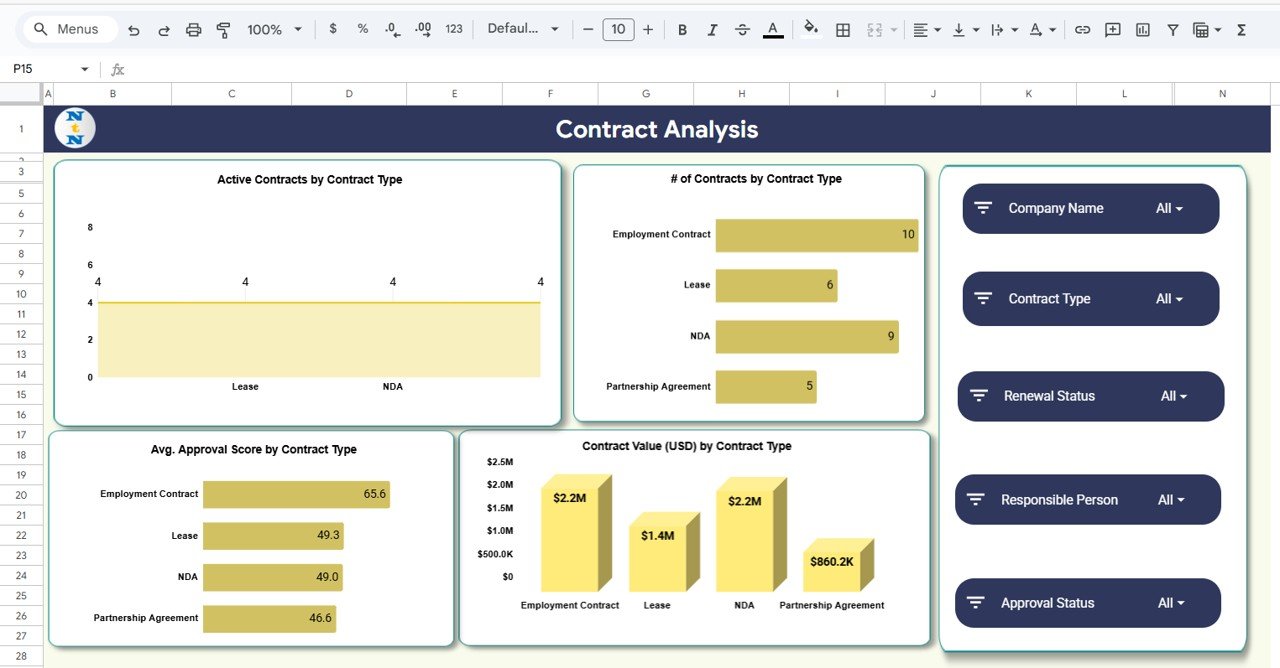
📂 4. Contract Analysis Sheet
Breaks down contract categories to show:
Active contracts by type
Total contracts by type
Contract value (USD) by type
Avg. approval score by type
Great for understanding portfolio structure.
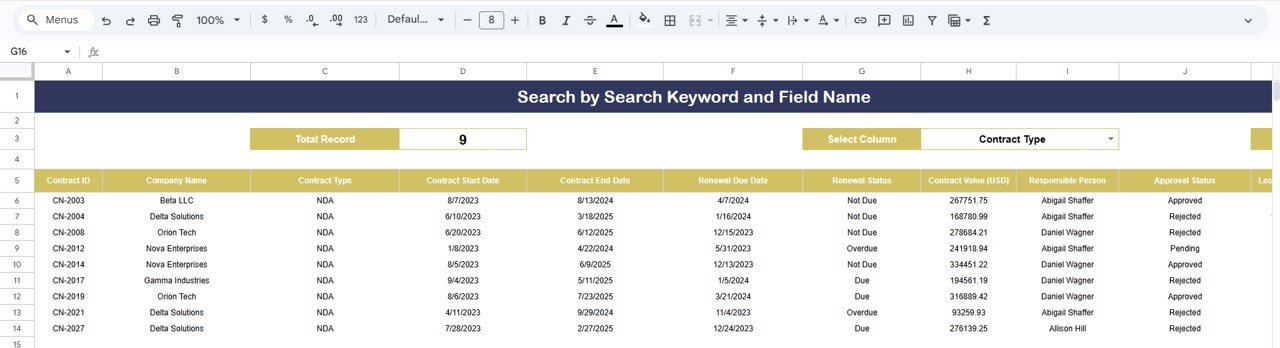
🔍 5. Search Sheet (Instant Lookup)
Search by:
Company
Status
Responsible person
Contract type
Risk level
Keyword
Fast, simple, and perfect for audits.
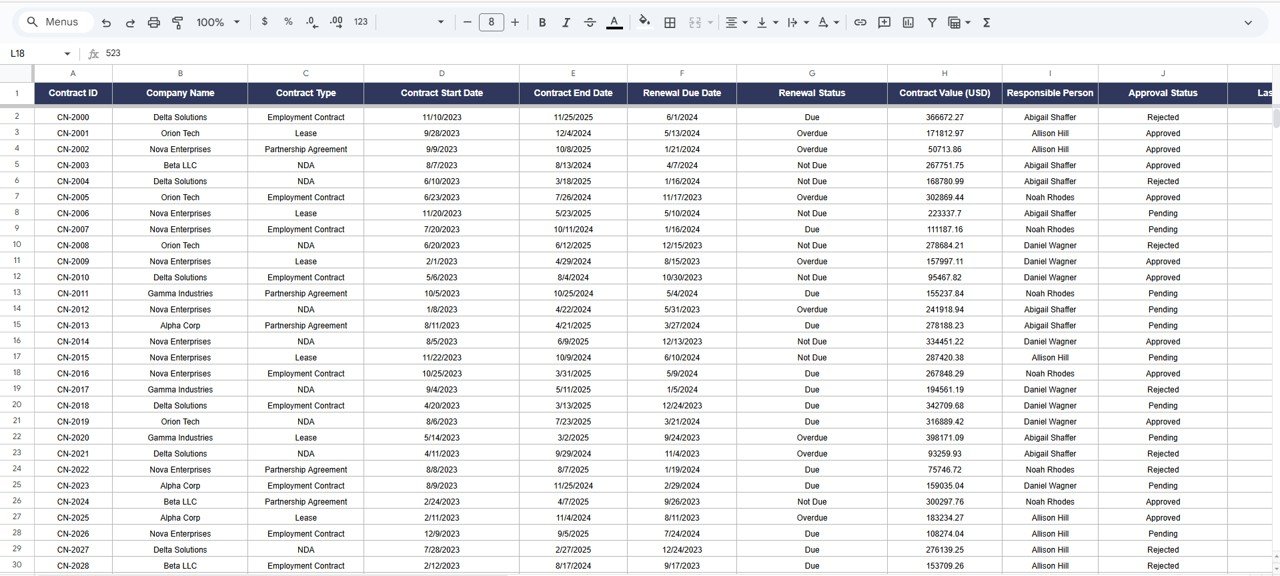
📑 6. Data Sheet (Backend Database)
Stores all contract information including:
Status, type, risk, responsible person
Approval score
Dates
Renewal category
Contract value
All visuals automatically update based on this sheet.
🛠️ How to Use the Contract Risk & Status Intelligence Dashboard in Google Sheets
1️⃣ Enter Contract Details
Fill out the Data sheet with contract information.
2️⃣ Review Summary Cards & Charts
Use the Overview for a quick health snapshot.
3️⃣ Check Renewal Status
Avoid missed renewals using the Renewal Analysis Sheet.
4️⃣ Monitor Team Performance
Use the Responsible Person sheet to evaluate workload and efficiency.
5️⃣ Filter & Search
Find any contract in seconds using the Search sheet.
6️⃣ Customize as Needed
Add fields such as SLA tracking, approval notes, and contract attachments.
🎯 Who Can Benefit from This Contract Risk & Status Intelligence Dashboard in Google Sheets
⚖️ Legal Teams
Track contract stages, risk, and approvals easily.
📦 Procurement Teams
Monitor vendor contracts, renewal schedules, and contract value.
💰 Finance Teams
Analyze contract value distribution and financial exposure.
🧑💼 Contract Administrators
Manage documentation and compliance with clarity.
🏢 Business Leaders
Make faster, data-driven contract decisions.






























Reviews
There are no reviews yet.