

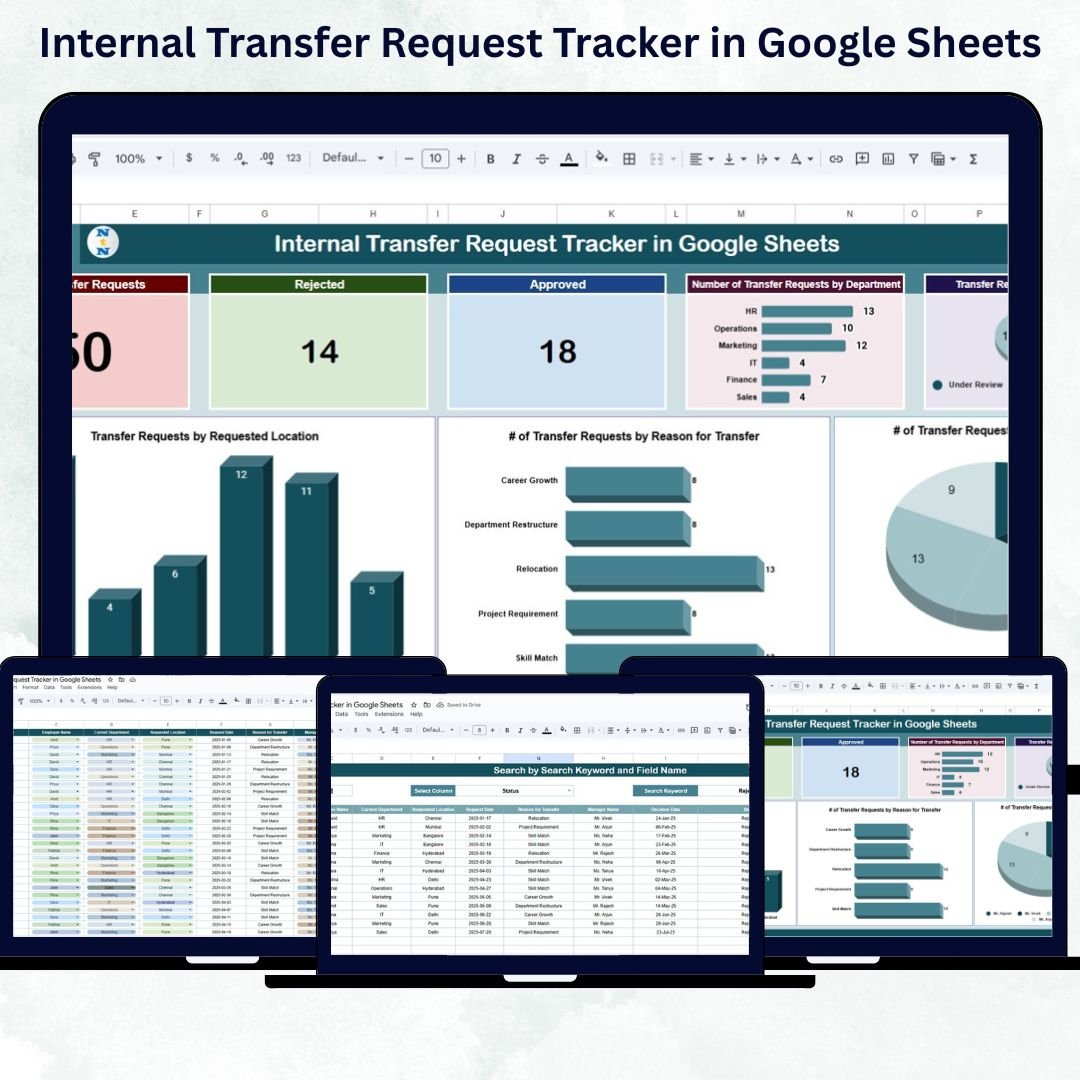

Managing internal employee transfers can quickly become complex without an organized system. The Internal Transfer Request Tracker in Google Sheets is a ready-to-use, automated, and cloud-based HR solution that simplifies how organizations record, monitor, and analyze transfer requests between departments, locations, or roles.
Designed for HR professionals, operations managers, and business leaders, this tracker provides real-time visibility into transfer requests, helping improve efficiency, transparency, and decision-making. Built in Google Sheets, it eliminates manual reporting and ensures collaborative access across teams — anytime, anywhere.
🔑 Key Features of the Internal Transfer Request Tracker in Google Sheets
📊 Tracker Sheet Tab
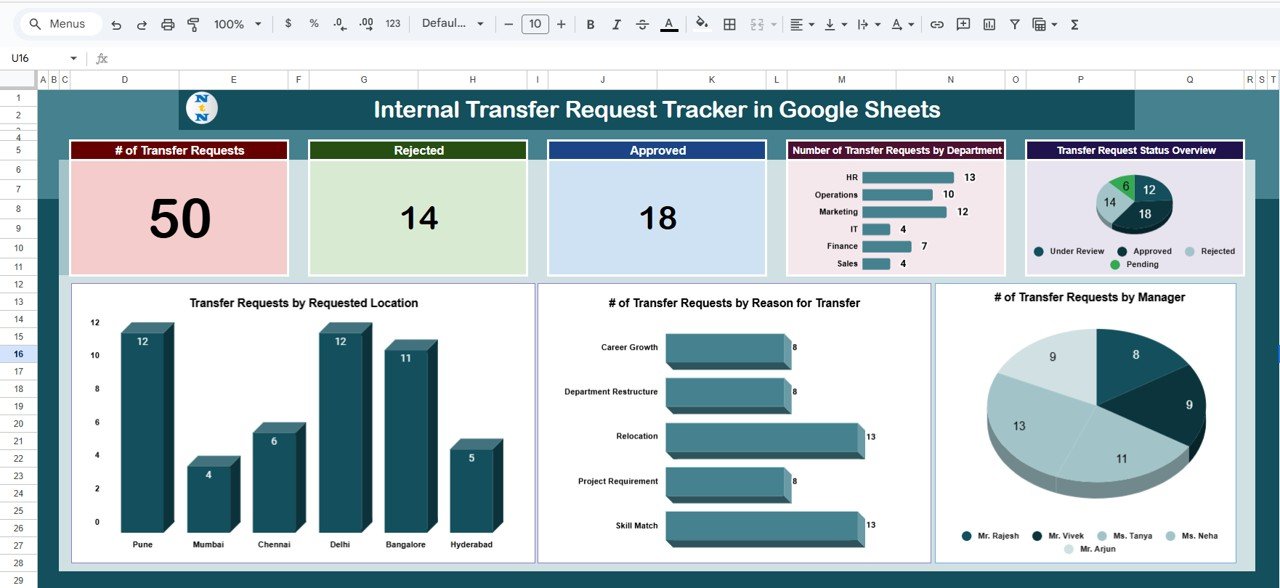
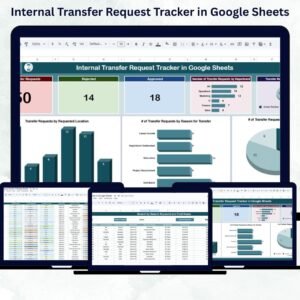
The main dashboard presents all critical transfer data in a clean, visual format for instant insights.
Cards Section:
🧾 # of Transfer Requests – Displays the total number of requests received.
🟢 Approved – Count of successfully approved transfers.
🔴 Rejected – Number of declined requests.
Charts Section:
📍 Transfer Requests by Location – Visualize demand for transfers across offices or regions.
🧭 Transfer Requests by Reason – Understand common reasons such as promotion, relocation, or team restructuring.
👔 Transfer Requests by Manager – See which managers have the most or fewest active transfer requests.
🏢 Transfer Requests by Department – Track department-level trends in mobility.
📊 Request Status Overview – Displays the ratio of Pending, Approved, and Rejected requests.
This dashboard gives HR managers a high-level view of employee mobility within the organization, improving both transparency and reporting efficiency.
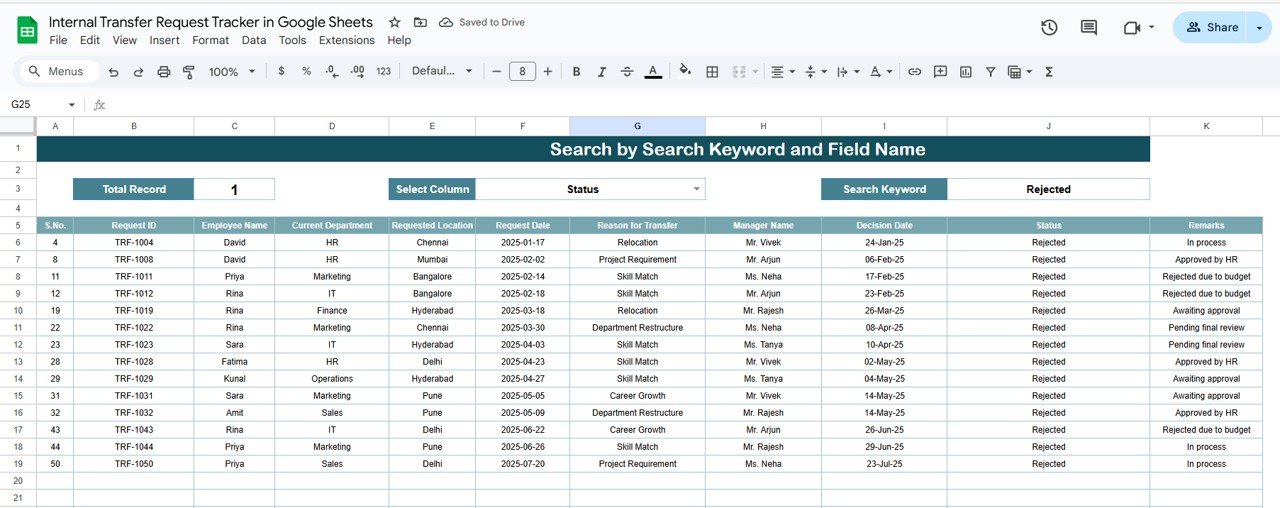
🔍 Search Sheet Tab
Finding specific transfer requests has never been easier.
Search by Keyword: Instantly locate employee names, departments, or remarks.
Search by Field Name: Filter results by status, manager, department, or location.
Fast Data Access: Skip manual scrolling and pull up results instantly.
This tab saves hours of admin work — ideal for quick audits or departmental reviews.
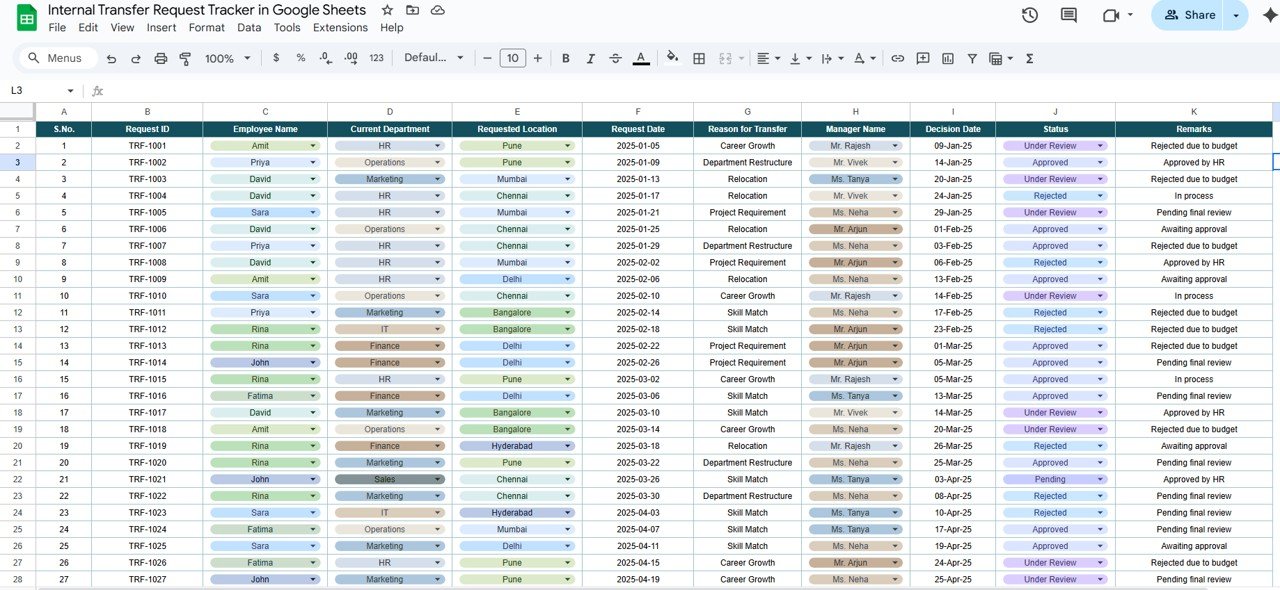
📋 Data Sheet Tab
This is the core database where all employee transfer information is recorded.
It includes:
Employee ID and Name
Current Department and Location
Requested Department or Location
Manager Name
Reason for Transfer
Request Date and Status (Pending, Approved, or Rejected)
Remarks
Every entry automatically updates the dashboard visuals, ensuring up-to-date analytics.
📦 What’s Inside the Template
✅ Dashboard Tab: Visual overview of all transfer activities.
✅ Search Tab: Quick filtering and keyword-based lookup.
✅ Data Sheet: Centralized employee transfer database.
✅ Auto-Updating Charts: Real-time metrics for HR visibility.
✅ Customizable Fields: Adapt columns and dropdowns to fit your workflow.
✅ Collaborative Access: Multi-user editing in real time.
With its structured layout and automated calculations, this tracker turns raw HR data into clear, actionable insights.
👩💼 Who Can Use This Tracker
🏢 HR Professionals: Manage and monitor employee transfer requests efficiently.
👔 Department Heads: Approve, reject, or review requests seamlessly.
📈 Business Leaders: Gain visibility into workforce mobility and patterns.
🏭 Operations Teams: Coordinate staffing and resource planning across departments.
🌍 Remote or Multi-Branch Organizations: Track transfers between locations from a single platform.
🧠 How to Use the Internal Transfer Request Tracker
Enter Data: Record all new transfer requests in the Data Sheet.
Review & Approve: Update status fields as transfers progress (Pending → Approved/Rejected).
Monitor Trends: View department or manager-level insights in the Tracker Sheet.
Filter Data: Use the Search Sheet for quick lookups and audits.
Analyze Monthly Trends: Use visuals to assess approval rates and departmental activity.
Everything updates automatically — no formulas or macros to manage.
🌟 Advantages of Using This Tracker
🧾 Centralized Recordkeeping: All transfer data in one organized file.
🔍 Instant Search & Filters: Quickly access any record or request.
📈 Visual Insights: Charts and graphs highlight patterns and trends.
🤝 Collaborative Access: Multiple HR team members can update simultaneously.
⚙️ Customizable Layout: Add new fields like “Approved By” or “Transfer Type.”
💬 Data Transparency: Promote accountability in decision-making.
This tracker helps HR teams make better workforce decisions while minimizing manual errors and delays.
💡 Best Practices
Update data immediately after receiving new transfer requests.
Use standardized department and location names for consistency.
Review transfer activity monthly to identify trends or bottlenecks.
Keep remarks concise and informative for audit readiness.
Regularly back up the sheet or export summaries for reports.
🚀 How It Helps HR Teams
Improves HR Coordination: Ensures all teams have real-time access to transfer data.
Streamlines Approvals: Simplifies review processes and communication between managers.
Identifies Workforce Trends: Helps HR forecast staffing and training needs.
Supports Compliance: Maintains clear, traceable records for HR audits.
Boosts Efficiency: Reduces manual reporting time and repetitive data entry.
🔗 Click here to read the Detailed blog post
Watch the step-by-step video Demo:
🔗 Visit our YouTube channel to learn step-by-step video tutorials
Compatibility and Requirements
- Works in Google Sheets. You need a free Google account and a web browser.
- Status, department, location and manager fields use dropdowns. Google explains dropdowns in Create an in-cell dropdown list.
Frequently Asked Questions
Which sheets are included?
Three sheets: the Tracker sheet with cards and charts, the Search sheet and the Data sheet where every transfer request is recorded.
What information can I record for each transfer request?
The Data sheet holds the employee ID and name, current department and location, requested department or location, manager name, reason for transfer, request date, status and remarks.
Which statuses does the tracker use?
Pending, Approved and Rejected. The cards and the Request Status Overview chart update when you change a status.
Can I search for one employee or one department?
Yes. The Search sheet lets you search by keyword or by field name, such as status, manager, department or location.
Can I add my own columns?
Yes. You can adapt the columns and dropdowns to your workflow, for example by adding fields such as Approved By or Transfer Type.
Is there an Excel version?
Yes. See the Internal Transfer Request Tracker in Excel.
Related Templates
- Internal Transfer Request Tracker in Excel: the same tracker for Excel
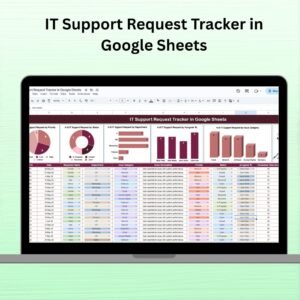
- IT Support Request Tracker in Google Sheets: track internal support requests
- Work Order Request Tracker in Google Sheets: another request tracker with status tracking
- HR Google Sheets Pack: 10 HR templates in one download
Browse all Google Sheets trackers and HR and Payroll templates for Google Sheets.













Reviews
There are no reviews yet.