



In the fast-moving world of veterinary healthcare, success depends on accurate data insights. Every clinic handles multiple operations daily — from patient care and treatments to billing and team performance. Managing all of these manually is time-consuming and error-prone. That’s where the 🐾 Veterinary Clinic KPI Dashboard in Google Sheets steps in — your all-in-one solution for smarter decisions, better performance, and consistent growth.Veterinary Clinic KPI Dashboard in Google Sheets
Built entirely in Google Sheets, this dashboard turns raw data into actionable insights with stunning visuals, charts, and summaries. It empowers veterinary professionals to monitor KPIs, identify performance gaps, and make data-driven improvements — all in one place.
🧩 Key Features of Veterinary Clinic KPI Dashboard in Google Sheets
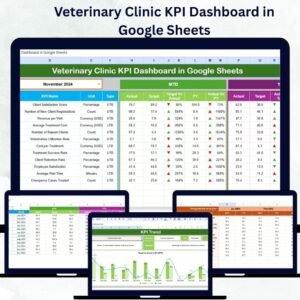
✨ Fully Automated Dashboard — Just select a month, and all visuals update instantly to show real-time performance.
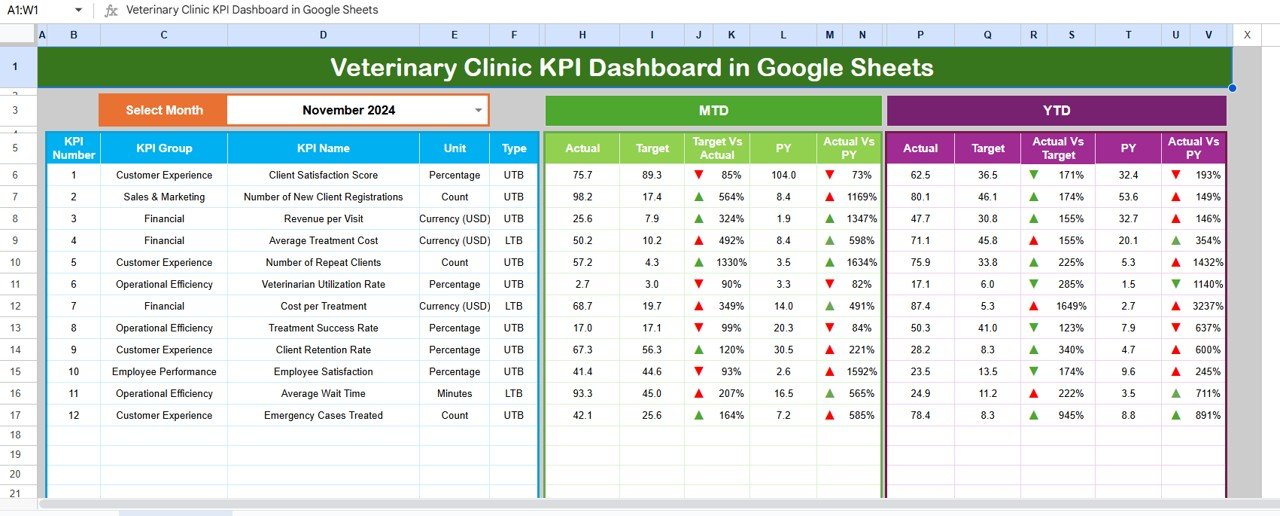
📊 MTD & YTD Comparison — Compare Month-to-Date and Year-to-Date Actuals, Targets, and Previous Year data side by side.
📈 Color-Coded Indicators — Conditional formatting highlights achievements with up/down arrows for easy performance tracking.
🌐 Cloud Collaboration — Built in Google Sheets for easy sharing, editing, and teamwork — no software installation required.
⚙️ Customizable KPIs — Add or modify KPIs such as consultation volume, treatment success, and client satisfaction.
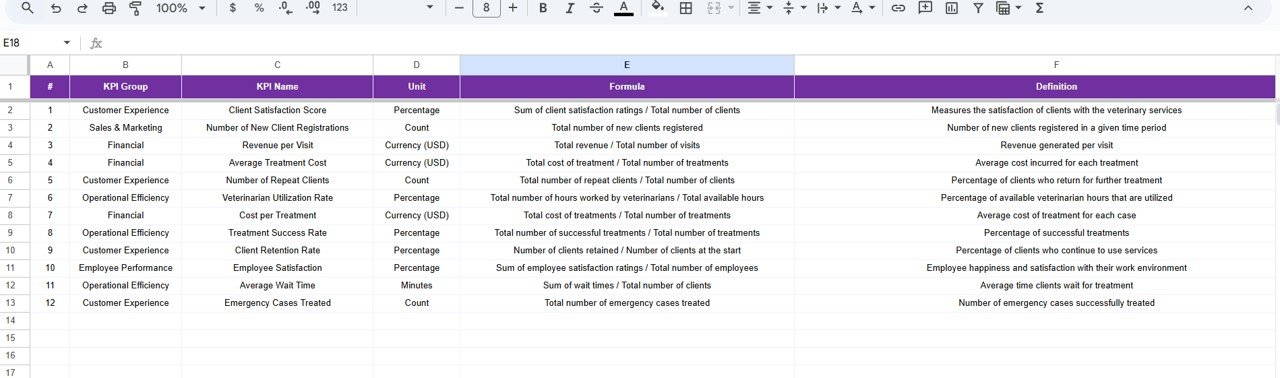
💼 Comprehensive KPI Definitions — Each KPI includes formula, type, and clear definition for full transparency.
💰 Cost-Effective Solution — No costly BI software — this is a professional, ready-to-use system using free tools.
📆 Flexible for Any Fiscal Year — Adjust the starting month for data entry to match your business calendar.Veterinary Clinic KPI Dashboard in Google Sheets
📂 What’s Inside the Veterinary Clinic KPI Dashboard
This professional dashboard template includes six interactive worksheet tabs:
1️⃣ Dashboard Sheet Tab – The main control center showing all KPIs with cards and charts.
2️⃣ Trend Sheet Tab – Visualize KPI trends month-over-month to discover growth patterns.
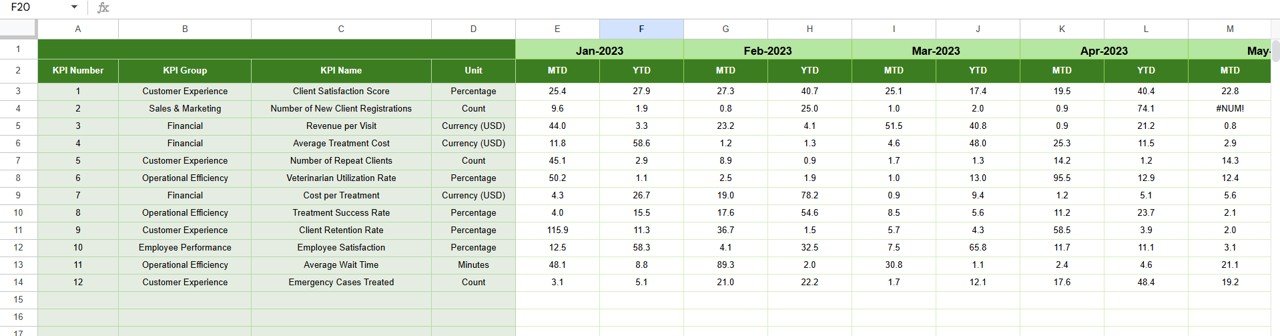
3️⃣ Actual Numbers Input Sheet – Enter your real clinic data once, and watch visuals auto-update.
4️⃣ Target Sheet Tab – Set clear monthly and yearly performance goals.
5️⃣ Previous Year Sheet – Compare last year’s performance to identify growth or decline.
6️⃣ KPI Definition Sheet – Understand every KPI’s formula, purpose, and measurement logic.
Everything is connected through automated formulas, ensuring you never have to update charts manually again. 💪
🧭 How to Use the Veterinary Clinic KPI Dashboard
📝 Step 1: Enter your monthly data in the “Actual Numbers Input” sheet.
🎯 Step 2: Add your targets in the “Target” sheet and previous year’s data in the “Previous Year” sheet.
📆 Step 3: Select the desired month from the drop-down menu on the Dashboard tab (cell D3).
📊 Step 4: Review MTD and YTD numbers — track KPIs like Treatment Success %, Client Satisfaction, and Average Revenue.
📉 Step 5: Analyze trends in the “Trend” tab to monitor growth or identify declines.
💡 Step 6: Use these insights to make informed management decisions, improve team efficiency, and boost profitability.
No advanced skills are required — if you can use Google Sheets, you can master this dashboard! 🧠Veterinary Clinic KPI Dashboard in Google Sheets
👩⚕️ Who Can Benefit from This Dashboard
🐕 Veterinary Clinic Owners — Track profitability, revenue trends, and patient volume in one view.
💉 Veterinarians — Measure treatment efficiency, client satisfaction, and appointment performance.
👩💼 Clinic Administrators — Manage staff productivity, client wait times, and operational efficiency.
📈 Business Analysts — Use data-driven insights to recommend strategic improvements.
🏢 Multi-Branch Clinics — Compare performance across multiple locations with ease.
Whether you run a small clinic or a large animal hospital, this dashboard simplifies your reporting process while helping your team stay goal-focused and aligned.Veterinary Clinic KPI Dashboard in Google Sheets
Click here to read the Detailed blog post
Watch the step-by-step video tutorial:
Visit our YouTube channel to learn step-by-step video tutorials — YouTube.com/@NeotechNavigators
Compatibility and Requirements
- Runs in Google Sheets with a free Google account and a web browser.
- Nothing to install. You open the file in Google Sheets and work in your browser.
- The month selector on the Dashboard tab is a dropdown. Google explains dropdowns in Create an in-cell dropdown list.
Frequently Asked Questions
Which sheet tabs are included?
Six: Dashboard, Trend, Actual Numbers Input, Target, Previous Year and KPI Definition.
How do I change the month shown on the dashboard?
Select the month from the drop-down menu on the Dashboard tab (cell D3). All visuals update for that month.
Does it compare against targets and last year?
Yes. The Dashboard shows MTD and YTD actuals next to targets and previous year figures, with up and down arrows for each KPI.
Can I add my own KPIs?
Yes. You can add or change KPIs such as consultation volume, treatment success and client satisfaction, and each KPI has its formula, type and definition on the KPI Definition sheet.
Can my team work on it together?
Yes. It is built in Google Sheets, so you can share it and edit it with your team.
Related Veterinary Templates
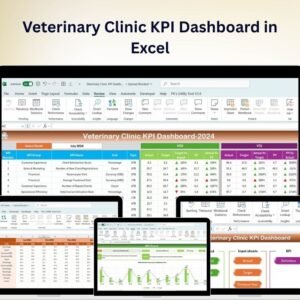
- Veterinary Clinic KPI Dashboard in Excel: the same clinic KPIs in Excel
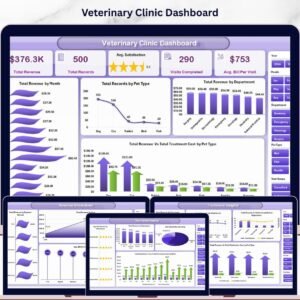
- Veterinary Clinic Dashboard in Google Sheets: a data dashboard for clinic operations
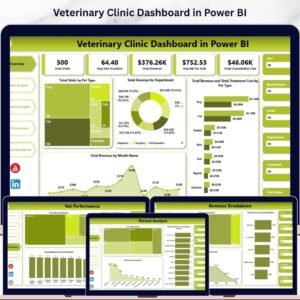
- Veterinary Clinic Dashboard in Power BI: clinic reporting in Power BI
- Veterinary Clinic KPI Scorecard in Excel: a scorecard view of clinic KPIs
- Pet Care KPI Dashboard in Google Sheets: KPI tracking for pet care businesses
Browse all Google Sheets KPI dashboards or the Google Sheets dashboards.









Reviews
There are no reviews yet.