

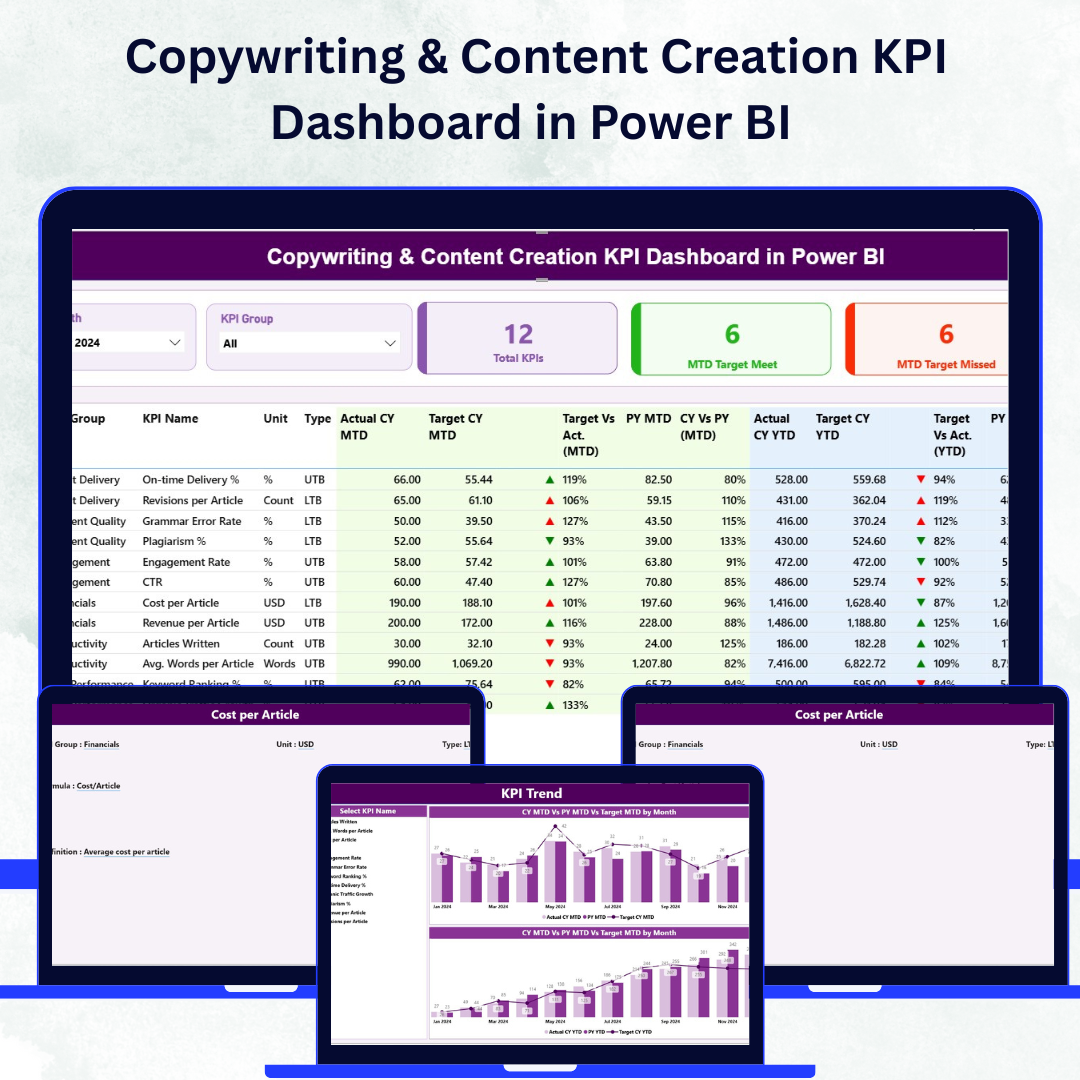

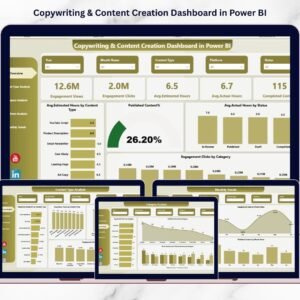
Copywriting & Content Creation KPI Dashboard in Power BI In the digital age, every word counts. ✨ Whether it’s storytelling, SEO-optimized blogs, or brand campaigns — content fuels visibility, engagement, and growth. Copywriting & Content Creation KPI Dashboard in Power BI But how do you measure if your content strategy is truly working?
Introducing the Copywriting & Content Creation KPI Dashboard in Power BI — a dynamic, interactive, and data-driven tool designed to turn creativity into measurable performance. 🚀
This ready-to-use Power BI dashboard helps marketers, content writers, and creative teams monitor productivity, quality, engagement, and results — all in one place. It connects to a structured Excel data source and automatically visualizes Month-to-Date (MTD), Year-to-Date (YTD), and Previous Year (PY) performance.
Built with Power BI’s smart visualizations, this dashboard simplifies content tracking, offering a clear path from idea to impact.
⚙️ Key Features of Copywriting & Content Creation KPI Dashboard in Power BI
📊 Three Insightful Pages – Summary, KPI Trend, and KPI Definition for full visibility.
🎯 MTD & YTD Tracking – Evaluate short-term and long-term performance with ease.
📈 Actual vs Target Comparison – Quickly identify which KPIs are on track or underperforming.
🟢 Dynamic Visual Indicators – Green ▲ for success, Red ▼ for areas that need attention.
📅 Interactive Filters & Slicers – Filter data by month or KPI group instantly.
📘 Excel-Powered Data Source – Connect seamlessly for automatic updates.
📍 Drill-Through Capability – Right-click a KPI to view its detailed definition and formula.
💡 Customizable Metrics – Add, remove, or redefine KPIs as your content strategy evolves.
📤 Shareable Insights – Publish, export, or share the dashboard across teams and stakeholders.
📦 What’s Inside the Dashboard
The dashboard includes three Power BI pages and a structured Excel workbook that feed real-time data into your visuals.
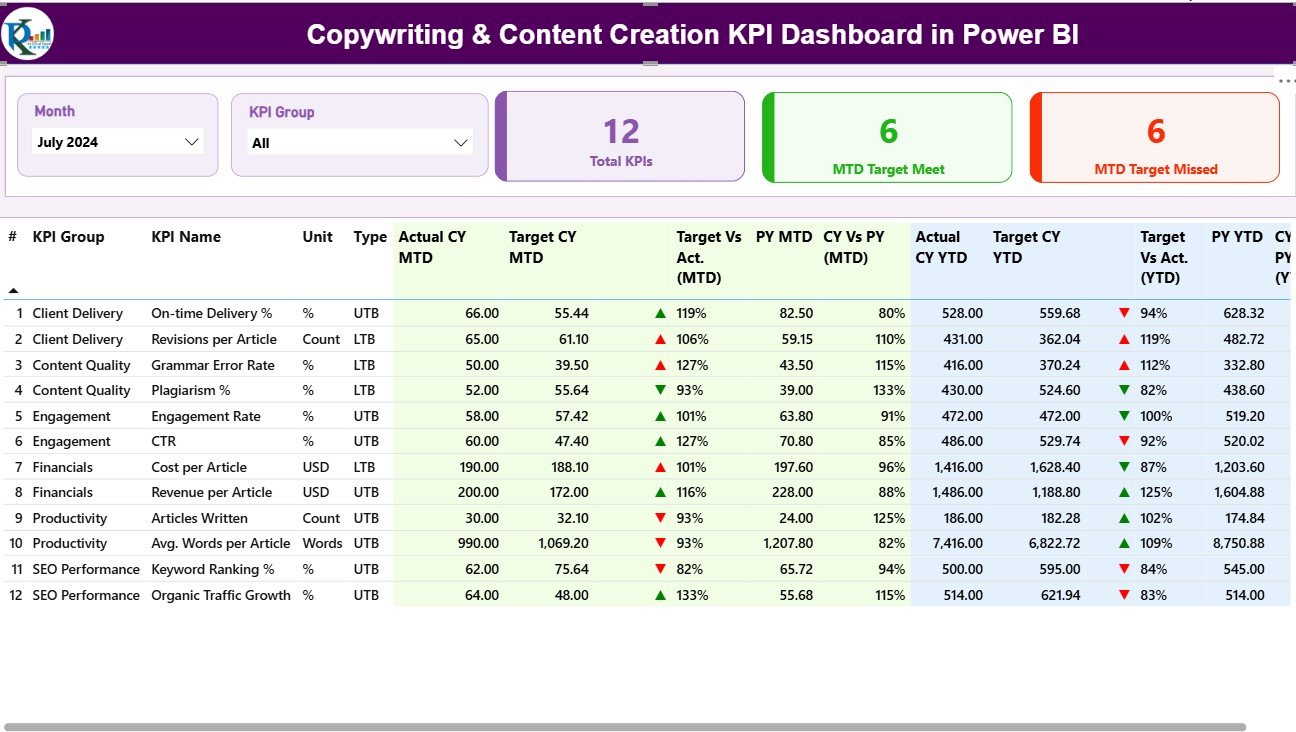
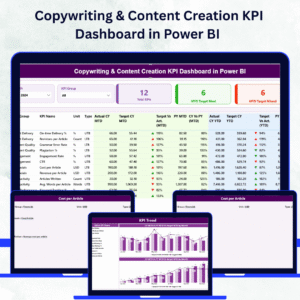
1️⃣ Summary Page – Performance Overview
View total KPIs, MTD Target Met, and Target Missed counts.
See all KPIs in one glance: KPI Group, Name, Unit, Actual, Target, PY, and comparison arrows.
Instantly detect which KPIs need focus with color-coded visuals and performance percentages.
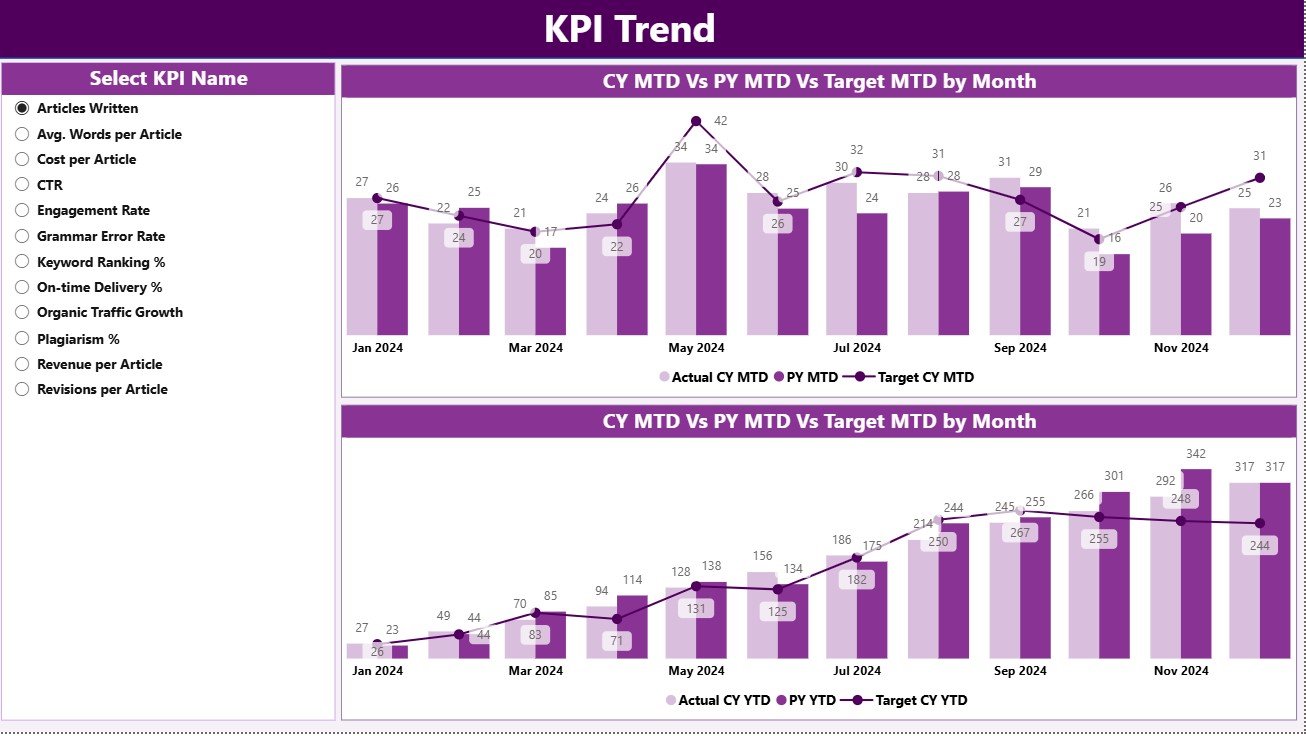
2️⃣ KPI Trend Page – Analyze Month-by-Month Progress
Combo charts show Actual, Target, and PY trends for both MTD and YTD metrics.
A slicer lets you pick any KPI to deep dive into historical performance.
Perfect for tracking improvement in writing efficiency, engagement, or quality scores.
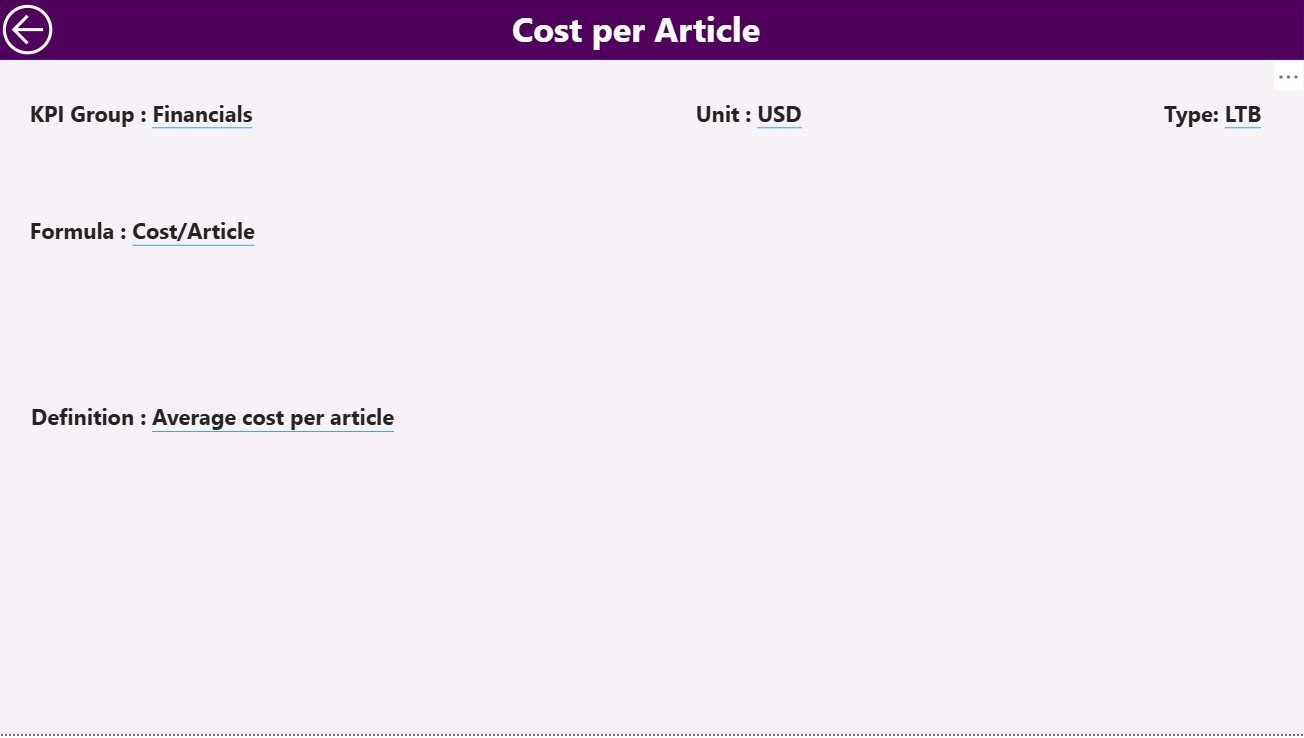
3️⃣ KPI Definition Page – Complete Transparency
Displays all KPIs with their Group, Unit, Formula, Definition, and Type (LTB/UTB).
Drill-through from the main page for deeper insights.
Includes a handy “Back” button for seamless navigation.
📘 Excel Data Source Structure
The dashboard connects to a three-sheet Excel workbook:
Input Actual Sheet: Captures monthly actual data (KPI Name, Month, MTD, YTD).
Input Target Sheet: Records MTD and YTD targets for each KPI.
KPI Definition Sheet: Documents all KPI attributes for alignment and clarity.
This structure ensures accurate, automated, and consistent data management.
🧭 How to Use the Copywriting & Content Creation KPI Dashboard
🪄 Step 1: Enter Actual and Target values in Excel each month.
📂 Step 2: Open the Power BI file and click Refresh to update visuals automatically.
🎯 Step 3: Use slicers (Month or KPI Group) to customize views.
📊 Step 4: Drill through to see KPI formulas and definitions.
📈 Step 5: Review trends to identify performance improvements and areas for growth.
📤 Step 6: Share or publish reports with your team for collaborative decision-making.
Within minutes, you’ll have a live performance snapshot of your content team — no manual reporting required. 🧠
👥 Who Can Benefit from This Dashboard
🧑💼 Marketing Managers – Track campaign efficiency, SEO success, and engagement KPIs.
✍️ Content Writers & Copywriters – Measure writing quality, turnaround time, and output.
📅 Content Strategists – Align content goals with organizational performance.
📊 Team Leaders & Editors – Monitor accuracy, readability, and productivity trends.
🏢 Agencies & Businesses – Showcase performance metrics in client presentations.
Whether you’re managing a small writing team or a large content department, this dashboard transforms raw data into clarity and control.
🔗 Click here to read the Detailed Blog Post
🎥 Visit our YouTube channel to learn step-by-step video tutorials
Watch the step-by-step video tutorial:
Compatibility and Requirements
- Works in Power BI Desktop, which is free. Get it from Microsoft’s Power BI Desktop download page.
- The dashboard reads its data from a three-sheet Excel workbook, so you also need Excel to enter your Actual and Target values.
Frequently Asked Questions
How many pages does the dashboard have?
Three Power BI pages: Summary, KPI Trend and KPI Definition.
Where do I enter my data?
In the Excel workbook. The Input Actual sheet holds monthly MTD and YTD actuals, the Input Target sheet holds the targets, and the KPI Definition sheet documents each KPI. After you update the workbook, click Refresh in Power BI.
Can I see how a KPI is defined?
Yes. Right-click a KPI on the Summary page and drill through to the KPI Definition page. It shows the group, unit, formula, definition and type (LTB or UTB), and has a Back button.
Can I compare this year with last year?
Yes. The Summary and KPI Trend pages show Actual, Target and Previous Year (PY) values for both MTD and YTD.
Is there an Excel or Google Sheets version?
Yes. See the Copywriting & Content Creation KPI Dashboard in Excel and the Copywriting and Content Dashboard in Google Sheets.
Related Content Templates
- Copywriting & Content Creation KPI Dashboard in Excel: the same KPIs in Excel
- Copywriting & Content Creation Dashboard in Power BI: another Power BI dashboard for content teams
- Content Marketing KPI Dashboard in Power BI: KPIs for content marketing results
- Content Creator KPI Dashboard in Power BI: a KPI view for individual creators
- Marketing and Social Media Analytics Kit: 7 templates for marketing analytics in one download
Browse all Power BI KPI dashboards.



























Reviews
There are no reviews yet.