

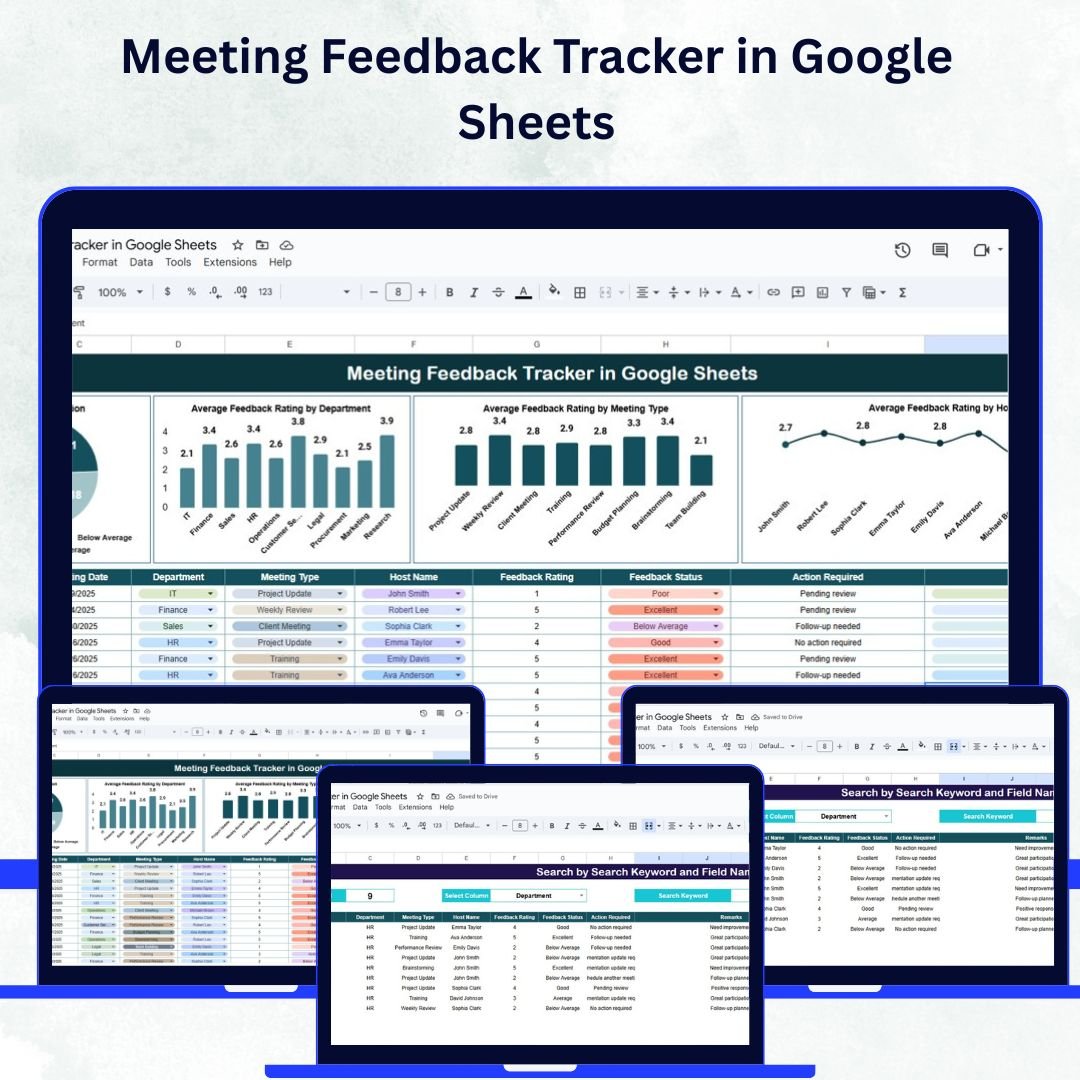

Running productive meetings is vital for any successful organization — but how do you know if your meetings are truly effective? The Meeting Feedback Tracker in Google Sheets provides the perfect solution. It’s a ready-to-use, interactive tool that helps teams collect, analyze, and act on meeting feedback to enhance collaboration, engagement, and overall meeting quality.
Built in Google Sheets, this tracker enables HR departments, team leads, and managers to centralize meeting feedback data, visualize trends, and identify improvement areas in real time. Say goodbye to scattered feedback forms — with this tool, you can monitor satisfaction, track host performance, and make data-driven decisions that turn every meeting into a success story. 🚀
🔑 Key Features of the Meeting Feedback Tracker
📊 Tracker Sheet Tab
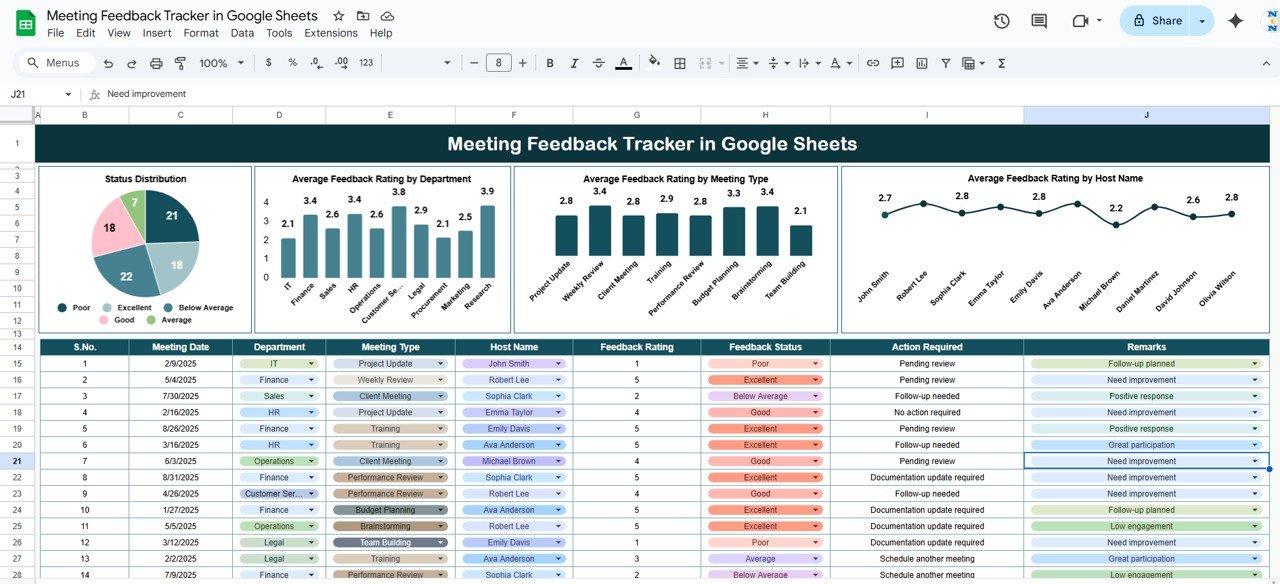
The core of this tool — a visually rich dashboard for quick and actionable insights:
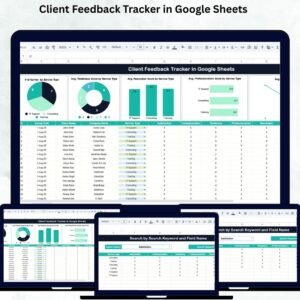
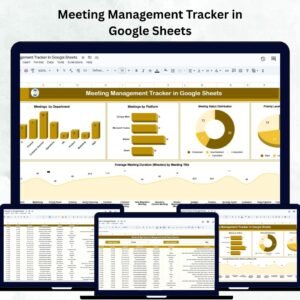
Status Distribution Chart: Displays feedback responses by status — Completed, Pending, or Action Required.
Average Rating by Department: Helps identify departments that consistently conduct effective meetings or need improvement.
Average Rating by Meeting Type: Compare performance across team meetings, client calls, and workshops.
Average Rating by Host Name: Evaluate how each meeting facilitator performs based on participant feedback.
These charts offer an instant overview of meeting effectiveness, helping managers pinpoint issues, recognize top-performing hosts, and plan more impactful sessions.
🔍 Search Sheet Tab
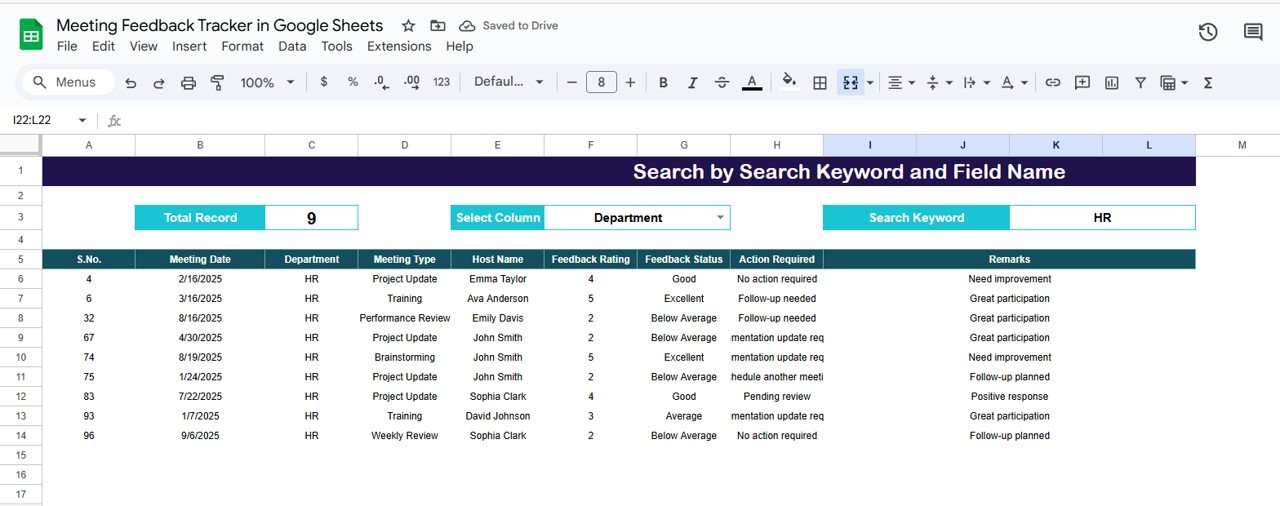
Instantly locate specific meeting feedback records with built-in smart search capabilities:
Search by Keyword & Field Name: Filter by Meeting Title, Department, Host Name, or Meeting Type.
Fast & Accurate Results: Retrieve data instantly without scrolling through large feedback logs.
Perfect for HR, project managers, and department heads who need to review past sessions or prepare reports for leadership.
📑 Automated Visuals & Reports
All charts and analytics update automatically as new feedback is added. The dashboard converts raw data into clear visuals — no manual calculations or formulas required.
📦 What’s Inside the Tracker?
✅ Dashboard Sheet (Tracker Sheet) – Analyze meetings through interactive visuals
✅ Search Sheet – Instantly find meeting feedback records
✅ Sample Data – Ready-made example entries to help you get started
✅ Auto-Updating Charts – Real-time visuals for ratings and feedback distribution
✅ Editable Fields – Customize by meeting types, departments, or hosts
✅ Google Sheets Compatibility – Collaborate online with your team in real-time
🧑💼 Who Can Benefit from This Tracker?
🎯 HR Departments – Measure meeting engagement and satisfaction levels.
🎯 Team Leads & Managers – Track how effective meetings are across teams.
🎯 Executives – Access visual performance reports for high-level insights.
🎯 Project Managers – Analyze workshops, reviews, and cross-department meetings.
🎯 Training Coordinators – Identify skill gaps and provide coaching for facilitators.
Whether you manage 10 meetings a month or 100, this tracker provides a structured and visual system to ensure your sessions are meaningful, focused, and productive.
🧪 How to Use the Meeting Feedback Tracker
Enter Feedback Data: Input meeting title, host, department, and ratings in the sheet.
Review Dashboard: Instantly view visual insights like satisfaction levels and host performance.
Search Effortlessly: Use the Search Sheet to locate specific feedback by host, meeting type, or department.
Analyze Trends: Review recurring patterns to identify which types of meetings are most effective.
Act on Insights: Recognize high-performing hosts and address areas needing improvement.
The tracker is 100% plug-and-play — no coding or complex setup. Just open, input data, and get results instantly. ⚡
🌟 Why Choose This Tracker?
💬 Centralized Feedback Collection: All meeting data in one organized system.
📈 Real-Time Analysis: Charts update automatically with each new record.
🎯 Performance Insights: Measure effectiveness by host, type, or department.
🧠 Data-Driven Improvements: Make informed decisions to enhance meeting outcomes.
⚙️ Customizable Design: Adapt to your organization’s needs effortlessly.
🤝 Collaborative Access: Multiple users can edit and view simultaneously.
⏱️ Time-Saving: Eliminate manual tracking and reporting.
With the Meeting Feedback Tracker in Google Sheets, your organization gains a powerful yet simple solution for improving meeting quality, engagement, and performance through actionable feedback. 🌟
🔗 Click here to read the Detailed blog post
Watch the step-by-step video Demo:
🔗 Visit our YouTube channel to learn step-by-step video tutorials
Compatibility and Requirements
- Works in Google Sheets. You need a free Google account and a web browser.
- Several people can open and edit the same sheet at the same time. Google explains how to get started with Google Sheets.
Frequently Asked Questions
Which sheets are included?
Two working sheets: the Tracker sheet with the charts, and the Search sheet. The file also has sample data so you can see how it works before adding your own.
What do the charts show?
The Tracker sheet shows the status distribution of feedback (Completed, Pending or Action Required) and the average rating by department, by meeting type and by host name.
How do I find a specific feedback record?
Open the Search sheet and search by keyword and field name. You can filter by meeting title, department, host name or meeting type.
Do I need formulas or code to use it?
No. The charts update on their own when you add new feedback. You enter the meeting title, host, department and ratings, and the dashboard refreshes.
Is there an Excel version?
Yes. See the Meeting Feedback Tracker in Excel.
Related Meeting and Feedback Templates
- Meeting Feedback Tracker in Excel: the same tracker for Excel
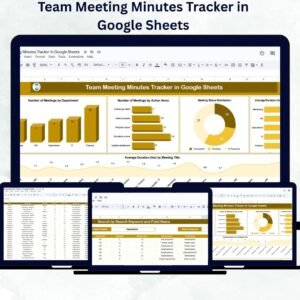
- Team Meeting Minutes Tracker in Google Sheets: record what was decided in each meeting
- Weekly Team Meeting Checklist in Google Sheets: a checklist for recurring team meetings
- Attendance Tracking System for Events and Meetings in Google Sheets: log who attended
- Google Sheets Business Pack (Pro): 14 business templates in one download
Browse all Google Sheets trackers.




Reviews
There are no reviews yet.